SyncGene Sync Contact Calendar

SyncGene Sync Contact Calendar


ダウンロード: App Store
ロゴ: SyncGene Sync Contact Calendar

SyncGene:すべてのプラットフォームで連絡先、カレンダー、タスクをシームレスに同期

iCloud、Google、Outlook間の隔たりを埋めます。多忙なプロフェッショナルのために調整されたエンタープライズグレードのバックグラウンド同期により、仕事とプライベートの生活を自動的に統一します。

ダウンロード: App Store

開発元

Cira Apps Limited

カテゴリ

Productivity

ダウンロード

9K+

ユーザー評価

1.9/5

評価数

0

対応言語

3

動く効率性

このインターフェースを利用する 9K+ 人のユーザー.

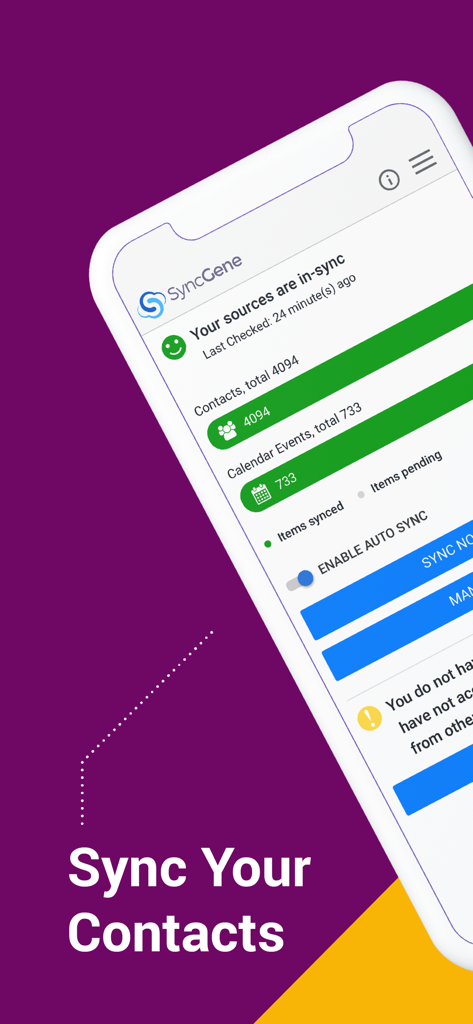
同期された連絡先とカレンダーイベントを表示するSyncGeneアプリダッシュボード。

同期された連絡先とカレンダーイベントを表示するSyncGeneアプリダッシュボード。

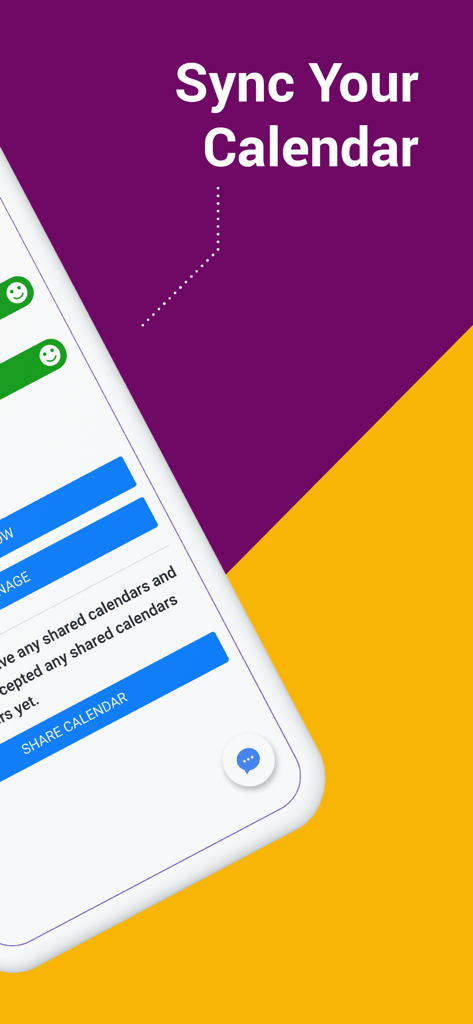
SyncGeneアプリの「カレンダーを同期」画面

SyncGeneアプリの「カレンダーを同期」画面

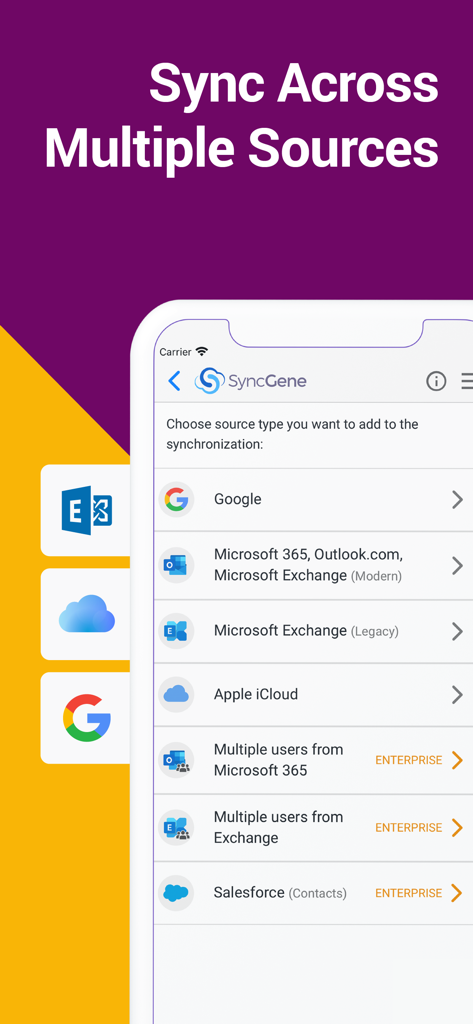
Google、Microsoft 365、iCloud、Salesforceのアカウントを同期するオプションを示すSyncGeneアプリ画面。

Google、Microsoft 365、iCloud、Salesforceのアカウントを同期するオプションを示すSyncGeneアプリ画面。

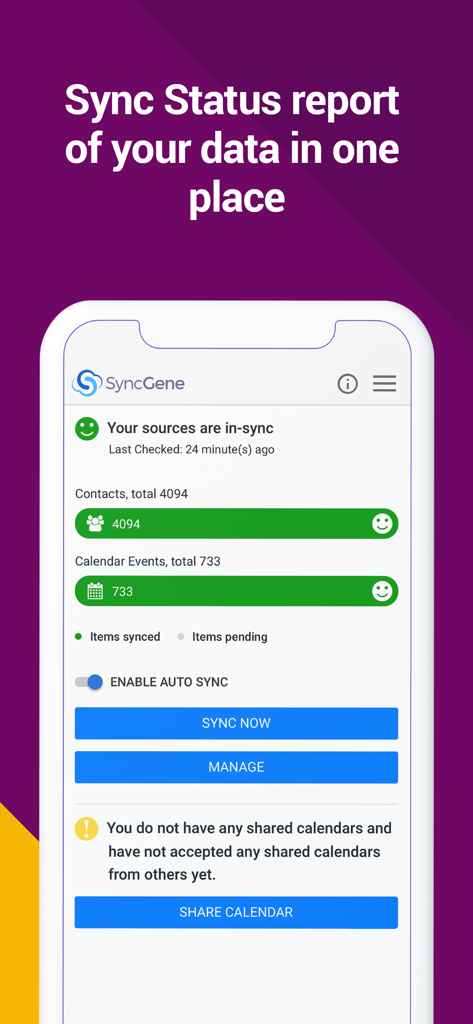
連絡先とカレンダーのデータ同期ステータスを示すSyncGeneダッシュボード

連絡先とカレンダーのデータ同期ステータスを示すSyncGeneダッシュボード

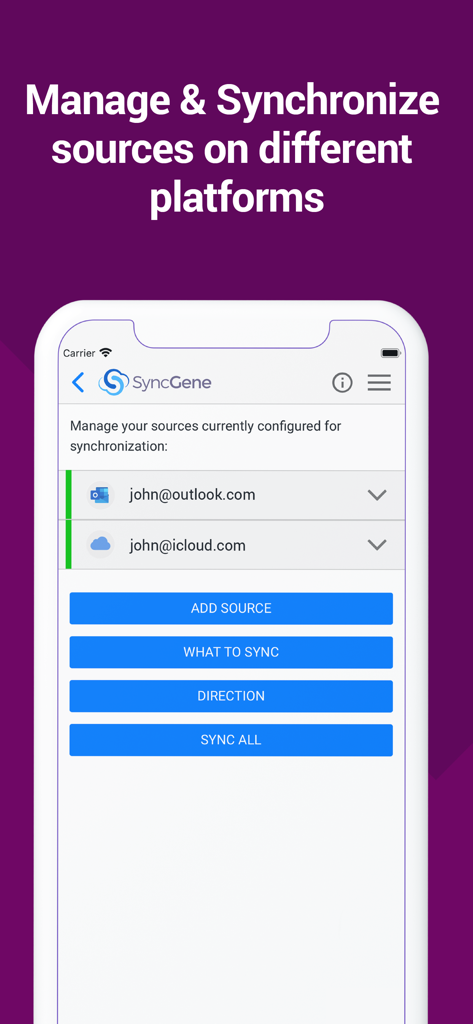
同期用に設定されたOutlookおよびiCloudアカウントを示すSyncGeneモバイルアプリインターフェース。

同期用に設定されたOutlookおよびiCloudアカウントを示すSyncGeneモバイルアプリインターフェース。

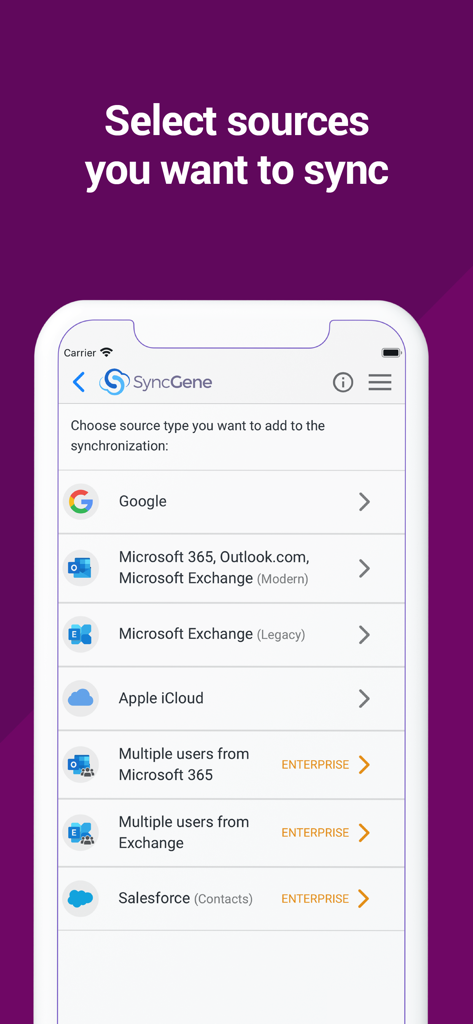
Google、Microsoft Outlook、Apple iCloudを同期するオプションを示すSyncGeneアプリ画面

Google、Microsoft Outlook、Apple iCloudを同期するオプションを示すSyncGeneアプリ画面

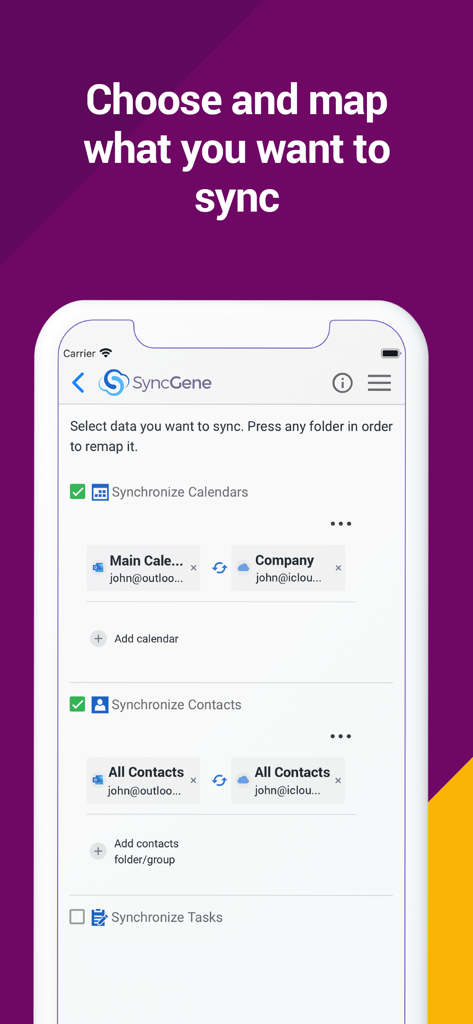
OutlookとiCloudの間でカレンダーと連絡先の同期を選択しマッピングするオプションを示すSyncGeneモバイルアプリインターフェース。

OutlookとiCloudの間でカレンダーと連絡先の同期を選択しマッピングするオプションを示すSyncGeneモバイルアプリインターフェース。

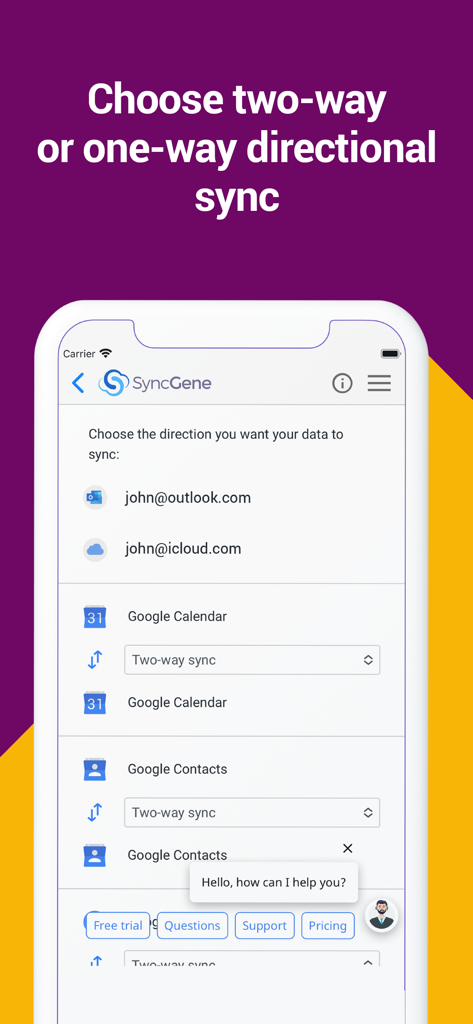
Googleカレンダーと連絡先のための方向性同期設定を示すSyncGeneモバイルアプリインターフェース

Googleカレンダーと連絡先のための方向性同期設定を示すSyncGeneモバイルアプリインターフェース

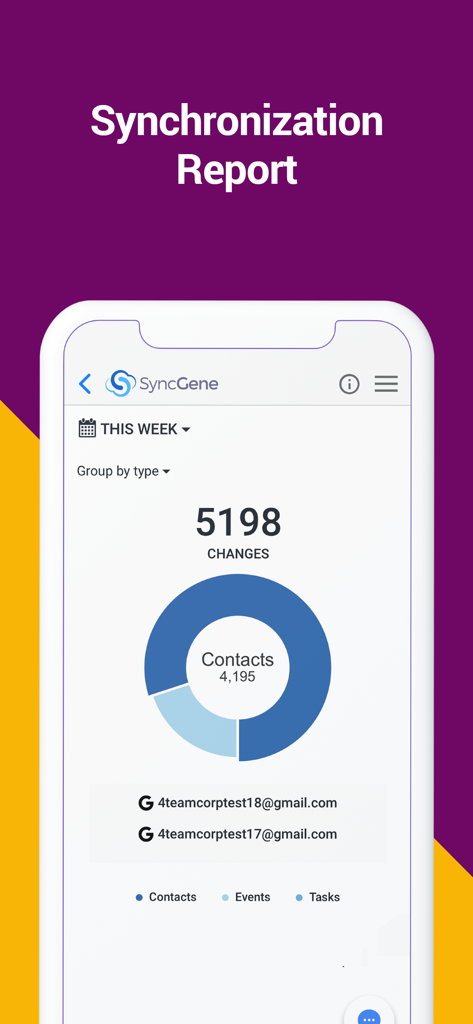
連絡先、イベント、タスクの変更を示すSyncGeneアプリ同期レポートダッシュボード

連絡先、イベント、タスクの変更を示すSyncGeneアプリ同期レポートダッシュボード

デジタルワークフローをマスターする

このアプリを際立たせるツール、 9K+ 人のユーザーが選択.

🔄

設定したらあとはおまかせの自動化

iPhoneで連絡先を更新すると、Outlookで即座に表示されます。当社のバックグラウンド同期は、あなたが指一本動かすことなく、あなたのデジタル世界が常にミラーリングされることを保証します。

🌉

すべてのエコシステムを橋渡し

「エコシステムノマド」のための究極のソリューション。Googleカレンダー、iCloud連絡先、Microsoft Exchangeを1つの統合ビューにシームレスに接続します。

🛠️

詳細なマッピング制御

データを完全に管理します。一方向または双方向の同期方向をカスタマイズし、フォルダマッピングを使用して仕事と個人のエントリを完璧に整理します。

アプリについて

について知っておくべきこと SyncGene Sync Contact Calendar.

説明

Free Cloud synchronization service to sync your Calendar, Contacts and Tasks with another iPhone, iPad, Mac, iCloud account, as well as Google and Microsoft devices and services. Sync Contacts, Calendar Events, and Tasks between your iPhone/iPad via iCloud with Google Gmail, Outlook 365, Outlook.com, Hotmail and Exchange. With SyncGene you can sync iCloud Calendar and Contacts with Google Calendar and Gmail Contacts. You can sync Calendar and Contacts using SyncGene app or online. Main features of SyncGene sync service: SYNC CONTACTS, CALENDAR, AND TASKS Sync Contacts, Calendar Events, and Tasks automatically across multiple devices, email accounts, Web Apps, and services. No more manual exporting, importing, double-entry, and data duplication. SYNC MULTIPLE SOURCES One tool to sync iCloud, Google Calendar, Gmail Contacts and Tasks, Outlook.com/Hotmail, Office 365 and Microsoft Exchange sources, and more coming soon. Any changes you make in your Contacts, Calendars and Tasks will appear on all your connected devices and services used. AUTO & CONSTANT SYNCHRONIZATION SyncGene stands out for its auto-sync, which is happening in the background. If you change anything in your data, SyncGene will automatically & constantly update all the sources and devices with the latest changes. MERGE PERSONAL INFORMATION. SAVE YOUR TIME One Calendar, one Address Book, and one To-do list for your hassle-free management. No more lost, duplicate or incomplete entries. MAPPING With SyncGene you can map folders and groups on the “What to sync” page. Use Folder Mapping to sync data between any chosen Folders or Groups. For example, you can sync your contacts from the “All People” group in Google Contacts with the “Contacts from Google” folder on Microsoft Exchange. SYNC DIRECTIONS You also can change sync direction - choose between one-way or two-way sync; & also free to busy sync; • You can change synchronization “Direction” when there are 2 sources configured. • To keep things simple, when adding 3rd and more sources it will inherit one-way/two-way settings from the first 2 sources automatically. • In case you have 3 or more sources and you still need to change sync directions' setup, please contact our support and they will help you. SyncGene PREMIUM Keep your digital life up to date across all devices and services. With SyncGene Premium you can: • Sync your data automatically • Sync an unlimited number of Contacts • Sync up to 5 different sources Compatible with: iPhone, iPad, Mac. Time saver: easy automation tool for busy people. SyncGene will sync your web apps, email accounts and devices automatically. No need to enter the same information on multiple devices or services. Synchronization is performed without you ever noticing, just set up SyncGene once and you can forget about it. Safe, secure and reliable: all your data is backed up to your Google Drive and can be easily restored. We never keep your synchronized information. SyncGene is hosted on Microsoft Azure – the most trusted cloud service. Every SyncGene service user has easy & fast access to our free 5 Star Live Chat and Email support. Terms of use - https://www.syncgene.com/terms-of-use

最新バージョン

2.6

サイズ

3.2 MB

リリース日

2016年12月21日

生産性を自動化する準備はできましたか?

断片化したカレンダーや連絡先による煩わしさを解消しましょう。iCloud、Google、Office 365間での自動同期を今すぐ開始しましょう — あなたの時間は手動入力にはあまりにも貴重です。

ダウンロード: App Store

App information, icons, screenshots, and descriptions displayed on this page are sourced from the Apple App Store and are the property of their respective developers. Download estimates and rankings are based on MWM's proprietary models and may not reflect actual figures. This page is provided for informational and analytical purposes only.

Believe this page infringes your intellectual property? File a dispute