Tally: Counter & Score Tracker

Tally: Counter & Score Tracker

ダウンロード: App Store
ロゴ: Tally: Counter & Score Tracker

Tally:あらゆるものを、どこでも、正確に数える

iPhone、Watch、Macのためにデザインされた、パワフルでミニマルなトラッカー。インタラクティブなウィジェットとシームレスなiCloud同期で、あなたの習慣、フィットネスの回数、プロフェッショナルなプロジェクトをマスターしましょう。

ダウンロード: App Store

開発元

Volodymyr Yahenskyi

カテゴリ

Productivity

ダウンロード

33K+

ユーザー評価

4.6/5

評価数

1K+

対応言語

2

すべてのタップにシンプルさ

このインターフェースを利用する 33K+ 人のユーザー.

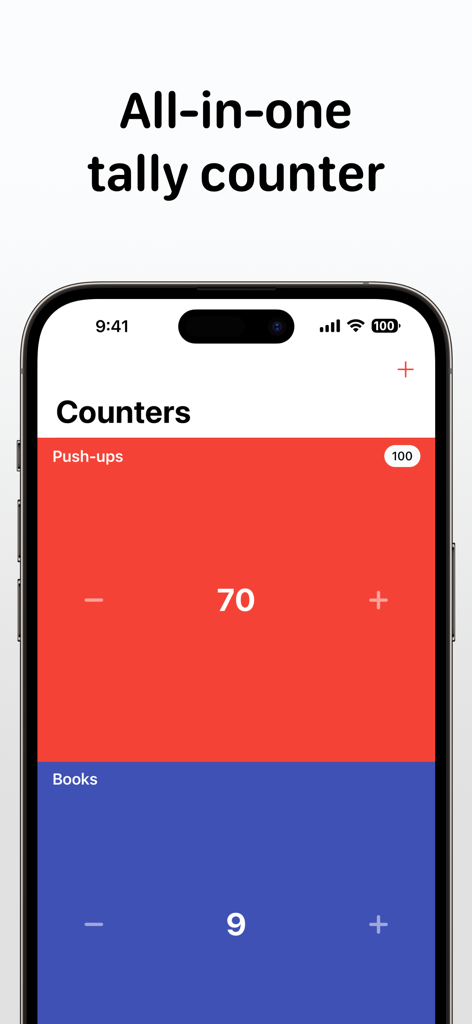
iPhone上のTallyアプリのインターフェース。プッシュアップと書籍のための色分けされたカウンターが表示されています。

iPhone上のTallyアプリのインターフェース。プッシュアップと書籍のための色分けされたカウンターが表示されています。

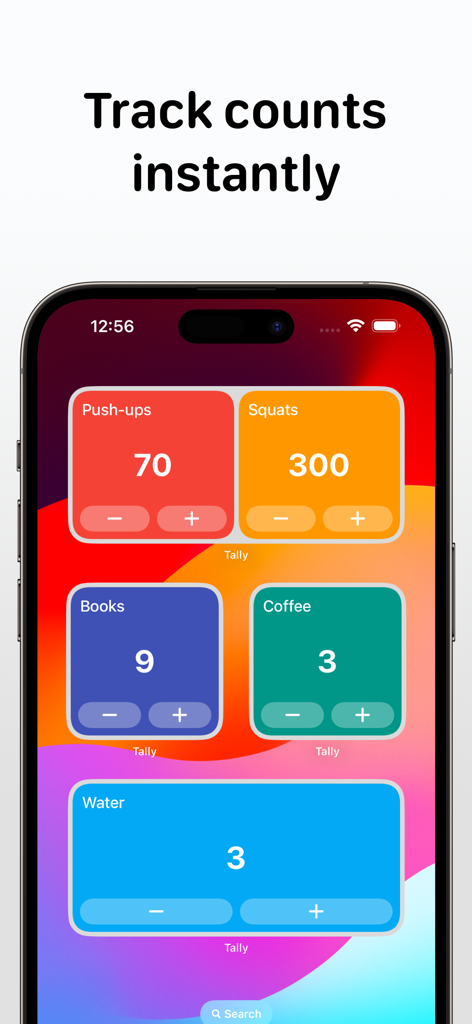
iPhoneのTallyアプリのインタラクティブなホーム画面ウィジェット。フィットネスやプッシュアップ、スクワット、水分摂取量などの毎日の習慣を追跡するためのものです。

iPhoneのTallyアプリのインタラクティブなホーム画面ウィジェット。フィットネスやプッシュアップ、スクワット、水分摂取量などの毎日の習慣を追跡するためのものです。

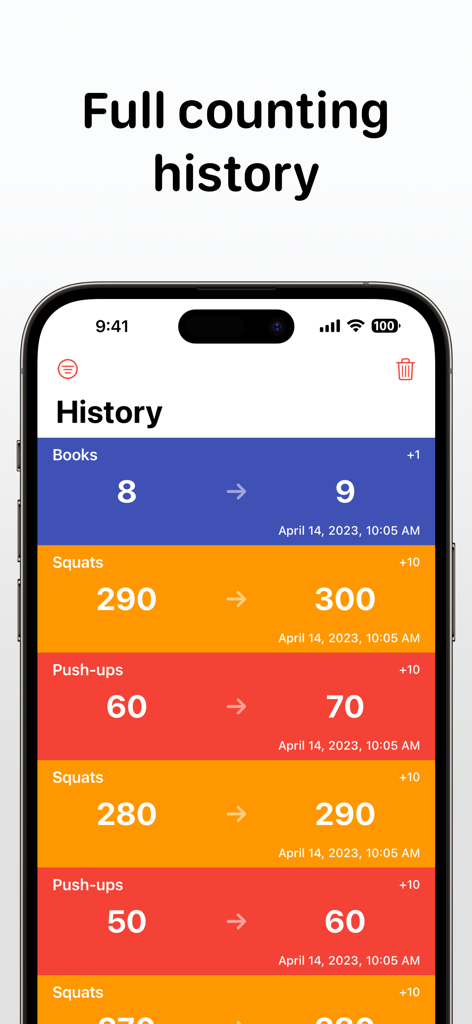
Tallyアプリの履歴画面。書籍やフィットネス活動のカウントログがタイムスタンプとともに表示されています。

Tallyアプリの履歴画面。書籍やフィットネス活動のカウントログがタイムスタンプとともに表示されています。

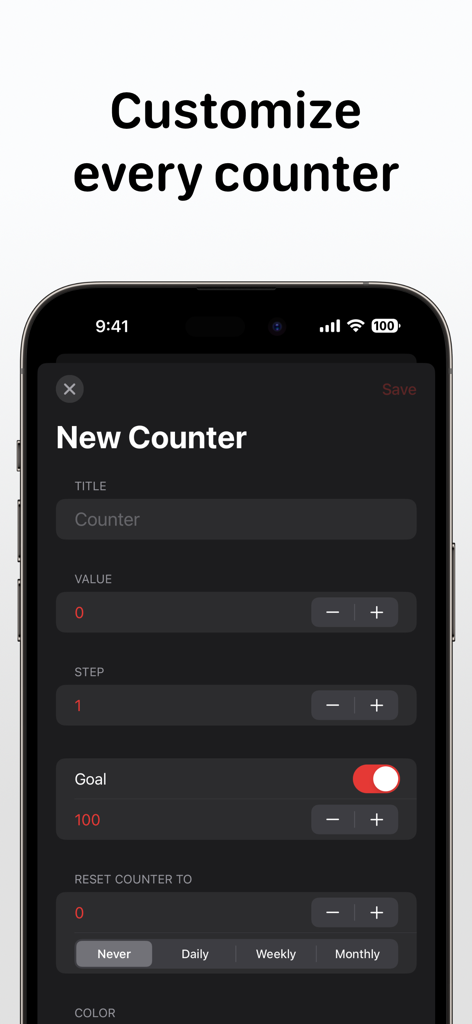
Tallyアプリで新しいカウンターを作成およびカスタマイズするためのインターフェース。目標設定とリセットオプションが含まれています。

Tallyアプリで新しいカウンターを作成およびカスタマイズするためのインターフェース。目標設定とリセットオプションが含まれています。

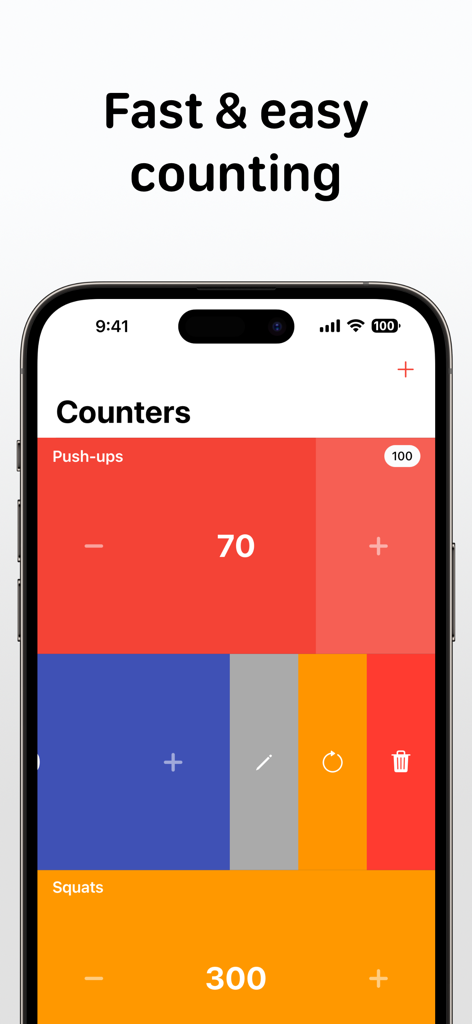
iPhone上のTallyアプリのインターフェース。プッシュアップやスクワットを追跡するためのカラフルなカウンターが表示されています。

iPhone上のTallyアプリのインターフェース。プッシュアップやスクワットを追跡するためのカラフルなカウンターが表示されています。

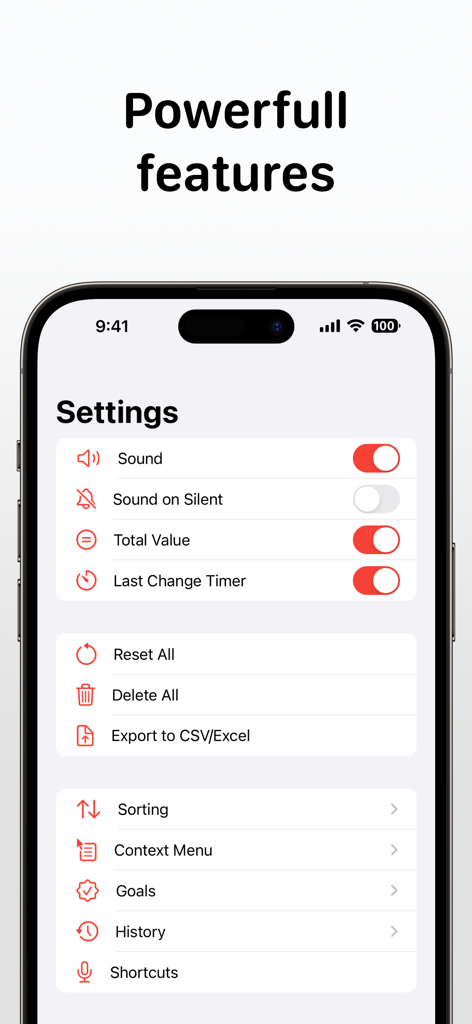
Tallyカウンターアプリの設定画面。サウンドトグル、CSVへのデータエクスポート、目標、履歴オプションなどの機能が表示されています。

Tallyカウンターアプリの設定画面。サウンドトグル、CSVへのデータエクスポート、目標、履歴オプションなどの機能が表示されています。

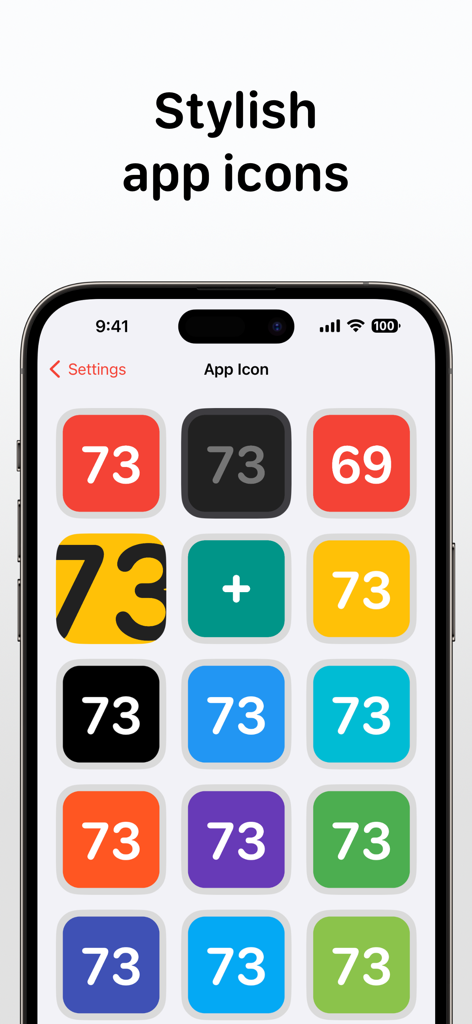
Tallyアプリの設定画面。パーソナライズのためのさまざまなカラフルでミニマルなアプリアイコンオプションが表示されています。

Tallyアプリの設定画面。パーソナライズのためのさまざまなカラフルでミニマルなアプリアイコンオプションが表示されています。

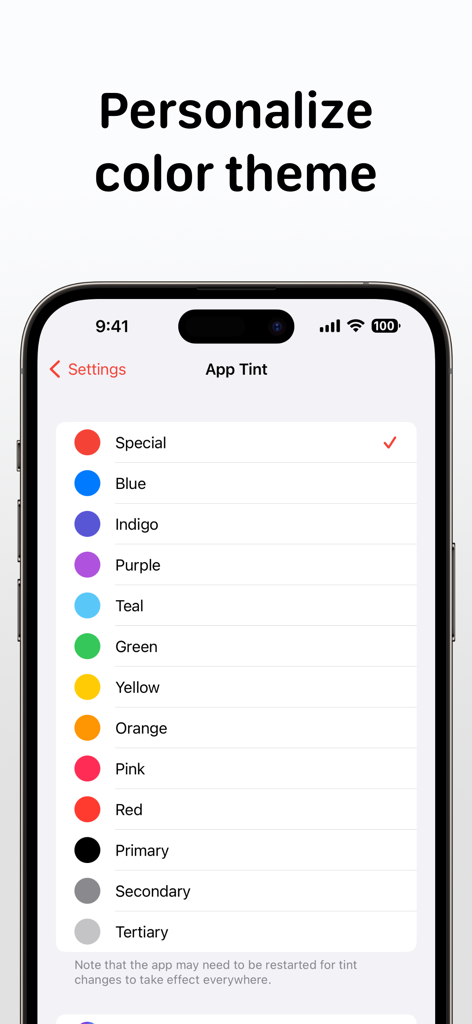
Tallyアプリの設定ページのiPhoneスクリーンショット。ユーザーインターフェースをパーソナライズするためのさまざまなカラーティントオプションのリストが表示されています。

Tallyアプリの設定ページのiPhoneスクリーンショット。ユーザーインターフェースをパーソナライズするためのさまざまなカラーティントオプションのリストが表示されています。

大切なものを楽に測定

このアプリを際立たせるツール、 33K+ 人のユーザーが選択.

ゼロタッチの記録

デバイスをアンロックすることなく、ホーム画面ウィジェット、Apple Watchのコンプリケーション、またはSiriショートカットを使用して、瞬時にカウントできます。

☁️

シームレスなApple同期

iCloud経由でiPhone、iPad、Mac全体でデータを調和させてください。プロレベルの分析のために履歴をCSVまたはExcelにエクスポートします。

🎯

触覚的なパーソナライズ

カスタムカラー、詳細なメモ、そして満足のいく触覚フィードバックでワークフローを整理し、すべてのカウントに物理的な確認を提供します。

アプリについて

について知っておくべきこと Tally: Counter & Score Tracker.

説明

Tally: Clicker & Score Counter is simple enough to pick up and use immediately, and powerful enough to tweak it just as you want. Key Features: - Simple interface - Home Screen interactive widgets - Lock Screen widgets - Siri Shortcuts - Dark mode - Notes - Auto-reset - Counting history - Context menu for counters - Hotkeys for external keyboard - Mouse right-click support - Total counters value - Last change timer - A lot of sorting options - Assigning different colors to counters - Sound confirmation of counts - Haptic feedback on supported devices Multiple counters, as many as you need. To delete, reset, or edit the counter, swipe left on it. Swipe right or use touch and hold gestures in the middle of the counter to add/edit a note or open a quick change popup. Notes can also be added/edited in the History tab like in the Counters tab. To increase or decrease the counter value, tap at any point on the ​left or right side. Use touch and hold gestures in the middle of the counter to reveal the context menu. Long press on the sides of the counter to reorder. Tally Premium benefits: - Unlimited counters - iCloud sync - Export to CSV/Excel - Support Indie Development If you decide to get a Tally Premium subscription, your purchase will be charged to your iTunes account. One month costs $4.99 and 1 year costs $29.99. Active subscriptions will be auto-renewed 24 hours before the expiry date. You can manage subscriptions from an Account in iTunes after subscribing, and you’ll also be able to cancel the auto-renewing subscription from there at any time. Any unused portion of the free trial period will be forfeited if you purchase a subscription to Tally Premium before your trial expires. Terms & Conditions: https://yahenskyi.dev/terms-conditions/ Privacy Policy: https://yahenskyi.dev/privacy-policy/

最新バージョン

3.2.12

サイズ

14.7 MB

リリース日

2018年9月8日

すべてのカウントを大切に

Appleのエコシステム全体で習慣と目標を最適化している33,000人以上のユーザーに加わりましょう。今すぐTallyをダウンロードして、あなたの成功を定量化し始めましょう。

ダウンロード: App Store

App information, icons, screenshots, and descriptions displayed on this page are sourced from the Apple App Store and are the property of their respective developers. Download estimates and rankings are based on MWM's proprietary models and may not reflect actual figures. This page is provided for informational and analytical purposes only.

Believe this page infringes your intellectual property? File a dispute