TapShot: Sports Action Camera

TapShot: Sports Action Camera


ダウンロード: App Store
ロゴ: TapShot: Sports Action Camera

TapShot: スポーツアクションカメラ — 試合を決める瞬間を簡単に捉えよう

サイドラインの保護者やスポーツファンのための究極のカメラ。片手でズームを操作し、どこでもタップして撮影し、チームロゴを即座に追加。アクションに集中できるよう、シャッターボタンではなく、アクションに目を向けられるように設計されています。

ダウンロード: App Store

開発元

Emotive Engines, LLC

カテゴリ

Photo & Video

ダウンロード

200

ユーザー評価

1.0/5

評価数

0

対応言語

1

あらゆるフレームにアクションを

このインターフェースを利用する 200 人のユーザー.

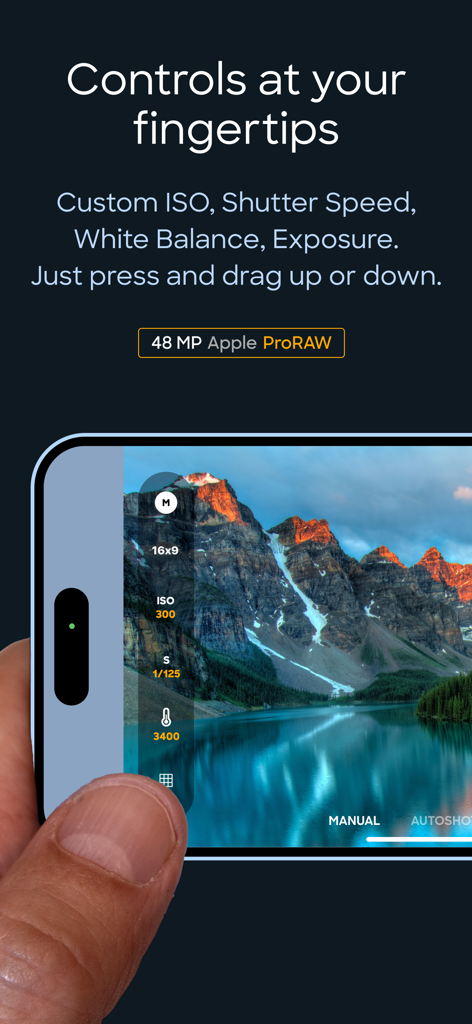
TapShotアプリの、手動ISOとシャッタースピードコントロールを表示するインターフェース

TapShotアプリの、手動ISOとシャッタースピードコントロールを表示するインターフェース

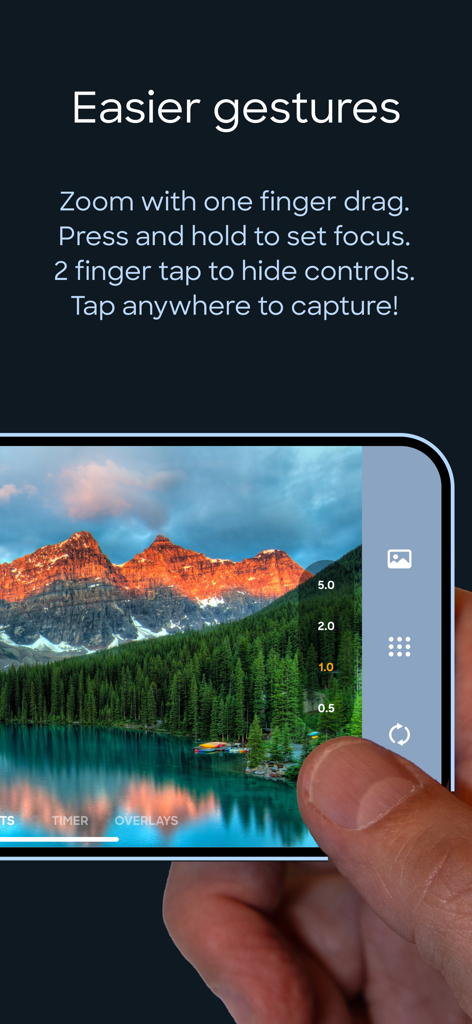
TapShotスポーツカメラアプリのインターフェースで、片手でズームを操作し写真を撮っている人の様子

TapShotスポーツカメラアプリのインターフェースで、片手でズームを操作し写真を撮っている人の様子

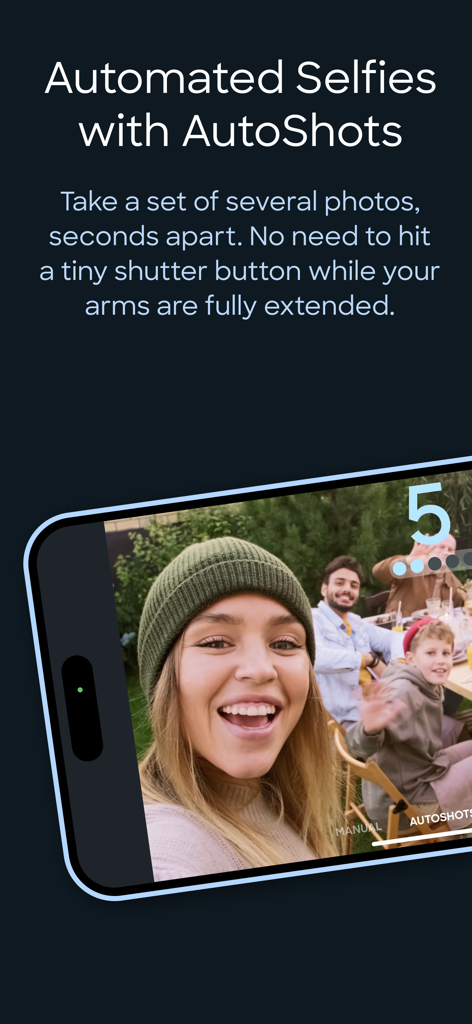
TapShotアプリの自動撮影機能で、グループセルフを自動撮影するスマートフォン画面

TapShotアプリの自動撮影機能で、グループセルフを自動撮影するスマートフォン画面

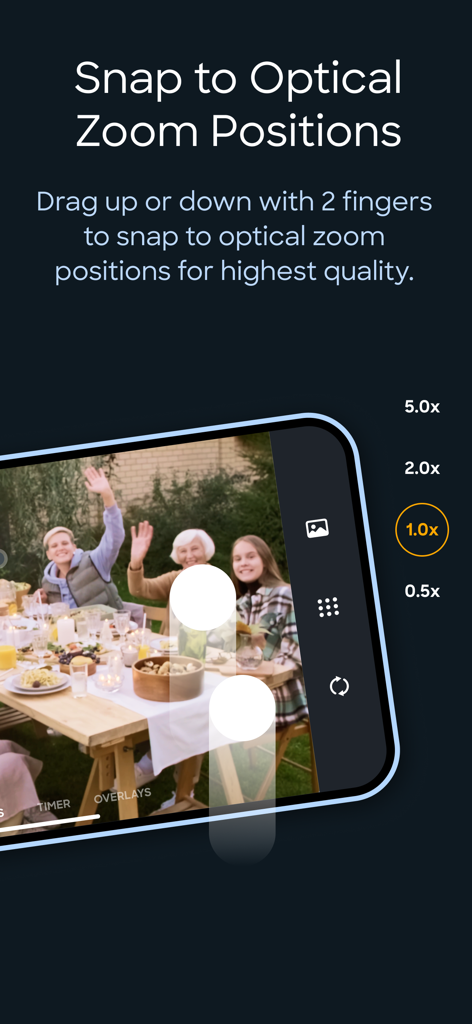
高画質のスポーツ写真のための、TapShotアプリの光学ズームレベルを表示するインターフェース

高画質のスポーツ写真のための、TapShotアプリの光学ズームレベルを表示するインターフェース

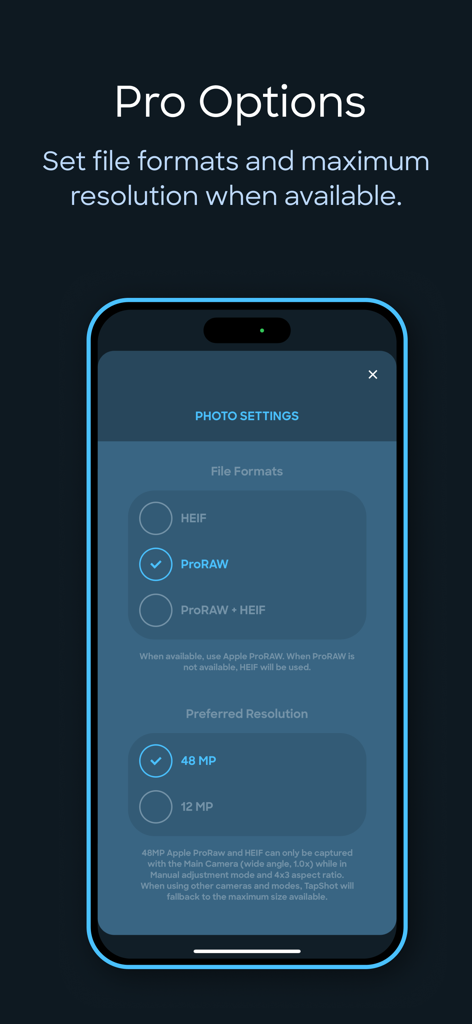
TapShotアプリの設定画面で、ProRAWファイル形式と48メガピクセル解像度のオプションを表示

TapShotアプリの設定画面で、ProRAWファイル形式と48メガピクセル解像度のオプションを表示

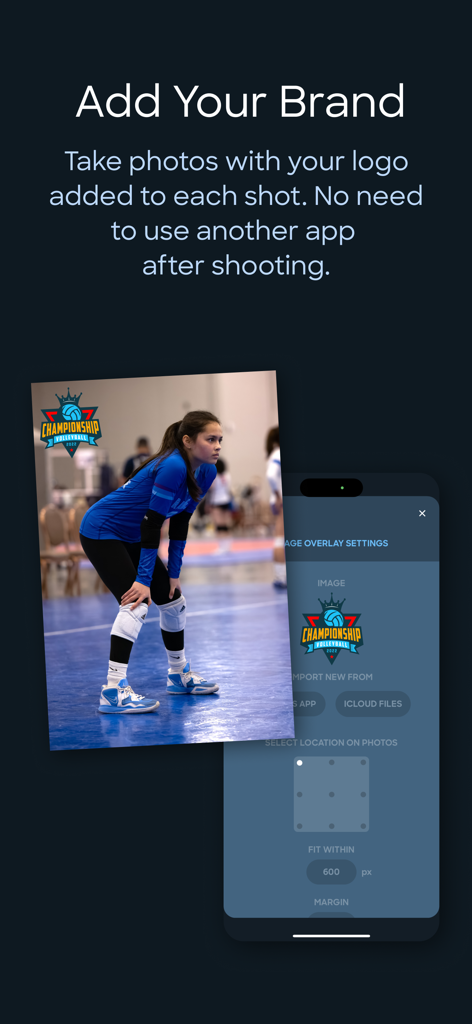
TapShotアプリのインターフェースで、カスタムチームロゴのウォーターマークとブランディング設定が表示されたバレーボールの写真

TapShotアプリのインターフェースで、カスタムチームロゴのウォーターマークとブランディング設定が表示されたバレーボールの写真

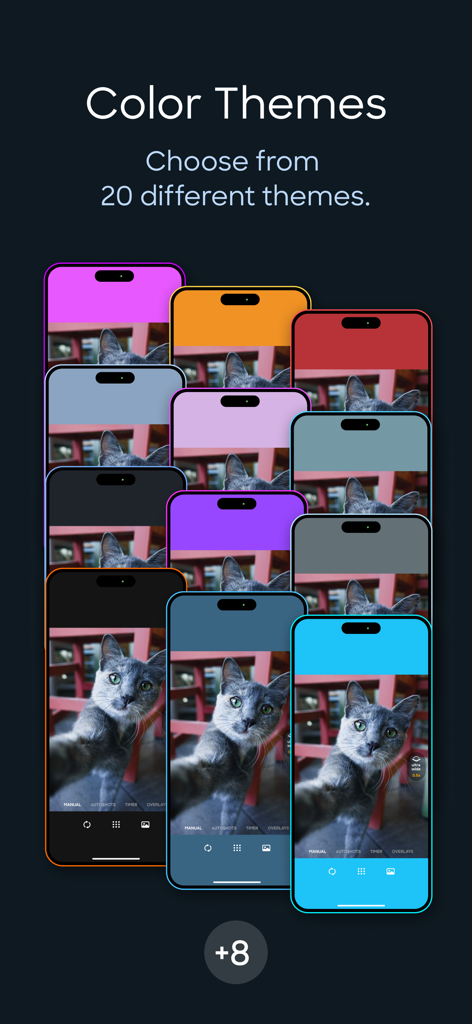
複数のiPhoneに表示された、TapShotアプリインターフェースのさまざまなカラーテーマのショーケース

複数のiPhoneに表示された、TapShotアプリインターフェースのさまざまなカラーテーマのショーケース

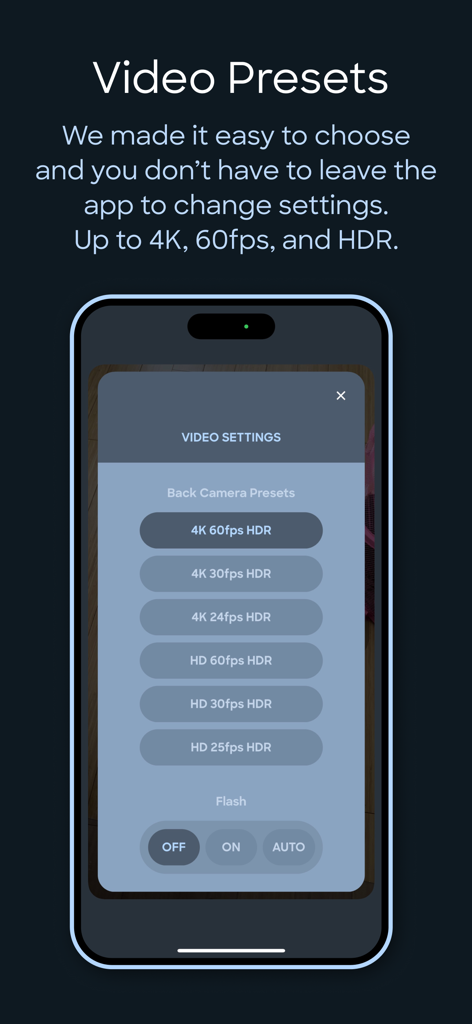
TapShotアプリのインターフェースで、4K 60fps HDRやフラッシュ設定を含むビデオ録画プリセットを表示

TapShotアプリのインターフェースで、4K 60fps HDRやフラッシュ設定を含むビデオ録画プリセットを表示

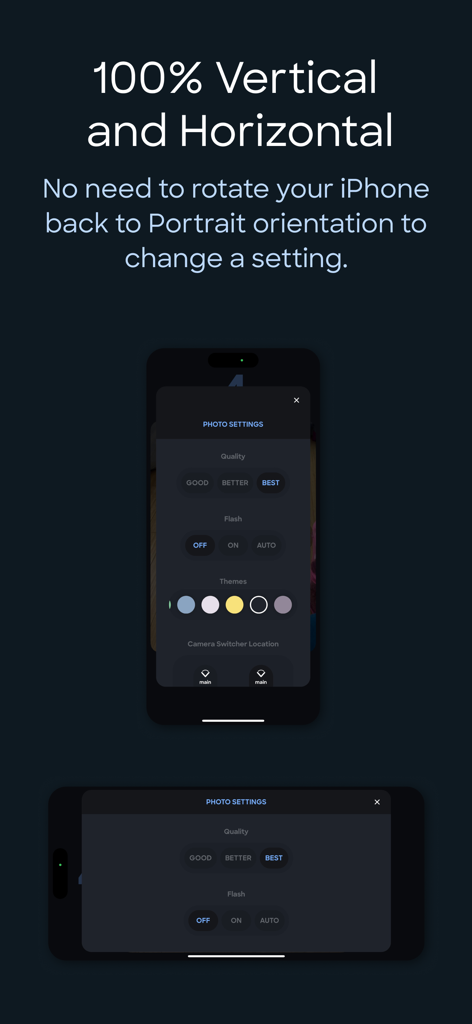
縦向きと横向きの両方のiPhoneで表示されたTapShotアプリの設定インターフェース

縦向きと横向きの両方のiPhoneで表示されたTapShotアプリの設定インターフェース

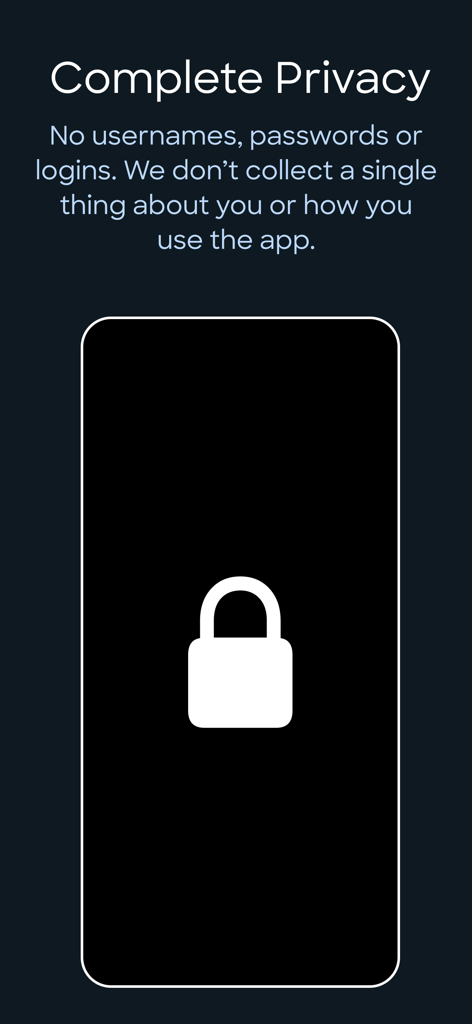
TapShotアプリの画面に、ログインやデータ収集なしの完全なプライバシーの詳細を表示

TapShotアプリの画面に、ログインやデータ収集なしの完全なプライバシーの詳細を表示

勝利のプレーをプロのように捉えよう

このアプリを際立たせるツール、 200 人のユーザーが選択.

☝️

ワンフィンガーアクションコントロール

ドラッグ&タップのワンフィンガー操作でズームと撮影。試合中に小さなボタンを操作する手間がなくなります。

🏷️

インスタントチームウォーターマーク

撮影しながら、学校やクラブのロゴをすべての写真に自動追加。プロレベルのスポーツメディアを即座に作成し、ソーシャルで共有できます。

🔥

プロレベルのスピードと品質

48MP ProRAWと4K 60FPSで撮影。高性能プリセットにより、シャッターラグで試合を決めるショットを逃すことがありません。

アプリについて

について知っておくべきこと TapShot: Sports Action Camera.

説明

ONE FINGER ZOOM FOR SPORTS Drag one finger up or down to zoom in and out. Immediately tap your finger wherever it is to capture a photo. Perfect for volleyball, basketball, and all your kid's sporting events. Faster and easier to use than the standard pinch gesture. JUST TAP TO SHOOT Tap anywhere on the image preview to take a photo or start/stop video recording while in video mode. No tiny shutter button. This is so much easier for taking selfies while your arms and hands are fully extended — just focus on framing the shot and tap away. 48 MP APPLE ProRAW AND HEIF For iPhones that support it. CUSTOM FOCUS POINTS Long press for half a second where you would like to set the focus point while maintaining exposure settings. CUSTOM ISO, SHUTTER SPEED, WHITE BALANCE & EXPOSURE BIAS ADJUSTMENTS ToolPod has Auto and Manual modes for toggling between fully automatic photo capture and making manual adjustments to ISO, Shutter Speed and White Balance. ADD YOUR LOGO WHILE TAKING PHOTOS Import your brand or school sports team logo and have it placed on your photos while taking them! No need to use another app afterwards. Choose from 9 locations and set the size and space from the edges. Supports alpha transparency when importing a PNG from iCloud Files. DEPTH CAPTURE MODE On capable iPhones and iPads, use Depth mode to capture and embed depth data to your selfies and rear camera photos. Open and edit with the native Photos app to apply lighting effects and adjust depth of field settings. 4x3 OR 16x9 PHOTO ASPECT RATIOS Traditional 4x3 size or wider 16x9, ideal for social media and video projects. SINGLE FINGER ZOOMING Zoom in and out with one finger! It’s easier and your zooms are smoother while recording video. If your iPhone is in the horizontal orientation you can even drag up and down at the side of the screen so your finger doesn’t block the subjects you are taking photos of. And just tap where your finger is to capture! No need to go the extra distance to a shutter button. SNAP TO OPTICAL ZOOM POSITIONS Drag with two fingers up or down to snap to the available optical zoom positions of your iPhone. This ensures you are only shooting at the optical zoom positions of your iPhone for best quality. CLEAN VIEW MODE Tap with 2 fingers to hide UI controls for an unobstructed image preview. Tap again with 2 fingers to restore them. PERSONAL PHOTO BOOTH WITH AUTOSHOTS Automated selfie sets. Because no one takes just one selfie — TapShot can automatically take a set of several photos, seconds apart. It means less physical coordination and you can keep your eyes on the screen to frame the perfect poses. If you just need one photo, there is a traditional simple countdown timer as well. BEAUTIFUL COLOR THEMES Choose from 20 different color themes to make your photo and video capturing experience match the color of your iPhone or case. EASY CAMERA SWITCHER The camera switcher always tells you which camera you are using, the current zoom factor, and if you’re at the optical zoom factor for that camera to use the best quality possible. VIDEO RECORDING PRESETS We made it easy to get the right level of quality versus file size. You don’t kneed to know complex video and photo terminology. And you don't need to leave the app to change any settings. 4K, 60FPS, HDR – if your device supports it you can use it in TapShot. COMPLETE PRIVACY No usernames, passwords or logins. We don’t collect a single thing about you or how you use the app. Nothing whatsoever is transmitted from your device to us. Your photos are saved directly to your iPhone’s camera roll so you can use the Photos app to manage and share. Terms of Use: https://www.apple.com/legal/internet-services/itunes/dev/stdeula/ Privacy Policy: https://tapshot.app/privacy

最新バージョン

2.6.0

サイズ

21.3 MB

リリース日

2023年6月13日

子供の試合を決める瞬間をもう逃さない

何千人ものスポーツ親やアマチュアクリエイターが、ワンフィンガーズームとインスタントブランディングでプロレベルのアクションを撮影しています。安全でプライベート、そしてサイドラインのために設計されています。

ダウンロード: App Store

App information, icons, screenshots, and descriptions displayed on this page are sourced from the Apple App Store and are the property of their respective developers. Download estimates and rankings are based on MWM's proprietary models and may not reflect actual figures. This page is provided for informational and analytical purposes only.

Believe this page infringes your intellectual property? File a dispute