Teleprompter for Video Creator

Teleprompter for Video Creator


ダウンロード: App Store
ロゴ: Teleprompter for Video Creator

動画クリエイター向けテレプロンプター:完璧なワンテイク動画を録画

AI搭載のスクリプト作成とプログレードのコントロールで、自信を高め、撮り直しをなくしましょう。ソロクリエイターがTikTok、YouTubeなどでインパクトのあるコンテンツをストレスなく配信できるように設計されています。

ダウンロード: App Store

開発元

IPLODEV TECH INC.

カテゴリ

Photo & Video

ダウンロード

2K+

ユーザー評価

1.0/5

評価数

0

対応言語

1

ワンテイクの秘密

このインターフェースを利用する 2K+ 人のユーザー.

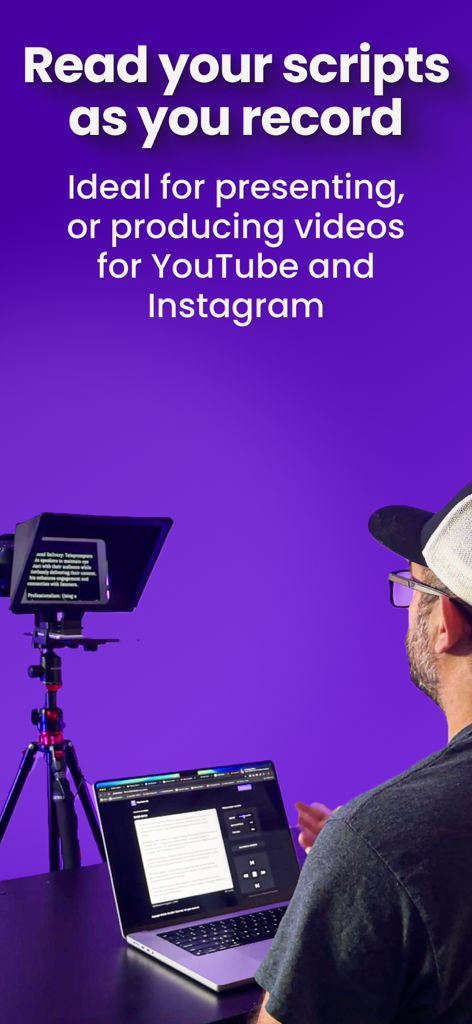
プロのテレプロンプターリグとラップトップを使用して、ソーシャルメディア向けの高品質ビデオを録画しているコンテンツクリエイター

プロのテレプロンプターリグとラップトップを使用して、ソーシャルメディア向けの高品質ビデオを録画しているコンテンツクリエイター

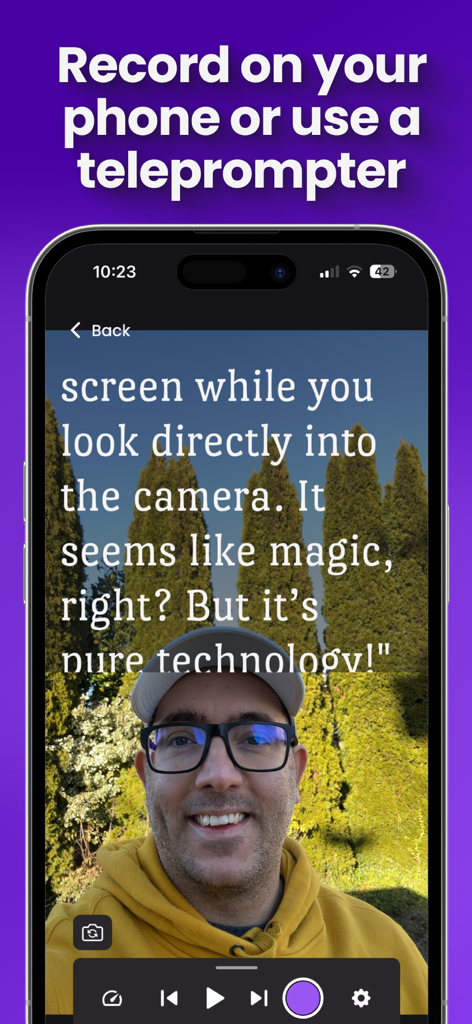
画面上のスクロールスクリプトを読みながら、スマートフォンでビデオを録画しているクリエイター

画面上のスクロールスクリプトを読みながら、スマートフォンでビデオを録画しているクリエイター

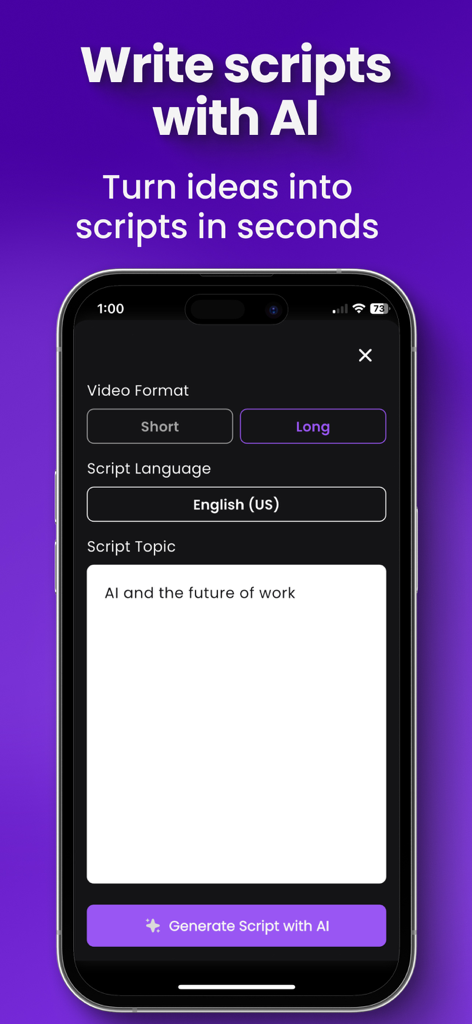
ビデオフォーマットとトピックのオプションが表示された、Teleprompter for Video CreatorアプリのAIスクリプト作成インターフェースを示すスマートフォン画面。

ビデオフォーマットとトピックのオプションが表示された、Teleprompter for Video CreatorアプリのAIスクリプト作成インターフェースを示すスマートフォン画面。

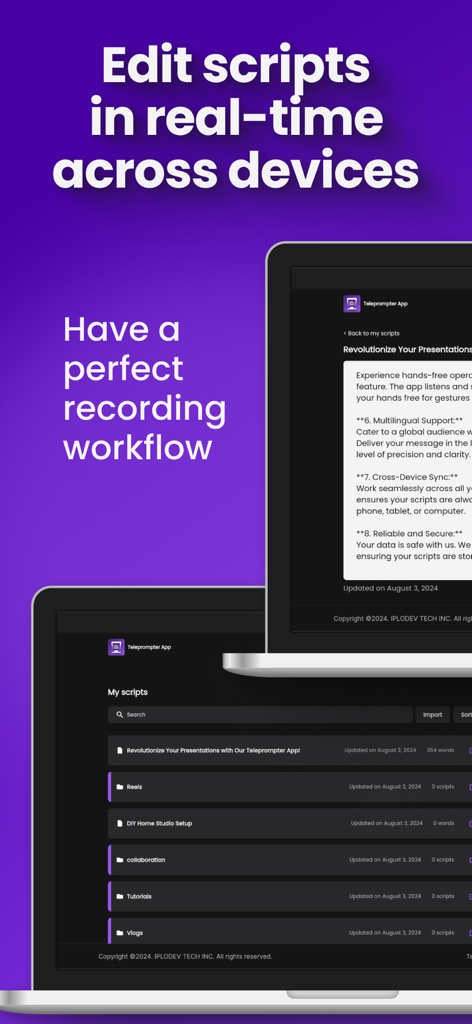
リアルタイムスクリプト編集とクロスデバイス同期機能を示すラップトップ上のTeleprompter for Video Creatorアプリインターフェース。

リアルタイムスクリプト編集とクロスデバイス同期機能を示すラップトップ上のTeleprompter for Video Creatorアプリインターフェース。

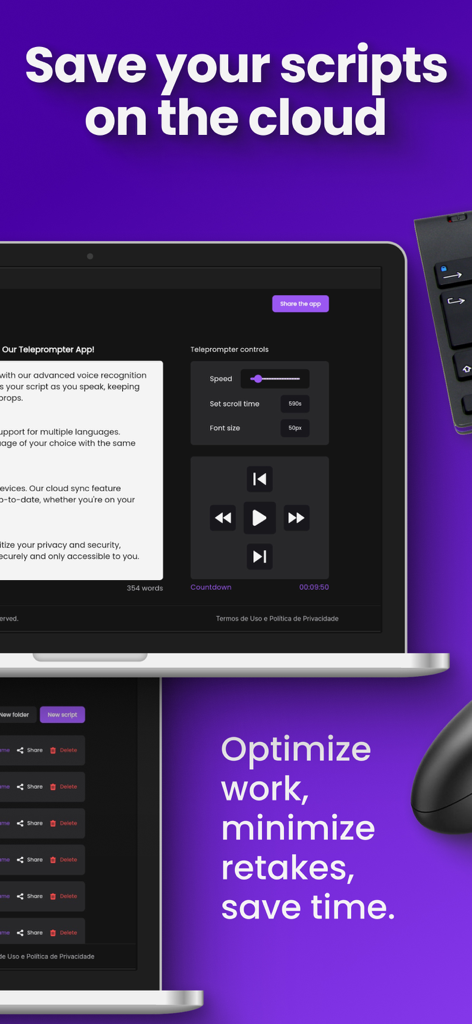
紫色の背景にクラウドストレージとビデオ再生コントロールを備えたテレプロンプタースクリプトインターフェースを表示するラップトップ。

紫色の背景にクラウドストレージとビデオ再生コントロールを備えたテレプロンプタースクリプトインターフェースを表示するラップトップ。

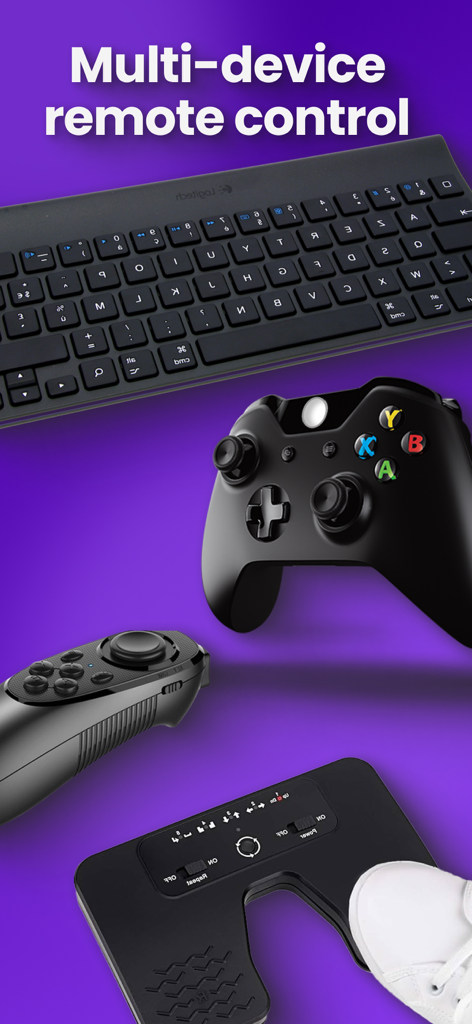
テレプロンプターアプリ用のキーボードゲームコントローラーやフットペダルなどのさまざまなリモートコントロールデバイス

テレプロンプターアプリ用のキーボードゲームコントローラーやフットペダルなどのさまざまなリモートコントロールデバイス

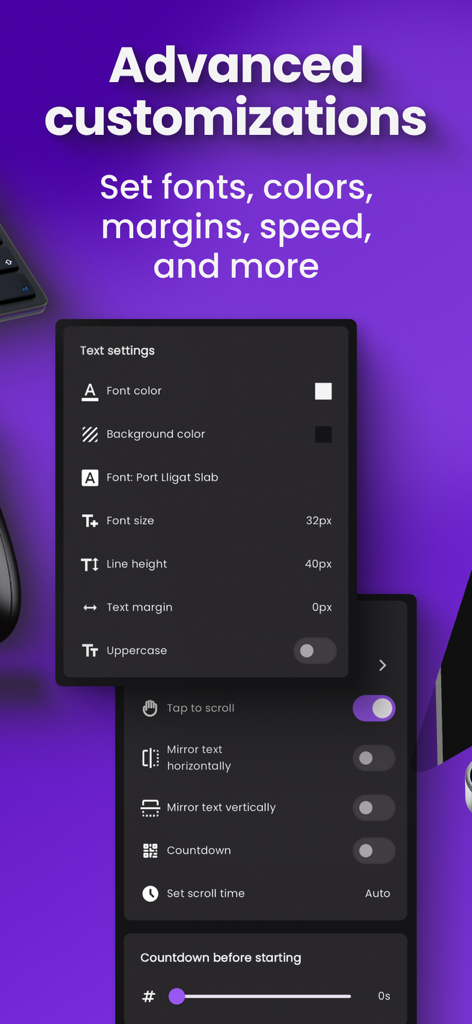
テレプロンプターアプリのフォントの色、サイズ、ミラーリングオプションを含む高度なテキストおよびスクロール設定を示すインターフェース。

テレプロンプターアプリのフォントの色、サイズ、ミラーリングオプションを含む高度なテキストおよびスクロール設定を示すインターフェース。

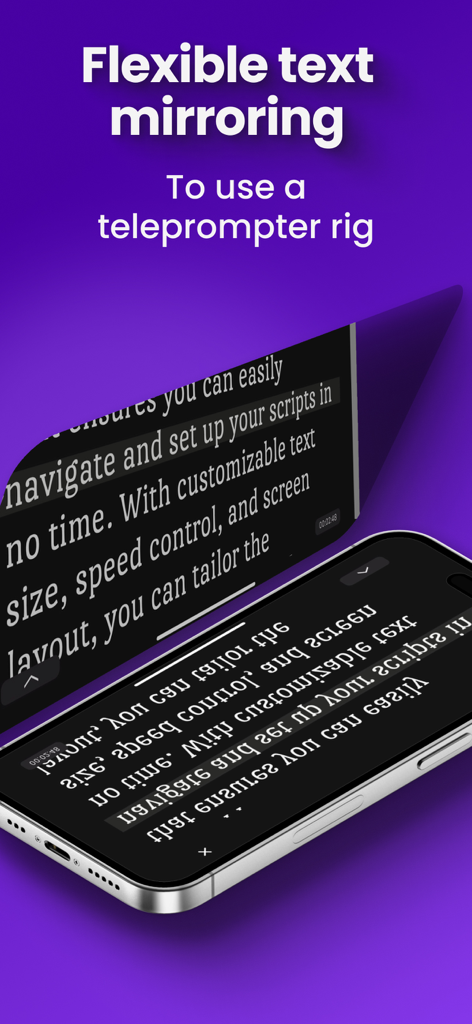
プロのテレプロンプターリグ用のミラーリングされたスクリプトテキストを表示するiPhone

プロのテレプロンプターリグ用のミラーリングされたスクリプトテキストを表示するiPhone

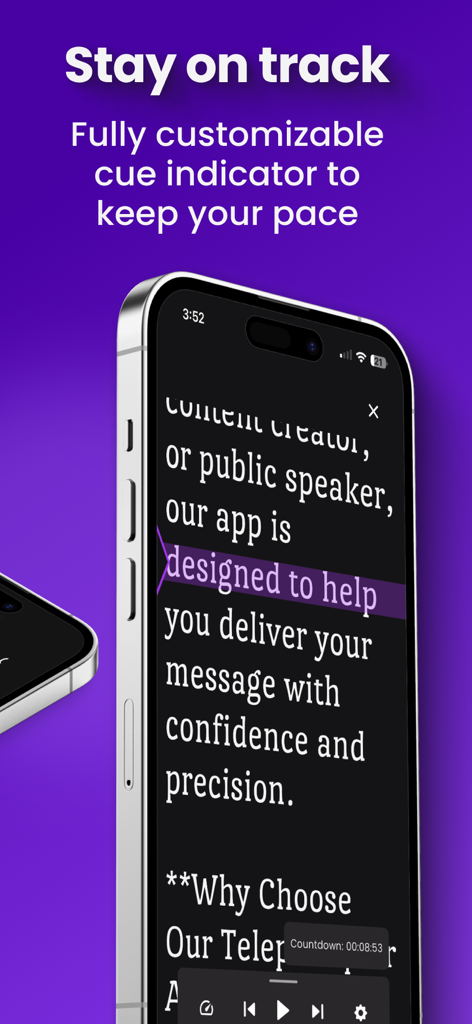
ビデオクリエイターが話すペースを維持するのに役立つように、紫色のハイライトされたキューインジケーターを備えたテレプロンプターアプリを表示するスマートフォン

ビデオクリエイターが話すペースを維持するのに役立つように、紫色のハイライトされたキューインジケーターを備えたテレプロンプターアプリを表示するスマートフォン

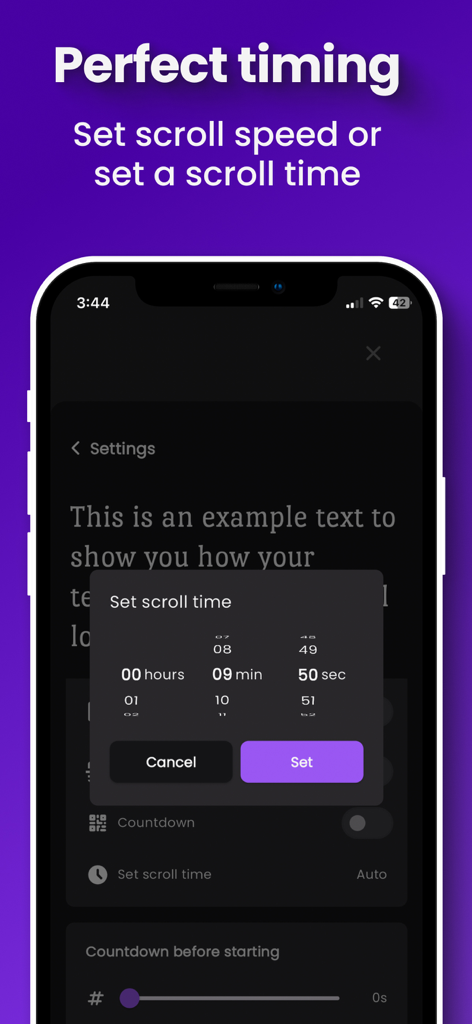
Teleprompter for Video Creatorアプリでスクリプトのスクロール時間と速度を設定するためのインターフェース。

Teleprompter for Video Creatorアプリでスクリプトのスクロール時間と速度を設定するためのインターフェース。

毎回、ワンテイクで完璧に

このアプリを際立たせるツール、 2K+ 人のユーザーが選択.

🪄

AI搭載スクリプト作成

ライターズブロックを即座に解消。簡単なトピックやアウトラインから、数秒で洗練されたプロフェッショナルなスクリプトを生成し、より速く録画を開始できます。

🎮

ソロオペレーター向けリモートコントロール

自分の居場所を離れることなく、スクロール速度とフォントサイズを調整できます。セカンドデバイスやコントローラーを使用して、録画セッションを簡単に管理できます。

🎥

スタジオグレードのリグミラーリング

視聴者と直接アイコンタクトを維持します。柔軟なミラーリングは、プロフェッショナルなテレプロンプターガラスセットアップをサポートし、真にハイエンドなプロダクションを実現します。

アプリについて

について知っておくべきこと Teleprompter for Video Creator.

説明

Say goodbye to endless retakes and hello to professional videos. Read your scripts as you record to reduce mistakes, lower anxiety, and boost confidence. Whether you’re a presenter or a content creator for YouTube, Instagram, or TikTok, this tool streamlines your workflow.Our app allows you to read your scripts as you record, ensuring fewer mistakes, less anxiety, and more confidence. Whether you're a presenter or content creator for YouTube, Instagram or TikTok, this tool is designed to simplify your workflow. WHO IS IT FOR: Our app is perfect for Content Creators who want to make theiPerfect for content creators who want easier, faster video production. Record with a phone or a teleprompter rig.It can be used to record using a phone or a Teleprompter Rig. HOW IT WORKS: 1) Create your script - Write from scratch, import existing scripts, or speed things up with the AI Script Writing tool. 2) Choose a recording setup - Use your phone or a teleprompter rig. If you choose a rig, place your phone and mirror the screen based on your setup. 3) Customize your view - Adjust fonts, colors, scroll speed, and the cue indicator for comfortable reading. 4) Setup remote control - Control everything without touching the recording device. Edit scripts in real time, switch what’s on screen, and adjust speed, font size, and scroll position if needed. 5) Hit record. FEATURES AND BENEFITS: - AI Script Writing: Turn ideas into ready-to-read scripts in seconds. Start from a topic or outline, choose length, then refine it within the app. - Real-Time Script Editing for a smoother workflow: Edit on your phone, iPad, or computer even while recording. - Script Management Made Simple: Import from your favorite cloud services, edit across devices in real time, organize with folders, and find scripts fast with search and sort. - Flexible Text Mirroring: Mirror text vertically and horizontally to fit any rig or device. - Multi-Device Remote Control: Adjust scrolling speed and navigate scripts from your smartphone, tablet, or any connected device. Customize button assignments for controllers and keyboards. - Personalize Your View: Tweak font size, font family, line height, margins, and colors for a comfortable reading experience. - Stay on Track: Use a fully customizable cue indicator to maintain a steady pace. - Perfect Timing: Set scroll speed or define scroll time to match your speaking rhythm. - Cloud Storage: Import scripts and save them in the cloud for easy access and organization. Get started today and take your video production to the next level. Visit https://www.telepromptly.com/ to learn more about the app Subscriptions will be charged to your iTunes account at confirmation of purchase. Your subscription will automatically renew unless automatic renewal is turned off at least 24 hours before the end of the current period. Your account will be charged for renewal within 24 hours prior to the end of the current period. You can manage your subscriptions and automatic renewal status in Account Settings after purchase at any time. Any unused portion of the free trial period will be forfeited when you purchase a subscription. Price may vary by location. Terms of Use(EULA) https://www.apple.com/legal/internet-services/itunes/dev/stdeula/

最新バージョン

2.0.2

サイズ

165.9 MB

リリース日

2024年8月27日

ワンテイク録画の準備はできましたか?

撮り直しをなくし、カメラへの自信を高め、常にプロフェッショナルなコンテンツを配信するために、AI搭載テレプロンプターを使用している何千人ものクリエイターに加わりましょう。

ダウンロード: App Store

App information, icons, screenshots, and descriptions displayed on this page are sourced from the Apple App Store and are the property of their respective developers. Download estimates and rankings are based on MWM's proprietary models and may not reflect actual figures. This page is provided for informational and analytical purposes only.

Believe this page infringes your intellectual property? File a dispute