
TOTP Authenticator


iPhone、Mac、Apple Watchで、100以上のステップバイステップチュートリアルと2FAコードへのシームレスなアクセスで、2要素認証をマスターしましょう。
開発元
カテゴリ
Utilitiesダウンロード
592K+ユーザー評価
評価数
4K+対応言語
36このインターフェースを利用する 592K+ 人のユーザー.
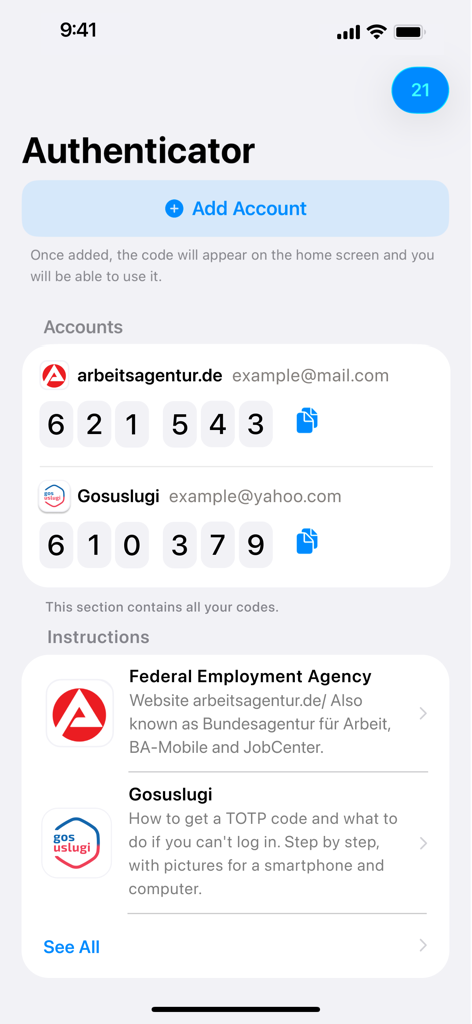
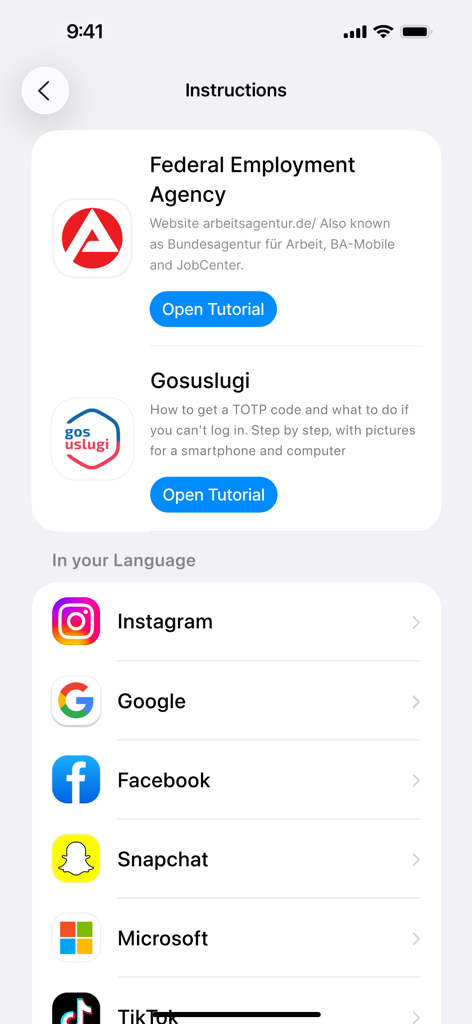
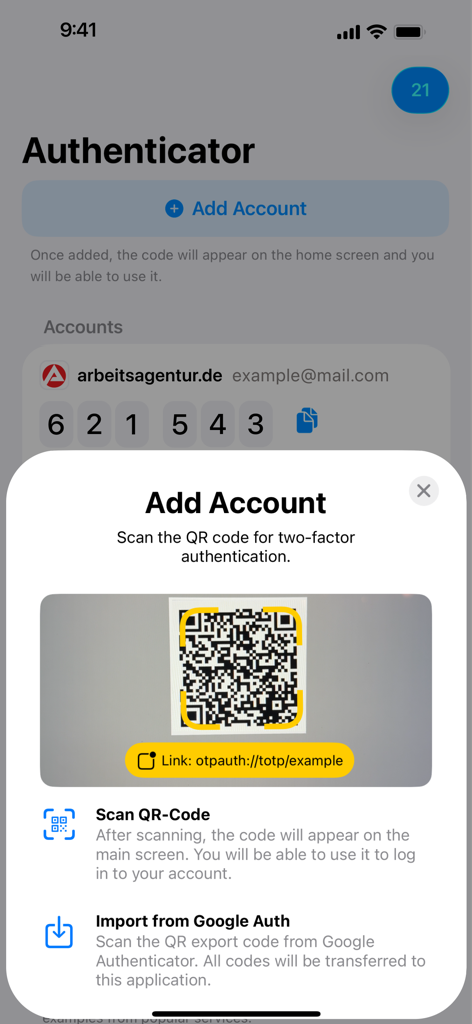
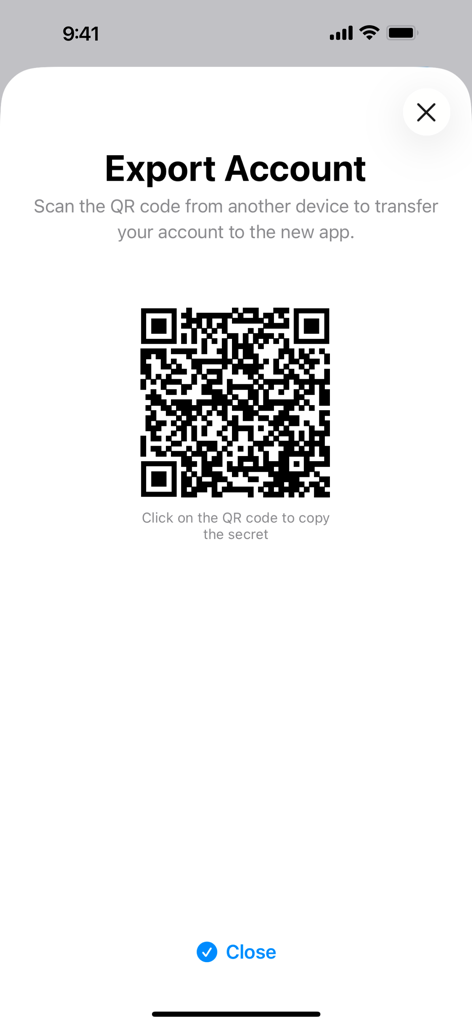
このアプリを際立たせるツール、 592K+ 人のユーザーが選択.
ステップバイステップのスクリーンショットで、セットアップの不安を解消します。仮想通貨取引所からワークポータルまで、あらゆるサービスの2FAを有効にする方法をご案内します。
iPhone、iPad、Mac、Apple Watchですぐにコードを取得できます。携帯電話に手を伸ばすことなく、手首をタップするだけでログインできます。
セキュリティデータはあなたのものであるべきです。専用のオフラインファーストユーティリティで、大手テクノロジー企業から認証を分離してください。
について知っておくべきこと TOTP Authenticator.
説明
最新バージョン
2.7.81
サイズ
29.0 MB
リリース日
2022年6月17日
iPhone、Mac、Apple Watchでシームレスなガイド付き2FAを、TOTP Authenticatorに信頼を寄せる50万人以上のプロフェッショナルに加わりましょう。
について知っておくべきこと TOTP Authenticator
TOTP Authenticatorアプリは、6桁のTOTP(Time-based One-Time Password)コードを生成します。これにより、オンラインアカウントを保護するための2段階認証(2FA)が可能になります。
ウェブサイトのセキュリティ設定でTOTPログインを有効にして2FAを設定します。表示されるQRコードをスキャンするか、シークレットキーをTOTP Authenticatorアプリにコピーして有効化します。
TOTP Authenticatorアプリは、ArbeitsagenturやNextCloudなど、2FAのためにTOTPコードを要求するあらゆるウェブサイトをサポートしています。InstagramやGoogleを含む100以上のサービスチュートリアルが含まれています。
はい、TOTP Authenticatorは安全です。アカウントを保護するために、標準的な2FAを6桁のTOTPコードで実装しています。アプリはユーザー情報に関する詳細なプライバシーポリシーも提供しています。
アカウントを追加するには、アプリで「アカウントを追加」をタップします。次に、サービスによって提供される2段階認証用のQRコードをスキャンするか、Google Authenticatorからコードをインポートします。
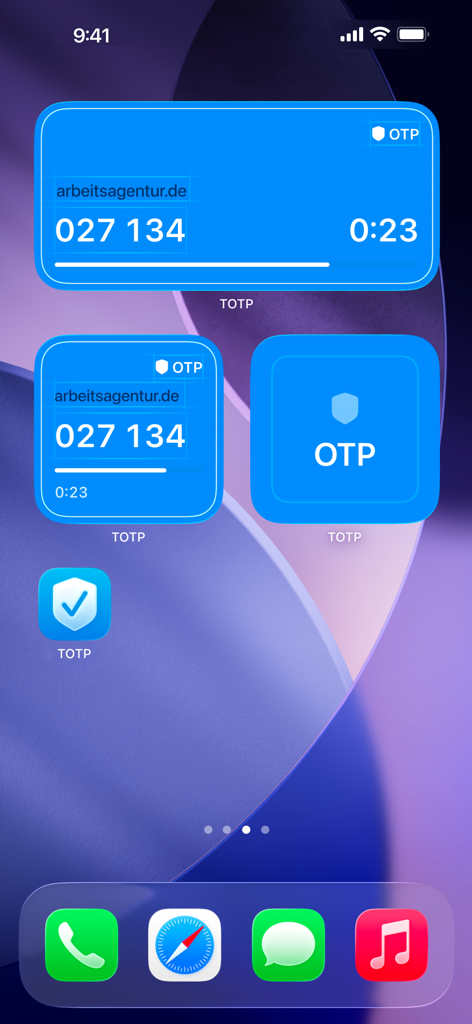
はい、TOTP Authenticatorはホーム画面ウィジェットを提供しています。これらのウィジェットは、6桁のTOTPコードを直接表示し、アプリを開かずに便利かつ迅速にアクセスできます。
はい、アカウントをエクスポートできます。TOTP Authenticatorアプリには「アカウントをエクスポート」機能が含まれています。これによりQRコードが生成され、シークレットキーを新しいデバイスやアプリに安全に転送できます。
似た機能とユーザー体験を持つアプリ

Google LLC

Duo Security LLC

APPLY DIJITAL HIZMETLER TICARET LIMITED SIRKETI

Mustafa Uz

Thales DIS (Singapore) Pte Ltd

Tatra banka, a.s.

Brilliant App Limited

UNIVERSE DIJITAL HIZMETLER LIMITED SIRKETI

XSOFT GLOBAL LIMITED
App information, icons, screenshots, and descriptions displayed on this page are sourced from the Apple App Store and are the property of their respective developers. Download estimates and rankings are based on MWM's proprietary models and may not reflect actual figures. This page is provided for informational and analytical purposes only.
Believe this page infringes your intellectual property? File a dispute