Utiful: Move & Organize Photos

Utiful: Move & Organize Photos


ダウンロード: App Store
ロゴ: Utiful: Move & Organize Photos

Utiful:すっきりしたギャラリーのためのプロフェッショナルな写真ファイリングシステム

仕事の写真、領収書、スクリーンショットを個人の思い出と混ぜるのはやめましょう。写真を整理されたフォルダに移動して、ついにカメラロールのコントロールを取り戻しましょう。

ダウンロード: App Store

開発元

Utiful Software GmbH

カテゴリ

Photo & Video

ダウンロード

88K+

ユーザー評価

4.0/5

評価数

1K+

対応言語

9

一目でわかる整理

このインターフェースを利用する 88K+ 人のユーザー.

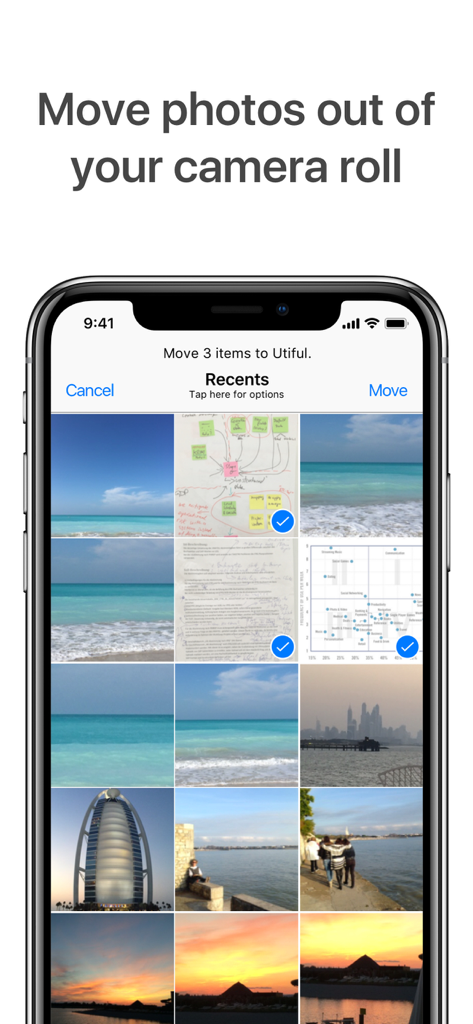
選択したユーティリティ写真をカメラロールから整理されたフォルダに移動するプロセスを示すUtifulアプリのインターフェース。

選択したユーティリティ写真をカメラロールから整理されたフォルダに移動するプロセスを示すUtifulアプリのインターフェース。

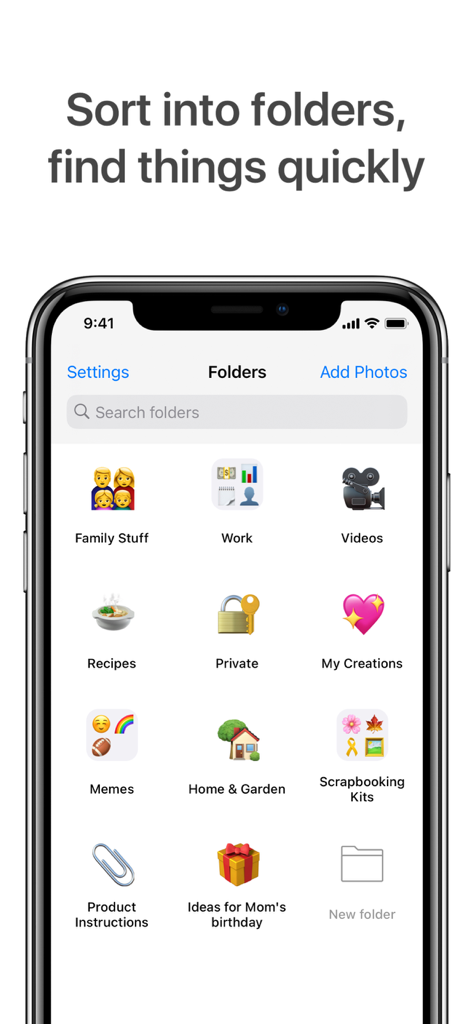
仕事、家族、レシピなどのさまざまなカテゴリーに分類された写真フォルダが表示されたUtifulアプリのスマートフォン画面。

仕事、家族、レシピなどのさまざまなカテゴリーに分類された写真フォルダが表示されたUtifulアプリのスマートフォン画面。

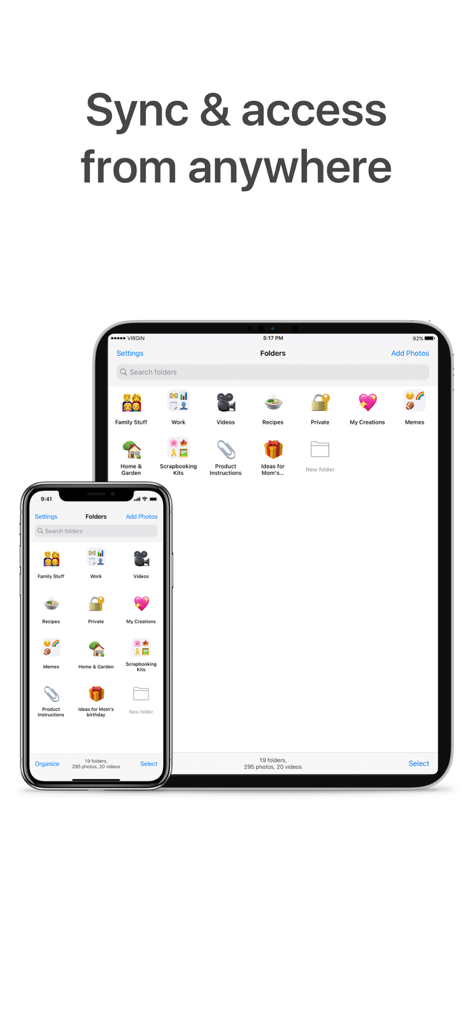
iPhoneとiPadで同期された写真フォルダを表示するUtifulアプリのインターフェース

iPhoneとiPadで同期された写真フォルダを表示するUtifulアプリのインターフェース

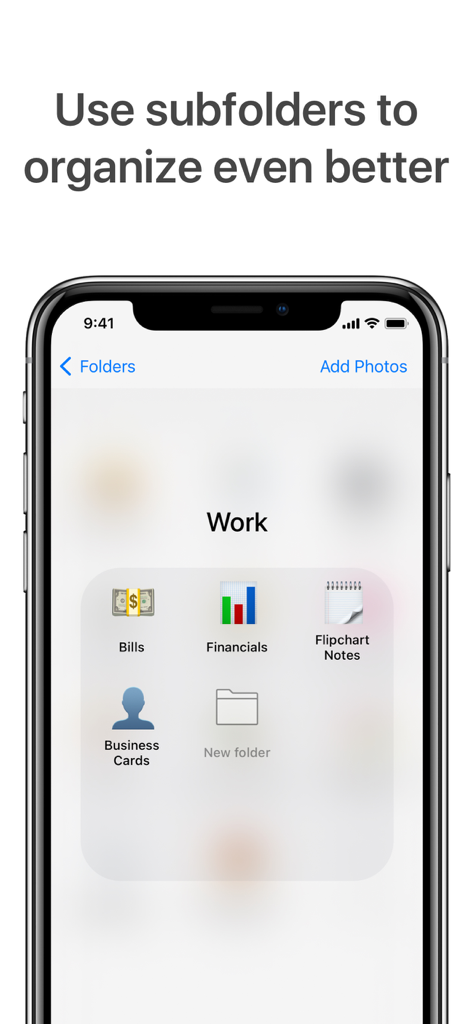
請求書や名刺などの仕事用整理サブフォルダを表示するUtifulアプリのスクリーンショット

請求書や名刺などの仕事用整理サブフォルダを表示するUtifulアプリのスクリーンショット

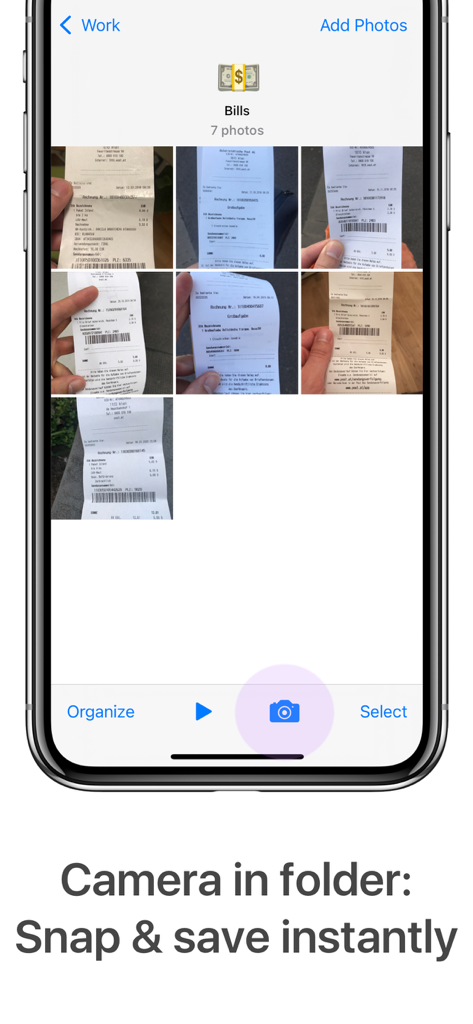
領収書が入った請求書フォルダと、写真を撮って即座に保存するためのカメラボタンが表示されたUtifulアプリのインターフェース。

領収書が入った請求書フォルダと、写真を撮って即座に保存するためのカメラボタンが表示されたUtifulアプリのインターフェース。

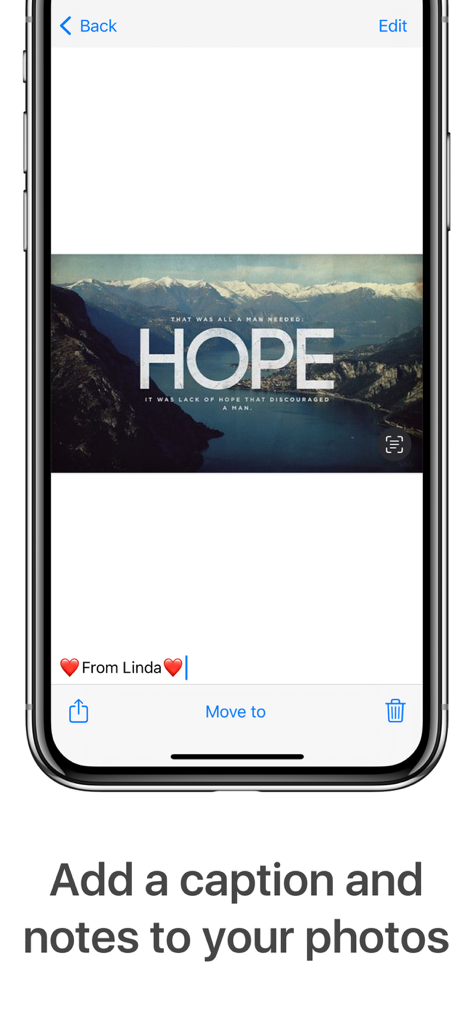
Utifulオーガナイザーアプリで写真にキャプションとメモを追加している様子

Utifulオーガナイザーアプリで写真にキャプションとメモを追加している様子

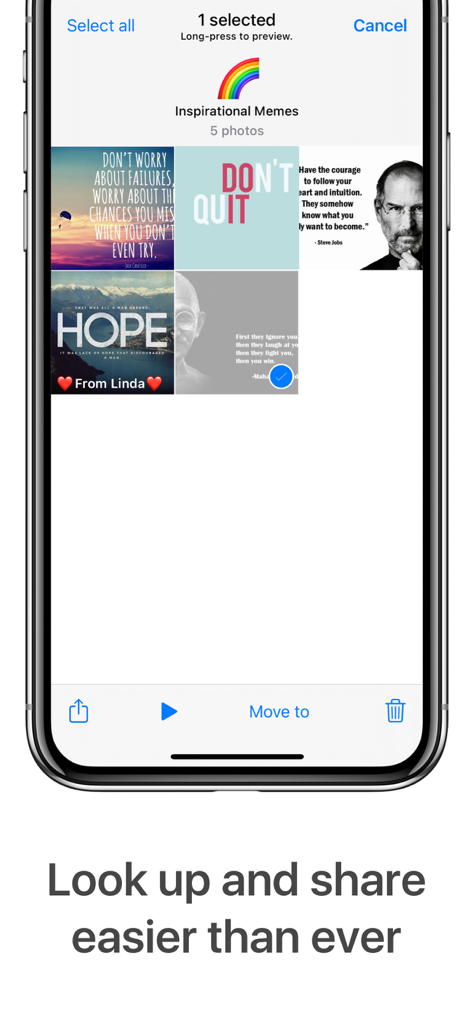
整理されたインスピレーションを与えるミームのフォルダを表示するUtifulアプリのスクリーンショット

整理されたインスピレーションを与えるミームのフォルダを表示するUtifulアプリのスクリーンショット

デジタル整理術をマスターする

このアプリを際立たせるツール、 88K+ 人のユーザーが選択.

📤

本物の「移動」機能

標準の「写真」アプリとは異なり、Utifulは実際にメインギャラリーから写真を削除してフォルダに保存するため、ついにすっきりとしたカメラロールを実現できます。

🔒

安全なプライベートフォルダ

パスコード、Face ID、Touch IDによる統合保護により、機密文書、ID、機密の仕事用ファイルをメインストリームから隠して安全に保管します。

💼

仕事とプライベートの分離

ビジネスの領収書、プロジェクトの進捗状況、インスピレーションを、数秒でファイルを見つける必要があるプロフェッショナル向けに設計された使い慣れたファイリングシステムに簡単に分類できます。

アプリについて

について知っておくべきこと Utiful: Move & Organize Photos.

説明

Utiful is the photo filing system Apple forgot to build. As featured in The Wall Street Journal. Are you frustrated that the Apple Photos app mixes everything—and won't let you create real order? Unlike Apple Photos and other photo apps, Utiful lets you: • Move photos out of your camera roll and outside of the main gallery—finally! • Sort your photos into separate categories—work, hobbies, personal, and more. • Keep utility photos like documents, receipts, and IDs out of your main gallery. • Keep your main gallery clean and tidy. How Utiful Works: • Use Utiful to move photos out of your camera roll and save them to Utiful folders. • The photos are removed from the camera roll but kept in your Utiful folders. • Your Utiful folders are automatically backed up to your iCloud Backup. • The Utiful sync feature lets you access your folders across all your iOS devices. Utiful’s further unique features include: • Save photos to Utiful folders straight from the Photos app. • Take photos with the folder camera that save directly to the folder. • Manually rearrange photos in a folder—just the way you like. • Protect your Utiful folders with a passcode lock (Touch ID and Face ID supported). • Import/export photo folders from/to computer, cloud storage, external hard drives, also wirelessly via AirDrop. Who Uses Utiful: • Professionals & freelancers keeping work photos separate from personal ones • Contractors & service providers managing before/after project pictures • Doctors & lawyers organizing reference photos, evidence, and case documentation • Hobbyists & creatives storing inspiration, artwork, and craft ideas • Everyday users organizing screenshots, receipts, IDs, and notes by category as well as reference pictures such as haircuts, clothes, fitness tracking, songs identified with Shazam etc. Quick Start Guide: 1. Open Utiful, tap "Add Photos", select photos from the camera roll and tap "Move". 2. Or, while in the Photos app, select photos, tap Share and choose "Save to Utiful". All photo, video, GIF, and RAW formats are supported. Original image quality & metadata are preserved. The full feature list, User’s Manual, and tutorial videos are available anytime in the app’s settings. Download Utiful today and take control of your photo library! Subscription & Free Trial New users get a free trial before the subscription begins. After the free trial, your subscription automatically renews annually unless canceled at least 24 hours before the billing period ends. You can manage your subscription in Settings > Apple ID > Subscriptions. Terms of Use: utifulapp.com/terms.html Privacy Policy: utifulapp.com/privacy.html

最新バージョン

7.12.7

サイズ

25.5 MB

リリース日

2015年12月18日

写真の混乱を終わらせる準備はできましたか?

ギャラリーを取り戻した何千人ものプロフェッショナルや整理の達人の仲間に加わりましょう。今日から無料トライアルを開始して、Appleが作り忘れたファイリングシステムを体験してください。

ダウンロード: App Store

App information, icons, screenshots, and descriptions displayed on this page are sourced from the Apple App Store and are the property of their respective developers. Download estimates and rankings are based on MWM's proprietary models and may not reflect actual figures. This page is provided for informational and analytical purposes only.

Believe this page infringes your intellectual property? File a dispute