Video Assist

Video Assist

ダウンロード: App Store
ロゴ: Video Assist

Video Assist: iPadでプロ仕様の映像モニタリング&ProRes録画

偽色、LUT、ピーキング機能を搭載したハイエンド外付けモニターにiPadをアップグレード。ARRI、RED、Sonyワークフローに対応した正確なフレーム録画と自動録画トリガーを実現。

ダウンロード: App Store

開発元

Auron Studios Pty Ltd

カテゴリ

Photo & Video

ダウンロード

2K+

ユーザー評価

1.0/5

評価数

0

対応言語

1

究極のフィールドモニター

このインターフェースを利用する 2K+ 人のユーザー.

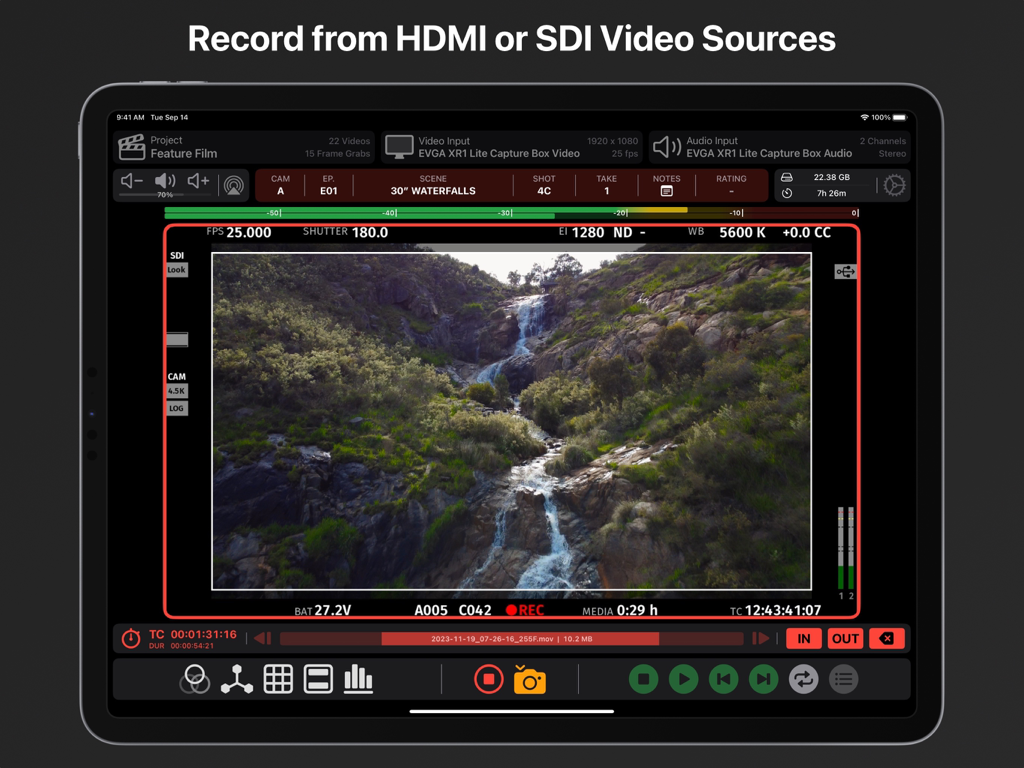
プロフェッショナルなモニタリングツールとメタデータが表示された、滝のライブビデオフィードを表示するiPad上のVideo Assistアプリインターフェイス

プロフェッショナルなモニタリングツールとメタデータが表示された、滝のライブビデオフィードを表示するiPad上のVideo Assistアプリインターフェイス

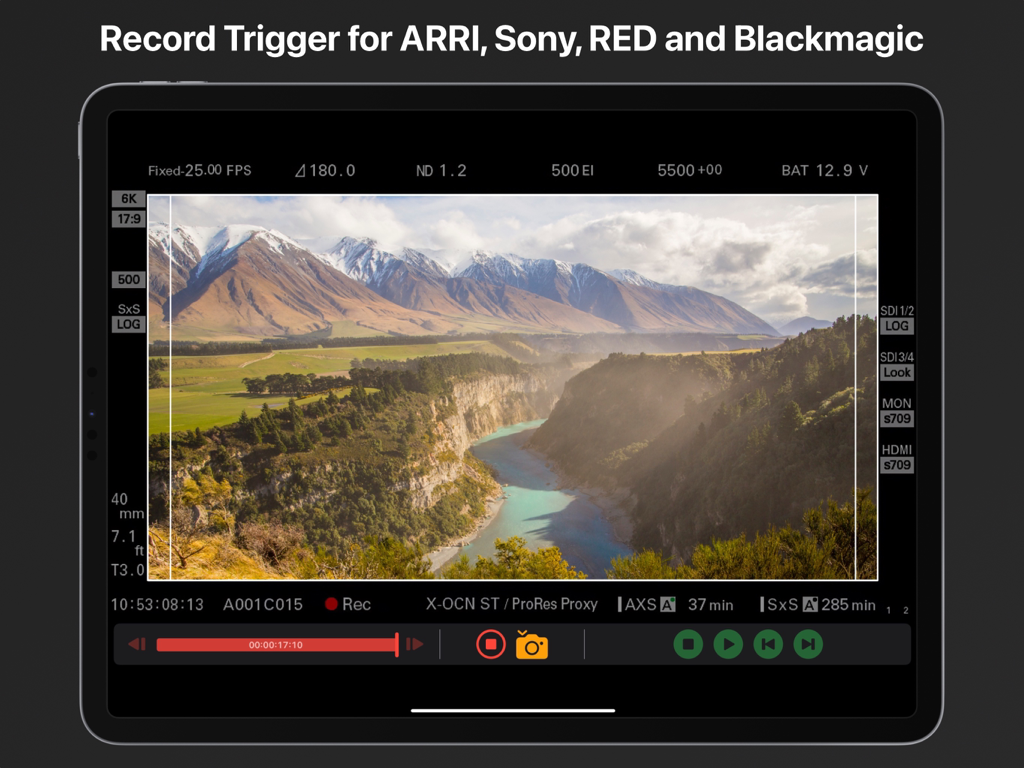
プロ仕様のシネマカメラ用の録画トリガー機能を示すiPad上のVideo Assistアプリ

プロ仕様のシネマカメラ用の録画トリガー機能を示すiPad上のVideo Assistアプリ

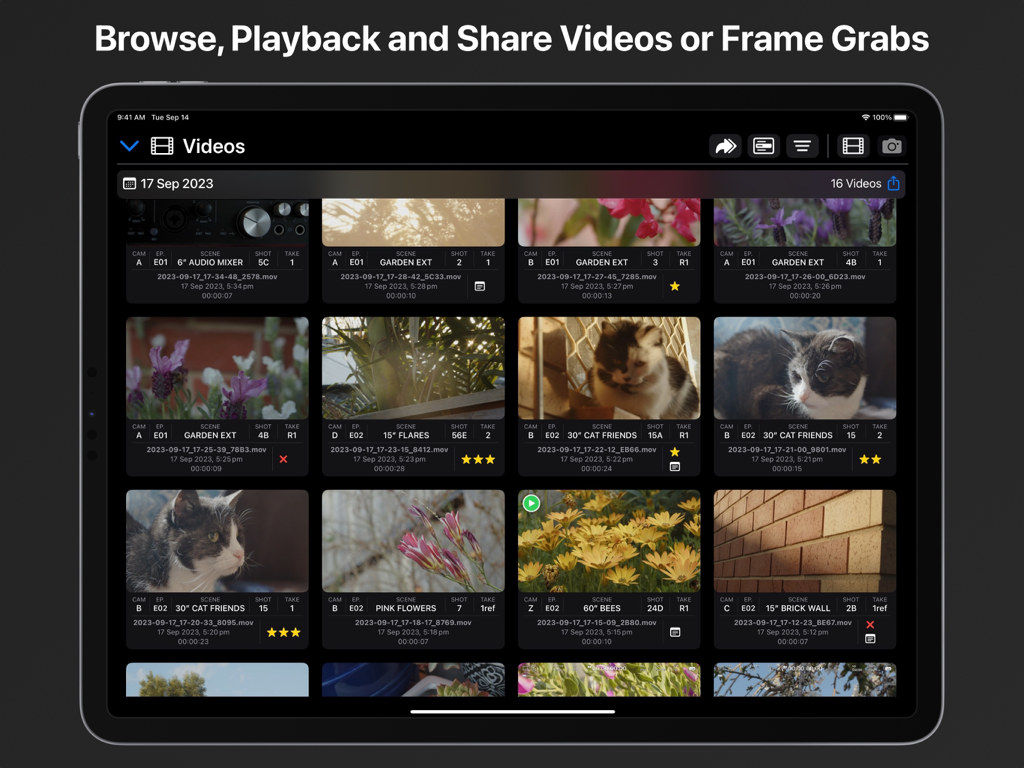
シーンやショットの詳細を含むプロフェッショナルなメタデータが表示された録画済みビデオクリップを示す、Video Assist iPadアプリのメディアライブラリビュー。

シーンやショットの詳細を含むプロフェッショナルなメタデータが表示された録画済みビデオクリップを示す、Video Assist iPadアプリのメディアライブラリビュー。

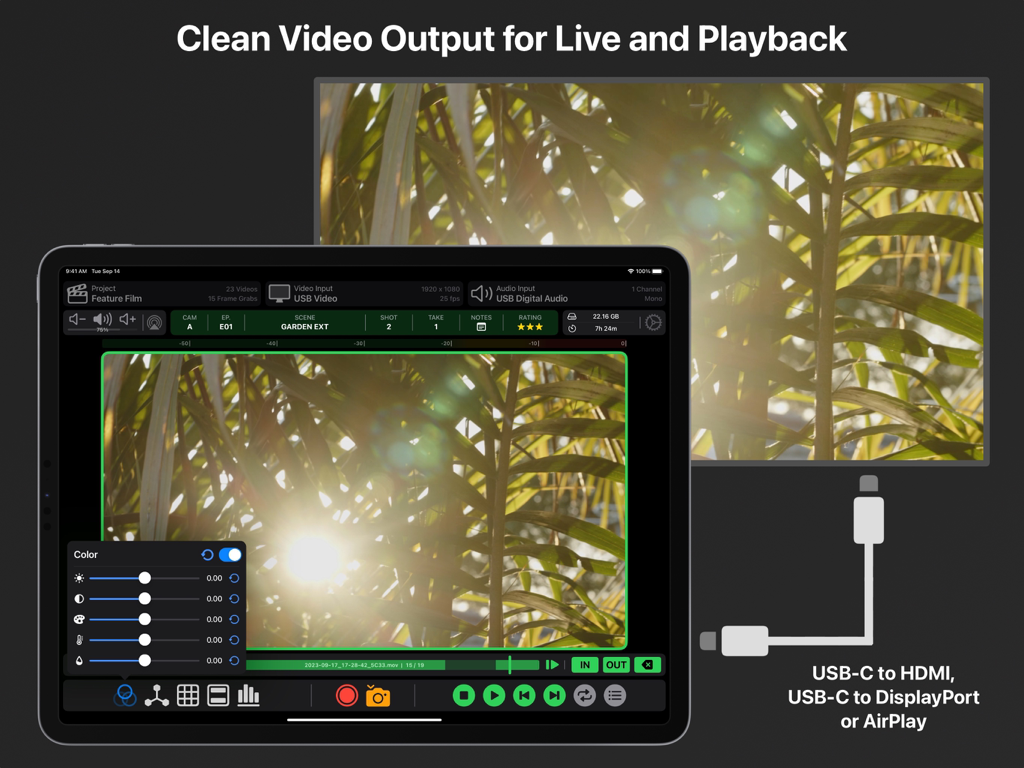
USB-CおよびAirPlay経由で外部モニターにクリーンなビデオ出力を表示するiPad上のVideo Assistアプリ

USB-CおよびAirPlay経由で外部モニターにクリーンなビデオ出力を表示するiPad上のVideo Assistアプリ

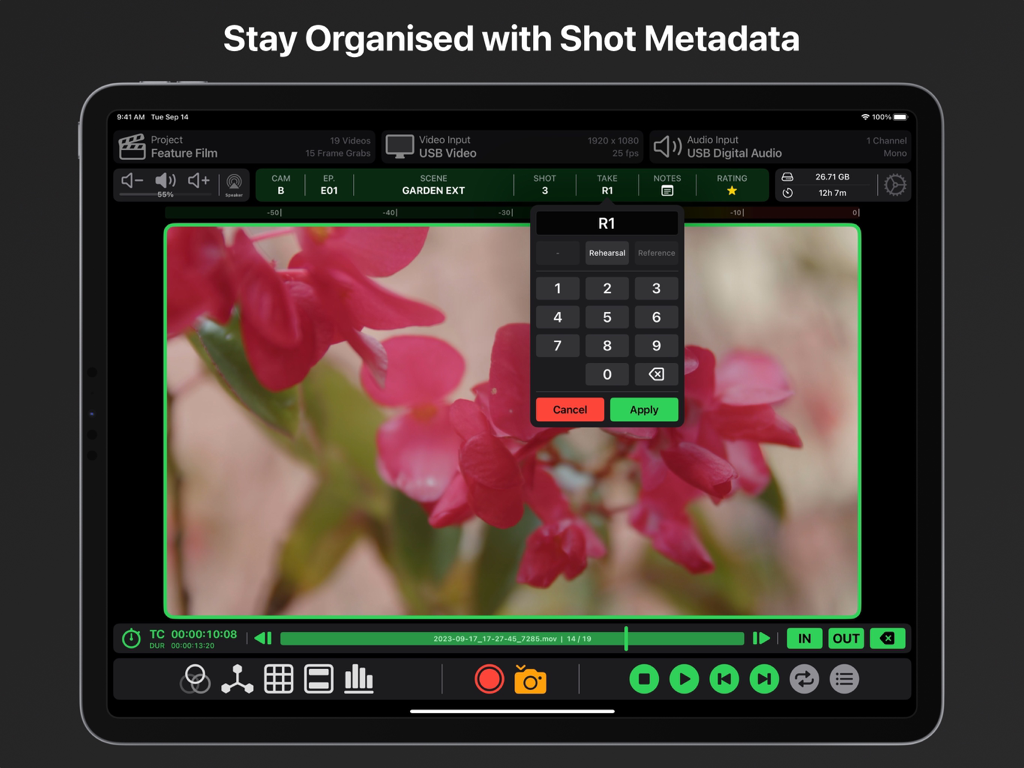
プロのビデオ制作のために、ショットメタデータの整理とテイクエントリーを示すiPad上のVideo Assistアプリのインターフェイス。

プロのビデオ制作のために、ショットメタデータの整理とテイクエントリーを示すiPad上のVideo Assistアプリのインターフェイス。

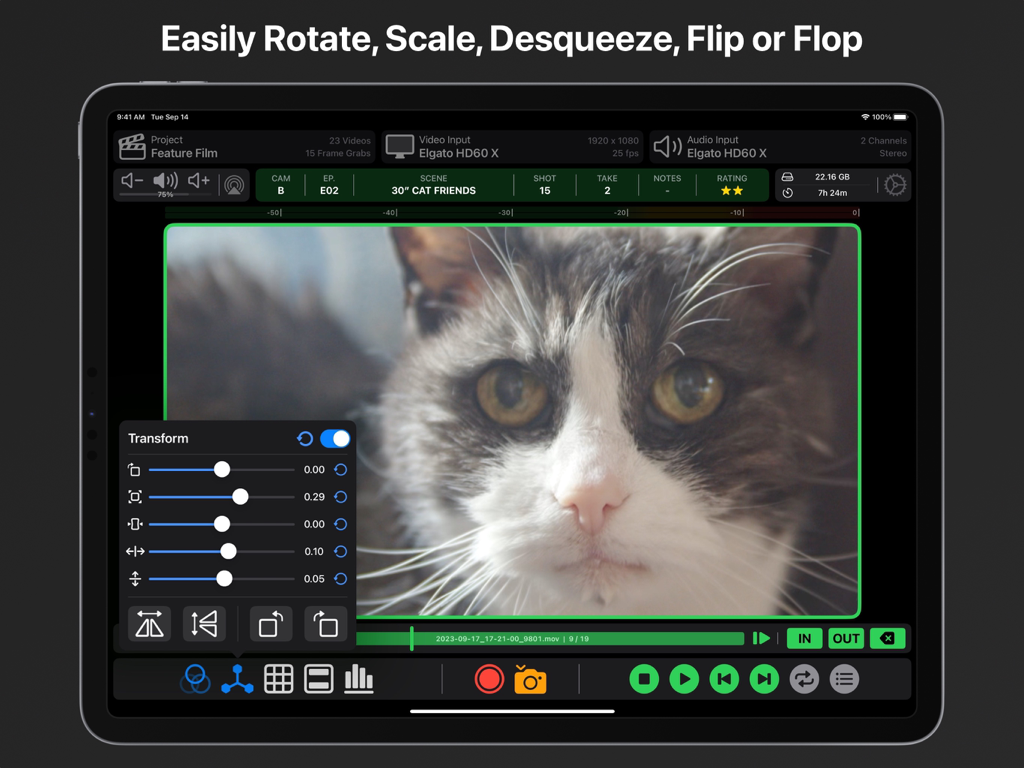
プロのビデオモニタリングアプリのインターフェイスで、iPad上の画像変換およびスケーリングコントロールを表示

プロのビデオモニタリングアプリのインターフェイスで、iPad上の画像変換およびスケーリングコントロールを表示

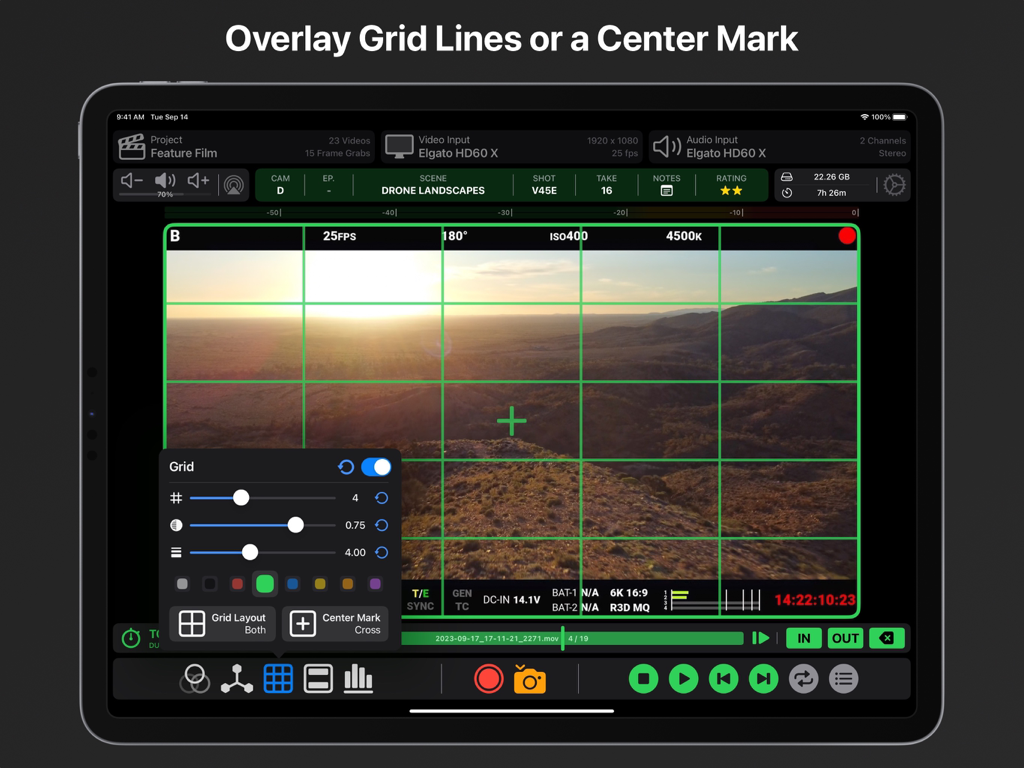
プロのビデオコンポジションのために、iPad上のカスタマイズ可能な緑色のグリッド線と中央マークを示すVideo Assistアプリ

プロのビデオコンポジションのために、iPad上のカスタマイズ可能な緑色のグリッド線と中央マークを示すVideo Assistアプリ

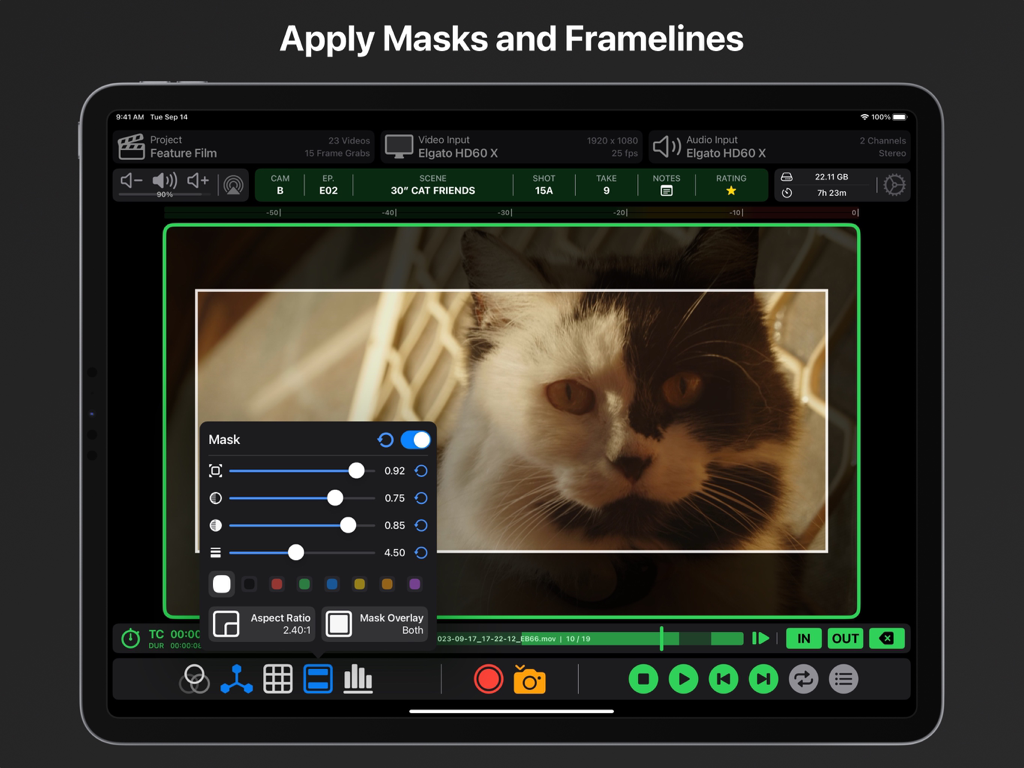
プロのビデオモニタリングのために、調整可能なアスペクト比マスクとフレームラインを表示するVideo Assist iPadアプリのインターフェイス。

プロのビデオモニタリングのために、調整可能なアスペクト比マスクとフレームラインを表示するVideo Assist iPadアプリのインターフェイス。

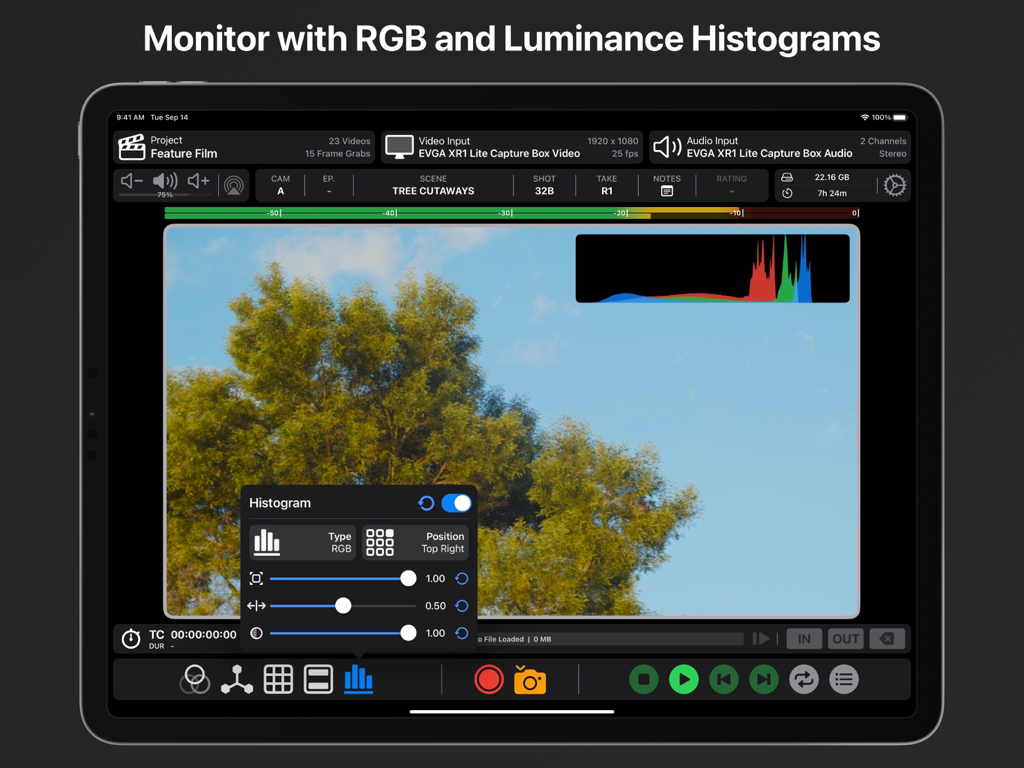
カスタマイズ可能な設定を備えたRGBおよび輝度ヒストグラムを特徴とするiPad上のプロフェッショナルビデオモニタリング。

カスタマイズ可能な設定を備えたRGBおよび輝度ヒストグラムを特徴とするiPad上のプロフェッショナルビデオモニタリング。

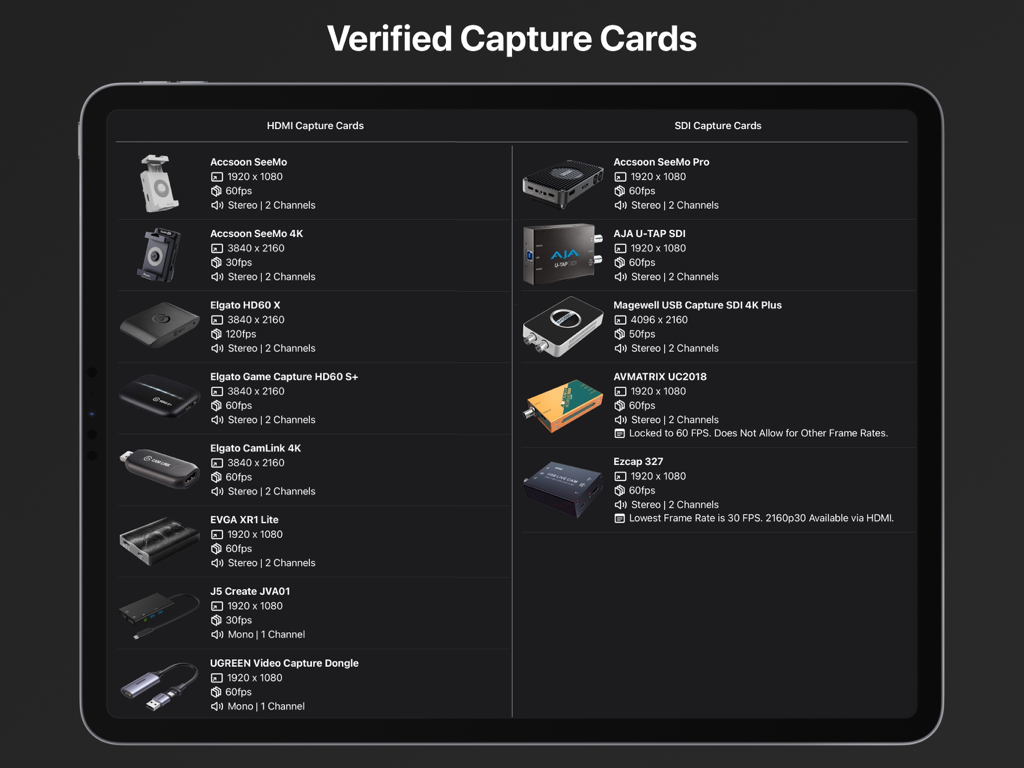
iPad上のVideo Assistアプリと互換性のある、HDMIおよびSDIキャプチャカードの確認済みリスト。

iPad上のVideo Assistアプリと互換性のある、HDMIおよびSDIキャプチャカードの確認済みリスト。

iPadでプロ仕様のモニタリングと録画を実現

このアプリを際立たせるツール、 2K+ 人のユーザーが選択.

🎨

シネマグレードの露出&フォーカス

偽色、ゼブラ、3D LUTで映像を完璧にコントロール。ピーキング機能で、iPadのLiquid Retinaディスプレイ上のすべてのフレームをシャープに保ちましょう。

⏺️

ProRes録画&インスタントデイリー

iPadまたは外部SSDに高品質ProResを直接録画。内蔵再生ツールでテイクを即座に確認し、AirDropでクリップを共有しましょう。

🤖

AI搭載カメラ同期

ARRI、RED、Sonyに対応したコンピュータービジョン・トリガーでワークフローを自動化。iPadがカメラと完璧に同期して録画を開始・停止します。

アプリについて

について知っておくべきこと Video Assist.

説明

Use your iPad as an external monitor and recording device with compatible USB Capture Cards. Easily record videos or capture frame grabs from any HDMI or SDI Video Source. Equipped with professional tools such as LUTs, Compositing, Focus Peaking, False Color, Zebras, Video Transform, Grid Lines, Center Marks, Aspect Ratio Masks, Anamorphic Desqueeze and Audio Meters. Verified HDMI Capture Cards: Accsoon SeeMo Accsoon SeeMo 4K Elgato HD60 X Elgato HD60 S+ Elgato CamLink 4K EVGA XR1 Lite J5 Create JVA01 UGREEN Video Capture Dongle AverMedia Live Gamer Mini AverMedia ExtremeCap UV (BU110) Roland UVC-01 Simplecom DA315 Verified SDI Capture Cards: Accsoon SeeMo Pro AJA U-Tap SDI Magewell SDI 4K Plus AVMATRIX UC2018** Ezcap 327*** Review captured video with our suite of in-built playback tools. Set multiple in/out points for a video to quickly get an idea of how it will feel in an edit. Our Playback Controls allow you to scrub to any point in time and navigate frame by frame when required. Playback will loop between different in/out points for takes with multiple actions. The Playback Browser makes finding and sharing specific clips via AirDrop a breeze, you can even assign each clip a rating to keep track of preferred takes. Clean Video Output is supported for both live video and playback. Simply connect an external monitor to your iPad with a USB-C to HDMI/DisplayPort Adaptor or via AirPlay. You’ll then be able to control Video Assist from your iPad while providing a clean video feed to another monitor. When using USB Video Output in tandem with a USB Capture Card you will need to use a USB Hub. Automatic Record Trigger is supported for ARRI, RED, Sony Venice, Sony Burano, Blackmagic and DJI Cameras via custom built computer vision models. Record Trigger requires status info on your camera output, it will not work on a clean video feed. If we don’t support Record Trigger for a camera you own please get in touch, we’d love to bring that functionality to Video Assist. All Videos and Frame Grabs are stored on your iPad and can be accessed from the ‘Files’ App, you can choose if they record ‘On My iPad’, to ‘iCloud Drive’ or on an ‘External Drive’. Create Projects for better organisation when using Video Assist on different jobs or for breaking things down episode to episode on longer projects. A demo of ‘Video Assist 2.0’ can be viewed here: https://youtu.be/KehgqY0O1FA A pre-release demo of ‘Video Assist’ can be viewed here: https://youtu.be/-KxTDOyLeWQ Features That Require a ‘Pro’ Subscription: • LUTs • Focus Peaking • False Color • Zebras • Compositing • ProRes Recording Compatible iPad Models: iPad Pro 12.9-inch (3rd Generation and Later) iPad Pro 11-inch (1st Generation and Later) iPad (10th Generation) iPad Air (4th Generation and Later) iPad Mini (6th Generation and Later) As a general rule, if your iPad has a USB-C or Thunderbolt 3/4/5 Port then it will be compatible. It is recommend that your iPad has an M1 Chip or newer. Incompatible SDI Capture Cards*: Blackmagic UltraStudio Recorder 3G Blackmagic UltraStudio 4K Mini *USB Capture Cards must be UVC Compliant to work with Video Assist. **AVMatrix UC2018 is Locked to 60 FPS. Does Not Allow for Other Frame Rates. ***Lowest Frame Rate for the Ezcap 327 is 30fps. 2160p30 Available via HDMI Input. Terms of Use: https://f004.backblazeb2.com/file/video-assist-public/terms-of-use.pdf Privacy Policy: https://f004.backblazeb2.com/file/video-assist-public/privacy-policy.pdf

最新バージョン

2.1.1

サイズ

87.7 MB

リリース日

2023年9月18日

iPadをプロ仕様のプロダクションモニターにアップグレードしませんか?

LUT、偽色、ProRes録画機能を解禁。今すぐVideo Assistをダウンロードして、次回の撮影にプロレベルの撮影ツールを持ち込みましょう。

ダウンロード: App Store

App information, icons, screenshots, and descriptions displayed on this page are sourced from the Apple App Store and are the property of their respective developers. Download estimates and rankings are based on MWM's proprietary models and may not reflect actual figures. This page is provided for informational and analytical purposes only.

Believe this page infringes your intellectual property? File a dispute