Video Divider - Video Splitter

Video Divider - Video Splitter

ダウンロード: App Store
ロゴ: Video Divider - Video Splitter

Video Divider - 動画分割: ソーシャルメディア & チャット向け長尺動画分割

ファイルサイズ制限を回避し、高品質動画をどこでも共有。Instagramストーリー、WhatsApp、Eメール向けの正確な番号付きクリップを数秒で作成します。

ダウンロード: App Store

開発元

Ruchira Ramesh

カテゴリ

Photo & Video

ダウンロード

800

ユーザー評価

1.0/5

評価数

0

対応言語

1

すべてのクリップに精密さを

このインターフェースを利用する 800 人のユーザー.

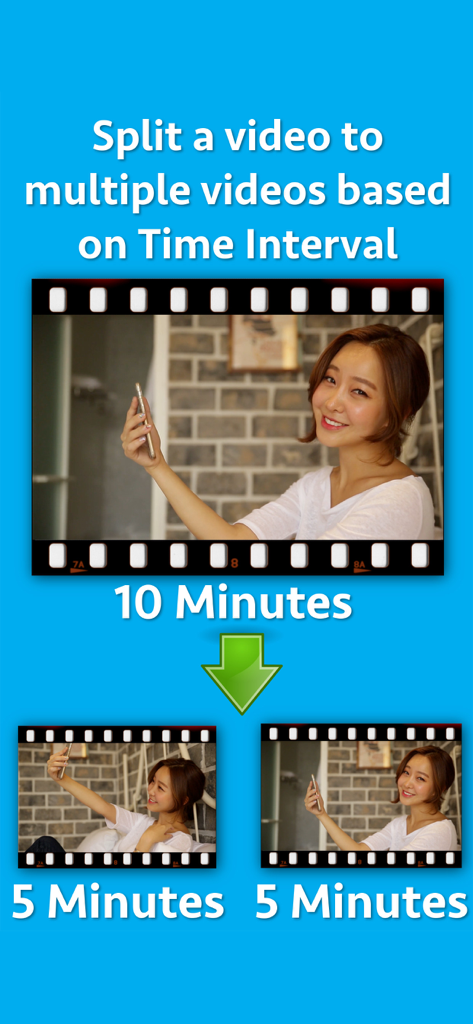
10分間の動画が5分間の2つのセグメントに分割されている様子を示すグラフィック

10分間の動画が5分間の2つのセグメントに分割されている様子を示すグラフィック

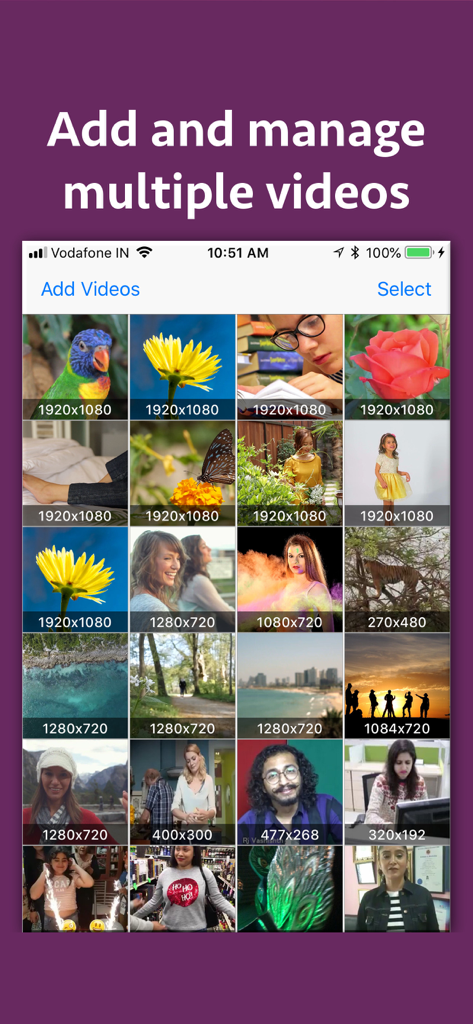
Video Dividerアプリの画面に、アップロードされた動画のグリッドが表示され、それぞれの解像度が表示されている。

Video Dividerアプリの画面に、アップロードされた動画のグリッドが表示され、それぞれの解像度が表示されている。

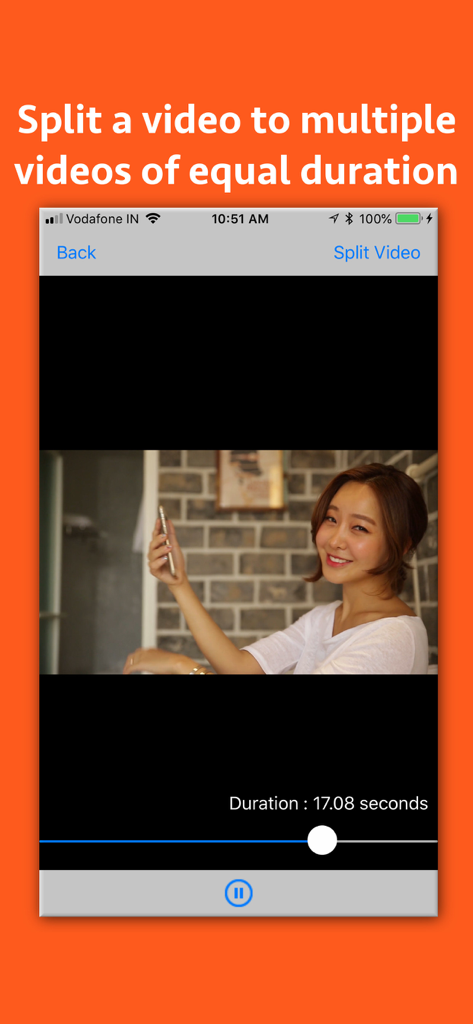
動画を均等な部分に分割する方法を示すVideo Dividerアプリの画面。

動画を均等な部分に分割する方法を示すVideo Dividerアプリの画面。

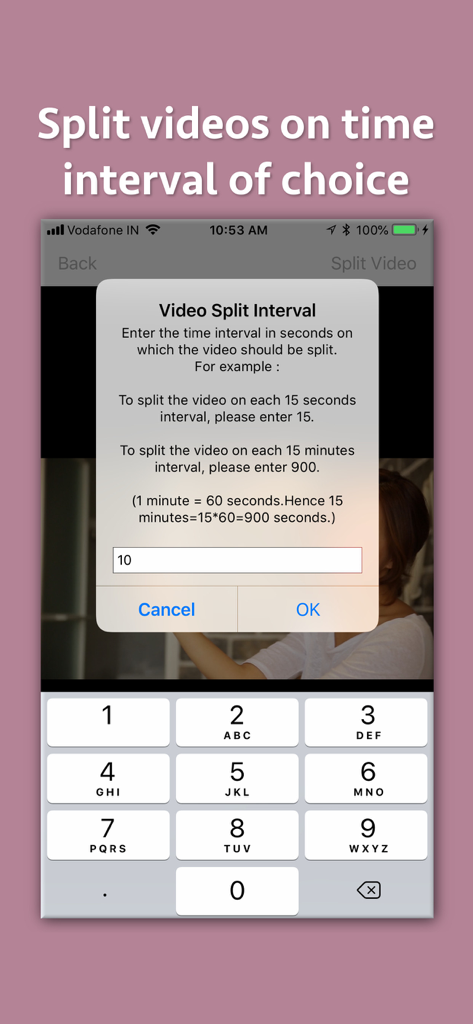
Video Dividerアプリのインターフェースに、数字キーパッドで動画分割間隔を秒単位で入力するポップアップウィンドウが表示されている。

Video Dividerアプリのインターフェースに、数字キーパッドで動画分割間隔を秒単位で入力するポップアップウィンドウが表示されている。

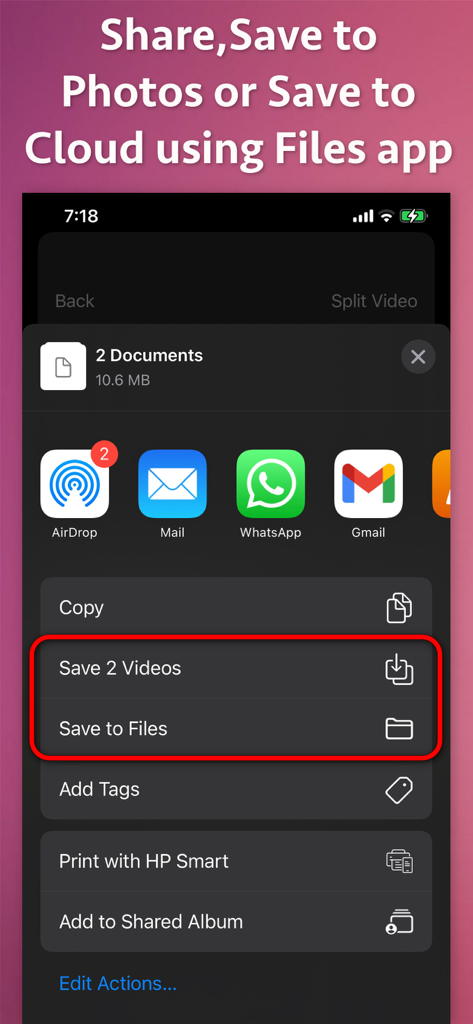
iOS共有メニューに、分割された動画クリップを写真またはファイルに保存し、ソーシャルメディアアプリ経由で共有するオプションが表示されている。

iOS共有メニューに、分割された動画クリップを写真またはファイルに保存し、ソーシャルメディアアプリ経由で共有するオプションが表示されている。

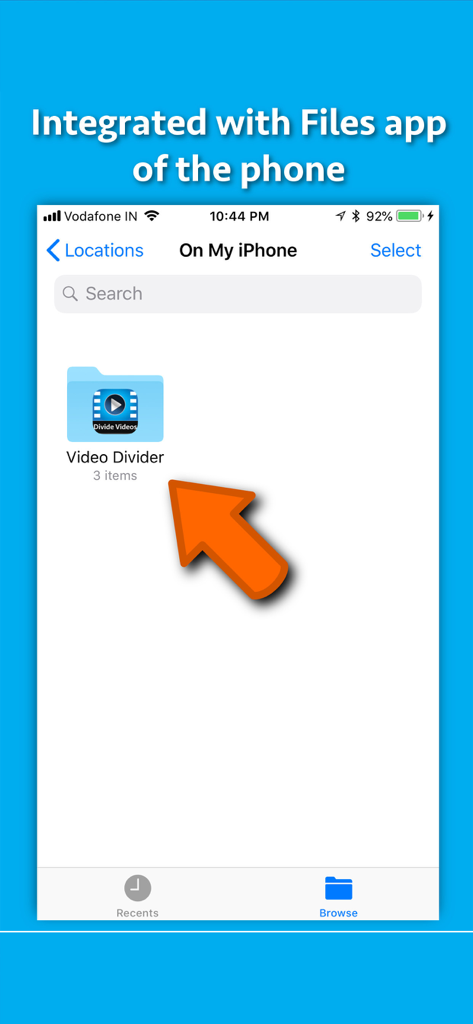
Video DividerアプリがiPhoneのファイルアプリと連携し、分割された動画の簡単な保存とアクセスを可能にするスクリーンショット。

Video DividerアプリがiPhoneのファイルアプリと連携し、分割された動画の簡単な保存とアクセスを可能にするスクリーンショット。

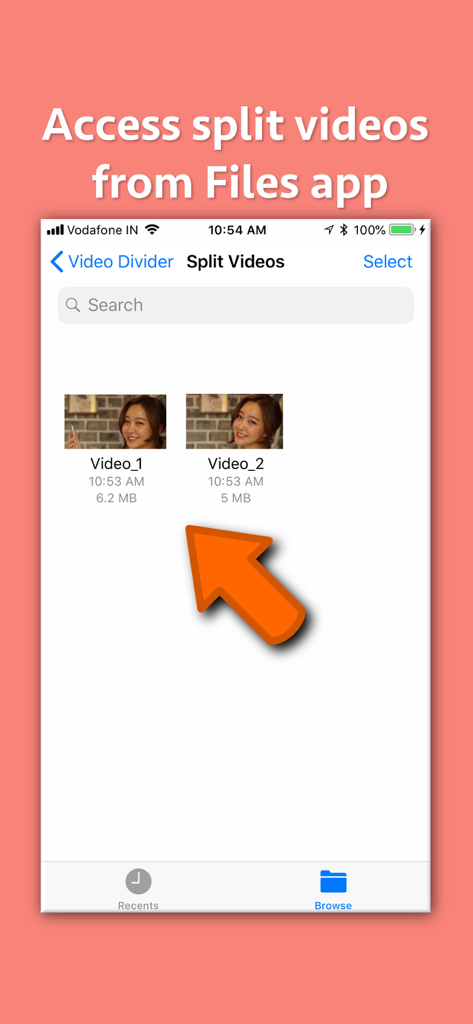
分割された動画ファイルが、整理とアクセスが容易なようにVideo_1とVideo_2とラベル付けされているインターフェース。

分割された動画ファイルが、整理とアクセスが容易なようにVideo_1とVideo_2とラベル付けされているインターフェース。

動画を分割して共有しやすくすることについてのテキストと共に、フィルムストリップ上の家族動画クリップを示すVideo Dividerアプリのプロモーショングラフィック

動画を分割して共有しやすくすることについてのテキストと共に、フィルムストリップ上の家族動画クリップを示すVideo Dividerアプリのプロモーショングラフィック

分割、共有、コンテンツ制限を克服

このアプリを際立たせるツール、 800 人のユーザーが選択.

📱

ソーシャルストーリーに最適

手作業の手間なく、長尺のVlogやコンサート映像をInstagramストーリー、WhatsAppステータス、TikTok向けの正確なセグメントに自動分割します。

💎

プロ品質を維持

ぼやけた圧縮動画に妥協しないでください。4KまたはHDファイルを元の解像度と鮮明なディテールを維持しながら、より小さなチャンクに分割します。

🔢

スマート連番ナンバリング

タイムラインを見失うことはありません。すべてのクリップは番号付きファイル名でエクスポートされるため、常に完璧な時系列順にアップロードできます。

アプリについて

について知っておくべきこと Video Divider - Video Splitter.

説明

Split videos based on time interval. Send, store and share large videos by dividing them into high quality videos of equal time interval. A video could be split based on specified Time in Seconds. For example : a) If there is a video of duration 50 seconds, just specify the time in Seconds in which you want it to split.If you specify 10 seconds, the application will split the video into 5 parts each having 10 seconds duration.If you specify the time to 5 seconds, the application will split the video into 10 videos , each having duration of 5 seconds. The generated videos are numbered so that their playing order could be understood. For example : A video named "Video.MOV" will be split into Video_1.MOV, Video_2.MOV, Video_3.MOV and so on. There are multiple benefits of splitting the video. For example : -- If there is a video of 100MB, you could split them into chunks of smaller sizes and send them in multiple emails. -- You could split video based on time and have multiple video parts that are equal in time duration.This could be very useful if you have to offer episodes or tutorials of a specified time duration. -- There are various messaging platforms that impose size restrictions on videos. In such cases, the entire large video could be sent by splitting it into multiple small videos using the application. -- You could divide the large video into videos of smaller duration and upload them to your website.Later on you could provide the links of each part separately to download. -- Apart from this, wherever there are size limitations for the video, the application could prove to be very beneficial by splitting the videos into smaller sized videos.

最新バージョン

7.5

サイズ

2.6 MB

リリース日

2018年7月30日

制限なく共有する準備はできましたか?

数千人のクリエイターがサイズ制限を回避しています。長尺動画をWhatsApp、Instagram、Eメール向けの高品質な番号付きクリップに、ワンタップで分割しましょう。

ダウンロード: App Store

App information, icons, screenshots, and descriptions displayed on this page are sourced from the Apple App Store and are the property of their respective developers. Download estimates and rankings are based on MWM's proprietary models and may not reflect actual figures. This page is provided for informational and analytical purposes only.

Believe this page infringes your intellectual property? File a dispute