Video to mp3 converter no ads

Video to mp3 converter no ads


ダウンロード: App Store
ロゴ: Video to mp3 converter no ads

広告なし動画MP3変換:高速・安全・バッチ処理対応

中断のないプロフェッショナル級の音声抽出を体験してください。複数の動画を瞬時にMP3、WAV、またはFLACに変換し、デバイス上でプライベートに処理します。

ダウンロード: App Store

開発元

Mehroz Sheikh

カテゴリ

Music

ダウンロード

2K+

ユーザー評価

4.6/5

評価数

0

対応言語

1

手間いらずの効率性

このインターフェースを利用する 2K+ 人のユーザー.

ヘッドホンをした男性が動画から変換された音声を楽しんでいる様子

ヘッドホンをした男性が動画から変換された音声を楽しんでいる様子

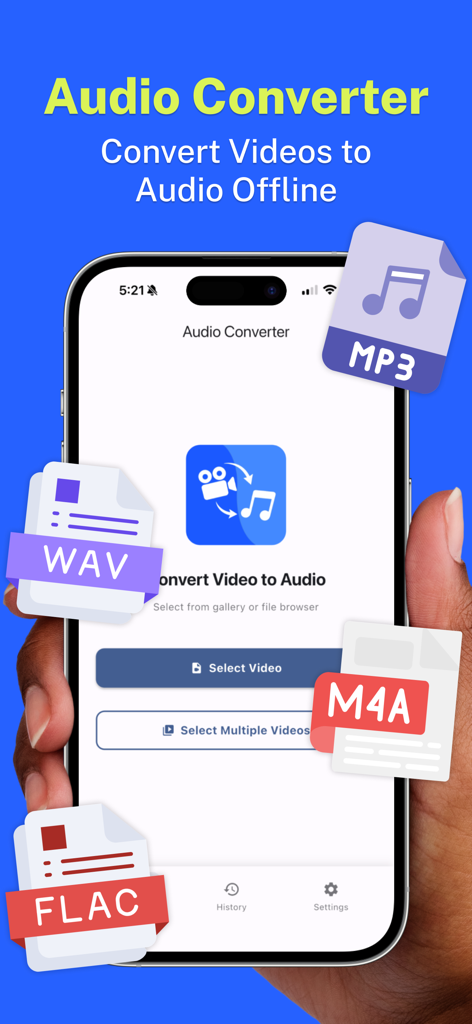
MP3、WAV、M4A、FLAC形式のオプションを備えた音声コンバーターアプリのメインインターフェースを示すスマートフォン

MP3、WAV、M4A、FLAC形式のオプションを備えた音声コンバーターアプリのメインインターフェースを示すスマートフォン

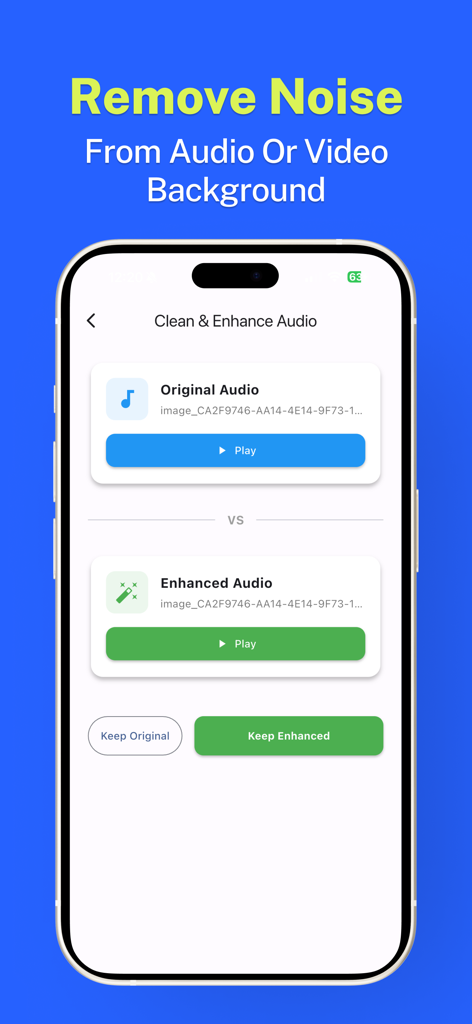
動画MP3コンバーターアプリのバックグラウンドノイズ除去と音声強化機能を示すスマートフォンの画面。

動画MP3コンバーターアプリのバックグラウンドノイズ除去と音声強化機能を示すスマートフォンの画面。

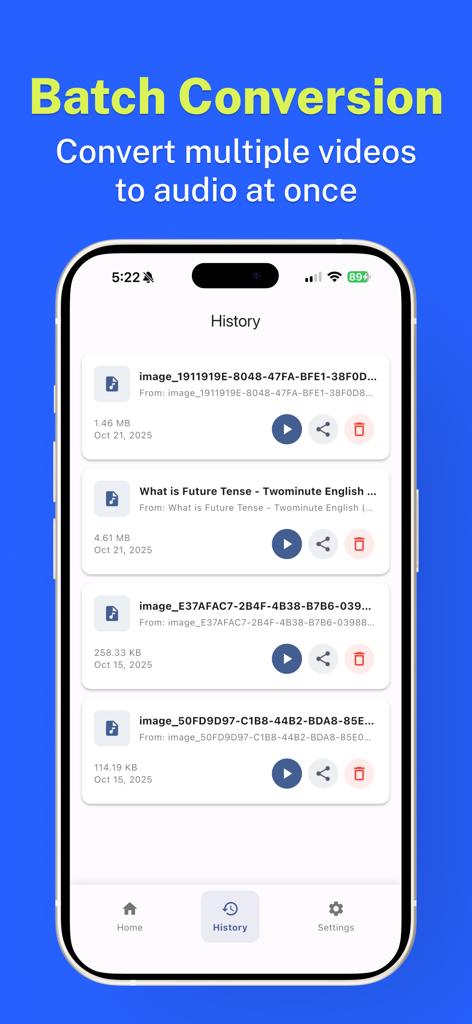
iPhoneでのバッチ動画から音声への変換履歴を示すアプリインターフェース

iPhoneでのバッチ動画から音声への変換履歴を示すアプリインターフェース

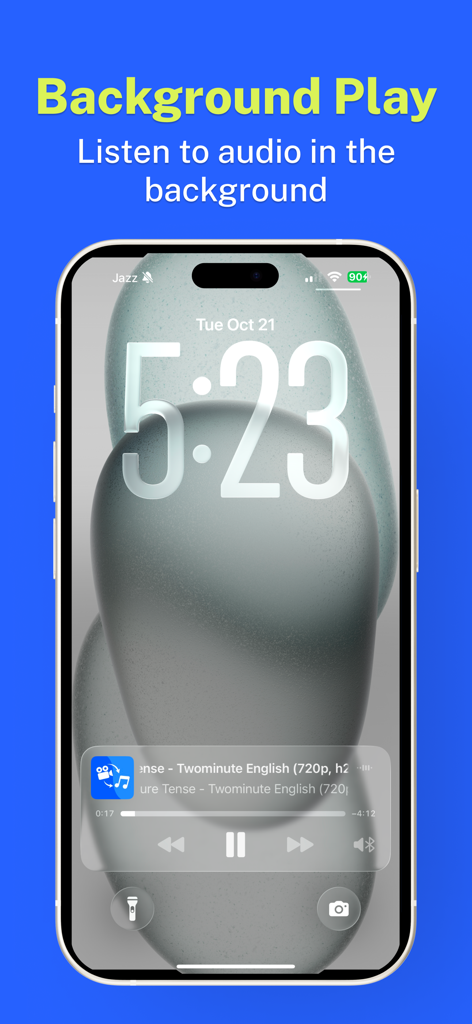
動画MP3コンバーターアプリからのバックグラウンド音声再生を示すiPhoneのロック画面

動画MP3コンバーターアプリからのバックグラウンド音声再生を示すiPhoneのロック画面

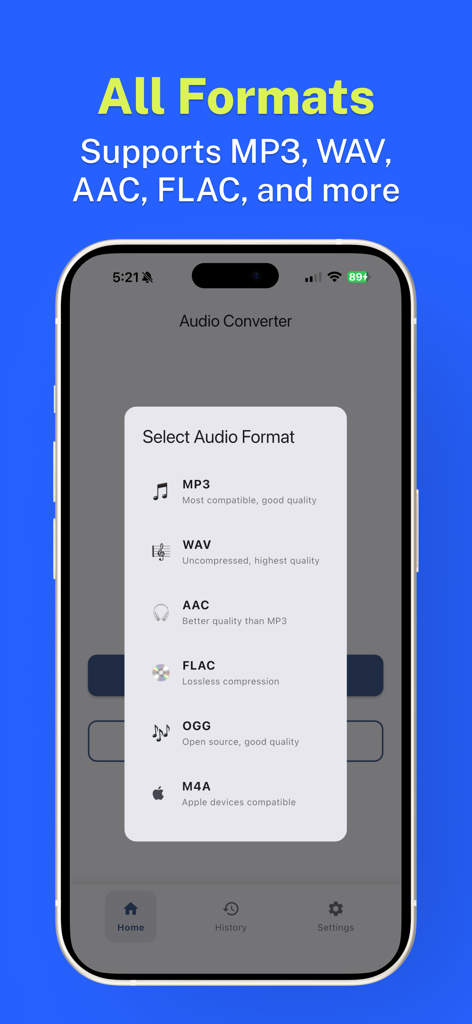
MP3、WAV、AAC、FLACを含むサポートされている音声形式のリストを示すモバイルアプリインターフェース。

MP3、WAV、AAC、FLACを含むサポートされている音声形式のリストを示すモバイルアプリインターフェース。

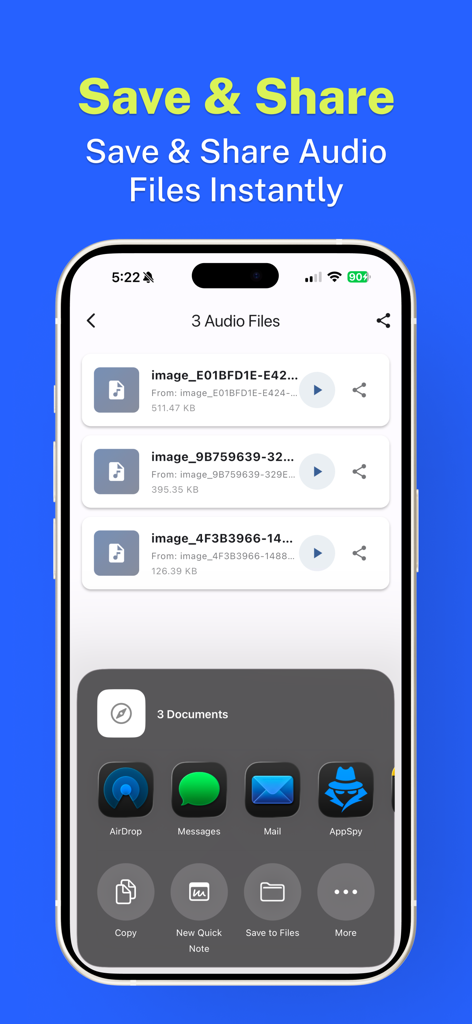
AirDrop、Messages、Mail経由でエクスポートするためにiOS共有シートが開かれた状態の、変換された音声ファイルのリストを表示するモバイルインターフェース。

AirDrop、Messages、Mail経由でエクスポートするためにiOS共有シートが開かれた状態の、変換された音声ファイルのリストを表示するモバイルインターフェース。

プロフェッショナルな音声抽出、中断なし

このアプリを際立たせるツール、 2K+ 人のユーザーが選択.

🚫

100%広告なしワークフロー

プレミアムなインターフェースでフラストレーションを解消。ポップアップ広告、強制的な動画広告なし。あなたの音声変換ニーズのために、純粋な効率性だけを提供します。

🔒

プライベートなオンデバイス処理

あなたのデータはあなたのスマホから離れることはありません。すべての変換はローカルで行われるため、最大限のセキュリティと、どこでもオフラインで作業できる能力を提供します。

高速バッチ変換

一度に複数のファイルを処理して時間を節約。あなたのギャラリー全体から、数秒でMP3、WAV、またはAAC形式の音声ファイルを抽出します。

アプリについて

について知っておくべきこと Video to mp3 converter no ads.

説明

"Video to mp3 converter no ads" makes it simple to get audio from your videos. Use the app to pick a single video or many videos from your gallery or files, then save or share the audio files you need. How it works • Open "Video to mp3 converter no ads" and choose videos from the gallery or file picker. • Convert single files or select multiple videos at once. • Choose the audio format you want (examples: mp3, wav, aac, flac, m4a). • Save results to your device or share them with other apps. Features • On-device conversion — works offline without uploading files. • Background playback and lock-screen support so you can listen while using other apps. • Batch conversion for multiple files. • Simple trimming and basic editing options after extraction. • Save to local storage or export/share through messaging, cloud apps, or email. Privacy & storage All conversions happen on your device. Files are not uploaded by default. You control where converted files are saved. If you need a no-ads app for extracting audio from video files, try "Video to mp3 converter no ads" — it keeps the steps clear and the files on your device. Subscription Plans: - Weekly: $3.99 USD (3 Day Free Trial) - Lifetime: $14.99 USD Terms of use: https://www.apple.com/legal/internet-services/itunes/dev/stdeula Privacy Policy: https://techrozsolutions.netlify.app/audioconverter/privacy_policy.html

最新バージョン

1.2.2

サイズ

75.7 MB

リリース日

2025年10月21日

広告なしの音声抽出を体験する準備はできましたか?

何千人ものクリエイターやプロフェッショナルが、完全なプライバシーで変換、トリミング、オフラインリスニングを行っています。広告もクラウドアップロードもなく、あなたの音声、あなたのやり方で。

ダウンロード: App Store

App information, icons, screenshots, and descriptions displayed on this page are sourced from the Apple App Store and are the property of their respective developers. Download estimates and rankings are based on MWM's proprietary models and may not reflect actual figures. This page is provided for informational and analytical purposes only.

Believe this page infringes your intellectual property? File a dispute