
このページはアプリまたはその開発者の公式ページではなく、情報提供および論評を目的として作成された独立した編集出版物です。明示的に別段の記載がない限り、アプリおよびその開発者は、MWM、Apple、Google Play、アプリのパブリッシャー、またはアプリの開発者と提携、承認、後援、認可、またはその他の公式的な関係はなく、このページのいかなる内容も、アプリがMWMのサービスを使用して開発されたことを意味するものではありません。すべての商標、ロゴ、スクリーンショット、その他のコンテンツはそれぞれの所有者の財産です。

EZAudioCut - Audio Editor Lite
iPhoneまたはApple Watchを高精細スタジオに変えましょう。AIでバックグラウンドノイズをクリーンにし、プロフェッショナルなエフェクトを適用し、数秒で次のバイラルサウンドをエクスポートしましょう。
ダウンロード
1M+ユーザー評価
評価数
37K+開発元
カテゴリ
Music対応言語
13最新バージョン
3.4.1サイズ
58.7 MBリリース日
2017年11月28日ポータブルなプロフェッショナルオーディオ編集
EZAudioCut Liteは、デスクに縛られずに高品質な結果を必要とするクリエイター、学生、ミュージシャンにスタジオグレードのツールを提供します。
外科手術レベルの精密編集
波形を深くズームして、フレーム単位の精度でカット、トリミング、マージします。無制限の元に戻す/やり直し機能により、すべての編集は非破壊的です。
AIニューラルノイズリダクション
カフェから教室まで、どこでも録音できます。当社のリカレントニューラルネットワーク技術は、バックグラウンドノイズを自動的に識別して除去し、クリアな結果をもたらします。
よくある質問
について知っておくべきこと EZAudioCut - Audio Editor Lite
EZAudioCutは高精度な音声編集を提供しますか?
はい、EZAudioCutはクリップ音声へのズームを含め、超高精度な編集をサポートしています。詳細な調整のために20ミリ秒レベルの精度を提供します。
EZAudioCutはどのような音声フォーマットをインポートおよびエクスポートでサポートしていますか?
EZAudioCutは、m4a、aac、mp2、mp3、wav、aif、mov、mp4、aiff、ALACなど、複数のフォーマットをインポートおよびエクスポートでサポートしています。
EZAudioCutは無制限の長さで音声を録音できますか?
はい、EZAudioCutは、デバイスに十分なストレージがある限り、長さと量に関して無制限の録音を許可します。通話後の自動録音もサポートしています。
EZAudioCutで利用できる音声エフェクトは何ですか?
EZAudioCutは、リバーブ、コーラス、ゲイン、タイムストレッチ、ピッチなどのさまざまな音声エフェクトを提供します。また、リカレントニューラルネットワーク技術を使用したノイズリダクションも含まれています。
EZAudioCutはAirPodsのようなBluetoothデバイスでの録音をサポートしていますか?
はい、EZAudioCutはAirPodsを含むBluetoothデバイスでの音声再生と録音の両方をサポートしています。
ユーザーはEZAudioCutから音声ファイルをどのように共有できますか?
ユーザーは、Email、Messages、WiFi、YouTube、Instagram、Snapchat、SMS、およびTwitterやWeChatなどのサードパーティアプリ(AirDropを含む)を介して、EZAudioCutから音声またはビデオファイルを共有できます。
EZAudioCutはカスタム着信音の作成に使用できますか?
はい、EZAudioCutは、ユーザーが音楽を正確にクリップしてユニークなパーソナル着信音を作成するのに役立ちます。携帯電話に音楽をインポートするだけです。
EZAudioCutはどのようなイコライザー機能を提供しますか?
EZAudioCutは、ボーカルやその他の音声を完璧に強化するための10バンドイコライザーを提供します。人気、ダンス、ブルースなどのさまざまなプリセットが含まれています。
EZAudioCutはiCloudから音声をインポートできますか?
はい、EZAudioCutはiCloud Driveから音声ファイルをインポートすることをサポートしています。編集した音声を直接iCloudにエクスポートすることもできます。
EZAudioCutは音声エフェクトのリアルタイムプレビューをサポートしていますか?
はい、EZAudioCutは音声エフェクトのリアルタイムプレビューをサポートしています。ユーザーは、試聴プロセス中にエフェクトパラメータを動的に調整できます。
EZAudioCutは音声の速度とピッチを変更できますか?
はい、EZAudioCutは可変速再生とエクスポート(0.5倍から3倍)およびピッチシフト再生をサポートしています。無限に可変な速度とピッチ調整が可能です。
EZAudioCutのApple Watchの機能は何ですか?
Apple Watch用のEZAudioCutは、電話に接続されていなくても、オフライン録音と音声インポートクリップを可能にします。バックグラウンド録音もサポートしています。
EZAudioCutはバッチエクスポート機能を提供しますか?
はい、EZAudioCutは音声クリップのバッチエクスポートを許可します。ユーザーは、定義されたカットポイントを通じて複数のセグメントをエクスポートできます。
EZAudioCutは録音のノイズリダクションを実行できますか?
はい、EZAudioCutには、音声録音をクリーンアップするためのリカレントニューラルネットワークノイズリダクション技術が含まれています。
ユーザーはEZAudioCutで元に戻す(Undo)およびやり直し(Redo)アクションを実行できますか?
はい、EZAudioCutは、音声クリッピングを含む、編集プロセス中のいつでも元に戻す(Undo)およびやり直し(Redo)操作をサポートしています。
以下のスクリーンショットと説明は、アプリの公式ストアリスティングから直接取得されたものであり、アプリ開発者の所有物です。
アプリストア
スクリーンショット
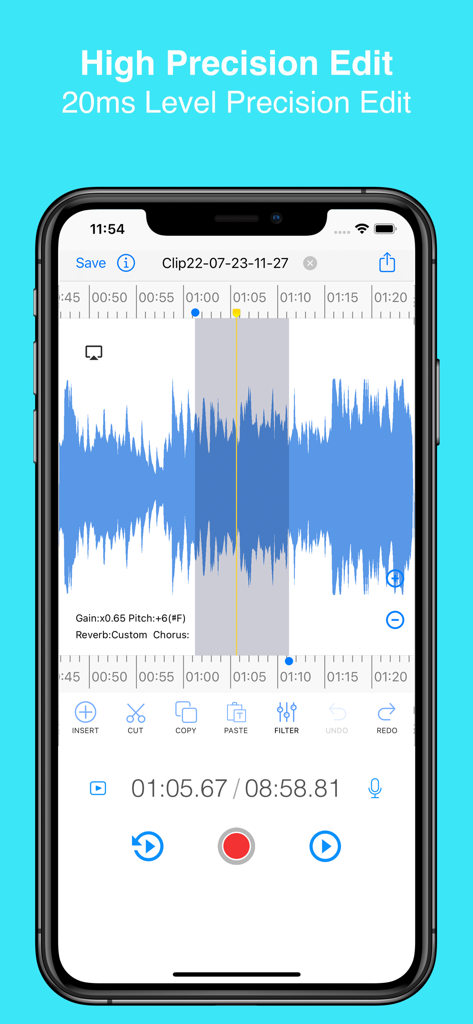
EZAudioCutモバイルアプリのインターフェース。カットやフィルタリングツールを備えた高精度波形編集を表示。
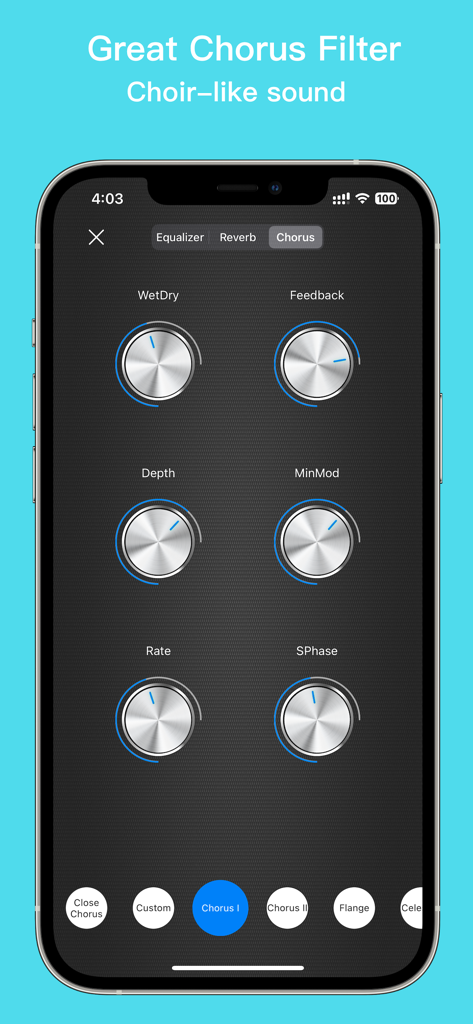
EZAudioCutアプリのコーラスフィルターインターフェース。コーラスのようなオーディオエフェクトのために、深さ、レート、フィードバックの調整可能なノブを表示。
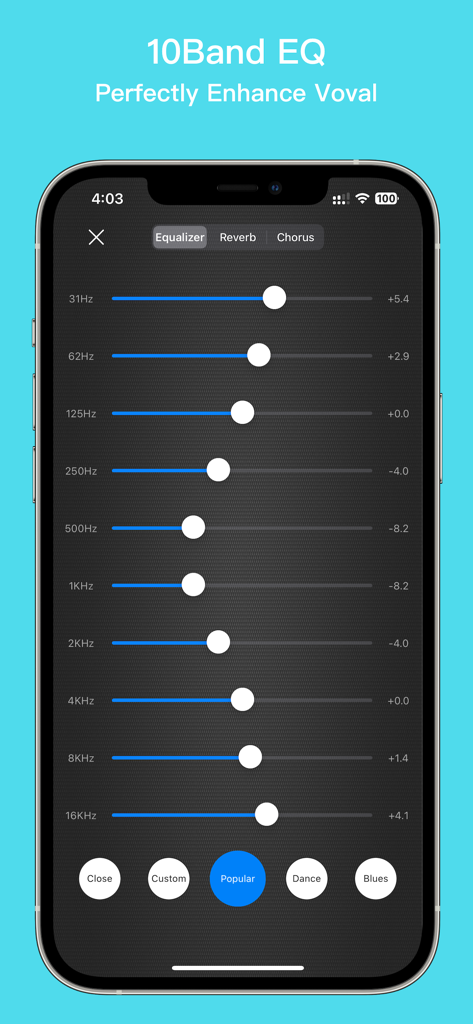
EZAudioCut Liteアプリの10バンドイコライザーインターフェース。ボーカルやオーディオのプロフェッショナルな強化用。
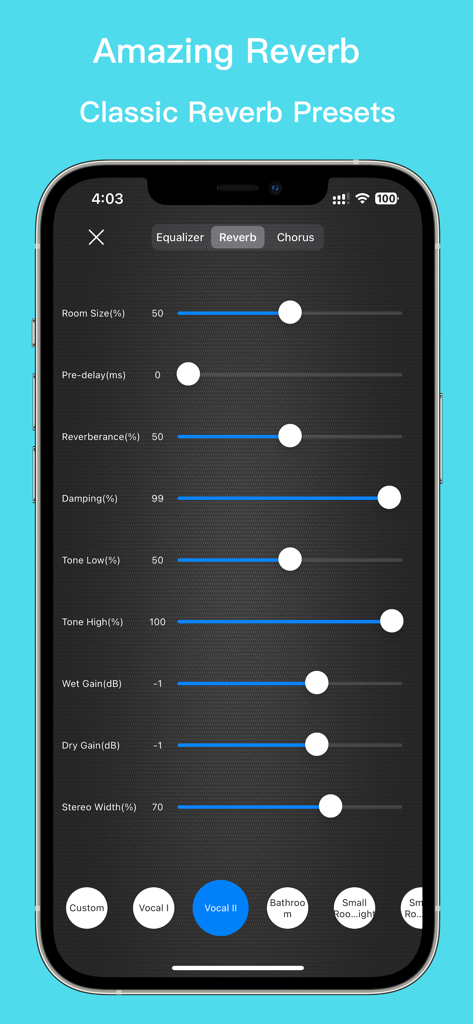
EZAudioCutアプリのインターフェース。ルームサイズ、ダンピング、ボーカルやルームエフェクトのプリセットを含む調整可能なリバーブ設定を表示。
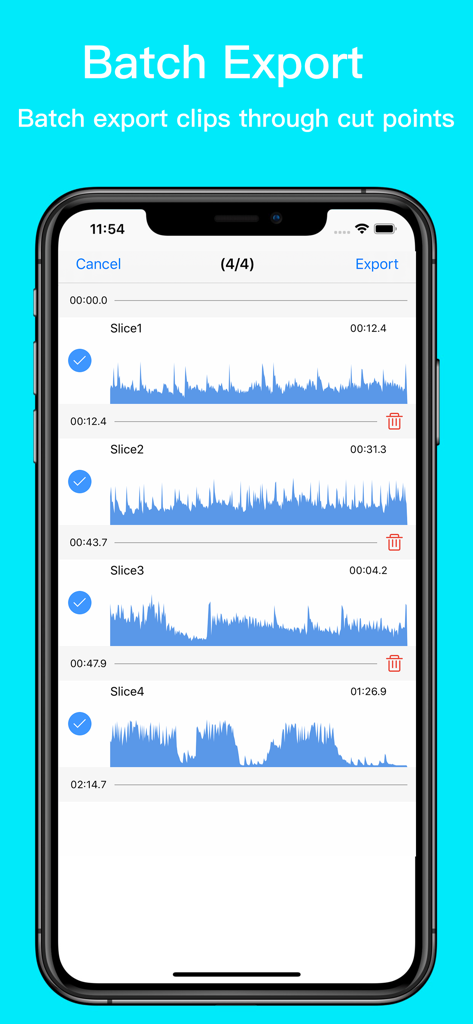
EZAudioCutのインターフェース。バッチエクスポート用に複数のオーディオクリップが選択されている状態を表示。
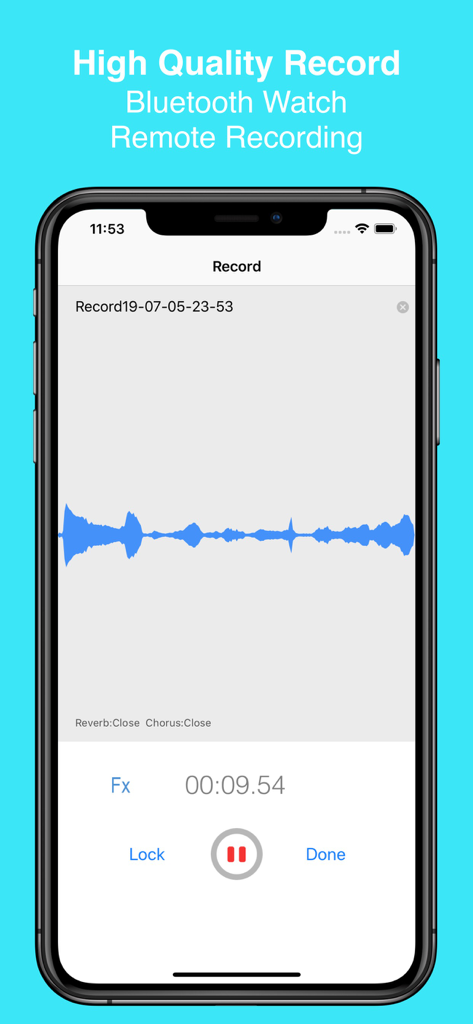
iPhone上のEZAudioCutアプリのインターフェース。青い波形を表示する高品質オーディオ録音セッションを表示。
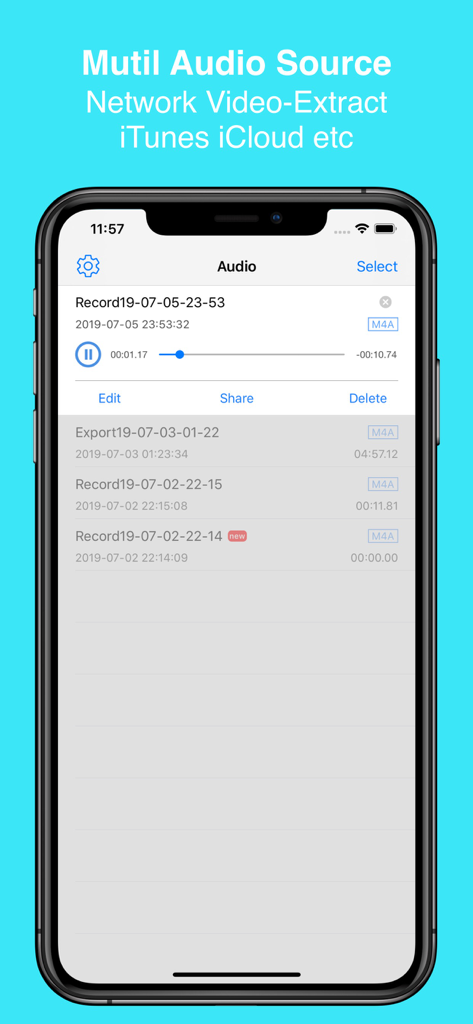
EZAudioCutアプリのインターフェース。録音リストと、iTunesおよびiCloudからのオーディオインポートオプションを表示。
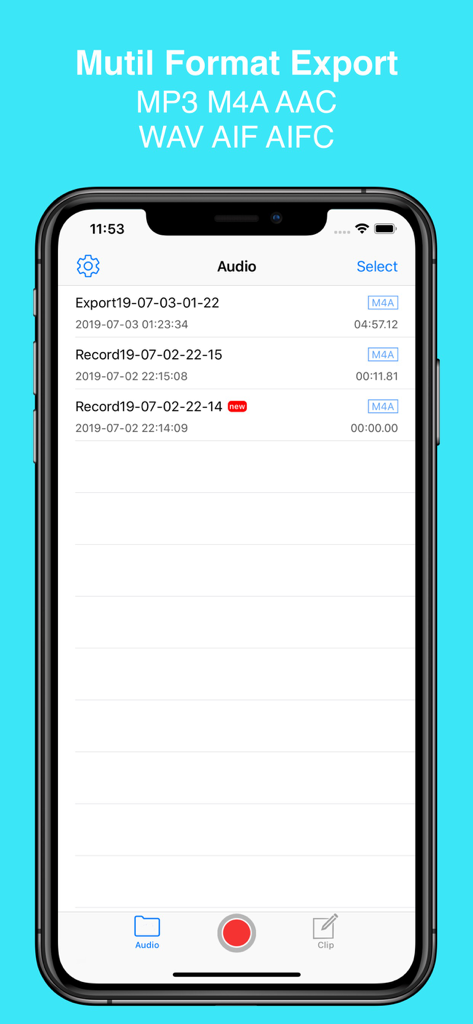
EZAudioCutアプリのインターフェース。MP3やM4Aなどの複数のエクスポートフォーマットオプションを備えたオーディオファイルライブラリを表示。
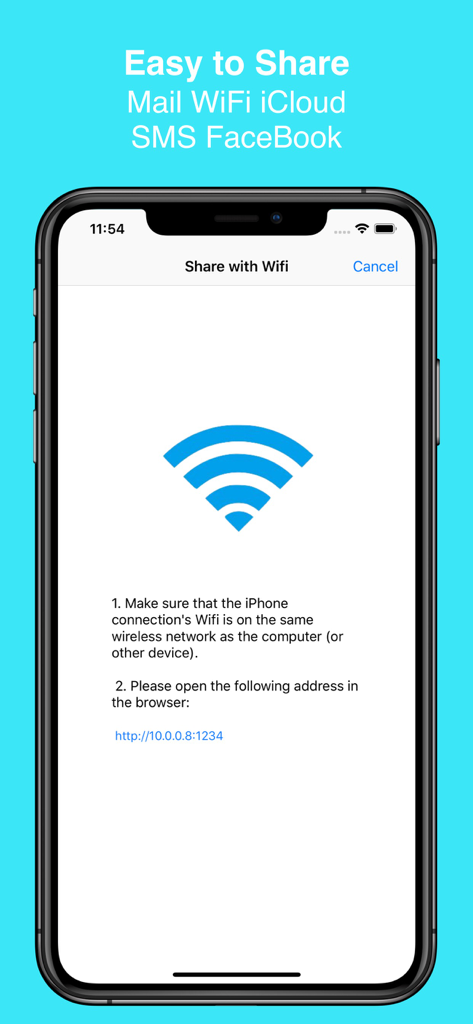
EZAudioCutアプリのインターフェース。ローカルWiFiネットワーク経由でオーディオファイルを共有する方法を表示。
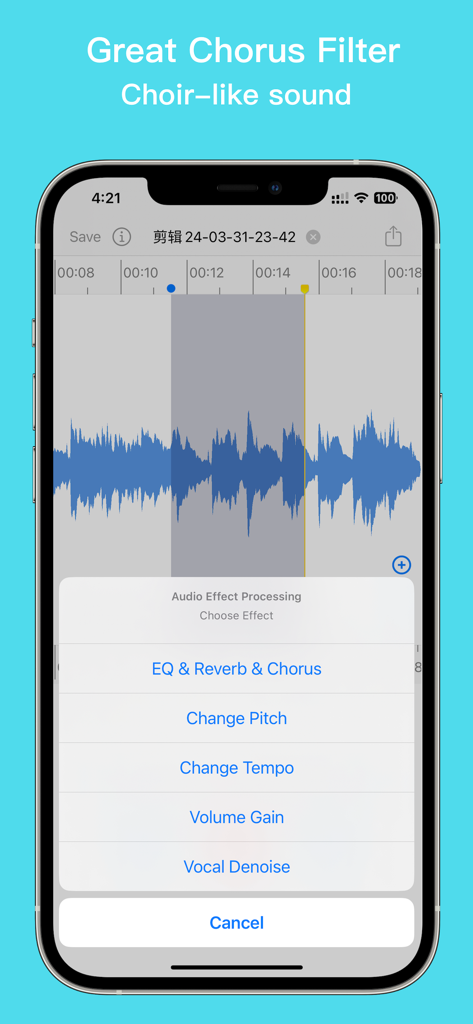
EZAudioCutアプリのインターフェース。コーラスとリバーブオプションを備えたオーディオエフェクト処理メニューを表示。
説明
Download
類似アプリ
似た機能とユーザー体験を持つアプリ

MP3 Converter -Audio Extractor
妍 岳

Audio Editor - Music Mixer
妍 岳

MP3 Converter: Video to Audio
Fitness Labs SRL

Audio Editor: MP3 Converter
ZHN Co., Ltd.

MP3 Converter - video2mp3
ZHN Co., Ltd.

Audio Extractor-Audio Editing
正军 刘

Audio Editor & Music Mixer
Wuhan Net Power Technology Co., Ltd

Audio Converter&Ringtone Maker
俊鹏 位
Audio Converter & Video to MP3
昱江 郭
このページはアプリまたはその開発者の公式ページではなく、情報提供および論評を目的として作成された独立した編集出版物です。明示的に別段の記載がない限り、アプリおよびその開発者は、MWM、Apple、Google Play、アプリのパブリッシャー、またはアプリの開発者と提携、承認、後援、認可、またはその他の公式的な関係はなく、このページのいかなる内容も、アプリがMWMのサービスを使用して開発されたことを意味するものではありません。すべての商標、ロゴ、スクリーンショット、その他のコンテンツはそれぞれの所有者の財産です。