
このページはアプリまたはその開発者の公式ページではなく、情報提供および論評を目的として作成された独立した編集出版物です。明示的に別段の記載がない限り、アプリおよびその開発者は、MWM、Apple、Google Play、アプリのパブリッシャー、またはアプリの開発者と提携、承認、後援、認可、またはその他の公式的な関係はなく、このページのいかなる内容も、アプリがMWMのサービスを使用して開発されたことを意味するものではありません。すべての商標、ロゴ、スクリーンショット、その他のコンテンツはそれぞれの所有者の財産です。


Audio Extractor-Audio Editing
あらゆる動画を瞬時に高品質オーディオに。トレンドのサウンドを抽出し、カスタム着信音を作成し、プロのように編集してソーシャルメディアの創造性を刺激しましょう。
ダウンロード
54K+ユーザー評価
評価数
1K+開発元
カテゴリ
Music対応言語
2最新バージョン
1.8.0サイズ
37.1 MBリリース日
2024年5月23日あなたのモバイルオーディオパワーハウス
バイラルソーシャルメディアクリップからプロレベルのボイスオーバーまで、このオールインワンスタジオでは、iPhone上で直接、オーディオを抽出、編集、マスタリングできます。
インスタント動画からオーディオへ
カメラロールのあらゆる動画から、トレンドのサウンドやBGMをキャプチャ。高品質MP3として、品質を損なうことなく保存。カスタム着信音に最適です。
高精度スタジオ編集
0.1秒単位の精度でトラックをトリミング、結合、ミックス。フェードインを追加したり、再生速度を調整したり、BGMをレイヤー化して、際立つコンテンツを作成しましょう。
よくある質問
について知っておくべきこと Audio Extractor-Audio Editing
How can I extract audio from a video using Audio Extractor-Audio Editing?
はい、Audio Extractor-Audio Editing を使用すると、ビデオからサウンドをすばやく抽出できます。特定のオーディオセグメントの定義と抽出をサポートし、抽出されたオーディオを元の音質で電話に保存します。
What audio formats does Audio Extractor-Audio Editing support for conversion?
Audio Extractor-Audio Editing は、mp3、flac、aac、wav。m4a、wma など、さまざまなオーディオ形式間の相互変換をサポートしています。ユーザーは、ビットレート、サンプリングレート、チャネルなどのパラメータをカスタマイズすることもできます。
Can Audio Extractor-Audio Editing merge multiple audio files?
はい、Audio Extractor-Audio Editing は、複数のオーディオファイルを 1 つの MP3 形式ファイルにマージします。ユーザーは、スプライシングする前に、オーディオファイルのリストを手動でドラッグして並べ替えることができます。
Does the Audio Extractor-Audio Editing app have a recorder function?
はい、Audio Extractor-Audio Editing アプリにはレコーダー機能が含まれています。ユーザーは、会議、クラス、またはビジネス交渉中に、アプリケーション内でいつでも音声を録音できます。
How much does a subscription for Audio Extractor-Audio Editing cost?
Audio Extractor-Audio Editing は、月額 15 円または年額 69 円の自動更新サブスクリプションを提供しています。自動更新以外のオプションは、週額 9 円、月額 19 円、年額 99 円です。
Can I set custom audio parameters in Audio Extractor-Audio Editing during format conversion?
はい、Audio Extractor-Audio Editing では、オーディオ形式変換中にカスタムパラメータ設定を行うことができます。ユーザーは、特定のオーディオ形式のニーズに合わせて、ビットレート、サンプリングレート、チャネルを調整できます。
Can I adjust audio playback speed with Audio Extractor-Audio Editing?
はい、Audio Extractor-Audio Editing では、オーディオファイルの再生速度を調整できます。速度調整範囲は 0.5 から 2.0 で、オーディオの再生速度を速くしたり遅くしたりできます。
Does Audio Extractor-Audio Editing support trimming audio files?
はい、Audio Extractor-Audio Editing はオーディオクロッピング機能を提供します。ユーザーは、長いオーディオファイルでも、選択したセグメントを抽出、分割、または中央部分を削除できます。精度は 0.1 秒です。
Where can I find the privacy policy for Audio Extractor-Audio Editing?
Audio Extractor-Audio Editing のプライバシーポリシーは、http://appmanager.cn/privacy/app/ios/privacy/audio_editor_privatestatement_ios.html で入手できます。
How do I cancel the automatic renewal for Audio Extractor-Audio Editing?
Audio Extractor-Audio Editing の自動更新をキャンセルするには、サブスクリプション期間が満了する少なくとも 24 時間前に、Apple ID のアカウント設定で手動で無効にしてください。
以下のスクリーンショットと説明は、アプリの公式ストアリスティングから直接取得されたものであり、アプリ開発者の所有物です。
アプリストア
スクリーンショット
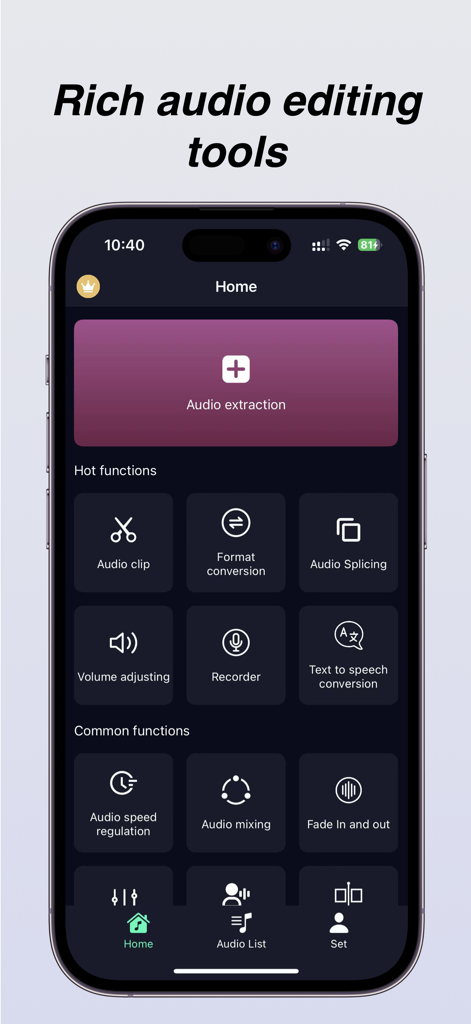
オーディオ抽出、クリッピング、フォーマット変換ツールの機能を備えたオーディオ抽出アプリのホーム画面。
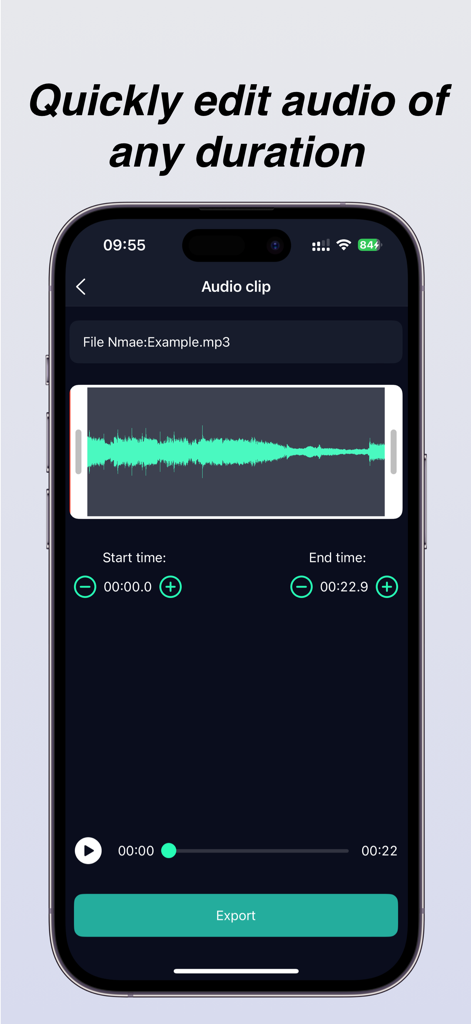
波形表示とエクスポートボタンを備えたオーディオクリップ編集画面
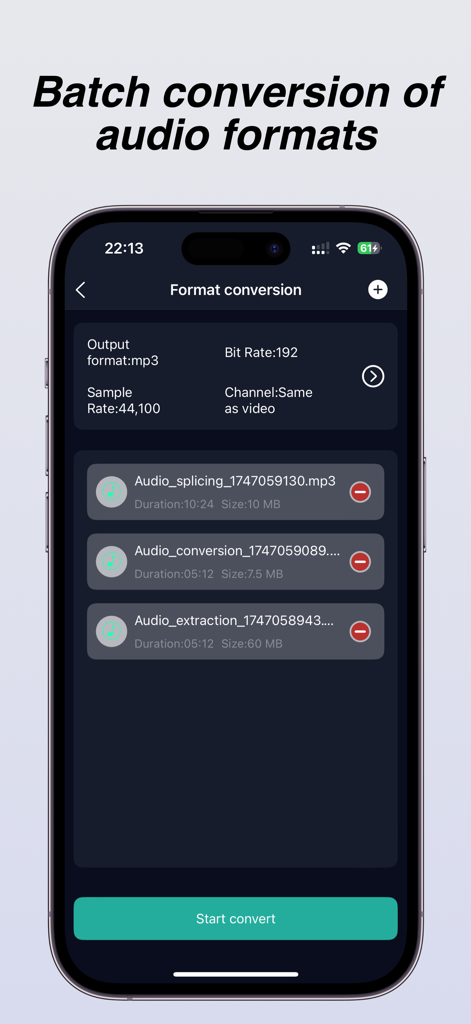
ビットレートとサンプルレートの設定が表示されているバッチオーディオフォーマット変換機能を示すオーディオ抽出アプリのインターフェイス。
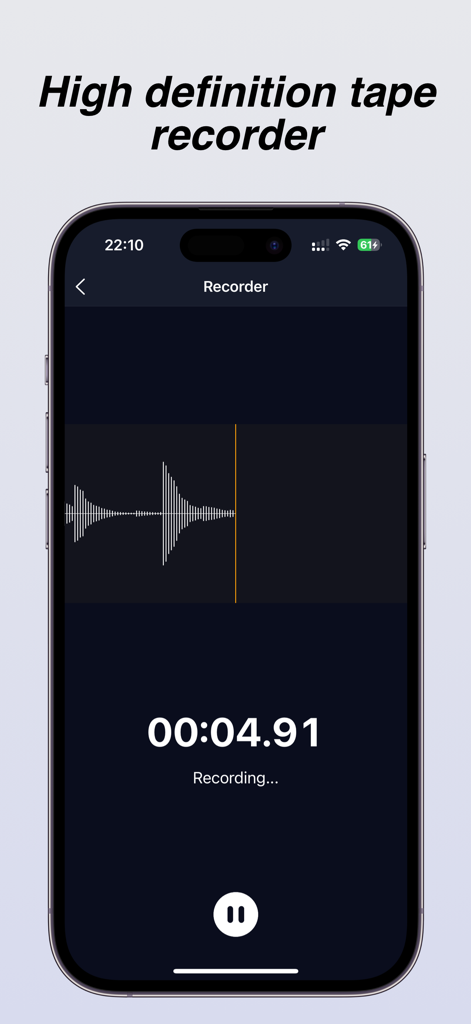
ライブ波形とタイマー表示を備えた高解像度テープレコーダーインターフェイス
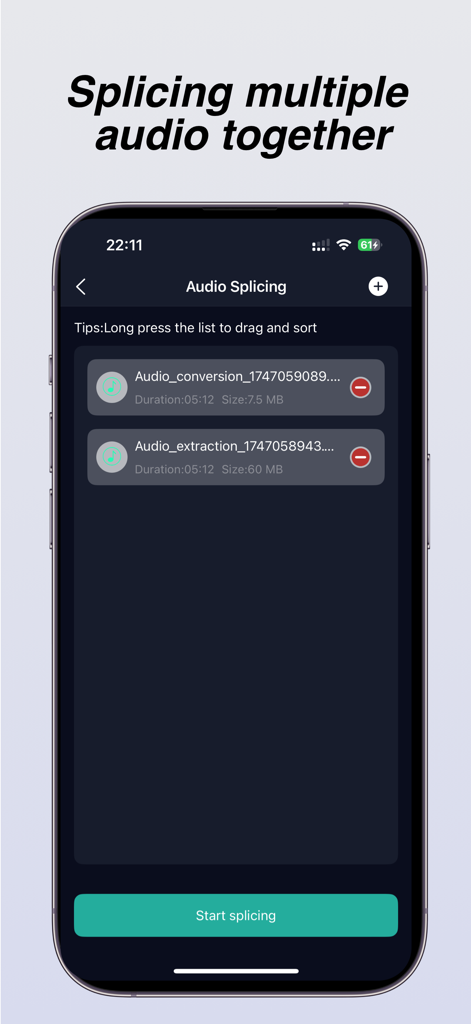
複数のオーディオファイルを結合するために使用されるオーディオスプライシング機能を示すiPhoneアプリ画面
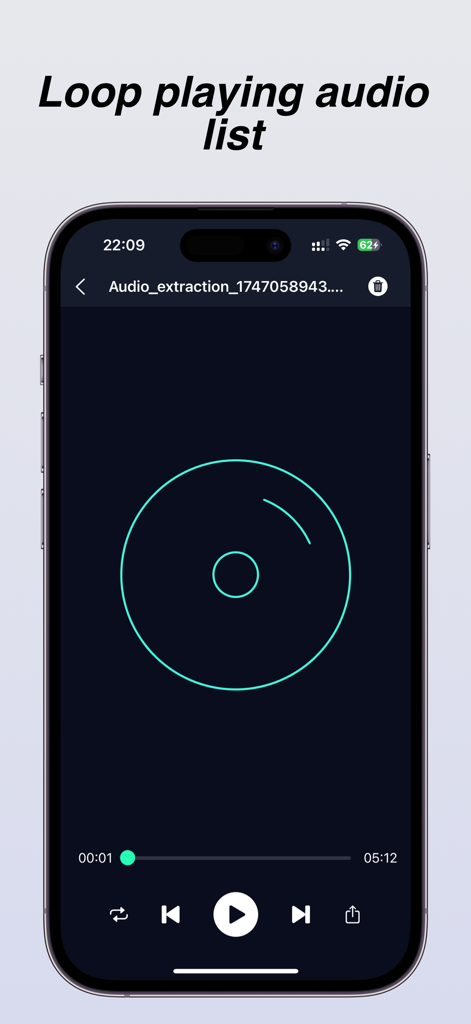
ループ再生機能と標準再生コントロールを備えたアプリのオーディオプレーヤーインターフェイスを表示するスマートフォンディスプレイ
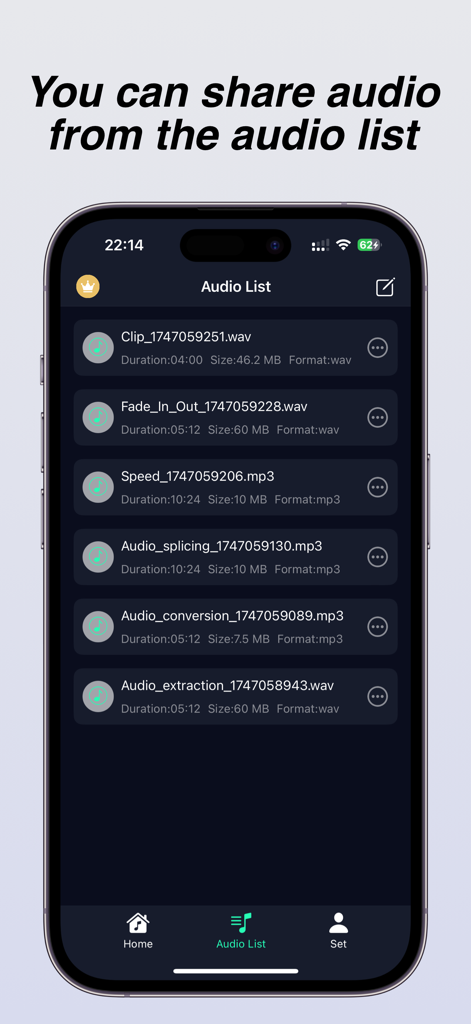
抽出やスプライシングなどの処理済みオーディオファイルのリストを共有用に表示するモバイルアプリインターフェイス
説明
Download
類似アプリ
似た機能とユーザー体験を持つアプリ

MP3 Converter -Audio Extractor
妍 岳

Audio Editor - Music Mixer
妍 岳

MP3 Converter: Video to Audio
Fitness Labs SRL

Audio Editor: MP3 Converter
ZHN Co., Ltd.

MP3 Converter - video2mp3
ZHN Co., Ltd.

EZAudioCut - Audio Editor Lite
龙刚 李

Audio Editor & Music Mixer
Wuhan Net Power Technology Co., Ltd
Audio Converter-Video to Audio
俊鹏 位
Audio Converter & Video to MP3
昱江 郭
このページはアプリまたはその開発者の公式ページではなく、情報提供および論評を目的として作成された独立した編集出版物です。明示的に別段の記載がない限り、アプリおよびその開発者は、MWM、Apple、Google Play、アプリのパブリッシャー、またはアプリの開発者と提携、承認、後援、認可、またはその他の公式的な関係はなく、このページのいかなる内容も、アプリがMWMのサービスを使用して開発されたことを意味するものではありません。すべての商標、ロゴ、スクリーンショット、その他のコンテンツはそれぞれの所有者の財産です。