Audio Converter & Video to MP3
ダウンロード: App Store

このページはアプリまたはその開発者の公式ページではなく、情報提供および論評を目的として作成された独立した編集出版物です。明示的に別段の記載がない限り、アプリおよびその開発者は、MWM、Apple、Google Play、アプリのパブリッシャー、またはアプリの開発者と提携、承認、後援、認可、またはその他の公式的な関係はなく、このページのいかなる内容も、アプリがMWMのサービスを使用して開発されたことを意味するものではありません。すべての商標、ロゴ、スクリーンショット、その他のコンテンツはそれぞれの所有者の財産です。

ロゴ: Audio Converter & Video to MP3
ダウンロード: App Store

Audio Converter & Video to MP3

動画から音声を抽出したり、あらゆる形式を簡単に変換できる、クリエイターやプロ向けの究極のモバイルツールキット—サインアップ不要。

主要数値

ダウンロード

123K+

ユーザー評価

4.8/5

評価数

1K+

開発元

昱江 郭

カテゴリ

Utilities

対応言語

9

最新バージョン

4.0

サイズ

29.0 MB

リリース日

2024年5月1日
機能

クリエイターのための究極のオーディオツールキット

形式を変換し、動画から音声を抽出し、スタジオ品質を数秒で維持。iPhoneでプロレベルの処理を直接実行。

インスタント動画抽出

スクリーン録画やソーシャルメディアのクリップを、次のクリエイティブプロジェクト用に高品質MP3に変換します。

ユニバーサル形式サポート

MP3、WAV、AAC、FLAC間で簡単に変換し、すべてのデバイス間のギャップを埋めます。

以下のスクリーンショットと説明は、アプリの公式ストアリスティングから直接取得されたものであり、アプリ開発者の所有物です。

アプリストア

スクリーンショット
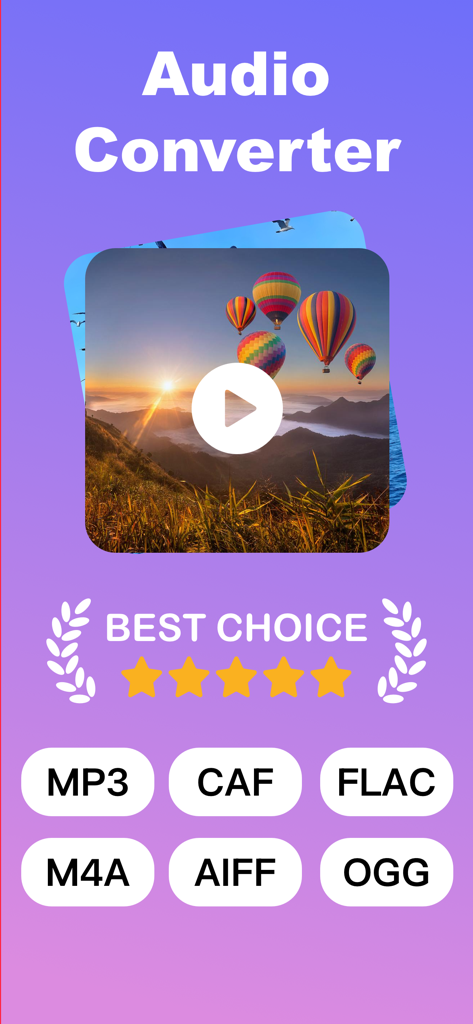
Audio Converter & Video to MP3 - Audio Converterアプリの画面。ビデオからMP3への変換と、MP3、FLAC、M4Aなどのサポートされている形式が表示されています。
Audio Converterアプリの画面。ビデオからMP3への変換と、MP3、FLAC、M4Aなどのサポートされている形式が表示されています。

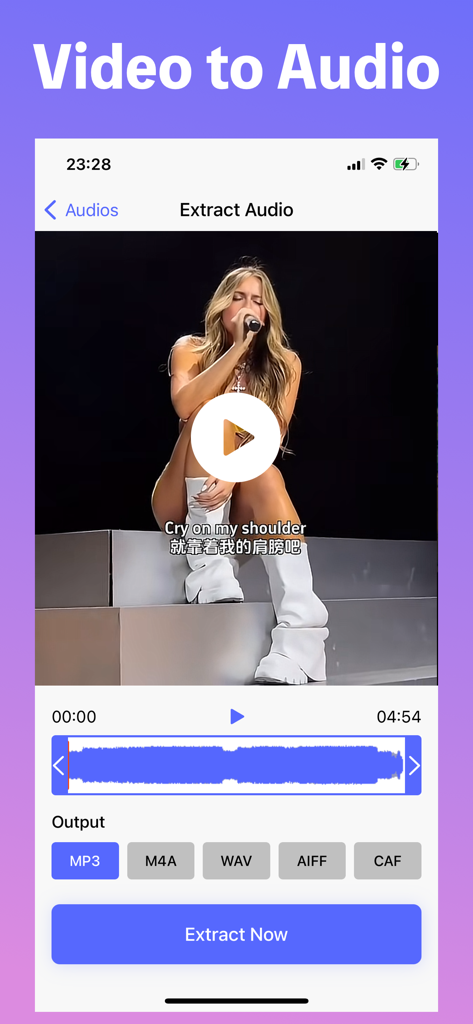
Audio Converter & Video to MP3 - iPhoneアプリのインターフェース。MP3、M4A、WAV、AIFF、CAF形式のオプションを使用して、ビデオからオーディオを抽出するプロセスを示しています。
iPhoneアプリのインターフェース。MP3、M4A、WAV、AIFF、CAF形式のオプションを使用して、ビデオからオーディオを抽出するプロセスを示しています。

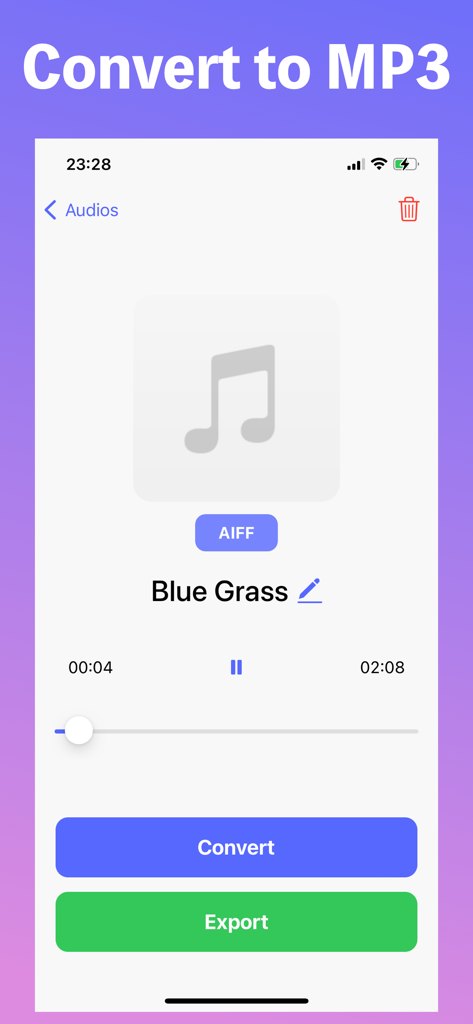
Audio Converter & Video to MP3 - MP3形式へのオーディオファイル変換用のモバイルアプリインターフェース。変換およびエクスポートボタンが特徴です。

MP3形式へのオーディオファイル変換用のモバイルアプリインターフェース。変換およびエクスポートボタンが特徴です。

説明

All-in-One Audio Converter – Fast, Powerful, Easy! Convert any audio format in seconds. Extract audio from videos. All in one sleek, user-friendly app. Main Features: • Universal Format Support – Convert almost any audio format with ease (MP3, WAV, AAC, FLAC, M4A, and more) • Audio from Video – Instantly extract audio tracks from video files • Multiple Import Options – Add files from Files app, Photo Library, or your Music collection • High-Quality Conversion – Keep original sound quality with smart compression • Clean & Intuitive UI – Fast, simple, and ready to use – no sign-up needed Whether you’re editing podcasts, making ringtones, or saving just the music from your favorite videos, Audio Converter makes it quick and effortless. Download now and take control of your audio files! Regarding in-app purchases: Some features are available through auto-renewable subscriptions, with a monthly subscription price of $4.99/month. Payment will be charged to your iTunes account. Subscriptions will automatically renew unless canceled at least 24 hours before the end of the current period. Manage your subscriptions in your account settings after purchase. Subscriptions cannot be canceled during the active subscription period. Privacy Policy: https://docs.qq.com/doc/DRWpjUHlzQ0pxekJT Terms of Use: https://docs.qq.com/doc/DRWxqclBOUEFoY0Nz Contact Us: audio_conv_help@gmail.com If files extracted from the Files app disappear, restarting the device may fix the issue. Additionally, restarting the device may resolve extraction errors. If the issue persists after a restart, try moving the video from the Photos app to the Files app and attempt extraction from there. If the problem persists, sending the problematic video via contact email would be helpful. Downloadable links are also accepted. Feature additions and improvement suggestions are welcome in the comments! We will strive to respond promptly. Your feedback is appreciated!

Download

ダウンロード: App Store

このページはアプリまたはその開発者の公式ページではなく、情報提供および論評を目的として作成された独立した編集出版物です。明示的に別段の記載がない限り、アプリおよびその開発者は、MWM、Apple、Google Play、アプリのパブリッシャー、またはアプリの開発者と提携、承認、後援、認可、またはその他の公式的な関係はなく、このページのいかなる内容も、アプリがMWMのサービスを使用して開発されたことを意味するものではありません。すべての商標、ロゴ、スクリーンショット、その他のコンテンツはそれぞれの所有者の財産です。