VideoCam+ Video Recorder

VideoCam+ Video Recorder


ダウンロード: App Store
ロゴ: VideoCam+ Video Recorder

VideoCam+:一時停止と再開が可能なオールインワンカメラ

クリップを繋ぎ合わせるのはもうやめましょう。4Kで録画し、タイムスタンプを追加し、GIFや写真を即座にオーバーレイして、プロフェッショナルなVlogやシームレスなドキュメンテーションを作成しましょう。

開発元

Grzegorz Wojcik

カテゴリ

Photo & Video

ダウンロード

972K+

ユーザー評価

4.5/5

評価数

15K+

対応言語

9

内部のぞき見

このインターフェースを利用する 972K+ 人のユーザー.

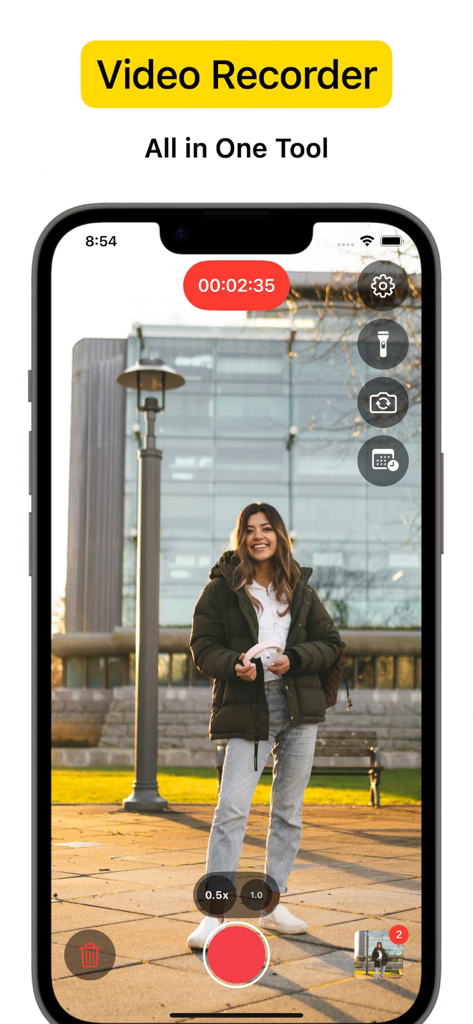
カメラツールを備えた公園に立つ女性を録画しているVideoCamアプリのインターフェース

カメラツールを備えた公園に立つ女性を録画しているVideoCamアプリのインターフェース

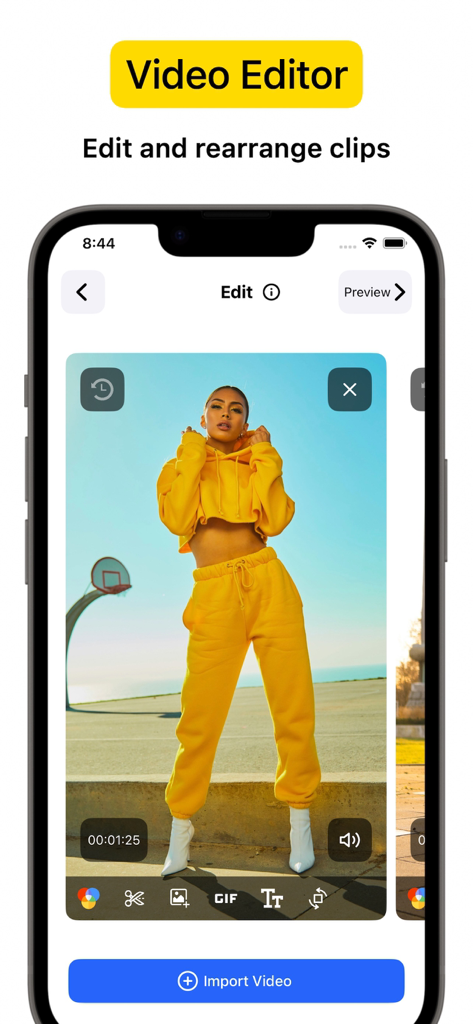
ビデオクリップと編集ツールが表示されたiPhone画面、VideoCam plusビデオエディタのインターフェース

ビデオクリップと編集ツールが表示されたiPhone画面、VideoCam plusビデオエディタのインターフェース

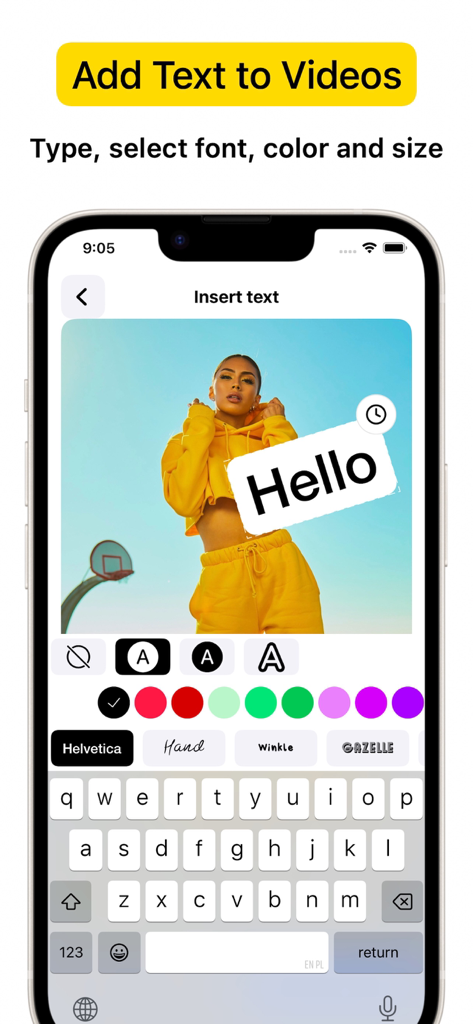
VideoCam+アプリのiPhoneインターフェース、カスタムテキストとフォントをビデオ録画に追加する方法を示す

VideoCam+アプリのiPhoneインターフェース、カスタムテキストとフォントをビデオ録画に追加する方法を示す

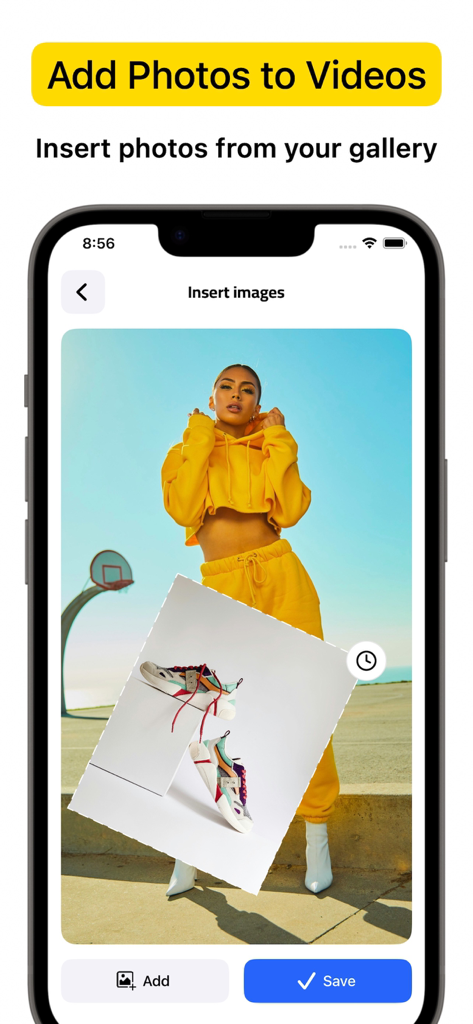
VideoCam plusアプリのインターフェース、ギャラリーからビデオ録画に写真オーバーレイを挿入する方法を示す

VideoCam plusアプリのインターフェース、ギャラリーからビデオ録画に写真オーバーレイを挿入する方法を示す

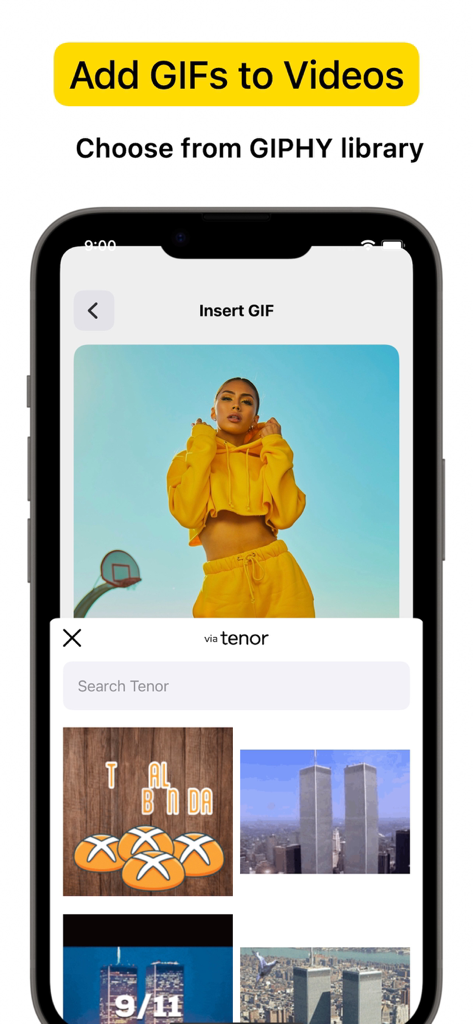
GIFライブラリからビデオプロジェクトにGIFを挿入するためのVideoCam plusアプリインターフェースを示すiPhone画面

GIFライブラリからビデオプロジェクトにGIFを挿入するためのVideoCam plusアプリインターフェースを示すiPhone画面

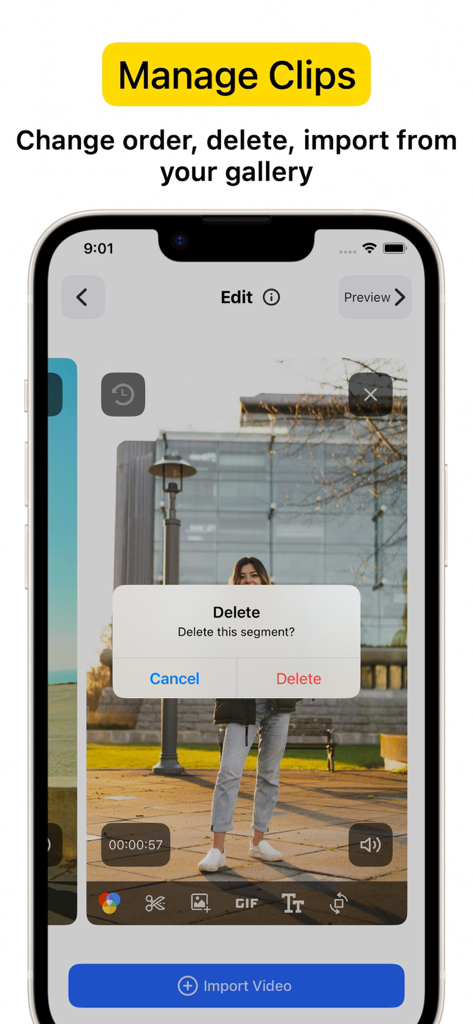
録画されたセグメントの上にクリップ削除確認ダイアログが表示されたVideoCam+アプリインターフェースを表示するスマートフォン画面

録画されたセグメントの上にクリップ削除確認ダイアログが表示されたVideoCam+アプリインターフェースを表示するスマートフォン画面

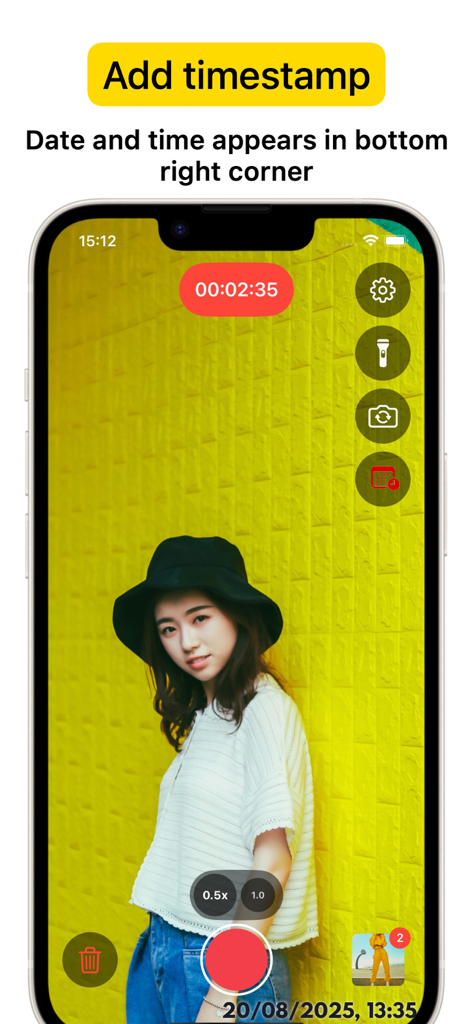
録画セッションと右下隅の日時タイムスタンプが表示されたVideoCam plusアプリインターフェースを示すiPhone画面

録画セッションと右下隅の日時タイムスタンプが表示されたVideoCam plusアプリインターフェースを示すiPhone画面

ワンテイクで撮影、作成、ブランディング

このアプリを際立たせるツール、 972K+ 人のユーザーが選択.

⏸️

シームレスな一時停止と再開

録画を即座に停止・開始して、完璧なストーリーを捉えましょう。後で複数のクリップを繋ぎ合わせる手間なく、1つの連続したビデオを作成できます。

リアルタイムクリエイティブオーバーレイ

撮影中にコンテンツをブランディングしましょう。ロゴ、テキスト、楽しいGIFをビデオセッションに直接追加して、チュートリアルやVlogを数秒でソーシャルメディア対応にしましょう。

🕒

プロのタイムスタンプと4K品質

クリスタルクリアな4K精度で、すべての瞬間を記録します。内蔵のタイムスタンプは、プロフェッショナル、不動産業者、フィットネスコーチにとって不可欠な作業証明を提供します。

アプリについて

について知っておくべきこと VideoCam+ Video Recorder.

説明

Powerful all-in-one Video Recorder & Video Editor lets you create camera video sessions, manage recorded clips and add Text / Image / GIF to video. Video Camera with Timestamp Camera Capture every detail in HD or 4K, with the option to add a timestamp. VideoCam+ functions as an advanced video camera with a built-in timestamp camera. GIF Creation and GIF Integration in Videos Make any moment memorable by creating GIFs directly from your video recordings with this video recorder. The GIF feature lets you add fun elements or GIF animations to your videos for extra creativity, making this video camera perfect for social media, tutorials, or creative vlogging. Add Photos and Text to Your Videos Add photos directly into your video with this video camera to create richer stories. You can also overlay text to highlight details, or add a personal touch to your recorded video. This makes VideoCam+ an excellent camera for tutorials, presentations, and storytelling. Pause and Resume Recording The pause recoding feature lets you stop and resume seamlessly, making this video camera ideal for long-form content. This video camera allows you to pause, which is perfect for continuous content creation. Video Editing with a Flexible Video Recorder Text Overlays and Customizations Overlay text anywhere in your video recordings. This camera allows you to adjust text style, size, and color to match your vision, adding an extra layer of personalization to every recorded video. Why Choose VideoCam+? VideoCam+ is designed for those who want a video camera that does more than basic recording. Its timestamp camera helps create organized, clear memories; its Video to GIF feature adds animated fun; and it supports adding photos and text for professional-quality results. This video camera is perfect for: Vloggers needing continuous recording with a timestamp camera and pause feature. Content Creators who want video editor that integrates GIFs, photos, and text into videos, also Video to GIF. Professional Users requiring a video editor to document events accurately and clearly. FAQ Can I add photos and GIFs to any video? Yes, VideoCam+ allows you to integrate photos and GIFs into your recorded videos, maximizing the capabilities of this recorder. How does the pause work during recording? With this recorder, simply hit pause to stop recording, then resume. VideoCam+ makes every recording session seamless, letting you focus on your creative flow. Does the app support adding timestamps to GIFs? Currently, timestamp apply to video recordings only, but you can easily create GIFs from a timestamp video for a fully branded look. Download VideoCam+ now and turn every moment into a video masterpiece with the most versatile video camera / video editor around. Whether you’re filming, converting Video to GIF, organizing events with a timestamp camera, or adding photos and text to enhance each video, VideoCam+ has everything you need in one powerful recorder to capture, customize, and share your best moments. Start Premium with a free trial. Once the trial is over, you’ll be charged a monthly subscription fee. Premium will automatically renew unless auto-renew is turned off at least 24 hours before the end of the current period. You can go to your Settings > iTunes Account & App Store > Apple ID > Subscriptions to manage your subscription and turn auto-renew off. Your iTunes Account will be charged when the purchase is confirmed. Terms of Use: http://videocam.wiseapps.pl/policies/videocam_tc.html Privacy Policy: http://videocam.wiseapps.pl/policies/videocam_privacy_policy.html

最新バージョン

6.3

サイズ

20.7 MB

リリース日

2015年8月18日

ワンテイクでビデオの傑作を作成

15,000人以上のトップ評価クリエイターに参加しましょう。4Kで録画し、シームレスな一時停止・再開機能を使用し、タイムスタンプやGIFを即座に追加できます。今すぐ無料トライアルを開始しましょう。

ダウンロード: App Store

App information, icons, screenshots, and descriptions displayed on this page are sourced from the Apple App Store and are the property of their respective developers. Download estimates and rankings are based on MWM's proprietary models and may not reflect actual figures. This page is provided for informational and analytical purposes only.

Believe this page infringes your intellectual property? File a dispute