VideoMaster Video Sound Editor

VideoMaster Video Sound Editor


ダウンロード: App Storeダウンロード: Google Play
ロゴ: VideoMaster Video Sound Editor
VideoMaster ビデオサウンドエディター:クリエイターあらゆる人にスタジオ品質のオーディオを

プロフェッショナルな6バンドイコライザーとボリュームブーストで、モバイルビデオを生まれ変わらせましょう。iPhoneから離れることなく、クリアでシネマティックなサウンドを求めるVlogger、ポッドキャスター、ASMRクリエイターに最適です。

ダウンロード: App Store

開発元

Future Moments LLC

カテゴリ

Photo & Video

ダウンロード

152K+

ユーザー評価

4.2/5

評価数

1K+

対応言語

23

すべてのデシベルをマスター

このインターフェースを利用する 152K+ 人のユーザー.

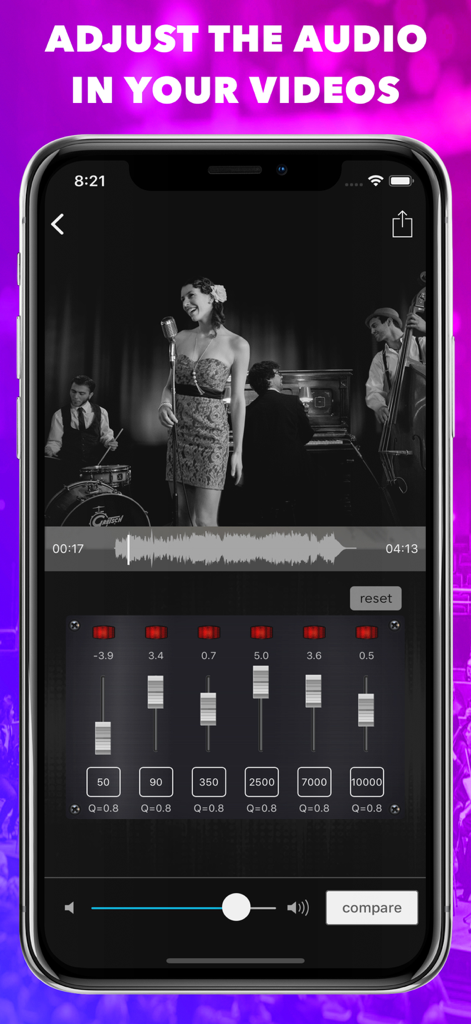
ビデオサウンド調整用の6バンドオーディオイコライザーを表示するVideoMasterアプリインターフェース

ビデオサウンド調整用の6バンドオーディオイコライザーを表示するVideoMasterアプリインターフェース

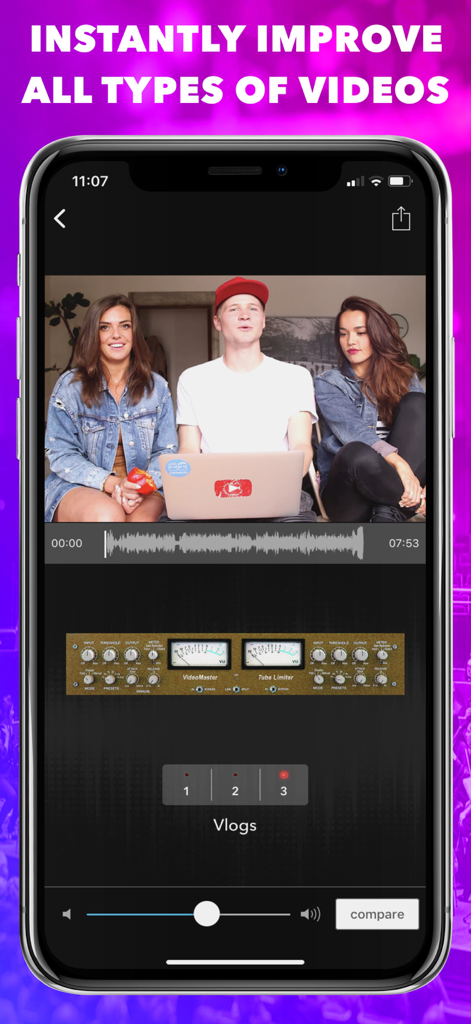
iPhone上のプロフェッショナルオーディオマスタリングコントロールとVlogビデオプリセットを表示するVideoMasterアプリインターフェース

iPhone上のプロフェッショナルオーディオマスタリングコントロールとVlogビデオプリセットを表示するVideoMasterアプリインターフェース

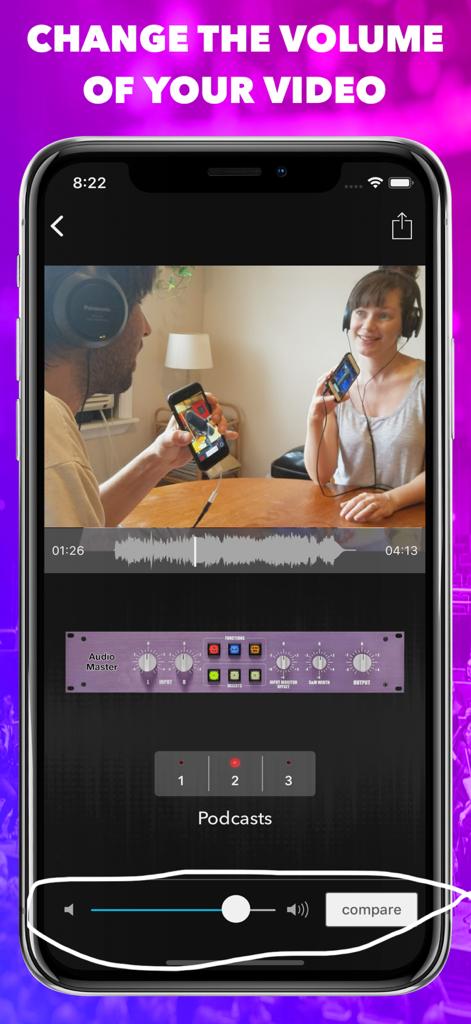
ビデオポッドキャスト用のボリューム調整スライダーとオーディオマスタリングを表示するVideoMasterアプリインターフェース

ビデオポッドキャスト用のボリューム調整スライダーとオーディオマスタリングを表示するVideoMasterアプリインターフェース

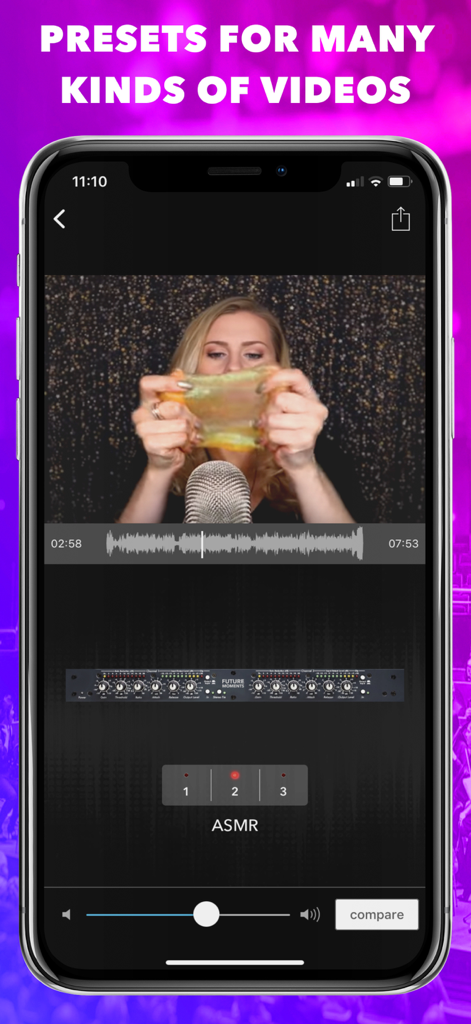
専門オーディオプリセットで編集中のASMRビデオを表示するVideoMasterアプリインターフェース

専門オーディオプリセットで編集中のASMRビデオを表示するVideoMasterアプリインターフェース

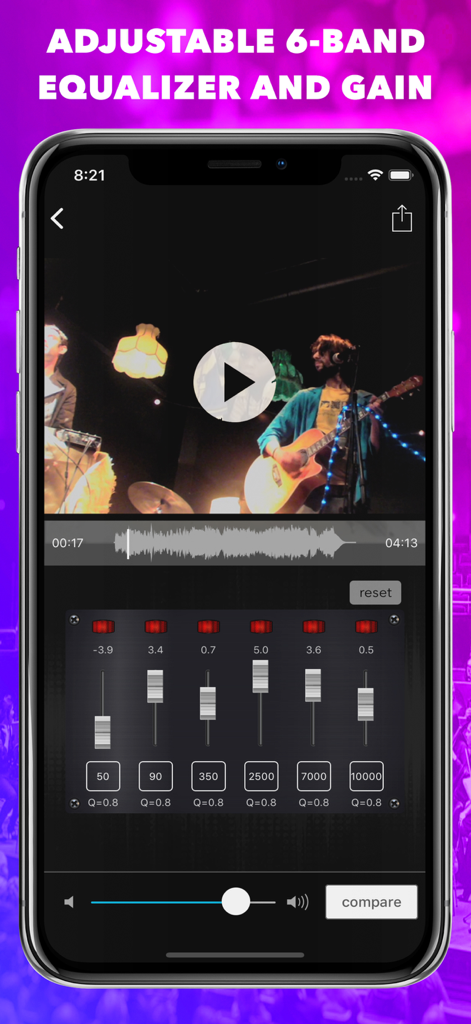
ビデオサウンド編集用の調整可能な6バンドイコライザーとゲインコントロールを備えたVideoMasterアプリインターフェース。

ビデオサウンド編集用の調整可能な6バンドイコライザーとゲインコントロールを備えたVideoMasterアプリインターフェース。

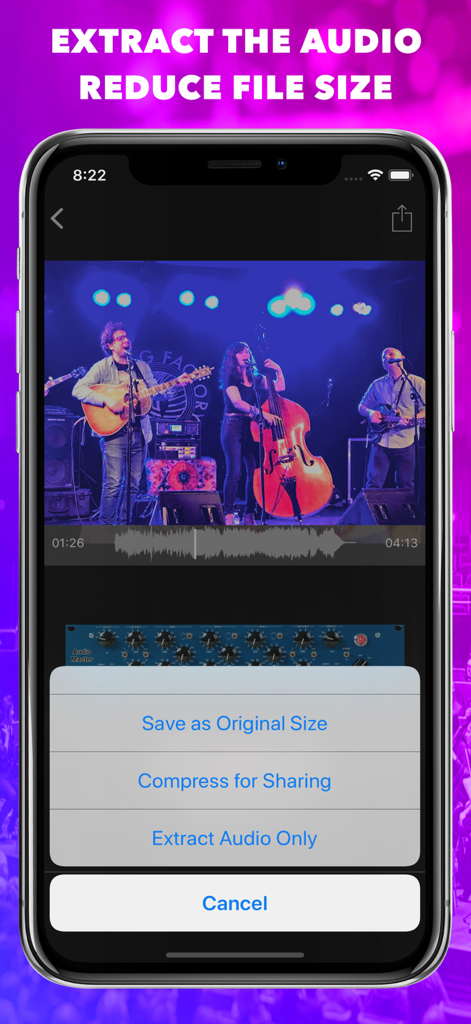
VideoMasterアプリでオーディオを抽出またはライブミュージックビデオを圧縮するオプションを表示するiPhone画面

VideoMasterアプリでオーディオを抽出またはライブミュージックビデオを圧縮するオプションを表示するiPhone画面

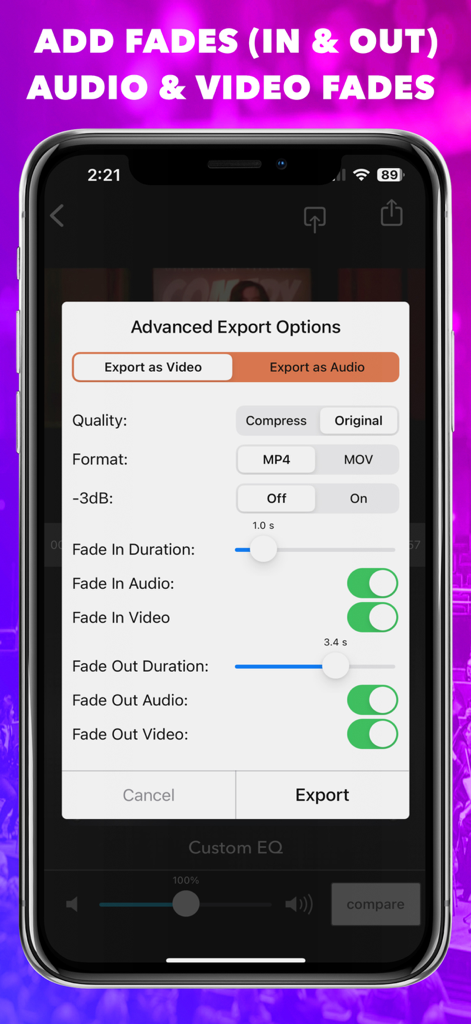
VideoMasterのオーディオおよびビデオフェードコントロールを備えた高度なエクスポート設定

VideoMasterのオーディオおよびビデオフェードコントロールを備えた高度なエクスポート設定

スタジオグレードのオーディオでコンテンツをレベルアップ

このアプリを際立たせるツール、 152K+ 人のユーザーが選択.

🎚️

6バンド プロ イコライザー

あなたのサウンドシグネチャを完全にコントロールしましょう。周波数、ゲイン、Qファクターを手動で調整して、あなたのブランドに最適なオーディオプロファイルを作成します。

🎙️

39種類 instant プリセット

数秒でスタジオ級の結果を得ましょう。ASMR、ポッドキャスト、Vlogに特化したモードにより、あなたの声は常にクリアで、暖かく、プロフェッショナルに聞こえます。

🔊

ロスレス ボリュームブースト

あなたのオーディエンスがすべての言葉を聞き取れるようにしましょう。静かな録音を増幅し、元の解像度でエクスポートするか、オーディオを抽出してマルチプラットフォームで配信します。

アプリについて

について知っておくべきこと VideoMaster Video Sound Editor.

説明

VideoMaster is the only app with an equalizer and volume boost to fully adjust the sound of your videos. Import a video and use a 6-band equalizer or the many presets to improve the sound. No video quality is lost. Export the video as the same size, smaller size for easy sharing, or just extract the audio. Geared towards filmmakers, Youtubers, Vloggers, Instagram, tiktok users, music lovers, musicians who record live videos, voiceover artists, podcasters and more, VideoMaster is the video sibling to our AudioMaster app. Our apps come with full customer support through the side menu. This is a subscription app. If you'd like to own it with a one time purchase please download VideoMaster Pro. The different subscription options are given when you tap the export icon on the top right of the main screen. A great tool to get your videos sounding better than they ever were. Buy one version and own it on all of your iPhones and iPads. FEATURES ▪ Fully adjustable 6-Band Equalizer ▪ Adjust the Frequency, Gain and Q. ▪ Tap Numeric Box to Type Exact Freq, Gain or Q. ▪ Extract the Audio from Your Video ▪ Mute the Audio in your Video ▪ Save as Original Size or Compress for Sharing ▪ Easily Compare to your Original Video ▪ Press and Hold an EQ Module to Bypass It ▪ It Never Overwrites Your Original File 39 EQ PRESETS ▪ Vlog ▪ ASMR ▪ Narrative ▪ Podcasts ▪ Rock ▪ Folk ▪ Blues ▪ Classical ▪ Country ▪ Hip Hop ▪ Electronic ▪ Jazz ▪ Latin ▪ New Age ▪ Pop ▪ R&B / Soul Also by FUTURE MOMENTS: MAIVE Ai Video Generator VideoVerb Add reverb to your videos Hear Boost Get super hearing & recording powers MicSwap Mic Modeler & Recorder MicSwap MultiTrack Multitrack mic modeler & recorder MicSwap Video Edit video audio with mic models & fx MicSwap Camera The best sounding video camera AudioFix Denoise & clean the sound of your video VideoMaster Instant audio post-production for videos AudioVerb Add reverb & delay to your audio AudioMaster Audio mastering for podcasts & music Volume Booster Easily boost the sound of your audio or video Any questions just email us: info@micswap.com www.future-moments.com We answer every message. VideoMaster is free to download. We offer 3 subscription plans: Monthly Unlimited Use $4.99 USD 6 Month Unlimited Use $9.99 USD Yearly Unlimited Use $14.99 USD If you choose to subscribe, your subscriptions will automatically renew at the end of the selected time and will charge your credit card through your iTunes account. You can turn off auto-renew at any time from your iTunes account settings. Payment will be charged to iTunes Account at confirmation of purchase. Subscription automatically renews unless auto-renew is turned off at least 24-hours before the end of the current period. Account will be charged for renewal within 24-hours prior to the end of the current period, and identify the cost of the renewal. If you choose to subscribe, your subscriptions will automatically renew at the end of the selected time and will charge your credit card through your iTunes account. You can turn off auto-renew at any time from your Apple account settings. Future Moments LLC privacy policy: http://future-moments.com/faq Future Moments LLC terms of use: http://future-moments.com/faq

最新バージョン

3.5

サイズ

73.0 MB

リリース日

2019年2月23日

あなたのビデオにふさわしいサウンドを与える準備はできていますか?

貧弱なオーディオでコンテンツを妥協するのはやめましょう。外出先でスタジオ品質のサウンドを実現するためにVideoMasterを使用している何千人ものクリエイターに加わりましょう。今すぐダウンロードして、今日からオーディオのマスターを始めましょう。

ダウンロード: App Storeダウンロード: Google Play

App information, icons, screenshots, and descriptions displayed on this page are sourced from the Apple App Store and are the property of their respective developers. Download estimates and rankings are based on MWM's proprietary models and may not reflect actual figures. This page is provided for informational and analytical purposes only.

Believe this page infringes your intellectual property? File a dispute