Watermark: Logo, Text on Photo

Watermark: Logo, Text on Photo


ダウンロード: App Store
ロゴ: Watermark: Logo, Text on Photo

透かし:写真にロゴ、テキストを追加 — コンテンツを保護し、ブランドを向上させましょう

ビジュアル系起業家や中小企業向けの究極のモバイルツールキット。スーパーバッチ処理で、カスタムロゴ、プロフェッショナルな署名、スタイリッシュなテキストを何千枚もの画像に簡単に一度に追加できます。

ダウンロード: App Store

開発元

MAXLABS COMPANY LIMITED

カテゴリ

Photo & Video

ダウンロード

6K+

ユーザー評価

4.8/5

評価数

100

対応言語

16

動作を見てみましょう

このインターフェースを利用する 6K+ 人のユーザー.

ロゴ、テキスト、タイリングパターンを含むさまざまな透かしスタイルを示す写真のコラージュ。

ロゴ、テキスト、タイリングパターンを含むさまざまな透かしスタイルを示す写真のコラージュ。

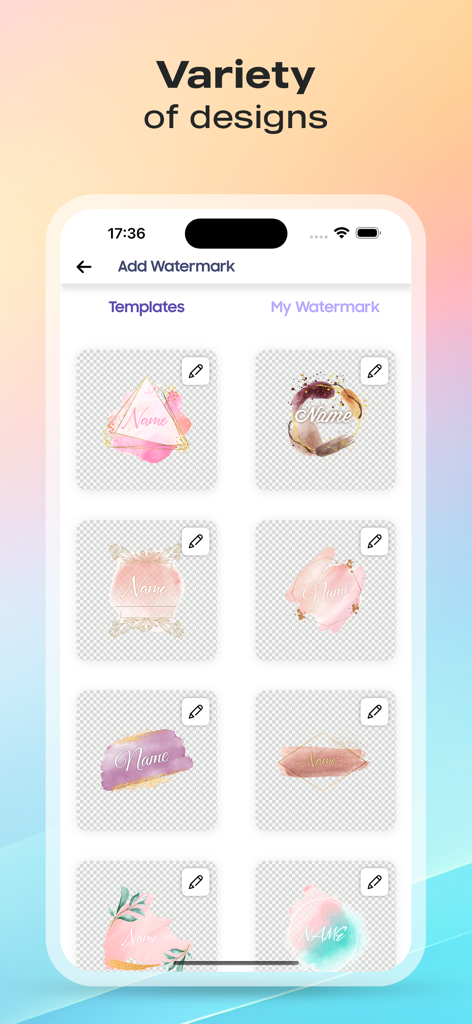
写真用の芸術的な水彩透かしとロゴテンプレートのギャラリー

写真用の芸術的な水彩透かしとロゴテンプレートのギャラリー

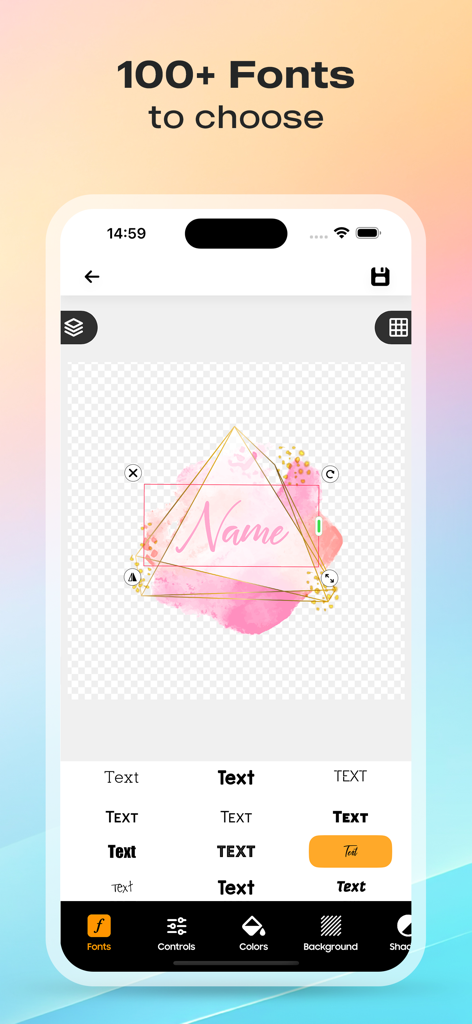
ピンクの水彩背景の透かしロゴをカスタマイズするために、100以上のフォントオプションを示すモバイルアプリインターフェイス

ピンクの水彩背景の透かしロゴをカスタマイズするために、100以上のフォントオプションを示すモバイルアプリインターフェイス

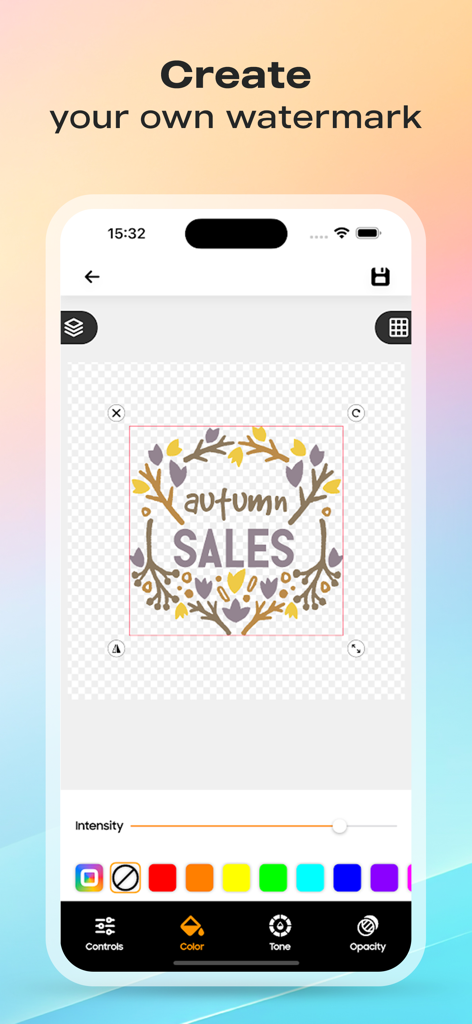
調整可能な色と不透明度でパーソナライズされた透かしを作成するためのアプリインターフェイス

調整可能な色と不透明度でパーソナライズされた透かしを作成するためのアプリインターフェイス

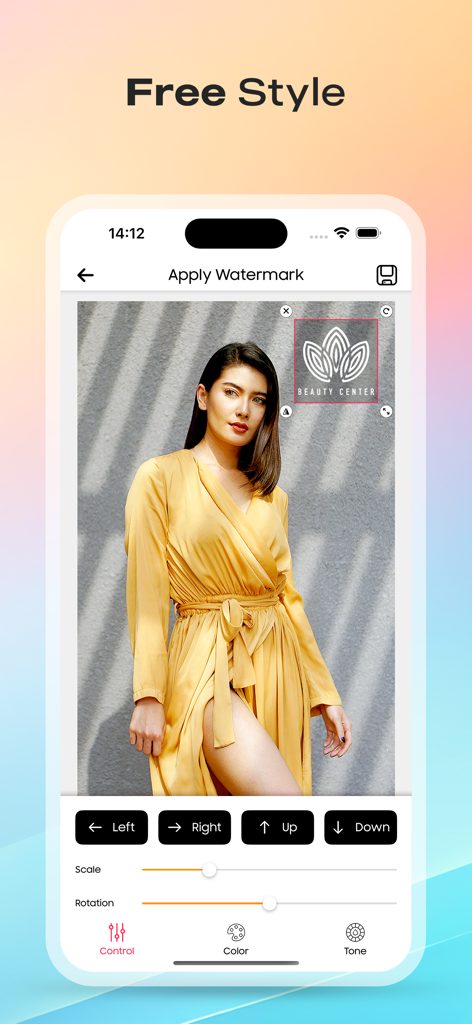
写真にカスタムロゴの配置と位置決めコントロールを示す透かしアプリのスクリーンショット

写真にカスタムロゴの配置と位置決めコントロールを示す透かしアプリのスクリーンショット

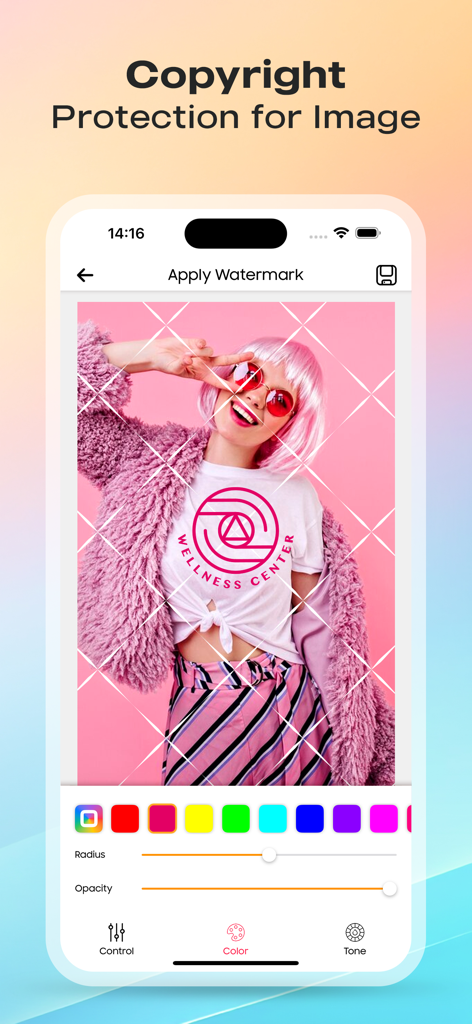
写真にロゴの透かしと著作権グリッドを適用するモバイルアプリインターフェイス

写真にロゴの透かしと著作権グリッドを適用するモバイルアプリインターフェイス

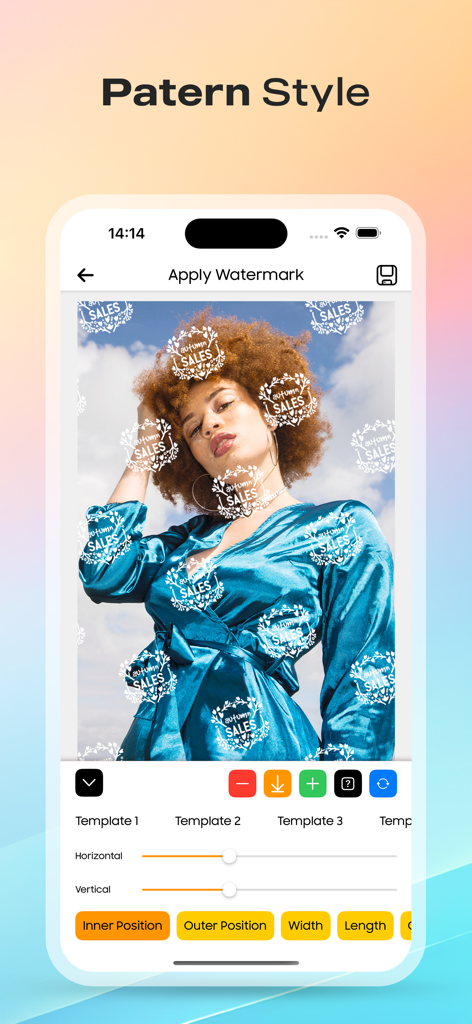
写真全体に繰り返しのロゴパターンを適用する透かしアプリを示すスマートフォンインターフェイス

写真全体に繰り返しのロゴパターンを適用する透かしアプリを示すスマートフォンインターフェイス

クリエイティブ資産のためのプロフェッショナルな保護

このアプリを際立たせるツール、 6K+ 人のユーザーが選択.

高速バッチ処理

高ボリュームの製品ドロップや不動産リストに最適 — ワンタップで何百枚もの写真をブランド化して、貴重な時間を節約しましょう。

🎨

シームレスなブランド統合

独自のビジネスロゴをインポートし、100以上のタイポグラフィフォントから選択して、一貫性のある洗練されたプロフェッショナルなアイデンティティを維持しましょう。

🛡️

高度なコンテンツ盗難防止

自動タイリングとデジタル署名を展開して、ビジュアルワークがどこで共有されても、保護され、クレジットされるようにしましょう。

アプリについて

について知っておくべきこと Watermark: Logo, Text on Photo.

説明

Watermark Maker: Protect & Promote Your Photos Safeguard your precious photos and boost your brand with Watermark Maker – the ultimate tool to effortlessly add unique watermarks to your images. Whether you're a professional photographer, a small business owner, or just someone who wants to protect their digital creations, our app has got you covered. Prevent Unauthorized Use: Automatically imprint your photos with a distinctive watermark, deterring unauthorized use and ensuring your work remains yours. Enhance Your Visibility: In today's bustling online landscape, standing out is crucial. Watermark Maker helps potential customers easily locate you by embedding your website, email, phone number, or other details directly onto your images. Make it effortless for them to connect and engage with your products or services. Key Features: Create & Save Your Watermarks: Craft personalized watermarks and save them as templates for future use. Preview & Adjust: Fine-tune your watermark placement and style before applying them to batches of photos. Custom Text Watermarks: Tailor your watermark with customizable text, fonts, colors, and more. Super Batch Processing: Watermark thousands of files in one go, saving you time and effort. Watermark Patterns: Choose from a variety of pre-built patterns to add flair to your watermark. Company Logo Integration: Import your company logo to personalize your watermarks further. Copyright Symbols: Make your watermark official with copyright, trademark, or registered symbols. Pixel-Perfect Positioning: Achieve precision placement with simultaneous updates across all batch photos. Typography Fonts: Explore over 100 unique fonts to stylize your watermark. Automatic Tiling: Ensure ultimate protection by automatically tiling your custom watermarks across photos. Cross & Plus Patterns: Boost security with cross or plus patterns overlaying your watermark. Digital Signature: Sign your pictures digitally, establishing your brand identity with every image. Watermark Maker is the go-to solution for creating professional watermarks and safeguarding your visual content. Protect your work, promote your brand, and leave a lasting impression with every photo. Important Note: Remember not to delete your original images after watermarking, as watermarks cannot be removed from processed images. Join us in our mission to provide users with an enjoyable experience. Download Watermark Maker today, and share your feedback with us through a review. Let's empower creators and protect digital content together! Privacy Policy: https://sites.google.com/maxmobile-software.com/logo-maker/privacy-policy Terms of use: https://sites.google.com/maxmobile-software.com/logo-maker/term-of-use Apple Terms of use (EULA) : https://www.apple.com/legal/internet-services/itunes/dev/stdeula/

最新バージョン

1.6.0

サイズ

93.2 MB

リリース日

2024年7月28日

クレジットを獲得し、ブランドをスケールアップしましょう

当社のスーパーバッチ処理を使用して、数秒で作業を保護している何千人もの起業家に加わりましょう。手作業での編集に時間を浪費するのをやめ、今日からビジネスをプロフェッショナル化しましょう。

ダウンロード: App Store

App information, icons, screenshots, and descriptions displayed on this page are sourced from the Apple App Store and are the property of their respective developers. Download estimates and rankings are based on MWM's proprietary models and may not reflect actual figures. This page is provided for informational and analytical purposes only.

Believe this page infringes your intellectual property? File a dispute