WhoDo

WhoDo

ダウンロード: App Store
ロゴ: WhoDo

ダウンロード: App Store

開発元

Swamp Dog, LLC

カテゴリ

Productivity

ダウンロード

0

ユーザー評価

1.0/5

評価数

0

対応言語

1

効率を実際に見る

このインターフェースを利用する 0 人のユーザー.

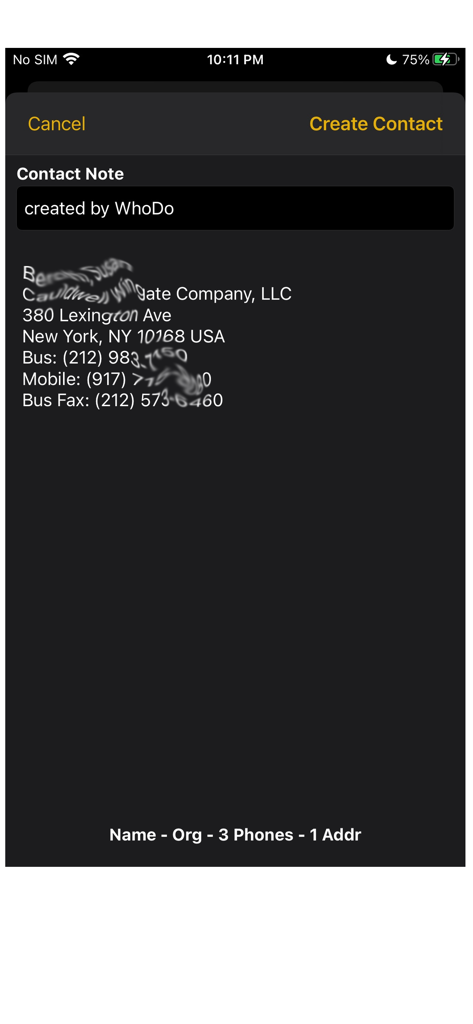
WhoDoアプリのスクリーンショット。住所と電話番号を含む抽出された連絡先情報がテキストソースから表示されています

WhoDoアプリのスクリーンショット。住所と電話番号を含む抽出された連絡先情報がテキストソースから表示されています

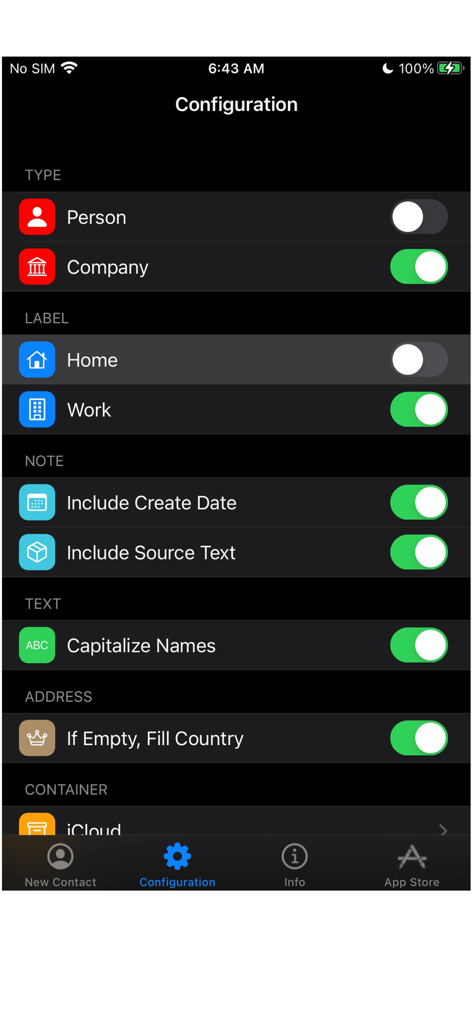
WhoDoアプリの設定画面。連絡先の種類、ラベル、テキストフォーマットの設定が表示されています

WhoDoアプリの設定画面。連絡先の種類、ラベル、テキストフォーマットの設定が表示されています

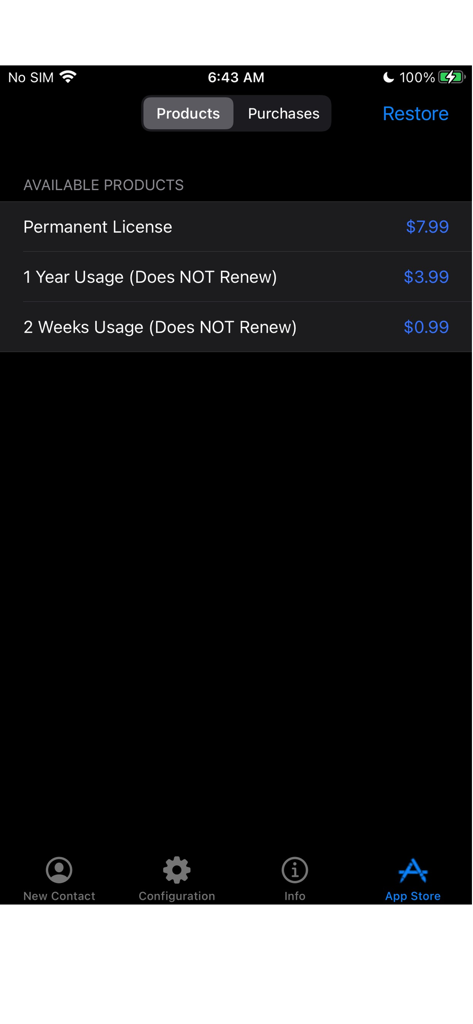
WhoDoアプリストア画面。更新されないライセンスと永久購入オプションが表示されています

WhoDoアプリストア画面。更新されないライセンスと永久購入オプションが表示されています

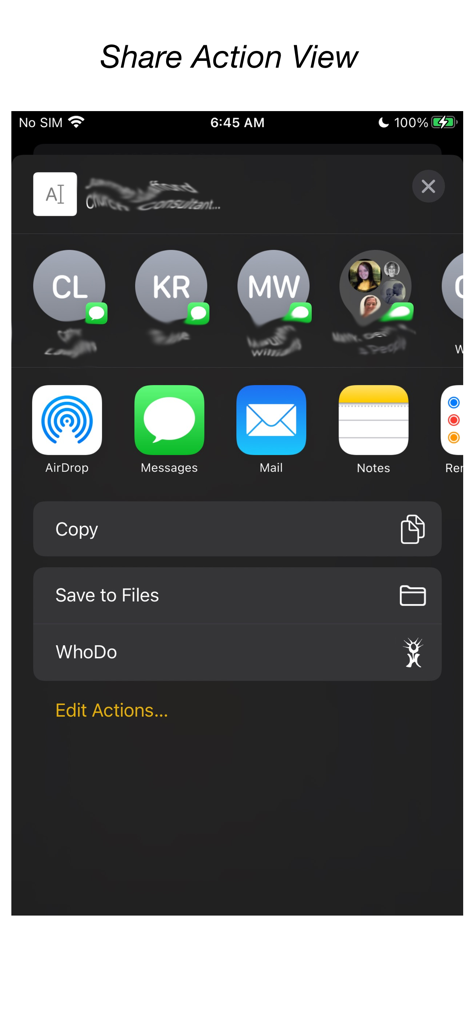
iOS共有メニュー内に統合されたWhoDoアプリ

iOS共有メニュー内に統合されたWhoDoアプリ

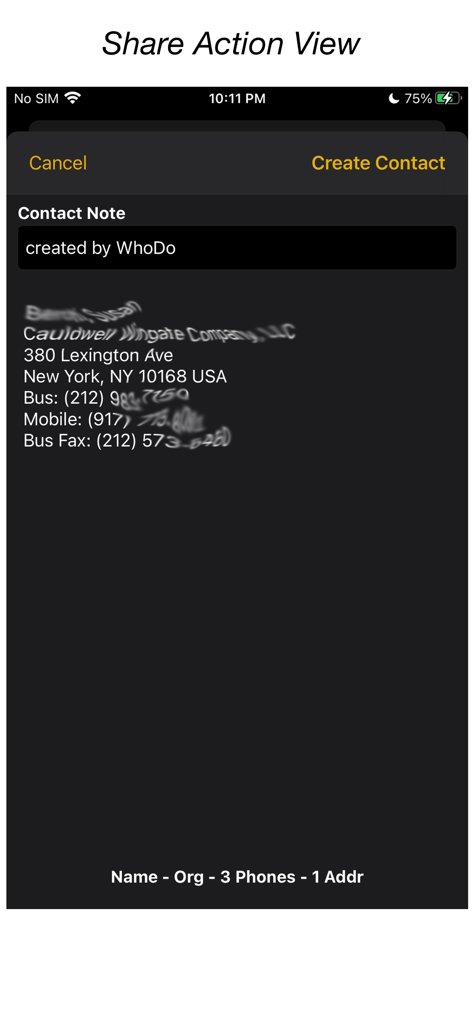
iOS共有アクション経由でテキストから抽出された連絡先情報が表示されているWhoDoアプリのインターフェース

iOS共有アクション経由でテキストから抽出された連絡先情報が表示されているWhoDoアプリのインターフェース

名刺管理を自動化

このアプリを際立たせるツール、 0 人のユーザーが選択.

手入力ゼロ

iOSの共有機能を使用して、メール、メッセージ、またはWebページから連絡先情報を瞬時に抽出し、一文字も入力する必要はありません。

📈

スプレッドシートを一括インポート

一つずつコピーするのはもうやめましょう。NumbersまたはExcelの行から複数のリードを簡単に抽出し、数秒で連絡先帳を埋めましょう。

🍏

ネイティブApple連携

iPhone、iPad、Mac間で同期。月額料金なしで、iCloud、Outlook、Gmailのグループに連絡先を整理しましょう。

アプリについて

について知っておくべきこと WhoDo.

説明

The same WhoDo app runs on iPhone, iPad - put WhoDo on ALL your iOS devices! With Family Sharing - everybody in your family can also use WhoDo! You don't need to launch an application to use WhoDo! Just select the desired text in any application and use the Share action! If Share is unavailable or inconvenient, you can also use 'Copy' and then switch to WhoDo. Whenever you open WhoDo it immediately assesses the current clipboard for contact data. WhoDo can handle multiple rows in a spreadsheet - this works best if you include the header row WhoDo has a very minimal user interface - it has a single purpose and is designed to be the least possible interruption in your workflow. WhoDo uses Apple's data detectors and natural language processing. Download WhoDo for free - you can then create 3 contacts to verify WhoDo's functionality. After you have created the 3 free trial contacts you must make an in-app purchase. 2 weeks usage - 99¢ 1 year usage - $3.99 Permanent license - $7.99 WhoDo does NOT use subscriptions - there are no automated renewals. You can purchase either of the short term usages as many times as you need. WhoDo can: • assign the new contact to a specific Account (e.g. Gmail, Outlook, Yahoo, ...) • assign the new contact to a Group (if Groups are supported in the Account) • create either a Person or an Organization • assign unlabelled values with either Work or Home labels • automatically capitalize names of all types • automatically supply the area code for casual phone numbers • populate the new contact's ‘Note’ with text of your choosing; you can also add the date & time of creation as well as the full text of source data. • provides the contact in an editable Contact view for your final approval before you Save • each time you open WhoDo it can provide the contents of the clipboard for use a new contact so you can 'Copy' and then open WhoDo if that is more convenient than using 'Share' • extract multiple contacts from Numbers - best if you include the header row you can elect to process multiple contacts individually or in one bulk action. WhoDo works with iOS 15.4 and later Terms of Use: https://swampdog.info/whodo/core/termsOfUse/ NOTE: If you have any comments, general or technical issues, please contact us directly at developer@swampdog.info.  We will usually respond with one business day.

最新バージョン

3.0.1

サイズ

3.4 MB

リリース日

2019年2月18日

入力作業をやめて、ネットワーキングを始めませんか?

手作業によるデータ入力を何時間も節約している何千人ものプロフェッショナルに加わりましょう。WhoDoを今すぐ入手して、すべてのデバイスでシームレスな連絡先抽出を、月額料金なしで実現しましょう。

ダウンロード: App Store

App information, icons, screenshots, and descriptions displayed on this page are sourced from the Apple App Store and are the property of their respective developers. Download estimates and rankings are based on MWM's proprietary models and may not reflect actual figures. This page is provided for informational and analytical purposes only.

Believe this page infringes your intellectual property? File a dispute