Adobe Premiere: Video Editor

Adobe Premiere: Video Editor


다운로드: App Store
로고: Adobe Premiere: Video Editor

Adobe Premiere: 동영상 편집기 – AI 기반 전문가 콘텐츠 제작

정확한 프레임 편집, 스튜디오 수준의 사운드, Firefly 기반 생성 도구를 사용하여 소셜 미디어 입지를 강화하세요. 워터마크 없이 TikTok, Reels, YouTube용 스크롤을 멈추게 하는 동영상을 제작하고 완전한 창의적 제어권을 누리세요.

개발사

Adobe Inc.

카테고리

Photo & Video

다운로드

2M+

사용자 평점

4.7/5

총 평가 수

25K+

지원 언어

28

단순화된 스튜디오 파워

이 인터페이스를 사용하는 2M+ 명의 사용자.

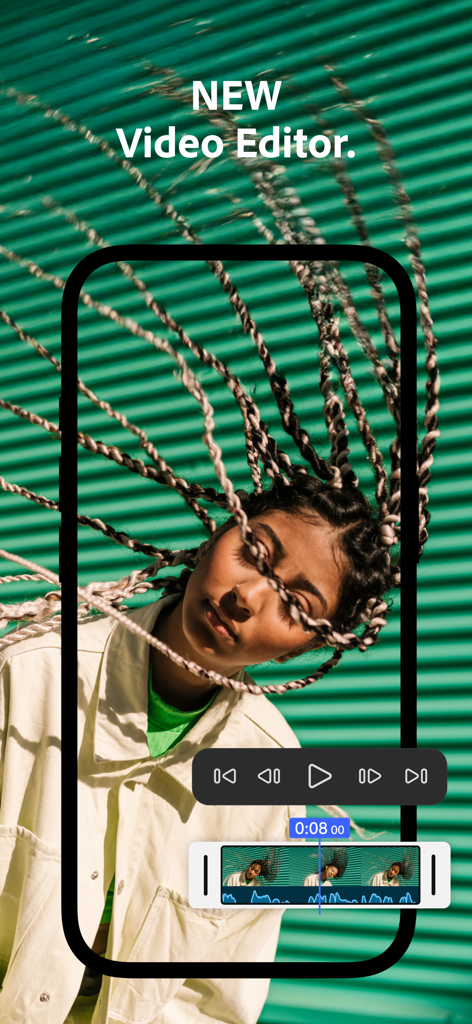
Adobe Premiere 모바일 동영상 편집기 인터페이스, 초상화 클립 위에 오디오 파형 및 재생 컨트롤이 있는 동영상 타임라인을 보여줌.

Adobe Premiere 모바일 동영상 편집기 인터페이스, 초상화 클립 위에 오디오 파형 및 재생 컨트롤이 있는 동영상 타임라인을 보여줌.

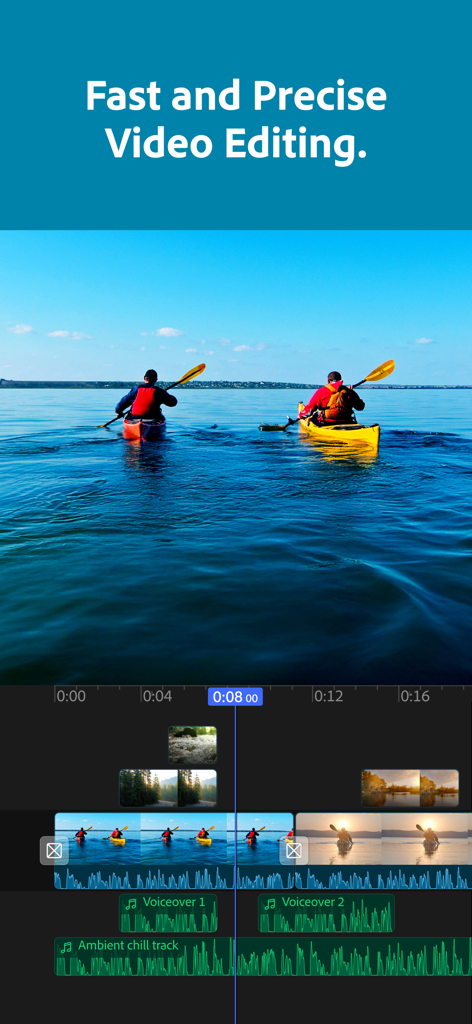
Adobe Premiere 모바일 앱의 멀티트랙 동영상 편집 타임라인, 동영상 및 오디오 클립 표시

Adobe Premiere 모바일 앱의 멀티트랙 동영상 편집 타임라인, 동영상 및 오디오 클립 표시

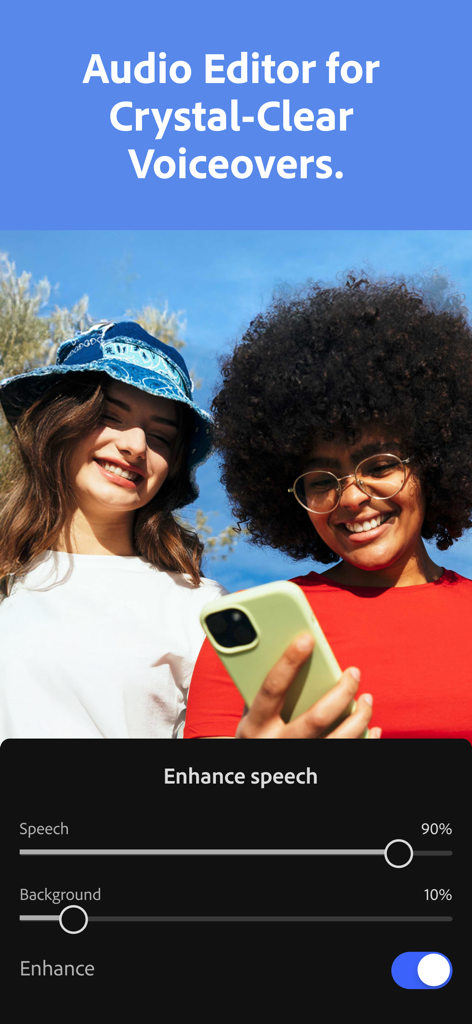
Adobe Premiere 앱 인터페이스, AI 음성 향상 기능 표시

Adobe Premiere 앱 인터페이스, AI 음성 향상 기능 표시

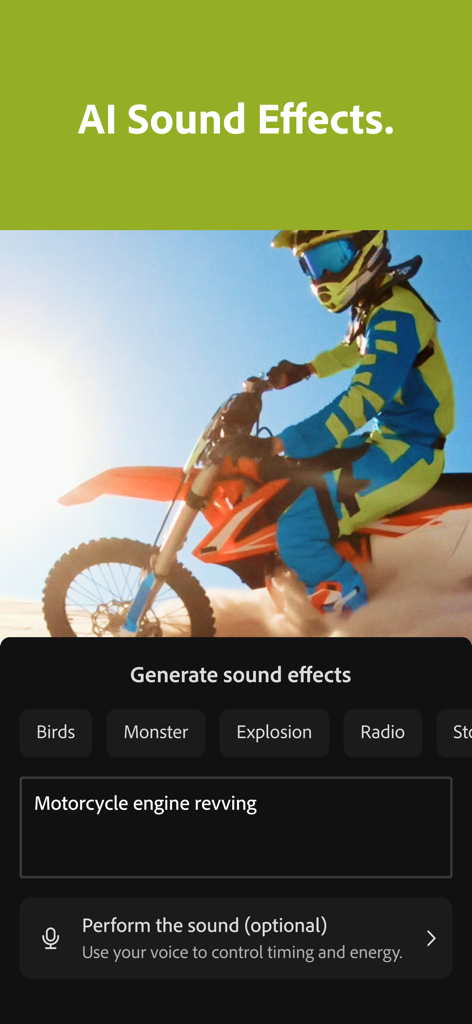
Adobe Premiere 동영상 편집기 앱 인터페이스, 오토바이 동영상 클립에 대한 AI 사운드 효과 생성 표시

Adobe Premiere 동영상 편집기 앱 인터페이스, 오토바이 동영상 클립에 대한 AI 사운드 효과 생성 표시

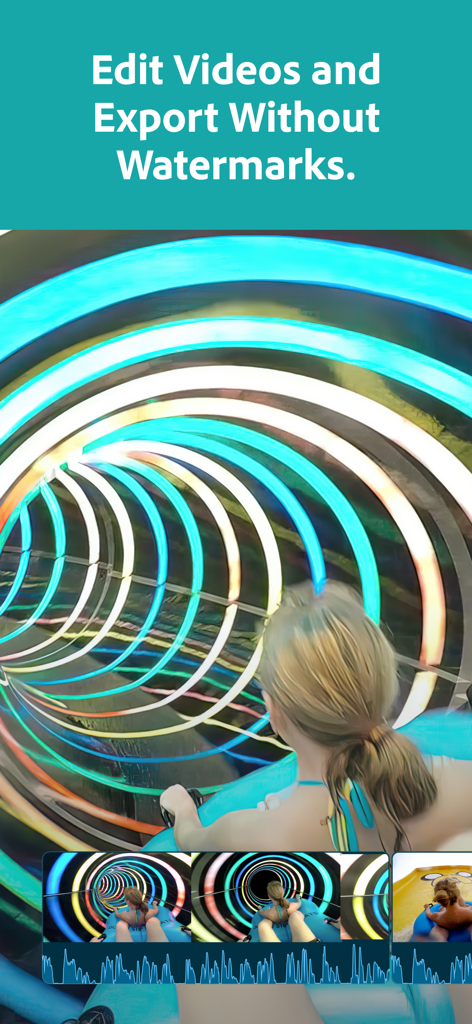
Adobe Premiere 앱 인터페이스, 워터마크 없는 동영상 편집 표시

Adobe Premiere 앱 인터페이스, 워터마크 없는 동영상 편집 표시

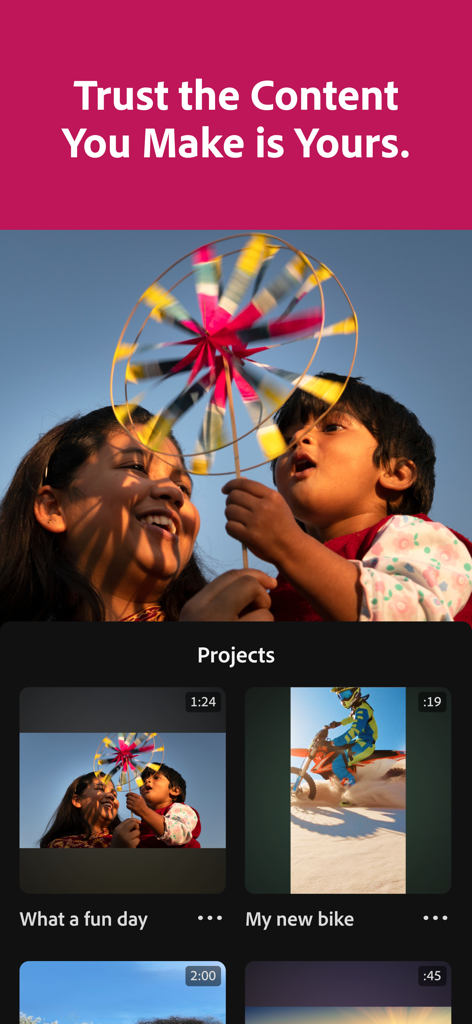
Adobe Premiere 모바일 앱 인터페이스, 콘텐츠 소유권에 대한 헤드라인 아래 동영상 프로젝트 목록 표시

Adobe Premiere 모바일 앱 인터페이스, 콘텐츠 소유권에 대한 헤드라인 아래 동영상 프로젝트 목록 표시

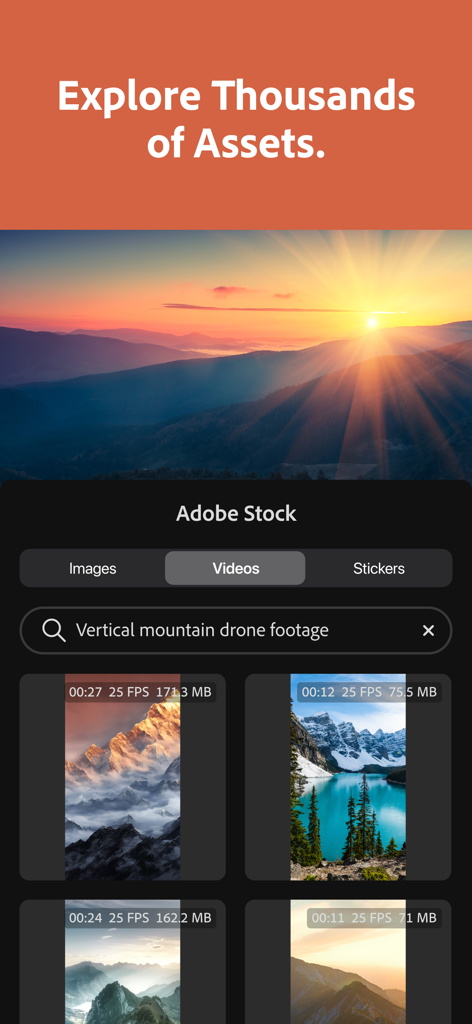
Adobe Premiere 앱 인터페이스, 수직 산 드론 영상 검색 기능이 있는 Adobe Stock 에셋 라이브러리 표시

Adobe Premiere 앱 인터페이스, 수직 산 드론 영상 검색 기능이 있는 Adobe Stock 에셋 라이브러리 표시

어디서든 전문가처럼 편집하세요

이 앱을 돋보이게 하는 도구, 2M+ 명의 사용자가 선택.

모든 컷을 위한 AI 마법

업계 최고의 AI를 사용하여 한 번의 탭으로 자동 자막을 생성하고 음성을 스튜디오 품질로 향상하세요.

🎬

정밀 멀티트랙 편집

프레임 단위 정확도 타임라인과 오버레이, 제목, 효과를 위한 무제한 트랙으로 완벽하게 제어하세요.

🎨

무한한 창의적 에셋

로열티 프리 음악, 스티커, Lightroom 사전 설정의 방대한 라이브러리에 액세스하여 독특한 미학을 찾으세요.

앱 소개

에 대해 알아야 할 모든 것 Adobe Premiere: Video Editor.

설명

Effortless editing. Total control. Meet the fast, free, and focused mobile video editing app that's powerful enough for any idea, yet simple enough for anyone to use. Edit videos from wherever you are, with no ads or watermarks. Premiere offers unmatched speed on a precise multi-track timeline and studio-quality audio featuring crystal clear voice recordings and perfectly timed AI sound effects -- plus Firefly-powered visuals to create stand out videos. Tell your story with unique, scroll-stopping videos. Level up your content with AI editing tools and create stand out edits to share on TikTok, YouTube, Instagram, Facebook, and more. Record voiceovers and achieve studio-quality audio with crystal clear voice recordings and perfectly timed AI sound effects. Get inspired and kickstart your project with Adobe’s massive library of free creative assets. Speed up your editing with Adobe Firefly AI-generated sound effects, images, videos, and stickers. Capture the moment and create trends with Adobe Premiere. FEATURES: LIGHTNING-FAST TIMELINE • Frame-Accurate Edits: Trim, split, or merge video clips with the industry’s most accurate video editor. • AI Auto Captions: generate captions and add attention grabbing animations in seconds. • Smooth Speed Effects: speed up, slow down, reverse or freeze key moments. • Unique Color Presets: Apply Adobe Lightroom presets and fine tune to fit your aesthetic. • Instant Background Removal: Cut out subjects with one tap. Create overlays, title effects, and more. PRECISION CONTROL • Unlimited Tracks: Overlay clips and organize your timeline with no limits to your creativity. • Resize and Post to Any Platform: Adjust videos to fit any aspect ratio and share anywhere easily. • Advanced Clip Controls: Flip, fit, fill, or extract audio to customize every cut. STUDIO QUALITY SOUND • AI Enhance Speech: Create studio quality voiceovers with the help of AI. • DIY Sound Effects: Use your voice to generate your own sounds. GENERATIVE AI ASSETS • AI Text to Image Generation: create unique, commercially safe images from a simple text prompt with Adobe Firefly. • Stickers That Pop: Generate your own AI stickers or select from the free in-app library. • AI Background Expansion: Extend, enhance, or replace backgrounds with a prompt. FREE LIBRARY OF CREATIVE ASSETS • Get going with quality images, sounds, music, and video from the Adobe library. • Add Music to Your Videos: Select from a library of free and royalty free tracks. • Respects Creator Content Ownership: Adobe never trains on user content. SPEED AND PERFORMANCE • Built natively on iOS for a fast, smooth, editing experience. • Import your assets directly from your device or favorite cloud storage provider. • Edit without distracting pop-up ads, clutter, or watermarks. FREE TO DOWNLOAD AND USE • Everything you need to create great videos is available for free. Only pay when you need Firefly generative AI credits. TERMS & CONDITIONS: Your use of this application is governed by the Adobe General Terms of Use http://www.adobe.com/go/terms_linkfree_en and the Adobe Privacy Policy http://www.adobe.com/go/privacy_policy_linkfree_en Do not sell or share my personal information: www.adobe.com/go/ca-rights-linkfree

최신 버전

25.12.0

크기

97.2 MB

출시일

2025년 9월 30일

제한 없이 제작하세요. 워터마크 없이 편집하세요.

Adobe의 AI 기반 도구를 사용하여 모든 아이디어를 전문적이고 스크롤을 멈추게 하는 동영상으로 전환하는 수백만 명의 크리에이터에 합류하세요. 빠르고 무료이며 스토리에 집중할 수 있습니다.

다운로드: App Store
FAQ

자주 묻는 질문

에 대해 알아야 할 모든 것 Adobe Premiere: Video Editor

Adobe Premiere: Video Editor를 무료로 사용할 수 있나요?

네, Adobe Premiere: Video Editor는 무료로 다운로드하여 사용할 수 있으며, 비용 없이 필수적인 동영상 편집 기능을 제공합니다. 사용자는 추가 Firefly 생성 AI 크레딧이 필요한 경우에만 비용을 지불하면 됩니다.

Adobe Premiere: Video Editor에서 내보낸 동영상에 워터마크가 추가되나요?

아니요, Adobe Premiere: Video Editor에서 내보낸 동영상에 워터마크가 추가되지 않습니다. 사용자는 방해가 되는 워터마크 없이 자신의 창작물을 편집하고 내보낼 수 있습니다.

Adobe Premiere: Video Editor에서 자동으로 자막을 생성할 수 있나요?

네, Adobe Premiere: Video Editor는 AI 자동 자막을 자동으로 생성할 수 있습니다. 이 기능을 통해 사용자는 몇 초 만에 동영상에 시선을 사로잡는 애니메이션 자막을 추가할 수 있습니다.

Adobe Premiere: Video Editor에 AI 기반 음향 효과가 포함되어 있나요?

네, Adobe Premiere: Video Editor에는 AI 기반 음향 효과가 포함되어 있습니다. 사용자는 음성을 사용하여 자체 사운드를 생성하거나 다양한 AI 생성 옵션 중에서 선택할 수 있습니다.

Adobe Premiere: Video Editor 내에서 스톡 에셋에 액세스할 수 있나요?

네, Adobe Premiere: Video Editor는 Adobe의 방대한 무료 창작 에셋 라이브러리에 액세스할 수 있습니다. 여기에는 프로젝트를 시작하는 데 사용할 수 있는 고품질 이미지, 사운드, 음악 및 동영상이 포함됩니다.

Adobe Premiere: Video Editor에서 사용자 콘텐츠를 AI 학습에 사용하나요?

아니요, Adobe Premiere: Video Editor는 사용자 콘텐츠로 AI 모델을 학습시키지 않습니다. Adobe는 크리에이터 콘텐츠 소유권을 존중하며 사용자 프로젝트는 비공개로 유지되고 학습에 사용되지 않도록 합니다.

Adobe Premiere: Video Editor에서 음성 향상 기능을 어떻게 사용하나요?

Adobe Premiere: Video Editor는 AI 향상 음성 기능을 제공하여 사용자가 스튜디오 품질의 음성을 만들 수 있습니다. 명확성을 위해 음성 및 배경 소리 수준을 조정하는 컨트롤이 포함되어 있습니다.

Adobe Premiere: Video Editor에서 동영상의 배경을 제거할 수 있나요?

네, Adobe Premiere: Video Editor는 즉시 배경 제거 기능을 제공합니다. 사용자는 탭 한 번으로 피사체를 잘라내어 오버레이 및 제목 효과를 만들 수 있습니다.

Adobe Premiere: Video Editor에서 멀티트랙 편집을 지원하나요?

네, Adobe Premiere: Video Editor는 멀티트랙 편집을 위해 무제한 트랙을 지원합니다. 사용자는 클립을 오버레이하고 창의적인 제한 없이 타임라인을 구성할 수 있습니다.

App information, icons, screenshots, and descriptions displayed on this page are sourced from the Apple App Store and are the property of their respective developers. Download estimates and rankings are based on MWM's proprietary models and may not reflect actual figures. This page is provided for informational and analytical purposes only.

Believe this page infringes your intellectual property? File a dispute