
이 페이지는 앱이나 개발자의 공식 페이지가 아니며, 정보 제공 및 논평을 목적으로 작성된 독립 편집 간행물입니다. 명시적으로 달리 언급되지 않는 한, 해당 앱이나 개발자는 MWM, Apple, Google Play, 앱 퍼블리셔 또는 앱 개발자와 제휴, 보증, 후원, 승인 또는 공식적으로 연결되어 있지 않으며, 이 페이지의 어떤 내용도 해당 앱이 MWM의 서비스를 사용하여 개발되었음을 의미하지 않습니다. 모든 상표, 로고, 스크린샷 및 기타 콘텐츠는 해당 소유자의 자산입니다.


Videoshop - Video Editor
1200만 명 이상의 크리에이터가 궁극의 모바일 스튜디오를 사용하여 동영상을 자르고, 음악을 추가하고, 바이럴 효과를 적용합니다. TikTok 트렌드부터 전문적인 브이로그까지, 몇 초 만에 스토리를 편집하고 즉시 공유하세요.
다운로드
12M+사용자 평점
총 평가 수
420K+개발사
카테고리
Photo & Video지원 언어
8최신 버전
84.5.6크기
190.2 MB출시일
2013년 6월 6일바이럴을 위한 모든 것
빠른 편집부터 그린 스크린 마법까지, Videoshop은 차세대 크리에이터를 위해 설계된 전문가 수준의 프로덕션 스튜디오를 여러분의 손안에 제공합니다.
빠르고 부드러운 편집
이동 중에 편집하고 게시해야 하는 크리에이터를 위해 직관적인 제스처로 자르고, 병합하고, 속도를 조절하세요.
바이럴 준비 효과
크로마 키(그린 스크린), 립 싱크, 슬로우 모션 기능을 사용하여 모든 트렌드를 마스터하고 콘텐츠를 돋보이게 만드세요.
자주 묻는 질문
에 대해 알아야 할 모든 것 Videoshop - Video Editor
Videoshop - Video Editor는 무엇인가요?
Videoshop - Video Editor는 무료이며 사용하기 쉬운 동영상 편집 애플리케이션입니다. 동영상을 개인화하기 위한 빠른 편집 도구, 필터 및 다양한 효과를 제공합니다.
Videoshop - Video Editor에서 동영상에 음악을 추가할 수 있나요?
네, Videoshop - Video Editor를 사용하면 iPod 라이브러리에서 음악을 추가하거나 Videomall에서 클립을 구매하여 동영상에 음악을 추가할 수 있습니다.
Videoshop - Video Editor는 슬로우 모션 효과를 지원하나요?
네, Videoshop - Video Editor는 슬로우 모션을 지원합니다. 사용자는 동영상 또는 오디오 속도를 조절하여 슬로우 모션 및 패스트 모션 효과를 모두 만들 수 있습니다.
Videoshop - Video Editor에서 어떤 공유 옵션을 사용할 수 있나요?
Videoshop - Video Editor를 사용하면 Snapchat, Instagram, Facebook, YouTube, Vimeo, Dropbox, WhatsApp 또는 이메일을 통해 직접 공유할 수 있습니다. 사용자는 GIF를 만들 수도 있습니다.
Videoshop - Video Editor는 무료로 사용할 수 있나요?
네, Videoshop - Video Editor는 무료 애플리케이션입니다. 또한 추가 기능과 콘텐츠를 위한 선택적 무제한 액세스 구독도 제공합니다.
Videoshop - Video Editor로 여러 동영상 클립을 병합할 수 있나요?
네, Videoshop - Video Editor를 사용하면 여러 동영상 클립을 하나의 결합된 동영상으로 병합할 수 있습니다. 또한 클립을 자르고 복사하는 것도 지원합니다.
Videoshop - Video Editor는 애니메이션 제목과 필터를 제공하나요?
네, Videoshop - Video Editor는 동영상을 소개하는 애니메이션 제목과 동영상 모양을 향상시키는 다양한 필터를 제공합니다.
Videoshop - Video Editor의 무제한 액세스 구독은 어떻게 작동하나요?
무제한 액세스 구독은 모든 기능과 콘텐츠에 대한 액세스를 제공합니다. 월별 또는 연별로 청구되며, 일회성 결제도 가능합니다. 결제는 iTunes 계정으로 청구됩니다.
Videoshop - Video Editor 구독은 어떻게 관리할 수 있나요?
구매 후 계정 설정을 통해 Videoshop - Video Editor 구독을 관리하고 자동 갱신을 해제할 수 있습니다.
Videoshop - Video Editor는 모든 동영상 유형과 호환되나요?
아니요, Videoshop - Video Editor는 iPhone 및 iPad 동영상과만 호환됩니다. 다른 플랫폼의 동영상을 사용하면 불안정하거나 충돌이 발생할 수 있습니다.
Videoshop - Video Editor를 사용하여 동영상에 텍스트를 추가할 수 있나요?
네, Videoshop - Video Editor를 사용하면 사용자가 직접 텍스트를 입력하고 색상을 선택하며 다양한 글꼴 중에서 선택하여 동영상에 추가할 수 있습니다.
Videoshop - Video Editor는 그린 스크린 기능을 지원하나요?
네, Videoshop - Video Editor에는 크로마 기능이 포함되어 있어 그린 스크린 기능과 셀카를 위한 재미있는 배경을 제공합니다.
다음 스크린샷과 설명은 앱의 공식 스토어 목록에서 직접 가져온 것이며 앱 개발자의 자산입니다.
앱 스토어
스크린샷
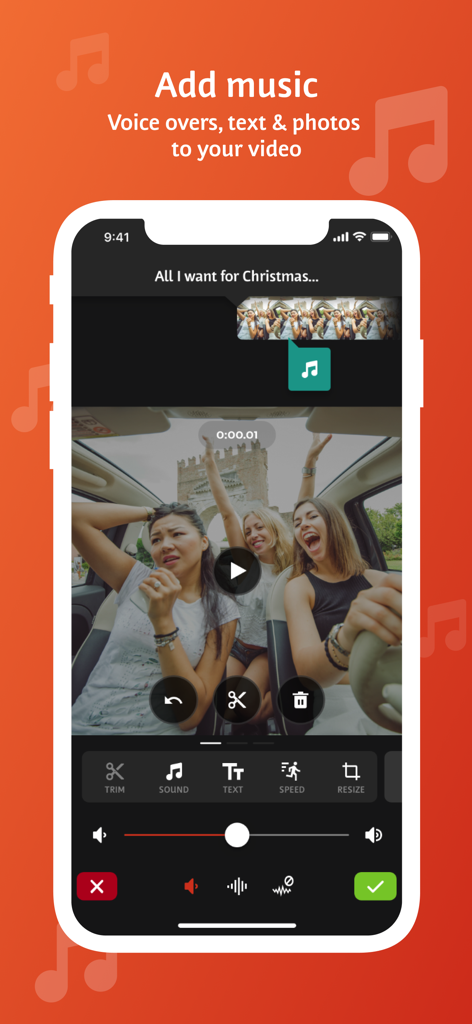
Videoshop 앱 인터페이스가 동영상 클립에 음악, 음성 해설 및 텍스트를 추가하는 도구를 보여줍니다.
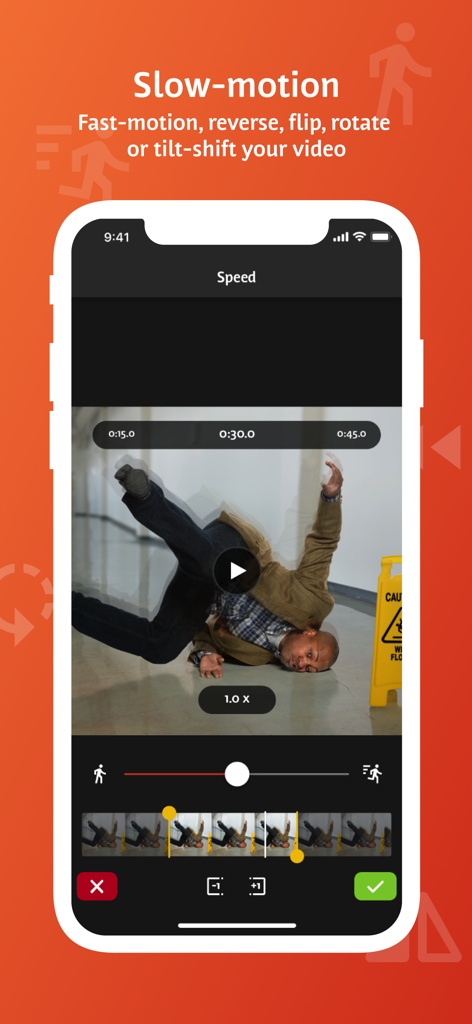
Videoshop 모바일 앱 인터페이스가 슬로우 모션 및 비디오 속도 조절 기능을 보여줍니다.
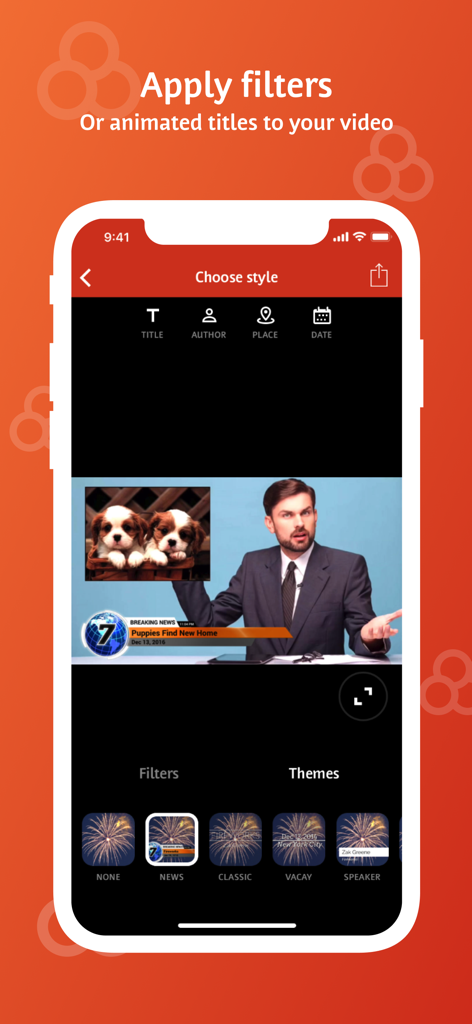
Videoshop 앱 인터페이스가 모바일 비디오 편집을 위한 애니메이션 제목 및 뉴스 테마 옵션을 보여줍니다.
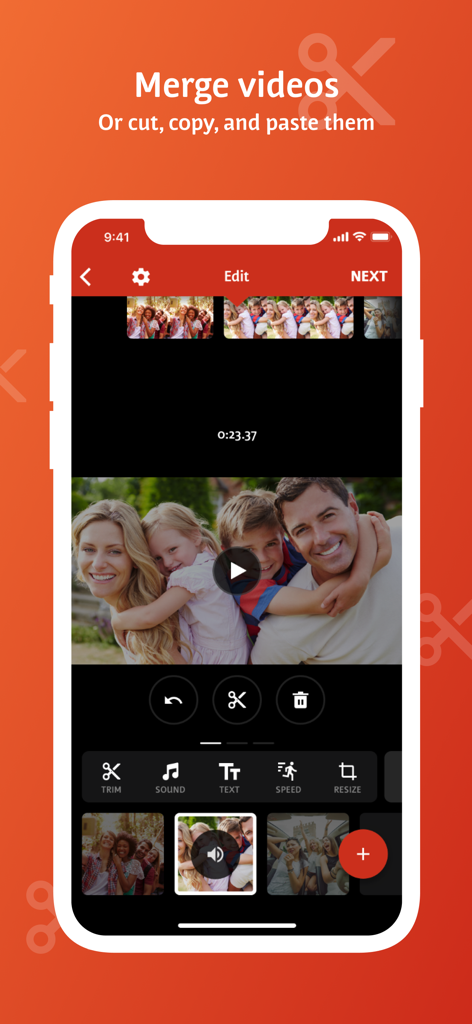
모바일 비디오 편집기 인터페이스가 비디오 클립을 병합, 자르기 및 붙여넣기 옵션을 보여줍니다.
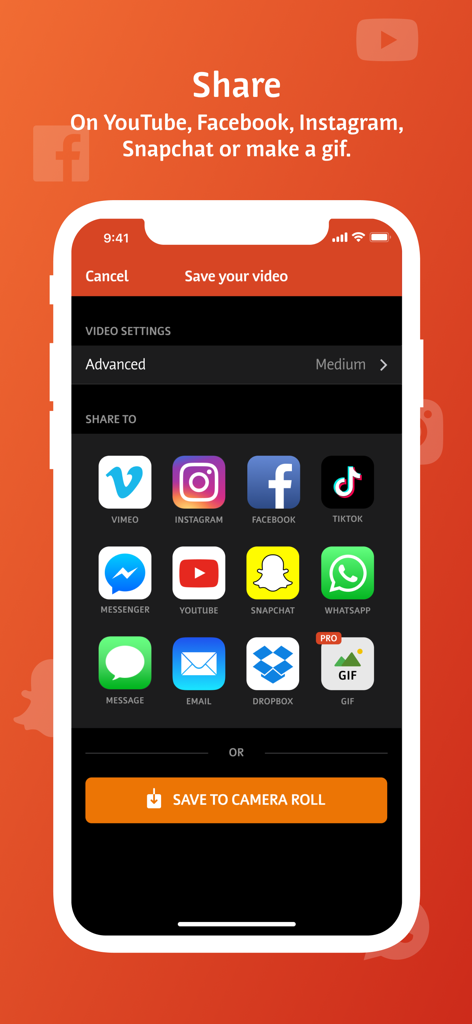
Videoshop 앱 공유 화면이 TikTok, Instagram, YouTube와 같은 소셜 미디어 플랫폼 아이콘을 보여줍니다.
설명
Download
비슷한 앱
유사한 기능과 사용자 경험을 가진 앱

Edits: Video Editor
Instagram, Inc.

VLLO- Video Editor, Vlog Edits
vimosoft

YouCut - AI Video Editor
SHANTANU PTE. LTD.

必剪-B站官方出品
Shanghai Bilibili Animation Co.,Ltd

剪影 - 视频剪辑 & 卡点影集制作
Shanghai Jian Ji Software Technology Co., Ltd

VDIT - Video Maker & Editor
ImgBase, Inc.

Video Editor with Music・VidLab
Onelight Apps CY Ltd

Video Maker-movie maker&Editor
Changsha Fugui Bamboo Network Technology Co., Ltd.

一键水印-专业水印视频编辑大师
Chongqing tuanshui technology Co., Ltd.
이 페이지는 앱이나 개발자의 공식 페이지가 아니며, 정보 제공 및 논평을 목적으로 작성된 독립 편집 간행물입니다. 명시적으로 달리 언급되지 않는 한, 해당 앱이나 개발자는 MWM, Apple, Google Play, 앱 퍼블리셔 또는 앱 개발자와 제휴, 보증, 후원, 승인 또는 공식적으로 연결되어 있지 않으며, 이 페이지의 어떤 내용도 해당 앱이 MWM의 서비스를 사용하여 개발되었음을 의미하지 않습니다. 모든 상표, 로고, 스크린샷 및 기타 콘텐츠는 해당 소유자의 자산입니다.