YouCut - AI Video Editor

YouCut - AI Video Editor

다운로드: App Store
로고: YouCut - AI Video Editor

AI 동영상 편집기 YouCut: 워터마크 없이 프로 콘텐츠 제작

AI 자동 자막, 4K 내보내기, 프로 도구를 사용하여 틱톡, 릴스, 유튜브용 콘텐츠를 손쉽게 편집하세요. 워터마크와 배너 광고 없이 순수한 창의성만 담으세요.

개발사

SHANTANU PTE. LTD.

카테고리

Photo & Video

다운로드

4M+

사용자 평점

4.8/5

총 평가 수

196K+

지원 언어

18

스튜디오 경험

이 인터페이스를 사용하는 4M+ 명의 사용자.

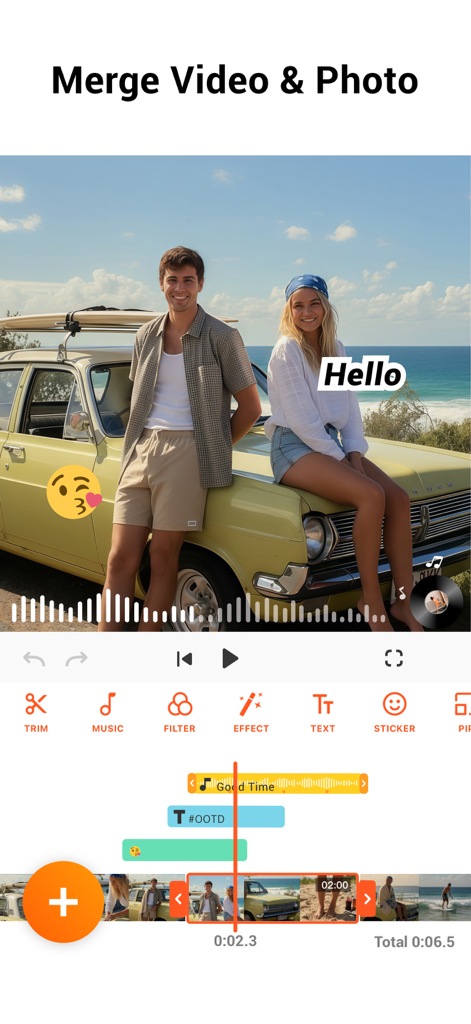
YouCut 앱 인터페이스에서 음악 및 텍스트 오버레이와 함께 동영상 및 사진을 병합하는 기능 시연
YouCut 앱 인터페이스에서 음악 및 텍스트 오버레이와 함께 동영상 및 사진을 병합하는 기능 시연

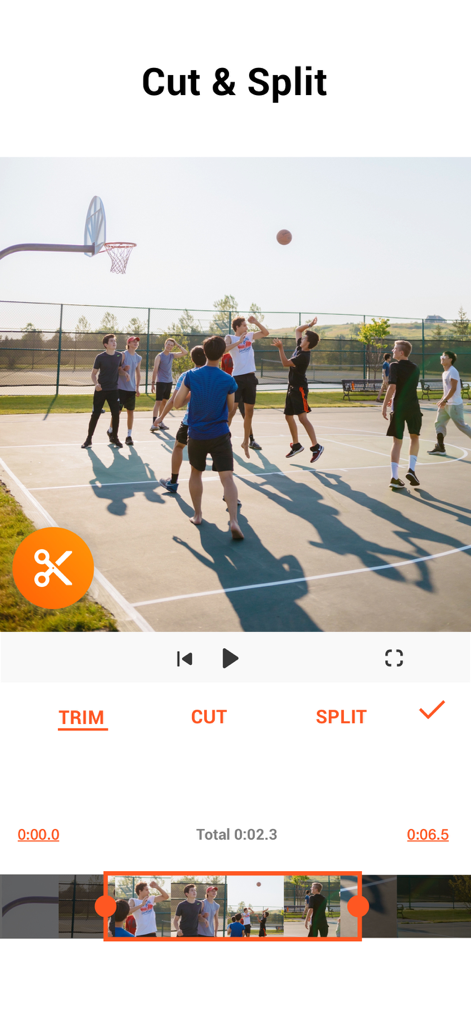
YouCut 모바일 앱 화면에 농구 클립의 동영상 자르기 및 분할 옵션 표시
YouCut 모바일 앱 화면에 농구 클립의 동영상 자르기 및 분할 옵션 표시

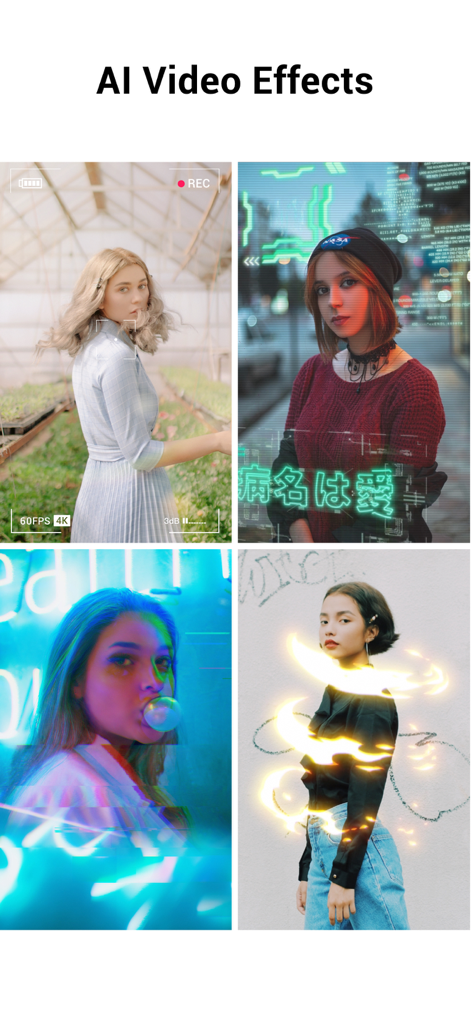
사이버펑크 오버레이 및 네온 조명 트레일과 같은 AI 효과를 보여주는 4개의 다른 동영상 클립 콜라주
사이버펑크 오버레이 및 네온 조명 트레일과 같은 AI 효과를 보여주는 4개의 다른 동영상 클립 콜라주

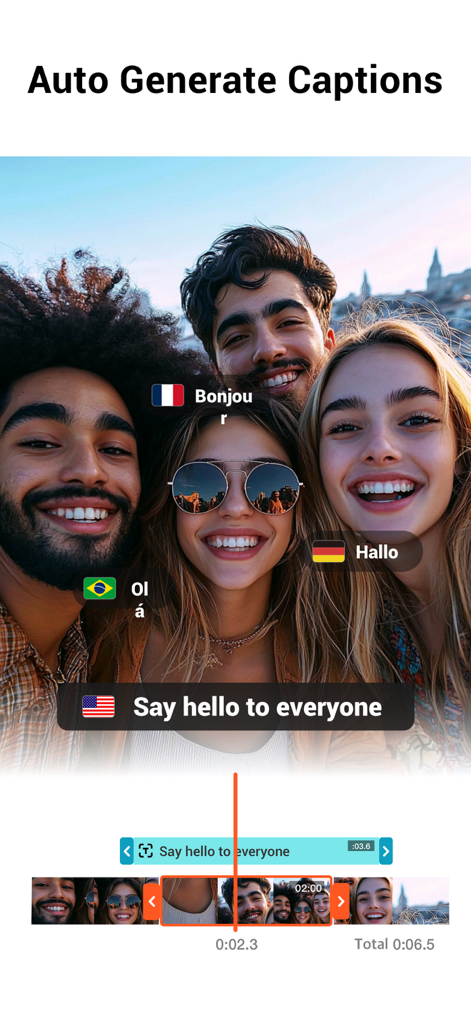
여러 언어로 자동 생성된 자막을 보여주는 YouCut 앱의 그룹 동영상
여러 언어로 자동 생성된 자막을 보여주는 YouCut 앱의 그룹 동영상

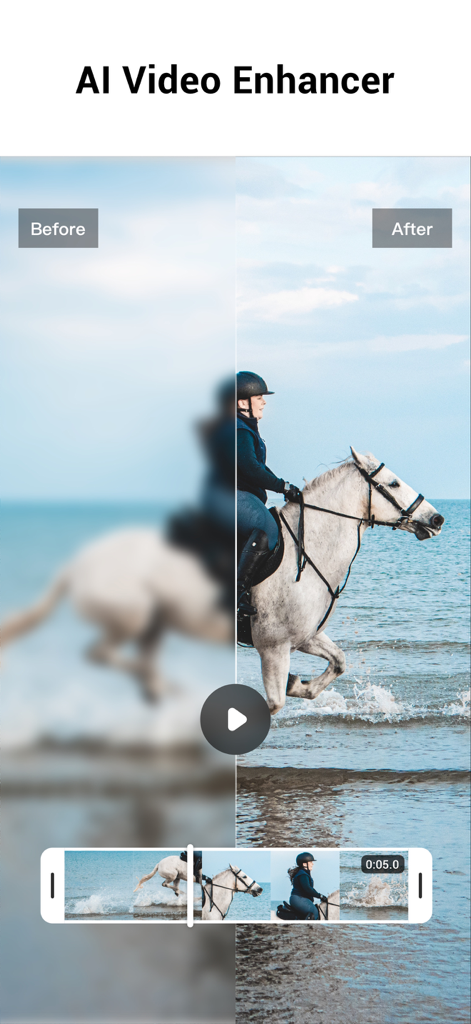
YouCut AI 동영상 향상 기능으로 복원된 흐릿한 동영상의 HD 품질 비교 (이전 및 이후)
YouCut AI 동영상 향상 기능으로 복원된 흐릿한 동영상의 HD 품질 비교 (이전 및 이후)

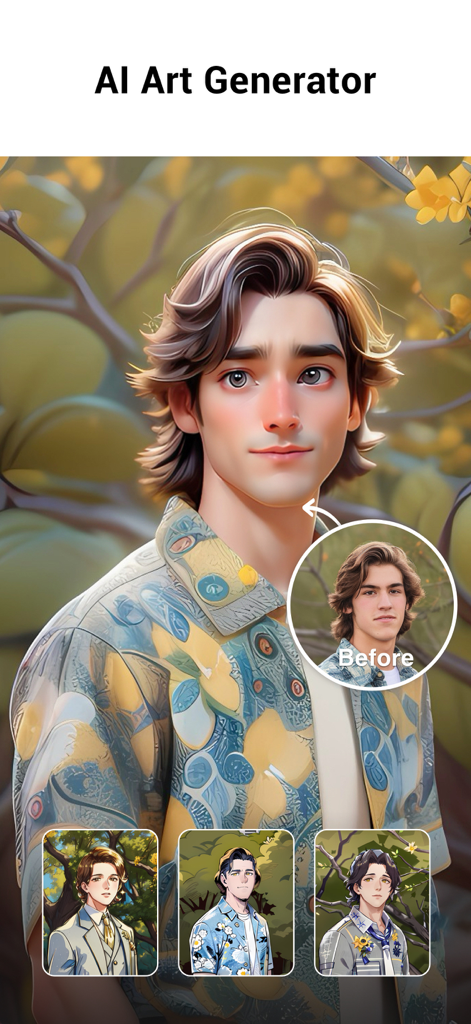
실제 사진을 스타일화된 만화 아바타로 변환하는 YouCut AI 아트 생성기 기능 표시
실제 사진을 스타일화된 만화 아바타로 변환하는 YouCut AI 아트 생성기 기능 표시

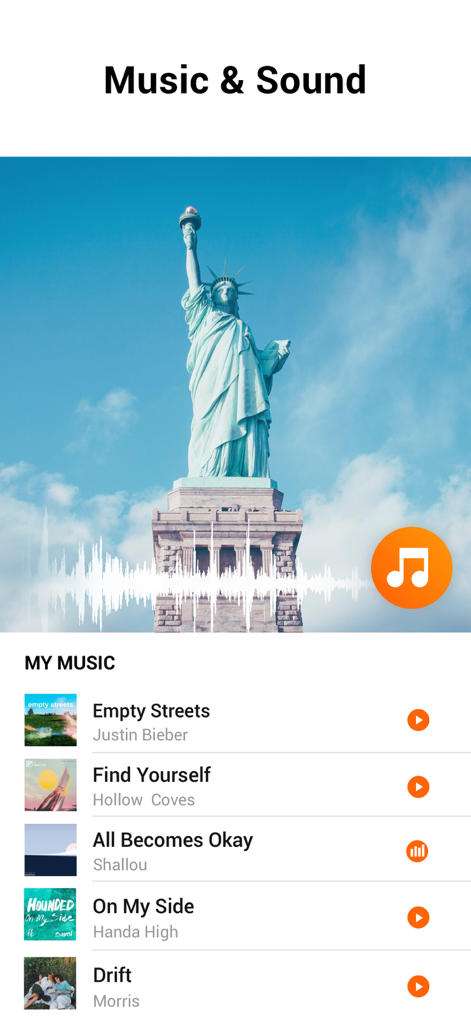
동영상의 음악 및 사운드 라이브러리를 보여주는 YouCut AI 동영상 편집기 인터페이스
동영상의 음악 및 사운드 라이브러리를 보여주는 YouCut AI 동영상 편집기 인터페이스

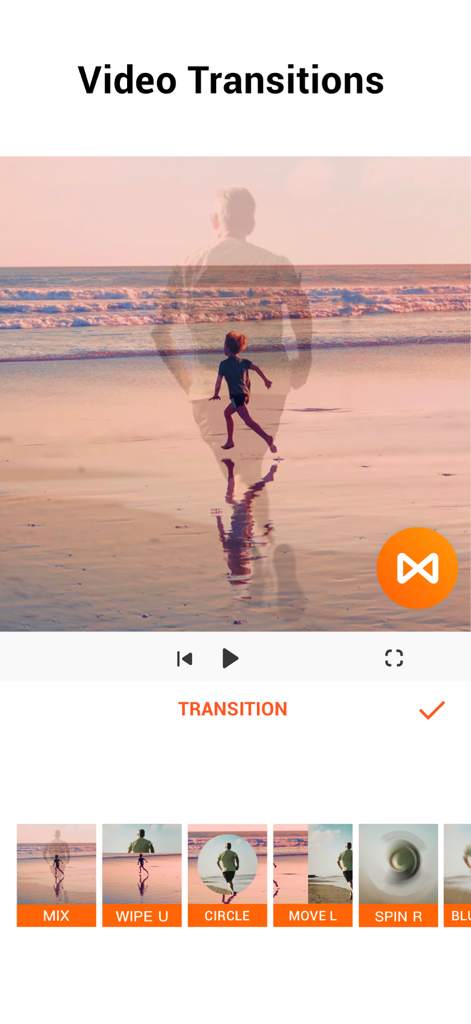
다양한 동영상 전환 효과를 보여주는 YouCut 모바일 앱 인터페이스
다양한 동영상 전환 효과를 보여주는 YouCut 모바일 앱 인터페이스

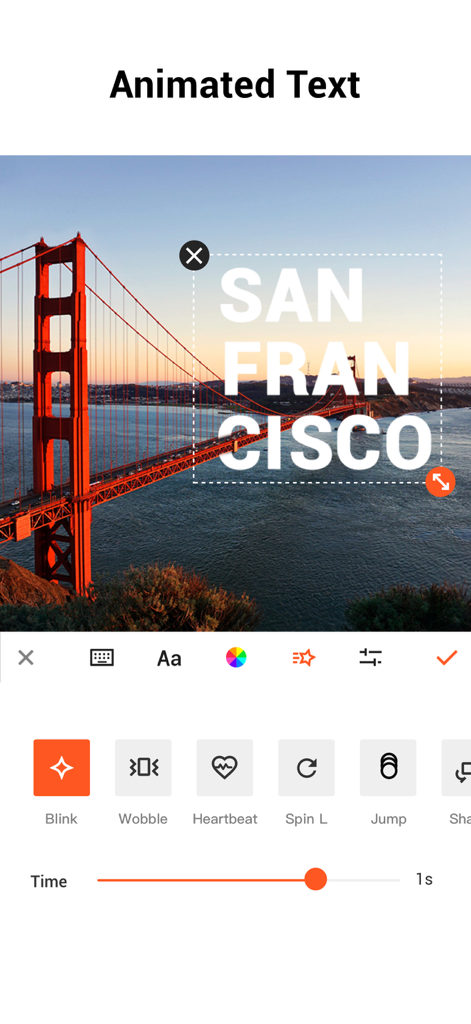
모바일 동영상 편집을 위한 애니메이션 텍스트 옵션을 표시하는 YouCut 앱 인터페이스
모바일 동영상 편집을 위한 애니메이션 텍스트 옵션을 표시하는 YouCut 앱 인터페이스

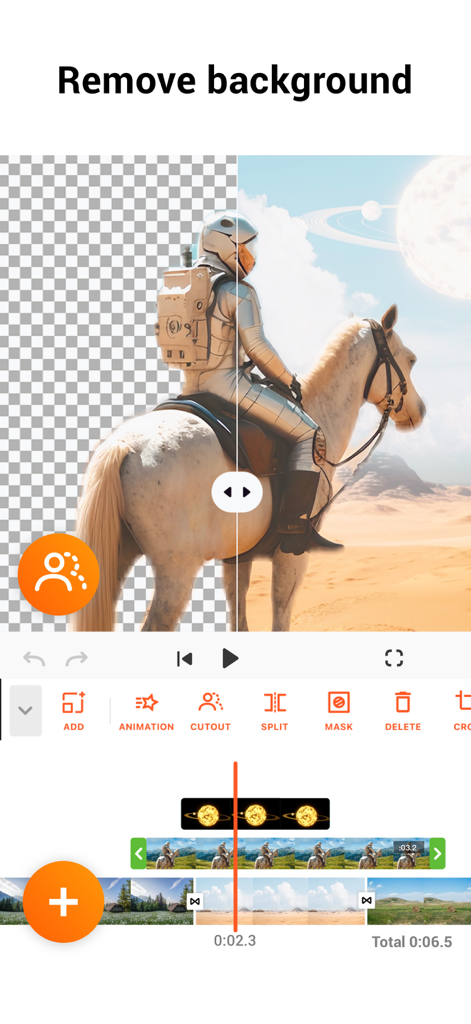
YouCut AI 동영상 편집기 배경 제거 도구 인터페이스

YouCut AI 동영상 편집기 배경 제거 도구 인터페이스

간편한 프로 콘텐츠 제작

이 앱을 돋보이게 하는 도구, 4M+ 명의 사용자가 선택.

AI 기반 생산성

자동 생성 자막, 한 번의 탭으로 배경 제거, AI 동영상 향상 기능으로 수 시간의 수동 작업을 절약하세요.

🚫

워터마크 없음, 제한 없음

개인 브랜드를 전문가답게 유지하세요. 방해가 되는 로고나 침입적인 광고 없이 멋진 4K 해상도로 동영상을 내보내세요.

🎬

프로 수준의 창의적 제어

직관적인 모바일 타임라인으로 시네마틱 속도 램핑, 정밀한 키프레임 애니메이션, 다중 레이어 PIP 편집을 마스터하세요.

전 세계 사용자들에게 사랑받는 앱

Trusted by 4M+ 명이 이 앱을 사랑합니다.

"

"AI 자동 자막 기능은 제 틱톡 영상에 혁신을 가져왔어요. 예전에는 수동으로 텍스트를 입력하는 데 몇 시간을 보냈지만, 이제는 놀라운 정확도로 몇 초 만에 완료됩니다. 게다가 내보내기 시 워터마크가 없다는 점은 다른 앱에 비해 제 콘텐츠를 훨씬 더 전문적으로 보이게 합니다."

Chloe V., 라이프스타일 크리에이터
"

"저는 아이폰에서만 제 부티크의 소셜 미디어를 관리하는데, YouCut은 이동 중에도 데스크톱 수준의 기능을 제공하는 유일한 도구입니다. 키프레임 애니메이션과 4K 지원 덕분에 실제로 판매를 촉진하는 고급 제품 쇼케이스를 만들 수 있습니다. 빠르고 직관적이며 모든 페니의 가치가 있습니다."

Marcus J., 소규모 사업체 운영자

앱 소개

에 대해 알아야 할 모든 것 YouCut - AI Video Editor.

설명

YouCut as an AI [Video Editor] & [Video Maker] for YouTube and other social media, features a unique timeline design that makes video editing easier and more efficient. Easy to edit videos with music, AI effects, captions, emoji, text to speech, etc. [Easy & No Watermark] Edit videos like a pro. Whether you want to make photo videos or share moments with friends, YouCut is the best video editing app with all features you need. Features: [Powerful Video Editor and Movie Maker] YouCut as one of top AI video editor apps, provide you with AI Avatar, AI Captions, AI Enhance, AI Cutout, etc. You can zoom in/out timeline for precisely editing. No banner ads. [AI Video Editor] AI Video Enhance - Restore blurry videos and photos to HD. Auto Captions - Generate accurate captions for social media. [Video Speed Control] Fast/slow motion video (Adjust video speed from 0.2× to 100×), Edit video and adjust speed with video filters and effects. [Photo Slideshow Maker] Music video editor with photos, professional video combiner, merge photos to create slideshow. Make video collage easily with Picture-in-Picture (PIP), keyframe. Combine videos with photos, add custom photo cover, auto captions for video, edit videos with music like a pro. [No Watermark] As music video editor and full screen video maker for YouTube, YouCut never add Watermark to your video. There is no banner ads on the screen, unlike other video editing apps. [Add Music to Video] It is a pro TikTok editor and YouTube intro maker that meets all your needs. 1. 100+ music and built-in sound effects. 2. Edit videos with your music. 3. Extract music from video. [Video Filters & AI Effects] Add movie style video filters and AI effects to video. Best Movie maker to enhance quality without watermark. [Video Color Adjust] Adjust video brightness, contrast, saturation, etc. Custom video filters and effects. Best movie cutter and AI captions generator for videos. [Change Video Background] 1. Change background color of your video, blur background. 2. Remove background with AI in a tap. [Keyframe] Add motion to clips by keyframe. [Video Compressor] 1. HD video maker & TikTok editor. 2. YouCut - AI video editor and video maker support resolution up to 4K. [Share Video] Directly share video to YouTube, Instagram, TikTok…to get hundreds of 'likes'! AI Art Generator, Photo Slideshow, Add music, materials, captions for video, Apply transition effects, Apply FX video filters, Rotate video, Share to YouTube... Fast/Slow motion video editor without losing video quality! If you have any question about YouCut (pro video editor, video cutter & video enhancer, photo slideshow maker), please email us at: youcut.ios@inshot.com For more tutorials, subscribe us on YouTube @YouCutApp [YouCut Pro Unlimited Subscription] - With an YouCut Pro Unlimited subscription, you have access to all features and paid editing materials. - YouCut Pro Unlimited subscription is billed annually. In addition, a one-time payment will be offered if needed, which is not one of the subscription plan. - Payment will be charged to iTunes Account at confirmation of purchase. - Subscription automatically renews unless auto-renew is turned off at least 24-hours before the end of the current period. - Account will be charged for renewal within 24-hours prior to the end of the current period, and identify the cost of the renewal. - Subscriptions may be managed by the user and auto renewal may be turned off by going to the user's Account Settings after purchase. - Any unused portion of a free trial period, if offered, will be forfeited when the user purchases a subscription to that publication, where applicable. [Terms of Use] https://inshot.cc/terms/terms_youcut.pdf [Privacy Policy] https://inshot.cc/terms/privacy_youcut.pdf [Disclaimer] YouCut is not affiliated, associated, sponsored, endorsed by, or in any way officially connected with YouTube, Instagram, TikTok, Facebook.

최신 버전

1.26.1

크기

136.0 MB

출시일

2022년 7월 17일

바이럴 콘텐츠 제작 준비되셨나요? 오늘 바로 워터마크 없는 동영상 만들기.

YouCut의 AI 기반 도구를 사용하여 틱톡 및 유튜브용 프로 수준의 콘텐츠를 제작하는 4백만 명 이상의 크리에이터와 함께하세요. 워터마크, 배너 광고 없이 순수한 창의성을 4K로 담아내세요.

다운로드: App Store
FAQ

자주 묻는 질문

에 대해 알아야 할 모든 것 YouCut - AI Video Editor

How does YouCut help users edit videos for social media?

YouCut은 YouTube 및 기타 소셜 미디어 플랫폼을 위한 AI 비디오 편집기 및 제작자 역할을 합니다. 효율적인 비디오 편집을 위해 음악, AI 효과, 자막, 이모지, 텍스트 음성 변환과 같은 도구를 제공합니다.

Does YouCut add a watermark to edited videos?

아니요, YouCut은 비디오에 워터마크를 추가하지 않습니다. 워터마크 없는 편집을 제공하여 사용자가 브랜딩 없이 비디오를 만들고 공유할 수 있도록 합니다.

Can YouCut enhance blurry videos and photos to HD quality?

예, YouCut에는 AI 비디오 향상 도구가 있습니다. 이 기능은 흐릿한 비디오와 사진을 복원하여 고화질 품질로 변환합니다.

What AI features does YouCut include for video editing?

YouCut은 AI 아바타, AI 자막, AI 향상, AI 잘라내기를 포함한 여러 AI 기능을 통합합니다. 이러한 도구는 사용자의 복잡한 편집 작업을 간소화합니다.

How can I adjust video speed in YouCut?

YouCut은 비디오 속도 제어를 제공하여 사용자가 비디오 속도를 0.2배에서 100배까지 조정할 수 있습니다. 이 기능은 빠른 모션 및 슬로우 모션 효과를 모두 지원합니다.

Does YouCut offer auto-caption generation for videos?

예, YouCut은 자동 자막 기능을 제공합니다. 비디오에 대한 정확한 자막을 생성하여 소셜 미디어 플랫폼의 콘텐츠에 더 쉽게 액세스할 수 있도록 합니다.

Is it possible to remove the background of a video or photo using YouCut?

예, YouCut을 사용하면 탭 한 번으로 AI를 사용하여 배경을 제거할 수 있습니다. 배경색을 변경하거나 흐리게 하는 옵션도 제공합니다.

What kind of subscription options are available for YouCut Pro Unlimited?

YouCut Pro Unlimited는 모든 기능 및 유료 자료에 액세스할 수 있는 연간 구독을 제공합니다. 일회성 결제 옵션도 사용할 수 있습니다.

Can users extract music from videos within the YouCut app?

예, YouCut을 사용하면 비디오에서 직접 음악을 추출할 수 있습니다. 이 기능은 포괄적인 음악 편집 기능의 일부입니다.

What is the maximum video resolution supported by YouCut?

YouCut - AI 비디오 편집기 및 비디오 제작자는 최대 4K 해상도를 지원합니다. 이는 다양한 플랫폼에 대한 고품질 비디오 출력을 보장합니다.

Does YouCut include an AI Art Generator feature?

예, YouCut에는 AI 아트 생성기가 포함되어 있습니다. 이 기능은 사진을 다양한 예술 스타일로 변환합니다.

Where can I find the Terms of Use and Privacy Policy for YouCut?

YouCut의 이용 약관 및 개인 정보 보호 정책은 앱 설명에 제공된 직접 링크를 통해 확인할 수 있습니다.