Circle Parental Controls App

Circle Parental Controls App


다운로드: App Store다운로드: Google Play
로고: Circle Parental Controls App

Circle 자녀 보호 앱: 가족의 화면 시간 스트레스를 줄이세요

콘텐츠 필터링부터 저녁 식사 시간을 위한 '인터넷 일시 중지'까지, 집 안팎의 모든 기기를 관리하세요. 현대 부모를 위해 설계된 간단한 올인원 앱으로 건강한 경계를 설정하고 자녀에게 보상하세요.

다운로드: App Store

개발사

Circle Media Incorporated

카테고리

Lifestyle

다운로드

525K+

사용자 평점

4.2/5

총 평가 수

14K+

지원 언어

3

디지털 사령실

이 인터페이스를 사용하는 525K+ 명의 사용자.

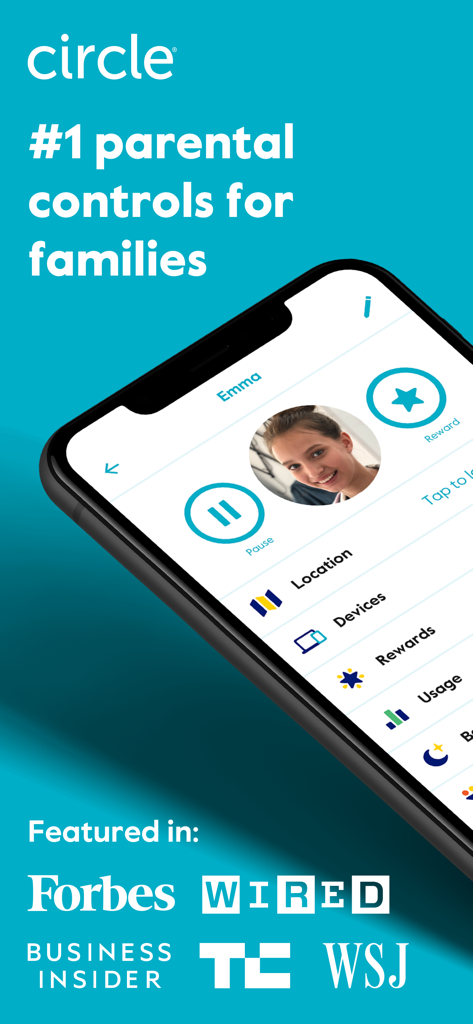
Circle 자녀 보호 앱 인터페이스는 자녀 프로필 관리 및 일시 중지, 보상과 같은 기능과 주요 언론사 추천 사항을 보여줍니다.

Circle 자녀 보호 앱 인터페이스는 자녀 프로필 관리 및 일시 중지, 보상과 같은 기능과 주요 언론사 추천 사항을 보여줍니다.

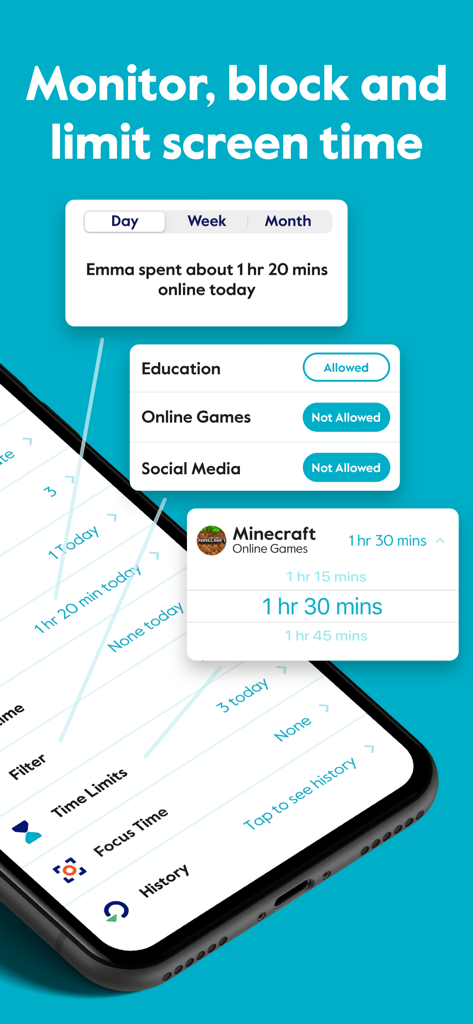
Circle 자녀 보호 앱 인터페이스는 자녀를 위한 일일 화면 시간 제한 및 콘텐츠 필터링 설정을 보여줍니다.

Circle 자녀 보호 앱 인터페이스는 자녀를 위한 일일 화면 시간 제한 및 콘텐츠 필터링 설정을 보여줍니다.

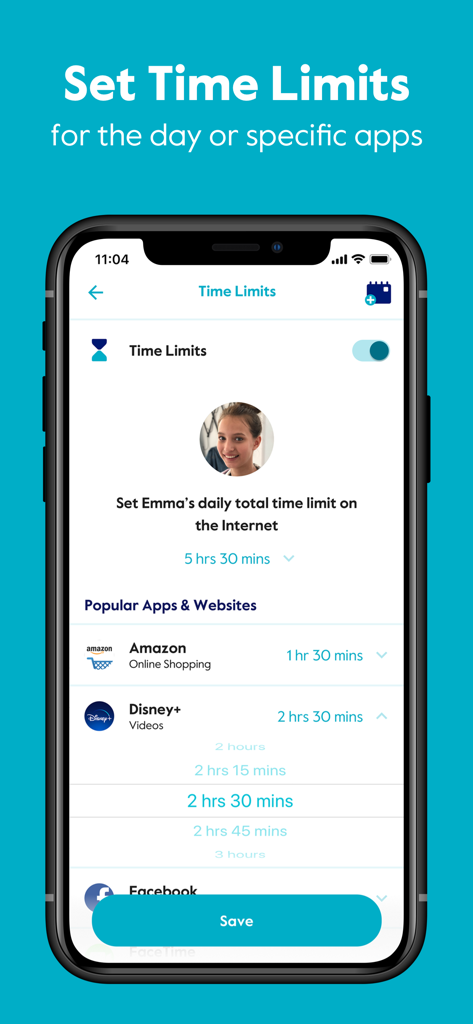
Circle 자녀 보호 앱 인터페이스는 Amazon 및 Disney Plus와 같은 특정 앱에 대한 일일 시간 제한을 설정하는 설정을 보여줍니다.

Circle 자녀 보호 앱 인터페이스는 Amazon 및 Disney Plus와 같은 특정 앱에 대한 일일 시간 제한을 설정하는 설정을 보여줍니다.

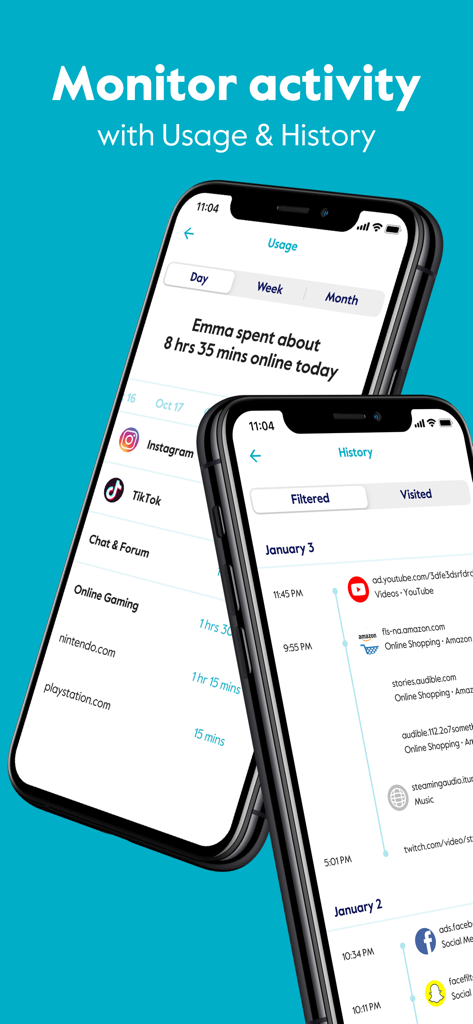
Circle 자녀 보호 앱 인터페이스는 두 개의 스마트폰에서 사용량 및 브라우징 기록 추적 기능을 보여줍니다.

Circle 자녀 보호 앱 인터페이스는 두 개의 스마트폰에서 사용량 및 브라우징 기록 추적 기능을 보여줍니다.

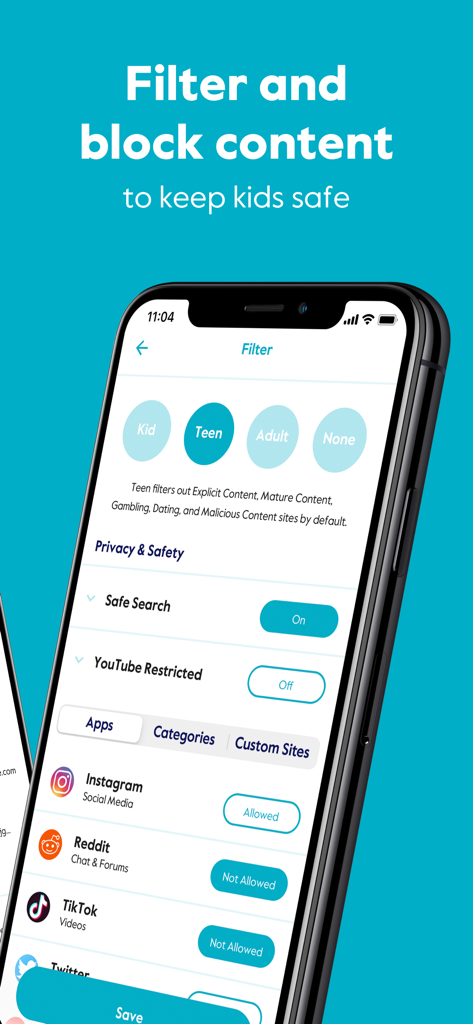
Circle 앱 인터페이스는 Instagram 및 TikTok과 같은 소셜 미디어에 대한 연령 기반 콘텐츠 필터 및 앱 차단 옵션을 보여줍니다.

Circle 앱 인터페이스는 Instagram 및 TikTok과 같은 소셜 미디어에 대한 연령 기반 콘텐츠 필터 및 앱 차단 옵션을 보여줍니다.

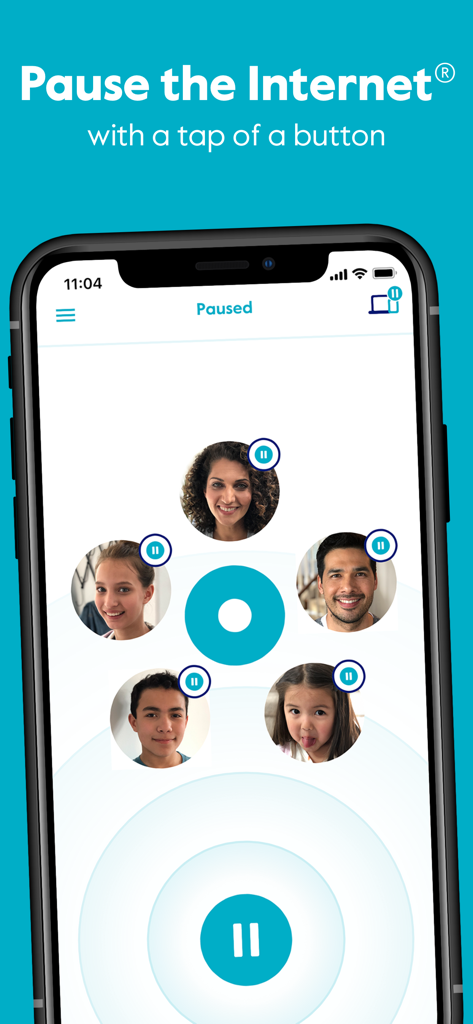
Circle 자녀 보호 앱 인터페이스는 가족 구성원 프로필 아이콘과 함께 인터넷 일시 중지 기능을 보여줍니다.

Circle 자녀 보호 앱 인터페이스는 가족 구성원 프로필 아이콘과 함께 인터넷 일시 중지 기능을 보여줍니다.

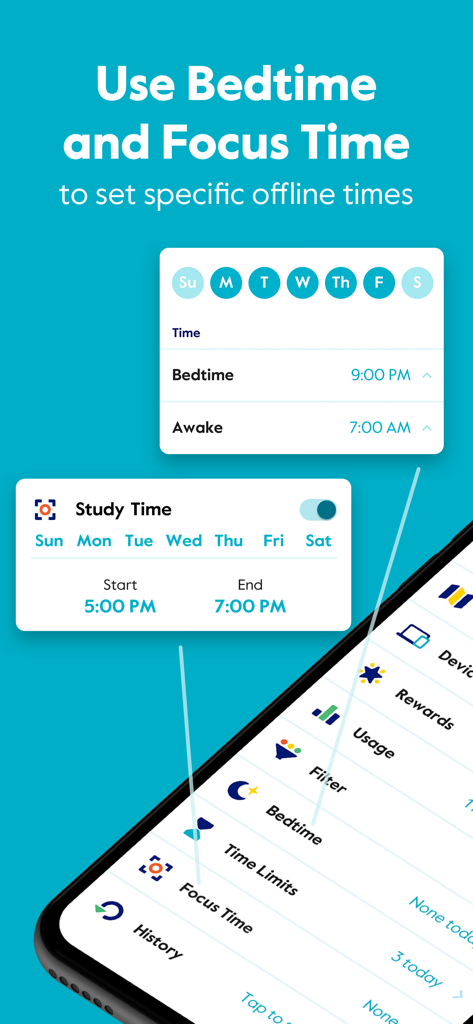
Circle 앱의 인터페이스는 자녀를 위한 특정 오프라인 시간을 설정하기 위해 취침 시간 및 집중 시간 일정을 잡는 방법을 보여줍니다.

Circle 앱의 인터페이스는 자녀를 위한 특정 오프라인 시간을 설정하기 위해 취침 시간 및 집중 시간 일정을 잡는 방법을 보여줍니다.

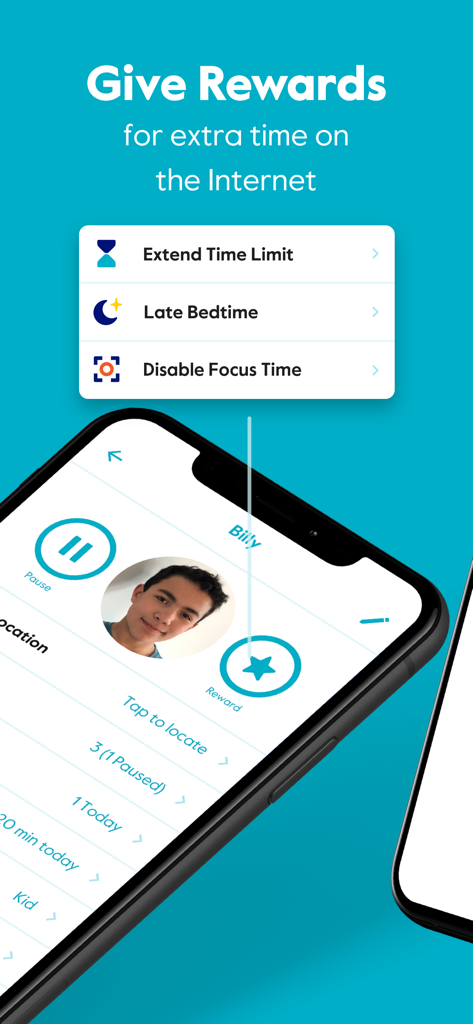
스마트폰 화면은 시간 제한 연장 및 늦은 취침 시간 설정을 위한 옵션이 있는 Circle 앱의 보상 기능을 보여줍니다.

스마트폰 화면은 시간 제한 연장 및 늦은 취침 시간 설정을 위한 옵션이 있는 Circle 앱의 보상 기능을 보여줍니다.

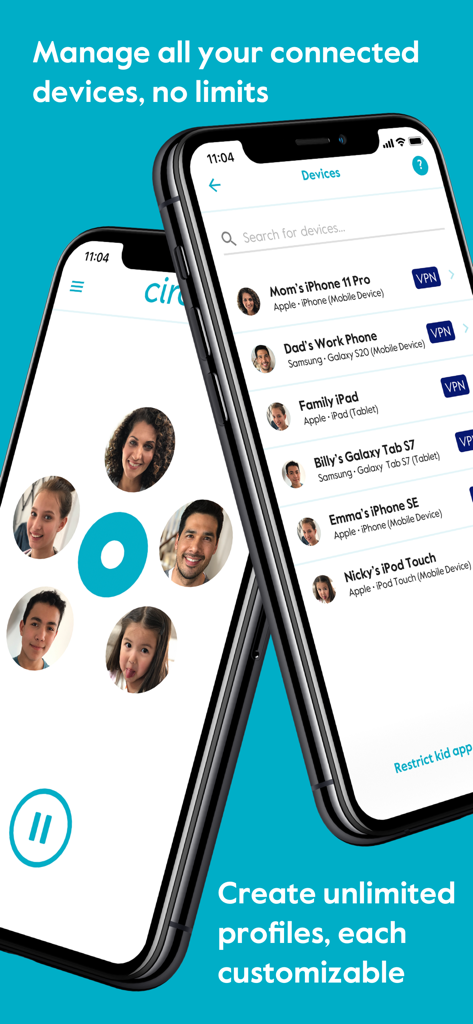
스마트폰 화면은 Circle 자녀 보호 앱의 장치 관리 및 가족 프로필을 보여줍니다.

스마트폰 화면은 Circle 자녀 보호 앱의 장치 관리 및 가족 프로필을 보여줍니다.

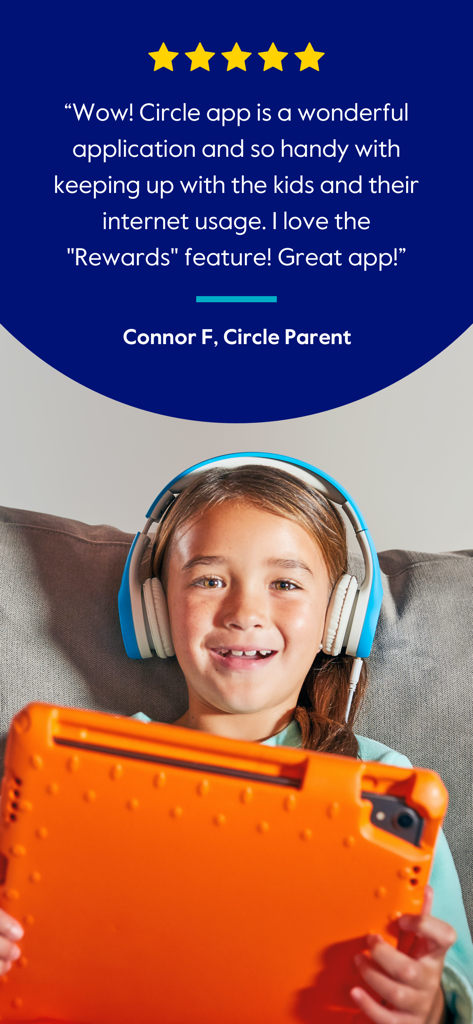
태블릿과 헤드폰을 쓴 웃는 아이가 등장하는 Circle 자녀 보호 앱에 대한 별 다섯 개 고객 리뷰

태블릿과 헤드폰을 쓴 웃는 아이가 등장하는 Circle 자녀 보호 앱에 대한 별 다섯 개 고객 리뷰

가족의 디지털 웰빙을 마스터하세요

이 앱을 돋보이게 하는 도구, 525K+ 명의 사용자가 선택.

자동 화면 시간 제한

앱 및 사이트에 대한 일일 제한을 설정하여 로그아웃 시간이 되었을 때 '나쁜 사람'이 될 필요가 없습니다.

🛡️

스마트 콘텐츠 필터링

모든 기기, 심지어 셀룰러 데이터에서도 작동하는 연령 기반 필터로 부적절한 콘텐츠로부터 자녀를 보호하세요.

취침 시간 및 즉시 보상

자동 연결 해제로 더 나은 수면을 촉진하고 긍정적인 행동에 대한 추가 온라인 시간을 선물하여 자녀에게 동기를 부여하세요.

리뷰 분석

사용자 리뷰 인사이트.

감정 점수

11%
부정적

요약

This app receives overwhelmingly negative feedback, primarily due to severe performance issues such as extreme slowness, glitchiness, and unresponsiveness, making it almost unusable. Many users report that parental control features, including time limits and content blocking, are often ineffective as children easily bypass them or the settings fail to apply consistently. Furthermore, common complaints include frustrating device identification and management, difficulties with subscription cancellation, and non-existent customer support, leading to a general sentiment of wasted money and time for its users.

주요 테마

Screen Time Limits(4)
Website Blocking(3)
App Concept(2)
Time Rewards Feature(2)
Basic App Operation(2)

앱 소개

에 대해 알아야 할 모든 것 Circle Parental Controls App.

설명

Block and limit screen time. Keep kids safe and focused with the most comprehensive and easy to use parental control app for devices in home and on the go. Circle Parental Controls App gives parents screen time control whether kids are playing their favorite online game, connecting with friends or doing schoolwork. Circle goes beyond setting Screen Time Limits and Filters with additional parental control features like Pause, History, Rewards and Bedtime. Parents can customize screen time and WiFi control based on their kids’ ages and their own family preferences, and even limit or block social media. SCREEN TIME PARENTAL CONTROL APP • Filter: Choose appropriate (or block inappropriate) content by age with web filters. Even block social media. • Time Limits: Set daily screen time limits for popular apps and sites. • Pause the Internet®: Make the Internet stop for every family member (or just one). MONITOR AND KEEP TRACK OF ONLINE TIME • History: Check out sites kids visited (or tried to visit) throughout the day. Or go back as far as you’d like for screen monitoring and phone monitoring. • Usage: Get a complete picture of your family’s Internet use, across all devices • Location: Keep track of your kids through their mobile devices. Monitor kids’ phones to keep them safe. BALANCE TIME ONLINE AND OFFLINE • Bedtime: Ensure your kids get the sleep they need. Set a bedtime for connected devices. • Rewards: Celebrate good behavior by giving a little extra online time just for the day. • Focus Time: Schedule distraction-free Internet time for school, homework or offline time. Start managing your family’s online screen time today with a free trial to access all the parental control app features like WiFi blocker, app blocker and other premium parental control app and screen time control features. Circle’s WiFi manager, Internet and website blocker, and mobile device management make for the most robust screen time parental control app available. Kids can use the Circle parental control app to keep track of their own screen time online with a personalized dashboard. THE ULTIMATE PARENTAL CONTROL APP Over 90% of Circle parental control app users say it helps keep their kids safe online and makes it easier to manage screen time in their family. ———— Circle Home Plus — sold separately Need an in-home device to manage online screen time on smart TVs, video game consoles, and computers? Manage all Wi-Fi connected devices in your home with the Circle Home Plus parental control device - universal parental control at home and away! Learn more: meetcircle.com The Circle Parental Controls App is not for use with Circle with Disney or Circle on Netgear routers. ———— Need Help? If you have any parental control app questions, need help with the Circle parental control app, or want to provide feedback, please contact our Support Team: help@meetcircle.com support.meetcircle.com ———— Subscription Pricing & Terms A Circle subscription is required and gives your family access to every Circle parental control feature. Circle Subscription comes with a FREE trial period (for new premium members only). The Circle subscription is an automatic renewing subscription. Your subscription will be charged to your iTunes account at confirmation of purchase and will automatically renew unless auto-renewal is disabled at least 24 hours before the end of the current period. Subscriptions are billed at the start of each period and cannot be refunded. Subscribers can manage subscriptions and disable auto-renewal by visiting their iTunes Account Settings after purchase. Privacy policy: https://meetcircle.com/privacy/ Terms of use: https://meetcircle.com/license/

최신 버전

2.34.0

크기

143.2 MB

출시일

2019년 4월 10일

화면 시간 전쟁을 끝낼 준비가 되셨나요?

Circle을 사용하여 건강한 디지털 습관을 만드는 50만 가구 이상에 합류하세요. 오늘 무료 체험을 시작하고 집안에 평온을 되찾으세요.

다운로드: App Store다운로드: Google Play

App information, icons, screenshots, and descriptions displayed on this page are sourced from the Apple App Store and are the property of their respective developers. Download estimates and rankings are based on MWM's proprietary models and may not reflect actual figures. This page is provided for informational and analytical purposes only.

Believe this page infringes your intellectual property? File a dispute