
이 페이지는 앱이나 개발자의 공식 페이지가 아니며, 정보 제공 및 논평을 목적으로 작성된 독립 편집 간행물입니다. 명시적으로 달리 언급되지 않는 한, 해당 앱이나 개발자는 MWM, Apple, Google Play, 앱 퍼블리셔 또는 앱 개발자와 제휴, 보증, 후원, 승인 또는 공식적으로 연결되어 있지 않으며, 이 페이지의 어떤 내용도 해당 앱이 MWM의 서비스를 사용하여 개발되었음을 의미하지 않습니다. 모든 상표, 로고, 스크린샷 및 기타 콘텐츠는 해당 소유자의 자산입니다.

Google Family Link
자녀의 디지털 삶, 더 이상 미지의 영역이 아니다. 이 앱은 부모에게 보이지 않던 디지털 영역을 꿰뚫어 볼 권능을 부여한다.
다운로드
25M+사용자 평점
총 평가 수
1.7M개발사
카테고리
Utilities지원 언어
56최신 버전
2.78.37981크기
190.2 MB출시일
2017년 4월 13일Google Family Link: 심층 분석
자녀의 디지털 생활을 안전하게 관리하기 위한 포괄적인 도구
콘텐츠 필터 관리
이 도구는 Chrome, Play, YouTube, 검색과 같은 Google 서비스에서 유해 콘텐츠 노출을 방지하기 위한 부모 통제 기능을 제공합니다. 부적절한 사이트를 차단하고 콘텐츠 접근을 세밀하게 제어할 수 있습니다.
스크린 타임 제한 설정
이 앱은 자녀의 기기 사용 시간을 효과적으로 관리할 수 있도록 일일 시간 제한, 학교 시간 및 휴식 시간 일정을 설정하는 기능을 제공합니다. 이를 통해 자녀가 건강한 디지털 균형을 찾도록 돕습니다.
자녀 기기 위치 확인
사용자가 자녀의 기기 위치를 실시간으로 확인할 수 있게 해줍니다. 한 지도에서 여러 자녀의 위치를 파악하여 이동 중에도 자녀의 안전을 보장하는 데 도움이 됩니다.
자녀 앱 사용 관리
이 앱은 자녀가 사용할 수 있는 앱을 관리할 수 있도록 개별 앱 시간 제한을 설정하고, 교육용 앱에는 무제한 시간을 허용하며, 원치 않는 앱을 차단하는 기능을 제공합니다.
새로운 앱 승인 및 권한 관리
이 도구는 자녀가 새로운 앱을 설치하거나 앱 및 웹사이트에 대한 권한을 부여할 때 부모의 승인을 요구하여, 자녀의 디지털 환경에 대한 통제력을 강화할 수 있도록 돕습니다.
자녀 계정 보안 및 데이터 관리
사용자가 자녀의 Google 계정과 데이터 설정을 관리할 수 있게 해줍니다. 비밀번호 변경 또는 재설정, 개인 정보 편집, 필요시 계정 삭제 등을 통해 자녀의 온라인 계정을 안전하게 유지할 수 있습니다.
자주 묻는 질문
에 대해 알아야 할 모든 것 Google Family Link
What is Google Family Link?
Google Family Link is a parental controls app designed to help families manage their children's online experience. It allows parents to set screen time limits, manage apps, filter content, track device location, and secure their child's Google account.
Can parents set screen time limits with Google Family Link?
Yes, parents can set daily screen time limits using Google Family Link. The app also allows for specific school time and downtime schedules for their children's devices.
How does Google Family Link manage a child's apps?
Google Family Link enables parents to set individual time limits for apps, designate unlimited time for educational apps, and block specific applications on their child's device.
Does Google Family Link allow parents to manage online content filters?
Yes, Google Family Link provides tools to set parental controls on Google services such as Chrome, Play, YouTube, and Search. It can block inappropriate sites and require approval for new apps.
Can I track my child's device location with Google Family Link?
Yes, Google Family Link allows parents to locate their children on a map, provided the child's device is powered on, recently active, and connected to the internet.
How can Google Family Link help secure my child's Google account?
Google Family Link provides parents with access to manage their child’s account settings. Parents can change or reset their child’s password, edit personal information, or delete the account if necessary.
Does Google Family Link require approval for all app purchases?
No, purchase approvals apply only when a child makes a purchase through Google Play’s billing system. It does not apply to app updates, previously approved apps, or purchases made via alternate billing systems.
What kind of notifications does Google Family Link provide?
Google Family Link delivers critical notifications, including alerts when a child arrives at or leaves a specific location. Parents can also ring devices and view the device's remaining battery life.
Is Google Family Link compatible with all devices?
No, Google Family Link's tools vary depending on the child's device. A list of compatible devices is available on the Google Families website.
Does Google Family Link guarantee internet safety for children?
No, Google Family Link does not guarantee internet safety. It provides tools for parents to manage their child's online experience and make decisions, but it cannot determine all content on the internet.
다음 스크린샷과 설명은 앱의 공식 스토어 목록에서 직접 가져온 것이며 앱 개발자의 자산입니다.
앱 스토어
스크린샷
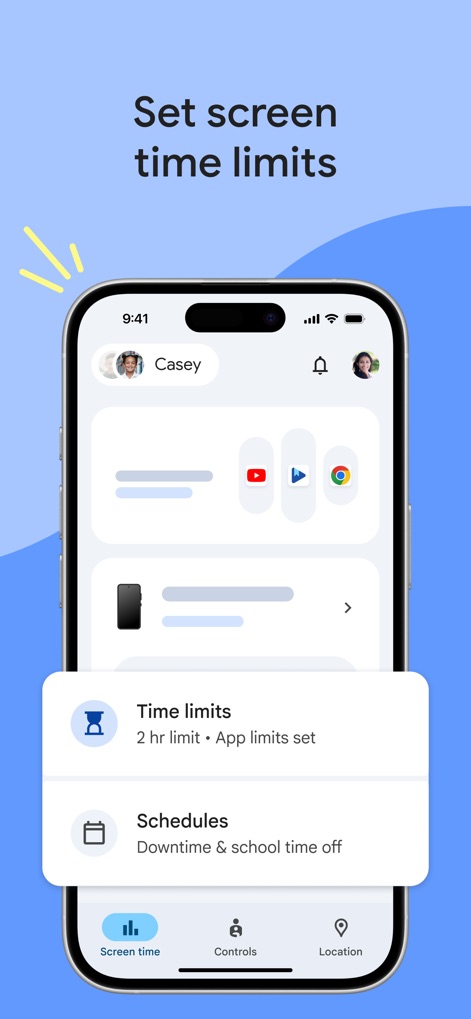
스크린 타임 설정
이 화면에서 사용자는 자녀의 총 스크린 시간 제한을 설정하고, 다운타임 및 학교 시간 일정을 상세하게 관리할 수 있습니다.
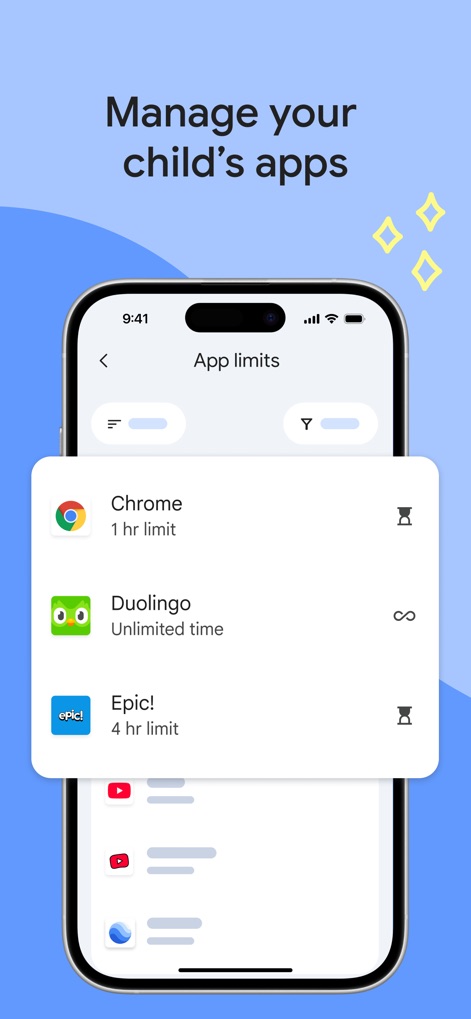
앱 사용 시간 관리
이 화면에서 사용자는 Chrome에 1시간 제한을 두는 등 자녀의 개별 앱 사용 시간을 설정하고, Duolingo에 무제한 시간을 부여할 수 있습니다.
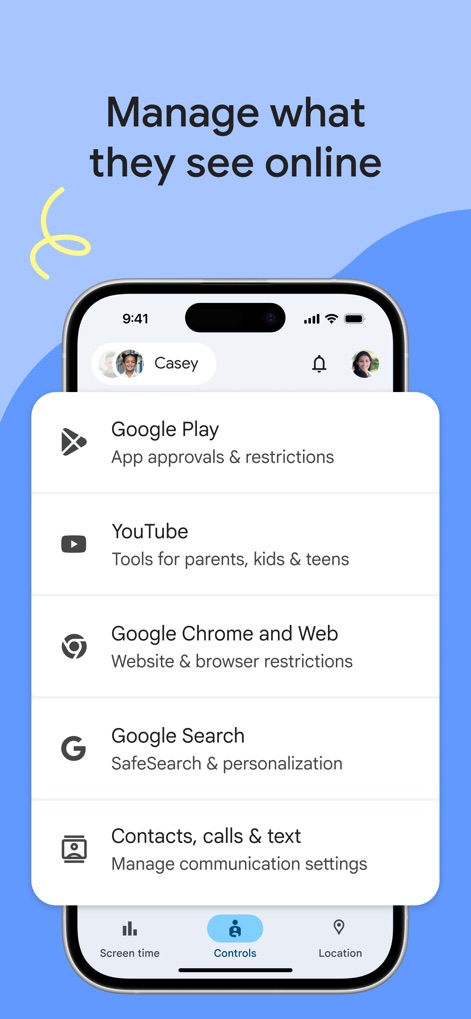
온라인 콘텐츠 관리
이 화면은 Google Play의 앱 승인 및 제한 기능을 제공하며, YouTube에 대한 부모용 도구를 통해 자녀의 온라인 콘텐츠 접근을 효과적으로 제어할 수 있습니다.
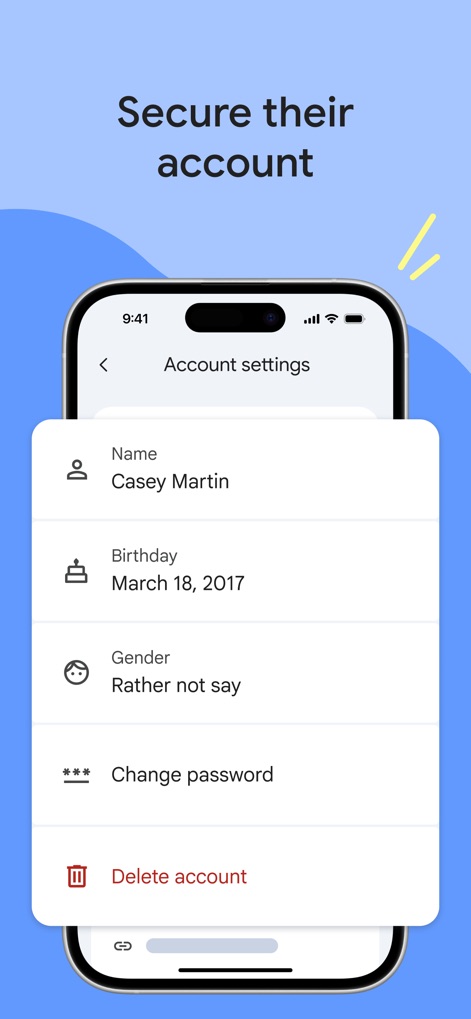
자녀 계정 보안
이 화면에서 사용자는 자녀의 이름 및 생년월일과 같은 개인 정보를 확인하고, 필요시 비밀번호를 변경하여 계정 보안을 강화할 수 있습니다.
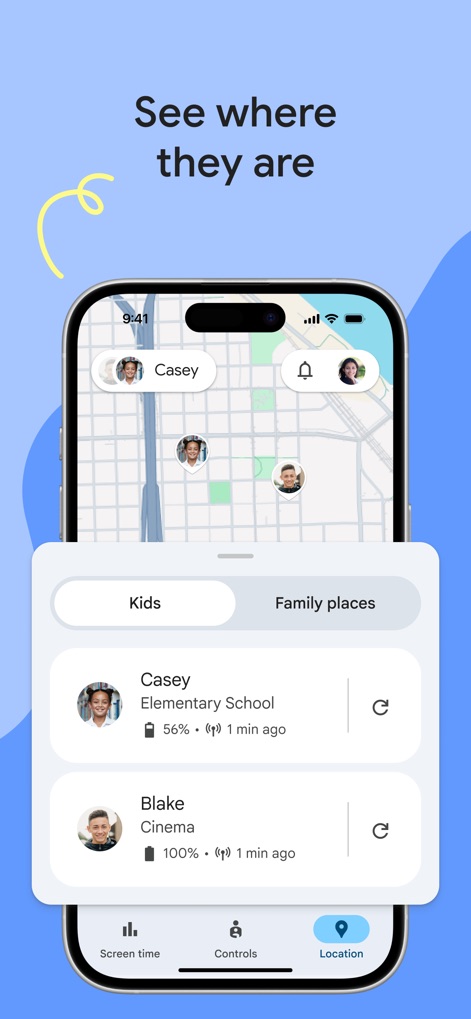
자녀 위치 파악
이 화면을 통해 사용자는 지도상에서 자녀의 실시간 위치를 파악하고, 각 자녀 디바이스의 배터리 잔량 정보를 손쉽게 확인할 수 있습니다.
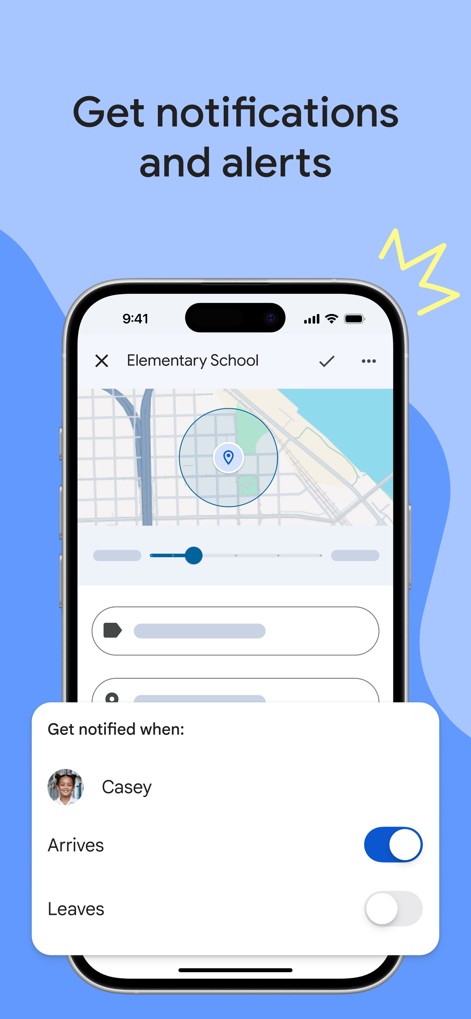
맞춤형 알림 설정
이 화면에서는 특정 위치를 기반으로 자녀가 초등학교에 도착할 때 알림을 받거나, 설정된 구역을 벗어날 때 경고를 받을 수 있도록 맞춤 설정할 수 있습니다.
설명
Download
비슷한 앱
유사한 기능과 사용자 경험을 가진 앱

Findos - Find My Device
Pollux Bilisim Teknolojileri Sanayi ve Ticaret Limited Sirketi

Boost Family Guard
Smith Micro Software, Inc.

Findmykids: GPS Phone Tracker
LETEM LTD

Nintendo Switch Parental Cont…
Nintendo Co., Ltd.

Parental Control App Kids360
ANKO SOLUTIONS LLC

JusTalk Kids - Safe Messenger
Ningbo Jus Internet Technology Co., Ltd.

FlashGet Kids:parental control
HONGKONG FLASHGET NETWORK TECHNOLOGY CO., LIMITED

Parental Control App: AirDroid
SAND STUDIO CORPORATION LIMITED

Parental Control App - Kidsee
Alenrom sp. z o.o.
이 페이지는 앱이나 개발자의 공식 페이지가 아니며, 정보 제공 및 논평을 목적으로 작성된 독립 편집 간행물입니다. 명시적으로 달리 언급되지 않는 한, 해당 앱이나 개발자는 MWM, Apple, Google Play, 앱 퍼블리셔 또는 앱 개발자와 제휴, 보증, 후원, 승인 또는 공식적으로 연결되어 있지 않으며, 이 페이지의 어떤 내용도 해당 앱이 MWM의 서비스를 사용하여 개발되었음을 의미하지 않습니다. 모든 상표, 로고, 스크린샷 및 기타 콘텐츠는 해당 소유자의 자산입니다.