
이 페이지는 앱이나 개발자의 공식 페이지가 아니며, 정보 제공 및 논평을 목적으로 작성된 독립 편집 간행물입니다. 명시적으로 달리 언급되지 않는 한, 해당 앱이나 개발자는 MWM, Apple, Google Play, 앱 퍼블리셔 또는 앱 개발자와 제휴, 보증, 후원, 승인 또는 공식적으로 연결되어 있지 않으며, 이 페이지의 어떤 내용도 해당 앱이 MWM의 서비스를 사용하여 개발되었음을 의미하지 않습니다. 모든 상표, 로고, 스크린샷 및 기타 콘텐츠는 해당 소유자의 자산입니다.


Nintendo Switch Parental Cont…
닌텐도 스위치 페어렌탈 컨트롤은 부모에게 디지털 감시자의 권능을 부여한다.
다운로드
12.5M+사용자 평점
총 평가 수
634.0K개발사
카테고리
Lifestyle지원 언어
12최신 버전
2.4.0크기
79.4 MB출시일
2017년 3월 2일닌텐도 스위치 부모 컨트롤 앱 주요 기능 분석
자녀의 건강한 게임 습관과 안전한 온라인 환경 조성을 위한 핵심 기능 탐색
일일 플레이 시간 제한 설정
이 앱은 보호자가 자녀의 일일 게임 플레이 시간을 설정하고, 요일별로 다른 시간을 지정하며, 설정된 시간이 지나면 게임이 자동으로 중단되도록 할 수 있게 합니다.
자녀 연령별 콘텐츠 제한
이 도구는 보호자가 자녀의 연령에 맞춰 플레이 가능한 게임과 이용할 수 있는 기능에 대한 제한을 설정할 수 있도록 지원합니다.
자녀 플레이 활동 모니터링
앱 사용자는 자녀가 어떤 게임을 얼마나 오래 플레이했는지 손쉽게 확인하고, 월별 게임 플레이 활동에 대한 개요를 받아볼 수 있습니다.
게임 채팅 설정 관리
이 앱은 보호자가 자녀가 대화할 수 있는 친구를 승인하고, 비디오 채팅 사용 여부 및 시기를 결정하는 등 자녀의 게임 채팅 설정을 관리할 수 있도록 해줍니다.
자주 묻는 질문
에 대해 알아야 할 모든 것 Nintendo Switch Parental Cont…
What is the Nintendo Switch Parental Controls app?
The Nintendo Switch Parental Controls app allows parents to monitor and manage their child's use of Nintendo Switch and Nintendo Switch 2 systems. It offers play-time limits and activity tracking.
How can I set a daily play-time limit using Nintendo Switch Parental Controls?
Yes, the Nintendo Switch Parental Controls app allows you to set a daily play-time limit for your child. You can customize limits for each day and suspend gameplay when the time limit is reached.
Can the Nintendo Switch Parental Controls app manage GameChat settings?
Yes, the Nintendo Switch Parental Controls app manages GameChat settings. Parents approve which friends their child can chat with and control video chat usage. This feature requires a Nintendo Switch 2 system.
Does the Nintendo Switch Parental Controls app show my child's play activity?
Yes, the Nintendo Switch Parental Controls app shows your child's play activity. You can view which games they play, how long they play, and receive a monthly overview of gameplay activity.
Can I restrict games by age using the Nintendo Switch Parental Controls app?
Yes, the Nintendo Switch Parental Controls app enables age-based restrictions on games and features. Parents can customize these restrictions based on their child's age.
What are the requirements to use the Nintendo Switch Parental Controls app?
To use the Nintendo Switch Parental Controls app, you need a Nintendo Switch 2 or Nintendo Switch system and a Nintendo Account for the parent or guardian (aged 18 or above).
Can I set purchasing restrictions using the Nintendo Switch Parental Controls app?
No, purchasing restrictions for Nintendo eShop are not set within the Nintendo Switch Parental Controls app. These restrictions are configured in the Nintendo Account settings online.
Is the Nintendo Switch Parental Controls app free to use?
Yes, the Nintendo Switch Parental Controls app is a free application. It helps parents monitor and manage their child's Nintendo Switch or Nintendo Switch 2 system usage.
다음 스크린샷과 설명은 앱의 공식 스토어 목록에서 직접 가져온 것이며 앱 개발자의 자산입니다.
앱 스토어
스크린샷
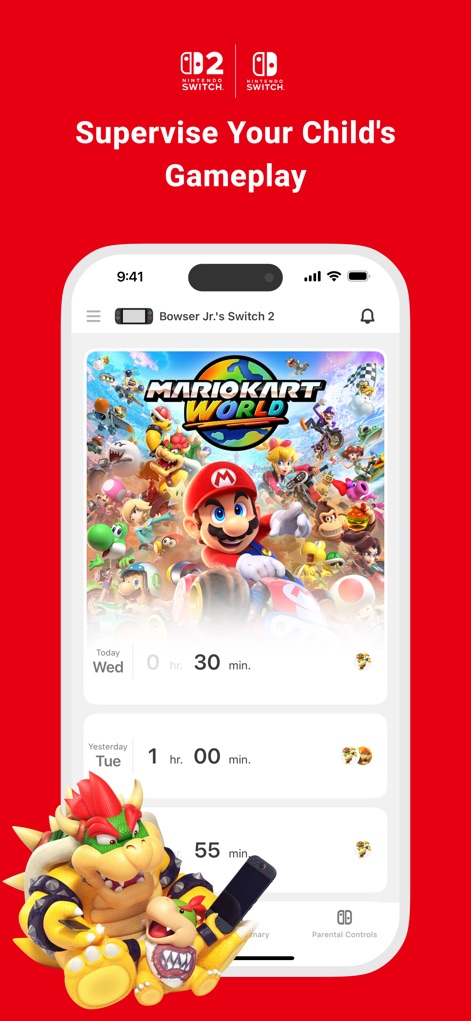
게임 활동 한눈에
이 앱은 자녀의 플레이 활동을 시각적으로 명확하게 보여줍니다. 사용자는 "Mario Kart World"와 같은 자녀가 플레이한 게임을 확인하고, "오늘 30분, 어제 1시간"과 같은 일일 플레이 시간을 손쉽게 파악할 수 있습니다.
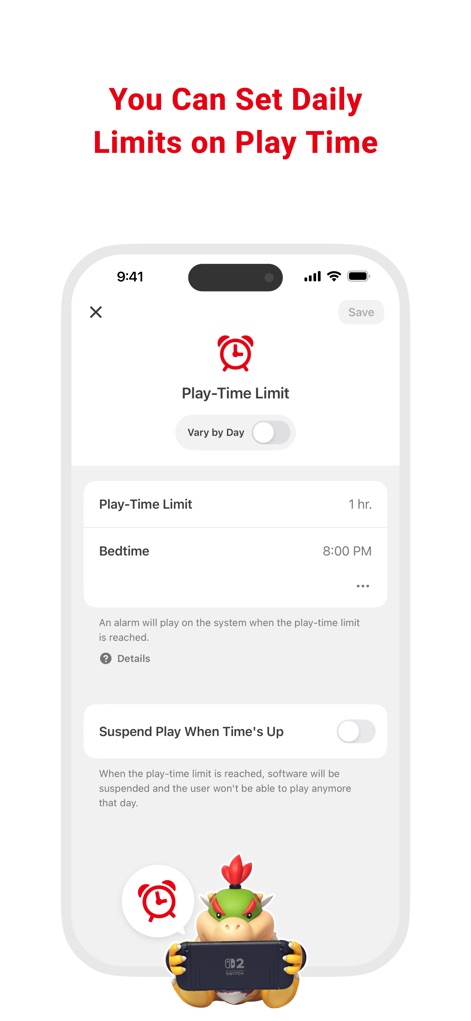
플레이 시간 제한 설정
이 도구를 통해 부모는 자녀의 건강한 게임 습관을 위해 플레이 시간을 제한할 수 있습니다. "플레이 시간 제한 1시간"과 같이 특정 시간을 설정하고, "시간이 다 되면 플레이 일시 중지" 옵션을 활성화하여 제한 시간을 엄격하게 관리할 수 있습니다.
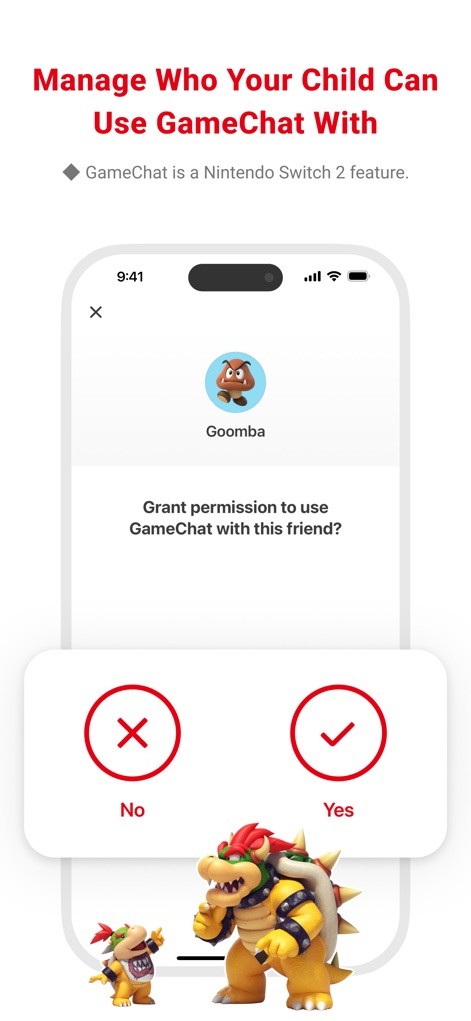
게임 채팅 친구 관리
이 앱은 자녀의 안전한 온라인 소통을 위해 게임 채팅 권한을 세심하게 관리합니다. 부모는 "Goomba"와 같은 친구와의 채팅 허용 여부를 결정하고, "예" 또는 "아니오" 버튼을 통해 각 친구에 대한 접근을 제어할 수 있습니다.
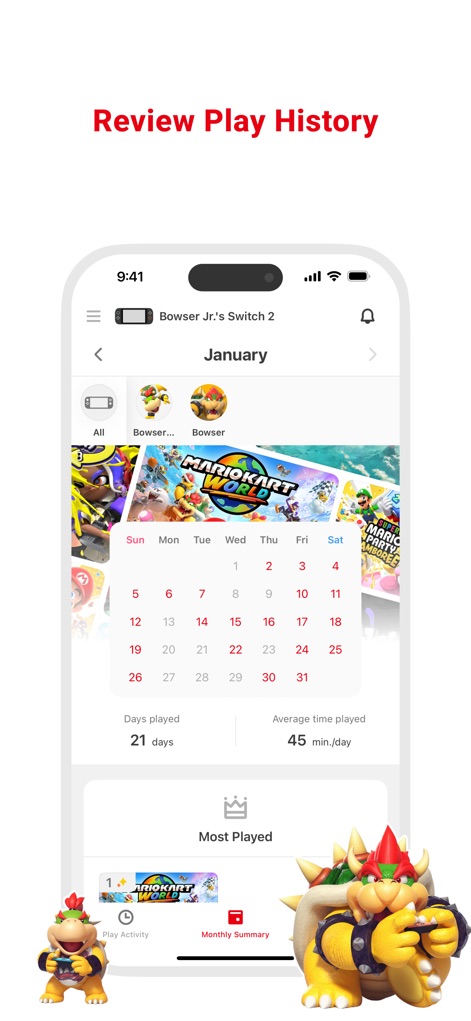
월간 플레이 활동 요약
이 도구는 자녀의 월간 게임 활동에 대한 포괄적인 요약을 제공합니다. 사용자는 플레이한 날짜가 표시된 달력과 "가장 많이 플레이한 게임" 목록을 통해 자녀의 게임 습관을 쉽게 파악할 수 있습니다.
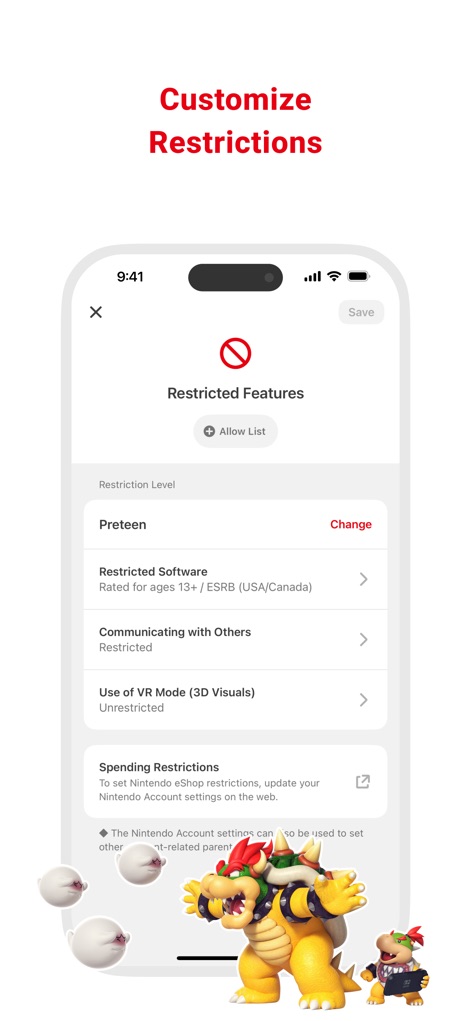
맞춤형 사용 제한 설정
이 앱은 자녀의 연령에 맞는 안전한 환경을 위해 다양한 사용 제한을 제공합니다. 부모는 "제한 수준 청소년"과 같은 사전 설정을 선택하고, "제한된 소프트웨어" 및 "다른 사람과 소통"과 같은 특정 기능에 대한 접근을 관리할 수 있습니다.
설명
Download
비슷한 앱
유사한 기능과 사용자 경험을 가진 앱

Findos - Find My Device
Pollux Bilisim Teknolojileri Sanayi ve Ticaret Limited Sirketi

Boost Family Guard
Smith Micro Software, Inc.

Google Family Link
Google LLC

Findmykids: GPS Phone Tracker
LETEM LTD

Parental Control App Kids360
ANKO SOLUTIONS LLC

JusTalk Kids - Safe Messenger
Ningbo Jus Internet Technology Co., Ltd.

FlashGet Kids:parental control
HONGKONG FLASHGET NETWORK TECHNOLOGY CO., LIMITED

Parental Control App: AirDroid
SAND STUDIO CORPORATION LIMITED

Parental Control App - Kidsee
Alenrom sp. z o.o.
이 페이지는 앱이나 개발자의 공식 페이지가 아니며, 정보 제공 및 논평을 목적으로 작성된 독립 편집 간행물입니다. 명시적으로 달리 언급되지 않는 한, 해당 앱이나 개발자는 MWM, Apple, Google Play, 앱 퍼블리셔 또는 앱 개발자와 제휴, 보증, 후원, 승인 또는 공식적으로 연결되어 있지 않으며, 이 페이지의 어떤 내용도 해당 앱이 MWM의 서비스를 사용하여 개발되었음을 의미하지 않습니다. 모든 상표, 로고, 스크린샷 및 기타 콘텐츠는 해당 소유자의 자산입니다.