DjVu Reader

DjVu Reader

다운로드: App Store
로고: DjVu Reader

DjVu Reader: 학술 연구 및 기술 아카이브를 위한 전문 유틸리티

고해상도 스캔에 액세스하고, OCR 레이어를 검색하며, 연구원 및 파워 유저를 위해 설계된 강력한 리더로 DjVu, CHM, PDF와 같은 복잡한 문서 형식을 관리하세요.

개발사

Guglielmo Pasa

카테고리

Books

다운로드

265K+

사용자 평점

2.9/5

총 평가 수

500

지원 언어

1

당신의 라이브러리를 엿보세요

이 인터페이스를 사용하는 265K+ 명의 사용자.

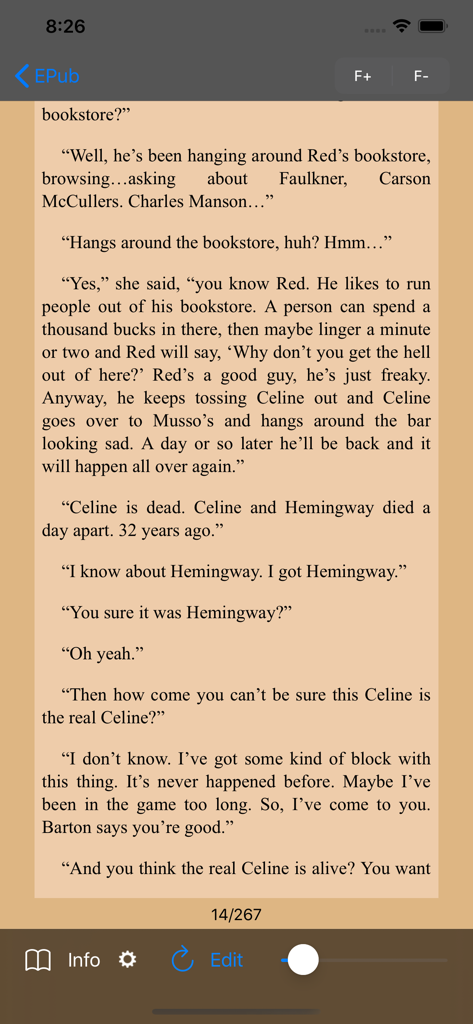
세피아 배경과 탐색 컨트롤을 사용하여 DjVu Reader에서 EPUB 문서를 읽는 모습

세피아 배경과 탐색 컨트롤을 사용하여 DjVu Reader에서 EPUB 문서를 읽는 모습

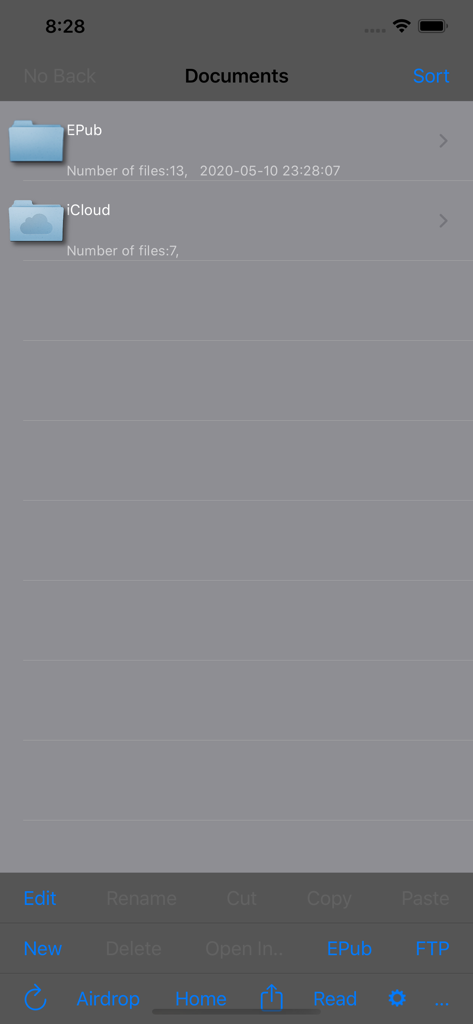
문서 폴더와 파일 전송 옵션을 보여주는 DjVu Reader의 파일 관리 인터페이스

문서 폴더와 파일 전송 옵션을 보여주는 DjVu Reader의 파일 관리 인터페이스

디지털 연구 역량 강화

이 앱을 돋보이게 하는 도구, 265K+ 명의 사용자가 선택.

📂

특화된 형식 마스터링

표준 리더기로 처리할 수 없는 DjVu 및 CHM 파일을 손쉽게 열 수 있습니다. iPad에 방대한 라이브러리를 담기에 완벽한, 10배 더 작은 파일 크기로 고해상도 스캔을 즐기세요.

🔬

정밀한 연구 도구

파일 내 검색, 편집 가능한 북마크, OCR 레이어 액세스로 1,000페이지 문서를 심도 있게 탐색하세요. 내장된 사전으로 기술 용어를 즉석에서 해독하세요.

📡

로컬 및 아카이브 통합

FTP 서버 지원, iTunes 공유, AirDrop으로 라이브러리를 완벽하게 제어하세요. Archive.org에서 직접 다운로드하여 연구 자료를 로컬 및 오프라인 상태로 유지하세요.

리뷰 분석

사용자 리뷰 인사이트.

감정 점수

20%
부정적

요약

This DjVu reader app receives overwhelmingly negative feedback, reflected in a low sentiment score. While a few users find its core DjVu reading functionality useful, especially for specific text formats, the vast majority report severe issues. Recurring complaints include frequent app crashes, poor performance with slow rendering and freezing, and frustrating navigation experiences like awkward page-turning and missing search features. A significant number of reviews indicate that recent updates have severely degraded the app's usability, making it unstable and practically unusable for many, with specific reports of crashing on iOS 5.1 after upgrades and files becoming unreadable.

주요 테마

Crashing/Stability(20)
Updates/Regressions(12)
Navigation & Page Turning(10)
Performance(8)
Value for Money(8)
Missing Features(8)
DjVu Functionality(4)

앱 소개

에 대해 알아야 할 모든 것 DjVu Reader.

설명

DjVu Reader is an application that allows you to browse through DjVu of documents of any size (in page count; some documents are so large in image size that they are not suitable to be viewed on the iPad, like charts etc). It features an active zooming capability, pan displacements, vertical scrolling, fullscreen reading. Supported file type include: - djvu files (not secure djvu though, which are encrypted djvu files, indirect files only if all parts are in the same folder) - pdf files - txt, rtf, doc files - epub library management, browser and reader - chm documents (2.0.0) - zip creation and unzipping - image files (gif, jpg, tiff) - others will follow. It has many features: - Airdrop support - In document search ability in djvu files (1.4.0). - In app customization of main features (1.4.0). - iTunes file sharing support - Dropbox support - iCloud support - FTP server included which allows synchronization with your desktop structure - import documents from other apps - remember last read position - usable bookmarks(outline) if available (in PDF and DjVu documents) - editable bookmarks(outline) in DjVu documents - send by email - open in... feature to open documents with other apps - search for a document in the folder structure - Access to OCR layer with selectable text - Dictionary available in all text modes with simple selection of expression - tap left to advance and right to go back (or reverse to mimick oriental reading mode disabled since 2.0.0, will be reestablished soon) - read by swiping - and more to come... Documents can be uploaded using iTunes, accessed from your Dropbox account, the included FTP server and using any free FTP client from your computer. DjVu (pronounce "Déjà vu") is a compact and versatile document format. It is generally more compact than PDF (to 10 times smaller) and is very efficient to store scanned documents. There are a some large online libraries that provide a number of books in DjVu file format. The main source of information is to be found at djvu.org Many documents are freely available in DjVu format, for example at www.archive.org. You may download them with Safari and open them with DjVu Reader. If an outline is present it is displayed and can be used to access the outlined parts of the document. The outline is editable so to permit to browse with ease through the document. A slider allows to paginate rapidly and conveniently to any point of the document. DjVu documents are generally made of pictures of actual books or documents that are processed in DjVu format. So DjVu documents are image based, where each image represent a full page. So pages are like the genuine one and shown as a full image. Browsing through a DjVu documents is then a page by page image browsing. DjVu Reader permit a browsing of most DjVu Documents that you may find. (Tapping left or right will turn the pages: soon...) Tapping on the center will toggle full screen viewing. PDF documents are supported. Outline in PDF documents is usable to browse rapidly through the document when available. Not all PDF documents have an outline though. Position in opened documents is remembered the next time you open it. You can contribute to the future of the app by suggesting improvements. I will do my best to include the one I can manage. I use DjVu Reader regularly and have made this app to be able to read the documents I have. So I will try to make this app as versatile as possible. The Help contains more use explanations and some future improvements that were asked or that I want to implement. Other fil types will be added in next releases.

최신 버전

2.1.0

크기

14.7 MB

출시일

2011년 2월 15일

오늘 당신의 가장 기술적인 문서들을 열어보세요

265,000명 이상의 연구원 및 디지털 아키비스트와 함께하세요. iPad 및 iPhone을 위한 최고의 리더로 DjVu, CHM, 희귀 아카이브에 액세스하세요.

다운로드: App Store

App information, icons, screenshots, and descriptions displayed on this page are sourced from the Apple App Store and are the property of their respective developers. Download estimates and rankings are based on MWM's proprietary models and may not reflect actual figures. This page is provided for informational and analytical purposes only.

Believe this page infringes your intellectual property? File a dispute