YACReader - Comic Reader
다운로드: App Store

이 페이지는 앱이나 개발자의 공식 페이지가 아니며, 정보 제공 및 논평을 목적으로 작성된 독립 편집 간행물입니다. 명시적으로 달리 언급되지 않는 한, 해당 앱이나 개발자는 MWM, Apple, Google Play, 앱 퍼블리셔 또는 앱 개발자와 제휴, 보증, 후원, 승인 또는 공식적으로 연결되어 있지 않으며, 이 페이지의 어떤 내용도 해당 앱이 MWM의 서비스를 사용하여 개발되었음을 의미하지 않습니다. 모든 상표, 로고, 스크린샷 및 기타 콘텐츠는 해당 소유자의 자산입니다.


로고: YACReader - Comic Reader
다운로드: App Store

YACReader - Comic Reader

개인 소장 컬렉션의 모든 것을 제어하세요. 만화, 웹툰, 그래픽 노블을 위해 설계된 프리미엄 독서 경험으로 iPad와 데스크톱 간에 CBR, CBZ, PDF 파일을 스트리밍, 동기화 및 관리하세요.

주요 수치

다운로드

396K+

사용자 평점

4.8/5

총 평가 수

2K+

개발사

Luis Ángel San Martín

카테고리

Entertainment

지원 언어

2

최신 버전

3.36.3

크기

110.6 MB

출시일

2013년 4월 27일
기능

디지털 컬렉션 제어

전문가 수준의 맞춤 설정으로 CBR, CBZ, PDF 만화를 관리, 동기화, 읽을 수 있는 파워 유저를 위한 최고의 도구입니다.

원활한 데스크톱 동기화

로컬 저장 공간을 낭비하지 않고 PC 또는 Mac에서 iPad로 전체 홈 라이브러리를 검색하고 스트리밍하세요.

만화 및 웹툰 준비 완료

완벽한 독서 경험을 위해 오른쪽에서 왼쪽으로 읽는 모드와 연속 세로 스크롤 간에 즉시 전환하세요.

다음 스크린샷과 설명은 앱의 공식 스토어 목록에서 직접 가져온 것이며 앱 개발자의 자산입니다.

앱 스토어

스크린샷
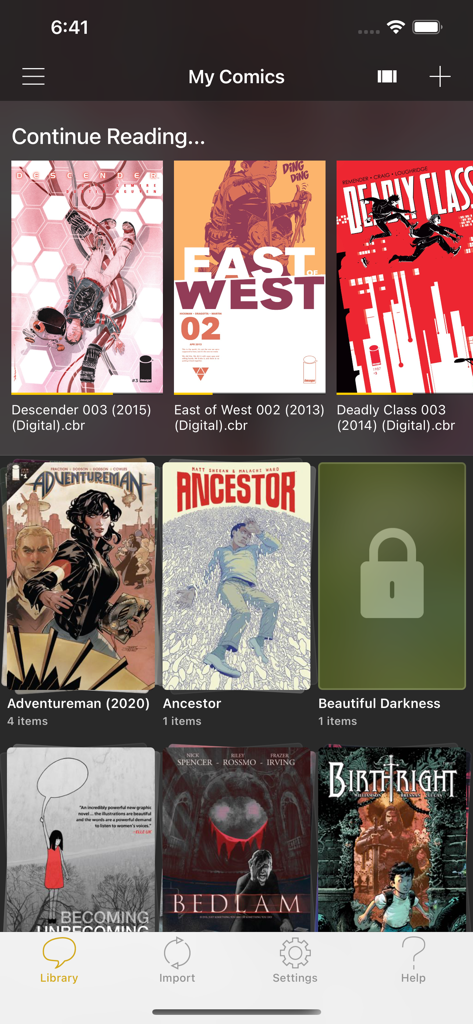
YACReader - Comic Reader - YACReader 앱 라이브러리 인터페이스, 만화책 표지와 컬렉션 폴더 표시
YACReader 앱 라이브러리 인터페이스, 만화책 표지와 컬렉션 폴더 표시

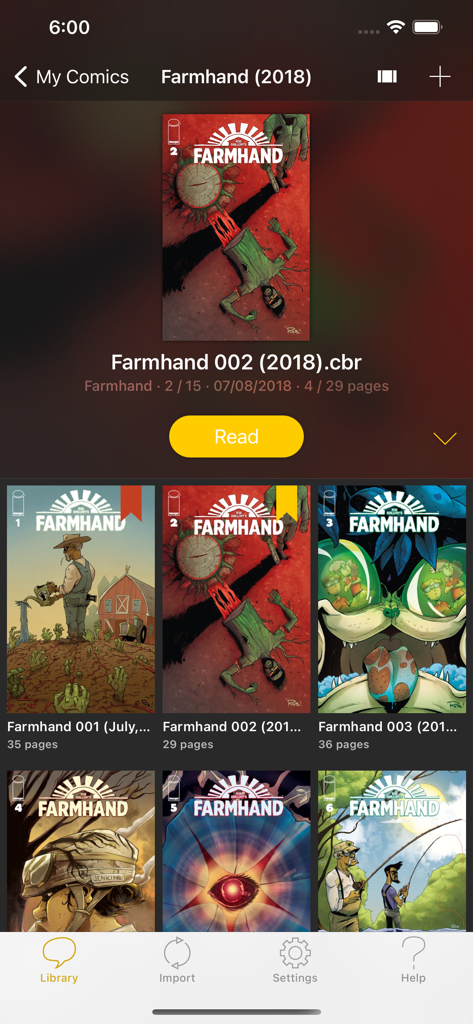
YACReader - Comic Reader - YACReader 모바일 앱 라이브러리 인터페이스, Farmhand 시리즈의 디지털 만화 컬렉션 표시
YACReader 모바일 앱 라이브러리 인터페이스, Farmhand 시리즈의 디지털 만화 컬렉션 표시

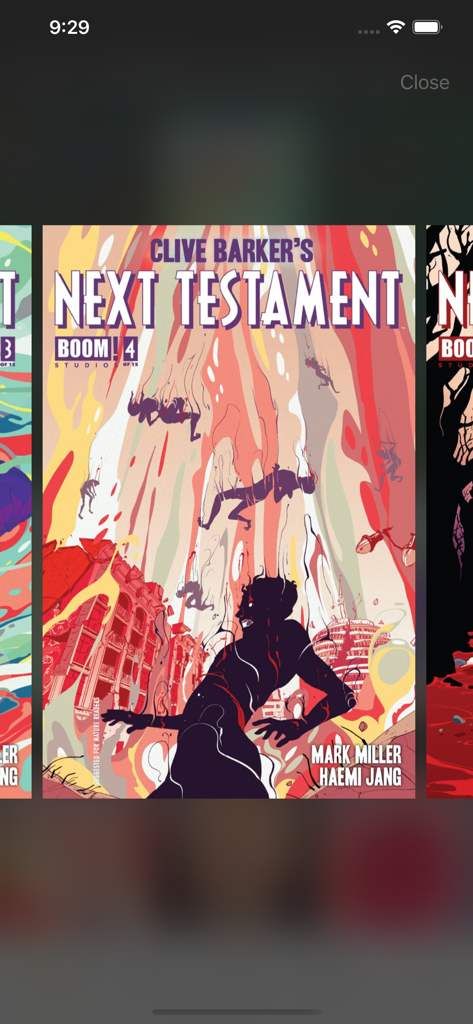
YACReader - Comic Reader - YACReader의 디지털 만화책 라이브러리 인터페이스, Clive Barker's Next Testament 표지 표시
YACReader의 디지털 만화책 라이브러리 인터페이스, Clive Barker's Next Testament 표지 표시

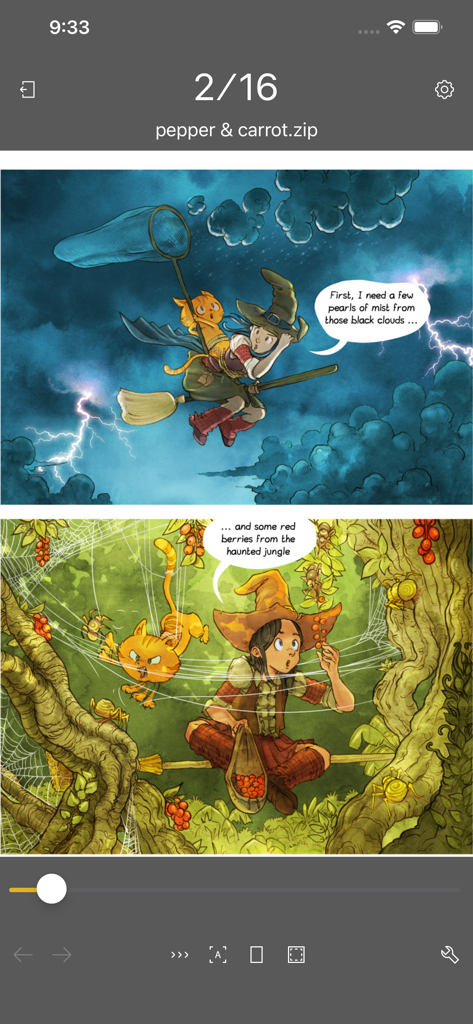
YACReader - Comic Reader - YACReader iOS 앱, 탐색 컨트롤이 있는 디지털 만화 표시
YACReader iOS 앱, 탐색 컨트롤이 있는 디지털 만화 표시

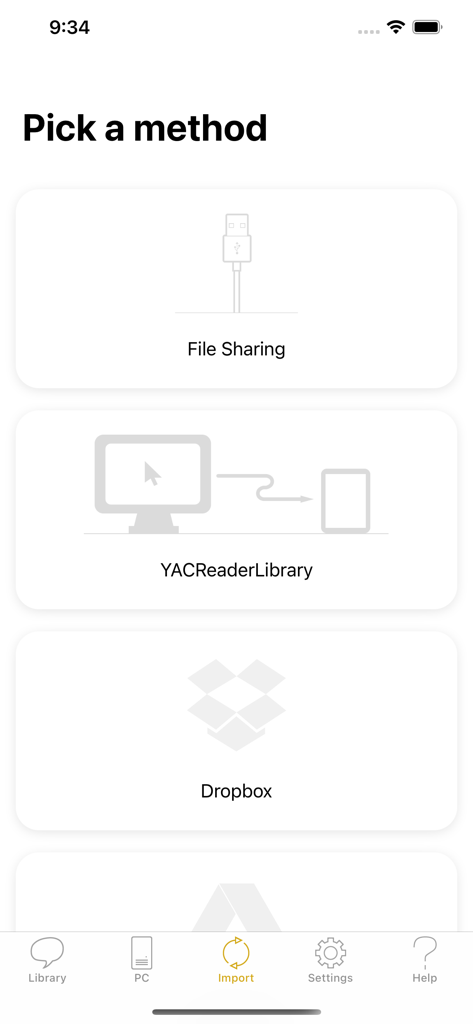
YACReader - Comic Reader - YACReader 앱 인터페이스, 파일 공유 및 Dropbox와 같은 클라우드 서비스 포함 만화 가져오기 방법 표시
YACReader 앱 인터페이스, 파일 공유 및 Dropbox와 같은 클라우드 서비스 포함 만화 가져오기 방법 표시

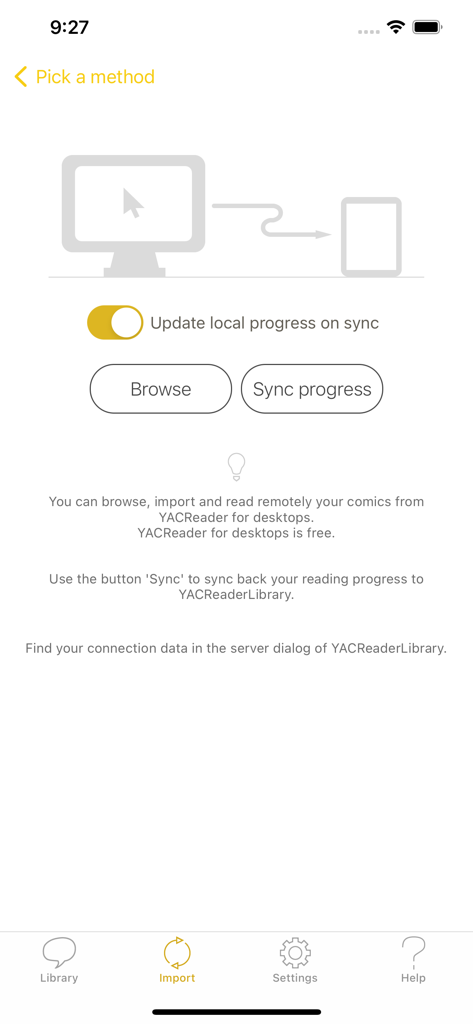
YACReader - Comic Reader - YACReader의 만화 가져오기 및 동기화 화면, 데스크톱 연결 및 진행 상황 업데이트 옵션 표시
YACReader의 만화 가져오기 및 동기화 화면, 데스크톱 연결 및 진행 상황 업데이트 옵션 표시

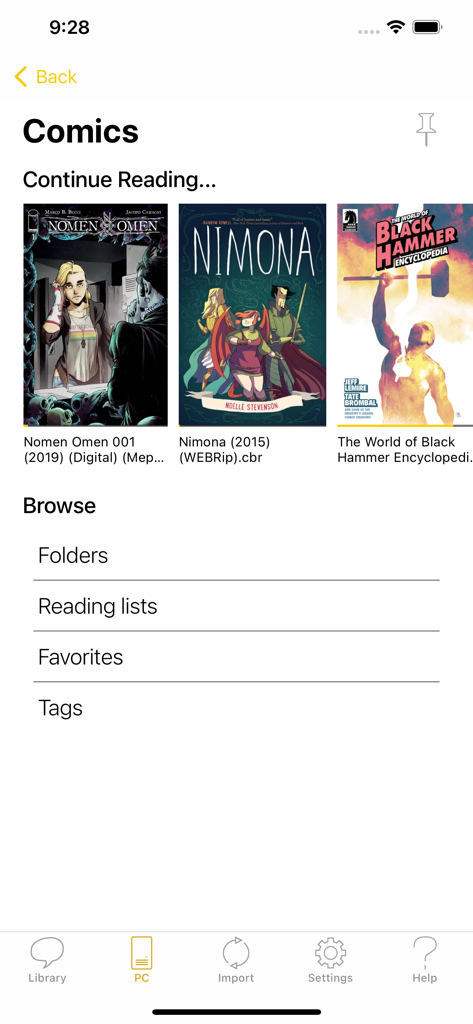
YACReader - Comic Reader - YACReader 앱 라이브러리 화면, 디지털 만화 표지와 정리 카테고리 표시
YACReader 앱 라이브러리 화면, 디지털 만화 표지와 정리 카테고리 표시

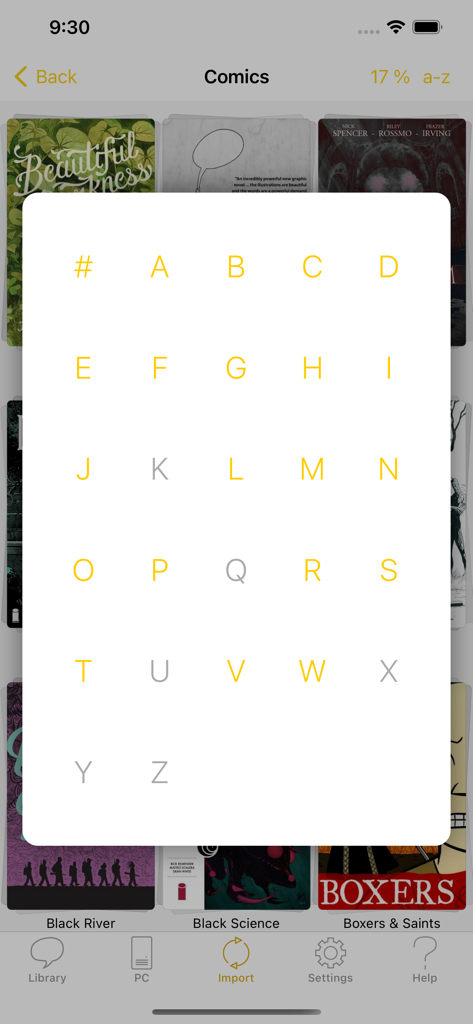
YACReader - Comic Reader - YACReader 앱 인터페이스, 디지털 만화책 컬렉션 검색 및 탐색을 위한 알파벳 A-Z 그리드 오버레이 표시
YACReader 앱 인터페이스, 디지털 만화책 컬렉션 검색 및 탐색을 위한 알파벳 A-Z 그리드 오버레이 표시

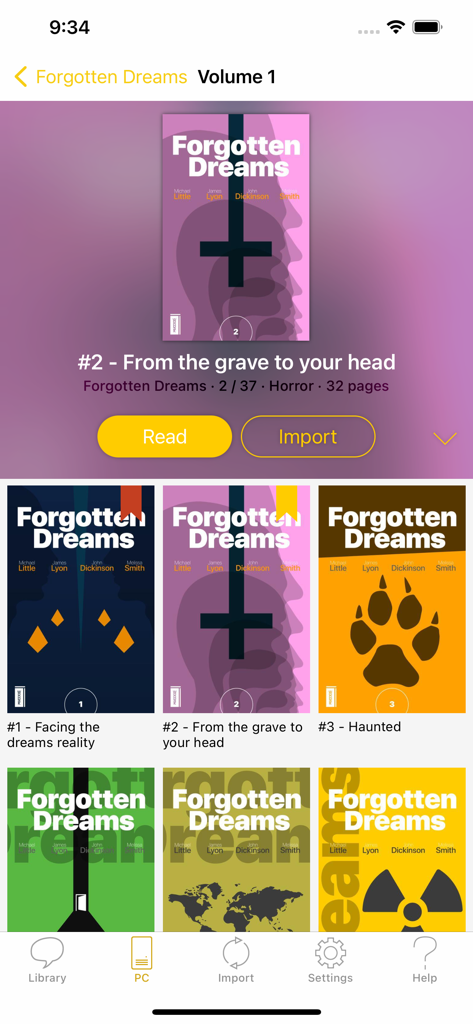
YACReader - Comic Reader - YACReader 모바일 앱 인터페이스, Forgotten Dreams라는 만화책 컬렉션과 읽기 및 가져오기 버튼 표시
YACReader 모바일 앱 인터페이스, Forgotten Dreams라는 만화책 컬렉션과 읽기 및 가져오기 버튼 표시

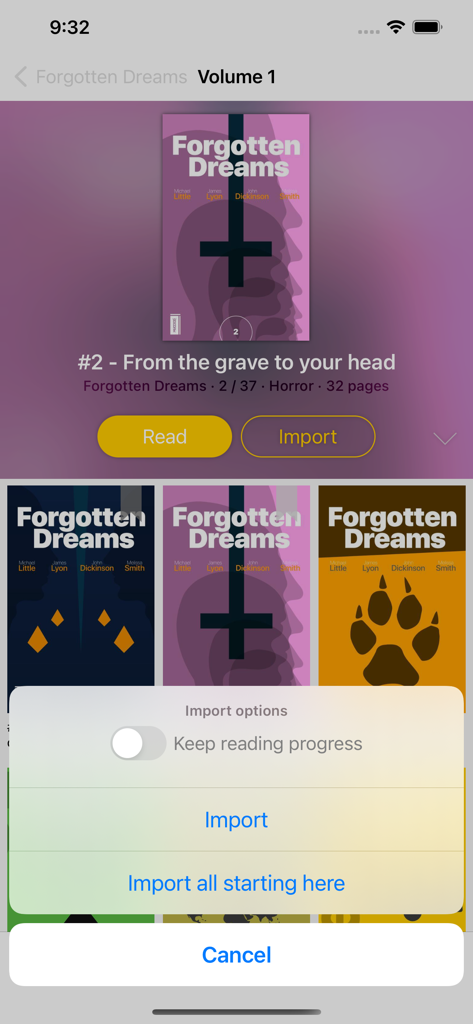
YACReader - Comic Reader - YACReader 앱, 만화 컬렉션 및 파일 가져오기 옵션 메뉴 표시

YACReader 앱, 만화 컬렉션 및 파일 가져오기 옵션 메뉴 표시

설명

YACReader offers you the best way to read and manage your digital comics and mangas. Enjoy your collections anywhere. YACReader supports all the common digital comic formats, such as: cbz, cbr, zip, rar, rar5 or pdf. Importing your comics into your iPad or iPhone has never been easier. You can use your Dropbox, Box and OneDrive account for synchronizing your comics with YACReader. YACReader supports iTunes/Finder File Sharing to copy comics between your computer and YACReader. You can also browse, import ,remote read (stream) and sync back the digital comic collections stored in your computer using the desktop version of YACReader (totally free)*. Import comics from any place in your device thanks to the integration with Document Picker. Organize your comic library creating folders and copy, cut, paste or delete comics and folders. YACReader has the easiest method for selecting multiple comics and folders and organize them. Using a tap gesture is all you need to read your comics from start to finish thanks to the built-in YACReader automatic scroll. Enjoy reading comics and do not worry about anything else. Do you like Manga? YACReader supports Manga mode for reading right to left and it also support continuous vertical scroll for webtoon. Configure your reading experience with various fit modes, single or double page mode, continuous scroll, automatic margins trimming, several ways to setup the hot areas in the screen and more. YACReader offers guided reading, you can zoom in any panel and then continue reading panel by panel from there. It also includes settings to personalize the experience. This is a feature continuously developed thanks to all the feedback coming from the users. You can also enhance you comics with a full featured image filters editor, filter settings can be synchronized through YACReaderLibrary across any device that supports the new filters. YACReader is kept updated to support the latest iOS features, such as Widgets, Dark Mode or Split Screen. YACReader for desktops has been downloaded more than 2 million times since 2009, every update counts with hundreds of thousand downloads. Now, you can also enjoy YACReader on your iOS device. The best feature YACReader has to offer is its customer support, if you have any questions don't hesitate to contact me. Visit the web site at http://ios.yacreader.com or get support at ios@yacreader.com *Visit the web site of YACReader for computers at http://www.yacreader.com - YACReader for computer is FREE and is available for all major computer platforms. Find other users and help at: http:www.yacreader.com/forum - Facebook page - http://www.facebook.com/YACReader , Twitter - http://twitter.com/yacreader or the YouTube channel - http://www.youtube.com/user/yacreader.

Download

다운로드: App Store

이 페이지는 앱이나 개발자의 공식 페이지가 아니며, 정보 제공 및 논평을 목적으로 작성된 독립 편집 간행물입니다. 명시적으로 달리 언급되지 않는 한, 해당 앱이나 개발자는 MWM, Apple, Google Play, 앱 퍼블리셔 또는 앱 개발자와 제휴, 보증, 후원, 승인 또는 공식적으로 연결되어 있지 않으며, 이 페이지의 어떤 내용도 해당 앱이 MWM의 서비스를 사용하여 개발되었음을 의미하지 않습니다. 모든 상표, 로고, 스크린샷 및 기타 콘텐츠는 해당 소유자의 자산입니다.






