Drawing Pad procreate Sketch

Drawing Pad procreate Sketch

다운로드: App Store
로고: Drawing Pad procreate Sketch

Drawing Pad procreate Sketch: 그림, 디자인, 낙서의 가장 쉬운 방법

빠른 업무 다이어그램부터 편안한 저녁 스케치까지, 수천 개의 스티커, 브러시, 도형으로 창의력을 발휘하세요. 복잡한 튜토리얼 없이 즉각적인 재미와 전문적인 생산성을 위해 설계되었습니다.

개발사

Rohan Singh Rajput

카테고리

Productivity

다운로드

3M+

사용자 평점

4.1/5

총 평가 수

71K+

지원 언어

1

모든 스트로크에 담긴 창의성

이 인터페이스를 사용하는 3M+ 명의 사용자.

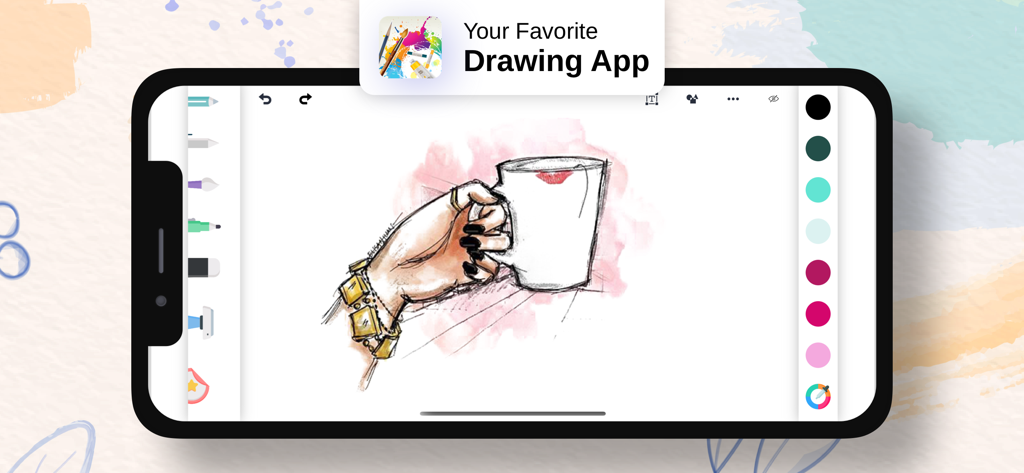
커피잔을 들고 있는 손의 디지털 스케치를 보여주는 스마트폰의 Drawing Pad 앱 인터페이스

커피잔을 들고 있는 손의 디지털 스케치를 보여주는 스마트폰의 Drawing Pad 앱 인터페이스

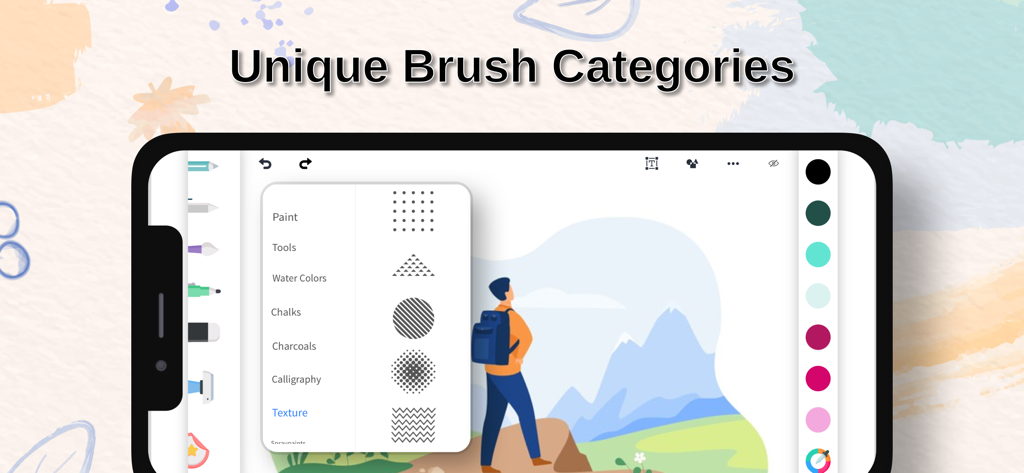
디지털 아트용 다양한 독특한 브러시 카테고리를 표시하는 Drawing Pad 앱 인터페이스

디지털 아트용 다양한 독특한 브러시 카테고리를 표시하는 Drawing Pad 앱 인터페이스

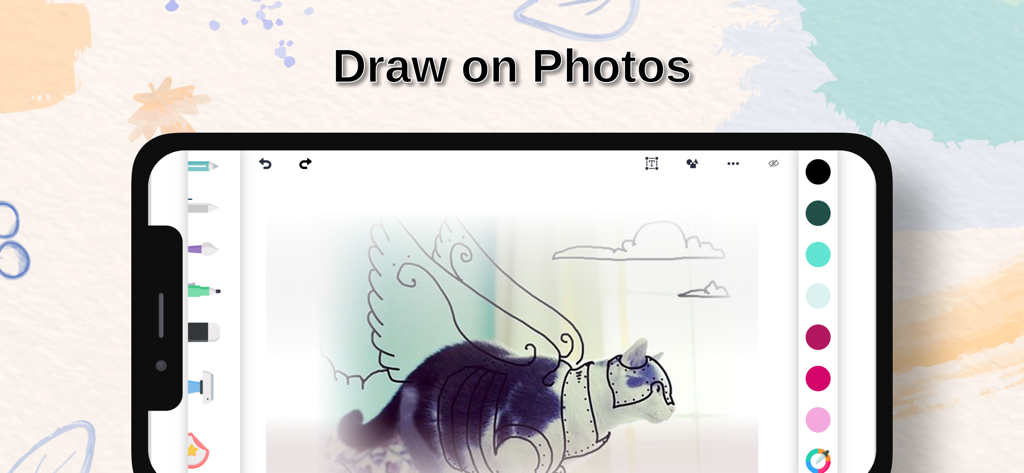
기존 사진 위에 그림을 그리고 스케치하는 모바일 앱 인터페이스를 보여주는 스마트폰

기존 사진 위에 그림을 그리고 스케치하는 모바일 앱 인터페이스를 보여주는 스마트폰

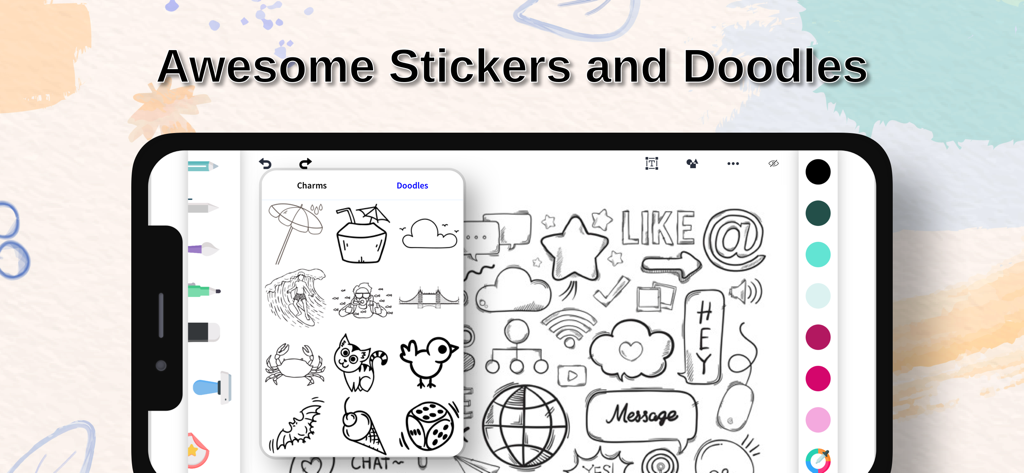
예술적인 스티커와 낙서 라이브러리를 보여주는 Drawing Pad 앱 인터페이스.

예술적인 스티커와 낙서 라이브러리를 보여주는 Drawing Pad 앱 인터페이스.

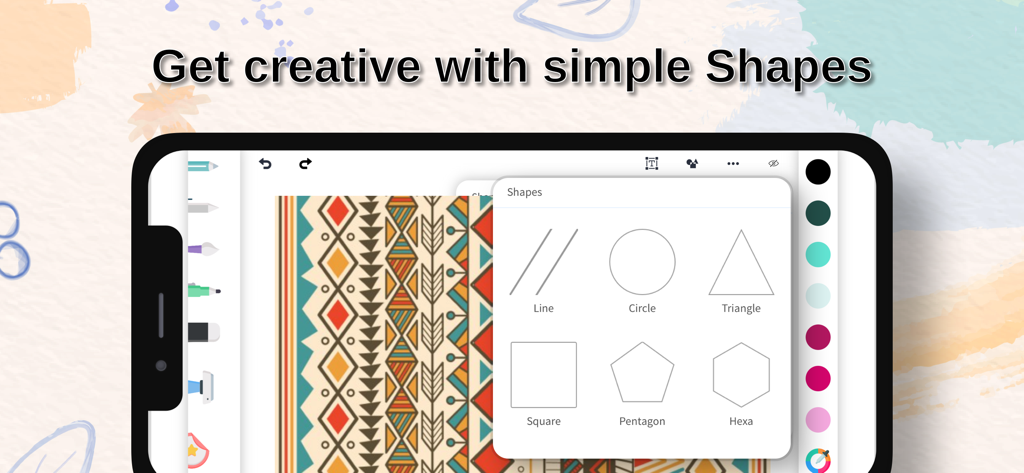
원, 삼각형, 사각형과 같은 다양한 기하학적 도형 메뉴를 보여주는 그림 앱 인터페이스

원, 삼각형, 사각형과 같은 다양한 기하학적 도형 메뉴를 보여주는 그림 앱 인터페이스

경험 없이도 내면의 예술가를 깨우세요

이 앱을 돋보이게 하는 도구, 3M+ 명의 사용자가 선택.

🎨

간단하면서도 강력한 도구

쉽게 스케치하고, 페인팅하고, 낙서하세요. 직관적인 디자인으로 아름다운 아트를 만드는 것이 스타일러스를 집어 드는 것만큼이나 간단합니다.

무한한 창의적 자산

수천 개의 스티커, 참, 스톡 이미지를 사용하여 작업을 향상시키세요. 모든 프로젝트에 개인적인 느낌을 더하기에 완벽합니다.

📐

어디서든 작업하고 즐기세요

정밀한 눈금자를 사용하여 빠른 바닥 계획을 그리든 소셜 미디어용 사진을 편집하든, 저희가 도와드립니다.

앱 소개

에 대해 알아야 할 모든 것 Drawing Pad procreate Sketch.

설명

Drawing pad is an easy to use whiteboard app that can be used anywhere, anytime for work purpose or for fun.. To help all the creative people out there and all those who are looking forward to being creative, Drawing pad brings along amazing features like Stickers, Brushes, Doodles, Charms, Shapes etc. It is so easy to use that even a child can bring out amazing artwork with very little effort. Features : # Sketch, Paint, Doodle, Share with friends # Give your artwork a new stroke with our varied range of brushes # Make your work more colorful with any color you wish with our very own color pallete and color picker # Didn't like something you created. No worries.. You can undo or redo anytime. Or simply erase and work again # Add more perfection with ruler and different shapes like: Square, Triangle, Circle and many more # Draw using various brush sizes and adjust opacity as you wish # Say more with the use of amazing Stickers, Doodles, and Charms # You can also edit/enhance your gallery images # Make use of 1000's of stock images too... # Share with friends and family Or share on social platforms Experience the app and share you feedback. :) Graphics designed by Freepik. (www.freepik.com) Get Drawing Pad Premium Unlimited access to all the premium features and new brushes, doodles and stickers updates during the subscription period. The subscription price is $2.99 per week. You may cancel a subscription or free-trial anytime via the subscription setting through your iTunes account. This must be done 24 hours before the end of the free trial or subscription period to avoid being charged. The subscription will automatically renew unless auto-renew is turned off at least 24 hours before the end of the current period. No cancellation of the current subscription is allowed during the active subscription period. Any unused portion of a free trial period will be forfeited when the user purchases a Drawing Pad Premium subscription. Terms & Conditions : https://sites.google.com/view/colordrawingterms/home Privacy Policy : https://sites.google.com/view/colordrawingapp/home

최신 버전

3.1.1

크기

124.0 MB

출시일

2017년 12월 31일

창작을 시작할 준비가 되셨나요?

아이디어를 즉시 아트로 바꾸는 300만 명 이상의 사용자와 함께하세요. 전문적인 스케치든 창의적인 놀이든, 다음 걸작이 탭 한 번으로 완성됩니다.

다운로드: App Store
FAQ

자주 묻는 질문

에 대해 알아야 할 모든 것 Drawing Pad procreate Sketch

Drawing Pad procreate Sketch는 무엇인가요?

Drawing Pad procreate Sketch는 그림, 스케치, 낙서를 만드는 데 사용하기 쉬운 화이트보드 앱입니다. 브러시, 색상, 모양, 스티커, 이미지 편집과 같은 기능을 포함하고 있습니다.

Drawing Pad procreate Sketch는 다양한 브러시 유형을 제공하나요?

네, Drawing Pad procreate Sketch는 페인트, 수채화, 분필, 목탄, 캘리그라피, 텍스처 브러시를 포함한 다양한 브러시 유형을 제공하여 작품을 향상시킬 수 있습니다.

Drawing Pad procreate Sketch로 사진에 그림을 그릴 수 있나요?

네, Drawing Pad procreate Sketch를 사용하면 갤러리 이미지를 편집하고 향상시킬 수 있습니다. 앱 내에서 사진에 직접 그림을 그려 개인화할 수 있습니다.

Drawing Pad procreate Sketch에는 어떤 창의적인 도구가 포함되어 있나요?

Drawing Pad procreate Sketch에는 스티커, 브러시, 낙서, 참, 사각형, 삼각형, 원과 같은 다양한 모양과 같은 창의적인 도구가 포함되어 있어 작품 제작에 도움을 줍니다.

Drawing Pad Premium의 가격은 얼마인가요?

Drawing Pad Premium은 주당 $2.99입니다. 이 구독은 모든 프리미엄 기능, 새로운 브러시, 낙서, 스티커 업데이트에 무제한으로 액세스할 수 있습니다.

Drawing Pad Premium 구독을 어떻게 취소하나요?

Drawing Pad Premium 구독을 취소하려면 iTunes 계정의 구독 설정을 통해 취소해야 합니다. 현재 기간이 끝나기 최소 24시간 전에 취소해야 합니다.

Drawing Pad procreate Sketch로 만든 작품을 공유할 수 있나요?

네, Drawing Pad procreate Sketch를 사용하면 친구나 가족과 작품을 공유할 수 있습니다. 소셜 플랫폼에 직접 공유할 수도 있습니다.

Drawing Pad procreate Sketch에는 실행 취소 및 다시 실행 기능이 있나요?

네, Drawing Pad procreate Sketch는 실행 취소 및 다시 실행 기능을 제공합니다. 사용자는 창의적인 과정의 어느 시점에서든 실수를 쉽게 수정하거나 변경 사항을 되돌릴 수 있습니다.

Drawing Pad procreate Sketch에서 어떤 모양을 사용할 수 있나요?

Drawing Pad procreate Sketch는 선, 원, 삼각형, 사각형, 오각형, 육각형을 포함한 다양한 모양을 제공합니다. 이러한 도구는 그림에 정확성을 더합니다.

Drawing Pad procreate Sketch는 다른 색상 옵션을 제공하나요?

네, Drawing Pad procreate Sketch는 포괄적인 색상 팔레트와 색상 선택기를 제공합니다. 이를 통해 사용자는 작품에 원하는 모든 색상을 선택할 수 있습니다.

App information, icons, screenshots, and descriptions displayed on this page are sourced from the Apple App Store and are the property of their respective developers. Download estimates and rankings are based on MWM's proprietary models and may not reflect actual figures. This page is provided for informational and analytical purposes only.

Believe this page infringes your intellectual property? File a dispute