Parental Control App - Kidslox

Parental Control App - Kidslox


다운로드: App Store다운로드: Google Play
로고: Parental Control App - Kidslox
Kidslox: 화면 시간을 관리하고 가족을 보호하는 더 스마트한 방법

강력한 자녀 보호 기능으로 디지털 전쟁을 끝내세요. 10대의 기기에서 앱을 차단하고, 콘텐츠를 필터링하고, 위치를 추적하여 더 안전하고 균형 잡힌 어린 시절을 보장하세요.

다운로드: App Store

개발사

Kidslox Trading Limited

카테고리

Lifestyle

다운로드

6M+

사용자 평점

4.3/5

총 평가 수

84K+

지원 언어

52

마음의 평화, 실제로 경험하세요

이 인터페이스를 사용하는 6M+ 명의 사용자.

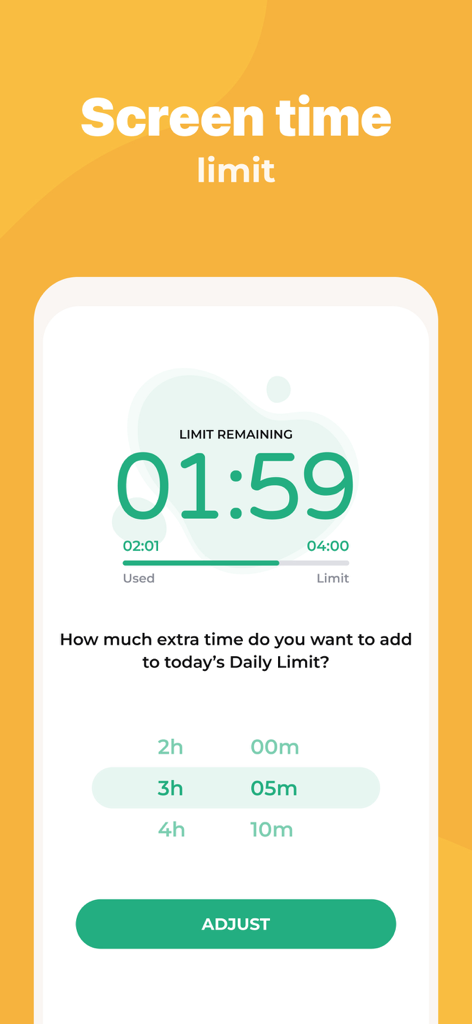
남은 화면 시간과 추가 시간을 추가하는 옵션을 보여주는 Kidslox 앱 인터페이스

남은 화면 시간과 추가 시간을 추가하는 옵션을 보여주는 Kidslox 앱 인터페이스

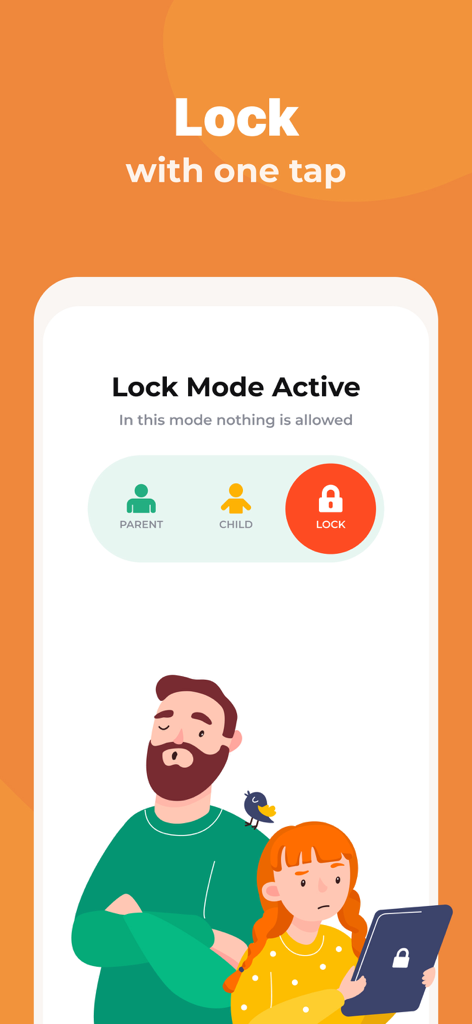
원터치 잠금 기능 및 자녀 보호 모드를 보여주는 Kidslox 앱 인터페이스

원터치 잠금 기능 및 자녀 보호 모드를 보여주는 Kidslox 앱 인터페이스

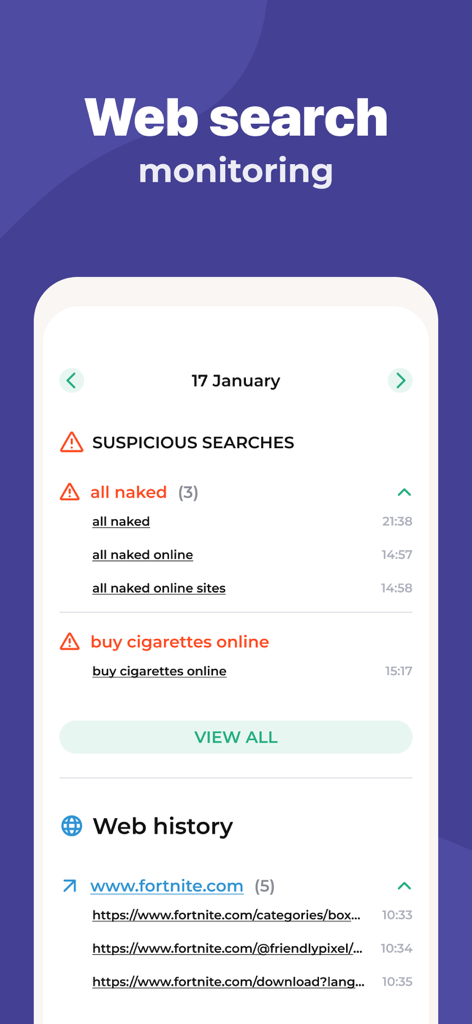
의심스러운 검색 알림 및 검색 기록과 함께 웹 검색 모니터링을 보여주는 Kidslox 앱 인터페이스

의심스러운 검색 알림 및 검색 기록과 함께 웹 검색 모니터링을 보여주는 Kidslox 앱 인터페이스

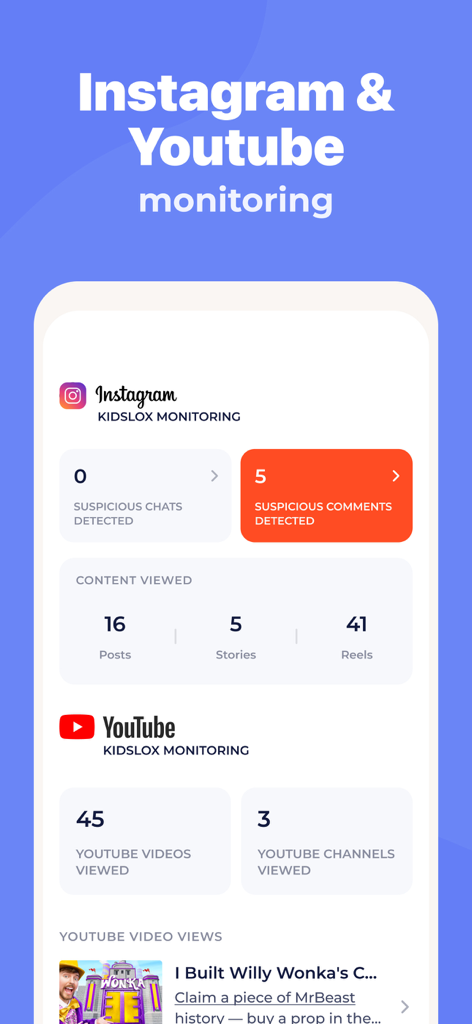
의심스러운 댓글 및 시청한 콘텐츠를 포함한 Instagram 및 YouTube 활동 모니터링 통계를 표시하는 Kidslox 앱 화면

의심스러운 댓글 및 시청한 콘텐츠를 포함한 Instagram 및 YouTube 활동 모니터링 통계를 표시하는 Kidslox 앱 화면

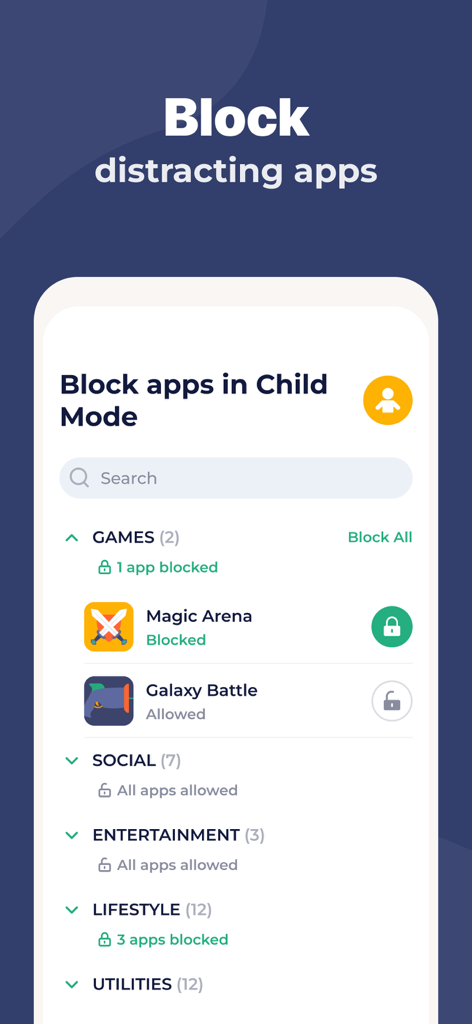
자녀 모드에서 방해가 되는 모바일 앱을 차단하는 방법을 보여주는 Kidslox 앱 인터페이스

자녀 모드에서 방해가 되는 모바일 앱을 차단하는 방법을 보여주는 Kidslox 앱 인터페이스

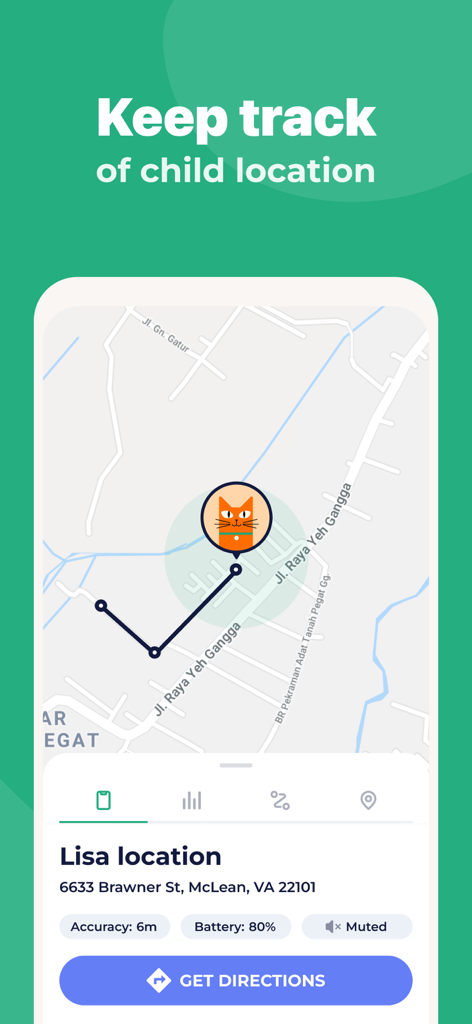
주소 및 배터리 상태와 함께 지도에서 자녀의 실시간 위치를 보여주는 Kidslox 자녀 보호 앱

주소 및 배터리 상태와 함께 지도에서 자녀의 실시간 위치를 보여주는 Kidslox 자녀 보호 앱

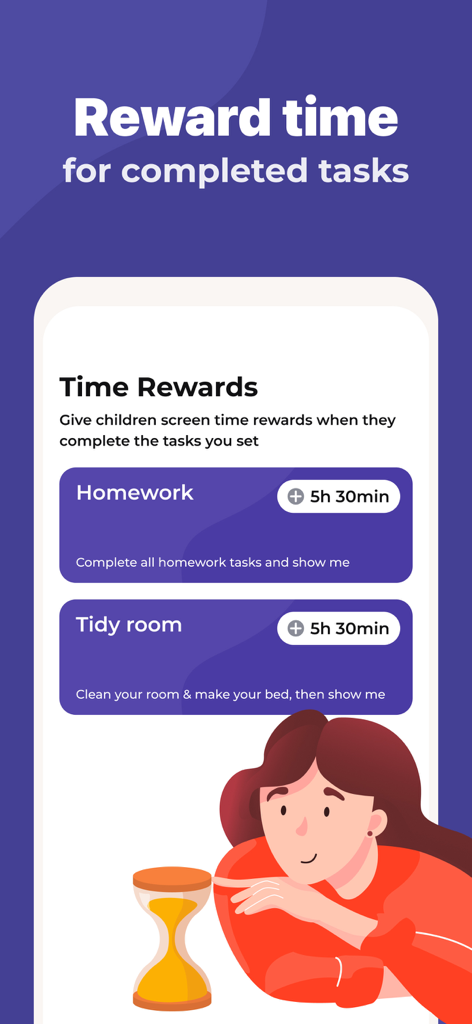
부모가 숙제 및 정리와 같은 완료된 작업에 대해 화면 시간을 제공하는 화면 시간 보상 기능을 보여주는 Kidslox 앱 화면

부모가 숙제 및 정리와 같은 완료된 작업에 대해 화면 시간을 제공하는 화면 시간 보상 기능을 보여주는 Kidslox 앱 화면

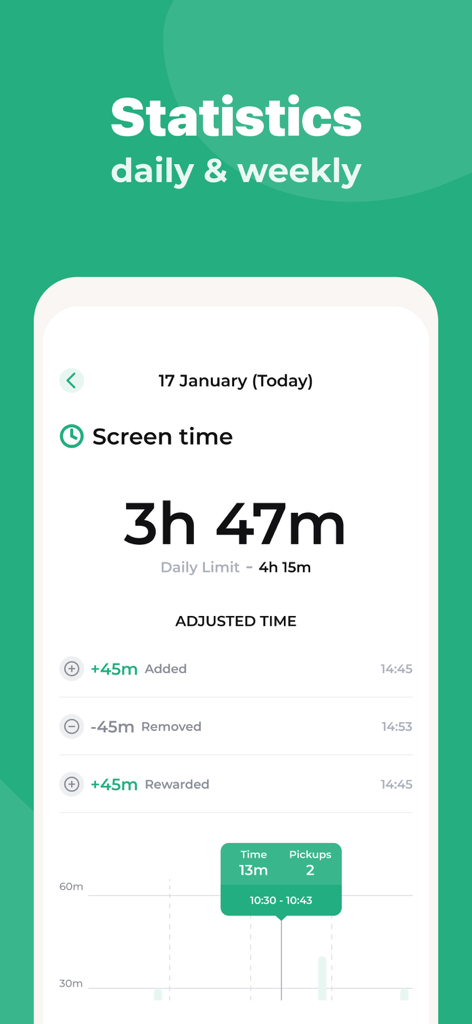
일일 화면 시간 통계 및 보상을 보여주는 Kidslox 앱 화면.

일일 화면 시간 통계 및 보상을 보여주는 Kidslox 앱 화면.

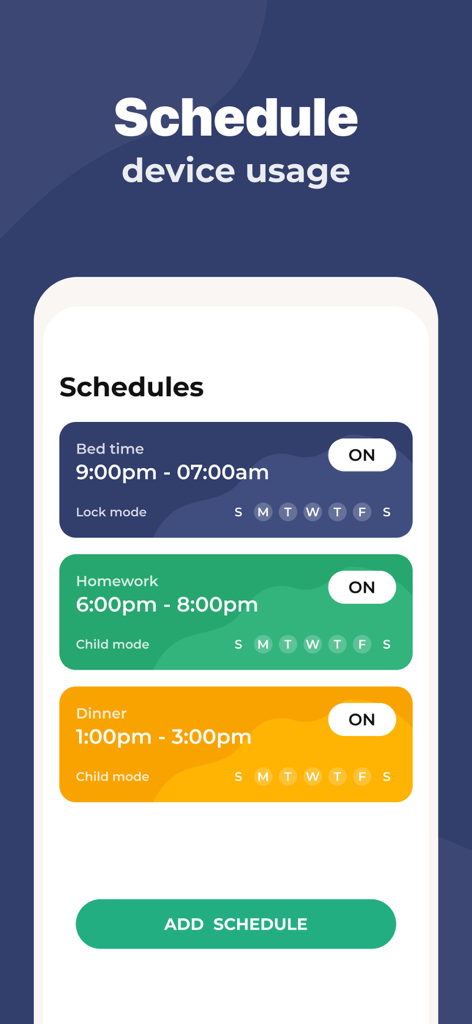
취침 시간, 숙제 및 저녁 식사를 위해 기기 사용을 예약하는 방법을 보여주는 Kidslox 앱 인터페이스.

취침 시간, 숙제 및 저녁 식사를 위해 기기 사용을 예약하는 방법을 보여주는 Kidslox 앱 인터페이스.

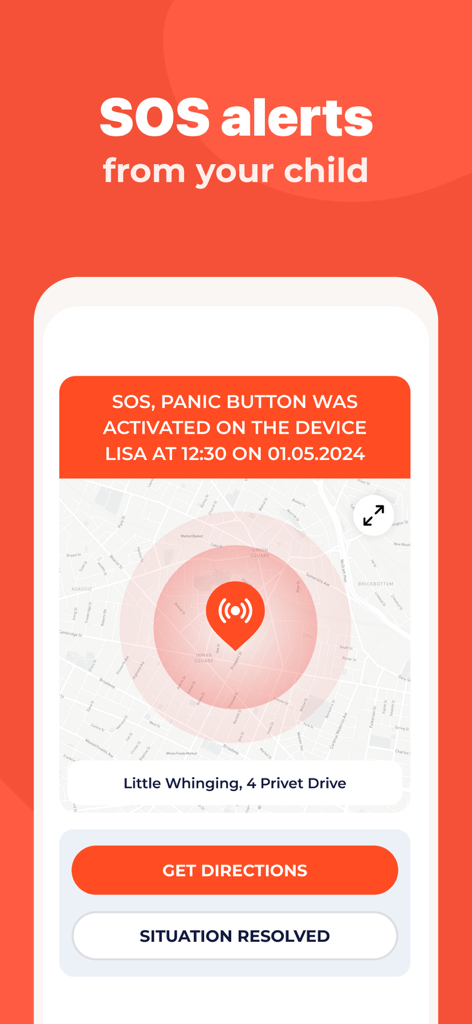
지도에서 자녀 위치와 함께 SOS 패닉 버튼 알림을 보여주는 Kidslox 앱 화면.

지도에서 자녀 위치와 함께 SOS 패닉 버튼 알림을 보여주는 Kidslox 앱 화면.

디지털 균형을 위한 모든 것

이 앱을 돋보이게 하는 도구, 6M+ 명의 사용자가 선택.

자동 화면 시간 제한

숙제나 취침 시간을 위한 일일 제한 및 일정을 설정하세요. 앱이 자동으로 시간을 관리하도록 하여 '화면 시간 전쟁'을 중단하세요.

🛡️

성인 콘텐츠를 즉시 필터링하고 방해가 되는 소셜 미디어나 게임을 차단하세요. 각 자녀에게 맞는 안전하고 연령에 적합한 인터넷 환경을 만드세요.

🎁

화면 시간 보상

가사일을 추가 시간으로 교환하여 책임감을 장려하세요. 가사일을 게임화하고 디지털 특권을 얻는 가치를 자녀에게 가르치세요.

앱 소개

에 대해 알아야 할 모든 것 Parental Control App - Kidslox.

설명

Kidslox parental control app is the perfect way to manage your family’s screen time. Our parental controls let you block apps, block internet access, and filter web content with ease. Kidslox gives you control over your family’s device usage. Filter web content, block apps or websites, set weekly schedules with screen time limits, and see what your kids do with their devices, all from one place. Kidslox new Screen Time Rewards feature encourages your kids to do their homework and household chores! As the first multi-platform parental controls, Kidslox gives you remote control over iPhones from other devices or vice-versa. One account is all you need to manage your family’s screen time. Add up to 10 iPhones, iPads, iPods and other mobile devices and control your devices using the Kidslox app or any desktop or mobile web browser. The Kidslox location tracker helps you keep your family safe offline as well as online. Prioritize your family time now by taking a moment to place daily limits on your child’s screen time. Parental control has never been so easy. Kidslox features: Screen Time Controls • Set daily screen time limits • Give screen time rewards for completed chores • Use Schedules for device free homework time, dinnertime, bedtime and family time Family Location Tracker • See the location of your kids’ devices on the map • Get notifications when your kids leave or arrive at preset zones Parental Controls • See what your child's been doing on their device • Switch between different restriction levels at the touch of a button • Stop your clever kids from changing the restrictions with a unique Kidslox PIN Content Blocker • Disable disruptive apps individually • Filter pornography, gambling, violence and other adult content to give your child a safe browser experience • Block internet access completely for added safety • Block in-app purchases • Block Instagram, Facebook, Snapchat and other social networks • Block games like Minecraft, Clash of Clans and Pokémon Go Cross-Platform Coverage • Keep your child or teen safe across devices • Add up to 10 devices • Manage all devices from one app or web browser EXPERTS LOVE KIDSLOX Recommended by ITV This Morning Parenting Expert Sue Atkins, Sarah Ockwell-Smith, Mother of four, Parenting Expert and bestselling author of six parenting books and Amber Mac, Canadian TV personality and technology commentator. To use Kidslox you will need to download the app onto each device you wish to control. One paid account allows you to control up to 10 devices. Kidslox contains no advertisements. Kidslox parental control app offers a 3-day free trial of all Premium features. When the trial is over, access to features requires a subscription, with discounts for longer commitments. Subscription and payment are made via your iTunes account at confirmation of purchase and subscription automatically renews unless auto-renew is turned off at least 24-hours before the end of the current period. Otherwise, the account will be charged for renewal within 24-hours prior to the end of the current period. Cancellation of the current subscription is not allowed during the active subscription period. 'Lifetime subscription' does not auto-renew but gives ongoing access to Premium features for a one-off payment. Help and Support: Once you have downloaded Kidslox you will find all the help and online support you need from inside the app under our Help section. Find copies of our terms and conditions using the link below: https://kidslox.com/terms/ and privacy policy here: https://kidslox.com/privacy-policy/ Kidslox requires an internet connection to operate If a device has already been set up with an education or business MDM profile (Mobile Device Management) then you will not be able to add Kidslox unless you remove the original profile.

최신 버전

10.9.0

크기

390.4 MB

출시일

2014년 9월 23일

화면 시간 전쟁을 끝낼 준비가 되셨나요?

Kidslox를 신뢰하고 자녀를 보호하며 디지털 균형을 회복하는 6백만 명 이상의 부모님과 함께하세요. 지금 3일 무료 평가판을 시작하고 하나의 간단한 앱에서 가족의 모든 기기를 관리하세요.

다운로드: App Store다운로드: Google Play
FAQ

자주 묻는 질문

에 대해 알아야 할 모든 것 Parental Control App - Kidslox

Kidslox는 무엇인가요?

Kidslox는 가족들이 화면 사용 시간을 관리하도록 돕는 자녀 보호 앱입니다. 앱과 웹사이트를 차단하고, 콘텐츠를 필터링하며, 일정을 설정하고, 여러 플랫폼에서 기기 사용을 모니터링합니다.

Kidslox는 화면 사용 시간을 어떻게 관리하나요?

Kidslox는 일일 화면 사용 시간 제한 설정, 기기 사용을 위한 주간 일정 생성, 완료된 작업에 대한 화면 사용 시간 보상 제공을 허용합니다. 기기 사용의 균형을 맞추는 데 도움이 됩니다.

Kidslox는 특정 앱과 웹사이트를 차단할 수 있나요?

네, Kidslox는 개별 앱과 웹사이트를 차단합니다. 음란물 및 도박과 같은 노골적인 콘텐츠를 필터링하고, Instagram과 같은 소셜 미디어 앱을 차단하며, 인터넷 액세스를 제한합니다.

Kidslox에는 위치 추적 기능이 포함되어 있나요?

네, Kidslox에는 가족 위치 추적 기능이 포함되어 있습니다. 지도에 자녀의 기기 위치를 표시하고, 미리 설정된 구역에 들어가거나 나갈 때 알림을 보냅니다.

Kidslox 계정 하나로 몇 대의 기기를 관리할 수 있나요?

Kidslox 계정 하나로 최대 10대의 기기를 관리할 수 있습니다. 여기에는 iPhone, iPad, iPod 및 기타 모바일 기기가 포함되며, 앱 또는 웹 브라우저를 통해 제어됩니다.

Kidslox는 무료 평가판을 제공하나요?

네, Kidslox는 모든 프리미엄 기능에 대한 액세스를 제공하는 3일 무료 평가판을 제공합니다. 평가 기간 후에는 계속 액세스하려면 구독이 필요합니다.

Kidslox는 웹 활동 및 소셜 미디어를 어떻게 모니터링하나요?

Kidslox는 웹 검색 기록을 모니터링하여 의심스러운 검색을 식별합니다. 또한 Instagram 및 YouTube 활동을 모니터링하여 의심스러운 댓글/채팅을 감지하고 시청한 콘텐츠를 추적합니다.

자녀는 Kidslox로 추가 화면 시간을 얻을 수 있나요?

네, Kidslox는 화면 시간 보상 기능을 제공합니다. 자녀는 숙제나 집안일과 같은 작업을 완료하면 추가 화면 시간을 얻어 긍정적인 행동을 장려합니다.

기기에 이미 MDM 프로필이 있는 경우 어떻게 되나요?

기존 교육 또는 비즈니스 모바일 장치 관리(MDM) 프로필이 있는 기기에는 Kidslox를 추가할 수 없습니다. 먼저 원래 MDM 프로필을 제거해야 합니다.

Kidslox는 SOS 경고를 제공하나요?

네, Kidslox는 SOS 경고를 제공합니다. 자녀는 기기에서 패닉 버튼을 활성화할 수 있으며, 이는 부모에게 위치와 함께 경고를 보냅니다.

Kidslox 구독은 어떻게 작동하나요?

구독은 iTunes를 통해 처리되며, 기간 종료 24시간 전에 취소하지 않으면 자동으로 갱신됩니다. '평생 구독'은 일회성 결제로 지속적인 액세스를 제공합니다.

App information, icons, screenshots, and descriptions displayed on this page are sourced from the Apple App Store and are the property of their respective developers. Download estimates and rankings are based on MWM's proprietary models and may not reflect actual figures. This page is provided for informational and analytical purposes only.

Believe this page infringes your intellectual property? File a dispute