Manga Viewer - CBZ(CBR) Reader

Manga Viewer - CBZ(CBR) Reader


다운로드: App Store
로고: Manga Viewer - CBZ(CBR) Reader

만화 뷰어 - CBZ(CBR) 리더: 디지털 만화 라이브러리를 위한 궁극의 허브

모든 주요 아카이브 형식, 고속 WiFi 전송 및 iPhone, iPad 및 Mac에 최적화된 프리미엄 독서 경험을 지원하여 컬렉션을 완벽하게 제어하세요.

개발사

kim juyoung

카테고리

Books

다운로드

601K+

사용자 평점

4.4/5

총 평가 수

600

지원 언어

3

라이브러리를 완벽하게

이 인터페이스를 사용하는 601K+ 명의 사용자.

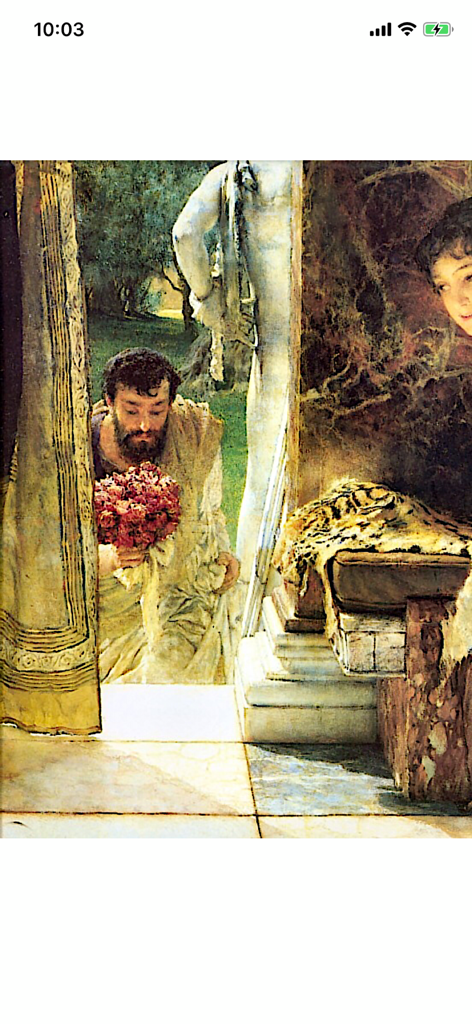
만화 뷰어 앱에서 표시되는 고전 예술이 특징인 디지털 만화 페이지

만화 뷰어 앱에서 표시되는 고전 예술이 특징인 디지털 만화 페이지

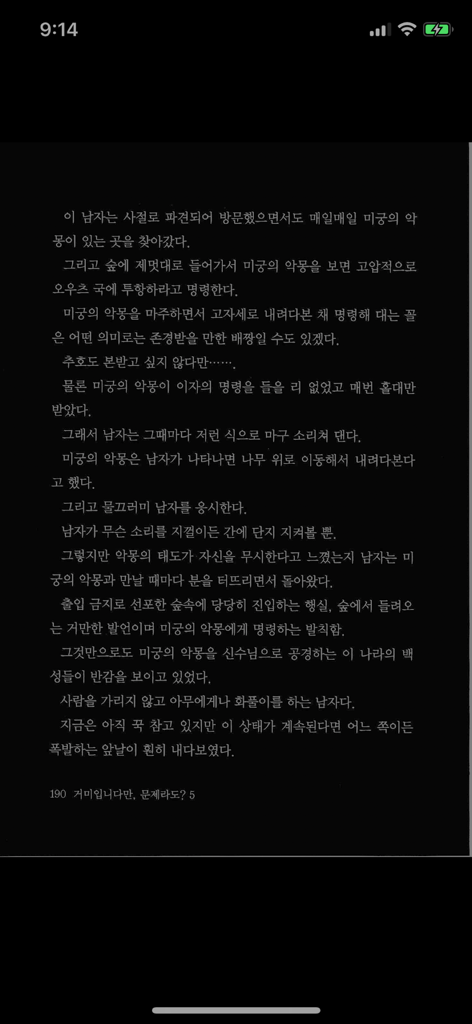
어두운 배경에 한국어 라이트 노벨 텍스트가 표시되는 모바일 화면. 야간 모드.

어두운 배경에 한국어 라이트 노벨 텍스트가 표시되는 모바일 화면. 야간 모드.

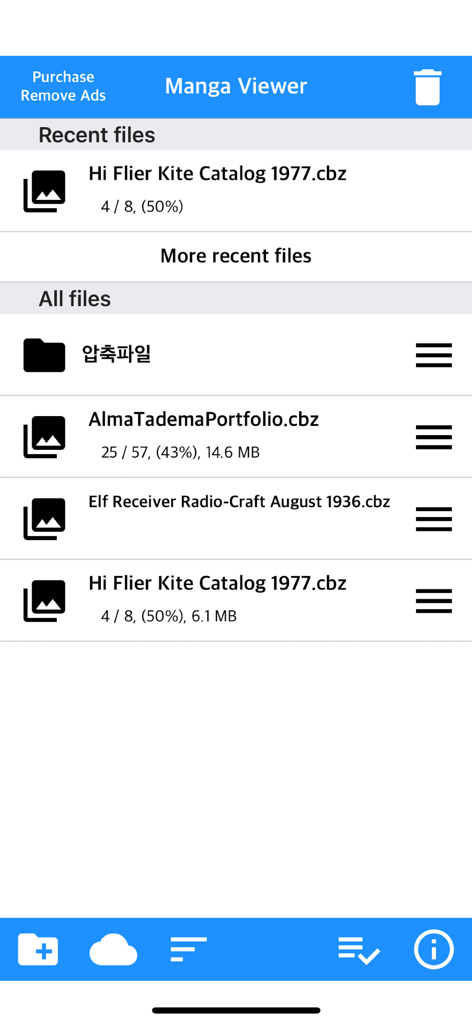
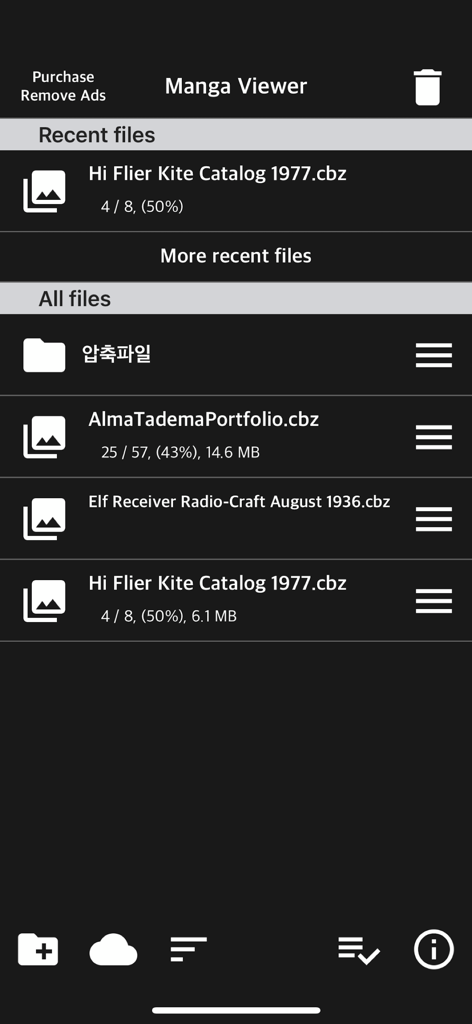
만화 뷰어 앱의 파일 라이브러리 보기. CBZ 만화 파일 목록과 읽기 진행 상황 표시.

만화 뷰어 앱의 파일 라이브러리 보기. CBZ 만화 파일 목록과 읽기 진행 상황 표시.

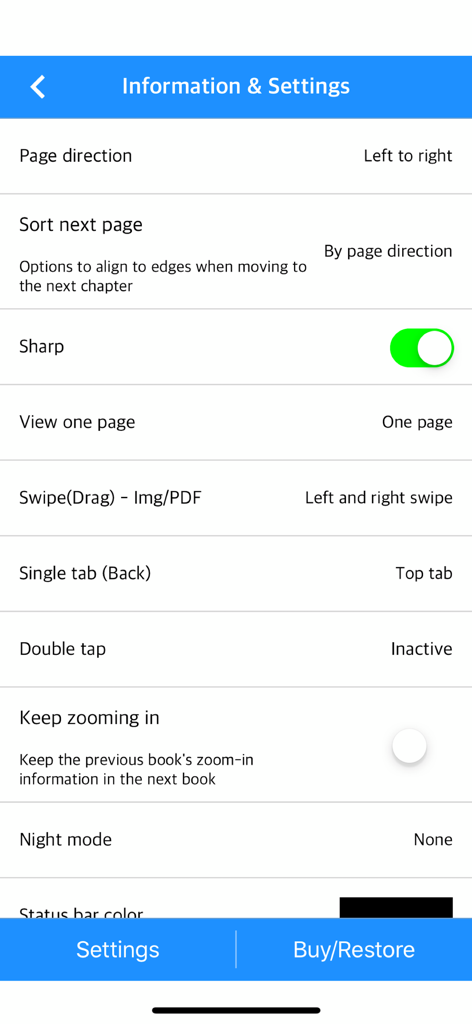
만화 뷰어 앱의 설정 인터페이스. 페이지 방향, 이미지 선명도 및 탐색 제스처에 대한 옵션 표시.

만화 뷰어 앱의 설정 인터페이스. 페이지 방향, 이미지 선명도 및 탐색 제스처에 대한 옵션 표시.

만화 뷰어 라이브러리 화면. 만화 파일 및 읽기 진행 상황 표시.

만화 뷰어 라이브러리 화면. 만화 파일 및 읽기 진행 상황 표시.

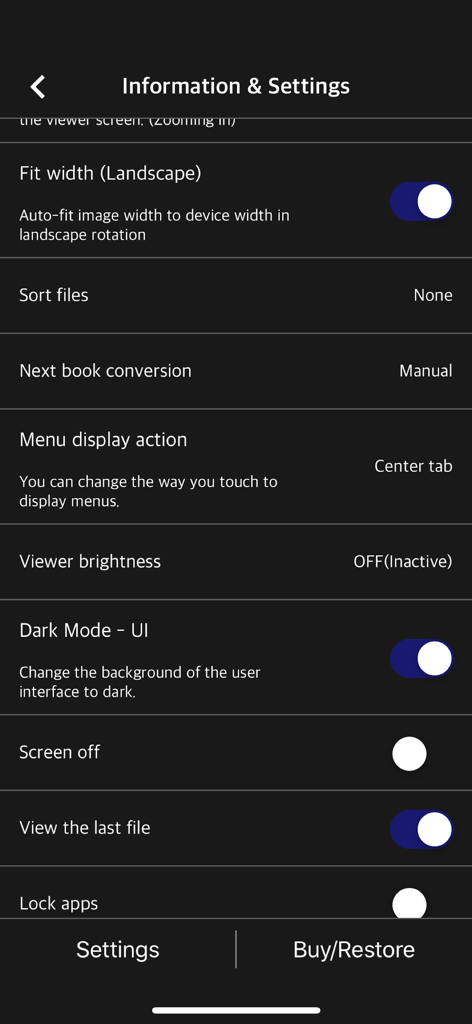
만화 뷰어 앱 정보 및 설정 화면. 읽기를 위한 사용자 지정 옵션 표시.

만화 뷰어 앱 정보 및 설정 화면. 읽기를 위한 사용자 지정 옵션 표시.

컬렉션을 전에 없던 방식으로 경험하세요

이 앱을 돋보이게 하는 도구, 601K+ 명의 사용자가 선택.

📶

무선 라이브러리 관리

원활한 WiFi 전송으로 케이블을 건너뛰세요. FTP 서버, NAS 또는 iCloud, Dropbox, Google Drive와 같은 클라우드 스토리지에 직접 연결하세요.

📖

최적화된 독서 모드

웹툰을 위한 세로 스크롤부터 iPad의 두 페이지 가로 보기까지, 콘텐츠가 의도된 대로 정확하게 표시되도록 즐기세요.

🔄

원활한 iCloud 동기화

통근 중에 iPhone에서 읽기 시작하고 집에서 iPad에서 정확히 중단한 부분부터 다시 시작하세요. 자동 진행 상황 동기화 기능을 제공합니다.

앱 소개

에 대해 알아야 할 모든 것 Manga Viewer - CBZ(CBR) Reader.

설명

The simplest viewer app for viewing comic, fictional image archives Such as a cartoon or a novel, on a smartphone You can see it anywhere. Now that you've installed the app Try transferring files on your PC with WiFi * Some functions may not be supported on Mac(Apple Silicon) ** Characteristic ** - zip, rar, 7z, cbz, cbr, cb7 compressed files are supported (png, jpeg, jpg, gif, bmp, tif, tiff extension images are included, webp format is supported from iOS14) - PDF file support - TIF/TIFF file support (like PDF file, change in settings) - Upload via PC web browser (WIFI) - Import files from cloud apps such as iCloud, dropbox, circle drive, and Box - FTP support: browse, download - SSHFTP support - Secure FTP not supported - Cloud apps support file copy from mail attachments - one page view, two page view - Sharpen image filter - IPhone, iPad, Mac(Apple Silicon) support - Rotate the screen both horizontally and vertically - Image next page Zoom-in keep-alive function: Apply the previous book's zoom-in status in the following book. Please change your settings. - Screen off option: When set to ON, the screen automatically turns off at the time the device turns off. - Last file view, On / Off in setting - Next book auto-switching options: If you automatically change the next book switching option in Settings, tabs on the last page will automatically switch to the next book. (Default manual) - iCloud Sync : Synchronize the information (read location) of the read file and open the same file on another device (signed in with the same iCloud account) so that you can see it again. (iOS 11+) - Two pages in landscape mode: Two pages in landscape rotation, one page in vertical rotation, iPad only -Vertical scroll mode (= webtoon mode): scrolls vertically like webtoons, one-page mode is fixed, and some options are fixed and not applied. (IOS 13+) - Image / PDF Night mode: Invert color / Image brightness (1 to 3 steps), in-app purchase required - Night Mode - Invert Color: Invert the white background to black (gray) and black to white. This mode is suitable for viewing novels. - Night Mode - Image Brightness: You can change the brightness of the image in three steps without changing the screen brightness of the device. - Bluetooth keyboard: Supports page switching and screen closing function, direction key (asdw) page switch, ESC key viewer screen close (in-app purchase required) - A function that changes to the next page when the volume is changed. (The sound size will change as well. Please be careful. ON / OFF in setting. Need an in-app purchase or reward view.) Please send bugs or suggestions to junhuloveapple@gmail.com at the top right of the setting screen.

최신 버전

1.355

크기

70.9 MB

출시일

2017년 11월 9일

디지털 컬렉션 마스터할 준비 되셨나요?

경험을 업그레이드한 60만 명 이상의 독자들과 함께하세요. 지금 만화 뷰어를 다운로드하고 모든 Apple 기기에서 궁극의 CBR, CBZ 및 PDF 리더를 즐기세요.

다운로드: App Store
FAQ

자주 묻는 질문

에 대해 알아야 할 모든 것 Manga Viewer - CBZ(CBR) Reader

Manga Viewer는 어떤 만화 및 보관 파일 형식을 지원하나요?

Manga Viewer는 zip, rar, 7z, cbz, cbr, cb7, PDF, TIF/TIFF 및 png, jpeg, jpg, gif, bmp, tif, tiff와 같은 이미지 형식을 지원합니다. Webp 형식은 iOS 14부터 지원됩니다.

Manga Viewer 앱으로 파일을 전송하는 방법은 무엇인가요?

PC 웹 브라우저를 사용하여 WiFi로 Manga Viewer에 파일을 전송하거나 iCloud, Dropbox, Box와 같은 클라우드 앱에서 가져올 수 있습니다. 파일 전송을 위해 FTP 및 SSHFTP 프로토콜도 지원됩니다.

Manga Viewer에 야간 모드 기능이 제공되나요?

네, Manga Viewer에는 '색상 반전' 및 '이미지 밝기'(1~3단계)가 포함된 이미지/PDF 야간 모드가 있습니다. 이러한 고급 야간 모드 기능을 사용하려면 인앱 구매가 필요합니다.

Manga Viewer 앱과 호환되는 기기는 무엇인가요?

Manga Viewer는 Apple Silicon을 실행하는 iPhone, iPad 및 Mac 기기와 호환됩니다. Mac(Apple Silicon)에서 앱을 사용할 때 일부 기능이 완전히 지원되지 않을 수 있습니다.

Manga Viewer가 읽기 진행 상황에 대한 iCloud 동기화를 지원하나요?

예, Manga Viewer는 iCloud 동기화(iOS 11 이상)를 지원하여 기기 간에 읽기 위치를 동기화합니다. 이를 통해 iCloud 계정에 연결된 다른 기기에서 동일한 파일을 원활하게 계속 읽을 수 있습니다.

Manga Viewer에 세로 스크롤 또는 웹툰 모드가 있나요?

네, Manga Viewer에는 웹툰 모드라고도 하는 세로 스크롤 모드가 있어 웹툰과 유사하게 세로로 스크롤할 수 있습니다. 이 모드는 한 페이지 표시로 고정되며 iOS 13 이상에서 사용할 수 있습니다.

Manga Viewer에서 블루투스 키보드를 사용할 수 있나요?

네, Manga Viewer는 페이지 전환 및 뷰어 화면 닫기와 같은 기능을 위해 블루투스 키보드를 지원합니다. 페이지 전환을 위한 방향키(asdw) 및 ESC 키 사용에는 인앱 구매가 필요합니다.

Manga Viewer는 책을 전환할 때 줌 설정을 유지하나요?

예, Manga Viewer에는 "이미지 다음 페이지 줌 유지 기능"이 포함되어 있습니다. 이 설정은 이전 책의 줌 상태를 다음 책에 적용하며, 앱 설정에서 구성할 수 있습니다.

Manga Viewer에 버그를 신고하거나 기능을 제안하려면 어떻게 지원팀에 연락해야 하나요?

junhuloveapple@gmail.com으로 이메일을 보내 Manga Viewer의 버그를 신고하거나 제안 사항을 보낼 수 있습니다. 이 이메일 주소는 앱 설정 화면의 오른쪽 상단에 제공됩니다.

Manga Viewer에서 볼륨 버튼을 사용하여 페이지를 넘길 수 있나요?

예, Manga Viewer는 기기의 볼륨 버튼을 사용하여 페이지를 변경하는 기능을 제공합니다. 이 기능은 앱 설정에서 활성화하거나 비활성화할 수 있으며, 인앱 구매 또는 보상 광고 시청이 필요합니다.

Manga Viewer에 사용자 인터페이스용 다크 모드가 제공되나요?

예, Manga Viewer에는 "다크 모드 - UI" 옵션이 있습니다. 이 설정을 통해 사용자 인터페이스 배경을 어두운 테마로 변경할 수 있으며, 앱 설정 내에서 활성화할 수 있습니다.

App information, icons, screenshots, and descriptions displayed on this page are sourced from the Apple App Store and are the property of their respective developers. Download estimates and rankings are based on MWM's proprietary models and may not reflect actual figures. This page is provided for informational and analytical purposes only.

Believe this page infringes your intellectual property? File a dispute