Paint App: Trace & AR Draw

Paint App: Trace & AR Draw

다운로드: App Store
로고: Paint App: Trace & AR Draw

Paint App: AR로 그리고 추적하기 – AR 마법으로 모든 스케치 마스터하기

모든 표면을 캔버스로 바꿔보세요. AI로 아이디어를 얻고, AR로 전문가처럼 추적하고, 창의적인 여정을 세상과 공유하세요.

다운로드: App Store

개발사

QUYEN NGUYEN

카테고리

Graphics & Design

다운로드

168K+

사용자 평점

4.5/5

총 평가 수

600

지원 언어

8

당신의 캔버스가 기다립니다

이 인터페이스를 사용하는 168K+ 명의 사용자.

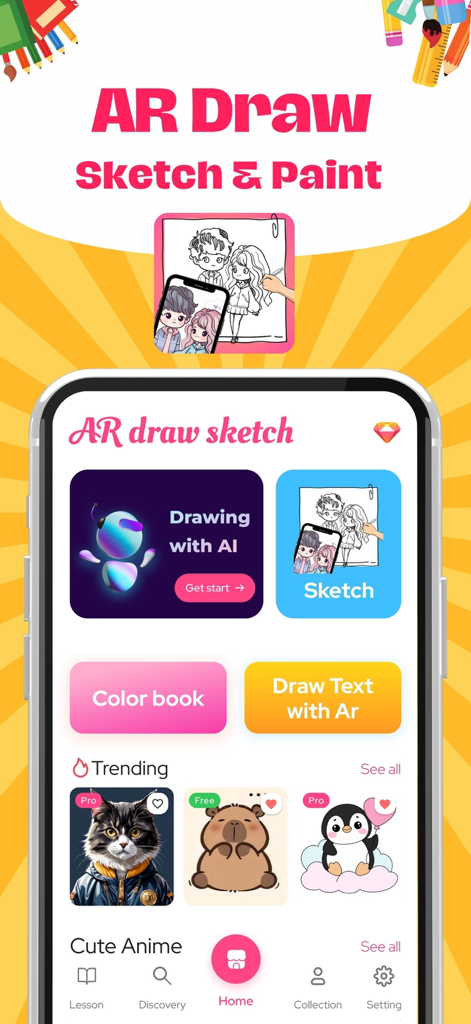
AI 그림 및 스케치 도구가 포함된 Paint App Trace and AR Draw의 홈 화면

AI 그림 및 스케치 도구가 포함된 Paint App Trace and AR Draw의 홈 화면

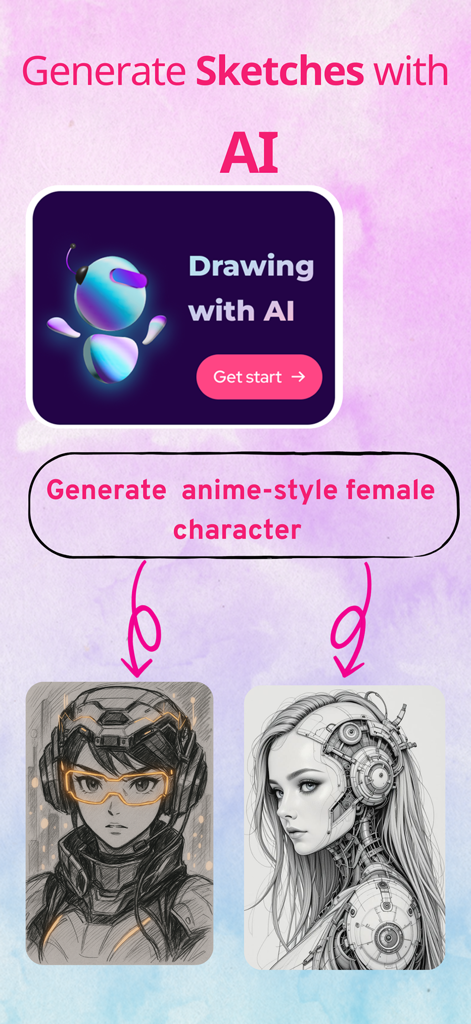
텍스트 프롬프트에서 생성된 두 개의 애니메이션 스타일 여성 캐릭터 그림을 보여주는 AI 스케치 생성 화면.

텍스트 프롬프트에서 생성된 두 개의 애니메이션 스타일 여성 캐릭터 그림을 보여주는 AI 스케치 생성 화면.

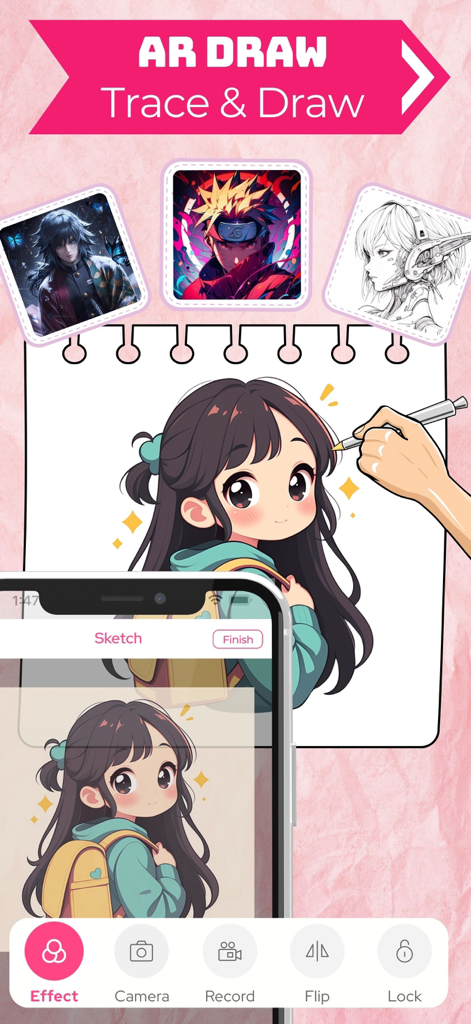
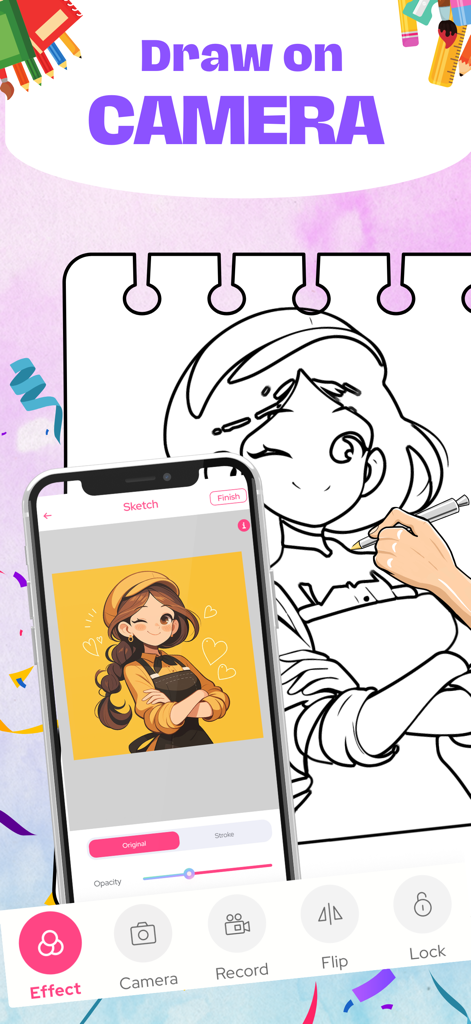
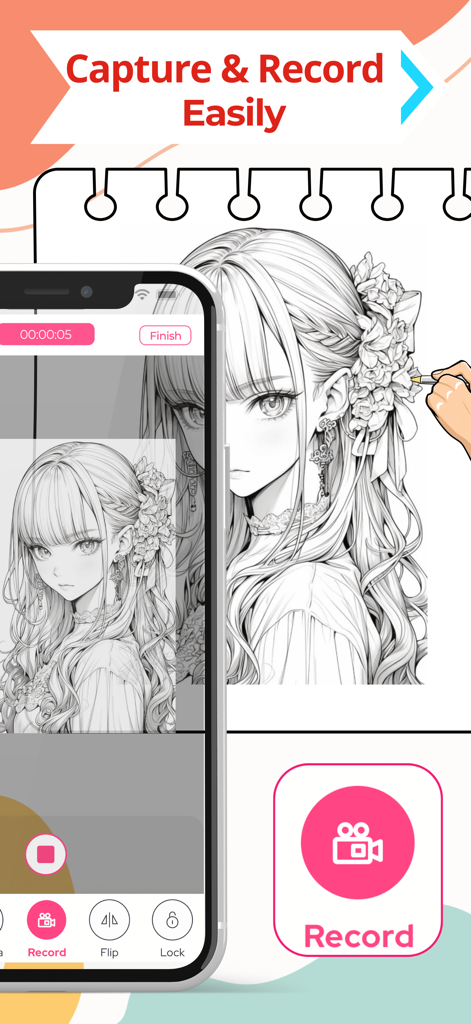
증강 현실을 사용하여 종이 노트북에 추적을 위해 애니메이션 소녀 스케치를 투사하는 스마트폰

증강 현실을 사용하여 종이 노트북에 추적을 위해 애니메이션 소녀 스케치를 투사하는 스마트폰

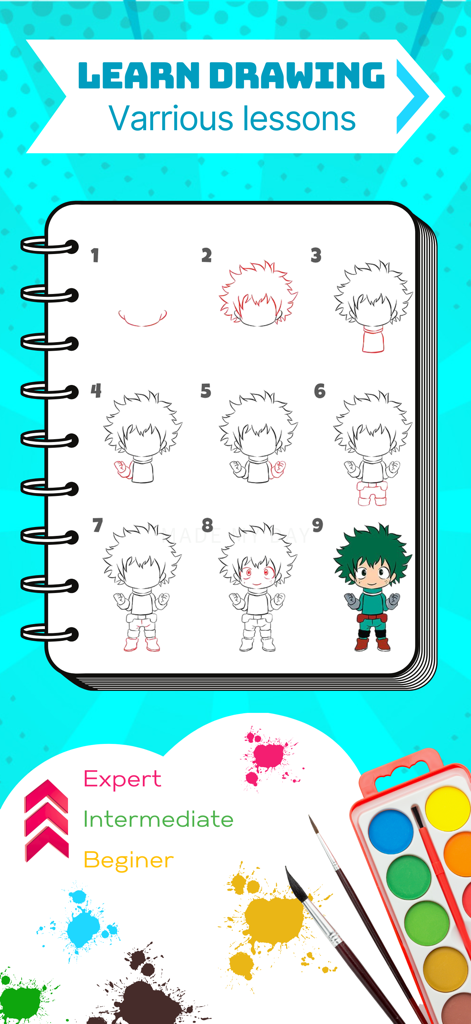
초보자 및 전문가 기술 수준의 애니메이션 캐릭터에 대한 단계별 그리기 튜토리얼

초보자 및 전문가 기술 수준의 애니메이션 캐릭터에 대한 단계별 그리기 튜토리얼

증강 현실을 사용하여 스마트폰 화면에서 실제 종이 노트북으로 애니메이션 캐릭터를 추적하는 손

증강 현실을 사용하여 스마트폰 화면에서 실제 종이 노트북으로 애니메이션 캐릭터를 추적하는 손

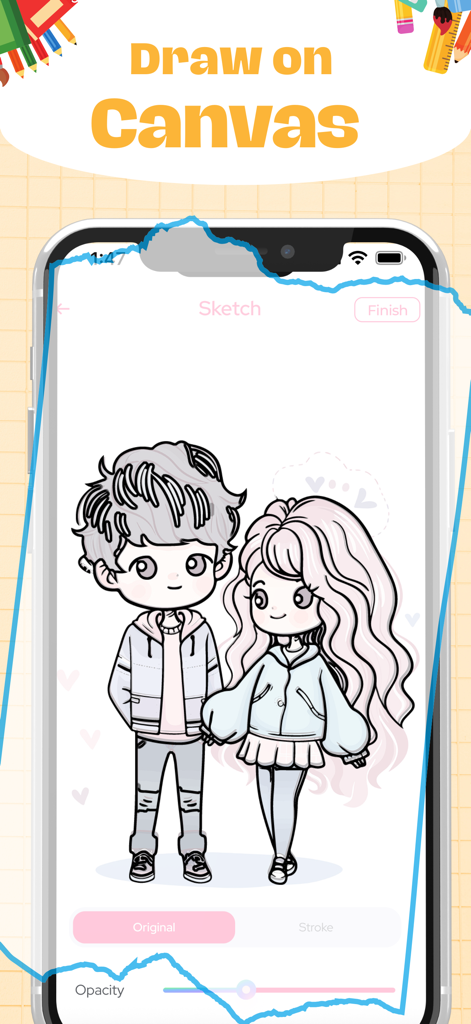
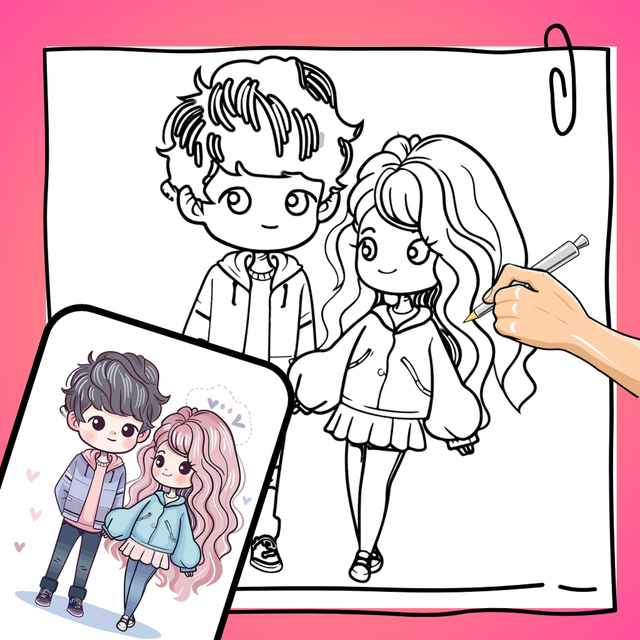
디지털 캔버스에 귀여운 애니메이션 커플 스케치를 보여주는 모바일 앱 인터페이스

디지털 캔버스에 귀여운 애니메이션 커플 스케치를 보여주는 모바일 앱 인터페이스

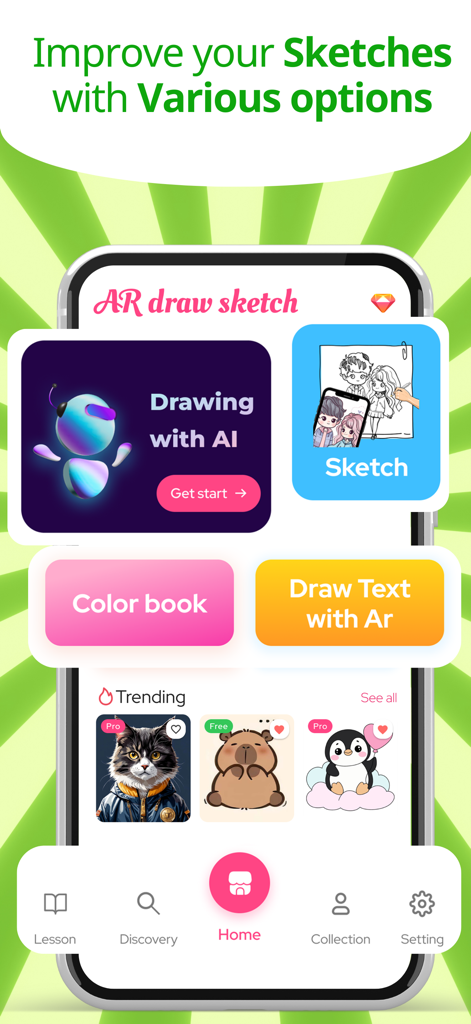
AI 그림, AR 스케치, 색칠 공부 책을 포함한 다양한 창의적인 옵션을 보여주는 Paint App의 홈 화면.

AI 그림, AR 스케치, 색칠 공부 책을 포함한 다양한 창의적인 옵션을 보여주는 Paint App의 홈 화면.

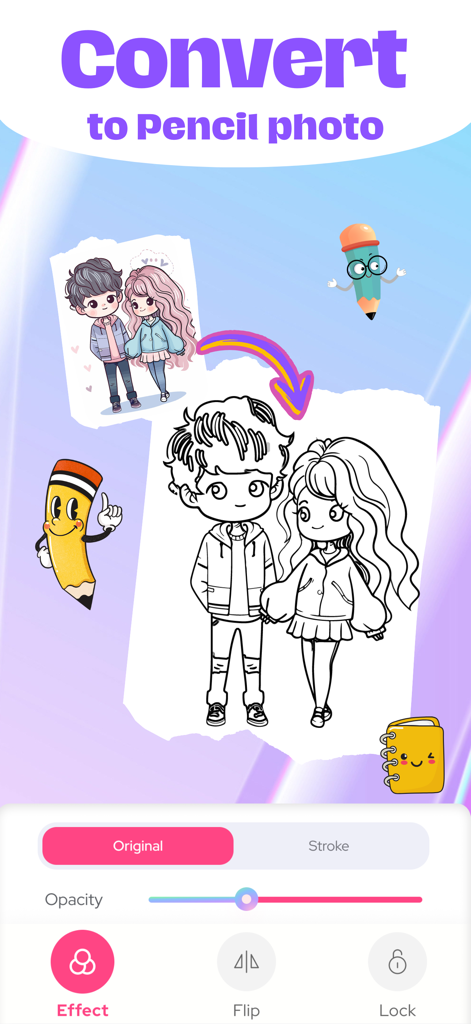
추적을 위해 컬러 일러스트레이션을 흑백 연필 스케치로 변환하는 방법을 보여주는 모바일 앱 인터페이스

추적을 위해 컬러 일러스트레이션을 흑백 연필 스케치로 변환하는 방법을 보여주는 모바일 앱 인터페이스

Paint App AR 기능을 사용하여 노트북에 애니메이션 캐릭터를 추적하는 과정을 녹화하는 스마트폰 화면

Paint App AR 기능을 사용하여 노트북에 애니메이션 캐릭터를 추적하는 과정을 녹화하는 스마트폰 화면

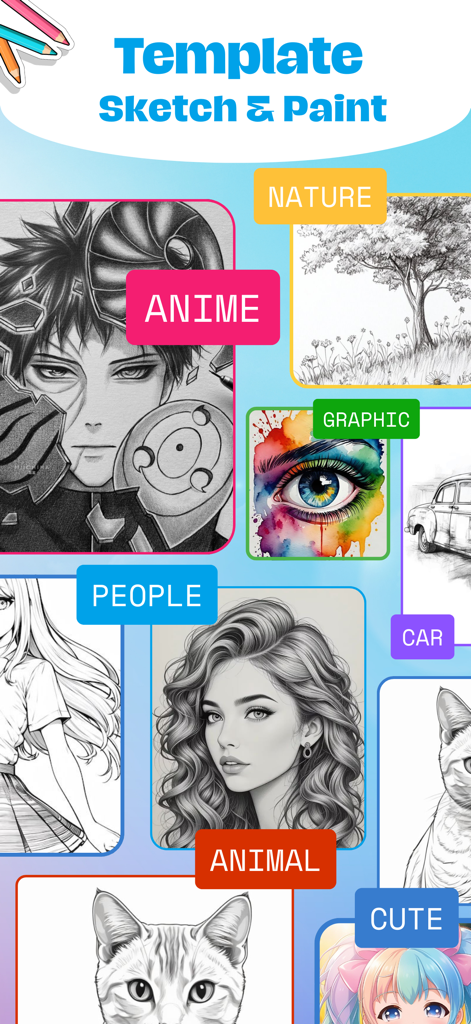
AR 추적을 위해 애니메이션, 자연, 인물, 동물과 같은 범주를 보여주는 Paint App의 그림 템플릿 갤러리.

AR 추적을 위해 애니메이션, 자연, 인물, 동물과 같은 범주를 보여주는 Paint App의 그림 템플릿 갤러리.

창의적인 잠재력 발휘하기

이 앱을 돋보이게 하는 도구, 168K+ 명의 사용자가 선택.

정밀 AR 추적

모든 이미지를 어떤 표면에든 투사하여 전문가처럼 추적하세요. 학습 곡선을 건너뛰고 항상 완벽한 윤곽을 만드세요.

💡

즉각적인 AI 영감

빈 페이지에 직면하지 마세요. 통합 AI 이미지 생성기로 가장 생생한 아이디어를 독특한 스케치 청사진으로 바꾸세요.

🎬

아트 스토리 공유

과정의 고품질 타임랩스 비디오를 녹화하세요. 창의적인 여정을 직접 소셜 미디어로 내보내고 공유하세요.

앱 소개

에 대해 알아야 할 모든 것 Paint App: Trace & AR Draw.

설명

Paint App: Trace & AR Draw Paint App: Trace & AR Draw is a creative application that lets you explore your artistic potential through augmented reality (AR) technology. Packed with advanced features, this app makes it easy to sketch, color, and create unique works of art. Key Features: Draw with AR: Transform images or text into sketches, projecting them directly onto real surfaces for you to trace and replicate. Ideal for beginners, offering simple guided frames to help you get started. Diverse Drawing Tools: Brushes, pencils, erasers, and customizable options to bring your ideas to life in detail. A variety of visual effects to enhance your artwork. Photo-to-Sketch Conversion: Upload photos from your gallery and turn them into detailed sketches in seconds. Creative Coloring: A rich library of templates for you to pick and color. Custom color selection to match your personal style. Record and Share Your Creations: Record videos or capture snapshots of your creative process. Share directly to social media or save them as keepsakes. Intuitive Tutorials: Step-by-step video guides to help you get familiar with the app. AI Image Generation: Enter a description or idea, and the app uses AI to generate unique sketch-style images based on your input. Perfect for inspiration, drawing references, or standalone art creation. Who Is This App For? Art enthusiasts and sketching lovers. Beginners looking to learn drawing techniques, from basic to advanced. Parents and kids exploring creativity together. Those seeking modern tools to realize artistic ideas. Why Choose Paint App: Trace & AR Draw? Unique interactive augmented reality experience. User-friendly tools suitable for all ages and skill levels. Sparks creativity and brings joy to the art of drawing. Download Paint App: Trace & AR Draw now and embark on your artistic journey today! Getting Started with Paint App: Trace & AR Draw 1. Select an image from your personal gallery or the app’s built-in art collection 2. Set your phone on a stable surface or tripod to keep it steady 3. Use AR technology to trace over the image and bring your drawing to life! Privacy Policy: https://windymob.com/product/AR-Sketch-Art-Sketch-Paint-10/privacyPolicy Terms of Use: https://windymob.com/product/AR-Sketch-Art-Sketch-Paint-10/terms

최신 버전

1.3.9

크기

121.0 MB

출시일

2024년 12월 3일

첫 마스터피스를 만들 준비가 되셨나요?

AR 기술을 사용하여 그림을 추적하고, 스케치하고, 공유하는 168,000명 이상의 크리에이터와 함께하세요. 지금 Paint App: AR로 그리고 추적하기를 다운로드하고 몇 초 안에 전문가처럼 그림을 그리기 시작하세요.

다운로드: App Store

App information, icons, screenshots, and descriptions displayed on this page are sourced from the Apple App Store and are the property of their respective developers. Download estimates and rankings are based on MWM's proprietary models and may not reflect actual figures. This page is provided for informational and analytical purposes only.

Believe this page infringes your intellectual property? File a dispute