Camera Lucida™: AR Drawing
다운로드: App Store

이 페이지는 앱이나 개발자의 공식 페이지가 아니며, 정보 제공 및 논평을 목적으로 작성된 독립 편집 간행물입니다. 명시적으로 달리 언급되지 않는 한, 해당 앱이나 개발자는 MWM, Apple, Google Play, 앱 퍼블리셔 또는 앱 개발자와 제휴, 보증, 후원, 승인 또는 공식적으로 연결되어 있지 않으며, 이 페이지의 어떤 내용도 해당 앱이 MWM의 서비스를 사용하여 개발되었음을 의미하지 않습니다. 모든 상표, 로고, 스크린샷 및 기타 콘텐츠는 해당 소유자의 자산입니다.

로고: Camera Lucida™: AR Drawing
다운로드: App Store

Camera Lucida™: AR Drawing

12년 이상의 혁신으로 AR 예술의 표준을 경험하세요. 멋진 실물 예술 작품을 만들고, 타임랩스를 녹화하고, 구독 없이 단 한 번의 구매로 평생 이용하세요.

주요 수치

다운로드

313K+

사용자 평점

4.8/5

총 평가 수

3K+

개발사

Big Idea Design LLC

카테고리

Graphics & Design

지원 언어

1

최신 버전

17.1

크기

54.8 MB

출시일

2010년 3월 20일
기능

AR 기술로 모든 획을 마스터하세요

iPhone 또는 iPad를 전문 아트 스튜디오로 변환하세요. 당사의 고급 AR 도구는 구독 없이 어떤 표면에서도 완벽한 비율과 놀라운 디테일을 달성하도록 도와줍니다.

항상 완벽한 비율

어떤 참조 이미지든 캔버스, 종이, 심지어 쿠키 위에 직접 오버레이하세요. 프로젝터보다 정밀하고 전통적인 라이트 테이블보다 편리합니다.

일회성 구매, 평생 사용

소유권을 중요하게 생각하는 수천 명의 미국 예술가들과 함께하세요. Zoom Lock 및 Advanced Filters와 같은 전문 기능을 월별 요금 없이 한 번의 구매로 즐기세요.

다음 스크린샷과 설명은 앱의 공식 스토어 목록에서 직접 가져온 것이며 앱 개발자의 자산입니다.

앱 스토어

스크린샷
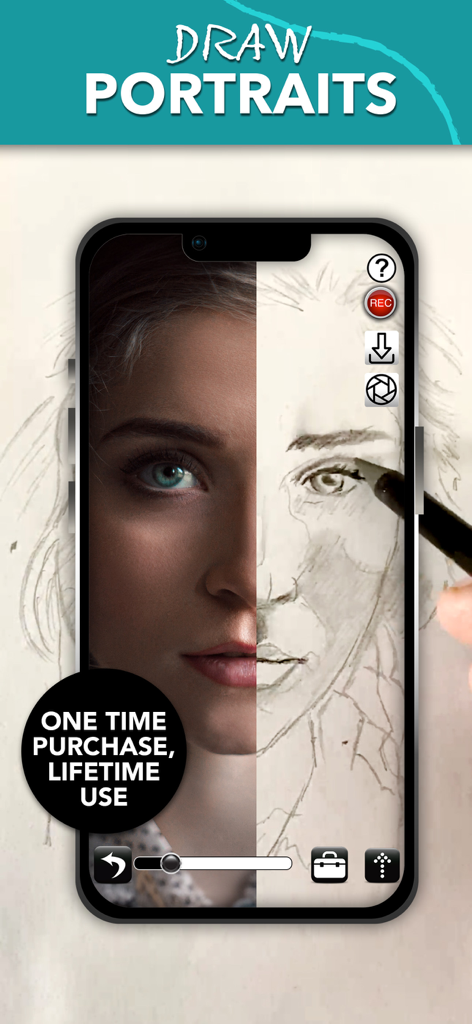
Camera Lucida™: AR Drawing - Camera Lucida 앱이 분할 화면으로 표시되는 스마트폰 화면. 한쪽에는 참조 초상화 사진이, 다른 한쪽에는 손으로 그린 연필 스케치가 있습니다.
Camera Lucida 앱이 분할 화면으로 표시되는 스마트폰 화면. 한쪽에는 참조 초상화 사진이, 다른 한쪽에는 손으로 그린 연필 스케치가 있습니다.

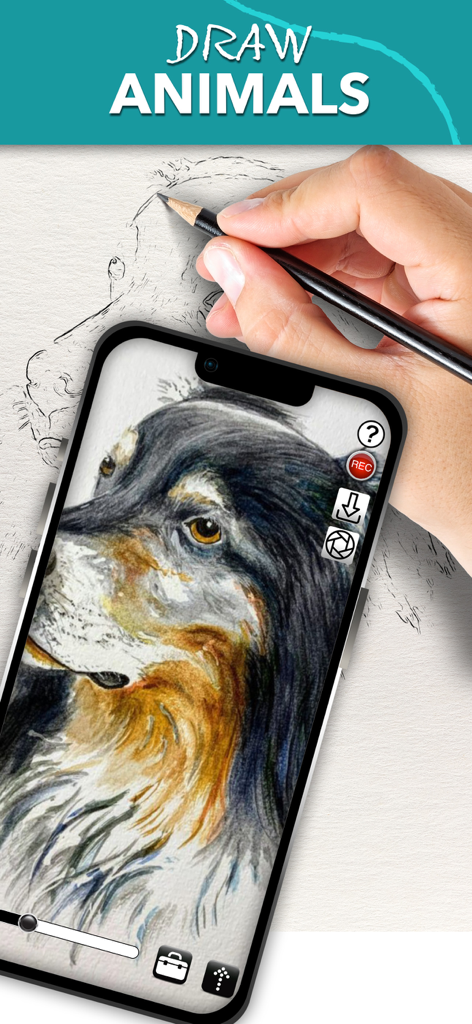
Camera Lucida™: AR Drawing - 사람이 iPhone에서 Camera Lucida 앱을 사용하여 AR 오버레이를 통해 종이에 상세한 개 초상화를 그리고 있습니다.
사람이 iPhone에서 Camera Lucida 앱을 사용하여 AR 오버레이를 통해 종이에 상세한 개 초상화를 그리고 있습니다.

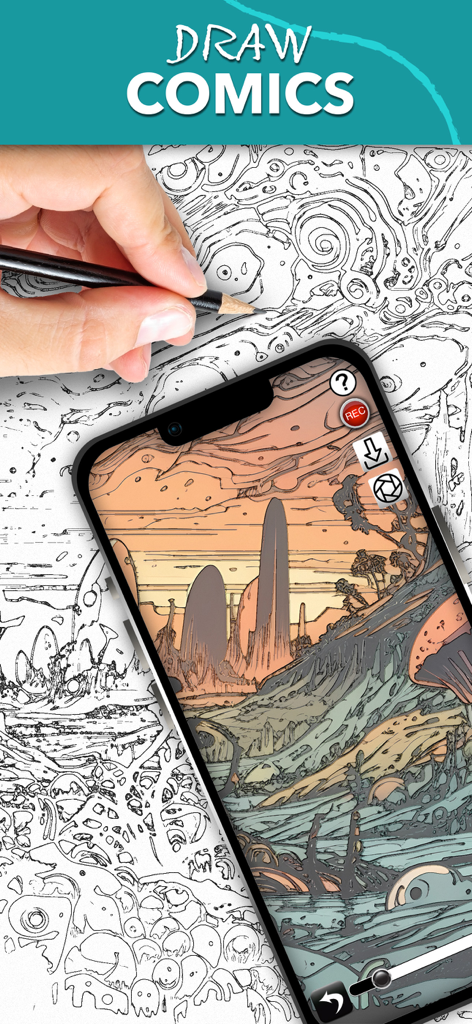
Camera Lucida™: AR Drawing - 사람이 스마트폰에서 Camera Lucida 앱을 사용하여 AR 오버레이를 따라 복잡한 만화 풍경을 스케치하고 있습니다.
사람이 스마트폰에서 Camera Lucida 앱을 사용하여 AR 오버레이를 따라 복잡한 만화 풍경을 스케치하고 있습니다.

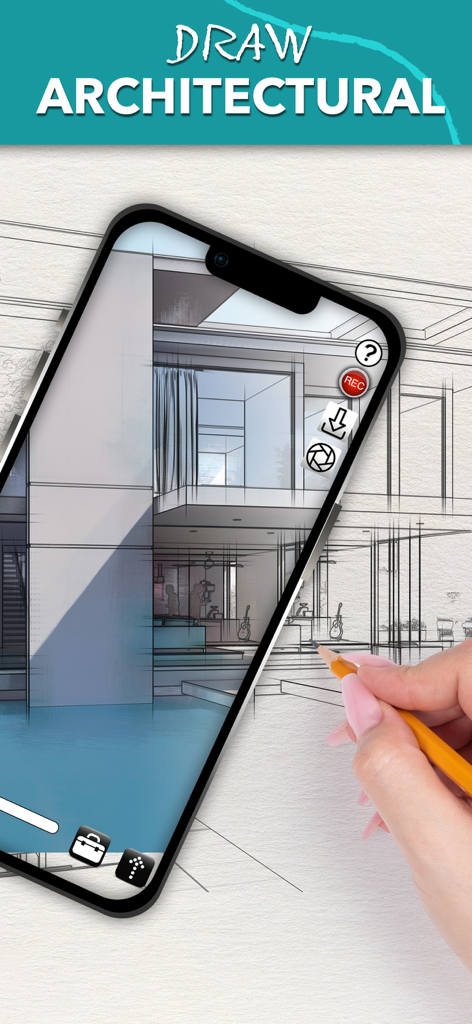
Camera Lucida™: AR Drawing - 사람이 iPhone에서 Camera Lucida AR 드로잉 앱을 사용하여 종이에 건축 주택 스케치를 따라 그리고 있습니다.
사람이 iPhone에서 Camera Lucida AR 드로잉 앱을 사용하여 종이에 건축 주택 스케치를 따라 그리고 있습니다.

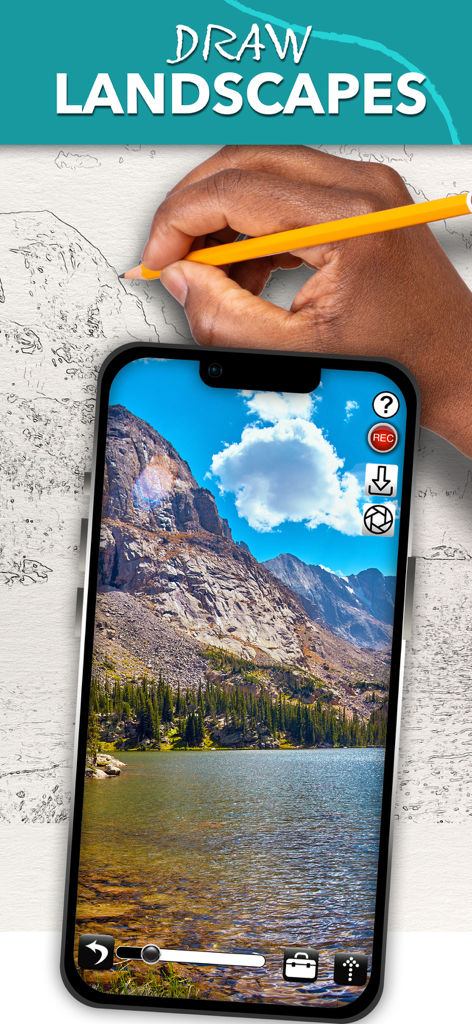
Camera Lucida™: AR Drawing - 스마트폰에서 Camera Lucida AR 드로잉 앱을 사용하여 종이에 풍경을 그리고 있습니다.

스마트폰에서 Camera Lucida AR 드로잉 앱을 사용하여 종이에 풍경을 그리고 있습니다.

설명

Draw Like a Pro with Camera Lucida™: AR Drawing One-Time Purchase: No subscriptions! Buy it once and use on your devices. Enhance Your Art Skills: Whether you're sketching with a pencil or painting with a brush, Camera Lucida™ helps you become a better artist. Unmatched Functionality: With 12+ years of development, Camera Lucida™ offers features that no competitor can match. Create stunning physical art using your iPhone or iPad's camera. Simply point your device at your drawing surface, and watch the screen to see your reference image superimposed over your work. It's more versatile than a light table, better than a projector, and easier to use than a traditional Camera Lucida™. How It Works: Place your iPhone or iPad between your eyes and your drawing surface. The app shows a virtual image on your screen, guiding your hand as you draw. This clever method makes it easy and fun to create detailed art. Top Features: • Buy it once for lifetime use. • Advanced Image Filters: See with an artist's eye. • Zoom in Lock: For ultra detailed drawing. • Session Save & Restore: Automatically realign your camera, sketch, and reference image. • Full Color Palette Control: Use your own paints, markers, and more. • Camera Adjustments: Use your device camera and adjust for different setups manually or with an in-app purchase to auto-adjust. • Time-Lapsed Recordings: Share your drawing process on social media. • Advanced Tools: Vertical split screen sliders, timed image fading, and more. • Video Tutorials: Watch tutorials within the app or on YouTube. • Comprehensive User Manual: Accessible from within the app. • Reliable Customer Support: Plus, an active user community for inspiration. • External USB Camera Support: For USB-C equipped iPads running iOS 17. Easy Setup: Secure your iPhone or iPad above your drawing surface using common household items like a stack of books or a vase. Tutorials are included to help you get started. Contact: For any questions or support, email cameralucida@bigidesign.com.

Download

다운로드: App Store

이 페이지는 앱이나 개발자의 공식 페이지가 아니며, 정보 제공 및 논평을 목적으로 작성된 독립 편집 간행물입니다. 명시적으로 달리 언급되지 않는 한, 해당 앱이나 개발자는 MWM, Apple, Google Play, 앱 퍼블리셔 또는 앱 개발자와 제휴, 보증, 후원, 승인 또는 공식적으로 연결되어 있지 않으며, 이 페이지의 어떤 내용도 해당 앱이 MWM의 서비스를 사용하여 개발되었음을 의미하지 않습니다. 모든 상표, 로고, 스크린샷 및 기타 콘텐츠는 해당 소유자의 자산입니다.








