
이 페이지는 앱이나 개발자의 공식 페이지가 아니며, 정보 제공 및 논평을 목적으로 작성된 독립 편집 간행물입니다. 명시적으로 달리 언급되지 않는 한, 해당 앱이나 개발자는 MWM, Apple, Google Play, 앱 퍼블리셔 또는 앱 개발자와 제휴, 보증, 후원, 승인 또는 공식적으로 연결되어 있지 않으며, 이 페이지의 어떤 내용도 해당 앱이 MWM의 서비스를 사용하여 개발되었음을 의미하지 않습니다. 모든 상표, 로고, 스크린샷 및 기타 콘텐츠는 해당 소유자의 자산입니다.


Da Vinci Eye: AR Trace & Draw
세계 1위의 디지털 카메라 루시다를 사용하는 수백만 명의 아티스트, 제빵사 및 크리에이터와 함께하세요. 증강 현실의 힘으로 비율을 완벽하게 맞추고, 어떤 사진이든 그리는 법을 배우며, 화제의 타임랩스를 기록해 보세요.
다운로드
2M+사용자 평점
총 평가 수
13K+개발사
카테고리
Graphics & Design지원 언어
4최신 버전
4.6.2크기
193.5 MB출시일
2016년 6월 16일AR 정밀도로 모든 획을 마스터하세요
전문 타투 아티스트부터 취미 제빵사까지, Da Vinci Eye는 크리에이터가 기술적인 좌절을 건너뛰고 고품질의 사실적인 예술을 창조하는 즐거움으로 바로 뛰어들 수 있게 해줍니다.
즉각적으로 완벽한 비율 구현
AR을 사용하여 어떤 사진이든 캔버스에 직접 투영해 보세요. 어긋난 특징들에 대한 걱정을 멈추고 어떤 표면에서든 100% 정확도로 그림을 그리기 시작하세요.
내장된 콘텐츠 제작 기능
그림 그리는 과정의 멋진 타임랩스 영상을 자동으로 캡처하세요. 틱톡과 인스타그램에 실력을 공유하여 예술적 브랜드를 키우기에 완벽합니다.
자주 묻는 질문
에 대해 알아야 할 모든 것 Da Vinci Eye: AR Trace & Draw
Da Vinci Eye 앱은 무엇인가요?
Da Vinci Eye는 AR 아트 프로젝터 앱으로, 이미지를 캔버스에 오버레이하여 아티스트가 따라 그리고 그림을 그릴 수 있도록 도와줍니다. 디지털 카메라 루시다처럼 작동하며, 그리기 도구, 수업, 커뮤니티 기능을 제공합니다.
Da Vinci Eye 앱은 어떻게 작동하나요?
Da Vinci Eye 앱은 기기를 캔버스 위나 앞에 고정하여 작동합니다. 이미지를 캔버스에 오버레이하여 동시에 볼 수 있으므로 따라 그리기, 그림 그리기, 비율 확인이 가능합니다.
Da Vinci Eye가 그림 그리는 법을 배우는 데 도움이 될까요?
네, Da Vinci Eye는 비율을 인식하도록 눈을 훈련시키고 음영 처리를 장려하여 사용자가 그림을 배우도록 돕습니다. 앱은 수업을 제공하고, 사진을 단계별 그림 지침으로 변환하며, 효율적인 학습을 위한 검증된 기술을 제공합니다.
Da Vinci Eye의 AR 모드에 필요한 기기 요구 사항은 무엇인가요?
Da Vinci Eye의 AR 모드를 사용하려면 A10x 또는 A11 프로세서 이상이 필요합니다. 여기에는 iPhone 8 이상, iPad Mini 5세대 이상, iPad Air 2019 이상, iPad Pro 3세대(2018년 모델) 이상이 포함됩니다.
Da Vinci Eye의 AR 모드와 클래식 모드 간의 차이점은 무엇인가요?
Da Vinci Eye의 AR 모드는 캔버스나 휴대폰이 움직여도 정렬이 유지되도록 이미지를 실제 객체에 고정합니다. 클래식 모드는 일반 프로젝터와 같아서 움직이면 정렬이 흐트러집니다. AR 모드는 이젤에 이상적입니다.
Da Vinci Eye를 사용하여 세밀한 디테일을 그릴 수 있나요?
네, Da Vinci Eye 앱을 사용하면 이미지를 확대하여 미세한 디테일을 정확하게 포착하고 그릴 수 있습니다. 이 기능은 복잡한 아트워크의 정확성을 향상시킵니다.
Da Vinci Eye가 그림에 대한 영감이나 프롬프트를 제공하나요?
네, Da Vinci Eye에는 사용자가 업로드한 참조 사진과 일일 그림 프롬프트가 포함된 영감 섹션이 있습니다. 사용자는 다른 사람이 그림을 그릴 수 있도록 자신의 콘텐츠를 업로드할 수도 있습니다.
Da Vinci Eye가 그림을 위해 이미지를 색상 값별로 분리할 수 있나요?
네, Da Vinci Eye는 이미지를 색상 값에 따라 레이어로 분리할 수 있습니다. 이 기능은 아티스트가 캔버스에 어두운 부분, 중간 톤, 밝은 부분을 표시할 영역을 식별하고 가상으로 투사하는 데 도움이 됩니다.
Da Vinci Eye 앱은 누구를 위해 디자인되었나요?
Da Vinci Eye 앱은 화가, 베이커, 만화가, 문신 아티스트, 일러스트레이터, 메이크업 아티스트, 애니메이터 등 다양한 창작자를 위해 디자인되었습니다. 모든 기술 수준을 지원합니다.
Da Vinci Eye가 비디오 튜토리얼을 제공하나요?
네, Da Vinci Eye는 사용자를 돕기 위한 비디오 튜토리얼을 제공합니다. 이러한 튜토리얼은 앱의 기능을 설명하고 아티스트가 다양한 그림 과정을 안내하는 데 도움이 됩니다.
다음 스크린샷과 설명은 앱의 공식 스토어 목록에서 직접 가져온 것이며 앱 개발자의 자산입니다.
앱 스토어
스크린샷
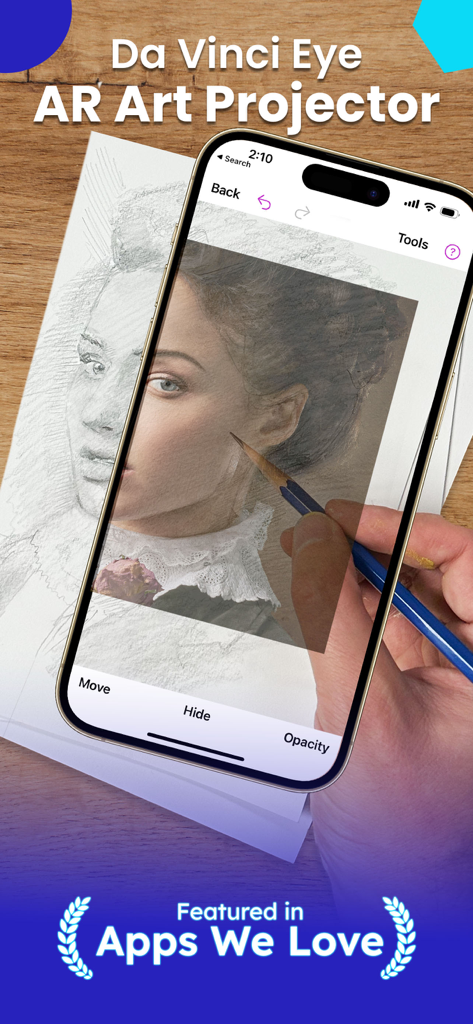
스마트폰에서 Da Vinci Eye AR 앱을 사용하여 종이에 연필로 초상화를 투영하고 따라 그리는 사람.
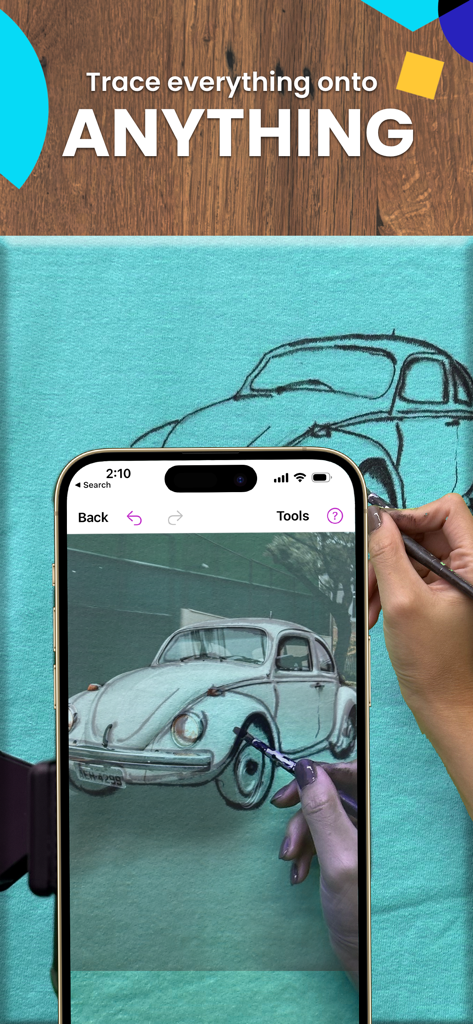
Da Vinci Eye AR 드로잉 앱을 사용하여 패브릭 캔버스에 빈티지 자동차를 따라 그리는 모습
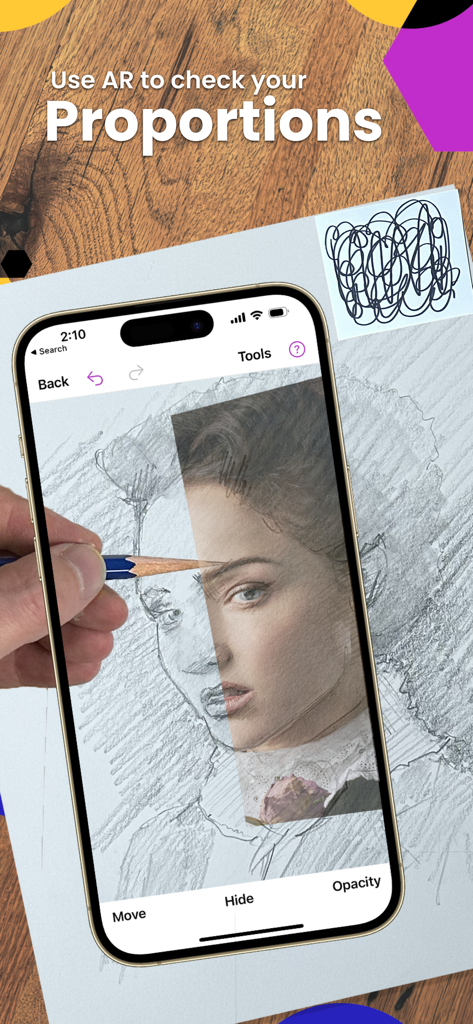
종이에 연필로 초상화를 그리면서 Da Vinci Eye AR 앱을 사용하여 비율을 확인하는 사람.
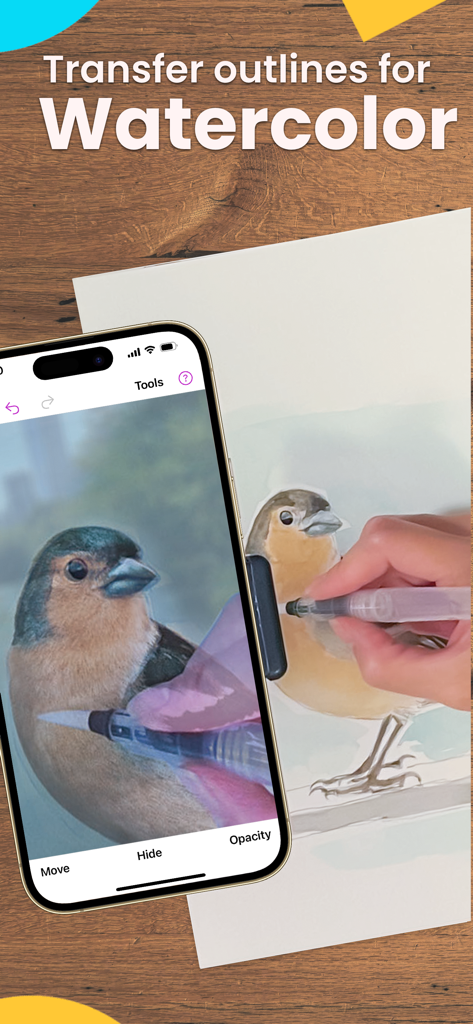
수채화를 그리기 위해 AR 앱을 사용하여 새를 따라 그리는 사람
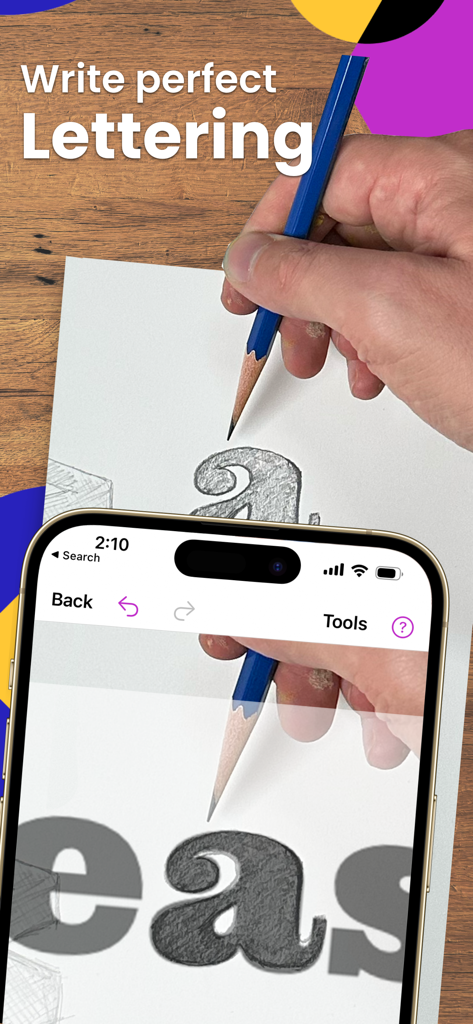
Da Vinci Eye AR 앱을 사용하여 종이에 연필로 완벽한 레터링을 따라 그리는 사람.
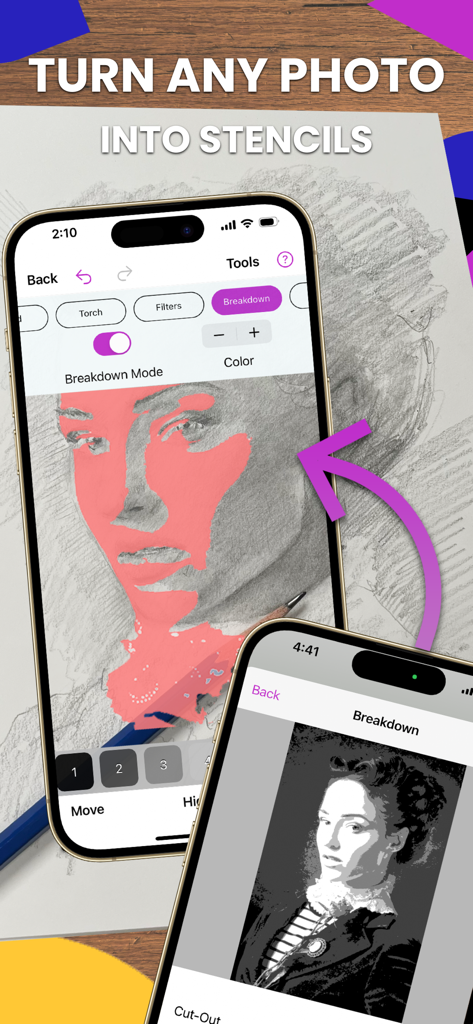
사진을 드로잉용 스텐실로 변환하는 Da Vinci Eye 앱의 분해 모드를 보여주는 iPhone 화면
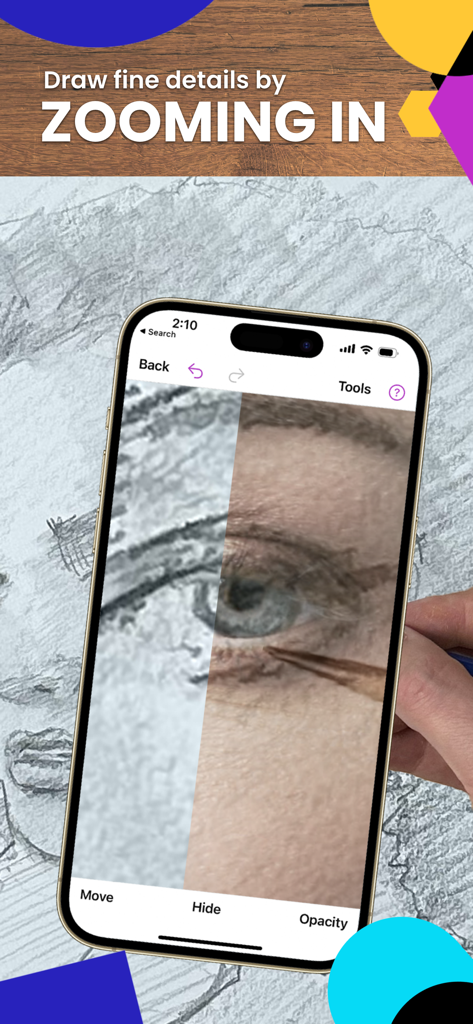
Da Vinci Eye AR 트레이스 앱을 사용하여 그리고 있는 눈을 확대하는 모습
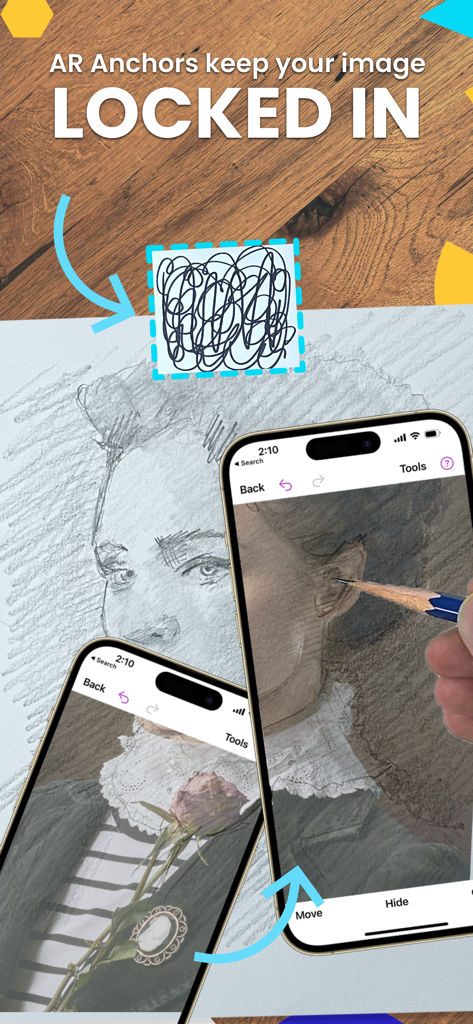
정밀한 트레이싱을 위해 실제 드로잉 표면 위에 가상 초상화를 고정하는 AR 앵커를 보여주는 iPhone 화면
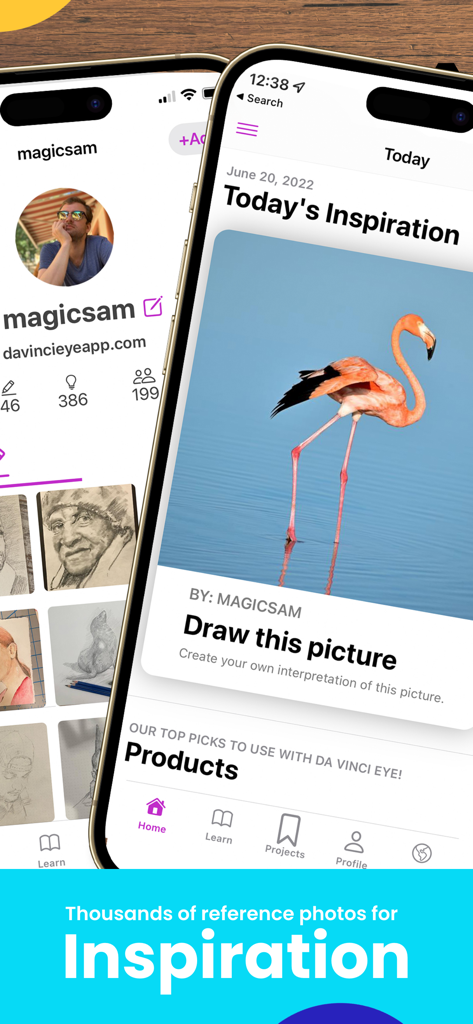
드로잉 영감을 위한 홍학 참조 사진을 보여주는 Da Vinci Eye 앱 인터페이스
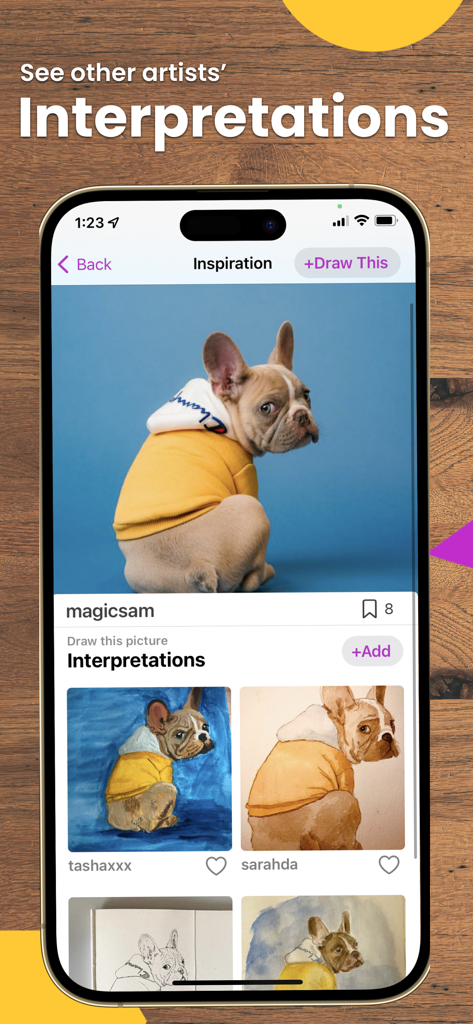
강아지 사진과 다양한 사용자가 제출한 드로잉 해석을 보여주는 Da Vinci Eye 앱의 화면.
설명
Download
비슷한 앱
유사한 기능과 사용자 경험을 가진 앱

AR Drawing Paint Sketch Trace
DROIDFUN LIMITED

Camera Lucida™: AR Drawing
Big Idea Design LLC

AR Drawing Sketch App: ArtEasy
SMDA GROUP SP Z O O SP KOMANDYTOWA

PicTrace: AR Drawing & Sketch
ANDROID VIETNAM TECHNOLOGY CORPORATION

AR Draw: Sketching & Painting
EIGEN SOFTWARE LIMITED

AR Drawing How to Draw Sketch
Magomed Dzhamalov

AR Drawing - AR Sketch
Ketanbhai Khokhani

HEY CLAY®
HEY CLAY LTD

Sketch Trace Draw, AR App
Proxglobal Investment And Technology Development Joint Stock Company
이 페이지는 앱이나 개발자의 공식 페이지가 아니며, 정보 제공 및 논평을 목적으로 작성된 독립 편집 간행물입니다. 명시적으로 달리 언급되지 않는 한, 해당 앱이나 개발자는 MWM, Apple, Google Play, 앱 퍼블리셔 또는 앱 개발자와 제휴, 보증, 후원, 승인 또는 공식적으로 연결되어 있지 않으며, 이 페이지의 어떤 내용도 해당 앱이 MWM의 서비스를 사용하여 개발되었음을 의미하지 않습니다. 모든 상표, 로고, 스크린샷 및 기타 콘텐츠는 해당 소유자의 자산입니다.