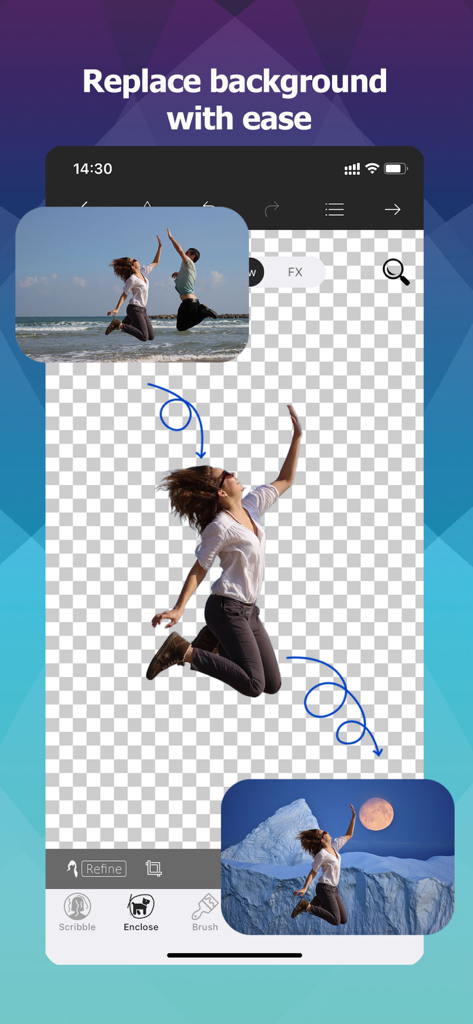
해변 사진에서 인물을 잘라내어 새로운 산 배경에 배치하는 모습을 보여주는 모바일 앱 인터페이스
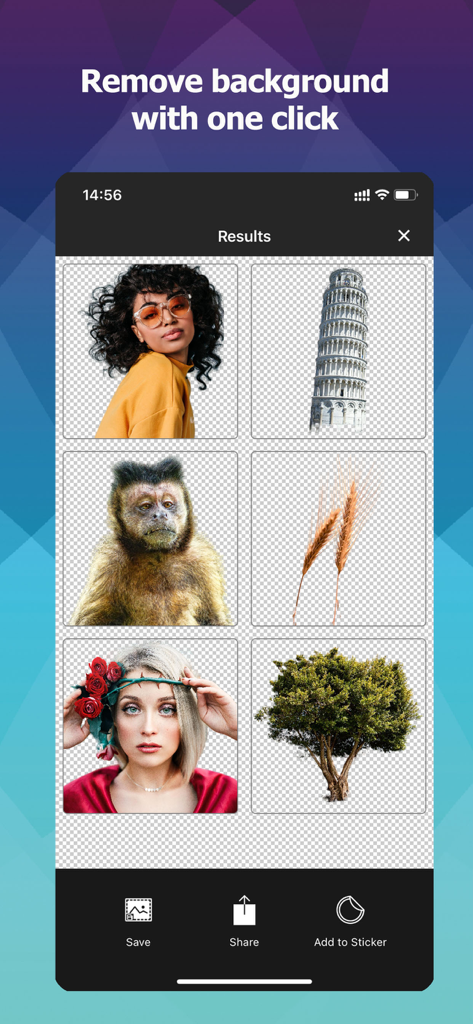
쉬운 편집을 위해 인물이나 나무와 같은 다양한 이미지의 배경이 제거된 모습을 보여주는 모바일 앱 인터페이스
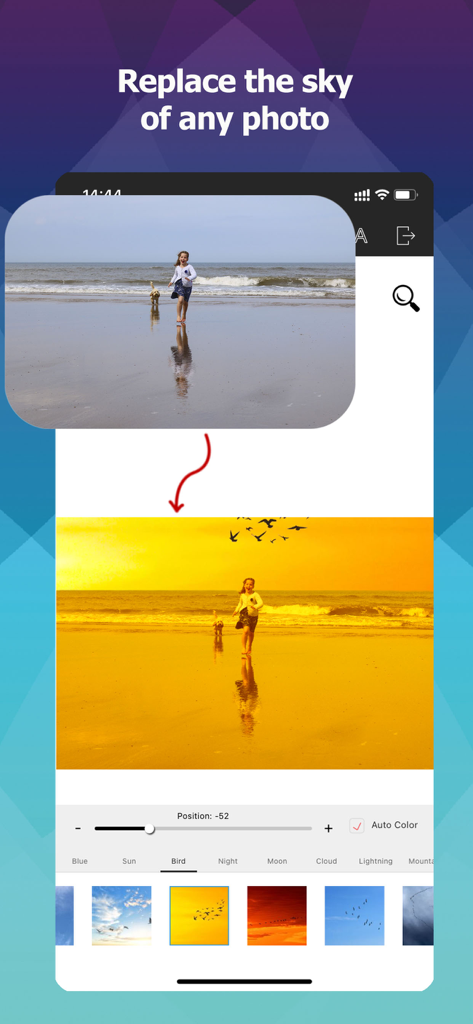
해변 사진의 하늘을 황금빛 석양으로 바꾸는 하늘 교체 기능을 보여주는 모바일 앱 인터페이스
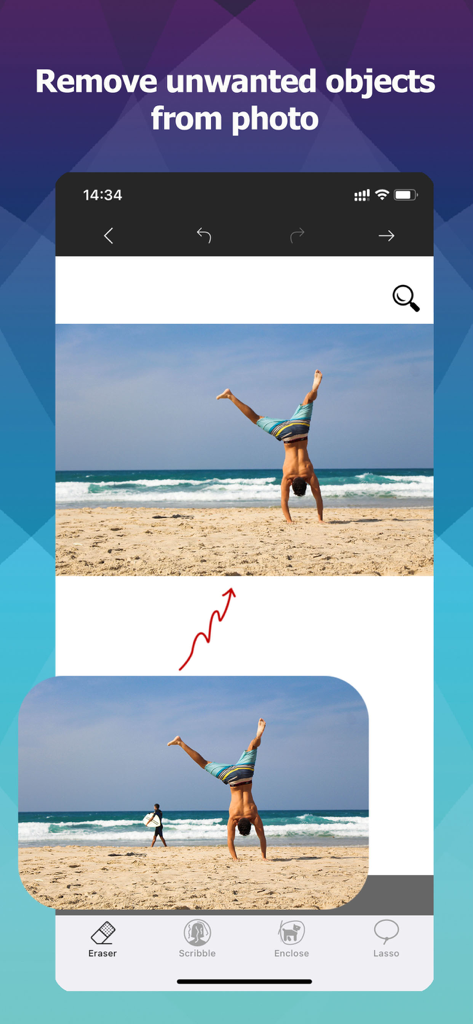
개체 지우개 도구를 사용하여 해변 사진에서 인물을 제거한 전후 비교
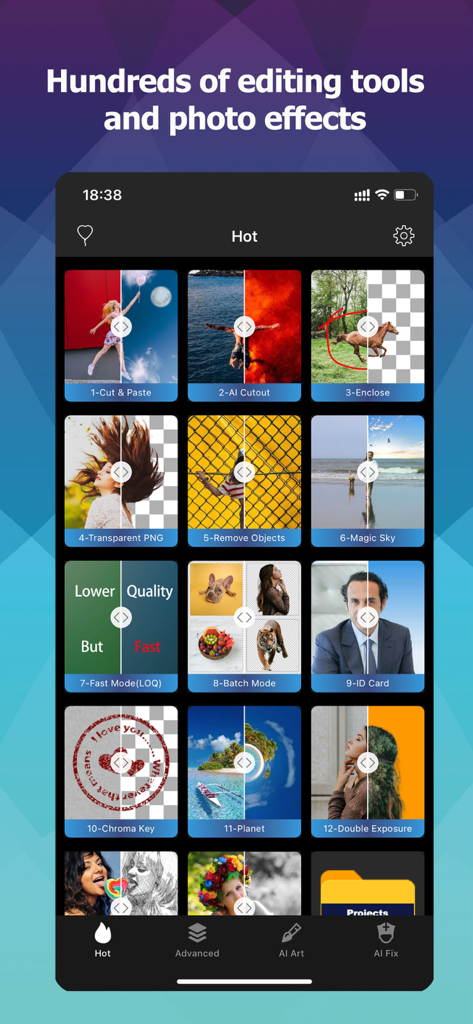
AI 누끼 따기, 배경 제거 및 일괄 처리 도구를 포함한 기능 그리드를 보여주는 사진 누끼 따기 편집기의 모바일 인터페이스.
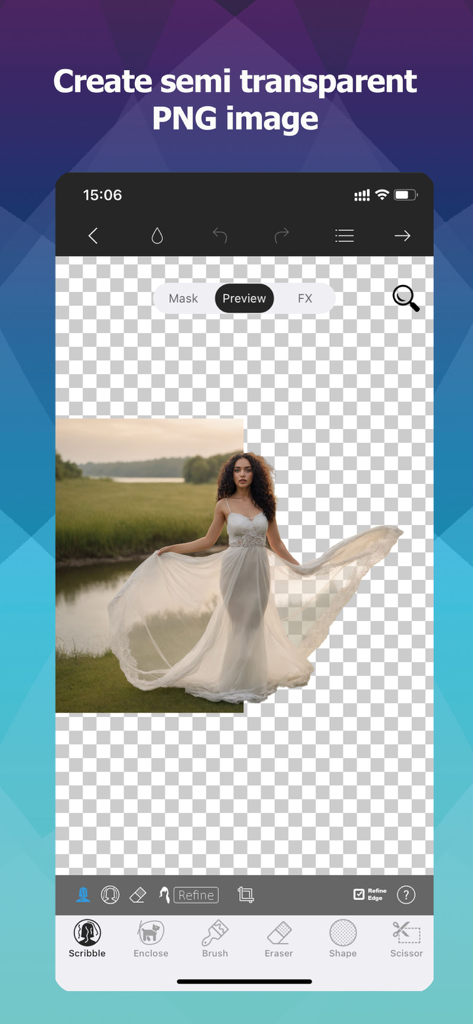
투명한 PNG 이미지를 만들기 위해 배경에서 흰색 드레스를 입은 여성을 잘라내는 모습을 보여주는 모바일 앱 인터페이스
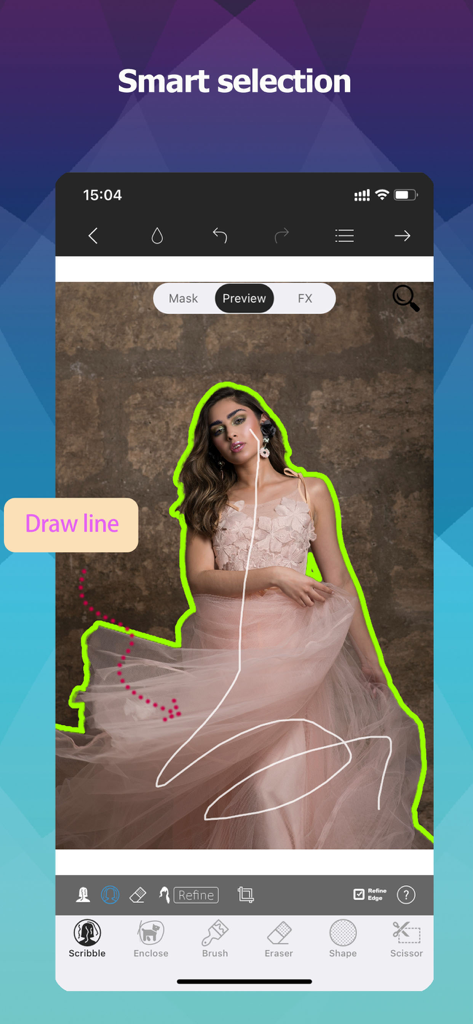
사진 누끼 따기 편집기 앱에서 스마트 선택 도구로 선을 그려 이미지에서 인물을 잘라내는 사용자.
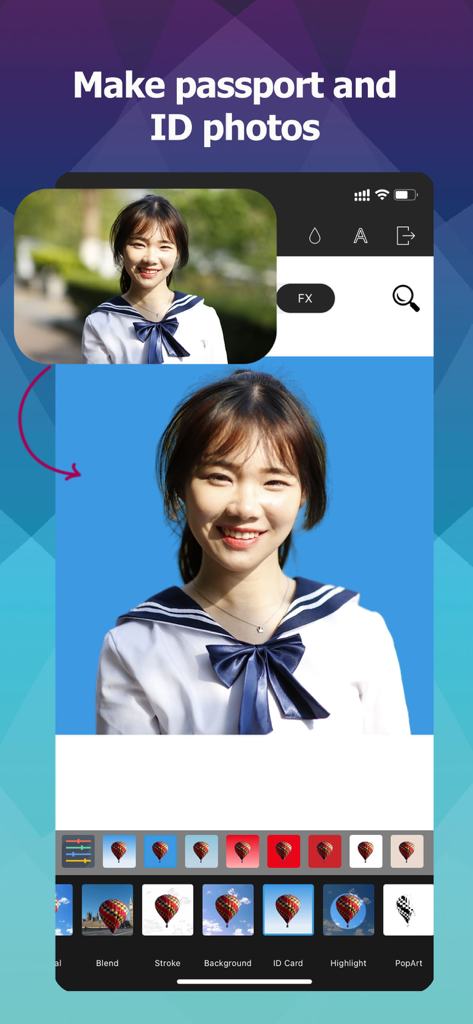
배경 제거를 통해 전문적인 여권 및 증명사진을 만드는 방법을 보여주는 모바일 앱 인터페이스
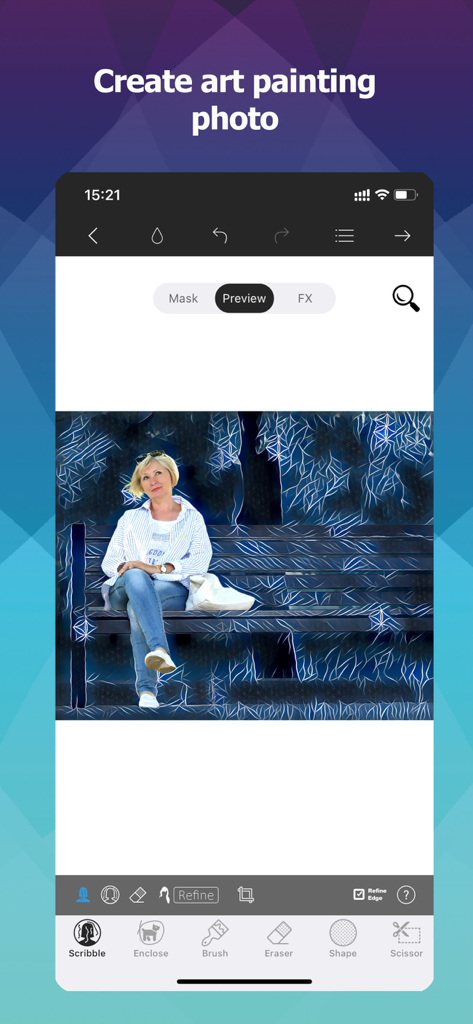
공원 벤치에 앉아 있는 여성에게 예술적인 회화 필터가 적용된 모습을 보여주는 모바일 앱 인터페이스
단 몇 번의 탭으로 얻는 전문적인 결과
이 앱을 돋보이게 하는 도구, 4M+ 명의 사용자가 선택.
✂️
픽셀 단위의 정밀함
거친 가장자리에 만족하지 마세요. 당사의 스마트 선택 도구는 머리카락과 털 같은 복잡한 디테일을 쉽게 처리하여 매번 완벽한 누끼 따기 결과를 제공합니다.
🛍️
부업의 규모를 키우세요
Etsy 및 Poshmark 판매자에게 적합합니다. 즉시 투명한 PNG를 만들고 일괄 처리를 사용하여 모든 제품 목록을 단 몇 초 만에 준비하세요.
🎨
완성된 크리에이티브 스튜디오
AI 기반 하늘 교체부터 고급 레이어 편집 및 PSD 지원까지, 휴대폰에서 바로 모든 사진을 전문적인 걸작으로 변신시키세요.
앱 소개
에 대해 알아야 할 모든 것 Photo Cut Out Editor.
설명
"makes editing photos on your iOS device easier than ever before" -TheiPhoneAppReview.com The Most Convenient Cutout Tool! Use Photo Cutout to cut out any desired object in seconds, down to the hair and fur. You can export transparent PNGs or choose from millions of background images. Batch cutouts can be performed and saved. You can freely choose to delete unwanted objects from photos. Advanced features for layer editing are available, supporting brushes, text, shapes, and various image editing tools. Supports one-click cutout of people, animals, plants, industrial products, personal items, down to the object's fine hair and edges! Supports one-click creation of ID photos, completely free! Supports one-click replacement of the photo sky, turning cloudy days into sunny days, daytime into starry night, with thousands of skies available! 7 Cutout Tools Provides both intelligent selection tools and manual selection tools, smart brush, brush, intelligent lasso, shapes, etc., totaling up to 7 types. Cutout tasks can be completed with just a few clicks. More than 40 Filters and Over 300 Predefined Effects You can create shadows, highlights, outlines, modern art, cartoons, blur, glass, pencil, comic book, mosaic, and various other effects. Most effects are unique and distinctive. 21 Image Compositing Modes 7 Selection Adjustment Tools Including feathering, expansion, transformation, gradient, etc. Supports Import/Export of PSD Images Fully Supports Transparent PNG Images Supports importing transparent PNG images, supports exporting transparent PNG images Supports importing transparent WEBP images, supports exporting transparent WEBP images Supports editing BMP and JPG images Subscription: • Payment will be charged to iTunes Account at confirmation of purchase • Subscription automatically renews unless auto-renew is turned off at least 24-hours before the end of the current period • Account will be charged for renewal within 24-hours prior to the end of the current period, and identify the cost of the renewal • Subscriptions may be managed by the user and auto-renewal may be turned off by going to the user's Account Settings after purchase • Any unused portion of a free trial period, if offered, will be forfeited when the user purchases a subscription to that publication, where applicable - Privacy Policy: http://ptuwang.com/conf/privacy_co.pdf - Terms of Use: http://ptuwang.com/conf/term.pdf
최신 버전
13.0
크기
508.2 MB
출시일
2015년 11월 13일
편집 결과물을 스튜디오 품질로 업그레이드하세요
iOS용 가장 정밀한 누끼 따기 도구를 사용하는 400만 명의 제작자 및 1인 기업가와 함께하세요. 지금 다운로드하여 단 몇 초 만에 전문 등급의 비주얼 제작을 시작하세요.
FAQ
자주 묻는 질문
에 대해 알아야 할 모든 것 Photo Cut Out Editor
Photo Cut Out Editor의 주요 기능은 무엇인가요?
Photo Cut Out Editor는 주로 사용자가 사진에서 개체를 잘라내고, 머리카락과 털 같은 세부 사항까지 포함하여 투명 PNG로 내보낼 수 있도록 합니다.
Photo Cut Out Editor로 사진 배경을 교체할 수 있나요?
네, Photo Cut Out Editor를 사용하면 원하는 개체를 잘라낸 후 수백만 개의 배경 이미지 중에서 선택하여 사진 배경을 쉽게 교체할 수 있습니다.
Photo Cut Out Editor는 투명 PNG 이미지를 지원하나요?
네, Photo Cut Out Editor는 투명 PNG 이미지를 완벽하게 지원합니다. 투명 PNG 이미지를 가져오고 내보낼 수 있습니다.
Photo Cut Out Editor는 잘라내기 작업에 일괄 처리를 지원하나요?
네, Photo Cut Out Editor는 일괄 잘라내기를 수행합니다. 사용자는 여러 개의 잘라내기를 동시에 저장할 수 있습니다.
Photo Cut Out Editor로 사진에서 원하지 않는 개체를 제거할 수 있나요?
네, Photo Cut Out Editor를 사용하면 지우개, 낙서, 올가미, 라쏘와 같은 도구를 사용하여 사진에서 원하지 않는 개체를 자유롭게 선택하고 삭제할 수 있습니다.
Photo Cut Out Editor는 사진의 하늘을 어떻게 교체하나요?
Photo Cut Out Editor는 한 번의 클릭으로 사진의 하늘을 교체하는 기능을 지원합니다. 흐린 날을 맑은 날로 또는 낮을 별이 빛나는 밤으로 바꾸기 위해 수천 개의 하늘 이미지를 제공합니다.
사용자는 Photo Cut Out Editor로 ID 사진을 만들 수 있나요?
네, Photo Cut Out Editor는 한 번의 클릭으로 ID 사진을 만드는 기능을 지원합니다. 이 기능은 사용자에게 완전히 무료입니다.
Photo Cut Out Editor의 구독 자동 갱신은 어떻게 작동하나요?
Photo Cut Out Editor의 구독은 현재 기간이 종료되기 최소 24시간 전에 자동 갱신을 해제하지 않으면 자동으로 갱신됩니다. 갱신 요금은 만료 24시간 이내에 청구됩니다.
사용자는 Photo Cut Out Editor 구독을 어떻게 관리할 수 있나요?
사용자는 구매 후 계정 설정에 액세스하여 Photo Cut Out Editor 구독을 관리하고 자동 갱신을 해제할 수 있습니다.
Photo Cut Out Editor는 편집을 위해 어떤 이미지 형식을 지원하나요?
Photo Cut Out Editor는 BMP 및 JPG 이미지 편집을 지원합니다. 또한 투명 PNG 및 WEBP 이미지 가져오기/내보내기, PSD 이미지 가져오기/내보내기를 지원합니다.
App information, icons, screenshots, and descriptions displayed on this page are sourced from the Apple App Store and are the property of their respective developers. Download estimates and rankings are based on MWM's proprietary models and may not reflect actual figures. This page is provided for informational and analytical purposes only.
Believe this page infringes your intellectual property? File a dispute