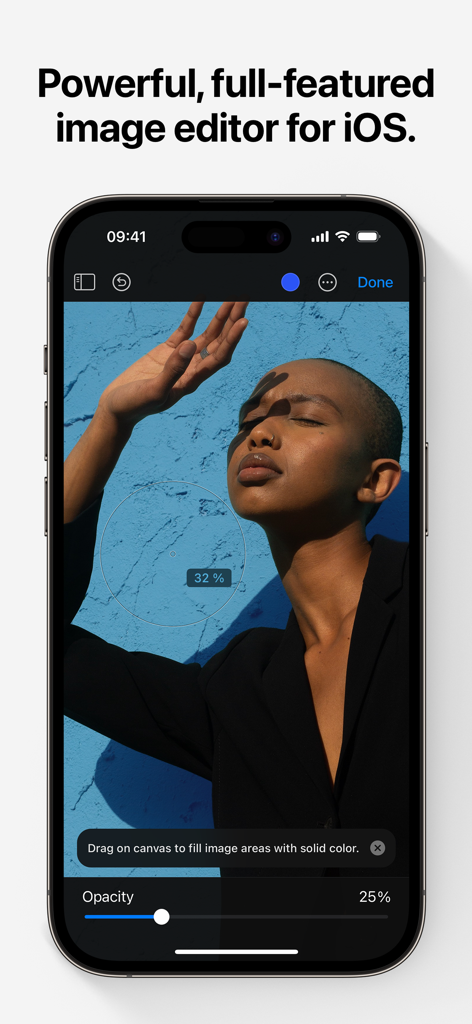
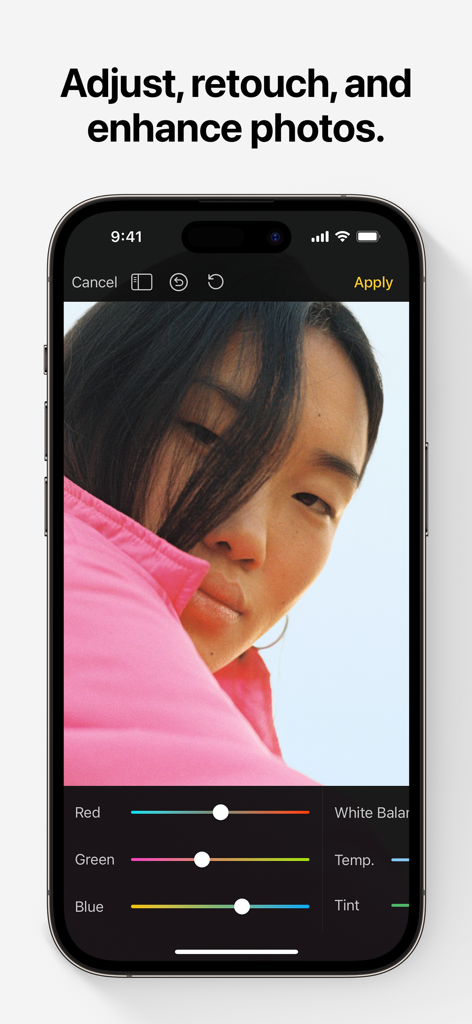
Pixelmator 앱 인터페이스가 iPhone에 표시되며 사진 편집 도구와 인물 사진이 나타납니다.
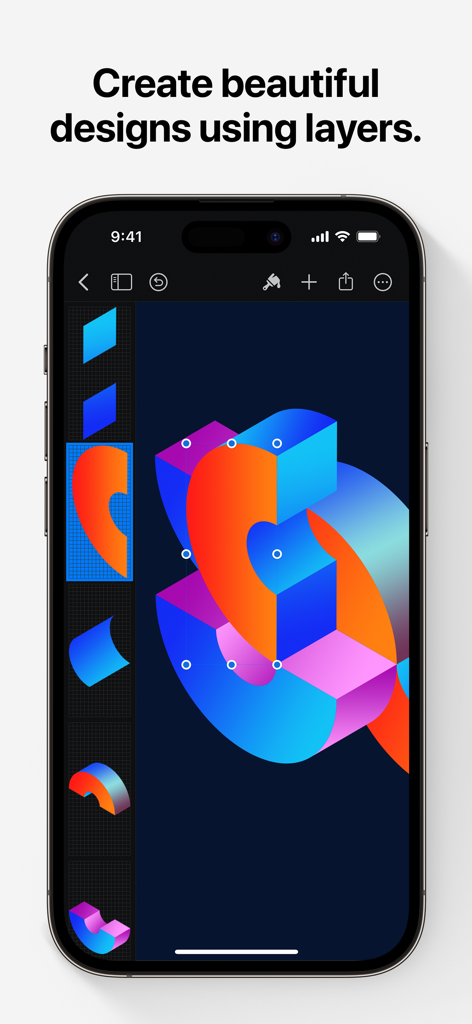
Pixelmator 인터페이스가 iPhone에서 여러 레이어가 있는 생생한 그래픽 디자인을 보여줍니다.
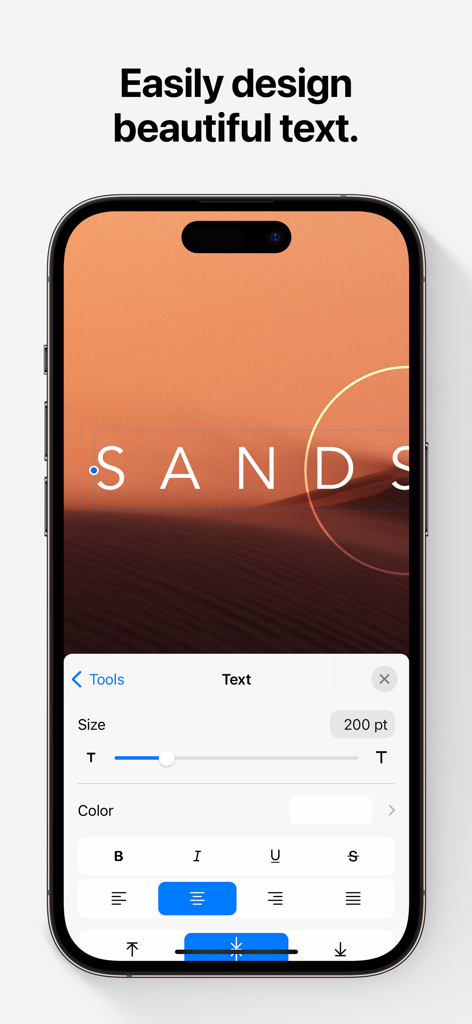
iPhone 화면에 Pixelmator 앱 텍스트 편집 인터페이스가 표시됩니다.
Pixelmator 사진 편집 인터페이스가 iPhone에서 색상 조정 도구와 함께 표시됩니다.
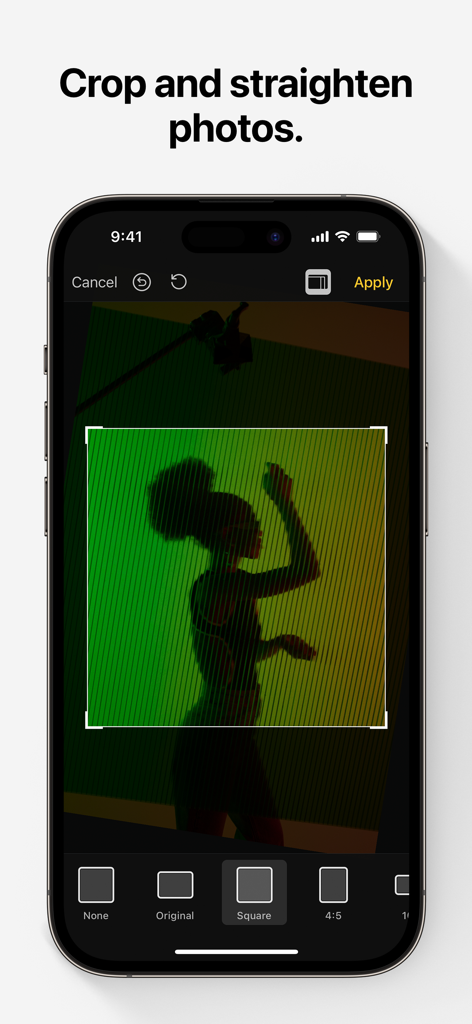
Pixelmator 사진 편집 앱 인터페이스에 iPhone에서 자르기 및 똑바로 고정 기능이 표시됩니다.
모바일에 완벽하게 최적화된 전문가 디자인 도구
이 앱을 돋보이게 하는 도구, 817K+ 명의 사용자가 선택.
✨
AI 기반 매직
단 한 번의 탭으로 피사체를 자동으로 선택하고, 배경을 제거하고, 흠집을 지워주는 머신러닝 도구로 시간을 절약하세요.
🎨
완벽한 창의적 제어를 위해 비파괴 레이어 스타일, 혼합 모드, 정밀한 벡터 모양을 사용하여 전문가 수준의 전단지, 로고 및 예술 작품을 만드세요.
✏️
자연스러운 디지털 페인팅
압력, 기울기, 손바닥 거부 기능을 갖춘 진정한 느낌을 위해 아티스트가 디자인한 브러시와 완벽한 Apple Pencil 지원으로 iPad를 캔버스로 만드세요.
앱 소개
에 대해 알아야 할 모든 것 Pixelmator.
설명
Pixelmator is a powerful, full-featured, layer-based image editor that lets you add shapes, images, and text to create beautiful image compositions, touch up and enhance images, sketch, and paint on iPad and iPhone alike.
Designed exclusively for iOS and iPadOS, Pixelmator takes full advantage of the latest iOS and iPadOS 17 features and technologies, giving you innovative, fast, and powerful tools.
Create Eye-Catching Designs
- Combine words, shapes, and images to create breathtaking artwork right on your iPhone and iPad
- Apply non-destructive layer styles like shadows, outlines, gradient fills, and more
- Insert, group, and blend layers of an image
- Easily add, combine, and customize shapes
- Blend layers, shapes, and text using any of the blending modes
- Use precise selection tools to edit areas of an image
- Automatically select subjects in images with the machine learning-powered Select Subject
- Crop, arrange, and rotate objects and layers with pixel-perfect precision
- Easily remove the background of images or cut and paste objects from one image to another
Add Shapes and Text
- Create flyers, logos, and other compositions using vector shapes and their styling options
- Customize Smart Shapes with easy-to-use controls
- Add text and make it look gorgeous with 24 pre-designed text styles
- Change the font, size, alignment, line spacing, use custom fonts, and more
Paint and Sketch
- Paint stunning images right on your iPhone and iPad
- Choose from over artist-designed brushes and numerous painting techniques
- Paint with near-natural wetness effect of watercolor and crayon brushes
- Create stunning pixel art images with the custom-designed Pixel brush
- Paint with incredible detail thanks to the double texture brush technology
- Vary the speed of your stroke to change the thickness of some of the brushes
- Easily select and fine-tune colors with a full-featured color picker
- Instantly choose colors right from your image with the Eyedropper
- Paint more naturally than ever with the Apple Pencil, featuring palm rejection, pressure, tilt, and acceleration sensitivity
Edit and Enhance Photos
- Get started with dozens of beautifully designed templates
- Instantly improve your photos with single-tap color presets
- Take full control over the tonal range of your image with levels and curves
- Easily remove color casts and set the right white balance
- Wipe away image imperfections, skin blemishes, and unwanted objects with the Repair tool
- Duplicate areas of your image with the easy-to-use Clone tool
- Pinch, bump, twirl, or warp areas of an image with powerful, Metal-based Distort tools
- Blur, sharpen, lighten, or darken areas of an image
- Choose from dozens of breathtaking effects to subtly improve or completely change the look of an image
- Open and edit images of up to 256 megapixels
Export and Share Images
- Optimize images for the web using quality, color depth, and size settings
- Export images to Files, iCloud, or open in other apps using a file format of your choice
- Using the integrated share extension, easily share your artwork with friends and family using Mail, AirDrop, or post it to social platforms like Instagram, Twitter, or Facebook
Compatibility
- Open and save images using HEIF, JPEG, PNG, and TIFF formats
- Work with multilayered Pixelmator Pro and Adobe Photoshop documents
- Save your edited images directly to Photos
- Create, edit, and keep all your images up to date on all your devices thanks to iCloud support
- External keyboard support with over 70 keyboard shortcuts
Built for iPhone and iPad
- Pixelmator is meticulously thought through and created from the ground up for iPhone and iPad devices
- Designed to take full advantage of powerful iOS and iPadOS features and technologies — iCloud Drive, Photos extension, Split View, and more
- Thanks to Apple silicon, Metal, Core Image, and Core Animation, Pixelmator delivers state-of-the-art performance and real-time responsiveness
최신 버전
3.1.16
크기
409.8 MB
출시일
2014년 10월 24일
경계 없이 디자인할 준비가 되셨나요?
800,000명 이상의 크리에이터와 함께 iPhone 및 iPad에서 바로 전문가 수준의 이미지 편집, 페인팅, 디자인을 경험해 보세요.
FAQ
자주 묻는 질문
에 대해 알아야 할 모든 것 Pixelmator
Pixelmator Classic iOS란 무엇인가요?
Pixelmator Classic iOS는 iPad 및 iPhone을 위한 강력하고 기능이 풍부한 레이어 기반 이미지 편집기입니다. 사용자는 기기에서 직접 컴포지션을 만들고, 사진을 보정하고, 스케치하고, 그림을 그릴 수 있습니다.
Pixelmator Classic iOS는 Android 기기에서 사용할 수 있나요?
아니요, Pixelmator Classic iOS는 iOS 및 iPadOS 전용으로 설계되었습니다. 이 운영 체제의 최신 기능과 기술을 활용하여 최적화된 성능을 보장합니다.
Pixelmator Classic iOS로 이미지의 배경을 제거할 수 있나요?
예, Pixelmator Classic iOS는 이미지 배경을 쉽게 제거합니다. 또한 머신 러닝 기반의 "주제 선택" 도구를 사용하여 자동 주제 선택 기능을 제공하며, 개체를 자르고 붙여넣을 수 있습니다.
Pixelmator Classic iOS는 레이어 기반 편집을 지원하나요?
예, Pixelmator Classic iOS는 레이어 기반 이미지 편집기입니다. 복잡한 디자인을 위해 레이어 삽입, 그룹화, 블렌딩 및 그림자, 그라데이션 채우기와 같은 비파괴 레이어 스타일 적용을 지원합니다.
Pixelmator Classic iOS에서 이미지에 텍스트를 추가하려면 어떻게 해야 하나요?
Pixelmator Classic iOS를 사용하면 이미지에 텍스트를 추가할 수 있습니다. 24가지의 미리 디자인된 텍스트 스타일과 글꼴, 크기, 정렬, 줄 간격 변경 및 사용자 지정 글꼴 사용을 위한 포괄적인 컨트롤을 제공합니다.
Pixelmator Classic iOS는 그림 그리기를 위해 Apple Pencil을 지원하나요?
예, Pixelmator Classic iOS는 Apple Pencil을 지원합니다. 팜 리젝션, 압력, 기울기 및 가속도 감도를 제공하여 호환되는 기기에서 자연스럽고 상세한 그림 및 스케치 환경을 제공합니다.
Pixelmator Classic iOS에서 어떤 사진 조정 도구를 사용할 수 있나요?
Pixelmator Classic iOS에는 복구 도구, 복제 도구 및 Metal 기반 왜곡 도구가 포함되어 있습니다. 또한 레벨, 곡선, 화이트 밸런스 및 다양한 효과를 제공하여 사진을 조정, 보정 및 개선할 수 있습니다.
Pixelmator Classic iOS에서 열 수 있는 최대 이미지 크기는 얼마인가요?
Pixelmator Classic iOS는 최대 2억 5,600만 픽셀의 이미지를 열고 편집할 수 있습니다. 이 기능은 iOS 및 iPadOS에서 고해상도 사진 촬영 및 상세한 그래픽 디자인 프로젝트를 지원합니다.
Pixelmator Classic iOS는 어떤 파일 형식을 지원하나요?
Pixelmator Classic iOS는 HEIF, JPEG, PNG 및 TIFF 형식으로 이미지를 열고 저장하는 것을 지원합니다. 또한 다중 레이어 Pixelmator Pro 및 Adobe Photoshop 문서와 함께 작동하여 호환성을 높입니다.
Pixelmator Classic iOS로 사진을 자를 수 있나요?
예, Pixelmator Classic iOS를 사용하면 사진을 자르고 똑바로 만들 수 있습니다. 스크린샷 #5는 정사각형 및 4:5와 같은 다양한 종횡비 옵션을 제공하는 자르기 인터페이스를 보여주며 정밀한 조정을 할 수 있습니다.
App information, icons, screenshots, and descriptions displayed on this page are sourced from the Apple App Store and are the property of their respective developers. Download estimates and rankings are based on MWM's proprietary models and may not reflect actual figures. This page is provided for informational and analytical purposes only.
Believe this page infringes your intellectual property? File a dispute