QuickNotes X Pro

QuickNotes X Pro

다운로드: App Store
로고: QuickNotes X Pro

QuickNotes X Pro: 전문가 수준의 노트 필기 및 PDF 주석 기능의 재해석

iPad를 강력한 디지털 작업 공간으로 바꿔보세요. 현대적인 전문가와 창의적인 학생을 위해 설계된 가벼운 도구로 노트를 손쉽게 정리하고, PDF에 마크업하고, 개인적인 생각을 안전하게 보호하세요.

개발사

Alessandro Sassi

카테고리

Productivity

다운로드

19K+

사용자 평점

4.3/5

총 평가 수

100

지원 언어

3

내부 엿보기

이 인터페이스를 사용하는 19K+ 명의 사용자.

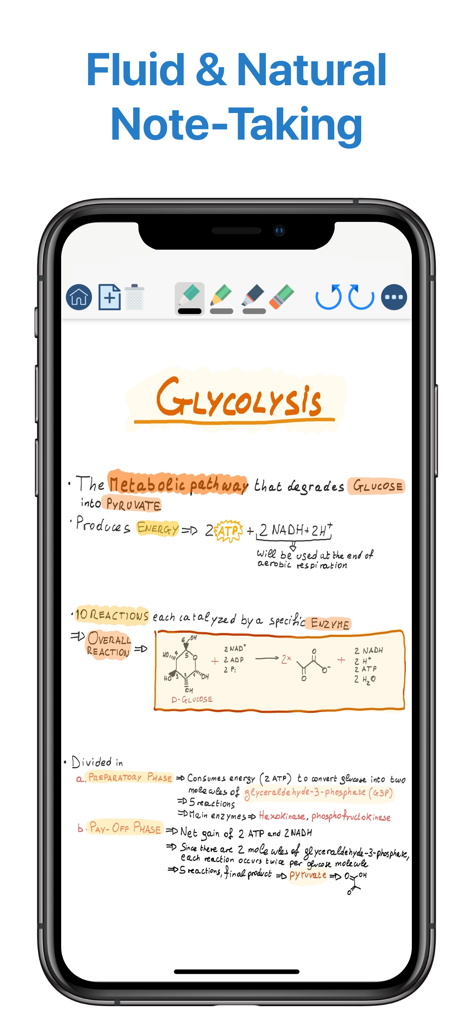
iPhone의 QuickNotes X Pro 앱 인터페이스에 표시된 해당성 연구 노트

iPhone의 QuickNotes X Pro 앱 인터페이스에 표시된 해당성 연구 노트

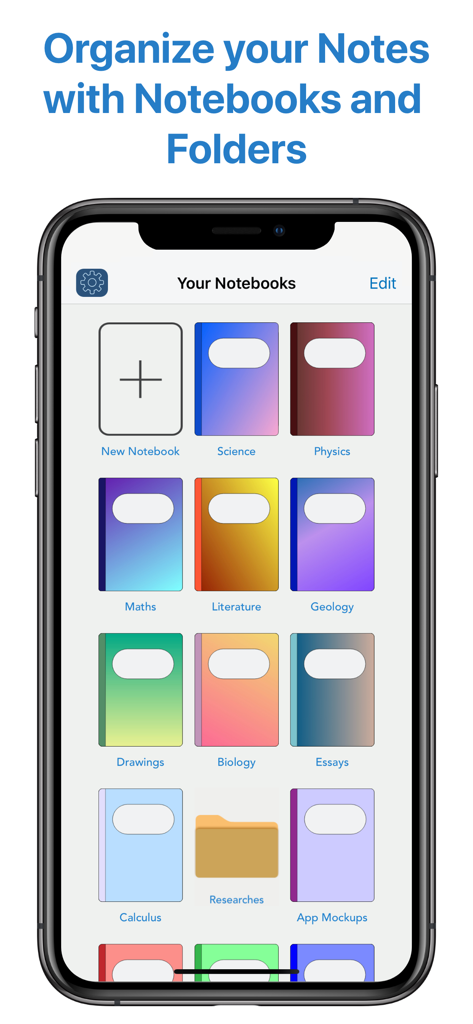
QuickNotes X Pro 디지털 노트 라이브러리 및 정리 화면

QuickNotes X Pro 디지털 노트 라이브러리 및 정리 화면

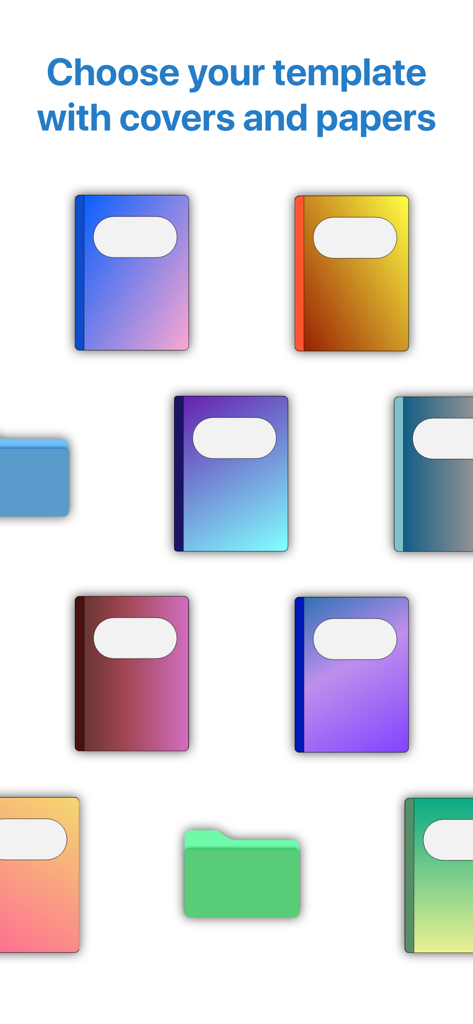
개인적인 노트를 위한 다양한 색상의 디지털 노트 표지 및 정리 폴더

개인적인 노트를 위한 다양한 색상의 디지털 노트 표지 및 정리 폴더

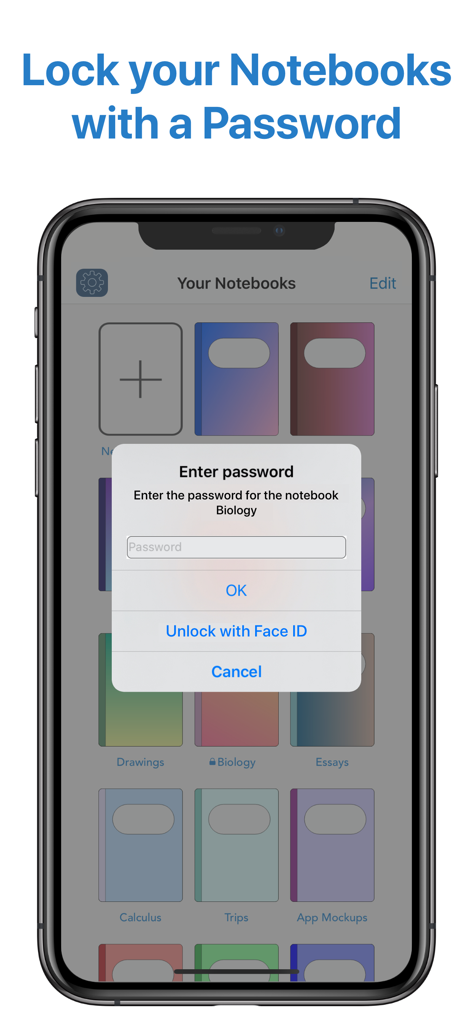
QuickNotes X Pro의 개인 노트에 대한 암호 입력 프롬프트 및 Face ID 잠금 해제 옵션을 보여주는 인터페이스

QuickNotes X Pro의 개인 노트에 대한 암호 입력 프롬프트 및 Face ID 잠금 해제 옵션을 보여주는 인터페이스

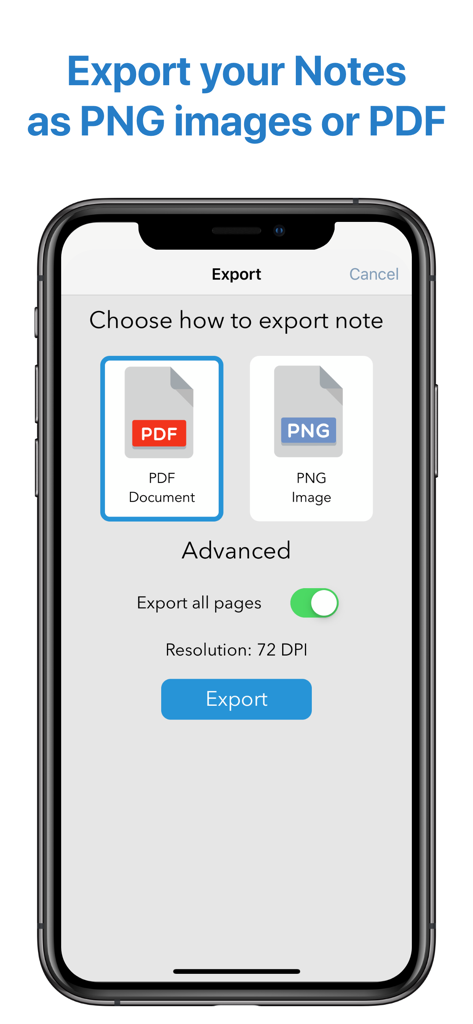
QuickNotes X Pro 앱 인터페이스에서 PDF 또는 PNG 이미지로 노트를 내보내는 옵션 표시

QuickNotes X Pro 앱 인터페이스에서 PDF 또는 PNG 이미지로 노트를 내보내는 옵션 표시

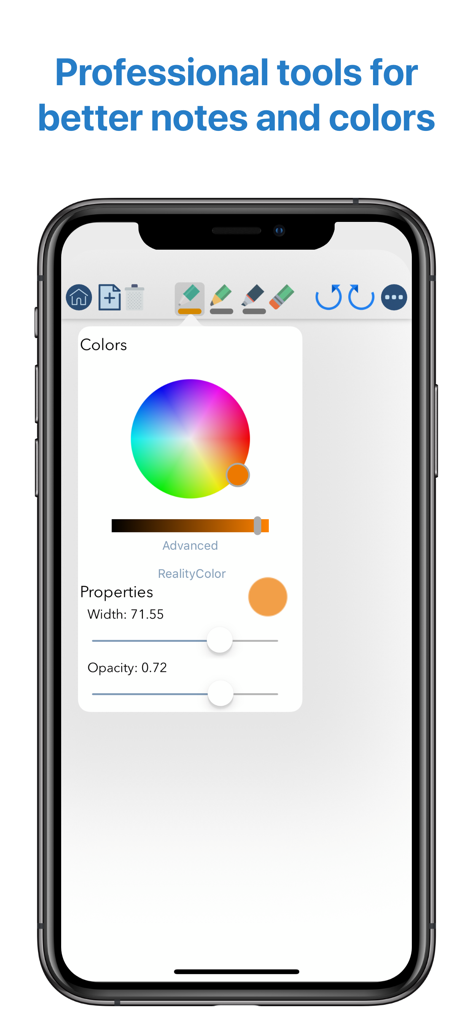
iPhone의 QuickNotes X Pro 인터페이스에서 너비 및 불투명도에 대한 고급 색상환 및 브러시 속성 슬라이더를 포함한 전문적인 그리기 도구 표시

iPhone의 QuickNotes X Pro 인터페이스에서 너비 및 불투명도에 대한 고급 색상환 및 브러시 속성 슬라이더를 포함한 전문적인 그리기 도구 표시

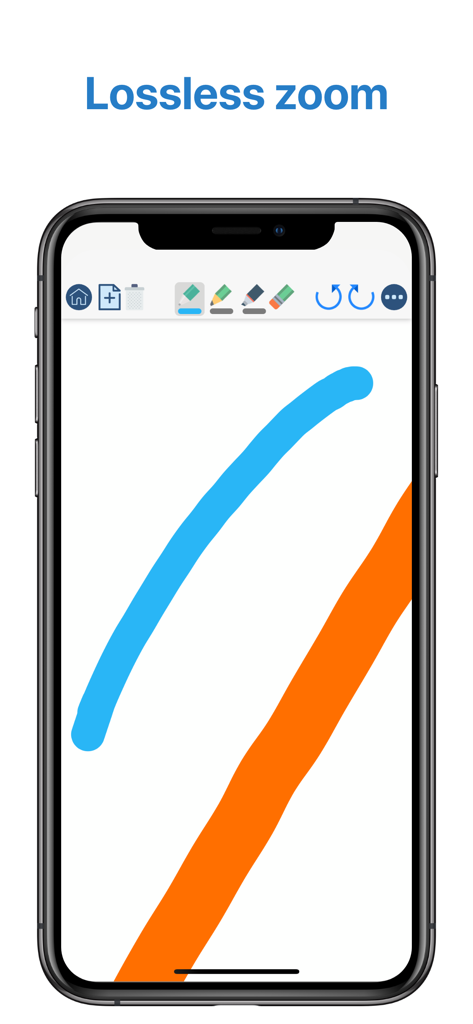
QuickNotes X Pro 모바일 인터페이스에서 부드러운 디지털 잉크 획 및 무손실 확대/축소 기능 표시

QuickNotes X Pro 모바일 인터페이스에서 부드러운 디지털 잉크 획 및 무손실 확대/축소 기능 표시

노트 필기 경험을 향상시키세요

이 앱을 돋보이게 하는 도구, 19K+ 명의 사용자가 선택.

✍️

전문적인 그리기 엔진

픽셀 단위의 정확성과 주변 세상의 모든 색상을 포착할 수 있는 RealityPicker와 같은 고유한 도구를 사용하여 지연 없는 쓰기를 경험하세요.

📑

강력한 PDF 주석

강의 자료나 비즈니스 계약서를 가져와 마크업, 하이라이트 및 서명하세요. 일정을 앞서 나가기 위해 고품질 문서를 즉시 내보내세요.

🛡️

개인 정보 보호 및 가벼운 디자인

FaceID 보호 기능으로 민감한 노트를 안전하게 보호하고, 20MB 미만을 차지하는 가벼운 앱에서 완전한 전문 도구 세트를 즐기세요.

앱 소개

에 대해 알아야 할 모든 것 QuickNotes X Pro.

설명

- ORGANIZE YOUR NOTES - Create notebooks to organize your notes. Choose between a selection of paper templates and covers, and choose between vertical or horizontal layout to fit your note-taking needs. You can also rearrange your notebooks and create folders for them for maximum flexibility. - IMPORT & EDIT YOUR PDFs - With QuickNotes X you can import your PDF documents inside an existing notebook or in a new one, and you can edit them using all the tools QuickNotes X offers. Markup, annotate, highlight, insert images and text and more. You can also export these pages as a new PDF to share you edits. - ACCURATE NOTE-TAKING - QuickNotes X has a new accurate drawing engine that never loses detail, even after zooming or moving around the page. It also has the tools necessary to take perfect professional notes, all in one place. - DRAG & DROP SUPPORT - With QuickNotes X, you can easily create multi-media notes: use an image as a background, or import images from your library or from the web with an in-app tool or by using drag & drop from another window. In addition, these images are always resizable and movable, so that you can edit them whenever you want - PROFESSIONAL TOOLS - To create perfect notes, you need the right tools. This is why QuickNotes X has everything you need, from Pen and Highlighter to the Eraser, so that no mistakes are irreversible. Select the perfect line width and opacity to further customize your style, and choose the color you need from a hand-picked selection or by using the new HSV picker. You can even import a color from an image using the unique RealityPicker! - LOCK YOUR PRIVATE NOTEBOOKS - Want to restrict access to a specific notebook? Just set up a password when you create it or long press on its cover to lock it. And when you need to add some pages to it, just enter the password again or use Touch ID or Face ID to unlock it. - TYPE INSTEAD OF WRITING - With the new Text Tool you can add Text Boxes to your notes to type instead of writing. Want a different text style? Choose the font, size and color you like, underline or set to bold important things: now typing and writing notes is easier with QuickNotes X. - EXPORT TO EDIT ON OTHER DEVICES - You can export individual notes or entire notebooks as a QuickNotes X Document, which can be imported on another device to continue editing your notes. If you export your notebooks they will retain all properties, such as background and aspect ratio, so that if you reimport them they will look exactly as you expect. - SEAMLESS SHARING - Export your note as a PNG image or PDF, with the option to export the whole notebook in a single PDF document. Then, open it in your favorite app or share it with Mail, all with a few taps. - USE YOUR STYLUS - Have a Bluetooth stylus? No problem! QuickNotes X support a variety of styluses, from the Apple Pencil (1st & 2nd Generation)* to Adonit Jot, so that you can take notes while resting your palm on the screen, just like on paper. - OPTIMIZED FOR iOS 13 & 14 - With iOS 13 and 14, QuickNotes X is better than ever! A new, more modern look and support for Dark Mode makes taking notes with QuickNotes X a new experience. - BUT THERE IS MORE! - ⊱ Quickly change page by double-tapping on the edge of the screen ⊱ See all your notebook pages at a glance while taking notes with the new "Notes List" feature ⊱ Create a new page while writing with the dedicated button or by double-tapping on the edge of the screen ⊱ Unlimited undo-redo while writing (before leaving the page) ⊱ Clear your page with a single tap ⊱ Change your notebook template while writing thanks to the dedicated button ⊱ Rapidly delete notes and notebooks with just a long press ⊱ Option to reset all content (Notebooks and Notes) and preferences ⊱ Lightweight: all the features of a professional drawing app with less than 20MB of space ⊱ Localized in English, Italian and French. QuickNotes X Pro: note-taking, made easy. *Only on selected iPad models

최신 버전

2.4.11

크기

38.6 MB

출시일

2016년 6월 21일

생산성 마스터할 준비가 되셨나요?

정확한 필기, 안전한 PDF 마크업, 미적인 정리를 위해 QuickNotes X Pro를 신뢰하는 19,000명 이상의 학생 및 전문가와 함께하세요. 지금 App Store에서 다운로드하세요.

다운로드: App Store

App information, icons, screenshots, and descriptions displayed on this page are sourced from the Apple App Store and are the property of their respective developers. Download estimates and rankings are based on MWM's proprietary models and may not reflect actual figures. This page is provided for informational and analytical purposes only.

Believe this page infringes your intellectual property? File a dispute