Notes Writer Pro 2026
다운로드: App Store

이 페이지는 앱이나 개발자의 공식 페이지가 아니며, 정보 제공 및 논평을 목적으로 작성된 독립 편집 간행물입니다. 명시적으로 달리 언급되지 않는 한, 해당 앱이나 개발자는 MWM, Apple, Google Play, 앱 퍼블리셔 또는 앱 개발자와 제휴, 보증, 후원, 승인 또는 공식적으로 연결되어 있지 않으며, 이 페이지의 어떤 내용도 해당 앱이 MWM의 서비스를 사용하여 개발되었음을 의미하지 않습니다. 모든 상표, 로고, 스크린샷 및 기타 콘텐츠는 해당 소유자의 자산입니다.

로고: Notes Writer Pro 2026
다운로드: App Store

Notes Writer Pro 2026

방해 없는 글쓰기와 마크다운부터 고급 PDF 주석 및 서명까지—하나의 강력한 페이퍼리스 오피스에서 연구, 초안 작성 및 정리에 필요한 모든 것을 갖추십시오.

주요 수치

다운로드

379K+

사용자 평점

4.5/5

총 평가 수

12K+

개발사

Kairoos Solutions S.L.

카테고리

Productivity

지원 언어

10

최신 버전

18.7.0

크기

362.4 MB

출시일

2018년 8월 15일
기능

워크플로우 마스터하기

강의실부터 이사회실까지, Notes Writer Pro 2026은 무제한으로 작성, 연구 및 정리하는 데 필요한 전문 도구를 제공합니다.

방해 없는 글쓰기

마크다운 지원, 라이브 카운터 및 내장 APA/MLA 서식 스타일이 적용된 깔끔한 작업 공간에서 논문 또는 저널을 작성하세요.

완벽한 PDF 파워

교과서를 강조 표시하고, 법률 계약에 서명하고, 양식을 즉시 작성하세요. 분할 보기를 사용하여 옆에 놓고 연구하고 메모하세요.

다음 스크린샷과 설명은 앱의 공식 스토어 목록에서 직접 가져온 것이며 앱 개발자의 자산입니다.

앱 스토어

스크린샷
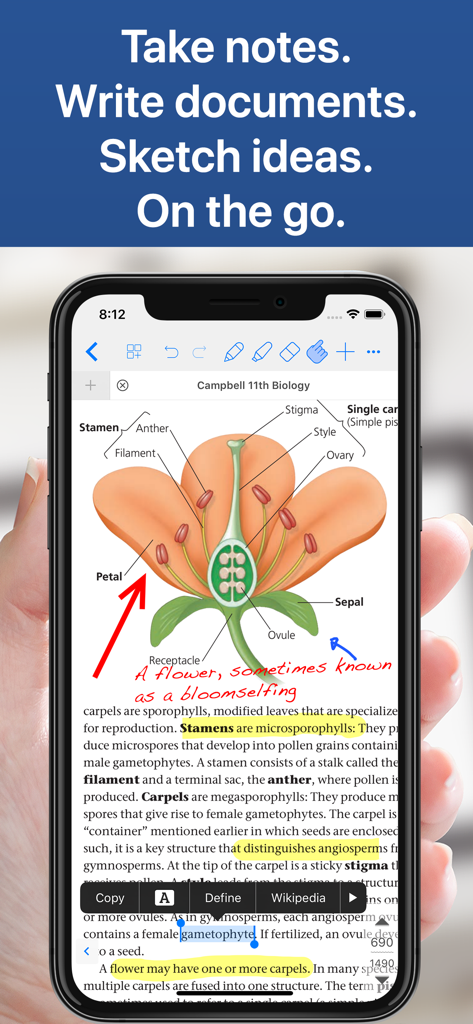
Notes Writer Pro 2026 - iPhone에서 Notes Writer Pro 앱이 손글씨 주석 및 하이라이트가 있는 생물학 교과서를 보여줍니다.
iPhone에서 Notes Writer Pro 앱이 손글씨 주석 및 하이라이트가 있는 생물학 교과서를 보여줍니다.

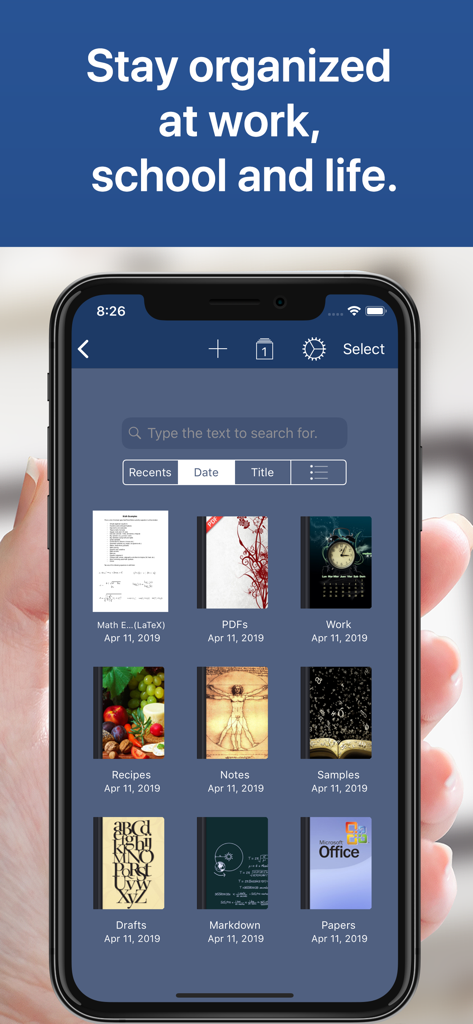
Notes Writer Pro 2026 - Notes Writer Pro 앱에서 정리된 디지털 노트북을 보여주는 스마트폰 화면
Notes Writer Pro 앱에서 정리된 디지털 노트북을 보여주는 스마트폰 화면

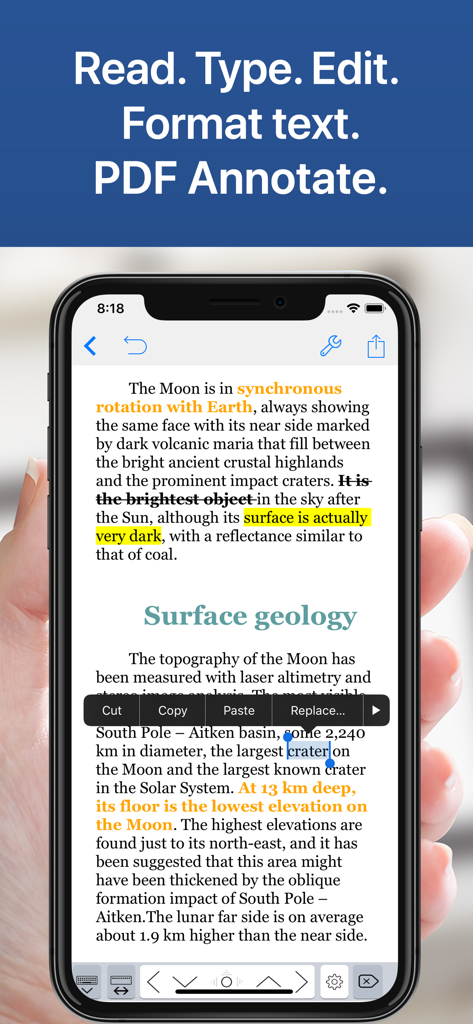
Notes Writer Pro 2026 - iPhone 화면에 달에 대한 문서에 대한 텍스트 강조 표시, 취소선 및 편집 옵션이 있는 Notes Writer Pro 앱이 표시됩니다.
iPhone 화면에 달에 대한 문서에 대한 텍스트 강조 표시, 취소선 및 편집 옵션이 있는 Notes Writer Pro 앱이 표시됩니다.

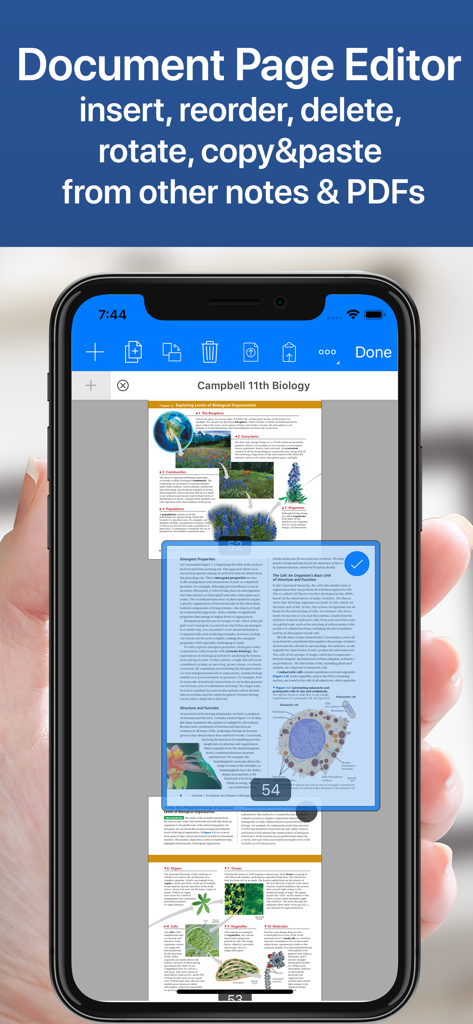
Notes Writer Pro 2026 - iPhone에서 PDF 페이지 재정렬 및 삭제를 위한 Notes Writer Pro 앱의 문서 페이지 편집기 표시
iPhone에서 PDF 페이지 재정렬 및 삭제를 위한 Notes Writer Pro 앱의 문서 페이지 편집기 표시

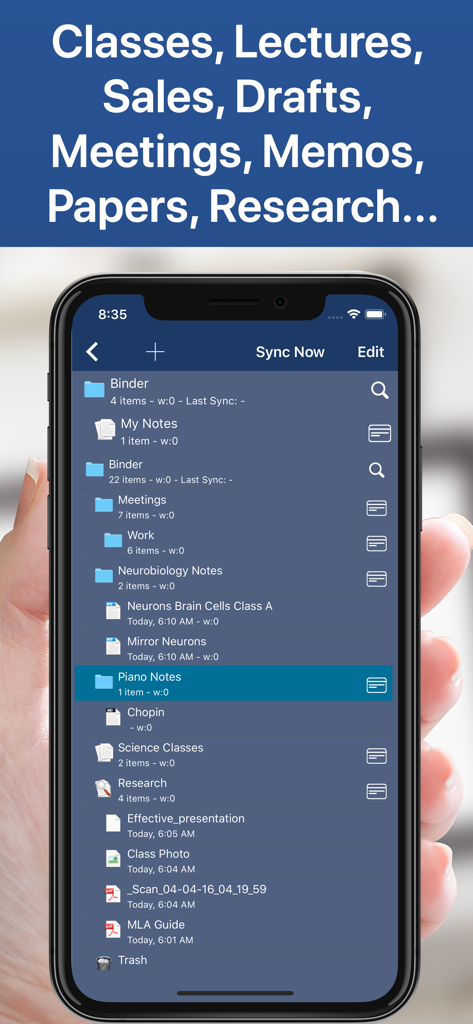
Notes Writer Pro 2026 - 스마트폰 화면에 메모 및 문서용 Notes Writer Pro 앱의 정리된 파일 및 폴더 계층 구조 표시
스마트폰 화면에 메모 및 문서용 Notes Writer Pro 앱의 정리된 파일 및 폴더 계층 구조 표시

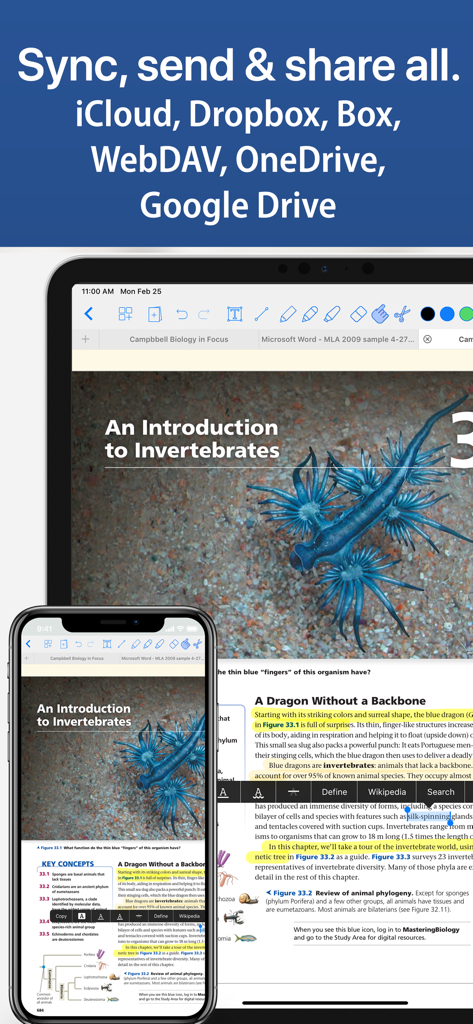
Notes Writer Pro 2026 - 클라우드 서비스를 사용하여 iPhone과 iPad 간에 문서를 동기화하는 Notes Writer Pro 앱 표시

클라우드 서비스를 사용하여 iPhone과 iPad 간에 문서를 동기화하는 Notes Writer Pro 앱 표시

설명

You have lecture notes to take, a story to tell, article to publish, whether it’s today’s journal entry, tomorrow’s thesis, highlight important things in ebooks and PDFs, fill out a PDF form or get the most from your business meetings. Notes Writer is an excellent assistant in study and business, also being effective for writing down your ideas and thoughts and sharing them! Students, teachers, writers, doctors, journalists, scholars and business professionals use Notes Writer daily to store notes, annotations, memos, signed PDFs, papers, highlighted PDF text-books, lectures and more. With Notes Writer Pro you can: + WRITE. EDIT. FORMAT · Write Everywhere: Use Notes Writer as an stand-alone writing app even if you don’t have a computer or you are offline in the wilds · Create rich text format (RTF) and advanced Markdown (MD) documents · Define margins, headers/footers, paper sizes, MLA and APA style format · Live counters: characters, words, sentences, lines, Avg. Word length, Words per sentence & reading time · Text to Speech for proofreading · Dictation lets you speak text instead of typing · Typewriter: Distraction-Free mode, letting you focus on what you’re writing · Over 30 languages typing support including Japanese, Chinese, Arabic & Hebrew · Extra keys: tab, forward delete, cursor up/down/left/right, etc. + ANNOTATE PDFs. FILL FORMS. SIGN DOCUMENTS. · PDF Annotations: highlight, strikeout, underline, notes, voice notes, pencil, stamp, sign... · Fill out forms. Supports PDF AcroForms standard · Sign with your own signature documents, contracts, forms · Digital Signature Validation + ORGANIZE. STRUCTURE. FIND. · Organize your work in unlimited notebooks, folders and subfolders · Create notebooks and projects in your own tree-like structure: Sections, Classes, Lectures, Grades, Drafts, Folders, Chapters, Research, etc. · Design the cover of your notebooks · Full-text search your library of documents and projects + SCAN NOTES. RESEARCH. PDF LIBRARY · Split view: Open two PDFs or handwritten notes simultaneously on screen. Compare or use them as book and paper · Full PDF reader and manager included for reference files, text books, ebooks, articles, resources, papers, etc. · Use the camera of your iPad/iPhone to scan documents, notes, recipes, tickets, etc. as PDF · Open PowerPoint, Word and Excel files + SHARE NOTES. EXPORT PDF, HTML… · Open attachments directly from the Mail app · Sync via iCloud, Dropbox, Box, WebDAV and Google Drive · Convert to multiple formats RTF, Markdown, PDF, ePub, HTML, RTFD, TXT, etc. · Zip folders/notebooks and email them + AUTOMATIC BACKUPS. BE SAFE. PROTECT YOUR WORK · Protect your work with an app security passcode · Protect any folder or project with a passcode · Automatic Backups of your notes and notebooks Notes Writer is more than an innovative, fast and reliable note-taking, PDF annotator and writing app designed for anyone who take notes or writes. This is a smart notepad and writing workspace for your iPad and iPhone. Privacy Policy http://www.noteswriter.com/Kairoos_Privacy_Policy.html EULA https://www.apple.com/legal/internet-services/itunes/dev/stdeula/

Download

다운로드: App Store

이 페이지는 앱이나 개발자의 공식 페이지가 아니며, 정보 제공 및 논평을 목적으로 작성된 독립 편집 간행물입니다. 명시적으로 달리 언급되지 않는 한, 해당 앱이나 개발자는 MWM, Apple, Google Play, 앱 퍼블리셔 또는 앱 개발자와 제휴, 보증, 후원, 승인 또는 공식적으로 연결되어 있지 않으며, 이 페이지의 어떤 내용도 해당 앱이 MWM의 서비스를 사용하여 개발되었음을 의미하지 않습니다. 모든 상표, 로고, 스크린샷 및 기타 콘텐츠는 해당 소유자의 자산입니다.








