Notes Writer - Note Taking

Notes Writer - Note Taking

다운로드: App Store
로고: Notes Writer - Note Taking

Notes Writer: 노트, PDF 및 아이디어를 위한 올인원 작업 공간

8백만 명 이상의 학생 및 전문가와 함께 iPad와 iPhone을 강력한 디지털 사무실로 바꿔보세요. 궁극의 세컨드 브레인 도구로 세상을 쓰고, 주석을 달고, 정리하세요.

개발사

Kairoos Solutions S.L.

카테고리

Productivity

다운로드

8M+

사용자 평점

4.5/5

총 평가 수

56K+

지원 언어

10

당신의 워크플로우, 시각화

이 인터페이스를 사용하는 8M+ 명의 사용자.

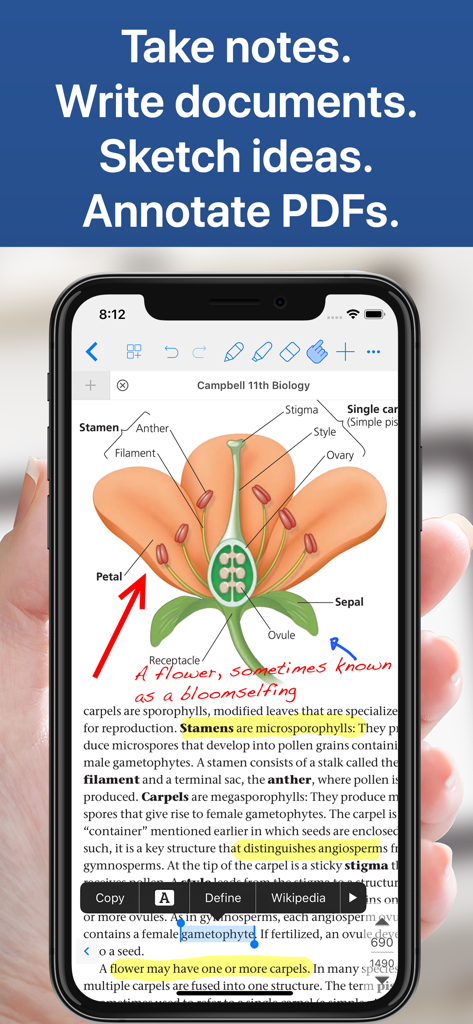
Notes Writer 앱이 iPhone에서 손으로 쓴 메모와 하이라이트가 있는 생물학 교과서 PDF를 표시하고 있습니다.
Notes Writer 앱이 iPhone에서 손으로 쓴 메모와 하이라이트가 있는 생물학 교과서 PDF를 표시하고 있습니다.

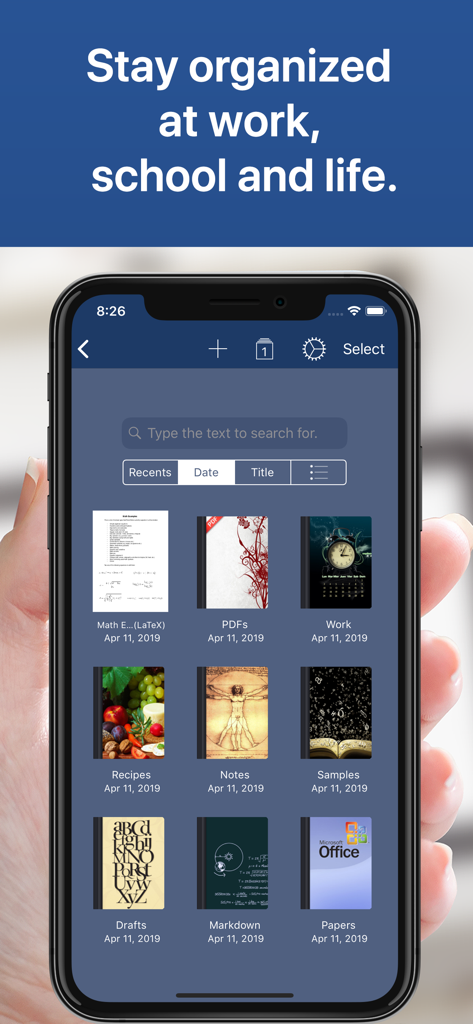
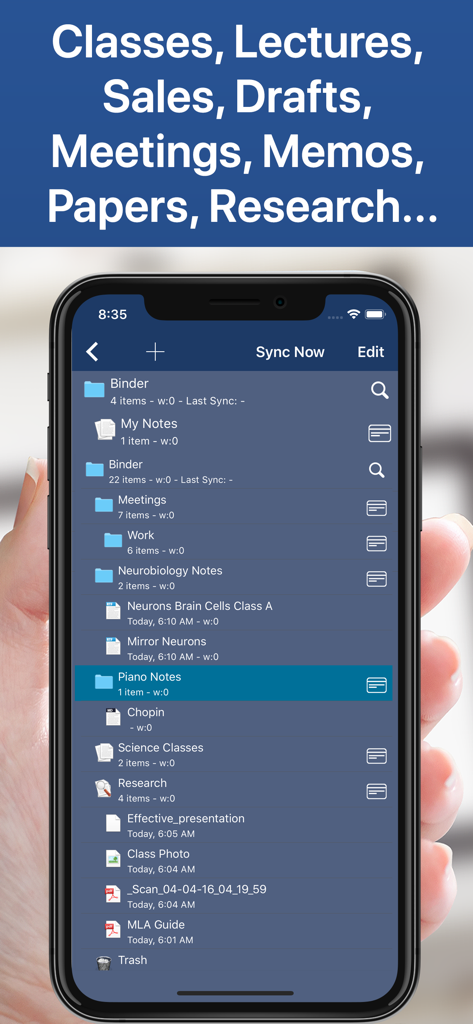
Notes Writer 앱 인터페이스가 스마트폰에서 정리된 노트북 및 폴더 라이브러리를 보여줍니다.
Notes Writer 앱 인터페이스가 스마트폰에서 정리된 노트북 및 폴더 라이브러리를 보여줍니다.

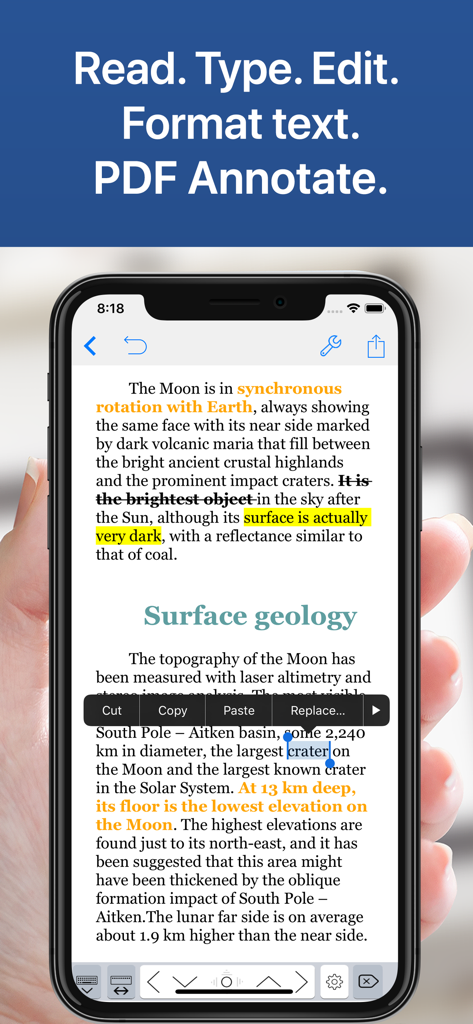
Notes Writer 앱 인터페이스가 iPhone에서 텍스트 서식 및 PDF 주석을 보여줍니다.
Notes Writer 앱 인터페이스가 iPhone에서 텍스트 서식 및 PDF 주석을 보여줍니다.

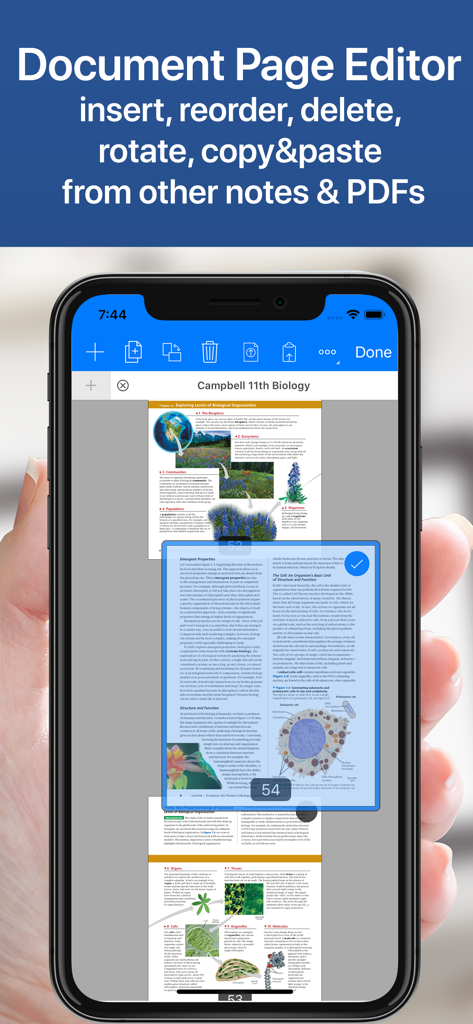
Notes Writer 앱 문서 페이지 편집기 인터페이스가 iPhone에서 생물학 교과서 PDF를 보여주며 페이지 재정렬 및 관리 옵션을 제공합니다.
Notes Writer 앱 문서 페이지 편집기 인터페이스가 iPhone에서 생물학 교과서 PDF를 보여주며 페이지 재정렬 및 관리 옵션을 제공합니다.

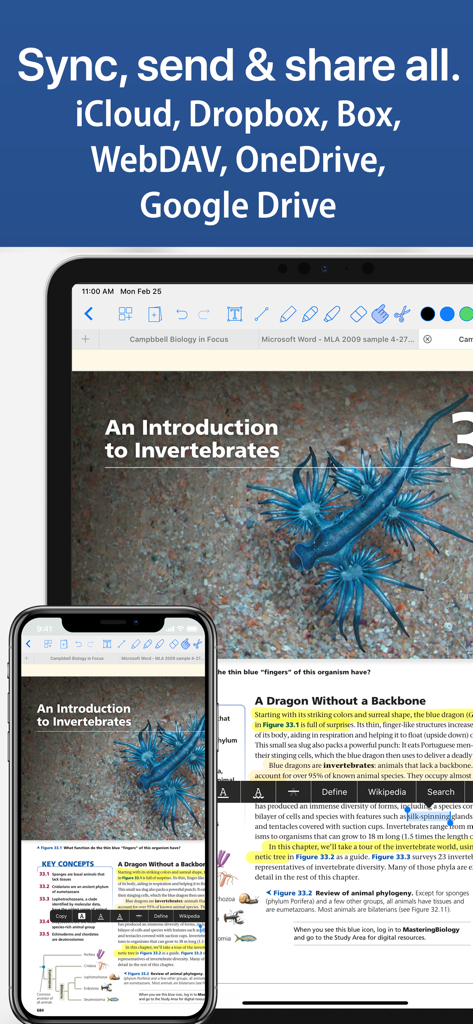
Notes Writer 앱 인터페이스가 iPad와 iPhone에서 iCloud 및 Google Drive와 같은 클라우드 서비스 간 문서 동기화를 보여줍니다.
Notes Writer 앱 인터페이스가 iPad와 iPhone에서 iCloud 및 Google Drive와 같은 클라우드 서비스 간 문서 동기화를 보여줍니다.

Notes Writer의 학술 및 전문 노트를 위한 정리된 폴더를 표시하는 스마트폰 화면

Notes Writer의 학술 및 전문 노트를 위한 정리된 폴더를 표시하는 스마트폰 화면

모바일 워크플로우 마스터하기

이 앱을 돋보이게 하는 도구, 8M+ 명의 사용자가 선택.

✒️

방해 없는 글쓰기

논문이나 수업 노트를 Markdown 지원, 타이프라이터 모드, 자동 MLA/APA 서식으로 작성하여 학술적 우수성을 높이세요.

🖊️

고급 PDF 도구 세트

교과서를 하이라이트하고, 법률 계약서에 서명하고, 복잡한 양식을 즉시 작성하세요. Dual-View를 사용하여 동시에 연구하고 작성하세요.

☁️

무한한 정리 및 동기화

무제한 폴더로 프로젝트를 구성하고 iCloud, Google Drive 및 Dropbox 전체에서 동기화하여 진정한 페이퍼리스 라이프를 경험하세요.

전 세계 사용자들에게 사랑받는 앱

Trusted by 8M+ 명이 이 앱을 사랑합니다.

"

"박사 과정 학생으로서 저는 연구를 위해 세 가지 다른 앱을 사용했습니다. Notes Writer는 모든 것을 바꿨습니다. 듀얼 뷰에서 초안을 작성하면서 긴 PDF 논문에 주석을 달 수 있습니다. 내장된 MLA 서식 도구와 수백 개의 폴더를 정리할 수 있는 기능은 제 논문을 위한 최고의 세컨드 브레인입니다."

Sarah L., Ph.D. Candidate
"

"이것은 제 iPad에서 찾은 가장 다재다능한 글쓰기 도구입니다. 새로운 기사를 위해 방해 없는 타이프라이터 모드를 사용하든, 보안 PDF 도구로 즉석에서 계약서에 서명하든, 모든 것을 완벽하게 처리합니다. 하나의 앱에 제 전체 모바일 사무실이 있으며, 오프라인 모드는 통근 시 생명의 은인입니다."

Marcus T., 프리랜서 저널리스트

리뷰 분석

사용자 리뷰 인사이트.

감정 점수

23%
부정적

요약

This note-taking app receives largely negative feedback, primarily due to its controversial payment model and numerous stability issues. Many users express frustration with hidden costs, the requirement to repurchase "Pro" features across different devices, and a perceived lack of transparency regarding subscriptions and AI features. Recurring critical problems include frequent app crashes, significant data loss without recovery options, and unresponsive customer support. Despite these drawbacks, the app garners some praise for its strong PDF annotation capabilities, variety of templates, ease of use for basic note-taking, and efficient file transfer, with a few users highlighting its useful free version features.

주요 테마

Ease of Use(4)
PDF Annotation(3)
Templates & Customization(1)
File Transfer(1)
Free Version Features(1)
Handwritten Notes(1)

앱 소개

에 대해 알아야 할 모든 것 Notes Writer - Note Taking.

설명

Transform the way you write, annotate, and organize on your iPad and iPhone. Perfect for students, educators, writers, professionals, and anyone who needs a powerful, all-in-one note-taking and PDF editing solution—Notes Writer works wherever you are, even offline. Write, Edit & Format • Write anywhere: Capture lecture notes, journal entries, articles, and more—even on the go. • Advanced editing: Create RTF and Markdown documents with customizable margins, headers, footers, and paper sizes. Format your work effortlessly using MLA/APA styles. • Real-time metrics: Monitor word counts, character counts, and more as you write. • Voice and accessibility: Use dictation to speak your text and text-to-speech for seamless proofreading. • Focus mode: Enjoy distraction-free typewriter mode and extra keys for effortless editing. • Multilingual support: Type in over 30 languages, including Japanese, Chinese, Arabic, and Hebrew. Annotate PDFs, Fill Forms & Sign Documents • Dynamic PDF tools: Highlight, underline, strikeout, and add notes—plus voice annotations, pencil marks, stamps, and digital signatures. • Easy form filling: Complete PDF forms with full AcroForms support and sign documents securely. • Signature validation: Ensure your signatures are authenticated and legally sound. Organize, Structure & Find • Unlimited organization: Create and manage unlimited notebooks, folders, and subfolders. Design custom covers and structure your projects intuitively. • Powerful search: Instantly find any note or document with full-text search across your entire library. Scan, Research & Manage Your PDF Library • Dual-view mode: Compare two PDFs or handwritten notes side by side. • Comprehensive PDF manager: Read, annotate, and organize textbooks, ebooks, articles, and more. • Document scanning: Convert physical documents, recipes, and tickets into PDFs using your device’s camera. • Multi-file compatibility: Open PowerPoint, Word, and Excel files directly within the app. Share, Export & Protect Your Work • Seamless sharing: Sync with iCloud, Dropbox, Box, WebDAV, and Google Drive. Open attachments directly from your Mail app. • Flexible exports: Convert notes to RTF, Markdown, PDF, ePub, HTML, TXT, and more. Easily zip and email entire notebooks. • Secure backups: Protect your work with a passcode and enjoy automatic backups for peace of mind. Notes Writer is more than a note-taking app—it’s your smart, versatile writing workspace designed to boost productivity in study and business. Download today and experience a smarter way to capture, organize, and share your ideas. Privacy Policy http://www.noteswriter.com/Kairoos_Privacy_Policy.html EULA https://www.apple.com/legal/internet-services/itunes/dev/stdeula/

최신 버전

18.4.0

크기

359.4 MB

출시일

2018년 8월 15일

오늘부터 더 스마트한 작업 공간을 시작하세요

정리되지 않은 앱 대신 하나의 통합된 공간을 선택한 8백만 명의 파워 유저와 함께하세요. Notes Writer를 다운로드하고 한 곳에서 노트, PDF 및 프로젝트를 마스터하세요.

다운로드: App Store
FAQ

자주 묻는 질문

에 대해 알아야 할 모든 것 Notes Writer - Note Taking

Notes Writer란 무엇인가요?

Notes Writer는 iPad 및 iPhone을 위한 올인원 노트 작성 및 PDF 편집 솔루션입니다. 사용자가 학습 및 비즈니스에 필요한 문서를 효과적으로 작성, 주석 추가, 정리, 스캔 및 관리할 수 있도록 지원합니다.

인터넷 연결 없이 Notes Writer를 사용할 수 있나요?

예, Notes Writer는 오프라인에서도 작동합니다. 이 애플리케이션을 사용하면 인터넷 연결 여부에 관계없이 어디서든 생산성을 유지하면서 메모, 일기 항목 및 기사를 캡처할 수 있습니다.

Notes Writer에서 어떤 종류의 파일을 내보낼 수 있나요?

Notes Writer는 RTF, Markdown, PDF, ePub, HTML 및 TXT를 포함한 다양한 형식으로 노트를 내보냅니다. 또한 사용자는 앱에서 전체 노트북을 압축하여 이메일로 보낼 수 있습니다.

Notes Writer는 PDF 주석을 지원하나요?

예, Notes Writer는 포괄적인 PDF 주석을 지원합니다. 사용자는 PDF에 직접 강조 표시, 밑줄, 취소선, 메모, 음성 주석, 연필 표시, 스탬프 및 디지털 서명을 추가할 수 있습니다.

Notes Writer는 문서를 어떻게 정리하는 데 도움이 되나요?

Notes Writer는 무제한적인 정리를 제공합니다. 사용자는 무제한으로 노트북, 폴더 및 하위 폴더를 만들고 관리할 수 있습니다. 사용자 정의 표지와 전체 라이브러리에 대한 강력한 전체 텍스트 검색 기능을 제공합니다.

Notes Writer는 어떤 클라우드 서비스와 동기화되나요?

Notes Writer는 iCloud, Dropbox, Box, WebDAV 및 Google Drive와 원활한 동기화를 제공합니다. 사용자는 애플리케이션 내에서 이메일 첨부 파일을 직접 열 수도 있습니다.

Notes Writer에 문서 스캐너가 포함되어 있나요?

예, Notes Writer에는 문서 스캔 기능이 포함되어 있습니다. 이 기능은 물리적 문서, 레시피 및 티켓을 기기 카메라를 사용하여 직접 PDF 파일로 변환하여 디지털로 정리할 수 있도록 합니다.

Notes Writer에서 Word나 Excel과 같은 Microsoft Office 파일을 열 수 있나요?

예, Notes Writer는 PowerPoint, Word 및 Excel 파일을 앱 내에서 직접 열 수 있습니다. 이는 포괄적인 문서 관리 도구로서의 유용성을 향상시킵니다.