Resume Maker | CV Builder App

Resume Maker | CV Builder App


다운로드: App Store
로고: Resume Maker | CV Builder App

이력서 제작기 | CV 빌더 앱: 몇 분 안에 눈에 띄는 전문가 이력서 만들기

서식 지정으로 어려움을 겪지 말고 이 단계별 빌더와 멋진 템플릿을 사용하여 iPhone에서 바로 영향력 있는 ATS 친화적인 PDF 이력서를 만들어 꿈의 직업을 더 빨리 잡으세요.

개발사

Ahmet Yilmaz

카테고리

Business

다운로드

549K+

사용자 평점

4.7/5

총 평가 수

7K+

지원 언어

8

성공을 위해 제작됨

이 인터페이스를 사용하는 549K+ 명의 사용자.

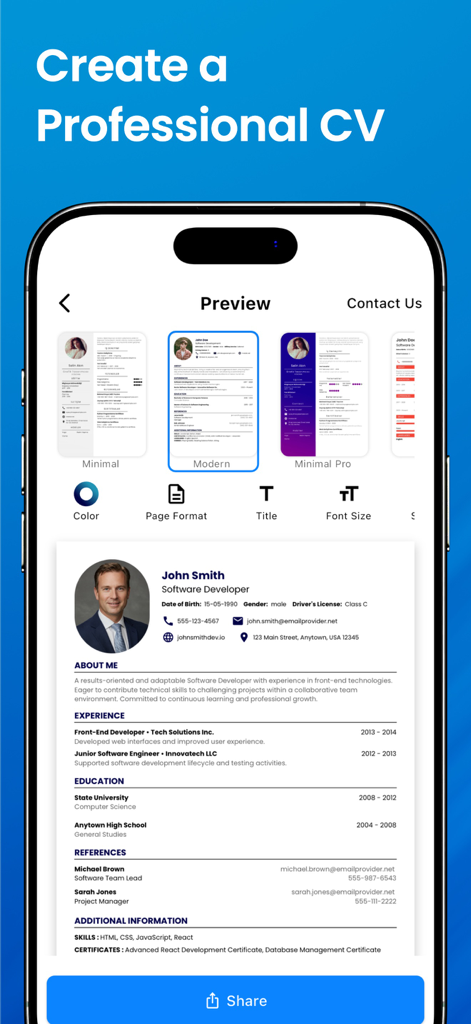
이력서 제작기 앱에서 다양한 템플릿과 사용자 지정 도구를 사용하여 전문가 수준의 이력서 미리보기를 보여주는 iPhone 스크린샷

이력서 제작기 앱에서 다양한 템플릿과 사용자 지정 도구를 사용하여 전문가 수준의 이력서 미리보기를 보여주는 iPhone 스크린샷

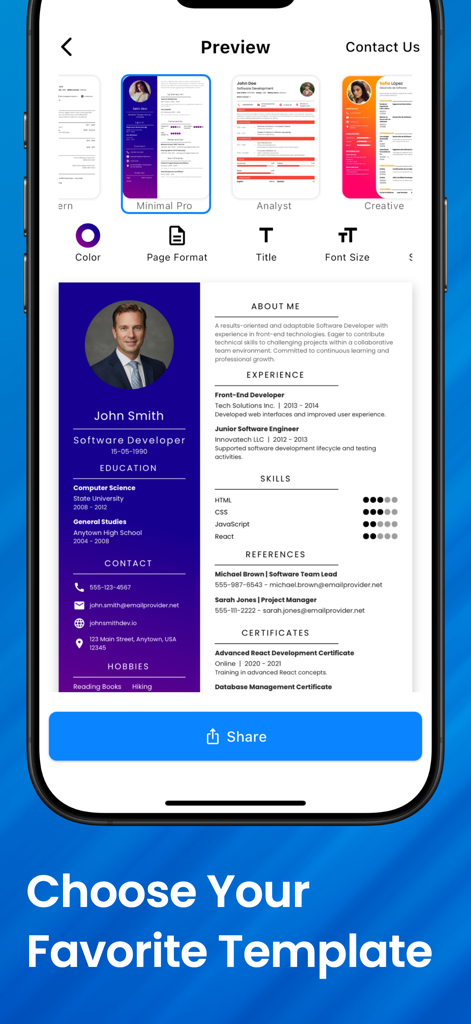
소프트웨어 개발자 CV의 전문 이력서 템플릿과 라이브 미리보기를 표시하는 모바일 앱 인터페이스

소프트웨어 개발자 CV의 전문 이력서 템플릿과 라이브 미리보기를 표시하는 모바일 앱 인터페이스

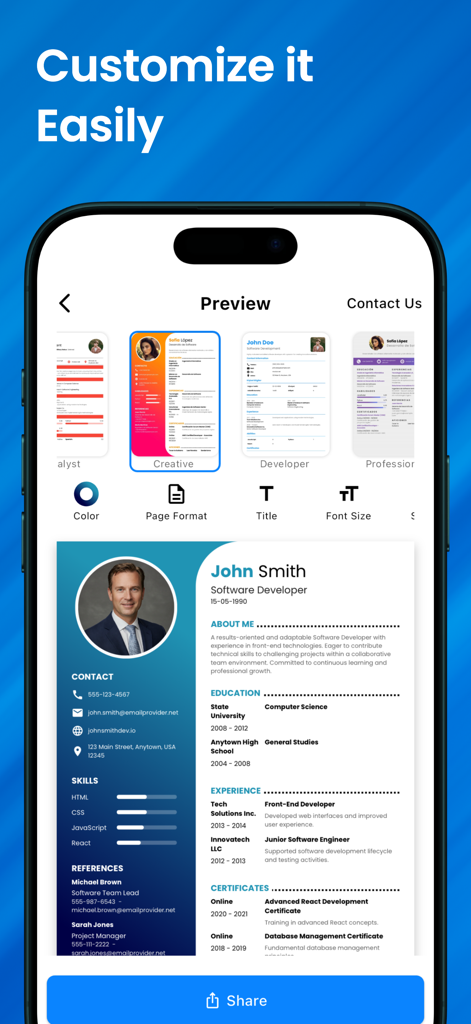
색상 및 글꼴에 대한 다양한 전문 CV 템플릿과 사용자 지정 옵션을 보여주는 이력서 제작기 앱이 있는 스마트폰 화면

색상 및 글꼴에 대한 다양한 전문 CV 템플릿과 사용자 지정 옵션을 보여주는 이력서 제작기 앱이 있는 스마트폰 화면

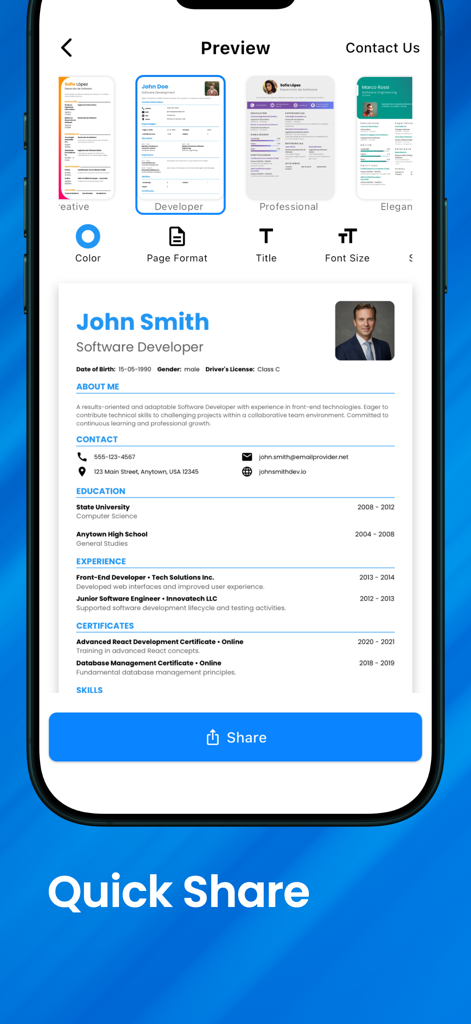
빠른 공유 버튼이 있는 전문가 이력서 미리보기를 보여주는 iPhone 앱 화면

빠른 공유 버튼이 있는 전문가 이력서 미리보기를 보여주는 iPhone 앱 화면

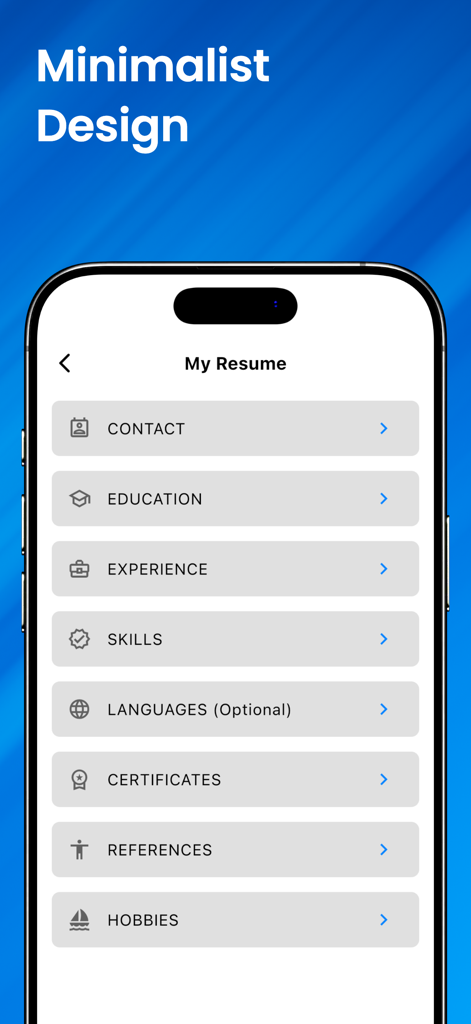
교육 및 경험 섹션이 있는 미니멀리스트 이력서 빌더 인터페이스를 보여주는 모바일 앱 화면

교육 및 경험 섹션이 있는 미니멀리스트 이력서 빌더 인터페이스를 보여주는 모바일 앱 화면

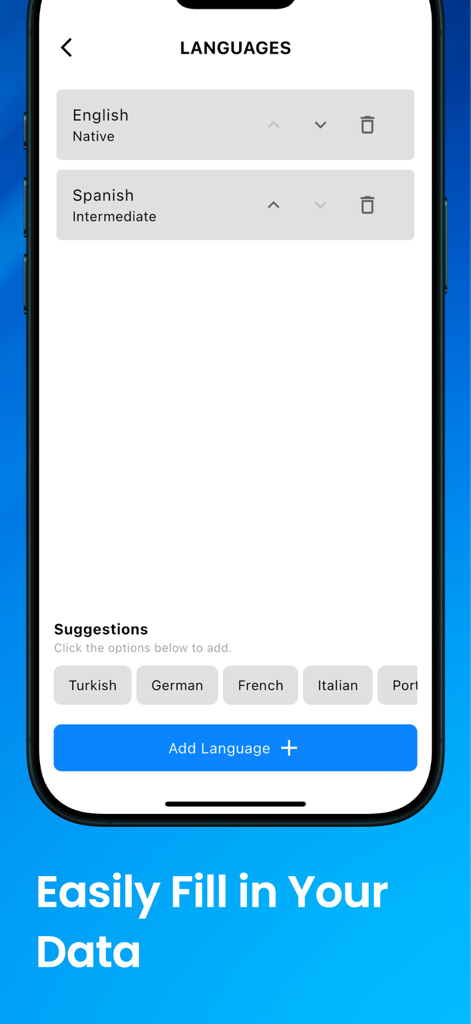
CV 빌더 앱에서 이력서에 언어 능력을 추가하는 인터페이스

CV 빌더 앱에서 이력서에 언어 능력을 추가하는 인터페이스

몇 분 안에 경력에 유리한 이력서 만들기

이 앱을 돋보이게 하는 도구, 549K+ 명의 사용자가 선택.

✍️

단계별 안내 빌더

채용 담당자가 찾는 모든 필수 세부 정보를 포함하도록 직관적인 양식으로 작가 블록을 제거하세요.

디자이너 템플릿 및 스타일링

다양한 현대적이고 ATS 친화적인 템플릿 중에서 선택하고 무제한 색상 및 글꼴 옵션으로 사용자 지정하세요.

🚀

즉각적인 PDF 내보내기 및 공유

고해상도 PDF를 내보내거나 장치에서 직접 인쇄하여 언제 어디서나 즉시 직무에 지원하세요.

앱 소개

에 대해 알아야 할 모든 것 Resume Maker | CV Builder App.

설명

Introducing Resume Maker | PDF CV Maker - the most comprehensive and feature-rich mobile application for creating professional, attention-grabbing resumes with unparalleled ease. Packed with cutting-edge tools and a user-friendly interface, our app is meticulously designed to cater to job seekers of all levels, from recent graduates to seasoned professionals. With a wide array of powerful features and customizable options, you can confidently build the perfect CV that reflects your unique qualifications and sets you apart in the competitive job market. Key Features: Limitless Color Options: Personalize your resume to perfection by choosing from an extensive spectrum of colors. Showcase your creativity and make your CV truly stand out. Intuitive UI-UX: We understand the significance of a seamless user experience. Our app's intuitive design ensures that crafting your CV is effortless and enjoyable. Step-by-Step CV Form: Crafting a compelling resume has never been easier. Our app guides you through a comprehensive, step-by-step process, ensuring you include all vital information. Save and Share as PDF: Once you've created your masterpiece, save it as a high-quality PDF file, ready to be shared with potential employers or uploaded to job portals. Live Resume Preview: Witness real-time changes to your CV with our live preview feature. Effortlessly fine-tune your resume until it meets your exact requirements. Direct Printing: Sometimes, a physical copy is essential. With our app, you can directly print your CV, preserving its immaculate formatting. Tailor-Made Section Headings: Customize your CV's section headings to match your industry, career level, and aspirations. Craft a document that emphasizes your strengths. High-Resolution Printing: Quality matters, especially when it comes to presenting yourself professionally. Our app ensures your printed CV is of the highest quality. Font and Spacing Adjustments: Choose from an extensive library of fonts and easily adjust spacing to create a visually appealing and readable CV. Multiple Paper Types: Tailor your CV's dimensions by selecting from various paper sizes to accommodate regional preferences or unique printing needs. Diverse Design Templates: Explore a vast collection of professionally crafted templates, each tailored to different industries and job roles. Find the perfect match for your career aspirations. Comprehensive Editing Tools: Polish your CV to perfection with a range of editing tools, from spellcheck and grammar correction to formatting enhancements. Prepare Europass compliant Resumes. Cloud Synchronization: Store your data securely online and access it from anywhere. Whether you're a recent graduate embarking on your professional journey or an established professional seeking career advancement, Resume maker | PDF CV Maker empowers you to present your credentials confidently and professionally. Our app's advanced features, combined with the flexibility of customization, enable you to create a resume that accurately reflects your skills, experiences, and aspirations. Unlock your career potential with Resume maker | PDF CV Maker. Download now and embark on a journey towards a prosperous future. Remember, a well-crafted resume is the gateway to endless opportunities, so seize the chance to elevate your career to new heights today! Terms of Use: https://modulx.net/resume-maker-terms-and-conditions/

최신 버전

3.4.0

크기

51.4 MB

출시일

2022년 12월 27일

꿈의 직업을 잡을 준비가 되셨나요?

모바일 우선 빌더를 통해 몇 분 안에 멋지고 채용 담당자에게 준비된 이력서를 만드는 데 신뢰를 보내는 500,000명 이상의 전문가와 함께하세요. 다음 커리어 이동은 탭 한 번이면 됩니다.

다운로드: App Store
FAQ

자주 묻는 질문

에 대해 알아야 할 모든 것 Resume Maker | CV Builder App

이력서 메이커 | CV 빌더 앱의 목적은 무엇인가요?

이력서 메이커 | CV 빌더 앱은 비교할 수 없을 정도로 쉬운 방법으로 전문적이고 눈길을 끄는 이력서를 만드는 모바일 애플리케이션입니다. 구직자를 위한 최첨단 도구와 사용자 친화적인 인터페이스를 제공합니다.

이력서 메이커 | CV 빌더 앱에서 이력서 색상을 사용자 정의할 수 있나요?

네, 이력서 메이커 | CV 빌더 앱은 이력서를 개인화할 수 있는 무제한 색상 옵션을 제공합니다. 사용자는 광범위한 색상 스펙트럼에서 선택하여 CV를 돋보이게 할 수 있습니다.

이력서 메이커 | CV 빌더 앱은 CV 작성에 대한 단계별 가이드를 제공하나요?

네, 이력서 메이커 | CV 빌더 앱은 포괄적인 단계별 프로세스를 통해 사용자를 안내합니다. 이를 통해 설득력 있는 이력서를 작성하는 데 필요한 모든 필수 정보가 포함되도록 합니다.

이력서 메이커 | CV 빌더 앱을 사용하여 이력서를 저장하고 공유하려면 어떻게 해야 하나요?

이력서 메이커 | CV 빌더 앱을 사용하면 완성된 이력서를 고품질 PDF 파일로 저장할 수 있습니다. 그런 다음 잠재적 고용주와 쉽게 공유하거나 채용 포털에 업로드할 수 있습니다.

이력서 메이커 | CV 빌더 앱에는 어떤 종류의 디자인 템플릿을 사용할 수 있나요?

이력서 메이커 | CV 빌더 앱은 다양한 디자인 템플릿의 방대한 컬렉션을 제공합니다. 이들은 전문적으로 제작되었으며 경력 목표에 맞게 다양한 산업 및 직무 역할에 맞게 조정되었습니다.

이력서 메이커 | CV 빌더 앱은 유럽 패스(Europass) 규정을 준수하는 이력서를 생성할 수 있나요?

네, 이력서 메이커 | CV 빌더 앱은 유럽 패스 규정을 준수하는 이력서를 준비합니다. 이를 통해 생성된 CV가 유럽 표준 형식을 준수하도록 합니다.

이력서 메이커 | CV 빌더 앱은 글꼴 및 간격 조정을 허용하나요?

네, 이력서 메이커 | CV 빌더 앱은 광범위한 글꼴 라이브러리와 쉬운 간격 조정을 제공합니다. 이를 통해 사용자는 시각적으로 매력적이고 읽기 쉬운 CV를 만들 수 있습니다.

이력서 메이커 | CV 빌더 앱에서 CV를 직접 인쇄할 수 있나요?

네, 이력서 메이커 | CV 빌더 앱은 CV의 직접 인쇄를 지원합니다. 이 기능은 물리적 사본에 대한 완벽한 서식이 유지되도록 합니다.

이력서 메이커 | CV 빌더 앱은 이력서를 위한 클라우드 스토리지를 제공하나요?

네, 이력서 메이커 | CV 빌더 앱은 클라우드 동기화를 포함합니다. 이 기능을 통해 사용자는 이력서 데이터를 온라인에 안전하게 저장하고 어디서든 액세스할 수 있습니다.

이력서 메이커 | CV 빌더 앱으로 어떤 이력서 섹션을 편집할 수 있나요?

이력서 메이커 | CV 빌더 앱은 연락처, 학력, 경력, 기술, 언어, 자격증, 추천인 및 취미 섹션 편집을 허용합니다. 사용자는 섹션 제목도 사용자 정의할 수 있습니다.

App information, icons, screenshots, and descriptions displayed on this page are sourced from the Apple App Store and are the property of their respective developers. Download estimates and rankings are based on MWM's proprietary models and may not reflect actual figures. This page is provided for informational and analytical purposes only.

Believe this page infringes your intellectual property? File a dispute