
이 페이지는 앱이나 개발자의 공식 페이지가 아니며, 정보 제공 및 논평을 목적으로 작성된 독립 편집 간행물입니다. 명시적으로 달리 언급되지 않는 한, 해당 앱이나 개발자는 MWM, Apple, Google Play, 앱 퍼블리셔 또는 앱 개발자와 제휴, 보증, 후원, 승인 또는 공식적으로 연결되어 있지 않으며, 이 페이지의 어떤 내용도 해당 앱이 MWM의 서비스를 사용하여 개발되었음을 의미하지 않습니다. 모든 상표, 로고, 스크린샷 및 기타 콘텐츠는 해당 소유자의 자산입니다.


Resume Builder⁺
서식 맞추기와 글쓰기 막힘으로 더 이상 고민하지 마세요. 전문가가 검증한 템플릿과 AI 기반 자기소개서를 사용하여 오늘 바로 돋보이고 채용되는 400만 명 이상의 전문가들과 함께하세요.
다운로드
4M+사용자 평점
총 평가 수
163K+개발사
카테고리
Business지원 언어
12최신 버전
4.6.3크기
48.4 MB출시일
2016년 1월 23일채용에 필요한 모든 것
서식 맞추기와 글쓰기 막힘에 시간을 낭비하지 마세요. AI와 전문가의 디자인을 사용하여 기록적인 시간 내에 더 많은 면접 기회를 얻고 있는 400만 명 이상의 전문가들과 함께하세요.
몇 시간이 아닌 몇 분 만에 작성
서식으로 인한 고민은 건너뛰세요. iPhone에서 직접 이동 중에도 전문적인 이력서를 생성할 수 있는 간편한 3단계 프로세스를 사용하세요.
AI 기반 자기소개서
글쓰기 막힘을 즉시 해결하세요. 당사의 고급 AI가 모든 지원에 대해 고유하고 맞춤화된 자기소개서를 작성하여 성공 가능성을 극대화합니다.
자주 묻는 질문
에 대해 알아야 할 모든 것 Resume Builder⁺
Resume Builder⁺는 이력서를 빠르게 작성하는 데 어떻게 도움이 되나요?
Resume Builder⁺는 정보 입력, 전문 템플릿 선택, 공유/인쇄/이메일 발송의 세 단계로 이력서 작성을 간소화합니다. 이 과정을 통해 빠르고 효율적인 문서 생성이 가능합니다.
Resume Builder⁺는 이력서에 대한 맞춤형 템플릿을 제공하나요?
네, Resume Builder⁺는 맞춤형 템플릿을 제공합니다. 사용자는 다양한 스타일, 글꼴, 색상을 사용하여 이력서를 개인화하여 시선을 사로잡을 수 있습니다. 스크린샷 #2는 템플릿 옵션을 보여줍니다.
Resume Builder⁺는 AI 기술을 사용하여 자기소개서를 생성할 수 있나요?
네, Resume Builder⁺는 인공 지능을 사용하여 고유한 자기소개서를 생성합니다. 앱의 AI 모델은 각 편지를 사용자의 필요에 맞게 구체적으로 조정하여 구직 성공률을 극대화합니다. 스크린샷 #4는 자기소개서 기능을 보여줍니다.
Resume Builder⁺에서 사용할 수 있는 내보내기 및 공유 옵션은 무엇인가요?
Resume Builder⁺는 고급 내보내기 및 공유 옵션을 제공합니다. 사용자는 이력서를 이메일로 보내거나, 인쇄하거나, Dropbox, Google Drive, Files와 같은 클라우드 서비스에 직접 저장할 수 있습니다. 스크린샷 #3은 이러한 옵션을 보여줍니다.
사용자는 Resume Builder⁺ 구독을 어떻게 관리하거나 취소할 수 있나요?
사용자는 '구독' 아래의 기기 설정 앱을 통해 Resume Builder⁺ 구독을 관리하거나 취소할 수 있습니다. 또는 앱의 '설정' 화면에서 '구독 관리'에 액세스할 수 있으며, 이는 AppStore로 연결됩니다.
Resume Builder⁺에는 자동 수정과 같은 텍스트 정확도 기능이 포함되어 있나요?
네, Resume Builder⁺에는 텍스트 정확도 기능이 포함되어 있습니다. 이 앱은 텍스트 확인, 자동 수정, 예측 텍스트를 제공하여 사용자가 이력서 콘텐츠가 정확하고 오류가 없도록 보장하도록 돕습니다.
Resume Builder⁺에서 이력서에 개인 사진을 추가할 수 있나요?
네, Resume Builder⁺에서는 이력서에 개인 사진을 추가할 수 있습니다. 이 기능을 통해 구직 지원을 위한 이력서 개인화를 더욱 강화할 수 있습니다.
Resume Builder⁺ 프리미엄 기능에 대해 어떤 구독 기간을 사용할 수 있나요?
Resume Builder⁺는 유연한 구독 기간으로 프리미엄 기능을 제공합니다. 사용자는 주간, 월간 또는 학기별 구독 기간 중에서 선택하여 향상된 기능을 사용할 수 있습니다.
다음 스크린샷과 설명은 앱의 공식 스토어 목록에서 직접 가져온 것이며 앱 개발자의 자산입니다.
앱 스토어
스크린샷
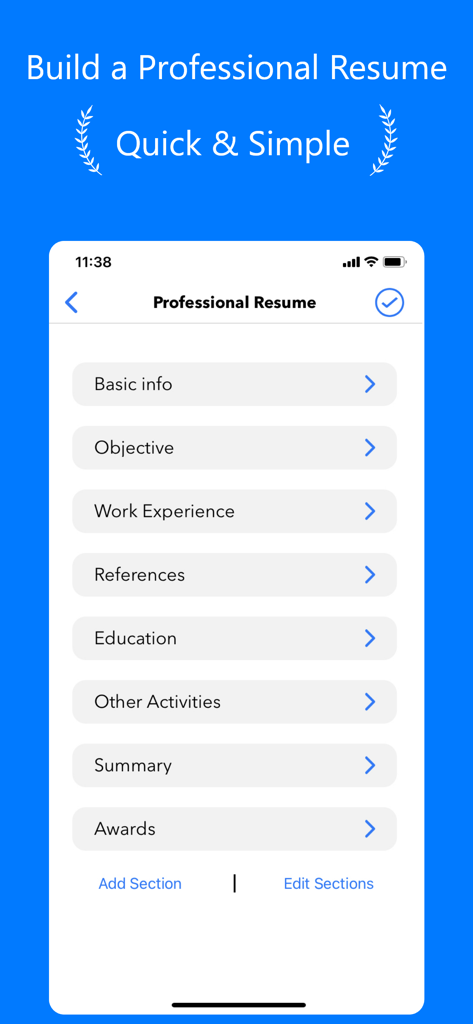
기본 정보, 경력 및 학력 카테고리를 보여주는 Resume Builder 앱 인터페이스
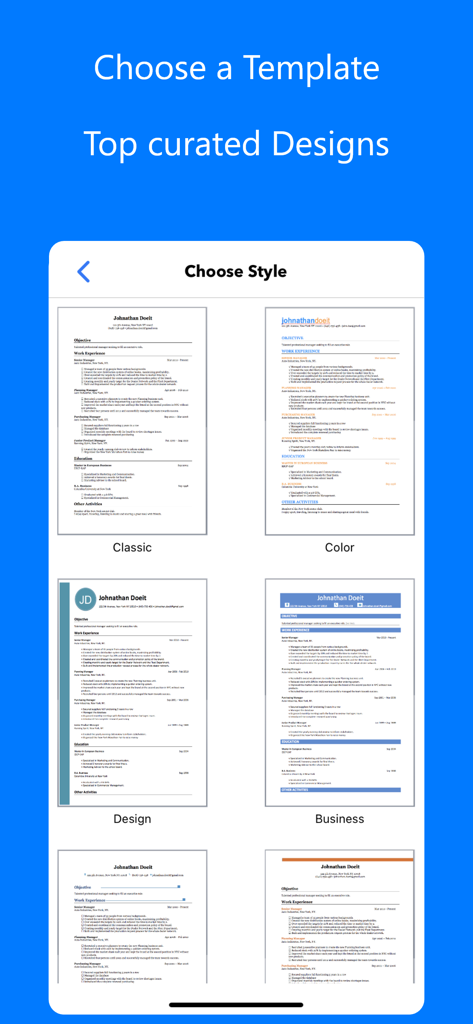
클래식 및 현대적인 비즈니스 스타일을 포함하여 엄선된 이력서 템플릿 선택 화면을 보여주는 모바일 화면
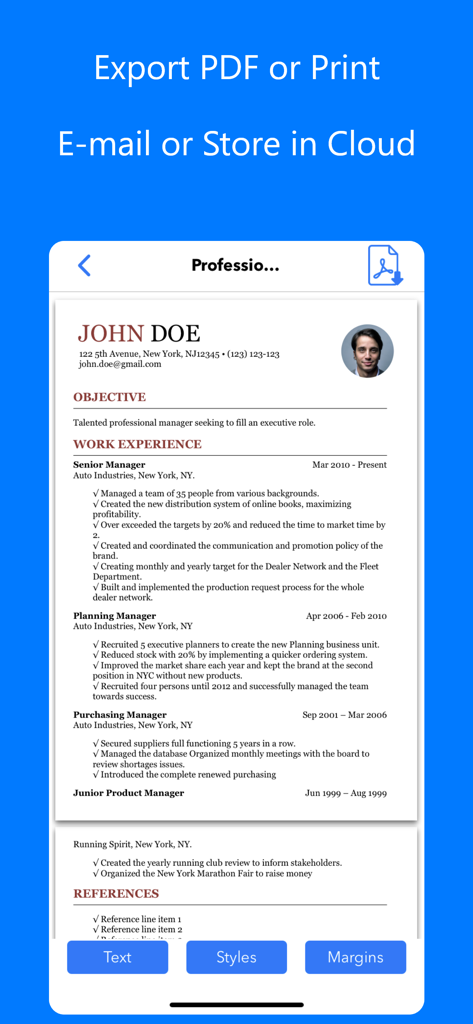
PDF로 내보내기, 인쇄 또는 이메일 및 클라우드 스토리지를 통한 공유 옵션이 있는 전문 이력서 미리보기를 보여주는 모바일 화면
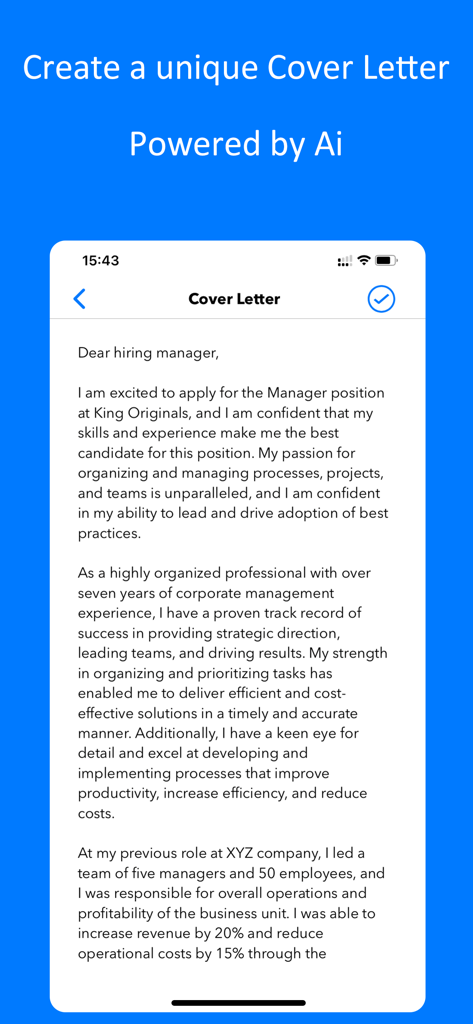
Resume Builder 앱 내의 모바일 휴대폰 인터페이스에서 AI가 작성 중인 전문 자기소개서
설명
Download
비슷한 앱
유사한 기능과 사용자 경험을 가진 앱
Resume : Intelligent CV Maker
Intelligent CV

Resume Builder - CV Creator
Clebson Pereira

Resume Builder - CV Engineer
First Pick Ltd
Resume Builder Pro with AI
Uncaught Exception Inc.

Quick & Easy Resume Builder CV
Wiliam Goncalves Pinto

Resume Maker, CV Job Builder
Oleg Yuriev
履歴書作成(インディード)
Indeed Inc.

履歴書作成
WEBDIA INC.

Resume AI – Intelligent CV App
Giovanna Clemente
이 페이지는 앱이나 개발자의 공식 페이지가 아니며, 정보 제공 및 논평을 목적으로 작성된 독립 편집 간행물입니다. 명시적으로 달리 언급되지 않는 한, 해당 앱이나 개발자는 MWM, Apple, Google Play, 앱 퍼블리셔 또는 앱 개발자와 제휴, 보증, 후원, 승인 또는 공식적으로 연결되어 있지 않으며, 이 페이지의 어떤 내용도 해당 앱이 MWM의 서비스를 사용하여 개발되었음을 의미하지 않습니다. 모든 상표, 로고, 스크린샷 및 기타 콘텐츠는 해당 소유자의 자산입니다.