Sketchbook: Create Digital Art

Sketchbook: Create Digital Art


다운로드: App Store
로고: Sketchbook: Create Digital Art

Sketchbook: 전문가급 정밀도로 디지털 아트 제작

모바일 기기를 강력한 스튜디오로 바꾸세요. 창의적인 흐름을 위해 디자인된 60가지 이상의 사실적인 브러시와 전문가급 도구를 갖춘 수상 경력에 빛나는 방해 없는 드로잉 환경을 경험하세요.

개발사

Loyal Foundry, Inc.

카테고리

Graphics & Design

다운로드

766K+

사용자 평점

3.9/5

총 평가 수

1K+

지원 언어

1

당신의 비전, 실현됨

이 인터페이스를 사용하는 766K+ 명의 사용자.

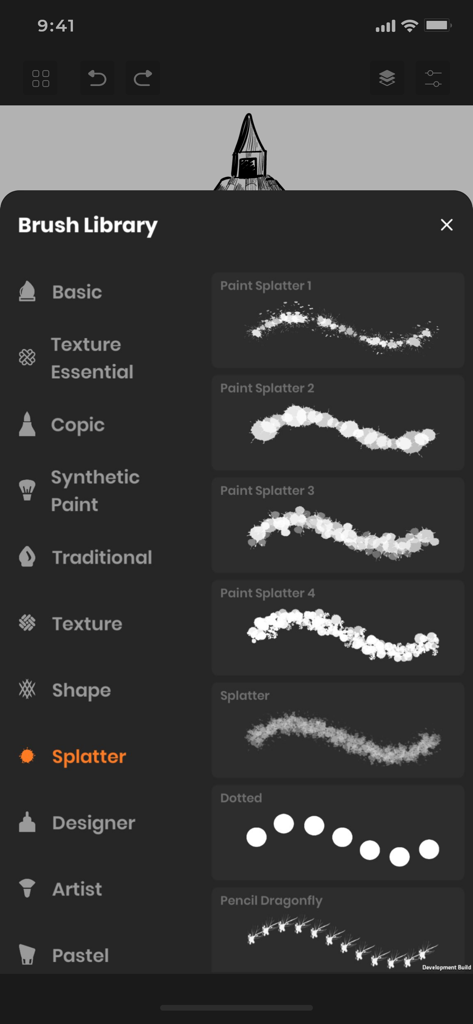
Sketchbook 앱의 브러시 라이브러리 메뉴에 다양한 페인트 흩뿌리기 브러시 유형이 표시됨

Sketchbook 앱의 브러시 라이브러리 메뉴에 다양한 페인트 흩뿌리기 브러시 유형이 표시됨

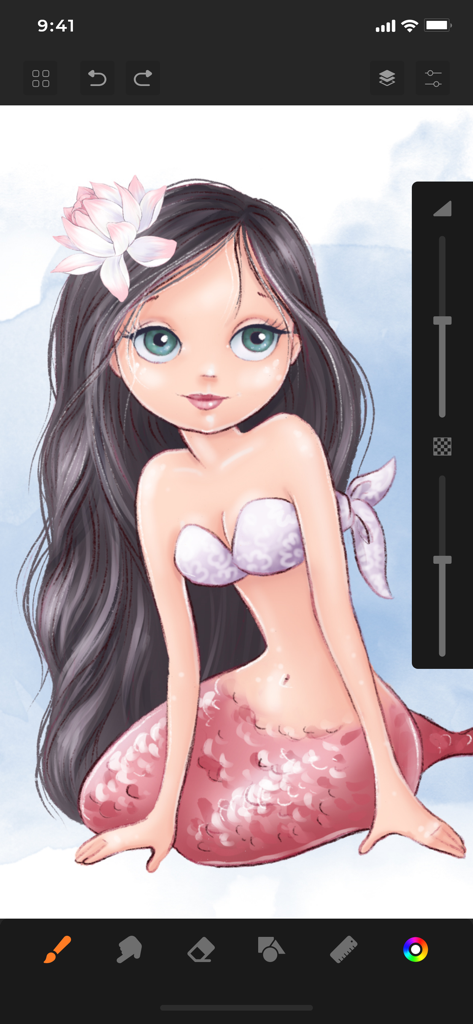
Sketchbook 앱 인터페이스에서 제작 중인 인어 캐릭터의 디지털 일러스트레이션

Sketchbook 앱 인터페이스에서 제작 중인 인어 캐릭터의 디지털 일러스트레이션

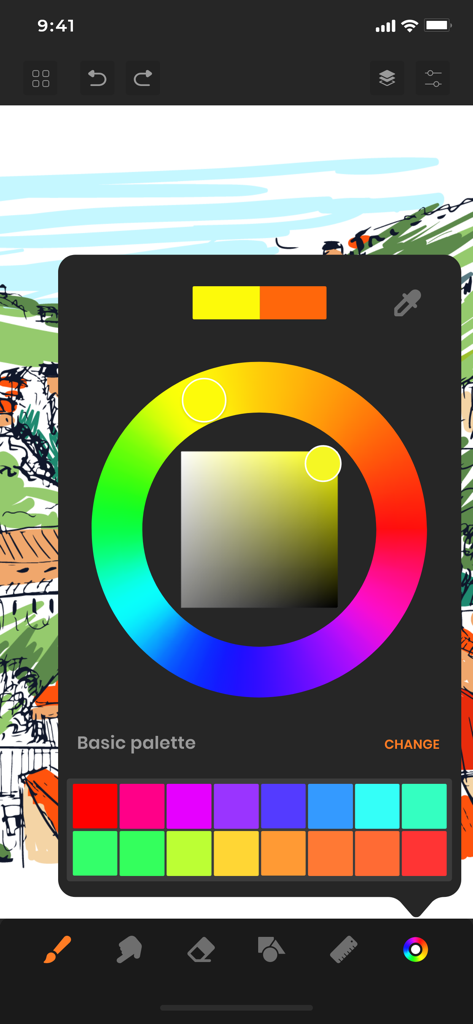
Sketchbook 앱의 인터페이스에 디지털 스케치 위에 컬러 휠과 사용자 지정 팔레트가 표시됨

Sketchbook 앱의 인터페이스에 디지털 스케치 위에 컬러 휠과 사용자 지정 팔레트가 표시됨

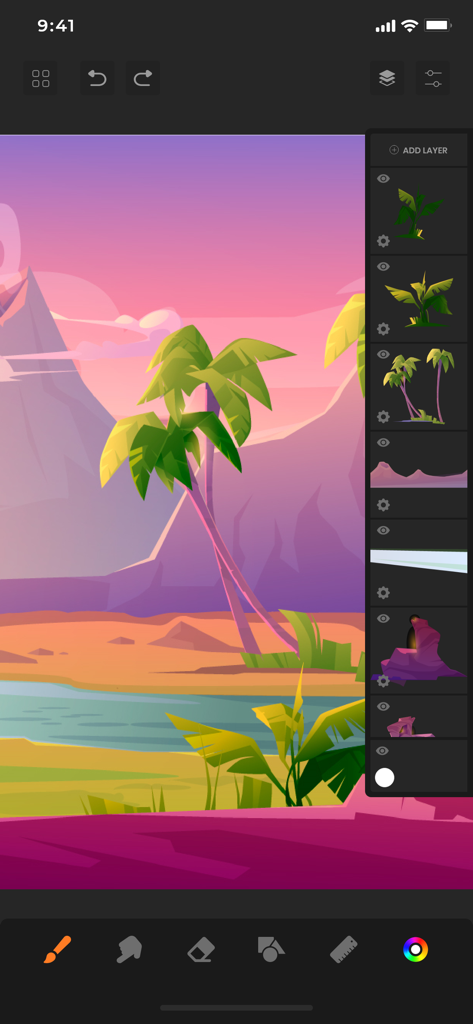
Sketchbook 앱에서 레이어 패널이 보이는 열대 풍경의 디지털 일러스트레이션

Sketchbook 앱에서 레이어 패널이 보이는 열대 풍경의 디지털 일러스트레이션

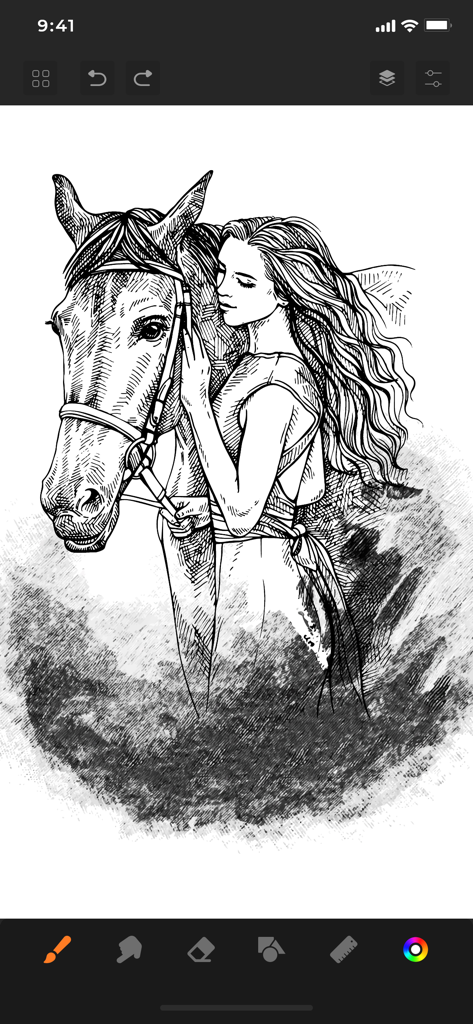
Sketchbook 앱에서 말을 껴안고 있는 여성을 그린 디지털 흑백 스케치

Sketchbook 앱에서 말을 껴안고 있는 여성을 그린 디지털 흑백 스케치

창의적인 흐름을 위한 전문가 도구

이 앱을 돋보이게 하는 도구, 766K+ 명의 사용자가 선택.

🖌️

극사실적인 아트 도구

Copic 마커 및 실제와 같은 질감을 포함한 60가지 이상의 전문가 브러시로 기술을 마스터하세요.

🏗️

고급 레이어링 및 정밀도

여러 레이어, 모양 보조 가이드 및 완벽한 투시를 위한 특수 눈금자를 사용하여 복잡한 일러스트레이션을 쉽게 만드세요.

방해 없는 작업 공간

드로잉 공간을 최대화하고 중단을 최소화하는 깔끔하고 반사적인 인터페이스로 예술에 전념하세요.

리뷰 분석

사용자 리뷰 인사이트.

감정 점수

24%
부정적

요약

The app receives overwhelmingly negative feedback, primarily due to aggressive paywalls and mandatory subscriptions that restrict basic functionalities like saving and exporting drawings. Many users report frequent, intrusive advertisements, even appearing when switching apps, and numerous critical bugs such as the app not opening, crashing, or drawing functionality not working. While some users praise the full version for its good features and intuitive design, a significant number express frustration over lost work and the inability to use core drawing tools without payment. Overall, the app is perceived as a scam attempting to force subscriptions.

주요 테마

Paywall & Subscriptions(18)
App Functionality & Bugs(11)
Aggressive Ads(8)
Saving & Export Issues(8)
Limited Free Features(7)
Positive User Experience(6)
Unintuitive UI/UX(4)

앱 소개

에 대해 알아야 할 모든 것 Sketchbook: Create Digital Art.

설명

SketchBook is the most practical, versatile and user-friendly sketching app designed for mobile gadgets. This exhaustive artist's toolbox helps users create dazzling sketches, cheerful paintings and smashing illustrations on the go. A reflexive way to produce a custom drawing! Whether you want to create graffiti or you want to create a doodle, or you want to learn to paint and draw, SketchBook is your tool of choice. Sketchbook is an award-winning sketching, artwork, and drawing app for anyone who loves to draw. Artists and illustrators love Sketchbook for its professional-grade characteristic set and highly customizable mechanisms. Everyone loves Sketchbook for its elegant interface and natural drawing experience, free of distractions so you can focus on capturing and articulating your idea. FEATURES - Shape draw assist - Paint. Draw, Sketch. Repeat - Draw smoothly like never before on iPad or iPhone with super realistic brushes. - Draw creative sketches using 60 brushes and tools - Enhance your drawing by importing pictures and photos - Zoom to paint fine details - Share instantly - Import photos for Reference - Ruler - 16 Shape Rulers - Color Palette - Custom Color Wheel - Multiple Layers drawings - Layer settings - Undo - Redo steps - Hard and soft Eraser with opacity settings Beautiful tools make beautiful drawings, we endlessly refined SketchBook brushes to create the most realistic drawing tools. List of BRUSH tools - Basic - Texture Essentials - Copic - Pen Brush - Synthetic Paint - Traditional - Texture - Shape - Splatter - Designer - Artist - Pastel - Eraser - Cutter - Smudge tool Create amazing drawing ideas to life. Use SketchBook state-of-the-art brushes and tools to sketch, type, paint, and draw. Take your drawing creations to wherever your thoughts want to go! Unlimited access to all the premium features and future updates during the subscription period. The subscriptions are $6.99 per month with 3 days trial period and $24.99 yearly or equal to the same price tier as Apple App Store Matrix, determined as the equivalent of subscription price in $USD. You may cancel a subscription or free-trial anytime via the subscription setting through your iTunes account. This must be done 24 hours before the end of the free trial or subscription period to avoid being charged. The subscription will automatically renew unless auto-renew is turned off at least 24 hours before the end of the current period. No cancellation of the current subscription is allowed during the active subscription period. Any unused portion of a free trial period will be forfeited when the user purchases a SketchBook Premium Features subscription. Privacy Policy and Terms of Use : https://www.loyal.app/privacy-policy

최신 버전

6.1.3

크기

198.5 MB

출시일

2021년 2월 28일

당신의 비전을 현실로 만들 준비가 되셨나요?

766,000명 이상의 아티스트와 함께 iPad를 전문가용 디지털 스튜디오로 바꾸세요. 지금 3일 무료 체험을 시작하고 손 안에서 60가지 이상의 사실적인 브러시의 힘을 경험해 보세요.

다운로드: App Store
FAQ

자주 묻는 질문

에 대해 알아야 할 모든 것 Sketchbook: Create Digital Art

Sketchbook: Create Digital Art는 무엇인가요?

Sketchbook: Create Digital Art는 수상 경력이 있는 다목적 디지털 아트 드로잉 앱입니다. 사용자에게 자연스러운 드로잉 경험을 제공하며 스케치, 페인팅, 일러스트레이션 제작을 위한 포괄적인 아티스트 도구 상자를 제공합니다.

Sketchbook: Create Digital Art는 몇 가지 브러시와 도구를 제공하나요?

Sketchbook: Create Digital Art는 창의적인 스케치를 위한 60가지 브러시와 도구를 제공합니다. 기본, 코픽, 스프래터, 디자이너, 합성 페인트와 같은 범주가 포함되어 있어 다양한 예술적 옵션을 제공합니다.

Sketchbook: Create Digital Art에서 사용자 정의 색상을 선택할 수 있나요?

예, Sketchbook: Create Digital Art에서는 사용자 정의 색상을 선택할 수 있습니다. 이 앱은 컬러 팔레트와 사용자 정의 색상환을 갖추고 있어 사용자가 아트워크에 대한 정확한 색상을 선택하고 정의할 수 있습니다.

Sketchbook: Create Digital Art에서 레이어를 사용할 수 있나요?

예, Sketchbook: Create Digital Art는 드로잉을 위한 다중 레이어를 지원합니다. 사용자는 이러한 레이어를 관리하고 설정을 조정하여 복잡하고 체계적인 아트워크를 만들 수 있습니다.

Sketchbook: Create Digital Art의 구독 가격은 얼마인가요?

Sketchbook: Create Digital Art는 월 6.99달러의 월간 구독과 3일 무료 체험을 제공합니다. 연간 구독은 24.99달러이며 모든 프리미엄 기능에 무제한으로 액세스할 수 있습니다.

Sketchbook: Create Digital Art 구독 또는 체험판을 어떻게 취소하나요?

Sketchbook: Create Digital Art 구독 또는 체험판은 iTunes 계정 설정을 통해 취소할 수 있습니다. 자동 갱신 요금을 피하려면 현재 기간이 종료되기 최소 24시간 전에 취소해야 합니다.

Sketchbook: Create Digital Art에서 이미지를 가져올 수 있나요?

예, Sketchbook: Create Digital Art는 이미지 가져오기를 지원합니다. 사용자는 그림이나 사진을 가져와 드로잉을 향상시키거나 앱 내에서 참조 자료로 사용할 수 있습니다.

Sketchbook: Create Digital Art에 실행 취소 및 다시 실행 기능이 있나요?

예, Sketchbook: Create Digital Art는 실행 취소 및 다시 실행 단계를 제공합니다. 이 기능을 통해 사용자는 동작을 쉽게 수정하고 제작 중에 드로잉 진행 상황을 효과적으로 관리할 수 있습니다.

Sketchbook: Create Digital Art에 자가 있나요?

예, Sketchbook: Create Digital Art에 자가 있습니다. 이 앱에는 자 기능이 포함되어 있으며 사용자가 정확하고 구조화된 드로잉을 만들 수 있도록 16가지 모양 자를 제공합니다.

App information, icons, screenshots, and descriptions displayed on this page are sourced from the Apple App Store and are the property of their respective developers. Download estimates and rankings are based on MWM's proprietary models and may not reflect actual figures. This page is provided for informational and analytical purposes only.

Believe this page infringes your intellectual property? File a dispute