Sony | Creators' App

Sony | Creators' App


다운로드: App Store다운로드: Google Play
로고: Sony | Creators' App

Sony | Creators' App: 모바일에 최적화된 전문가 워크플로우

Sony 카메라와 세상 사이의 격차를 해소하세요. 고품질 파일을 즉시 전송하고, 장비를 원격으로 제어하며, 클라우드 AI를 활용하여 그 어느 때보다 빠르게 멋진 콘텐츠를 제작하세요.

개발사

Sony Corporation

카테고리

Photo & Video

다운로드

3M+

사용자 평점

4.2/5

총 평가 수

13K+

지원 언어

21

전문가 스튜디오, 시각화

이 인터페이스를 사용하는 3M+ 명의 사용자.

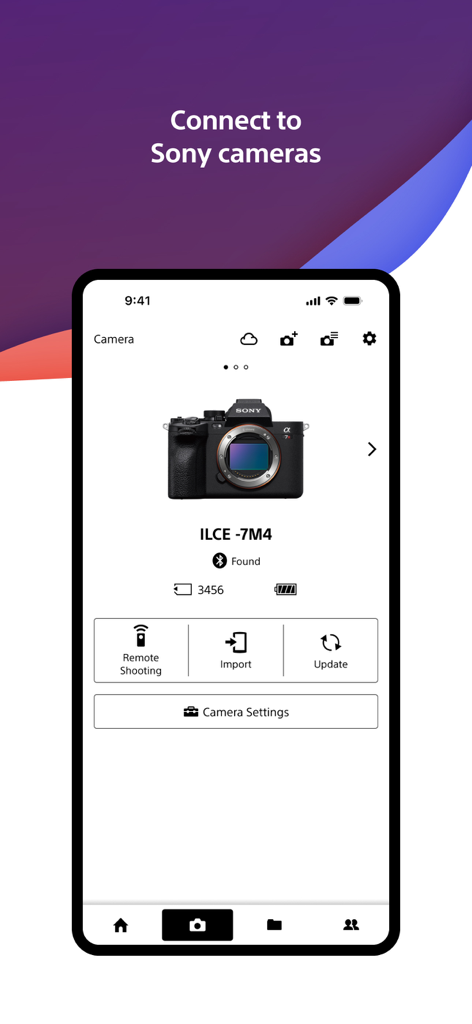
Sony Creators App 인터페이스로, 원격 촬영 및 가져오기 옵션이 표시된 연결된 Sony Alpha 카메라를 보여줍니다.

Sony Creators App 인터페이스로, 원격 촬영 및 가져오기 옵션이 표시된 연결된 Sony Alpha 카메라를 보여줍니다.

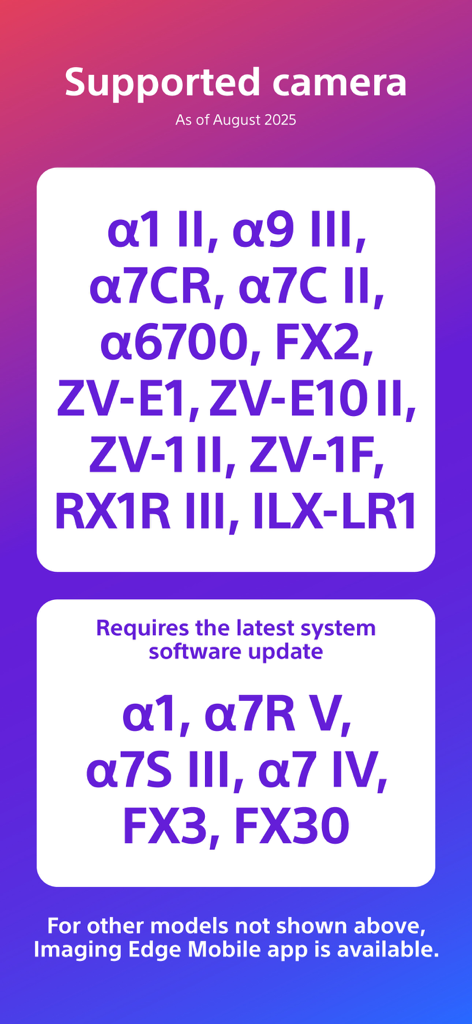
Creators App와 호환되는 Sony 카메라 모델 목록

Creators App와 호환되는 Sony 카메라 모델 목록

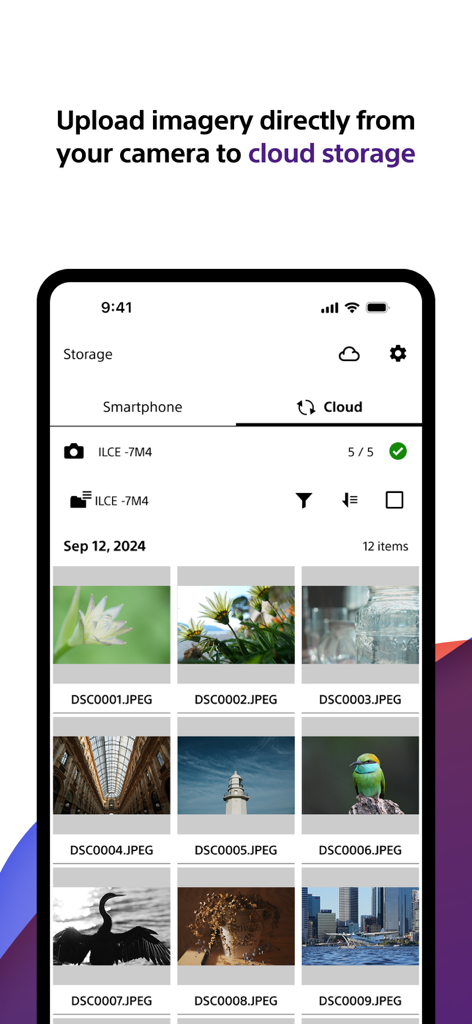
카메라에서 클라우드 스토리지로 업로드되는 고품질 사진 갤러리를 보여주는 Sony Creators App 인터페이스

카메라에서 클라우드 스토리지로 업로드되는 고품질 사진 갤러리를 보여주는 Sony Creators App 인터페이스

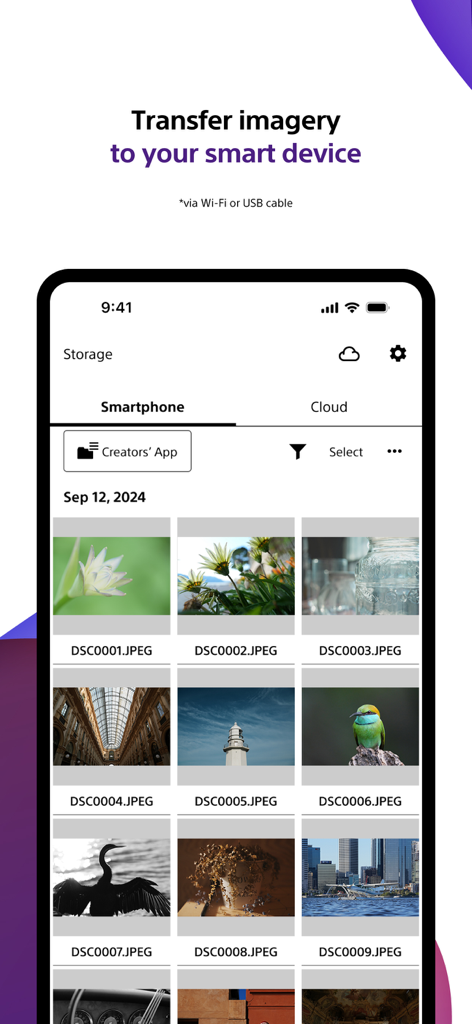
카메라에서 스마트폰으로 사진을 전송하는 Sony Creators App 화면

카메라에서 스마트폰으로 사진을 전송하는 Sony Creators App 화면

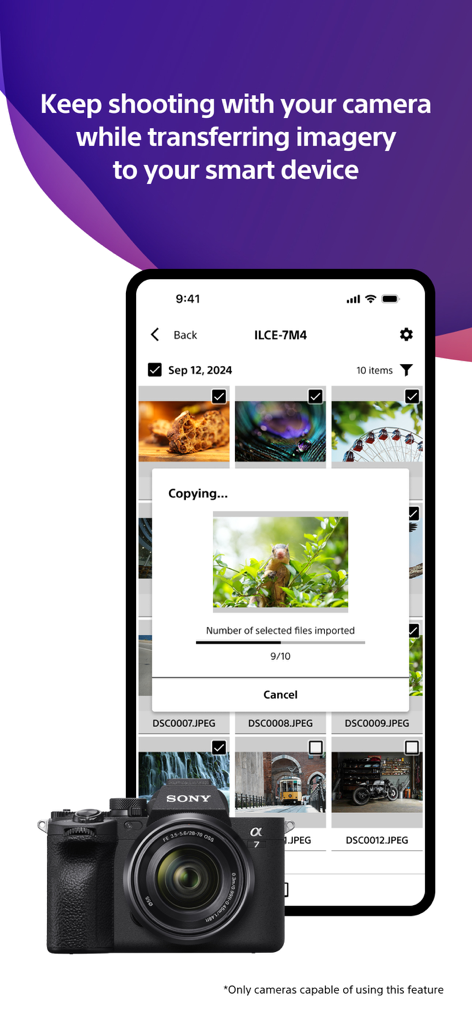
Sony Alpha 카메라에서 사진을 전송하는 Sony Creators App를 보여주는 스마트폰 화면

Sony Alpha 카메라에서 사진을 전송하는 Sony Creators App를 보여주는 스마트폰 화면

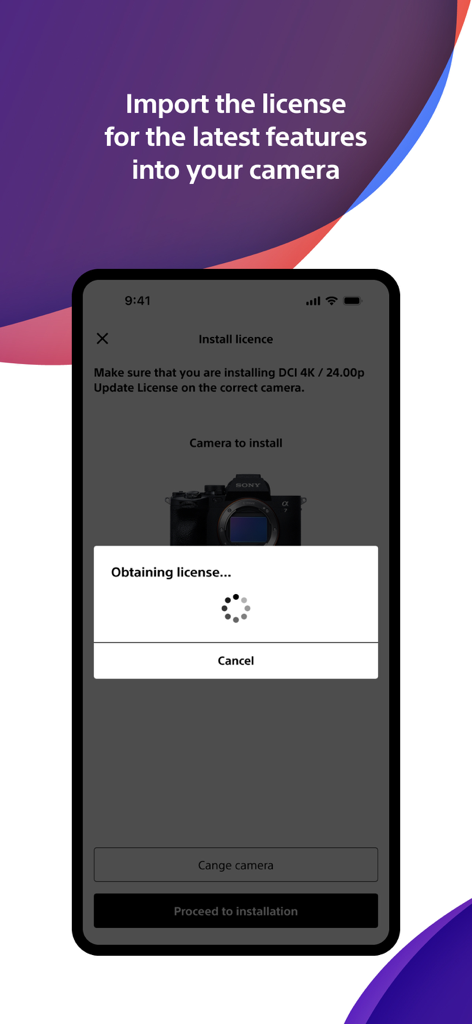
새로운 기능을 위한 카메라 라이선스를 가져오는 Sony Creators App를 보여주는 스마트폰 화면

새로운 기능을 위한 카메라 라이선스를 가져오는 Sony Creators App를 보여주는 스마트폰 화면

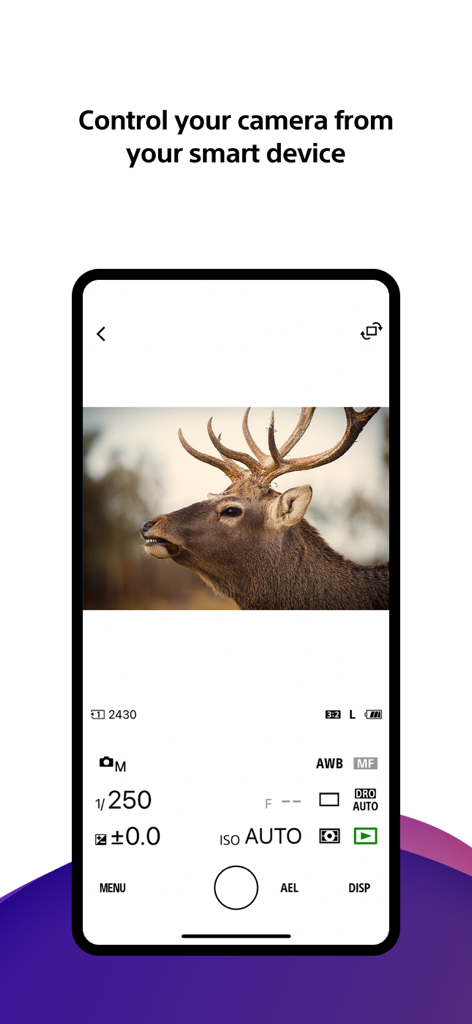
수동 사진 설정 및 사슴의 라이브 뷰가 있는 Sony Creators App 원격 카메라 제어 인터페이스를 보여주는 스마트폰 화면

수동 사진 설정 및 사슴의 라이브 뷰가 있는 Sony Creators App 원격 카메라 제어 인터페이스를 보여주는 스마트폰 화면

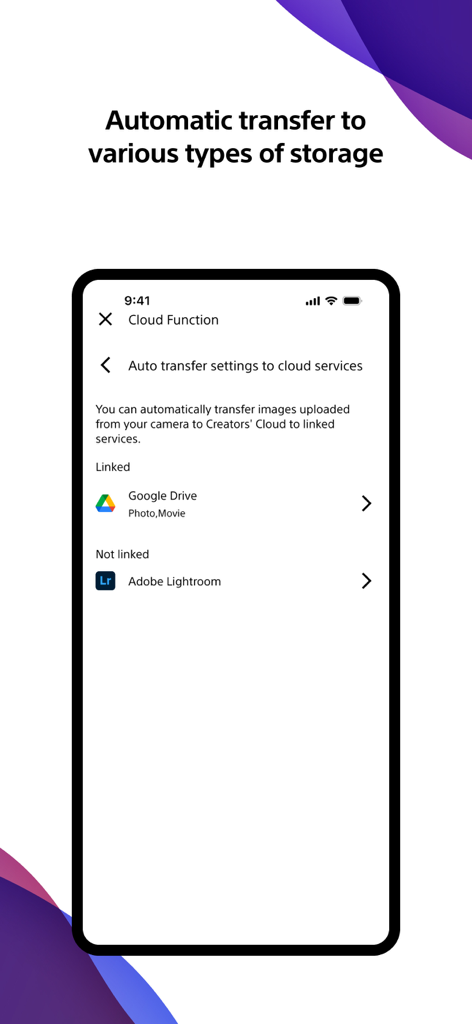
Google Drive 및 Adobe Lightroom과 같은 클라우드 서비스로의 자동 사진 및 비디오 전송 설정을 위한 Sony Creators App 인터페이스.

Google Drive 및 Adobe Lightroom과 같은 클라우드 서비스로의 자동 사진 및 비디오 전송 설정을 위한 Sony Creators App 인터페이스.

크리에이티브 워크플로우 마스터하기

이 앱을 돋보이게 하는 도구, 3M+ 명의 사용자가 선택.

즉각적인 모바일 전송

카메라가 꺼져 있어도 자동으로 촬영물을 휴대폰으로 전송하여 몇 초 안에 편집하고 소셜 미디어에 게시할 수 있습니다.

🤳

프로 원격 제어

멀리서도 카메라를 제어하세요. 스마트폰 화면에서 직접 촬영 구도를 잡고, 설정을 조정하고, 녹화를 시작하세요.

☁️

Creators' Cloud 연동

라이브러리를 클라우드에 안전하게 업로드하고 전문가 수준의 제작 과정을 간소화하도록 설계된 AI 기반 편집 서비스에 액세스하세요.

리뷰 분석

사용자 리뷰 인사이트.

감정 점수

20%
부정적

요약

Users generally express significant frustration with the mobile app, primarily due to persistent and widespread connectivity issues between their devices and Sony cameras, often leading to black screens, app crashes, and failed photo/video transfers. While some users appreciate its capabilities for remote camera control, easy photo transfer, and free RAW image import, these positive aspects are frequently overshadowed by complaints about a convoluted user interface, slow performance, and intrusive privacy requests for full photo library access. Several users also reported problems with specific camera model support (e.g., ZVE10, a7C II 10-bit video), and version-specific bugs such as rotated thumbnails and disabled GPS data transfer on iOS 26 or after firmware updates (e.g., A7iv).

주요 테마

Photo Transfer Functionality(2)
Remote Camera Control(1)
Ease of Use(1)
Free RAW Import(1)
App Features(1)
Connection Stability(1)
Performance(1)

앱 소개

에 대해 알아야 할 모든 것 Sony | Creators' App.

설명

■ Please refer to the "Support Page" for the connection process and list of supported models. https://www.sony.net/ca/help/camera/ ■For app/service availability of countries and regions, please check here. https://creatorscloud.sony.net/catalog/servicearea.html This application allows anytime, anywhere smartphone access to the Creators' Cloud, a platform that provides powerful support for creators from shooting to production with Sony's camera technology and cloud AI. By connecting this application to your camera, you can easily operate convenient functions such as photo and video transfer from your smartphone. ■ Anytime access to Creators' Cloud Experience the various functions offered by Creators' Cloud, including file storage and management in cloud storage, a wide range of services and applications including video editing services using cloud AI, and access to articles and content that will serve as a source of inspiration. You can experience a variety of functions provided by Creators' Cloud. ■ Extend the shooting experience and manage shooting files more easily You can transfer and save photos and videos you have already taken, and use your smartphone as a remote control for the camera for remote shooting. In addition, the smartphone can be used to check the camera's battery and media information, set the date, time, and camera name, and easily update the camera's software. - Easy transfer of photos and videos taken anytime, anywhere Photos and videos taken can be transferred to cloud storage or a smartphone for centralized management. Data transfer can be performed while shooting or while the camera is turned off or charging. The camera also supports a variety of user shooting styles, such as transferring only those photos and videos that have been rated or marked as shots in advance. - Operate the camera from your smartphone By connecting the camera to a smartphone, the smartphone can be used as a remote control for the camera. This allows you to take pictures from a distance, such as group photos, or take pictures of night scenes without causing vibrations to the camera. In addition, you can easily check the camera's battery and media information, and set the date, time, and camera name from your smartphone. - Save camera settings and reflect changes Camera settings that change with each shooting scene can be saved to the smartphone and reflected in the camera. The ability to save settings for multiple cameras greatly streamlines setting changes during shooting. - Important announcements and software updates are also available from your smartphone. Important notifications such as software updates can be checked, and updates to the camera itself can be easily performed from a smartphone. ■ Operating environment: iOS17.7-26.1 ■ Remarks - This application is not guaranteed to work on all smartphones and tablets. ■ Terms of use https://creatorscloud.sony.net/locales_termsofuse_cc.html ■ Privacy policy https://creatorscloud.sony.net/locales_privacypolicy_cc.html

최신 버전

3.2.1

크기

137.9 MB

출시일

2022년 10월 13일

렌즈에서 클라우드까지 워크플로우를 향상시키세요

Sony 카메라와 모바일 스튜디오 사이의 격차를 원활하게 해소하세요. 전문가 수준의 속도로 촬영, 전송, 공유하는 수백만 명의 크리에이터와 함께하세요.

다운로드: App Store다운로드: Google Play
FAQ

자주 묻는 질문

에 대해 알아야 할 모든 것 Sony | Creators' App

Sony | Creators' App란 무엇인가요?

Sony | Creators' App는 Creators' Cloud 플랫폼에 스마트폰으로 액세스할 수 있게 해주는 앱입니다. Sony 카메라에서 사진 및 동영상을 전송하고, 클라우드 스토리지를 관리하며, 카메라를 원격으로 조작하고, 소프트웨어 업데이트를 수행하여 촬영부터 제작까지 크리에이터를 지원합니다.

Sony | Creators' App는 내 카메라와 어떻게 연결되나요?

Sony | Creators' App는 스마트폰과 Sony 카메라를 연결하여 편리한 기능을 사용할 수 있게 해줍니다. 자세한 연결 방법 및 호환되는 카메라 모델 목록은 공식 지원 페이지(sony.net/ca/help/camera/)를 참조하십시오.

Sony | Creators' App에서 지원하는 Sony 카메라 모델은 무엇인가요?

Sony | Creators' App는 2025년 8월 기준으로 α1 II, α9 III, α7CR, FX2, ZV-E1 II와 같은 모델을 지원합니다. α1 및 α7R V와 같은 일부 모델은 최신 시스템 소프트웨어 업데이트가 필요합니다.

Sony | Creators' App로 카메라에서 이미지와 동영상을 전송할 수 있나요?

네, Sony | Creators' App를 사용하면 사진과 동영상을 클라우드 스토리지 또는 스마트폰으로 쉽게 전송할 수 있습니다. 촬영 중이거나 카메라 충전 중에도 평점 또는 표시된 샷만 전송하는 기능이 포함됩니다.

Sony | Creators' App로 카메라를 원격 조작할 수 있나요?

네, Sony | Creators' App를 사용하면 스마트폰을 Sony 카메라의 원격 제어 장치로 사용할 수 있습니다. 이 기능은 원격 촬영을 지원하며 카메라 배터리 및 미디어 정보를 확인하는 데 사용할 수 있습니다.

Sony | Creators' App는 이미지를 다른 클라우드 서비스로 자동 전송하는 기능을 지원하나요?

네, Sony | Creators' App는 연결된 클라우드 서비스로의 자동 전송 설정을 제공합니다. 예를 들어, 클라우드 기능 설정에 표시된 대로 사진 및 동영상을 Google Drive와 통합할 수 있습니다.

Sony | Creators' App로 Sony 카메라의 소프트웨어를 어떻게 업데이트하나요?

Sony | Creators' App를 사용하면 스마트폰에서 직접 Sony 카메라의 소프트웨어 업데이트를 쉽게 수행할 수 있습니다. 또한 이러한 업데이트에 대한 중요한 알림도 표시됩니다.

Sony | Creators' App에서 카메라 설정을 저장하고 적용할 수 있나요?

네, Sony | Creators' App는 카메라 설정을 스마트폰에 저장합니다. 이를 통해 저장된 설정을 Sony 카메라에 적용하여 다양한 촬영 시나리오 또는 여러 카메라에 대한 구성을 간소화할 수 있습니다.

App information, icons, screenshots, and descriptions displayed on this page are sourced from the Apple App Store and are the property of their respective developers. Download estimates and rankings are based on MWM's proprietary models and may not reflect actual figures. This page is provided for informational and analytical purposes only.

Believe this page infringes your intellectual property? File a dispute