
이 페이지는 앱이나 개발자의 공식 페이지가 아니며, 정보 제공 및 논평을 목적으로 작성된 독립 편집 간행물입니다. 명시적으로 달리 언급되지 않는 한, 해당 앱이나 개발자는 MWM, Apple, Google Play, 앱 퍼블리셔 또는 앱 개발자와 제휴, 보증, 후원, 승인 또는 공식적으로 연결되어 있지 않으며, 이 페이지의 어떤 내용도 해당 앱이 MWM의 서비스를 사용하여 개발되었음을 의미하지 않습니다. 모든 상표, 로고, 스크린샷 및 기타 콘텐츠는 해당 소유자의 자산입니다.

Remote for Hisense TV.
리모컨을 찾느라 헤매지 마세요. 스마트폰에서 바로 반응성이 뛰어난 터치패드와 전체 키보드를 사용하여 Hisense 스마트 TV를 제어하세요.
다운로드
101K+사용자 평점
총 평가 수
1K+개발사
카테고리
Utilities지원 언어
1최신 버전
1.0.7크기
67.1 MB출시일
2025년 1월 11일Hisense TV를 완벽하게 제어하세요
손안의 스마트폰으로 Hisense 스마트 TV를 탐색하고, 입력하고, 스트리밍하는 더 스마트한 방법입니다.
손쉬운 입력
물리적 리모컨으로 글자를 찾는 데 시간을 낭비하지 마세요. iPhone 키보드를 사용하여 몇 초 안에 영화를 검색하고 비밀번호를 입력하세요.
정밀 터치패드
부드럽고 반응성이 뛰어난 스와이프로 TV 인터페이스를 탐색하세요. 기존 D-패드보다 훨씬 자연스러운 제어를 경험하세요.
자주 묻는 질문
에 대해 알아야 할 모든 것 Remote for Hisense TV.
"Remote for Hisense TV." 앱은 무엇인가요?
"Remote for Hisense TV." 앱은 사용자가 스마트폰이나 태블릿에서 Hisense 스마트 TV를 제어할 수 있게 해주는 모바일 애플리케이션으로, 가상 리모컨 역할을 합니다.
"Remote for Hisense TV."가 범용 제어 기능을 제공하나요?
네, "Remote for Hisense TV." 앱은 범용 제어를 제공합니다. 사용자는 완벽하게 작동하는 가상 리모컨으로 볼륨을 조절하고, 채널을 변경하고, 메뉴를 탐색할 수 있습니다.
"Remote for Hisense TV." 앱이 키보드 입력을 지원하나요?
네, "Remote for Hisense TV." 앱은 키보드 입력을 지원합니다. 사용자는 기기의 키보드를 사용하여 더 빠르게 브라우징하고 검색할 수 있습니다.
"Remote for Hisense TV."는 Hisense TV와 어떻게 연결되나요?
"Remote for Hisense TV." 앱은 Wi-Fi를 통해 Hisense TV에 연결됩니다. 이를 통해 시야선이 필요 없이 방 안 어디에서든 끊김 없이 제어할 수 있습니다.
"Remote for Hisense TV." 앱은 공식 Hisense 제품인가요?
아니요, "Remote for Hisense TV." 앱은 공식 Hisense 제품이 아닙니다. 또한 Hisense와 제휴된 회사도 아닙니다.
"Remote for Hisense TV."에서 어떤 기능이 구독이 필요한가요?
터치패드 및 재생 컨트롤에 대한 무제한 액세스는 "Remote for Hisense TV."의 연간 요금제 구독이 필요합니다.
"Remote for Hisense TV."의 연간 요금제는 얼마인가요?
"Remote for Hisense TV."의 연간 요금제는 9.99달러입니다. 이 구독은 터치패드 및 재생 컨트롤에 대한 무제한 액세스를 제공합니다.
"Remote for Hisense TV."의 구독은 어떻게 관리하나요?
사용자는 iTunes 계정 설정에서 "Remote for Hisense TV."의 구독을 관리하고 취소할 수 있습니다. 자동 갱신은 결제 기간이 종료되기 24시간 전에 해제해야 합니다.
"Remote for Hisense TV."가 터치패드 탐색을 제공하나요?
네, "Remote for Hisense TV."는 TV 인터페이스를 쉽게 탐색할 수 있도록 부드럽고 반응성이 뛰어난 터치패드 컨트롤을 제공합니다. 이 기능에 대한 무제한 액세스는 구독이 필요합니다.
"Remote for Hisense TV."를 사용하여 TV의 인기 앱을 탐색할 수 있나요?
네, "Remote for Hisense TV."를 사용하여 인기 앱을 탐색할 수 있습니다. 스크린샷 #3에는 Netflix, YouTube, Prime Video, HBO Max 및 Apple TV+ 옵션이 표시되어 있습니다.
다음 스크린샷과 설명은 앱의 공식 스토어 목록에서 직접 가져온 것이며 앱 개발자의 자산입니다.
앱 스토어
스크린샷
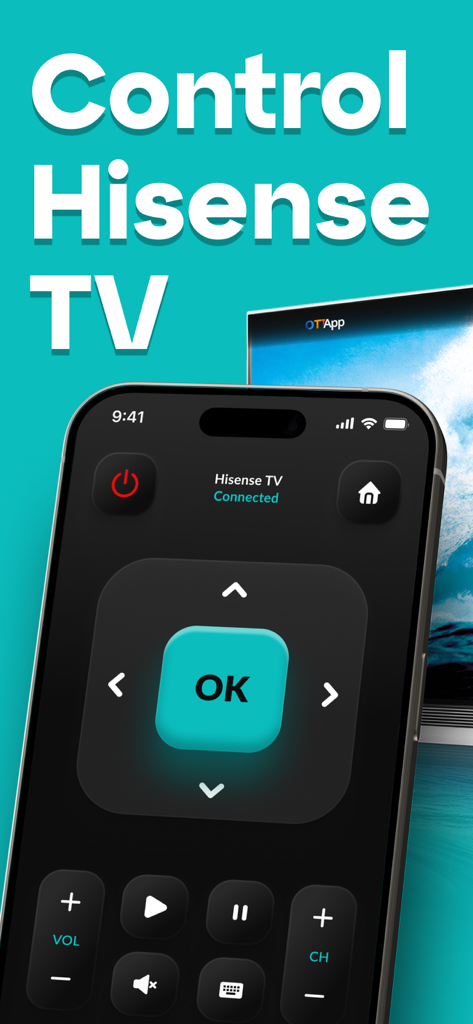
방향 패드와 볼륨 컨트롤이 있는 Hisense TV 리모컨 앱 인터페이스를 표시하는 스마트폰.
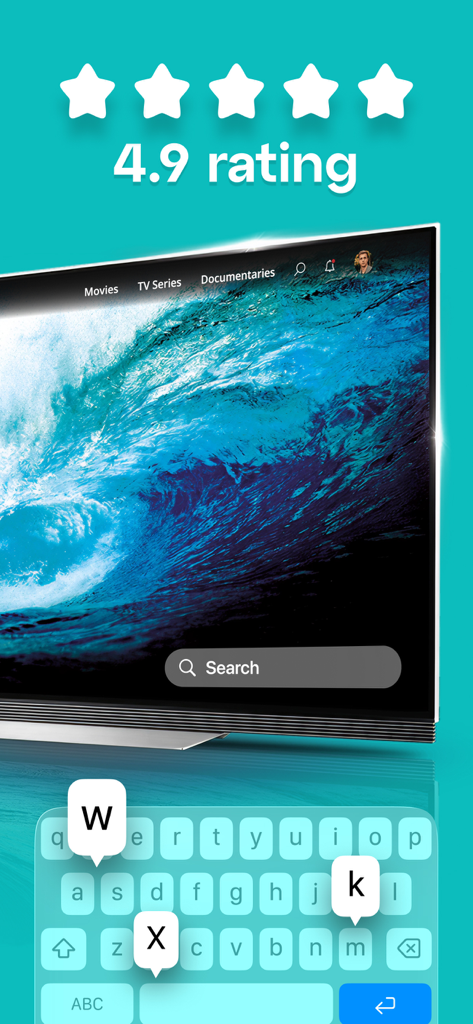
높은 사용자 평가와 검색 기능을 보여주는 Hisense TV 리모컨 앱의 키보드 입력
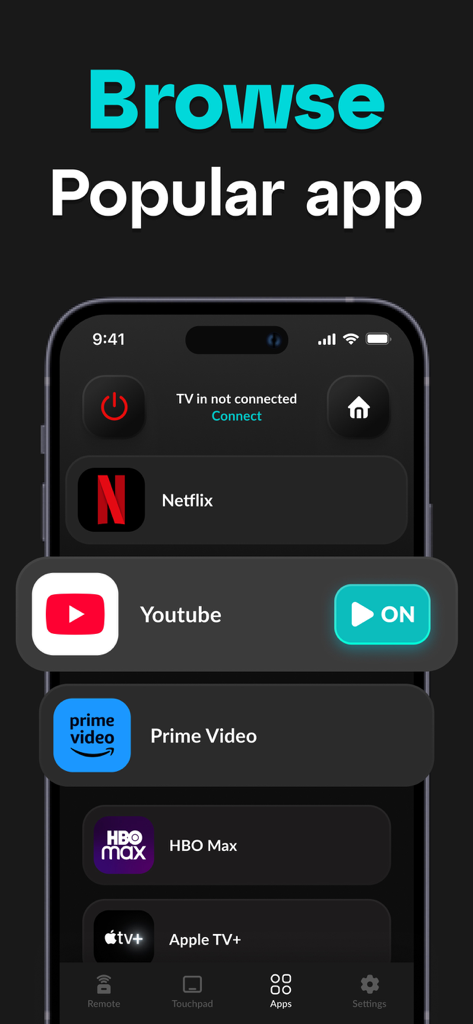
YouTube 및 Netflix와 같은 인기 스트리밍 앱 목록을 보여주는 Remote for Hisense TV 앱의 인터페이스
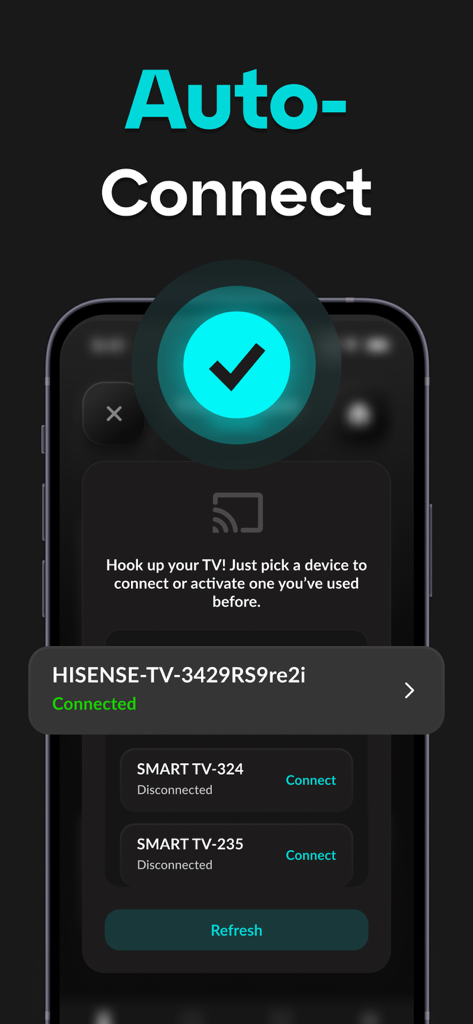
성공적으로 연결된 스마트 TV를 보여주는 Hisense TV 리모컨 앱의 자동 연결 화면.
설명
Download
비슷한 앱
유사한 기능과 사용자 경험을 가진 앱

DJI Mimo
SZ DJI TECHNOLOGY CO., LTD

DJI Ronin
SZ DJI TECHNOLOGY CO., LTD

Roku TV Remote Control & Cast
Aleh Piashkou

Alpha Linker - Camera Transfer
恒茂 刘

MyCentsys Pro
Centurion Systems (Pty) Ltd

Roku TV Remote Control・
Artur Belov

Luminair
Synthe FX, LLC

FUJIFILM XApp
FUJIFILM Corporation

Epson iProjection
Seiko Epson Corporation
이 페이지는 앱이나 개발자의 공식 페이지가 아니며, 정보 제공 및 논평을 목적으로 작성된 독립 편집 간행물입니다. 명시적으로 달리 언급되지 않는 한, 해당 앱이나 개발자는 MWM, Apple, Google Play, 앱 퍼블리셔 또는 앱 개발자와 제휴, 보증, 후원, 승인 또는 공식적으로 연결되어 있지 않으며, 이 페이지의 어떤 내용도 해당 앱이 MWM의 서비스를 사용하여 개발되었음을 의미하지 않습니다. 모든 상표, 로고, 스크린샷 및 기타 콘텐츠는 해당 소유자의 자산입니다.