Tayasui Watercolor & Painting

Tayasui Watercolor & Painting


다운로드: App Store
로고: Tayasui Watercolor & Painting

Tayasui Watercolor & Painting: 진짜 수채화의 아름다움, 번거로움 없이.

하이퍼리얼리즘 습식 붓, 미니멀리스트 젠 인터페이스, 독특한 추적 프로젝터로 디지털 페인팅 기술을 마스터하세요. iPad 아티스트와 마음챙김 크리에이터를 위한 완벽한 디지털 스케치북입니다.

개발사

SKETCHES SRL

카테고리

Graphics & Design

다운로드

604K+

사용자 평점

4.6/5

총 평가 수

31K+

지원 언어

14

순수한 수채화 마법

이 인터페이스를 사용하는 604K+ 명의 사용자.

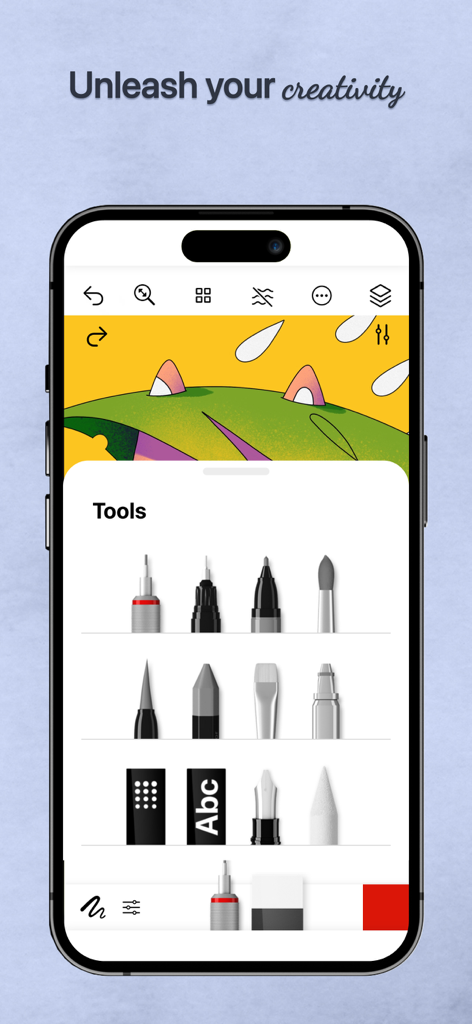
다양한 디지털 페인팅 및 드로잉 도구를 보여주는 Tayasui Watercolor의 모바일 인터페이스.

다양한 디지털 페인팅 및 드로잉 도구를 보여주는 Tayasui Watercolor의 모바일 인터페이스.

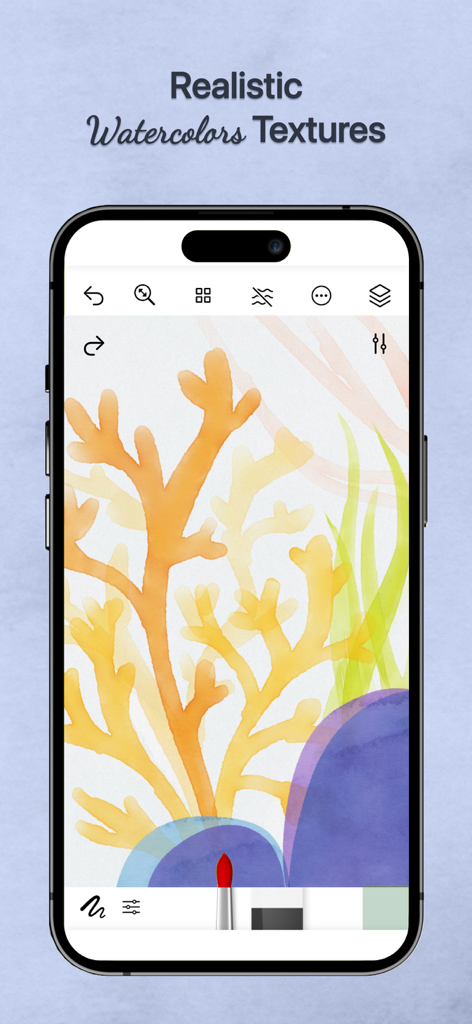
Tayasui Watercolor 앱 인터페이스에서 산호 그림에 사실적인 수채화 질감을 보여줌

Tayasui Watercolor 앱 인터페이스에서 산호 그림에 사실적인 수채화 질감을 보여줌

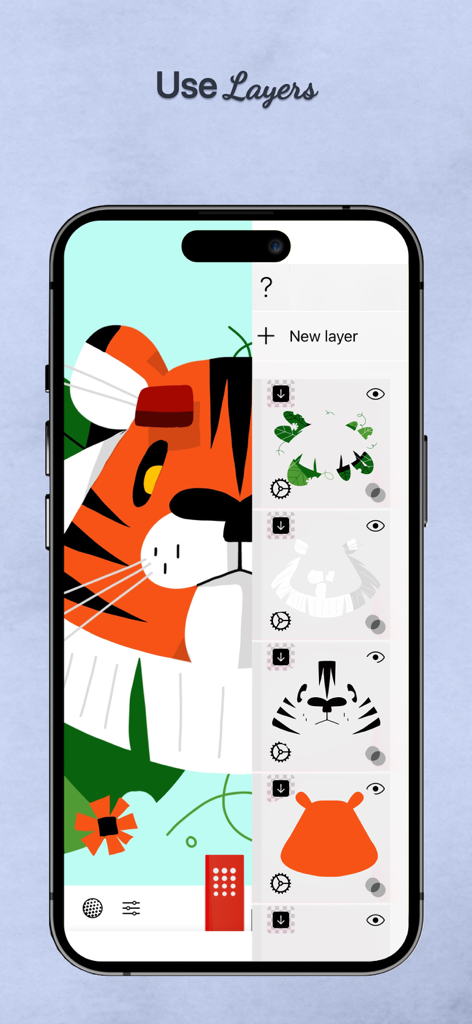
호랑이 일러스트를 위한 여러 드로잉 레이어를 보여주는 Tayasui Watercolor 앱의 인터페이스

호랑이 일러스트를 위한 여러 드로잉 레이어를 보여주는 Tayasui Watercolor 앱의 인터페이스

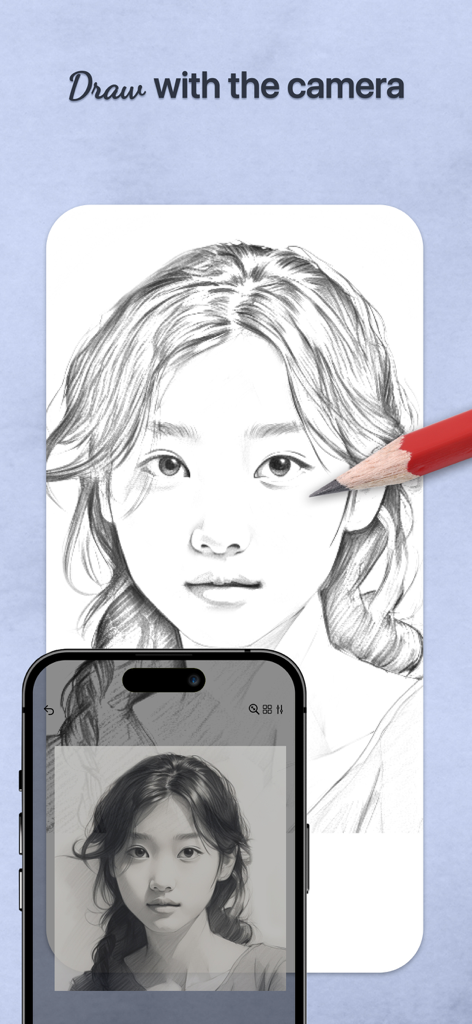
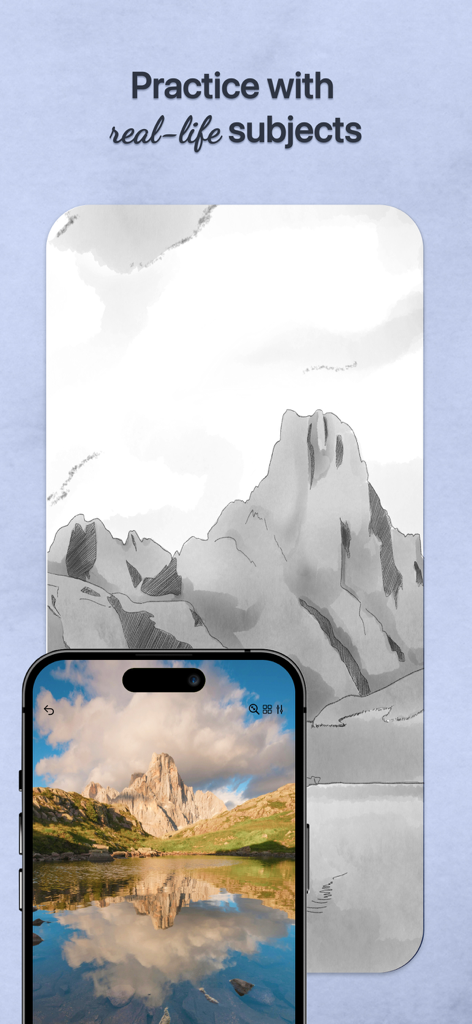
스마트폰의 추적 프로젝터 기능을 사용하여 종이에 초상화를 그리는 연필

스마트폰의 추적 프로젝터 기능을 사용하여 종이에 초상화를 그리는 연필

Tayasui Watercolor에서 디지털 스케치를 위한 참조로 사용되는 산 사진을 표시하는 스마트폰

Tayasui Watercolor에서 디지털 스케치를 위한 참조로 사용되는 산 사진을 표시하는 스마트폰

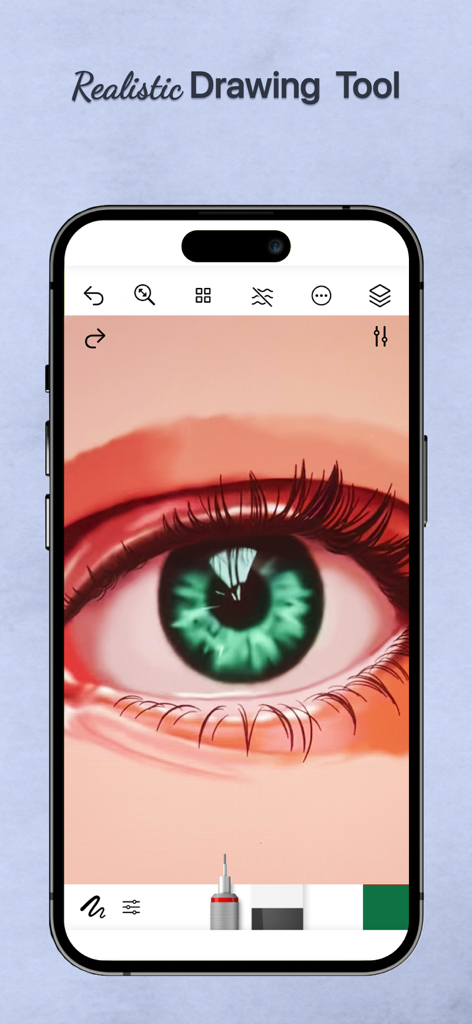
모바일 앱 인터페이스에서 사실적인 녹색 눈의 디지털 수채화 그림

모바일 앱 인터페이스에서 사실적인 녹색 눈의 디지털 수채화 그림

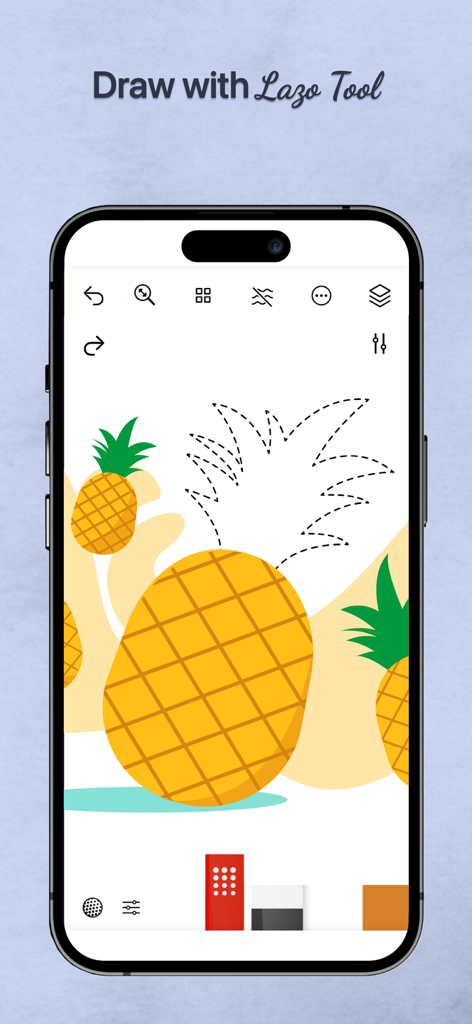
파인애플 그림을 선택하기 위해 Lazo 도구를 사용하는 iPhone의 Tayasui Watercolor 앱

파인애플 그림을 선택하기 위해 Lazo 도구를 사용하는 iPhone의 Tayasui Watercolor 앱

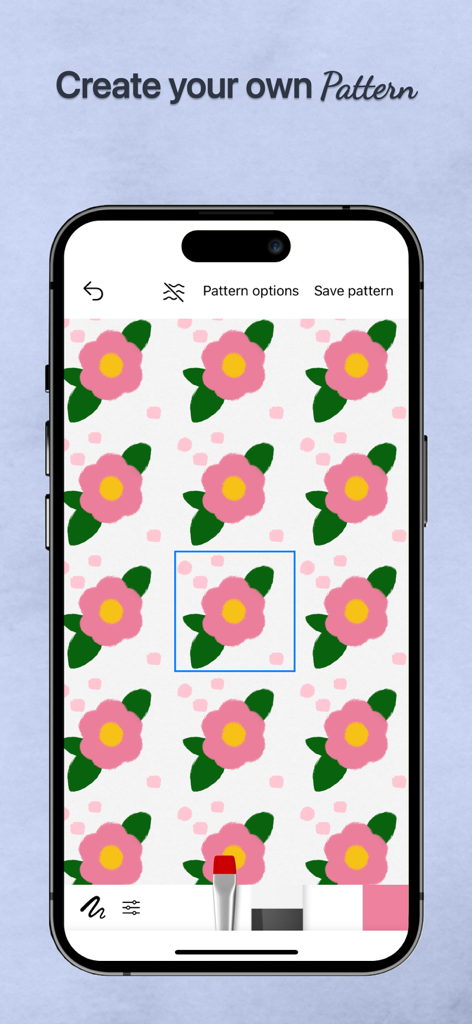
모바일 장치에서 분홍색 꽃 디자인으로 패턴 생성 기능을 보여주는 Tayasui Watercolor 앱의 인터페이스

모바일 장치에서 분홍색 꽃 디자인으로 패턴 생성 기능을 보여주는 Tayasui Watercolor 앱의 인터페이스

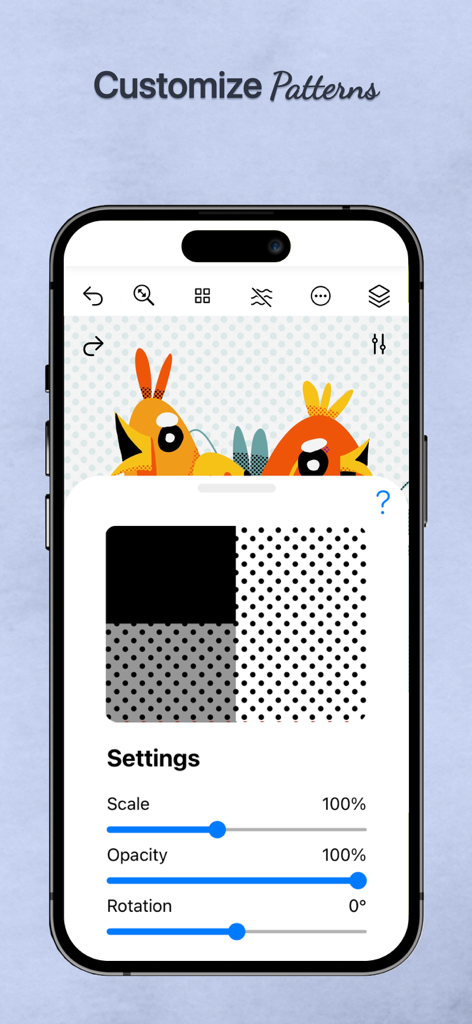
디지털 새 일러스트에 대해 축척 불투명도 및 회전에 대한 사용자 지정 패턴 설정을 보여주는 Tayasui Watercolor 앱

디지털 새 일러스트에 대해 축척 불투명도 및 회전에 대한 사용자 지정 패턴 설정을 보여주는 Tayasui Watercolor 앱

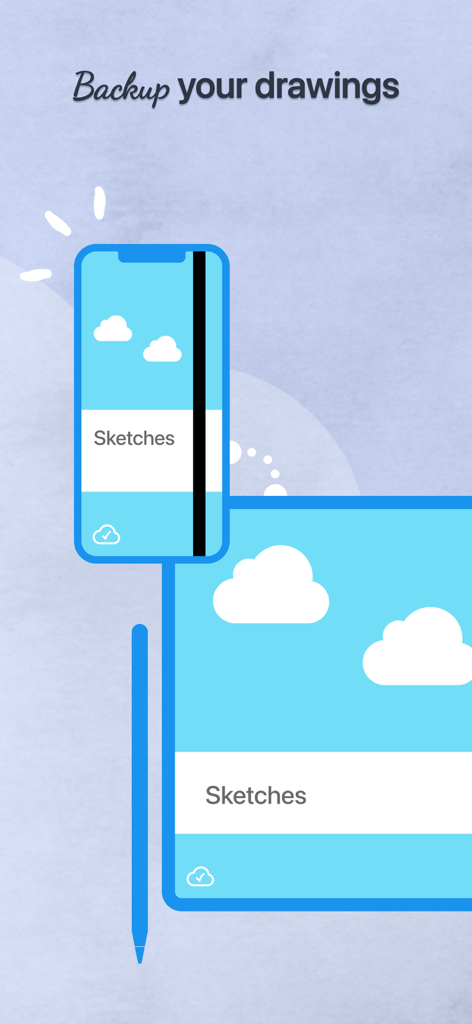
스마트폰과 태블릿 간에 백업 및 동기화되는 디지털 스케치

스마트폰과 태블릿 간에 백업 및 동기화되는 디지털 스케치

디지털 수채화 기술 마스터하기

이 앱을 돋보이게 하는 도구, 604K+ 명의 사용자가 선택.

🎨

하이퍼리얼리즘의 유동성

고품질 종이 위의 물감처럼 자연스럽게 번지고 섞이는 색상을 확인하세요. 습식 붓으로 사실적인 효과를 경험할 수 있습니다.

📸

손쉬운 추적 프로젝터

좋아하는 사진을 멋진 그림으로 변환하세요. 빈 페이지의 스트레스 없이 추억을 담거나 기술을 연습하는 데 완벽합니다.

🧘‍♀️

마음챙김 미니멀리스트 캔버스

작업 중 복잡한 도구를 숨기는 방해 없는 작업 공간으로, 창의적 흐름을 찾는 정신적 공간을 제공합니다.

앱 소개

에 대해 알아야 할 모든 것 Tayasui Watercolor & Painting.

설명

Tayasui Watercolor and Painting is the ultimate watercolor-focused drawing tool, with realistic brushes and an easy-to-use interface. We’ve created tools that feel like real ones, ensuring your watercolor paintings and sketches always look amazing. Tools and Features - Drawing Tools and Enhancements: With over 20 tools that mimic real-life drawing implements, Watercolor and Painting includes an array of options such as watercolor—featuring both dry and wet brushes that behave just like real paint on paper, pens, Rotring, felt pens, pen brushes, oil pastels, acrylic brushes, airbrushes - Tracing Projector: allows users to project their sketches onto any surface, facilitating tracing. This tool significantly enhances the creative workflow by enabling broader applications of the artwork. - Precision Tools: The application offers various rulers and magnetic shapes, including straight, arc, circle, and spline rulers, alongside symmetry and cutout shapes—perfect for laying out detailed watercolor compositions or adding structured elements within freeform washes. - Color Management: The app includes a color eyedropper, mixer, and support for color palettes (.ase). - Layer Management: With full layer support, users can build up watercolor paintings gradually, just like on paper. Export transparent PNGs or layered PSD files for further refinement in other software. - Cloud Sync and Organization: All your watercolor projects are backed up and synchronized across devices. Sync settings can be managed per folder, and projects can be neatly organized into custom folders or digital sketchbooks, keeping your watercolor works easy to access and beautifully presented. - Stylus and User Interface: Apple Pencil is fully supported, capturing pressure, tilt, and stroke width to simulate natural watercolor strokes. The minimalist interface stays out of your way while you paint, letting the focus remain on your watercolor expression. With its advanced watercolor simulation and the unique tracing projector, Tayasui Watercolor and Painting stands out as a powerful and versatile tool for artists, illustrators, and creative professionals who want to bring watercolor to life in the digital world. Subscribe to access to premium app features; subscription details are the following: - Length: monthly, yearly - Your payment will be charged to your iTunes Account as soon as you confirm your purchase - You can manage your subscriptions and turn off auto-renewal from your Account Settings after the purchase - Your subscription will renew automatically, unless you turn off auto-renew at least 24 hours before the end of the current period - The cost of renewal will be charged to your account in the 24 hours prior to the end of the current period - When canceling a subscription, your subscription will stay active until the end of the period. Auto-renewal will be disabled, but the current subscription will not be refunded - Any unused portion of a free trial period, if offered, will be forfeited when purchasing a subscription Terms of Use: https://www.apple.com/legal/internet-services/itunes/dev/stdeula/

최신 버전

36.2.1

크기

283.4 MB

출시일

2014년 12월 31일

가장 편안한 창의적 여정을 시작하세요

번거로움 없이 실제 수채화의 아름다움을 경험하세요. 수천 명의 아티스트들과 함께 오늘 iPad를 전문가급 디지털 스튜디오로 바꿔보세요.

다운로드: App Store
FAQ

자주 묻는 질문

에 대해 알아야 할 모든 것 Tayasui Watercolor & Painting

Tayasui Watercolor & Painting에서 어떤 그리기 도구를 사용할 수 있나요?

Tayasui Watercolor & Painting은 습식 및 건식 수채화, 펜, 로트링, 펠트펜, 오일 파스텔, 아크릴 붓, 에어브러시 등 20가지 이상의 사실적인 그리기 도구를 제공하여 다양한 예술적 요구를 충족합니다.

Tayasui Watercolor & Painting은 스케치 추적을 위한 투영 기능을 제공하나요?

네, Tayasui Watercolor & Painting에는 추적 투영 기능이 있습니다. 이 도구를 사용하면 스케치를 어떤 표면에든 투사할 수 있어 추적이 용이해져 창의적인 작업 흐름을 크게 향상시킬 수 있습니다.

Tayasui Watercolor & Painting은 아트워크를 위한 레이어 기능을 지원하나요?

네, Tayasui Watercolor & Painting은 전체 레이어 지원을 제공합니다. 사용자는 수채화 그림을 점진적으로 만들고 투명 PNG 또는 레이어드 PSD 파일을 내보내 다른 소프트웨어에서 추가로 다듬을 수 있습니다.

Tayasui Watercolor & Painting은 Apple Pencil과 호환되나요?

네, Tayasui Watercolor & Painting은 Apple Pencil을 완벽하게 지원합니다. 압력, 기울기, 획 너비를 감지하여 자연스러운 수채화 획을 시뮬레이션하여 사실적이고 표현력 있는 그림 경험을 보장합니다.

Tayasui Watercolor & Painting은 프로젝트에 대한 클라우드 백업을 제공하나요?

네, Tayasui Watercolor & Painting은 모든 프로젝트를 장치 간에 백업하고 동기화합니다. 사용자는 폴더별로 동기화 설정을 관리하고 프로젝트를 사용자 지정 폴더 또는 디지털 스케치북으로 구성할 수 있습니다.

Tayasui Watercolor & Painting 구독을 취소하려면 어떻게 해야 하나요?

취소하려면 구매 후 iTunes 계정 설정에서 구독을 관리하고 자동 갱신을 해제하세요. 자동 갱신은 현재 기간이 종료되기 최소 24시간 전에 비활성화해야 합니다.

Tayasui Watercolor & Painting 구독은 환불이 가능한가요?

아니요, Tayasui Watercolor & Painting의 현재 구독은 취소 시 환불되지 않습니다. 구독은 기간 종료 시까지 활성 상태로 유지되지만 자동 갱신은 비활성화됩니다.

Tayasui Watercolor & Painting 내에서 패턴을 만들고 사용자 지정할 수 있나요?

네, Tayasui Watercolor & Painting은 사용자가 자신만의 패턴을 만들 수 있도록 합니다. 또한 앱에서 축척, 불투명도, 회전과 같은 설정을 조정하여 패턴을 사용자 지정하는 옵션도 제공합니다.

App information, icons, screenshots, and descriptions displayed on this page are sourced from the Apple App Store and are the property of their respective developers. Download estimates and rankings are based on MWM's proprietary models and may not reflect actual figures. This page is provided for informational and analytical purposes only.

Believe this page infringes your intellectual property? File a dispute