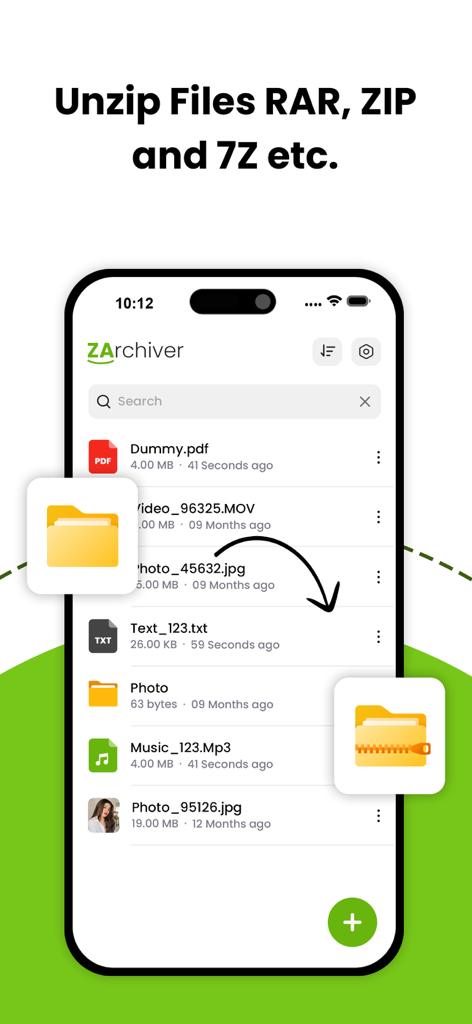
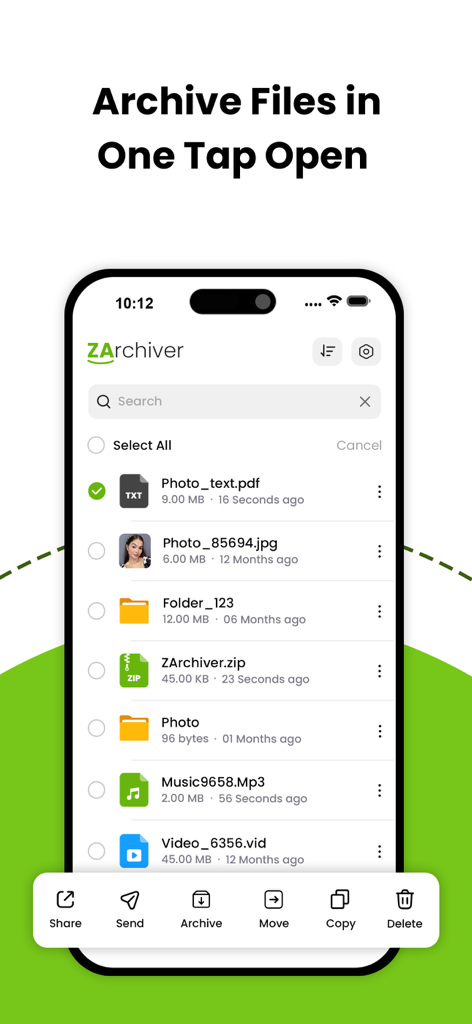
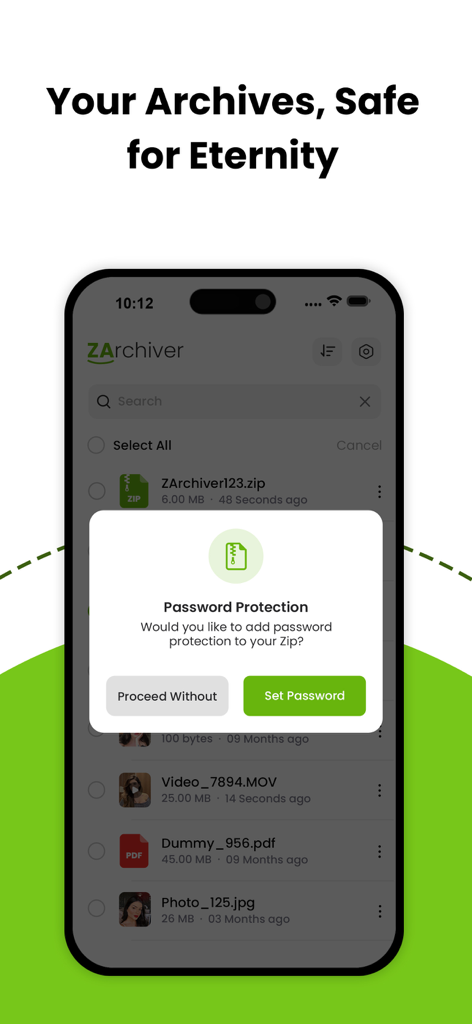
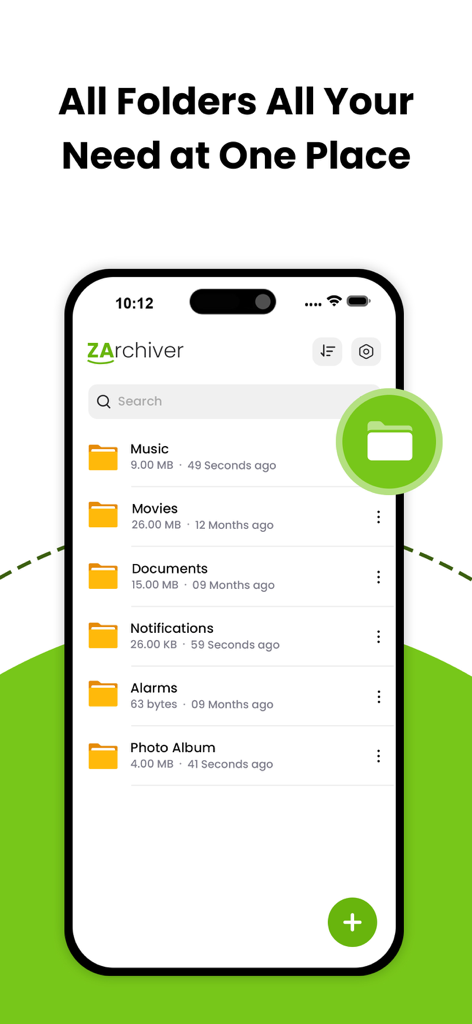
iPhone에서 ZIP 아카이브에 대한 암호 보호 프롬프트를 표시하는 WinRAR 앱 인터페이스
iPhone에서 여러 개의 정리된 파일 폴더를 보여주는 WinRAR 앱 화면
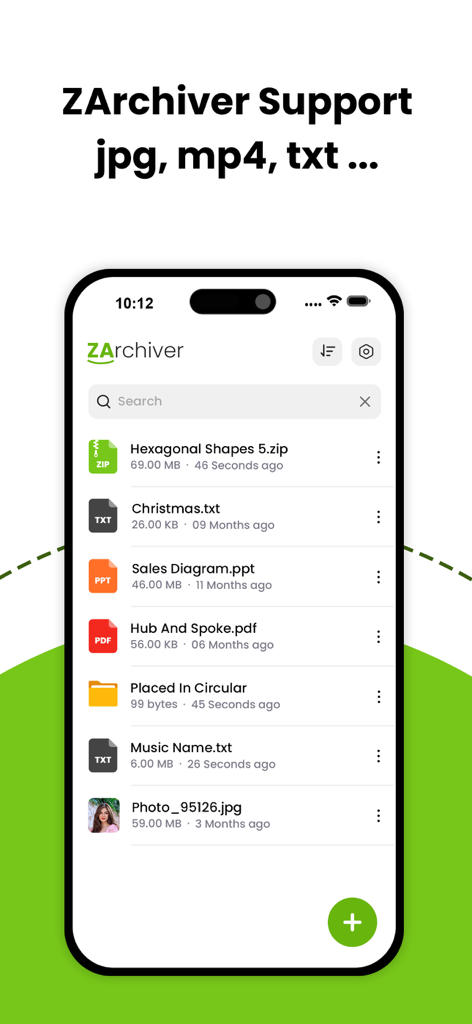
zip, pdf, ppt, jpg 형식의 파일을 포함한 관리 파일 목록을 보여주는 WinRAR 모바일 앱 인터페이스.
디지털 작업 공간을 강력하게 만드세요
이 앱을 돋보이게 하는 도구, 125K+ 명의 사용자가 선택.
📦
보편적인 형식 지원
모바일과 데스크톱 간의 격차를 해소하세요. RAR, 7Z, TAR 및 30개 이상의 다른 형식을 손쉽게 추출하여 동료나 고객이 보내는 모든 파일을 열 수 있도록 합니다.
🛡️
전문가급 데이터 보안
AES-256 암호화로 민감한 계약서 및 개인 문서를 보호하세요. 이메일이나 클라우드 저장소를 통해 공유할 때 데이터가 비공개로 유지되도록 아카이브에 암호를 설정하세요.
⚡
고속 일괄 처리
여러 파일을 동시에 압축하거나 추출하여 생산성을 극대화하세요. 최적화된 엔진이 배터리를 소모하거나 기기를 느리게 하지 않고 대규모 데이터셋을 빠르게 처리합니다.
리뷰 분석
사용자 리뷰 인사이트.
감정 점수
17%
부정적
요약
This app receives overwhelmingly negative feedback, reflected in a very low overall sentiment score. The most frequent complaints revolve around excessive and intrusive advertisements, which many users find make the app impossible to use. A significant number of users also report that the app fails to deliver on core archiving features, specifically the inability to create or extract RAR/7zip files, and frequently crashes or doesn't open files. Additionally, a recurring issue for Chinese users is the offensive display of the South Korean flag for Chinese language settings, causing widespread dissatisfaction, although a small number of users acknowledge that the app does provide basic archiving functionality.
주요 테마
Excessive Advertisements(8)
App Instability/Errors(7)
Missing RAR/7zip Support(6)
Incorrect Flag Display(6)
Poor User Experience(4)
Core Archiving Functionality(2)
General Satisfaction(2)
Overall App Performance(1)
앱 소개
에 대해 알아야 할 모든 것 WinRAR - RAR archives.
설명
Effortless File Compression & Extraction on Your Phone
Unlock the full potential of file management with The Zip Archiver, your go-to app for compressing, extracting, and managing files on the go. With a sleek and intuitive interface, the app is designed to make file handling fast, secure, and incredibly easy.
◆ Key Features:
- Compress Files Efficiently:
Create ZIP, RAR, or 7Z archives to reduce file sizes and save space on your device or for easy sharing. Customize compression levels to suit your needs.
- Extract with Ease:
Extract files from ZIP, RAR, 7Z, TAR, GZ, and many other archive formats. Preview content before extraction and extract only the files you need.
- Decompress with Ease:
Decompress the following archive types: 7z (7zip), zip, rar, rar5, bzip2, gzip, XZ, iso, tar, arj, cab, lzh, lha, lzma, xar, tgz, tbz, Z, deb, rpm, zipx, mtz, chm, dmg, cpio, cramfs, img (fat, ntfs, ubf), wim, ecm, lzip, zst (zstd), egg, alz;
- Secure Your Files:
Protect your archives with strong passwords using AES-256 encryption. Keep sensitive data safe while sharing or storing.
- File Management Made Simple:
Organize, rename, delete, and move files directly within the app. Seamlessly browse your local storage and manage files like a pro.
- Batch Operations:
Save time by compressing or extracting multiple files simultaneously. The app handles large operations without slowing down your device.
- Preview and Share Files:
View documents, images, and other file types directly within the app before extraction. Easily share compressed files via email, messaging apps, or AirDrop.
- Support for Multiple Languages:
Enjoy the app in your preferred language with multi-language support for a global user base.
◆ Why Choose The Zip Archiver?
- Lightweight and fast performance
- Optimized for iOS devices, including iPhone and iPad
- User-friendly design for both beginners and advanced users
- Regular updates with new features and format support
◆ Who Is It For?
Whether you’re a student, professional, or casual user, The Zip Archiver is perfect for anyone who needs a reliable tool to manage archives, save space, and securely share files.
Get unlimited access to all premium features of The Zip Archiver Pro by
Subscribe Monthly The Zip Archiver Pro at $1.99 and Yearly Pro at $9.99 to use ads free versions of the premium app which can cancel anytime
• Privacy Policy: https://sites.google.com/view/anandnaidu-pp
• Terms of Service: https://sites.google.com/view/anandnaidu-tou
Download The Zip Archiver today and take control of your file management like never before!
최신 버전
1.4
크기
31.4 MB
출시일
2025년 1월 22일
WinRAR의 강력함을 어디든 휴대하세요
125,000명 이상의 전문가 및 파워 유저들과 함께 간편하게 파일을 추출, 압축, 보호하세요. 지금 바로 iOS를 위한 최고의 파일 관리자를 다운로드하세요.
FAQ
자주 묻는 질문
에 대해 알아야 할 모든 것 WinRAR - RAR archives
The Zip Archiver를 사용하여 파일을 압축하는 방법은 무엇인가요?
The Zip Archiver는 ZIP, RAR 또는 7Z 아카이브로 파일을 효율적으로 압축합니다. 사용자는 압축 수준을 사용자 정의하여 파일 크기를 줄이고 장치의 공간을 절약할 수 있습니다.
The Zip Archiver는 어떤 아카이브 형식을 추출하고 압축 해제할 수 있나요?
The Zip Archiver는 ZIP, RAR, 7Z, TAR, GZ, bzip2, gzip, XZ, ISO, ARJ, CAB, LZH, LHA, LZMA, XAR, TGZ, TBZ, Z, DEB, RPM, ZIPX, MTZ, CHM, DMG, CPIO, CRAMFS, IMG, WIM, ECM, LZIP, ZST, EGG 및 ALZ 형식에서 파일을 추출합니다.
The Zip Archiver는 아카이브에 대한 암호 보호를 지원하나요?
예, The Zip Archiver는 AES-256 암호화를 사용하여 강력한 암호로 파일을 보호합니다. 사용자는 아카이브를 공유하거나 저장하는 동안 민감한 데이터를 보호할 수 있습니다.
사용자는 The Zip Archiver 앱 내에서 직접 파일을 관리할 수 있나요?
예, The Zip Archiver를 사용하면 사용자는 앱 내에서 직접 파일을 구성, 이름 변경, 삭제 및 이동할 수 있습니다. 파일 관리를 위해 로컬 저장 공간을 원활하게 탐색할 수 있습니다.
The Zip Archiver Pro의 구독 옵션은 무엇인가요?
The Zip Archiver Pro는 월간 구독 $1.99 및 연간 구독 $9.99를 제공합니다. 이러한 구독은 프리미엄 기능에 대한 광고 없는 액세스를 제공합니다.
The Zip Archiver는 iOS 장치에 최적화되어 있나요?
예, The Zip Archiver는 iPhone 및 iPad를 포함한 iOS 장치에 최적화되어 있습니다. Apple 생태계에 맞는 가볍고 빠른 성능을 제공합니다.
The Zip Archiver에서 추출하기 전에 파일을 미리 볼 수 있나요?
예, The Zip Archiver를 사용하면 사용자는 추출 전에 앱 내에서 직접 문서, 이미지 및 기타 파일 형식을 볼 수 있습니다. 이를 통해 선택적 추출이 가능합니다.
The Zip Archiver는 파일 압축 및 추출에 대한 일괄 처리를 지원하나요?
예, The Zip Archiver는 일괄 처리를 지원하여 사용자가 여러 파일을 동시에 압축하거나 추출할 수 있습니다. 앱은 대규모 작업을 효율적으로 처리합니다.
The Zip Archiver의 개인 정보 보호 정책은 어디에서 찾을 수 있나요?
The Zip Archiver의 개인 정보 보호 정책은 https://sites.google.com/view/anandnaidu-pp에서 확인할 수 있습니다. 이 링크는 애플리케이션에서 사용자 데이터를 처리하는 방법을 자세히 설명합니다.
ZArchiver는 어떤 종류의 파일을 표시하거나 지원할 수 있나요?
ZArchiver는 사용자의 편의를 위해 .zip, .txt, .ppt, .pdf 및 .jpg를 포함한 다양한 파일 형식을 애플리케이션 내에서 직접 표시하고 관리하는 것을 지원합니다.
App information, icons, screenshots, and descriptions displayed on this page are sourced from the Apple App Store and are the property of their respective developers. Download estimates and rankings are based on MWM's proprietary models and may not reflect actual figures. This page is provided for informational and analytical purposes only.
Believe this page infringes your intellectual property? File a dispute