
이 페이지는 앱이나 개발자의 공식 페이지가 아니며, 정보 제공 및 논평을 목적으로 작성된 독립 편집 간행물입니다. 명시적으로 달리 언급되지 않는 한, 해당 앱이나 개발자는 MWM, Apple, Google Play, 앱 퍼블리셔 또는 앱 개발자와 제휴, 보증, 후원, 승인 또는 공식적으로 연결되어 있지 않으며, 이 페이지의 어떤 내용도 해당 앱이 MWM의 서비스를 사용하여 개발되었음을 의미하지 않습니다. 모든 상표, 로고, 스크린샷 및 기타 콘텐츠는 해당 소유자의 자산입니다.


다운로드
250k+사용자 평점
총 평가 수
1.2K개발사
카테고리
Productivity지원 언어
21최신 버전
1.2.5크기
51.2 MB출시일
2024년 12월 3일모바일 파일 관리를 위한 핵심 기능 분석
'Zip, RAR, 7z File Extractor' 앱의 주요 기능
다중 형식 압축/압축 해제 지원
이 도구는 ZIP, RAR, 7Z 등 다양한 압축 파일 형식을 단일 탭으로 효율적으로 처리하여 저장 공간을 절약하고 파일 전송 속도를 높입니다.
종합 파일 관리
이 앱은 이동, 복사, 삭제, 이름 변경 등 강력한 파일 관리 도구를 제공하여 사용자의 기기 파일들을 체계적으로 정리할 수 있도록 돕습니다.
비밀번호 보호
사용자는 중요한 파일에 비밀번호 보호 기능을 적용하여 개인 정보 보호 및 보안을 강화할 수 있습니다.
초고속 처리 성능
이 앱은 고급 압축 알고리즘을 채택하여 압축 및 압축 해제 속도를 크게 향상시켜 사용자에게 귀중한 시간을 절약해 줍니다.
스마트 압축 해제
이 도구는 수동으로 형식을 선택할 필요 없이 다양한 압축 파일을 자동으로 식별하고 압축을 해제하여 원본 상태로 즉시 복원합니다.
오프라인 기능
사용자는 인터넷 연결 없이 언제 어디서든 파일을 압축하고 압축 해제할 수 있어 이동 중인 사용자에게 이상적인 환경을 제공합니다.
휴지통 파일 복구
이 앱은 실수로 삭제된 파일을 휴지통에서 복구할 수 있는 기능을 제공하여 데이터 손실 위험을 줄이고 파일 관리의 안정성을 높입니다.
사용자 중심 디자인
이 도구는 직관적이고 사용하기 쉬운 인터페이스를 통해 초보 사용자도 효율적인 파일 관리를 쉽게 시작하고 활용할 수 있도록 지원합니다.
자주 묻는 질문
에 대해 알아야 할 모든 것 Zip, RAR, 7z File Extractor
What is ExZip and what does it do?
ExZip is a file compression and decompression tool designed to help users free up storage space, speed up file transfers, and securely archive important data on iOS devices. It offers powerful file management capabilities.
What file formats does the ExZip app support?
ExZip supports a wide range of formats for compression and decompression, including ZIP, RAR, 7Z, Lzh, ZIPX, TAR, GZIP, BZIP, TGZ, TBZ, ISO, DEB, CAB, CBZ, CBR, JAR, RPM, GZ, ACE, AES, MSI, and more.
Does ExZip offer automatic file decompression?
Yes, ExZip features Smart Decompression. This allows the app to automatically identify and decompress various compressed files, restoring them to their original state instantly without requiring manual format selection.
Can I password-protect my files using the ExZip app?
Yes, ExZip provides password protection for sensitive files. This core feature enhances privacy and security, allowing users to encrypt compressed packages and protect their data.
Does ExZip work without an internet connection?
Yes, ExZip offers offline capability. Users can compress and decompress files anytime, anywhere, without needing an internet connection, making it suitable for travel and mobile work.
What file management features does ExZip provide?
ExZip includes comprehensive file management tools. These allow users to move, copy, delete, and rename options, which helps keep their device organized and facilitates efficient file handling.
Is ExZip compatible with the latest iOS on iPhone?
ExZip is fully compatible with the latest iOS versions on iPhone. This ensures optimal performance and seamless integration with the most current Apple mobile operating systems.
What exclusive features does an ExZip subscription offer?
An ExZip subscription unlocks additional features including encrypted compression records, multi-format compression/decompression, file recovery from the Recycle Bin, PDF merging, and TXT document editing.
What features are available in ExZip without a subscription?
Without an ExZip subscription, users can still access basic file compression and decompression, image to PDF conversion, and text to PDF conversion features.
How do I manage or cancel my ExZip subscription?
You can manage and cancel your ExZip subscription at any time. Navigate to Settings → Apple ID → Subscriptions on your iOS device to control your subscription.
Does ExZip support document conversion features?
Yes, ExZip supports various document conversions. It provides functionalities like converting images to PDF, converting text to PDF, and merging multiple PDF documents.
Can I play multimedia files within ExZip?
Yes, ExZip supports multimedia playback. The application allows users to view and play various multimedia files directly within its interface.
How does ExZip achieve fast compression and decompression speeds?
ExZip ensures lightning-fast processing speeds by utilizing advanced compression algorithms. This technology significantly improves both compression and decompression times, saving users valuable time.
다음 스크린샷과 설명은 앱의 공식 스토어 목록에서 직접 가져온 것이며 앱 개발자의 자산입니다.
앱 스토어
스크린샷
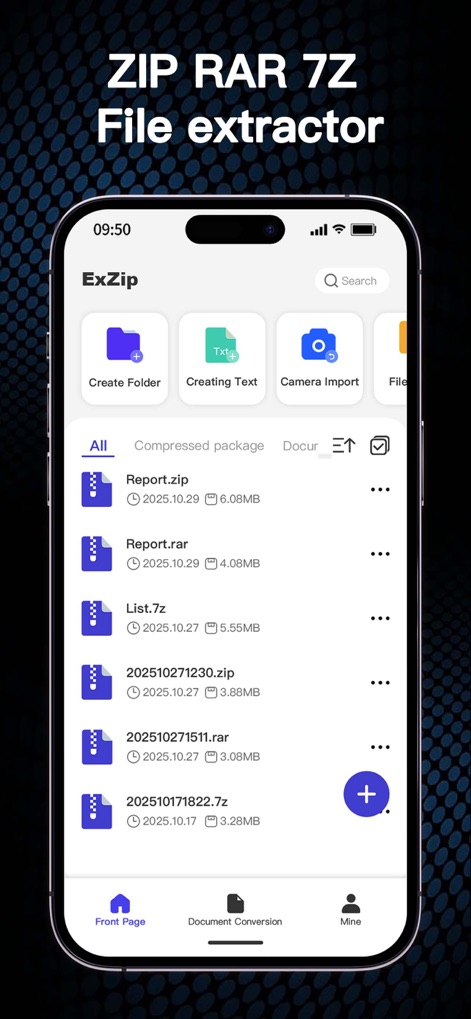
이 앱은 다양한 압축 파일을 한눈에 보여주며, '폴더 생성' 및 '텍스트 생성'과 같은 빠른 접근 기능을 상단에 제공합니다.
스마트 파일 관리
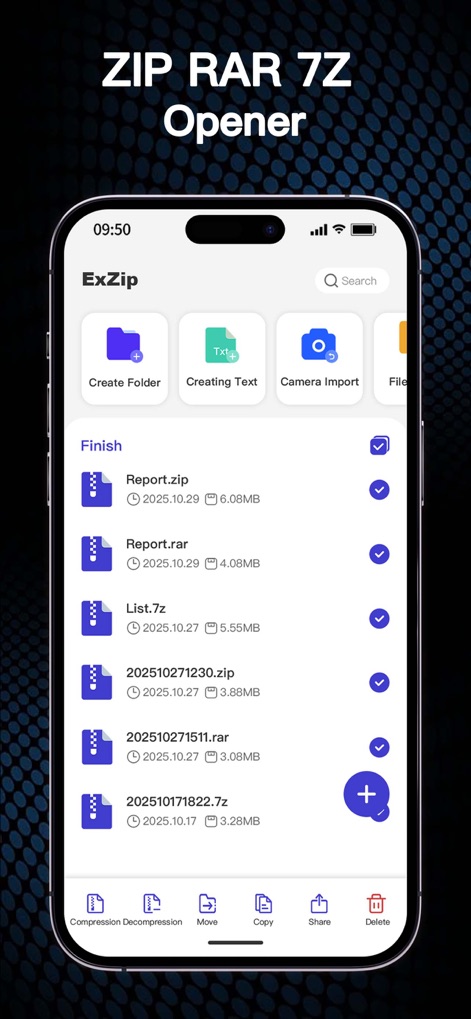
사용자는 여러 파일을 선택하여 '압축 해제'하거나 '이동'할 수 있으며, 하단 도구 모음을 통해 효율적인 일괄 관리가 가능합니다.
간편한 파일 조작
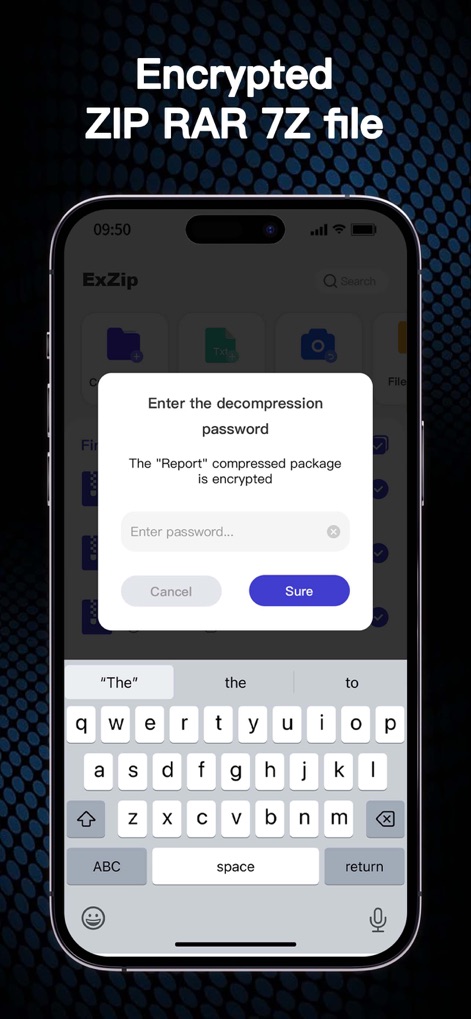
'압축 해제 암호 입력' 대화 상자가 표시되어 민감한 파일에 대한 보안을 강화하며, 사용자는 암호를 입력하여 콘텐츠에 접근할 수 있습니다.
안전한 파일 보호
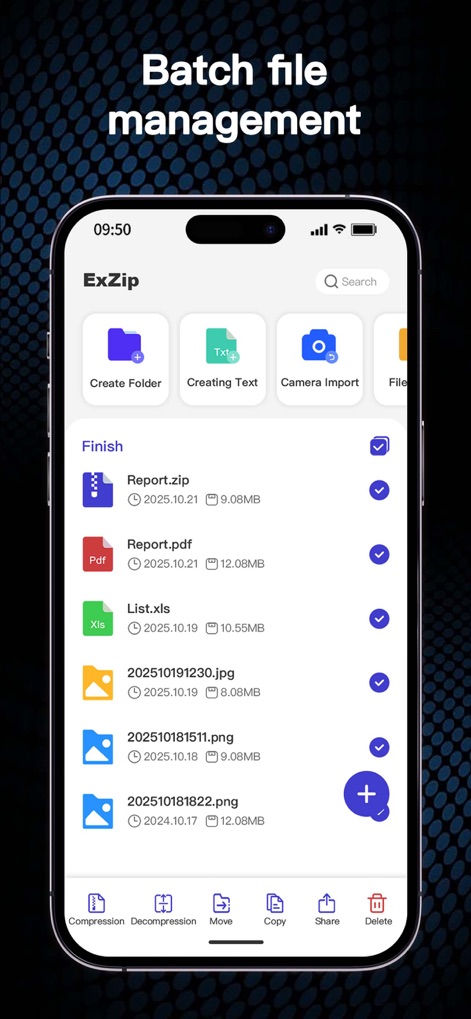
이 도구는 PDF, JPG 등 다양한 형식의 파일을 일괄적으로 선택하고, 하단의 '이동' 및 '복사' 기능을 통해 편리하게 관리할 수 있도록 합니다.
다중 파일 관리

앱 내에서 '비디오 파일'을 직접 재생할 수 있으며, 깔끔한 플레이어 인터페이스는 재생 시간 및 진행률 표시줄을 통해 시각적 편의를 제공합니다.
멀티미디어 즉시 재생
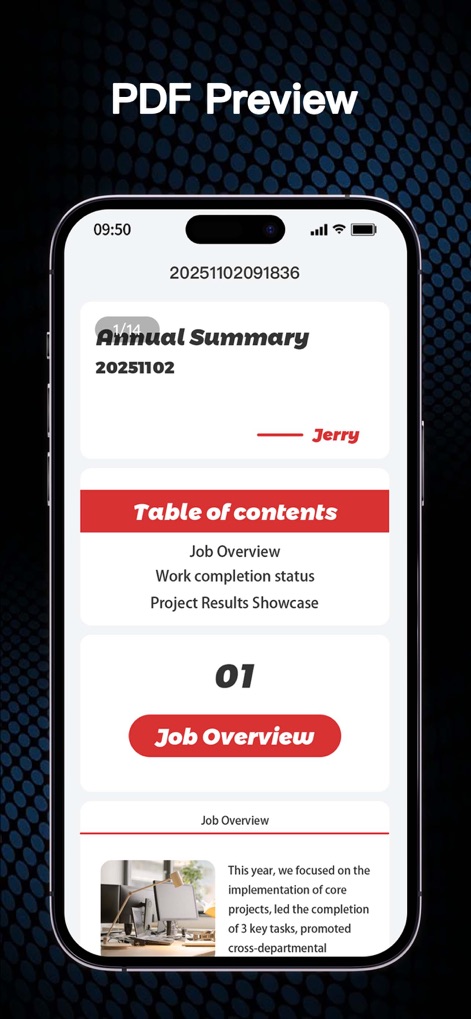
사용자는 'PDF 문서'를 앱 내에서 직접 미리 볼 수 있으며, '목차'와 같은 탐색 요소를 통해 문서 내용을 쉽게 파악할 수 있습니다.
직관적인 PDF 미리보기
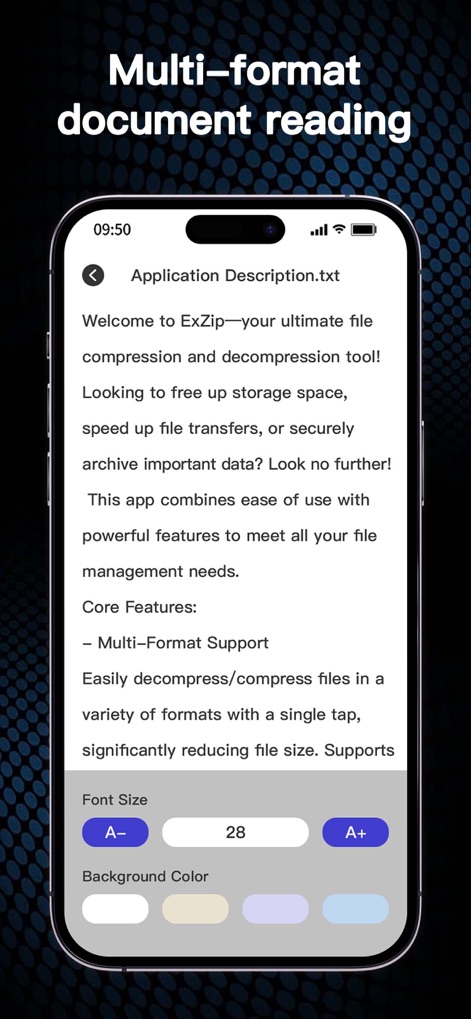
이 앱은 'TXT 문서'와 같은 다양한 형식의 문서를 지원하며, '글꼴 크기 조정' 및 '배경색 변경' 옵션으로 맞춤형 독서 경험을 제공합니다.
다채로운 문서 보기
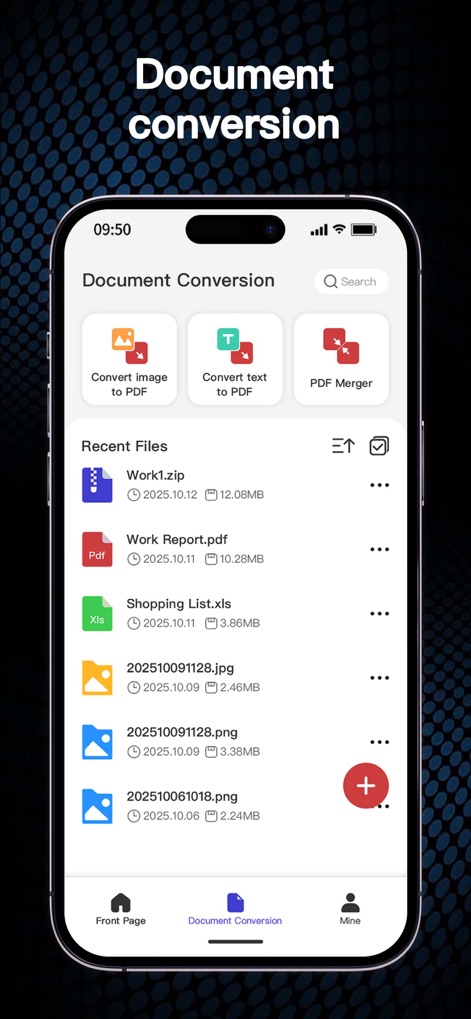
사용자는 '이미지 PDF 변환' 및 '텍스트 PDF 변환'과 같은 유용한 문서 변환 기능을 이용할 수 있으며, 최근 파일 목록이 하단에 정리되어 있습니다.
통합 문서 변환
설명
Download
비슷한 앱
유사한 기능과 사용자 경험을 가진 앱

Unzip – ZIP RAR 7Z Extractor
Little Sweet Technology Co., Ltd.

Unzip - zip,rar,7z file opener
书勇 贾

Zip & RAR File Extractor
PENGHUI ZHAO

iZip – Zip Unzip Unrar
ComcSoft Corporation

ZArchiver: UnZip, UnRar, 7Z
TIMON SOFTWARE SOLUTIONS COMPANY LIMITED

iRAR - zip,rar,7z file opener
书敏 贾

Zip & RAR & 7z File Extractor
琳 胡

MT管理器
瑞 胡

iZip Pro -Zip Unzip Unrar Tool
ComcSoft Corporation
이 페이지는 앱이나 개발자의 공식 페이지가 아니며, 정보 제공 및 논평을 목적으로 작성된 독립 편집 간행물입니다. 명시적으로 달리 언급되지 않는 한, 해당 앱이나 개발자는 MWM, Apple, Google Play, 앱 퍼블리셔 또는 앱 개발자와 제휴, 보증, 후원, 승인 또는 공식적으로 연결되어 있지 않으며, 이 페이지의 어떤 내용도 해당 앱이 MWM의 서비스를 사용하여 개발되었음을 의미하지 않습니다. 모든 상표, 로고, 스크린샷 및 기타 콘텐츠는 해당 소유자의 자산입니다.