4Plan Home & Interior Planner

4Plan Home & Interior Planner


Download on App Store
Logo of 4Plan Home & Interior Planner

4Plan: Design, Furnish, and Visualize Your Dream Home in 3D

No professional design experience needed. Use LiDAR scanning and AR to plan your renovation, layout furniture, and see your space in photorealistic detail before you spend a dime.

Download on App Store

Publisher

Alatona UAB

Category

Lifestyle

Downloads

1M+

User Rating

4.6/5

Total Ratings

4K+

Locales

8

Visualize Your Future Space

Discover the interface used by 1M+ users.
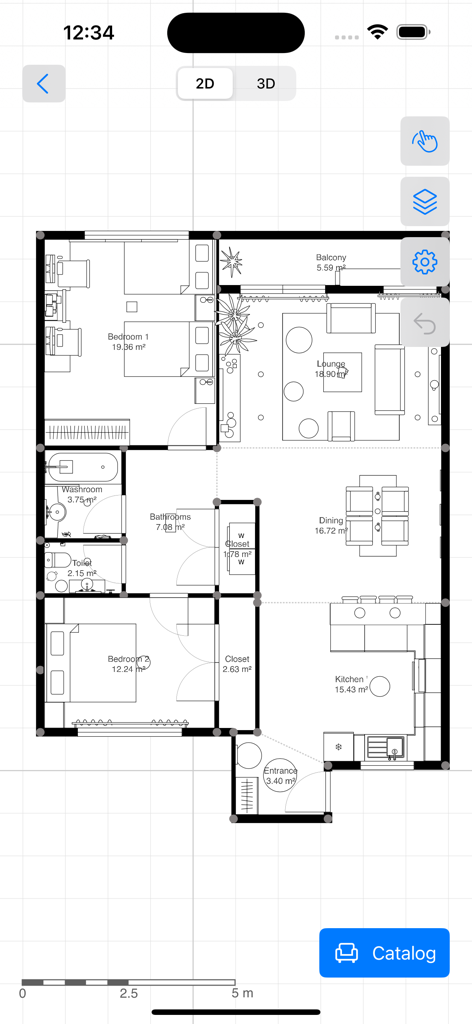
A detailed 2D apartment floor plan showing room dimensions and furniture arrangement created with the 4Plan interior design app

A detailed 2D apartment floor plan showing room dimensions and furniture arrangement created with the 4Plan interior design app

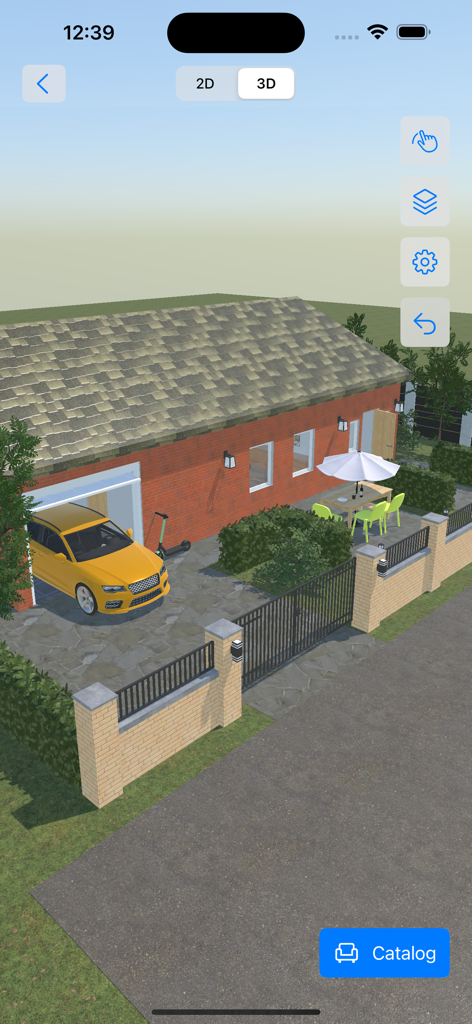
3D exterior view of a house with a yellow car and patio area in the 4Plan app

3D exterior view of a house with a yellow car and patio area in the 4Plan app

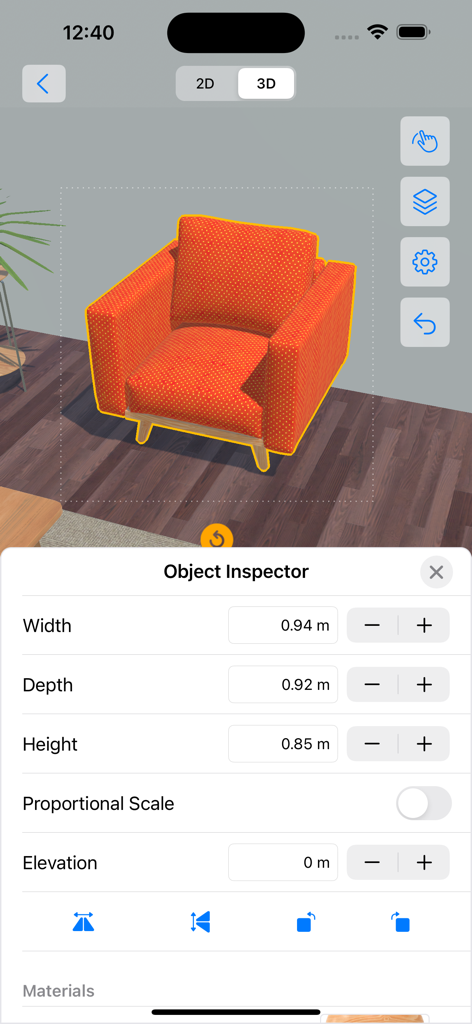
Using the Object Inspector to adjust dimensions of an orange armchair in the 4Plan 3D interior design view

Using the Object Inspector to adjust dimensions of an orange armchair in the 4Plan 3D interior design view

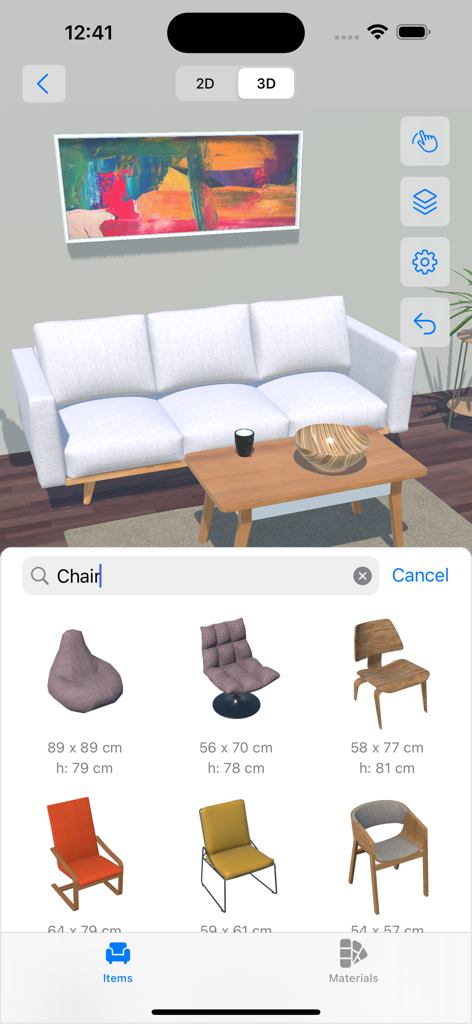
A 3D living room design project in the 4Plan app featuring a furniture selection menu for chairs.

A 3D living room design project in the 4Plan app featuring a furniture selection menu for chairs.

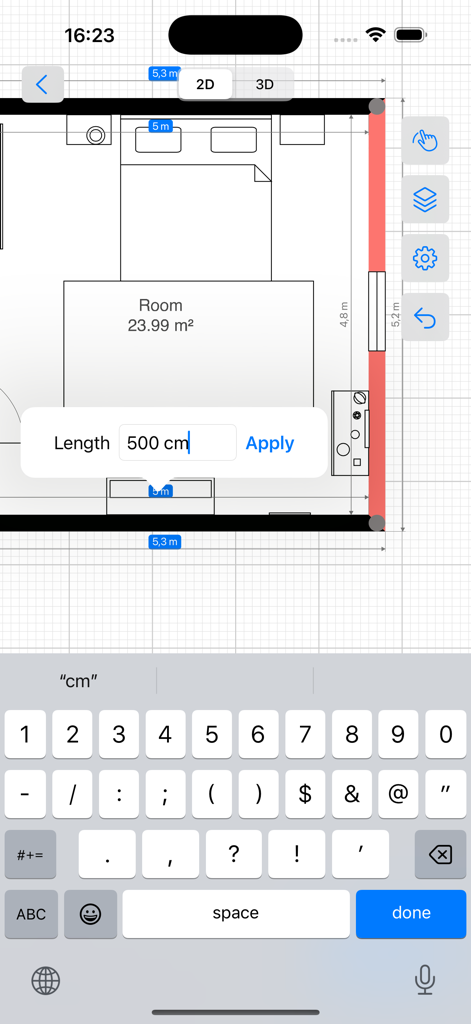
A 2D floor plan editor showing a bedroom layout with a custom dimension input field

A 2D floor plan editor showing a bedroom layout with a custom dimension input field

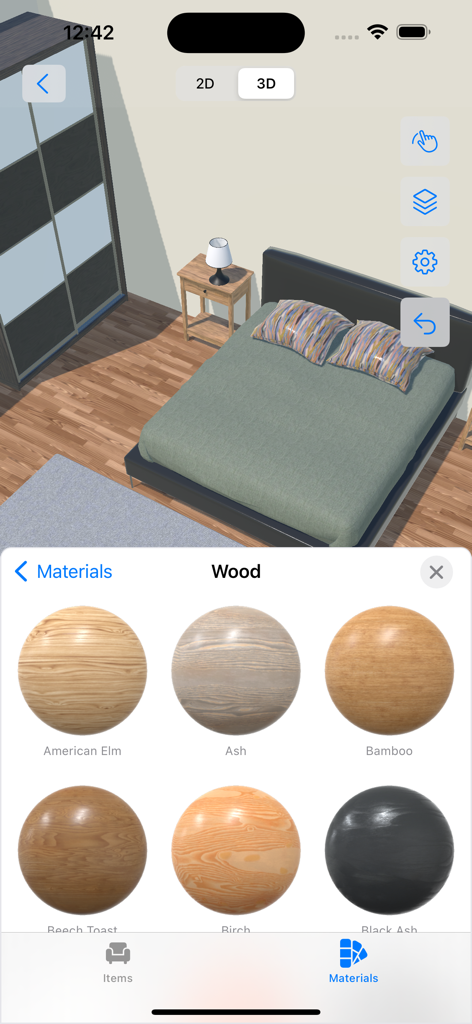
A 3D bedroom view in the 4Plan app with a materials selection menu showing different wood types like American Elm and Ash for customization.

A 3D bedroom view in the 4Plan app with a materials selection menu showing different wood types like American Elm and Ash for customization.

Design Your Dream Home with Confidence

The tools that make this app stand out, trusted by 1M+ users.

📐

Instant Room Scanning

Skip the measuring tape. Use LiDAR technology to capture your room’s exact dimensions and layout in seconds with professional accuracy.

🛋️

Curate Your Personal Style

Experiment with a massive catalog of furniture and photorealistic materials to find the perfect look for your home before you buy a single item.

🕶️

Walk Through Your Vision

Switch between 2D blueprints and immersive 3D views, or use Augmented Reality to see exactly how your new design fits into your physical space.

About the app

Everything you need to know about 4Plan Home & Interior Planner.

Description

● 2D drawing and 3D view for each of your floor, room, indoor & outdoor projects ● Easy and intuitive control with endless customizations ● Photorealistic materials with a vast furniture and material catalog ---------- Are you looking for an easy-to-use home interior design and renovation app to plan your next project? Don’t have any knowledge about using interior design software? Meet 4Plan, which is designed with utmost simplicity to help you design rooms, floors, and outdoor areas from your iOS & macOS devices. Download now, and start drawing rooms and walls. Then drag and drop furniture and decoration from the catalog. Use materials and color palette to create a unique look and feel. Making your dream renovation a reality is easy with 4Plan. ■ UNLEASH YOUR CREATIVITY Choose from our large library of home design elements and make adjustments per your taste. Design room remodelling by using: ● Construction: select different doors, windows, stairs, roofs, and shapes. ● Furniture: select and add sofas, armchairs, chairs, tables, sideboards, desks, console tables, coffee tables, cabinets, drawers, and more. Adjust the width, depth, and more. ● Outdoor: add different seats, tables, vegetation, lamps, and more. ● Materials: Pick different materials such as paint, bricks, carpets, concrete, and ground and pick different styles and colors for each material. ■ 4PLAN FEATURES: - 2D drawing and 3D view; - View your project in Augmented Reality; - Easy to use with intuitive controls; - Photorealistic materials; - Furniture and material catalog; - Share PDF drawing and snapshots; - Save and share your project file; - Works on all your iOS and macOS devices; - Use iPhone with LiDAR for room scanning; ■ UI CONTROL TIPS 4Plan is designed for everyone. No interior design software knowledge is needed. Here are some basic control instructions: - Tap on any of the lines to select it and resize the space to your custom needs; - Pinch to zoom in/out the whole project; - Use the undo button to revert changes; - Tap in the middle of your project to open the room inspector and edit ceiling, ceil material, flooring, and floor material; - Tap on the bottom button to add construction, furniture, and outdoor elements and select materials; ■ DRAW Use the draw feature to create custom: - Walls; - Rooms; - Paths or lawns; - Dimensions; ■ SETTINGS ADJUSTMENTS Besides being easy to use, 4Plan is customizable. Go to the Settings page to do the following adjustments if needed: - Give a project name; - Enable/disable snapping; - Enable/disable dimensions; - Set imperial or metric units; Now it’s time to plan your renovation and home design. Do it your way & easily with 4Plan. ► Download and try it for FREE. ____________________ ADDITIONAL INFO - Full catalog access requires a Premium subscription. - Please feel free to contact our support team at info@4plan.app - Stay tuned for more amazing features coming soon!
 Terms of Use: https://4plan.app/terms Privacy Policy: https://4plan.app/privacy

Latest Version

1.5.10

Size

297.9 MB

First Released

Sep 7, 2021

Start Designing Your Dream Space Today

Join over 1 million DIYers and homeowners turning visions into 3D reality. Download 4Plan for free on iPhone, iPad, and Mac to plan your renovation with professional precision—no experience required.

Download on App Store
FAQ

Frequently Asked Questions

Everything you need to know about 4Plan Home & Interior Planner

Does 4Plan Home & Interior Planner support both 2D and 3D design views?

Yes, 4Plan offers a 2D drawing mode to create floor plans and a 3D view to visualize projects with photorealistic materials, including outdoor areas. It also has an Augmented Reality feature.

What types of design elements can I add to my project in 4Plan?

4Plan enables users to add a vast range of construction elements like doors, windows, stairs, roofs, and shapes. It also includes furniture such as sofas, tables, cabinets, and outdoor items like vegetation and lamps.

Is the 4Plan Home & Interior Planner application free to use?

Yes, 4Plan is free to download and try. However, access to the full catalog of furniture and materials requires a Premium subscription.

Which devices are compatible with the 4Plan app?

4Plan is compatible with all iOS and macOS devices. It also supports iPhone models equipped with LiDAR technology for room scanning capabilities.

Can I adjust the dimensions of objects and walls within 4Plan?

Yes, 4Plan allows users to customize the dimensions of elements. For furniture, an 'Object Inspector' lets you adjust width, depth, and height. For walls, users can tap to select and resize them, as shown in the 2D view.

What kind of materials can I use for my designs in 4Plan?

4Plan offers a variety of materials including paint, bricks, carpets, concrete, and ground. Users can select different styles and colors for each material from the extensive catalog.

Is 4Plan Home & Interior Planner easy to use for drawing custom layouts?

Yes, 4Plan features intuitive controls allowing users to easily draw custom walls, rooms, paths, lawns, and dimensions. It is designed so no prior interior design software knowledge is needed.

How can I customize project settings like units and snapping in 4Plan?

4Plan allows users to modify project settings such as giving a project name, enabling/disabling snapping, toggling dimensions, and setting measurements to imperial or metric units.

App information, icons, screenshots, and descriptions displayed on this page are sourced from the Apple App Store and are the property of their respective developers. Download estimates and rankings are based on MWM's proprietary models and may not reflect actual figures. This page is provided for informational and analytical purposes only.

Believe this page infringes your intellectual property? File a dispute