AI Business Cards Scanner

AI Business Cards Scanner

Download on App Store
Logo of AI Business Cards Scanner

AI Business Cards Scanner: Transform Physical Cards Into Digital Opportunities

Stop manual data entry and start building your network. Effortlessly scan, extract, and export business contacts in seconds with the power of smart AI.

Download on App Store

Publisher

Krupesh Anadkat

Category

Business

Downloads

0

User Rating

1.0/5

Total Ratings

0

Locales

1

Efficiency at a Glance

Discover the interface used by 0 users.
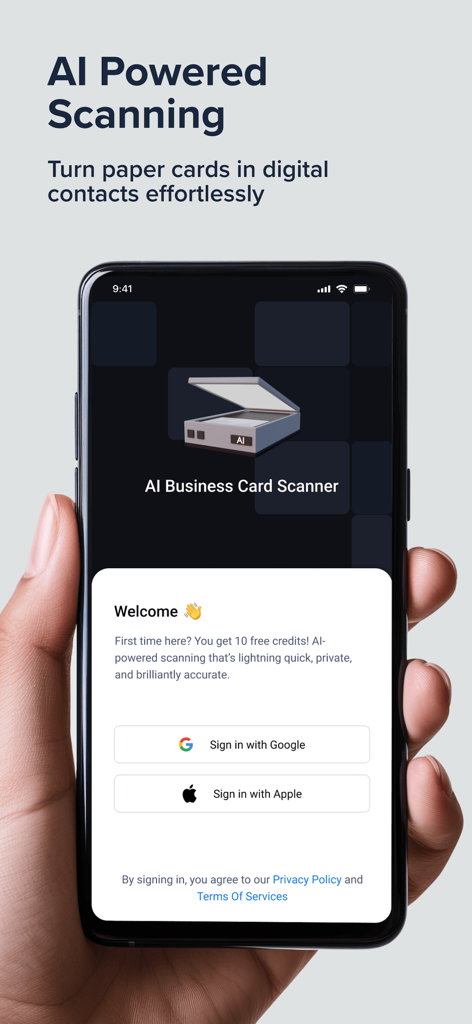
AI Business Card Scanner onboarding screen with Google and Apple sign in options on a smartphone

AI Business Card Scanner onboarding screen with Google and Apple sign in options on a smartphone

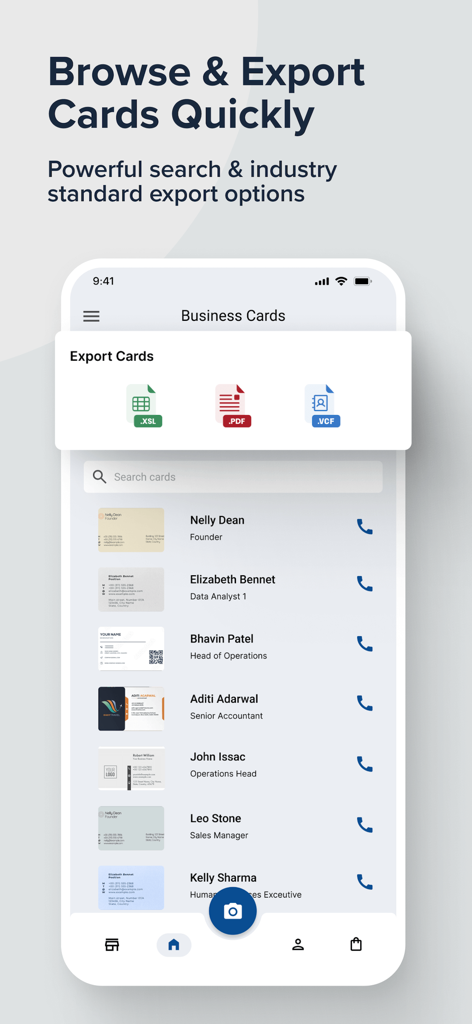
Interface of the AI Business Cards Scanner app showing a contact list and file export options for XSL, PDF, and VCF.

Interface of the AI Business Cards Scanner app showing a contact list and file export options for XSL, PDF, and VCF.

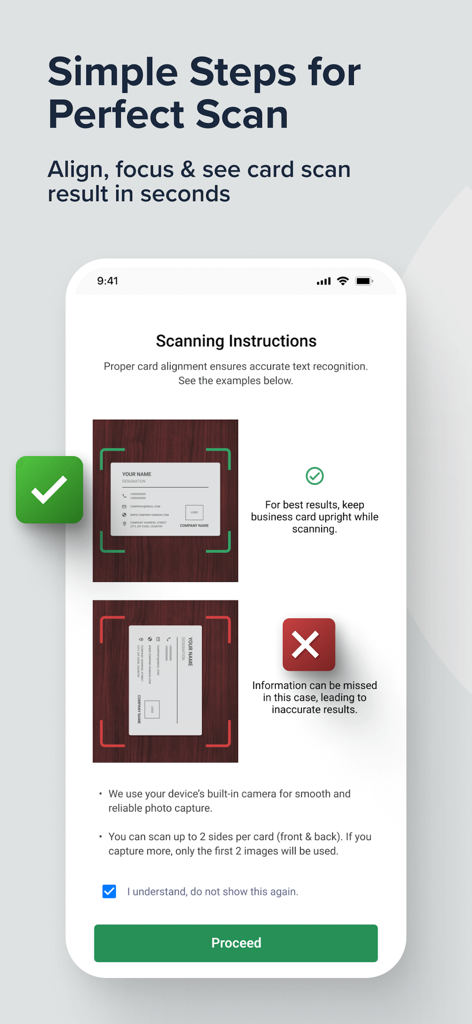
Scanning instructions screen showing correct and incorrect business card alignment for accurate AI text extraction.

Scanning instructions screen showing correct and incorrect business card alignment for accurate AI text extraction.

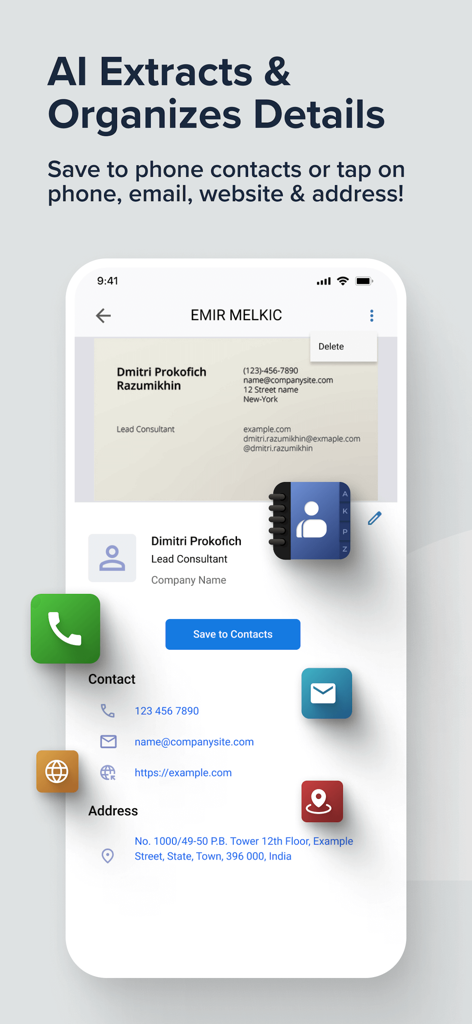
Mobile app interface showing AI extracted contact details from a scanned business card

Mobile app interface showing AI extracted contact details from a scanned business card

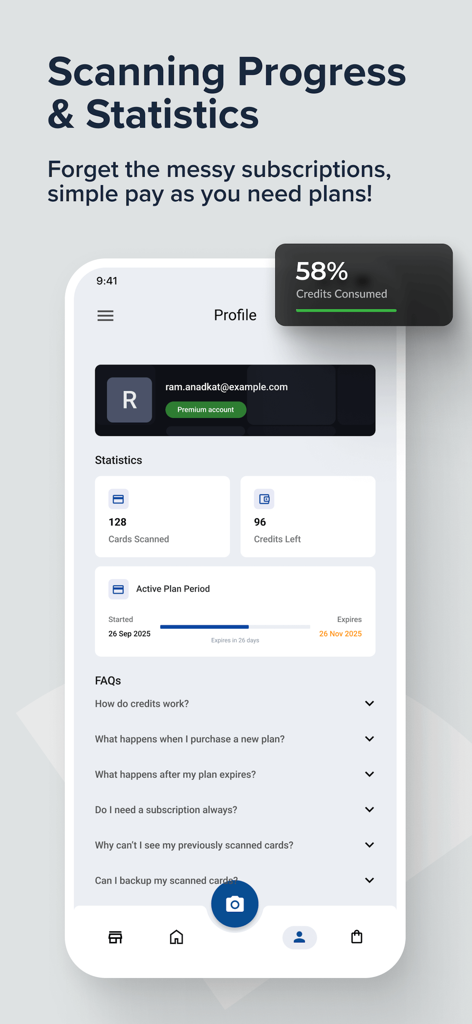
Profile view of AI Business Card Scanner showing scanning statistics and credit usage

Profile view of AI Business Card Scanner showing scanning statistics and credit usage

Master Your Networking Workflow

The tools that make this app stand out, trusted by 0 users.

⚑

Instant AI Recognition

Experience lightning-fast scanning that intelligently extracts names, emails, and phone numbers with zero manual typing.

πŸ“ˆ

CRM-Ready Exports

Effortlessly move your leads into Excel, PDF, or VCard formats for seamless integration with your sales pipeline.

πŸ“

Digital Lead Management

Keep your network organized and searchable by keywords, ensuring you never lose a potential business opportunity again.

About the app

Everything you need to know about AI Business Cards Scanner.

Description

Effortlessly scan, extract, and organize business card details with the power of AI. Tired of managing piles of business cards? Let our AI Business Card Scanner help you stay organized and efficient. With just one scan, it intelligently reads and extracts contact details like name, phone numbers, email addresses, company names, websites, and more. Key Features: - Fast Card Scanning – Instantly capture business cards using your phone's camera - Smart AI Extraction – Automatically detects and pulls out key details from card text - Editable Fields – Make quick changes to extracted information if needed - Organized Contacts – Store and browse all scanned cards in one convenient place - Powerful Search – Find any contact in seconds using keywords - Save to Phone Contact - Save extracted business card to phone contacts - Export Cards - Export all business cards in Excel, PDF & VCard format Whether you're attending networking events, business meetings, or just managing everyday contacts, this app makes handling business cards easy, efficient, and paper-free. Perfect for: - Business professionals and entrepreneurs - Sales teams and network builders - Event attendees and conference goers - Anyone wanting to go paperless Say goodbye to clutter. Go digital with your cards β€” the smart way! Download now and transform how you manage business contacts!

Latest Version

3.1.1

Size

66.0 MB

First Released

Sep 8, 2025

Stop Typing. Start Growing Your Network.

Save hours of manual data entry with the power of AI. Go paperless and never lose a valuable business lead again.

Download on App Store

App information, icons, screenshots, and descriptions displayed on this page are sourced from the Apple App Store and are the property of their respective developers. Download estimates and rankings are based on MWM's proprietary models and may not reflect actual figures. This page is provided for informational and analytical purposes only.

Believe this page infringes your intellectual property? File a dispute