AI Home Design: Room Planner

AI Home Design: Room Planner

Download on App Store
Logo of AI Home Design: Room Planner

AI Home Design: Room Planner - Design Your Dream Space Instantly with AI

Stop guessing and start visualizing. Snap a photo of any room to explore stunning styles and professional layouts tailored to your home in seconds.

Publisher

Z ZET LTD

Category

Graphics & Design

Downloads

82K+

User Rating

3.3/5

Total Ratings

200

Locales

26

See the Transformation

Discover the interface used by 82K+ users.
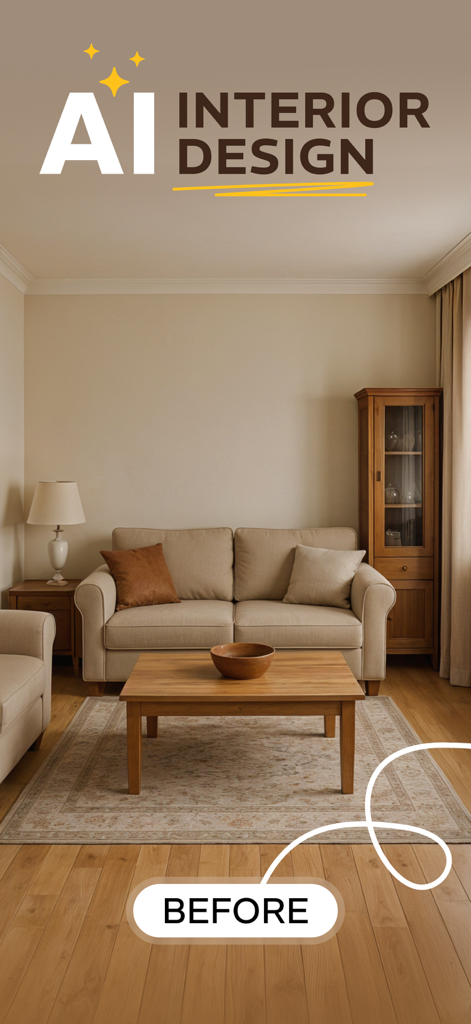
A living room before photo inside the AI Home Design room planner app

A living room before photo inside the AI Home Design room planner app

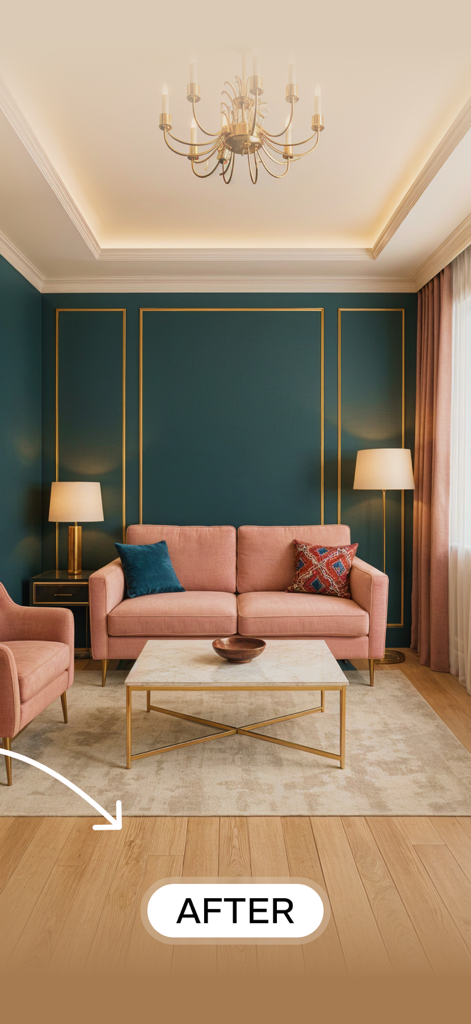
AI generated interior design of a modern living room with teal walls and a pink sofa

AI generated interior design of a modern living room with teal walls and a pink sofa

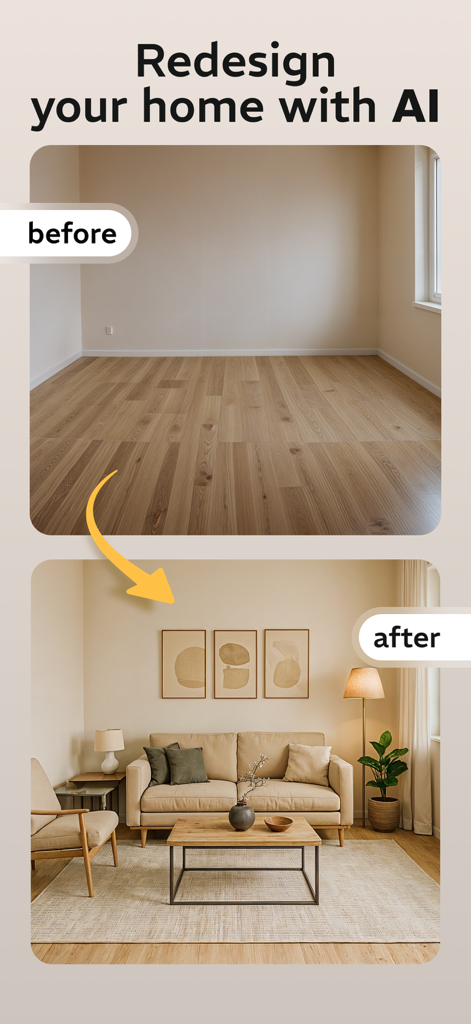
Before and after comparison of an empty room transformed into a furnished modern living room using AI

Before and after comparison of an empty room transformed into a furnished modern living room using AI

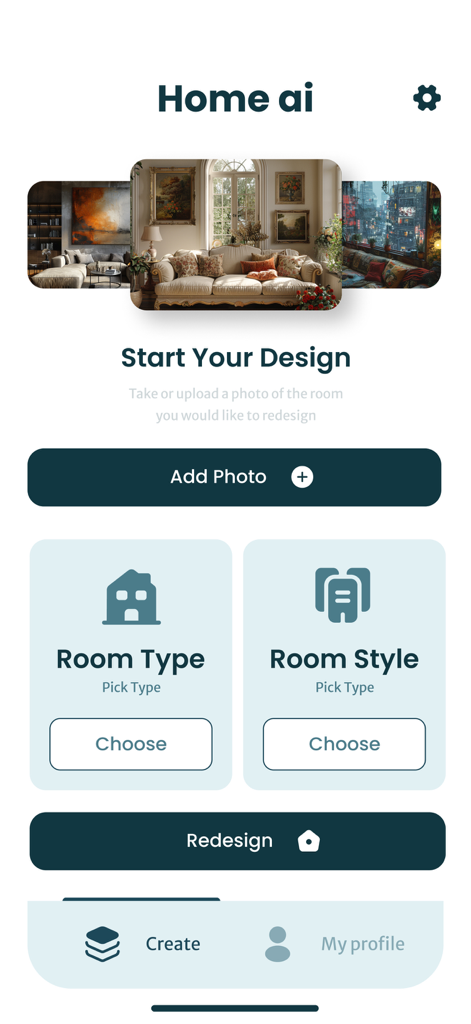
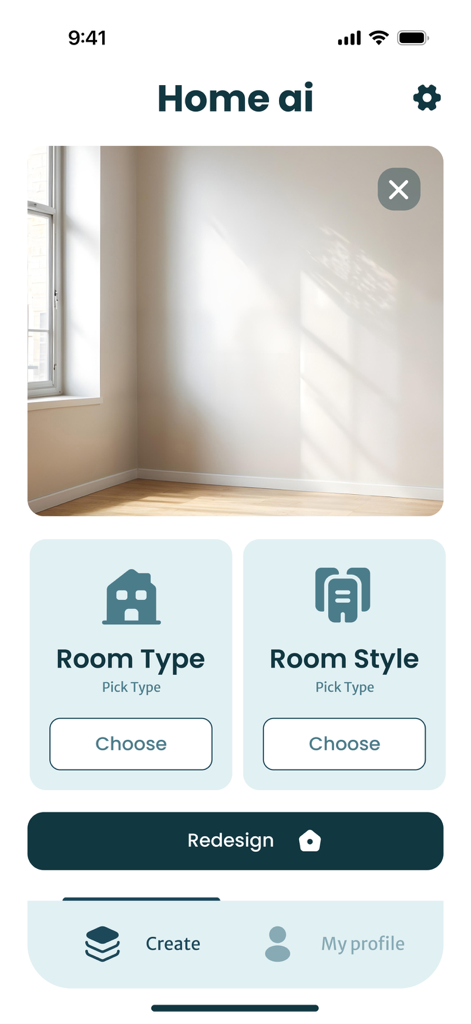
Main screen of the AI Home Design app featuring room redesign options and style selection buttons

Main screen of the AI Home Design app featuring room redesign options and style selection buttons

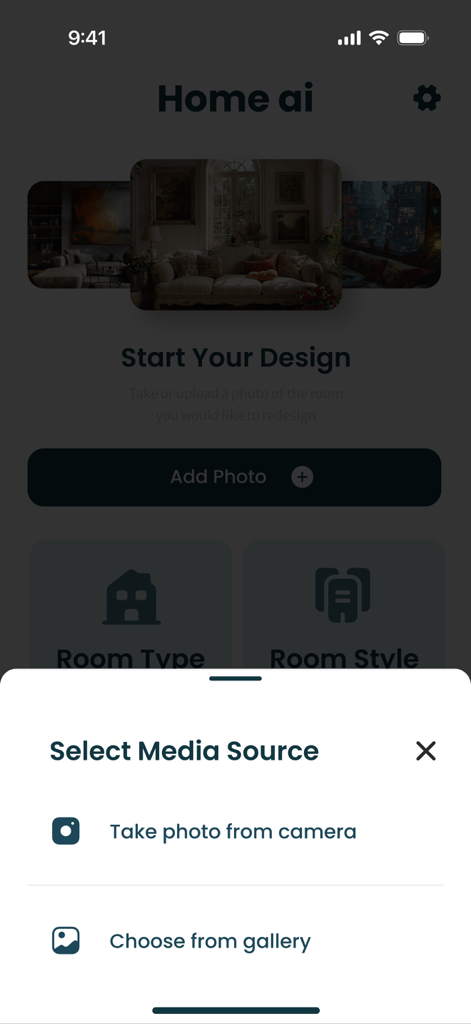
Mobile app interface showing the media source selection to take a photo or choose from gallery for room redesign

Mobile app interface showing the media source selection to take a photo or choose from gallery for room redesign

AI Home Design app interface for selecting room type and style for a redesign

AI Home Design app interface for selecting room type and style for a redesign

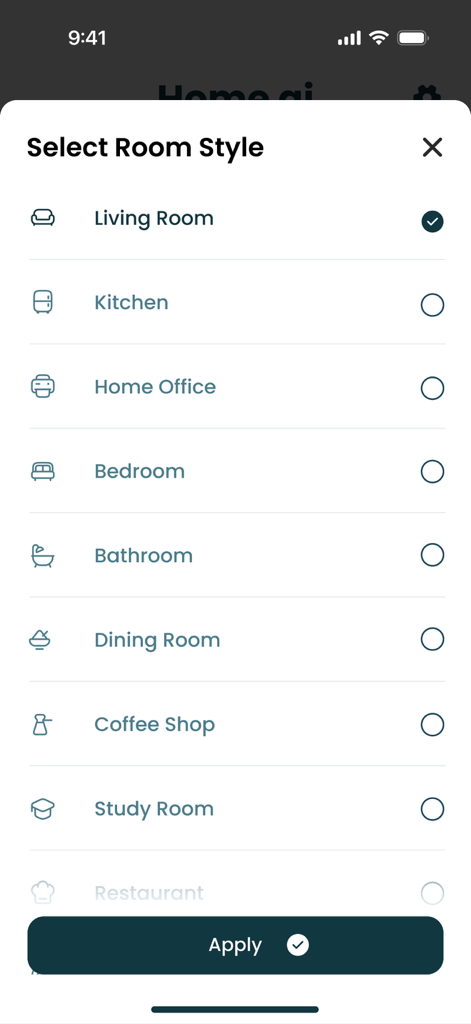
Room style selection screen showing options like Living Room Kitchen and Home Office in the AI Home Design app

Room style selection screen showing options like Living Room Kitchen and Home Office in the AI Home Design app

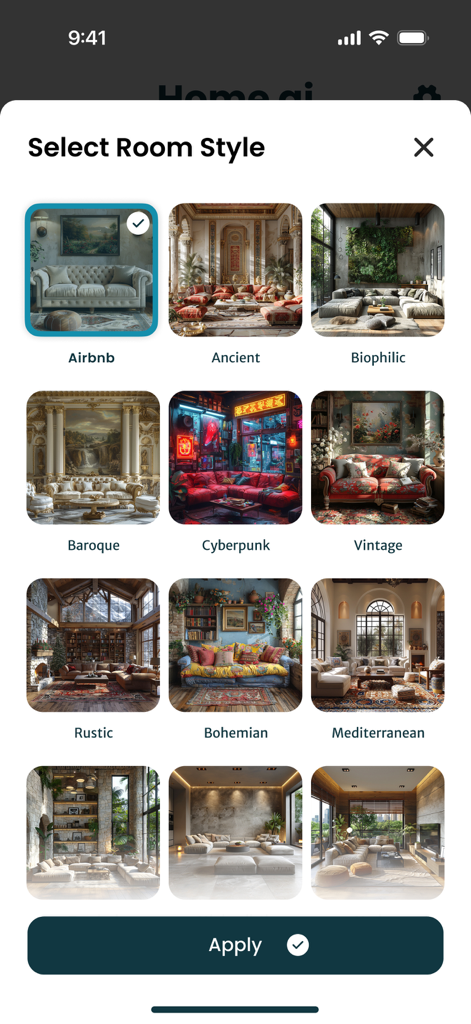
Mobile app interface showing a grid of various interior design styles for selection

Mobile app interface showing a grid of various interior design styles for selection

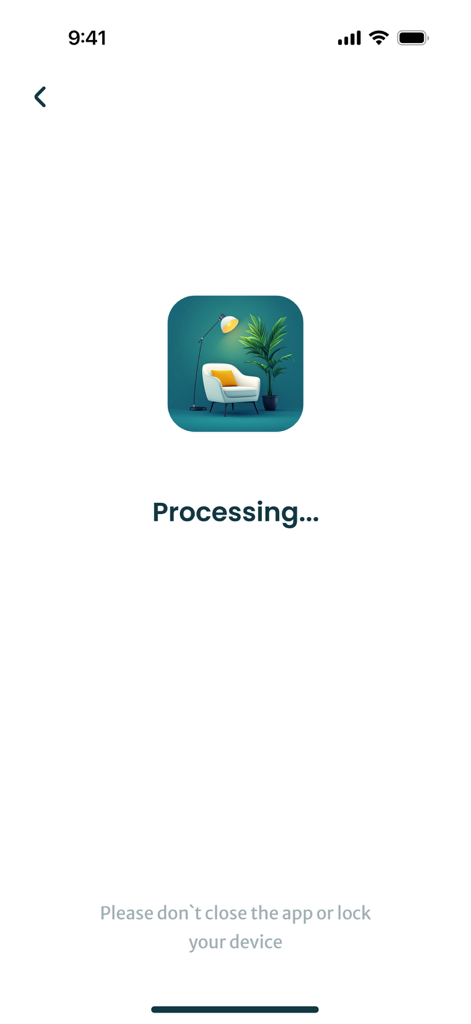
Processing screen of the AI Home Design Room Planner app showing a loading message and a room decor icon.

Processing screen of the AI Home Design Room Planner app showing a loading message and a room decor icon.

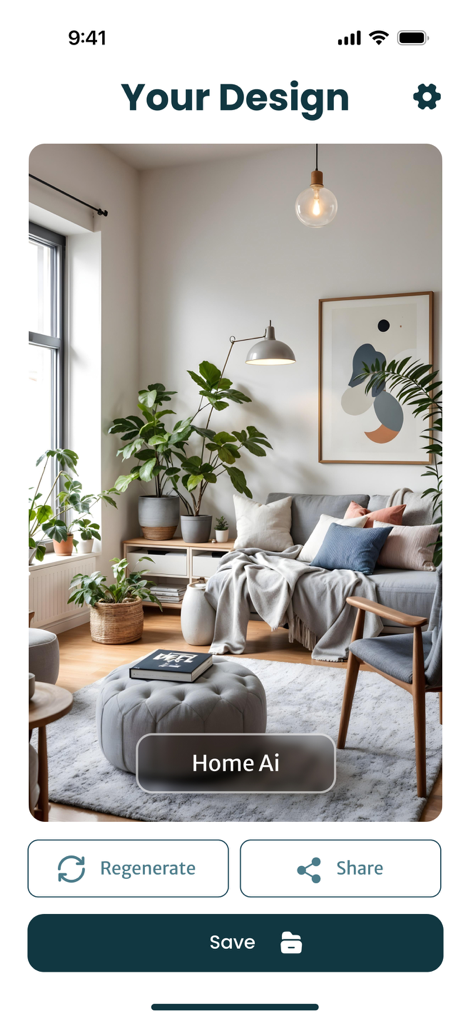
AI generated living room design showing modern furniture and indoor plants.

AI generated living room design showing modern furniture and indoor plants.

Unlock Your Home’s Full Potential

The tools that make this app stand out, trusted by 82K+ users.

📸

Snap, Tap, and Transform

Instantly visualize different design styles in your actual room by simply uploading a photo. No design skills required.

Curated Designer Aesthetics

Explore professional looks from Scandinavian to Boho, perfectly tailored to your room's unique layout and lighting.

🤝

Risk-Free Decision Making

Eliminate the fear of costly furniture mistakes by testing new colors and layouts digitally before you spend a dime.

Review Analysis

Insights from user reviews.

Sentiment Score

28%
Negative

Summary

This mobile app has received overwhelmingly negative feedback from users. Many report that the app's core functionalities are severely hampered by pervasive bugs, frequent error messages, and an inability to generate images or save progress. A major point of contention is the app's restrictive and excessively expensive subscription model, with many users feeling it is a scam as little to no features are available without payment, even after paying for what was advertised as unlimited use. Furthermore, the AI's output is widely criticized for its poor quality, often failing to accurately reflect user input or integrate with existing room features, leading to irrelevant or unhelpful design suggestions.

Common Themes

High Cost & Paywall(18)
App Functionality & Bugs(10)
AI Output Quality(9)
Free Trial Availability(4)
Subscription Management(3)
Design Visuals / Concept(3)

About the app

Everything you need to know about AI Home Design: Room Planner.

Description

Design Your Dream Room with AI – Instantly & Effortlessly Transform your home with the power of AI. Just upload a photo, and instantly get stunning room designs tailored to your space. With this smart interior design app, you can: - Visualize home decor ideas in seconds - Explore popular styles: modern, minimalist, boho, Scandinavian, and more - Try furniture, colors, and layouts that match your room - Receive personalized AI recommendations based on your preferences No design skills? No problem. Whether you’re updating your bedroom, living room, or entire home — it’s simple, fast, and fun. Snap a photo, try new looks, and redesign your space with ease. Your dream room is just one tap away. Subscription information: - Prices in countries may vary and the actual cost may be converted to your local currency depending on your country of residence. - Payment will be charged to your iTunes Account when you confirm your purchase. - Subscription will automatically renew. You can turn off auto-renewal at least 24 hours before the end of the current period. - Within 24 hours before the end of the current period, your account will be charged the subscription renewal fee with the renewal price. - You can manage your subscriptions and turn off auto-renewal by going to iTunes Account Settings. - Subscriptions can be canceled at any time in your Apple ID settings. All prices include applicable local sales taxes. - The unused portion of the free trial, if offered, will be canceled when you purchase a subscription. - At the end of the 3-day trial period, if offered, the subscription will automatically renew according to the rate unless canceled before the end of the 3-day trial period. Privacy Policy: https://zzetapp.com/policy.html Terms of Use: https://zzetapp.com/terms.html

Latest Version

1.31

Size

119.5 MB

First Released

Oct 17, 2024

Ready to See Your Home’s Full Potential?

Stop the design guesswork. Download AI Home Design today to instantly visualize your space in any style and turn your inspiration into reality.

Download on App Store
FAQ

Frequently Asked Questions

Everything you need to know about AI Home Design: Room Planner

What is the AI Home Design: Room Planner app?

AI Home Design: Room Planner is an AI-powered app that instantly generates stunning room designs. Users upload a photo to visualize decor ideas, explore styles, and try furniture, colors, and layouts tailored to their space.

How do users create designs with AI Home Design: Room Planner?

Users create designs by uploading a room photo to AI Home Design: Room Planner. They then select a room type and design style. The app processes this input to generate tailored interior designs.

Which room types can AI Home Design: Room Planner redesign?

AI Home Design: Room Planner supports redesigns for various room types. These include Living Room, Kitchen, Home Office, Bedroom, Bathroom, Dining Room, Coffee Shop, Study Room, and Restaurant.

Does AI Home Design: Room Planner offer different interior design styles?

Yes, AI Home Design: Room Planner offers multiple interior design styles. Users can explore Modern, Minimalist, Boho, Scandinavian, Airbnb, Ancient, Biophilic, Baroque, Cyberpunk, Vintage, Rustic, Bohemian, and Mediterranean options.

Is AI Home Design: Room Planner suitable for individuals without design skills?

Yes, AI Home Design: Room Planner is suitable for everyone, including those without design skills. The app simplifies the redesign process, making it fast and enjoyable for any space.

What is the subscription policy for AI Home Design: Room Planner?

AI Home Design: Room Planner subscriptions renew automatically. Payment is charged to the iTunes Account upon purchase. Renewal fees are charged within 24 hours before each period ends.

How can I manage my AI Home Design: Room Planner subscription?

Users manage AI Home Design: Room Planner subscriptions through iTunes Account Settings or Apple ID settings. Auto-renewal can be turned off at least 24 hours before the current period ends.

Is a free trial available for AI Home Design: Room Planner?

Yes, AI Home Design: Room Planner offers a 3-day free trial if provided. The subscription automatically renews at the specified rate after this period unless canceled beforehand.

Can designs created with AI Home Design: Room Planner be saved?

Yes, designs created using AI Home Design: Room Planner can be saved. The app provides a "Save" button on the "Your Design" screen to store the generated room concepts.

Where is the Privacy Policy for AI Home Design: Room Planner located?

The Privacy Policy for AI Home Design: Room Planner is accessible via the link: https://zzetapp.com/policy.html. It outlines the app's data privacy practices.

App information, icons, screenshots, and descriptions displayed on this page are sourced from the Apple App Store and are the property of their respective developers. Download estimates and rankings are based on MWM's proprietary models and may not reflect actual figures. This page is provided for informational and analytical purposes only.

Believe this page infringes your intellectual property? File a dispute