
AI Video Generator - Vimo AI



The most intuitive AI video generator for creators and storytellers. Turn your ideas into professional TikToks, Reels, and Shorts in seconds—no editing skills required.
Publisher
Category
Photo & VideoDownloads
234K+User Rating
Total Ratings
3K+Locales
7Discover the interface used by 234K+ users.
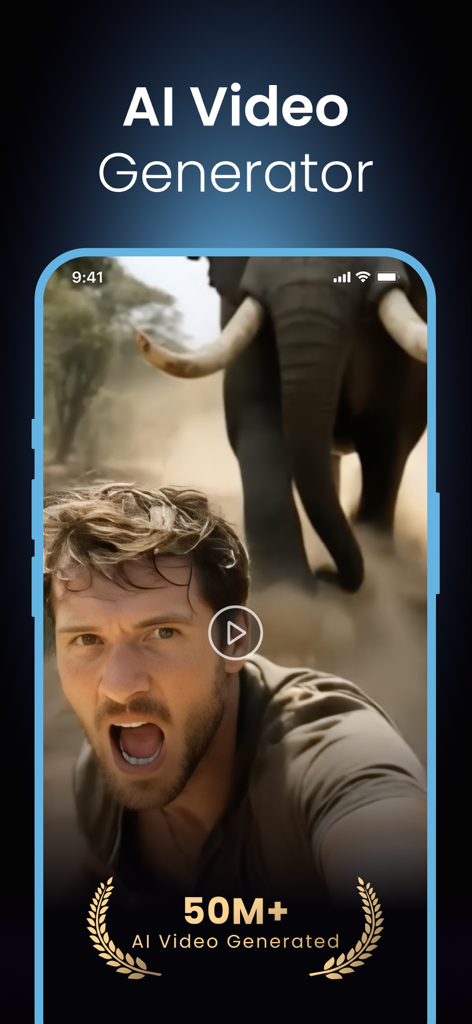
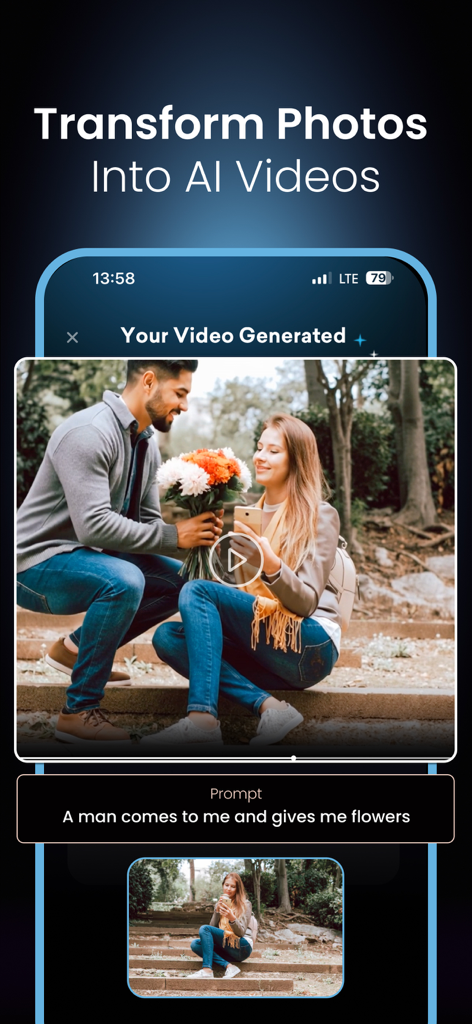
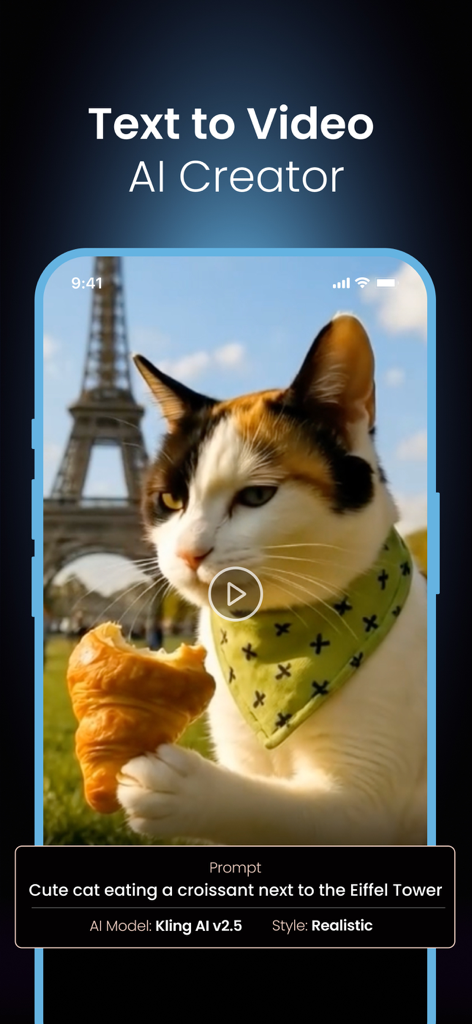
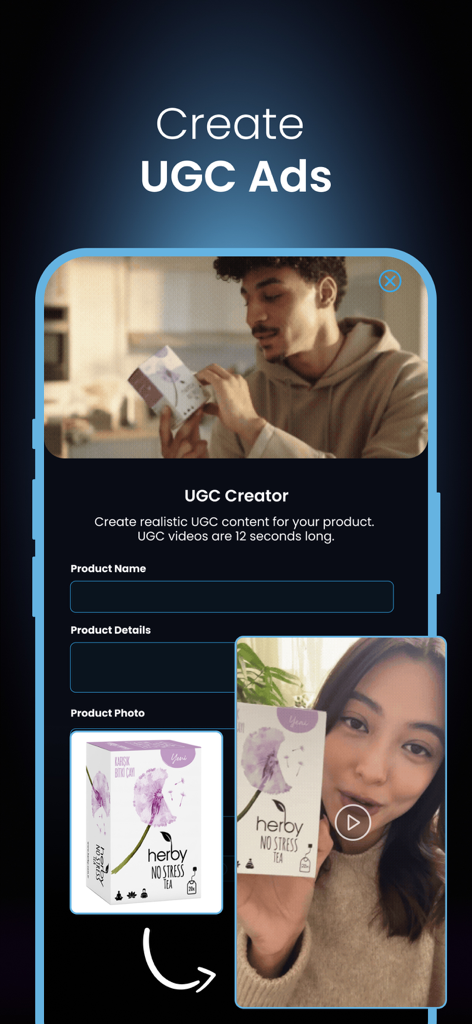
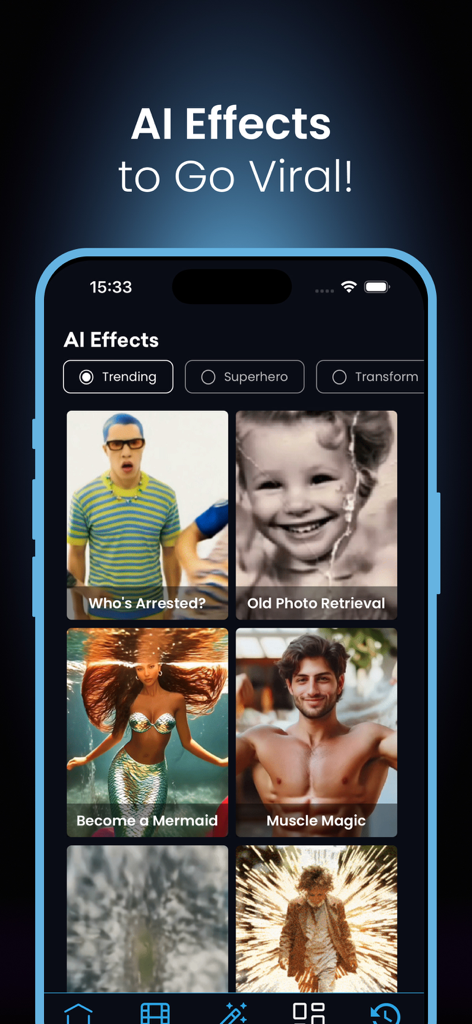
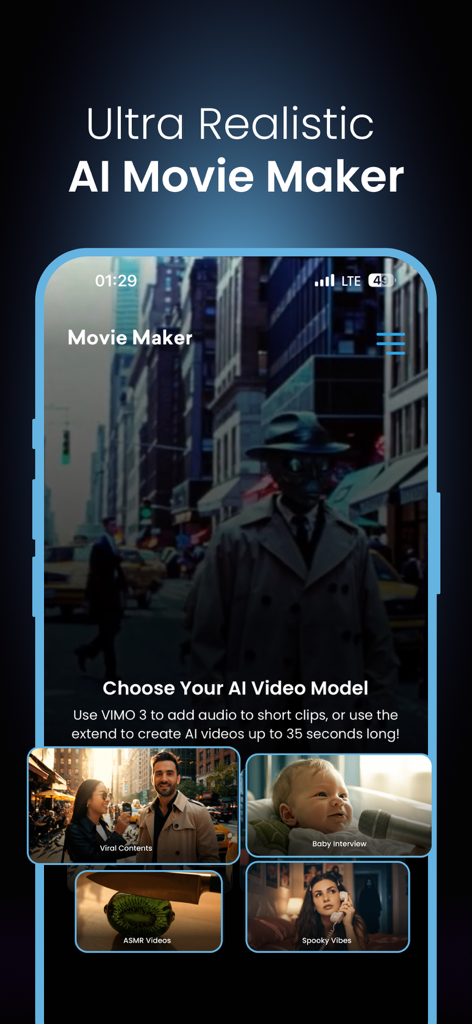
The tools that make this app stand out, trusted by 234K+ users.
Type any idea and watch it become a cinematic reality. From dreamscapes to viral concepts, transform your thoughts into motion instantly.
Breathe life into static photos with realistic motion effects. Turn your favorite portraits or aesthetic shots into high-engagement video content.
Skip the editing hassle. Generate videos perfectly sized for TikTok, Reels, and YouTube Shorts with one-tap exporting and trending styles.
Insights from user reviews.
Sentiment Score
Summary
This app elicits overwhelmingly negative feedback, predominantly centered around its aggressive and opaque pricing structure. Users frequently express frustration over high subscription costs, which then require additional "credits" for basic video generation, often leading to accusations of the app being a "scam" or "money trap." While some positive aspects were noted, such as its original effects, fast video generation, user-friendly interface, and overall AI quality, significant functionality issues were also reported. Specifically, one user noted that after an update, videos fail to generate while credits are still consumed, indicating a version-specific bug.
Common Themes
Everything you need to know about AI Video Generator - Vimo AI.
Description
Latest Version
2.1.0
Size
61.1 MB
First Released
Mar 12, 2024
Join 234,000+ creators using Vimo AI to turn ideas into viral, cinematic videos instantly. Ready to dominate your feed?
Everything you need to know about AI Video Generator - Vimo AI
Vimo AI Video Generator transforms text and photos into captivating videos instantly. It utilizes advanced text-to-video and image-to-video technology, allowing users to create stunning videos effortlessly without editing skills.
No, Vimo AI Video Generator does not require video editing skills. Users input their vision, and the AI handles the video generation, making it accessible for everyone to create professional content.
Users create high-quality, engaging videos with Vimo AI Video Generator for social media, stories, ads, and personal projects. The app helps content stand out across various platforms.
The Vimo Text-to-Video feature converts ideas into dynamic, visually rich videos. Users enter a short text prompt, and Vimo interprets these words to generate creative video scenes in seconds.
Yes, Vimo AI Video Generator animates photos using its Image-to-Video feature. It brings photos to life with realistic motion and cinematic depth, applying AI-powered motion effects to portraits, objects, or memories.
Yes, Vimo AI Video Generator offers camera and lighting options. Users experiment with different camera perspectives and lighting effects to establish the desired mood and tone for their video stories.
Yes, users customize video duration and format in Vimo AI Video Generator. The app allows choosing video length and size to perfectly fit platforms like Reels, TikTok, or YouTube Shorts.
Yes, Vimo AI Video Generator includes a template library. It provides access to a growing collection of video templates for popular trends, storytelling formats, and various artistic styles.
Users share videos from Vimo AI Video Generator through one-tap sharing. This feature exports and shares AI-generated videos directly to their favorite social platforms, simplifying content distribution.
To create a video with Vimo AI Video Generator, users enter a text prompt or upload an image to start. Then, they adjust video style, lighting, and duration before generating and sharing the video instantly.
Yes, Vimo AI Video Generator is a popular tool. It is one of the most popular AI Video Generators, assisting thousands of creators and businesses in transforming ideas into videos quickly.
Yes, Vimo AI Video Generator offers premium features. Unlimited access to these features requires a premium subscription, providing enhanced capabilities for advanced users.
Payment for Vimo AI Video Generator subscriptions is made from the user's iTunes account upon purchase confirmation. Subscriptions auto-renew at each term's end unless canceled 24 hours prior.
Yes, users can manage their Vimo AI Video Generator subscriptions. Auto-renewal for subscriptions is turned off directly from the iTunes account settings.
Users cancel Vimo AI Video Generator subscriptions by visiting the provided Apple support link: http://support.apple.com/en-us/HT202039. This outlines the process for managing iTunes subscriptions.
Users find the Vimo AI Video Generator privacy policy at https://sites.google.com/view/vimo-ai-video-generator/privacy-policy. This link provides comprehensive details on data handling.
The Vimo AI Video Generator Terms of Use are located at https://sites.google.com/view/vimo-ai-video-generator/terms-of-use. This document outlines the conditions for using the application and its services.
Users contact support for Vimo AI Video Generator via email at help.vimo@gmail.com. This address provides a direct channel for inquiries regarding the application.
Vimo AI Video Generator has created over 50 million AI videos. This figure indicates the app's extensive usage by creators to generate diverse content.
Yes, users add text prompts when transforming photos into videos with Vimo AI Video Generator. This provides context for the AI, guiding the generation process.
Vimo AI Video Generator uses AI models like 'Kling AI v2.5' for text-to-video generation. It also allows specifying styles such as 'Realistic' to guide the visual output.
Yes, Vimo AI Video Generator creates UGC ads. It provides a 'UGC Creator' interface for generating 12-second UGC videos using product details and photos, ideal for marketing.
Yes, Vimo AI Video Generator includes various AI effects. Categories like 'Trending,' 'Superhero,' and 'Transform' offer options such as 'Become a Mermaid' and 'Muscle Magic' for viral content.
Vimo's AI Movie Maker supports AI videos up to 35 seconds long. It also allows adding audio to short clips using "VIMO 3" technology, enabling comprehensive video creation.
Apps with similar features and user experience

Eleven Labs Inc.

WarpEngine Canada Inc.

Beijing Kwai Technology Co., Ltd.

Leonardo Interactive Pty Ltd

NEOCORTEXT, INC.

DIRECT CURSUS COMPUTER SYSTEMS TRADING LLC

TAPUNIVERSE LLC

Turnip Media Private Limited

Paradot Corp.
App information, icons, screenshots, and descriptions displayed on this page are sourced from the Apple App Store and are the property of their respective developers. Download estimates and rankings are based on MWM's proprietary models and may not reflect actual figures. This page is provided for informational and analytical purposes only.
Believe this page infringes your intellectual property? File a dispute
