
AR Drawing: Tracing Paper


Unleash your inner artist with cutting-edge AR technology. Trace your favorite anime characters, record viral time-lapses for TikTok, and master the art of sketching effortlessly using your phone.
Publisher
Category
Graphics & DesignDownloads
21K+User Rating
Total Ratings
200Locales
1Discover the interface used by 21K+ users.
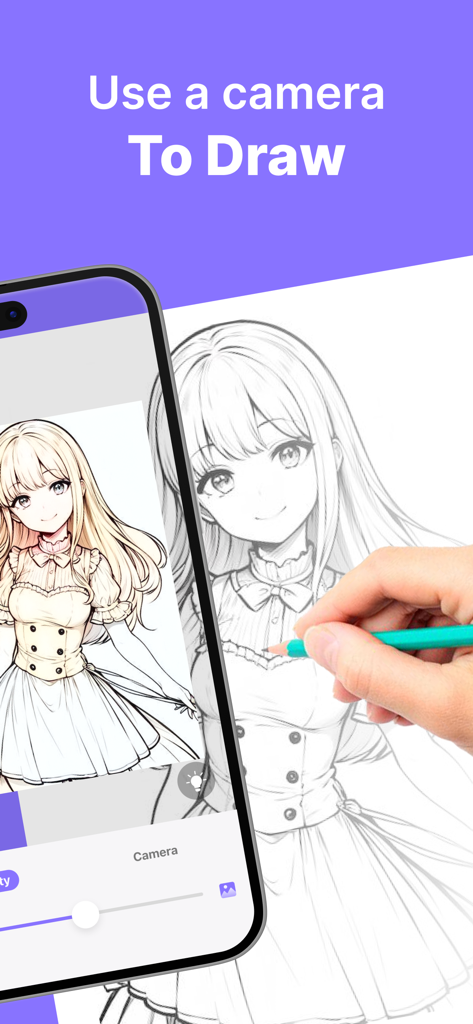
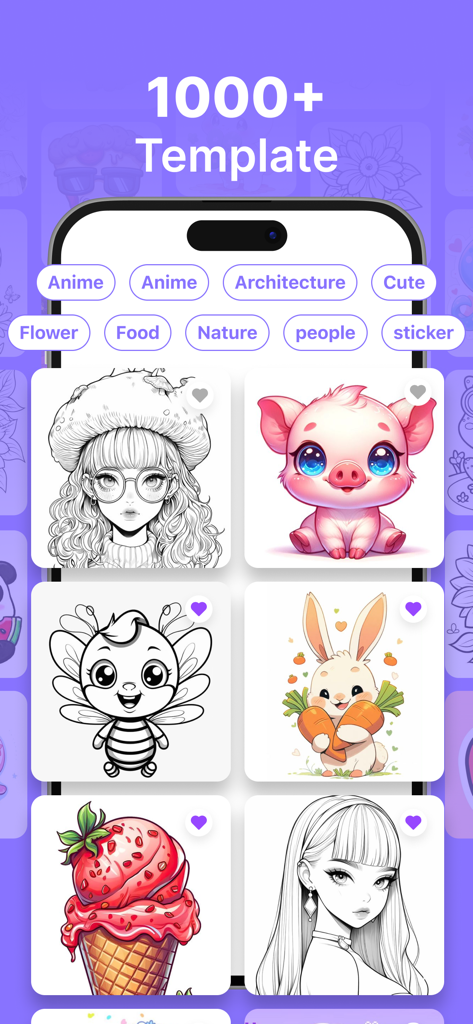
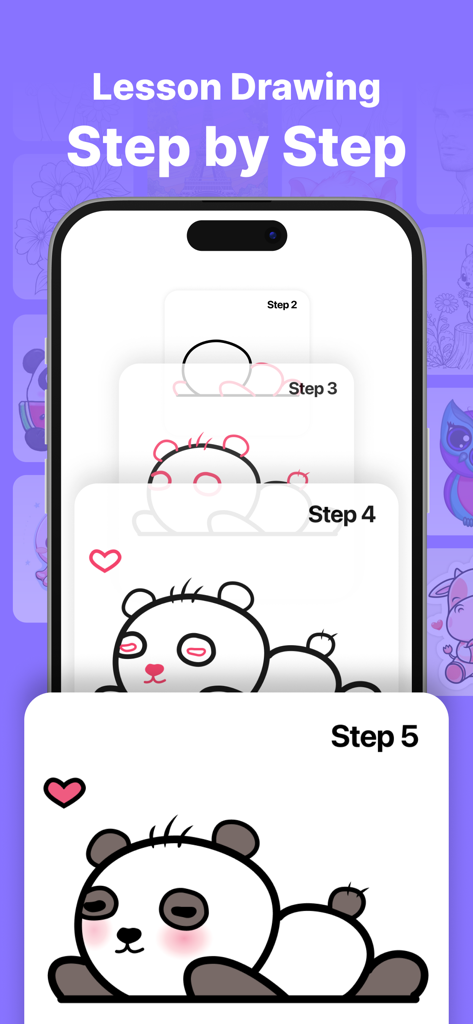
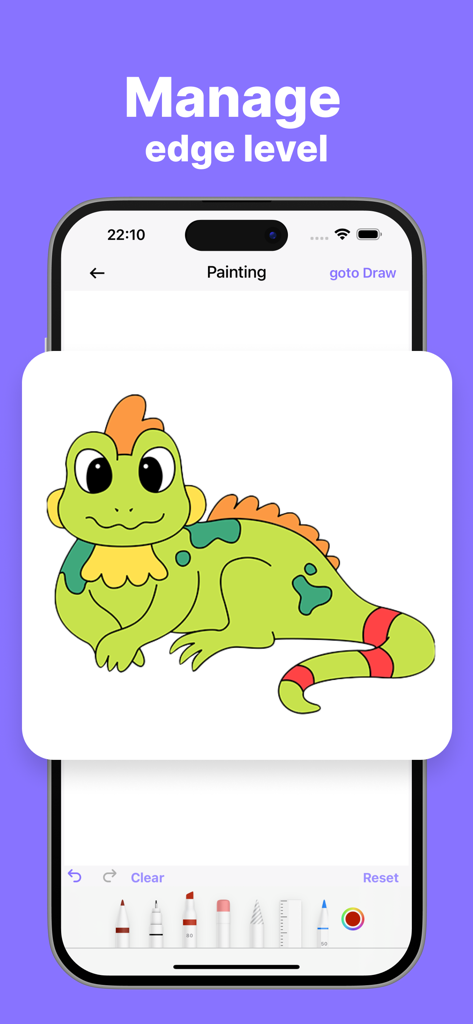
The tools that make this app stand out, trusted by 21K+ users.
Forget about messy proportions. Project any image directly onto your canvas and trace with pinpoint accuracy using your phone's camera.
Record every line and shade as you draw. Instantly generate high-quality time-lapses perfect for sharing on your TikTok and Instagram feeds.
Explore thousands of templates across categories like Anime, Aesthetic, and Cars, or turn your own photos into custom tracing guides.
Everything you need to know about AR Drawing: Tracing Paper.
Description
Latest Version
1.0.5
Size
124.8 MB
First Released
Jun 21, 2024
Join thousands of creators bringing their favorite anime and aesthetic art to life. Download AR Drawing today and start your journey from screen to sketch!
Everything you need to know about AR Drawing: Tracing Paper
AR Drawing: Tracing Paper is an app that utilizes revolutionary AR Drawing technology, transforming the real world into a canvas. Users convert real-life images into freehand artwork, making drawing accessible and intuitive.
AR Drawing: Tracing Paper functions by turning your phone into a magical sketching tool. You capture real-life images with your camera, then trace the image line by line onto any surface to create freehand artwork.
Yes, AR Drawing: Tracing Paper offers over 1000 templates across diverse categories. These include Anime, Architecture, Flower, Food, Nature, and People, providing a wide range of options for users to draw.
Yes, AR Drawing: Tracing Paper allows users to record their artistry. The app captures every stroke and shade of your sketching and painting journey, preserving the creative process.
AR Drawing: Tracing Paper includes essential tools such as lock screen, image rotation, brightness adjustment, and flashlight. These features enhance the drawing experience and assist in creative tasks.
Yes, AR Drawing: Tracing Paper provides step-by-step drawing lessons. This feature guides users through the process, making it simpler to learn and create various drawings.
Yes, users can manage image properties like edge level in AR Drawing: Tracing Paper. The app allows customization of objects by adjusting Grid, Edge, and Opacity settings to perfect the sketch.
AR Drawing: Tracing Paper saves all completed masterpieces directly within the app's gallery. This allows users to store and access their creations conveniently from one location.
Yes, AR Drawing: Tracing Paper is designed for simplicity. Its intuitive interface makes it an effortlessly simple and immersive way for users to learn drawing using their phone camera.
Top-ranked apps in the same category

LOHAS GAMES PTE. LTD.

Xiamen ShenZhuo Information Technology Co., Ltd.

BYTEDANCE PTE. LTD.

HUBX YAZILIM HIZMETLERI ANONIM SIRKETI

ibis inc.

Woohoo Tech. Ltd.

Sketchbook, Inc.

Guangzhou ZHIFENG Information Technology Co.,Ltd.

GM UniverseApps Limited
App information, icons, screenshots, and descriptions displayed on this page are sourced from the Apple App Store and are the property of their respective developers. Download estimates and rankings are based on MWM's proprietary models and may not reflect actual figures. This page is provided for informational and analytical purposes only.
Believe this page infringes your intellectual property? File a dispute