
ArcadeMania

Relive 30 years of gaming history with pixel-perfect accuracy. Powered by MAME 0.278, experience Native Metal rendering, HDR support, and full hardware controller integration built for the retro gaming purist.
Publisher
Category
EntertainmentDownloads
8K+User Rating
Total Ratings
100Locales
3Discover the interface used by 8K+ users.
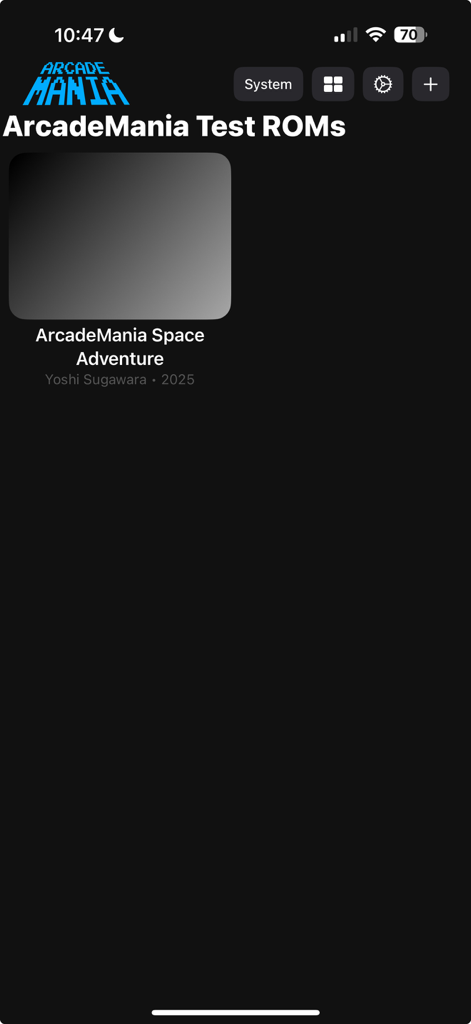
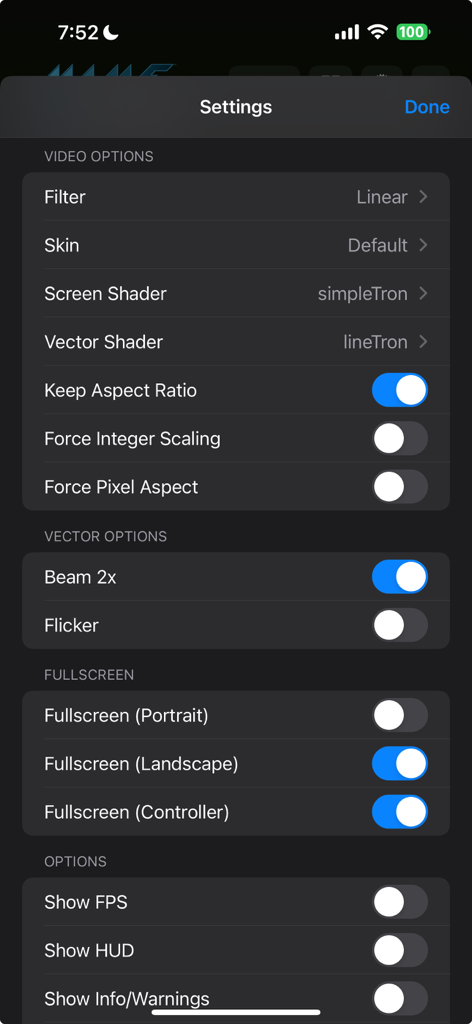
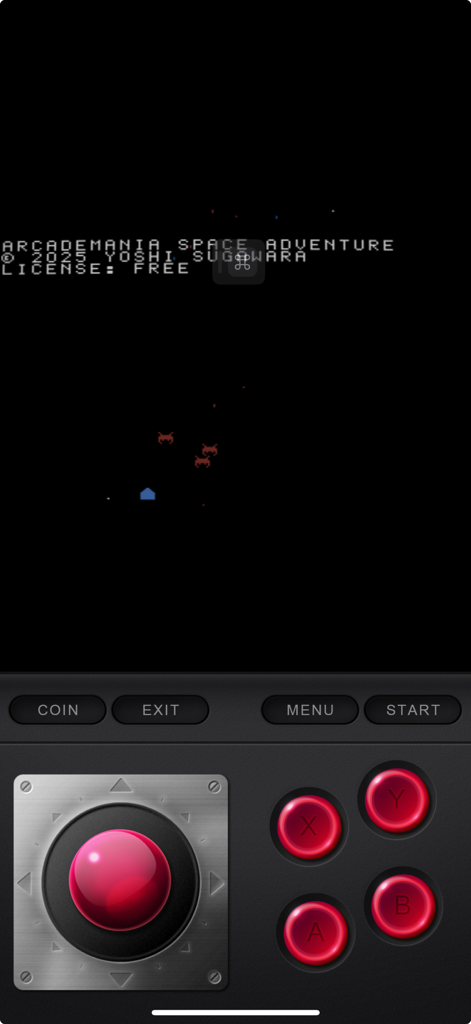
The tools that make this app stand out, trusted by 8K+ users.
Native Metal rendering, custom CRT shaders, and HDR support ensure your favorite classics look exactly as you remember—or even better.
Bring your own ROMs and explore over 5,000 supported titles. From arcade cabinets to vintage computers, your collection is ready to play anywhere.
Connect your Xbox, PlayStation, or Switch controllers via Bluetooth for a lag-free experience, or master the game with precision touch-screen lightgun mapping.
Everything you need to know about ArcadeMania.
Description
Latest Version
2026.1
Size
294.4 MB
First Released
Apr 11, 2025
Bring your ROM collection to life with pixel-perfect MAME emulation, Metal graphics, and HDR support. No ads, no fluff—just pure retro performance.
Everything you need to know about ArcadeMania
ArcadeMania is an application that allows users to play over 5,000 arcade games, vintage computers, and electronic games on their device. It uses the open-source MAME (version 0.278) as its emulation core.
No, ArcadeMania does not include ROM files. Users must provide their own ROM files and import them using the app's file import functionality or via the Files app.
ArcadeMania supports Xbox One, PS4, PS5, and Switch controllers. It also features Touch Screen Lightgun, Touch Screen Analog, and Hardware Keyboard Support for gameplay.
Yes, ArcadeMania offers custom graphics settings including Native Metal Graphics Renderer, Custom Shaders, and HDR Support. Users can also adjust screen and vector shaders.
ArcadeMania includes built-in MAME features such as Save States and Cheats. These features enhance the gaming experience within the application for supported games.
Users import ROM files into ArcadeMania using the app's file import functionality. Alternatively, ROMs can be imported directly via the Files app on the device.
Yes, ArcadeMania supports fullscreen gaming in various orientations. Users can toggle fullscreen options for Portrait, Landscape, and when using a Controller within the app's settings.
Yes, ArcadeMania includes an option to display the game's Frames Per Second (FPS). Users can enable this feature within the app's settings menu.
ArcadeMania uses the open-source MAME (version 0.278) as its primary emulation core. This allows the app to support a vast library of classic arcade games.
Yes, ArcadeMania provides on-screen controls for gameplay. These include buttons for Coin, Exit, Menu, Start, a virtual joystick, and traditional A/B/X/Y action buttons.
Top-ranked apps in the same category

TIKTOK PTE. LTD.

Netflix, Inc.

256 REWARDS LTD

STORYMATRIX PTE. LTD

WarnerMedia Global Digital Services, LLC

AMZN Mobile LLC

NETSTORY PTE. LTD.

New Leaf Publishing, Inc.

Disney Electronic Content, Inc.
App information, icons, screenshots, and descriptions displayed on this page are sourced from the Apple App Store and are the property of their respective developers. Download estimates and rankings are based on MWM's proprietary models and may not reflect actual figures. This page is provided for informational and analytical purposes only.
Believe this page infringes your intellectual property? File a dispute