Archdesk Lite

Archdesk Lite

Download on App Store
Logo of Archdesk Lite

Archdesk Lite: Powering Productivity for Construction and Field Professionals

Access real-time project data, submit site reports, and collaborate with your team instantly—anytime, anywhere.

Download on App Store

Publisher

EMS Operations UK Ltd.

Category

Business

Downloads

0

User Rating

1.0/5

Total Ratings

0

Locales

1

Precision in the Field

Discover the interface used by 0 users.
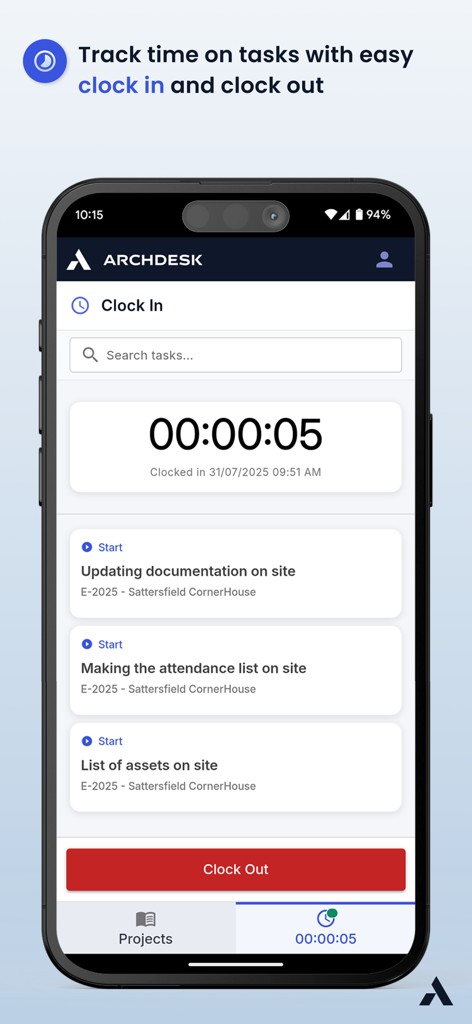
Archdesk Lite mobile interface for tracking time on construction tasks with clock in and clock out buttons

Archdesk Lite mobile interface for tracking time on construction tasks with clock in and clock out buttons

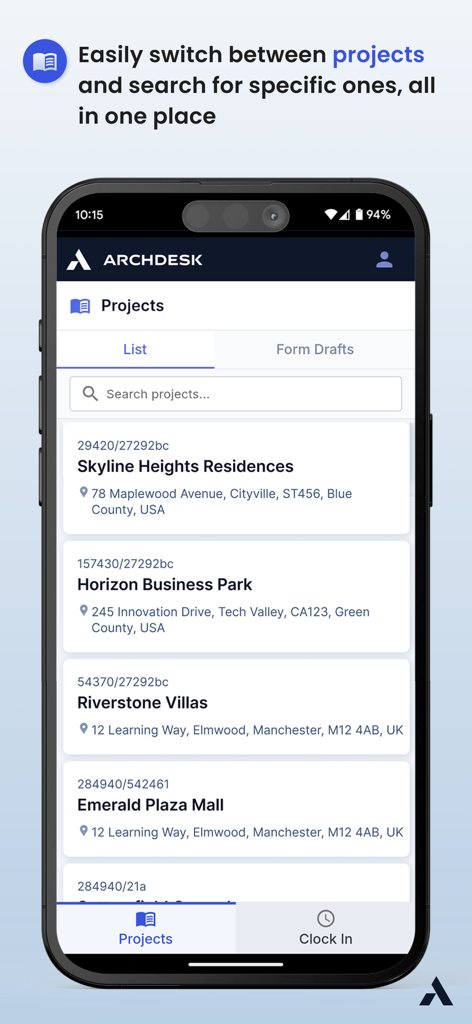
Archdesk Lite mobile app project list screen displaying construction project names and addresses

Archdesk Lite mobile app project list screen displaying construction project names and addresses

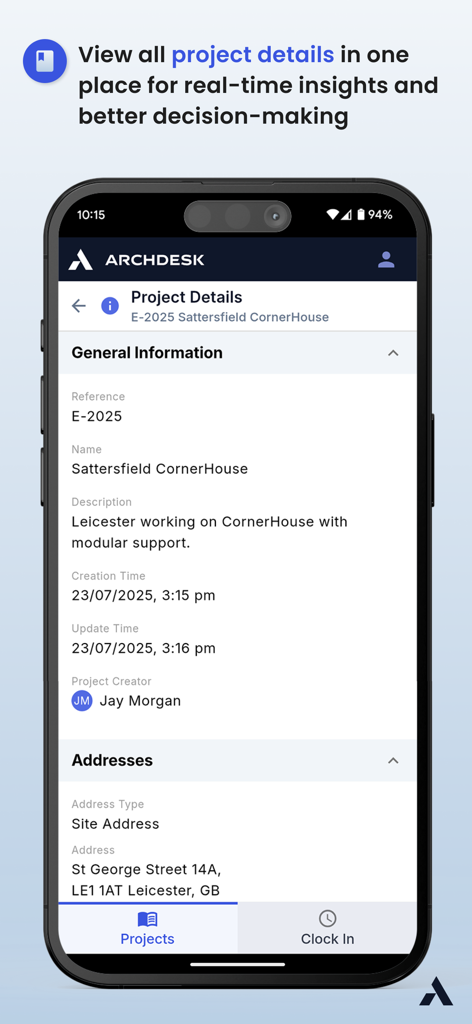
Archdesk Lite mobile app screen displaying construction project details, general information, and site address

Archdesk Lite mobile app screen displaying construction project details, general information, and site address

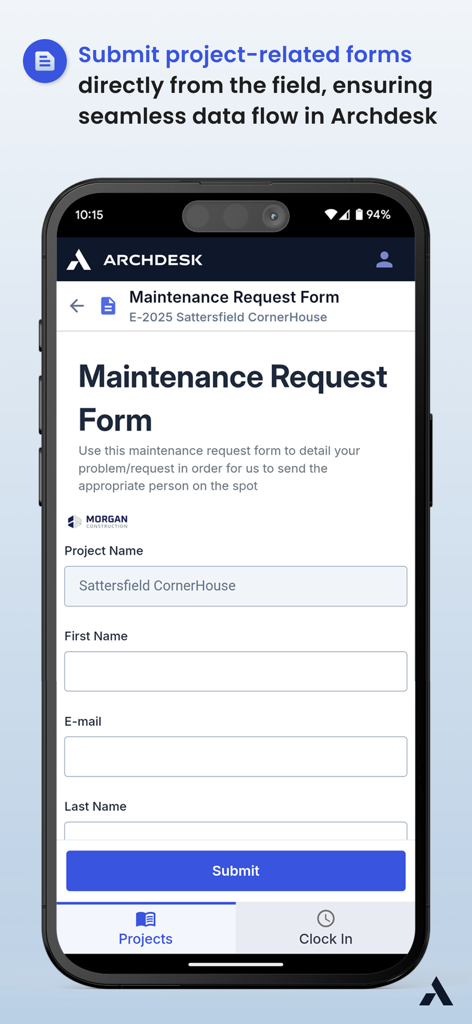
A mobile interface of Archdesk Lite displaying a maintenance request form for construction site data submission.

A mobile interface of Archdesk Lite displaying a maintenance request form for construction site data submission.

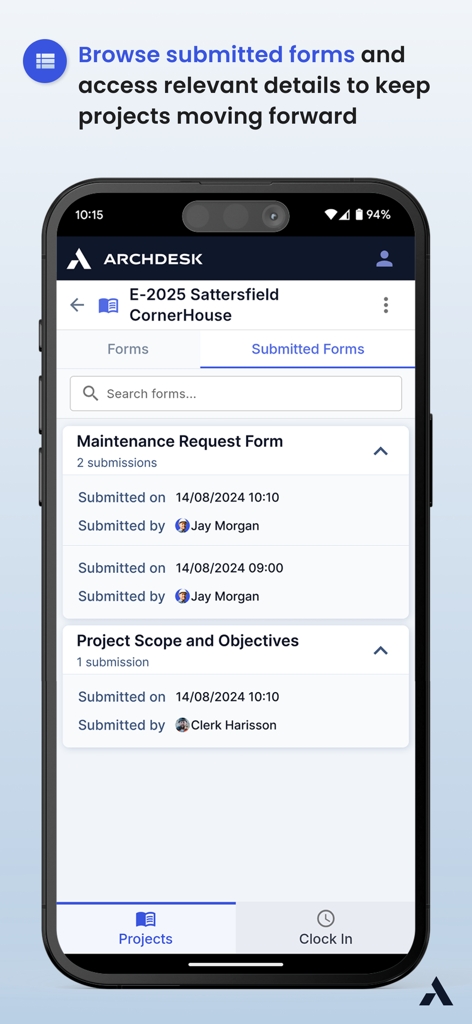
Mobile interface of Archdesk Lite showing a list of submitted maintenance request forms for a construction project.

Mobile interface of Archdesk Lite showing a list of submitted maintenance request forms for a construction project.

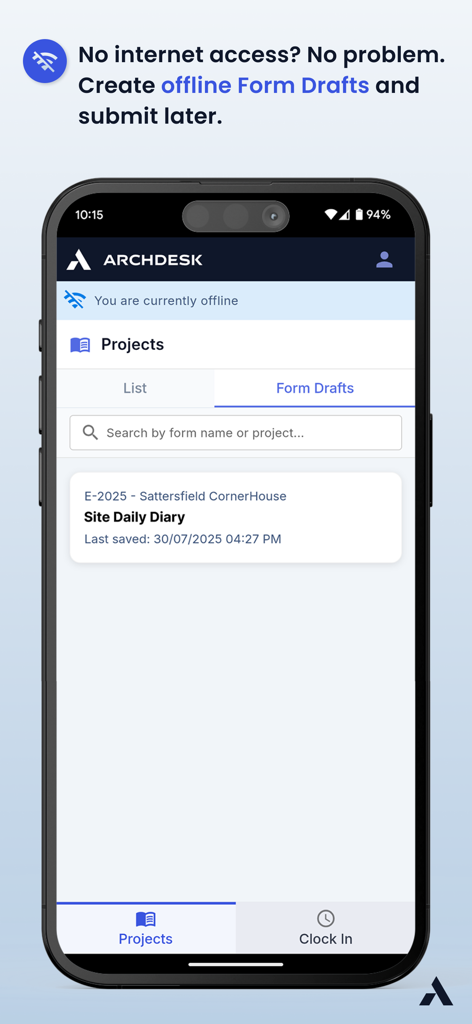
Mobile view of Archdesk Lite interface showing offline form drafts for a construction site daily diary

Mobile view of Archdesk Lite interface showing offline form drafts for a construction site daily diary

Field-Ready Features for Modern Construction

The tools that make this app stand out, trusted by 0 users.

📝

Instant Digital Reporting

Ditch the clipboard. Submit maintenance requests and site reports in seconds, creating a digital paper trail that ensures compliance and liability protection.

📍

Real-Time Project Hub

Access addresses, site details, and team assignments instantly. Make informed decisions and eliminate unnecessary trips back to the office or trailer.

🤝

Seamless Team Sync

Keep your crew on the same page with real-time document sharing. Stop the endless phone calls and ensure everyone has the latest project scope at their fingertips.

About the app

Everything you need to know about Archdesk Lite.

Description

Archdesk is a powerful mobile solution designed for construction, production, and service professionals who need real-time access to their projects anytime, anywhere. With Archdesk, managing projects, submitting reports, and tracking progress has never been easier. Key Features: • Project Overview & Details – View and manage project data, including descriptions, addresses, and assigned teams. • Form Submissions – Submit, browse, and manage project-related forms such as maintenance requests, project scopes, and more. • Seamless Collaboration – Keep your team informed by accessing and updating relevant project documents instantly. • Real-Time Data – Stay updated with the latest project information and form submissions to make informed decisions. • Easy Navigation – Quickly switch between projects and search for specific ones, ensuring you always have the right information at your fingertips. Designed to streamline project workflows, Archdesk empowers professionals to enhance efficiency and collaboration in the field. Download now and take your project management to the next level!

Latest Version

1.5.1

Size

23.5 MB

First Released

Feb 19, 2025

Take Control of Your Projects from the Field

Download Archdesk Lite today to streamline your workflows, submit forms in seconds, and keep your team in sync on every job site.

Download on App Store

App information, icons, screenshots, and descriptions displayed on this page are sourced from the Apple App Store and are the property of their respective developers. Download estimates and rankings are based on MWM's proprietary models and may not reflect actual figures. This page is provided for informational and analytical purposes only.

Believe this page infringes your intellectual property? File a dispute